Problems? See this thread at archive.org.
Have you tried with less voltage? I think 150/300 is @bloodhawk 's dayly game clock, but with less voltage (he have slightly higher Asic score I think)
Edit. What's the peak wattage on the graphics?
-
-
I said it before that it is too high. 37,5 or 50mv max should suffice.
As comparison: I run my daily gaming oc with +150core/+220mem without raising voltage. -
i OC but still cap the fps to the screen fps because any more and it's wasted. vulkan in doom has a problem where it looks very stuttery when vsync is on but runs great when off...this + the OC causes the wattage to go up of course. I've switched back to OpenGL for now and capped the fps back to 75fps (even though i have finished it i might go back to get other stuff i missed in the sp).
I'll definitely give +150/+300/+50 a try and that may do. i now have it set as the OC. when i am on the desktop it sometimes will boost in to 3d clocks but will go down to 2d clocks anyway so it's not a 24/7 OC per se.
with games capped they usually hover around the 200 watts area maybe 220 watts at peak and i think that's quite reasonable. -
I can't stand the input lag capping creates so i always let it run as fast as possible.
-
What keyboard and mouse are you using?
-
DA. +150/+300 at stock voltage.
-
I mean 100mV is overkill for 150/300 even with his lower Asic score I think.
-
Yeah big time.
The stutters @thegh0sts is having are not GPU related, there something funky going with his OS/Drivers/or background applications. -
Win X

-
Doubt it, i have been using Win X since it came out and i have yet to face any issues.
But it could definitely be driver related. Sometimes if you dont do a clean driver install it causes serious issues.Last edited: Jul 16, 2016 -
Is worse performance on many applications in SLI potentially a symptom of EC power throttling? With SLI enabled, I saw both cards capping out at around 75-80W and 60% utilization, whereas a single card hits 130W and 100% with more FPS to boot. I'm using a minimal 150/200 OC on both. I originally thought that it may have been a memory bandwidth issue since this is at 4K, but clearly that's not the case. I supposedly have the Prema BIOS/EC, but maybe the reseller left the stock EC on, which would also explain why my 4.8 OCs seem to be power throttled down to 4.2 under heavy load, even with current limits opened all the way up. Anyone have insight into potential causes? Obviously the laptop can't tell the difference since there's no signal pin, but I do have 2x330 attached.
-
A poorly optimised game will half load each card and give similar performance.
-
I am using the latest drivers. Would +50 on the voltage be a reasonable increase?
Sent from my SM-T560NU using Tapatalk -
Yeah +50 should be ok, but its still high for those clocks, IMO.
Also i would refrain from using the latest drivers, you are the second person having these issues with those drivers installed.Papusan likes this. -
What issues? The flickering was on a previous driver in 3dmark with a high memory oc.
Sent from my SM-T560NU using Tapatalk -
Black screens and such.
-
ah, what's the stock voltage and ASIC quality for you? i think the crashing was from using non-modded drivers.
-
Mine is 74%. Nothing all that high, but way better than my first card. Stock voltage is 1.137v i think.
-
ok, i am 70.7% with a stock voltage of 1.137v but it boosted to 1.156v when it was running at 1378Mhz....odd!
does it do that for you @bloodhawk?Last edited: Jul 16, 2016 -
I dont get this benchmark, this is the most un-optimized run possible. On my non bench Windows 10 install with everything running in the background.
and still im getting the same CPU score at a lower clock speeds.
http://www.3dmark.com/3dm/13333499
![[IMG]](images/storyImages/b2efeb115826a65d98058bf38b017e15.jpg)
-
doom crashed on stock voltage with the +150/+300. will have to bump up the voltage a bit. will try +37.5
-
What clocks are you trying to run ?
-
updated the post above.
EDIT: doom crashed when i exited the elevator in the first level at stock voltage and OC. the bump to +37.5mv certainly made it better. so i don't know if it's just my card's ASIC quality that's causing it to do this and sure not all 980s are the same even though they have the same spec so a voltage boost of +37.5mv should be fine.
mind you this clock doesn't run while at idle as i only applied the max performance thing to some games and not globally as that's where it was causing issues with it not downclocking to idle clocks.
EDIT2: +150/+300/+50 is good as i managed to play Doom for at least an hour or so without issue.Last edited: Jul 17, 2016Mr. Fox and CaerCadarn like this. -
So i finally got my 770dm. But as soon as i got it it wouldnt boot on my os drive so i had to do a cleaninstall. My top laptop area where the wrist rest is was replaced since they damaged it so its brand new good for me but my hardware stickrs are gone. Touchpad is not working and my keyboard too. Only the number 6 space and backspace seem to work. Any idea why this is? Maybe the cable was not inserted properly?
Sent from my SM-G935F using TapatalkLast edited: Jul 17, 2016Mr. Fox likes this. -
Probably, unless the cables are damaged. (worst case scenario?)
-
But when i turned it over to them everything was working. I hope they own up to their mistake if its that. They might tell me they got it doa and claim it was like that and the damage was done on my end.
Sent from my SM-G935F using TapatalkMr. Fox likes this. -
If your reseller had to replace some damaged parts, it could be that they accidentally didn't attach one or more cable well.
Just lift up the keyboard and check, if the cables are attached properly. If not, send it back and claim a refund. -
Agreed, this would be what I would do.. The cable might not be attached or worst case is broken..
Sent from my LG-H850 using Tapatalk -
I will third the motion. The ribbon cables for the keyboard can easily slip a bit even for an experienced technician. There have been several occasions when that happened to me. Pay close attention to the ribbon being fully seated and keeping it seated when sliding in the clamping mechanisms all the way.
@jpsm - Here's a teardown video that I made. You will find all the information you need relating to the keyboard and ribbon cables in the first 6 minutes.
Last edited: Jul 17, 2016 -
#1 in Time Spy with single 970m for now
3006 - http://www.3dmark.com/3dm/13358931?
3037 - http://www.3dmark.com/3dm/13359651?Attached Files:
Last edited: Jul 17, 2016hmscott, jaybee83, Mr. Fox and 1 other person like this. -
-
I will take the laptop back to them and have it reseated.i am using an external keyboard for now. Everything seems to be ok except for those i mentioned. Any idea where i can grab badges/stickers for my system?
Also my boot logo is now different despite having a prema mod @Prema . But i still have the oc options etc so i am sure its still the same.
Sent from my SM-G935F using Tapatalk
Well they had to replace the top cover/wrist rest because they used a long screw on the bottom instead of a short screw and it went through the wrist rest. I just hope if they damaged the ribbon, they are gonna own up to their mistake.
Sent from my SM-G935F using TapatalkLast edited by a moderator: Jul 18, 2016 -
I do not think you can obtain new original stickers. Try Ebay if they have someone who is fake. Or ask your Clevo vendor/resellers.jpsm likes this.
-
The sticker adds flare but it looks clean too
-
Yeah, I don't know about the stickers. I removed mine before I turned the computer one for the first time because I hate decals. I know some people like them, just a difference in personal taste. The bad thing about them is when they start wearing and looking tacky after you remove them the palm rest will be a different color where the stickers used to be. That's definitely not cool, even if you enjoyed having them.
jpsm likes this. -
@Mr. Fox Do you know why Time Spy is doing this ?
http://forum.notebookreview.com/threads/clevo-overclockers-lounge.788975/page-414#post-10296860 -
The new bench is probably not good enough yet. Have you asked in the Furmark support?
-
Neah, haven't used their support in like ages.
-
No, I'm really puzzled by it. I had not posted it yet because I don't want to cause anyone to panic and wanted to try and understand it better, but I am going to have to reinstall Windows 10 on the P870DM-G again and already had to on the P750ZM after installing this piece of junk. From the moment I installed it both machines became unstable and have random BSOD that I never had before. I restored my backup image on both machines, both were fine again... 100% stable. Installed the new 3DMark with Time Spy and both are back to random BSOD again. And, not just when the benchmark is running. They really botched something up.
-
Usually when the stickers start to show its age i already sell them. But the all black look is pretty sleek i must say.
-
Maybe NVIDIA paid them to plant an overclock killing trojan in the software package... one that adversely affects systems that do not have a Pascal GPU installed.
-
Yeah, sorry didn't generate a compare link.
Yeah there is something very funky with this benchmark. On my optimized W10 install I barely crossed 4600. And on the crappy install I get this, like wth ?
Though no Windows stability issues.
There is something definitely broken.Mr. Fox likes this. -
My Windows setup routine includes enabling HPET and unparking all CPU cores, and my images have HPET enabled and all cores unparked. Not sure if that is the cause or what. I can run wPrime, Cinebench and other 3DMark benchmarks at 4.8GHz, but Time Spy crashes while loading with 4.8GHz. If I lower the CPU overclock it does not crash while loading, but I have to lower the GPU memory overclock from what works stable in everything else to keep it from crashing while running. Always crashes near the end of test #1 with my normally stable GPU memory overclock. It doesn't make any sense to me. That's why I offered the sarcasm about NVIDIA paying them to add malware that only allows overclocking with Pascal GPUs.
-
That is weird, i was able to load it at 4.8Ghz, but my nvidia drivers crashed because of the voltage. I could not find the option to enable HPET in the BIOS though. Or maybe its called something else? (Saw something with PET)Mr. Fox likes this.
-
HPET is a Windows tweak, not BIOS. It forces Windows to use the platform clock timer (hardware) instead of its own. Has worked great for me for a long time, but I am not sure it works correctly with Windows 10. I have it enabled and the command to disable it may not work correctly. Windows 10 uses a different timer than Windows 8.X from what I hear may be the case. I don't know if this is 100% accurate or whether it is the cause of the issues with Time Spy, just grabbing at straws and guessing at what the deal is in order to try to unravel the mess. If may just be screwed up benchmark software and nothing more.
Code:bcdedit /set useplatformclock true
-
I know of the bcdedit way to enable, but dont we need to enable it in the BIOS like on desktop boards?
-
Sounds like a settings issue to me....
-
Input from eg Nvidia and M$. You never know I will expect this bench will be optimized further with fixes
 Mr. Fox likes this.
 -
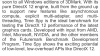
"Exciting potential of low-level low-overhead APIs like DX12"
LOL... I guess that explains why it barely exceeds 30 FPS, often less, in the graphics test. If that's what Micro$lop's idea of what low-level low-overhead API looks like for DX12 I think I'll pass on the poopsicle. Windoze OS X Malware Edition FTW! At best, that's XBOX and Playstation cracker-box gaming.
![[IMG]](images/storyImages/poopsicle_by_the2ndd-d5ad2b3.png) temp00876, CaerCadarn, Papusan and 1 other person like this.
temp00876, CaerCadarn, Papusan and 1 other person like this. -
Maybe, but a 200 Mhz clock difference should be accounted for IMO.
Clevo Overclocker's Lounge
Discussion in 'Sager/Clevo Reviews & Owners' Lounges' started by Spartan@HIDevolution, Mar 4, 2016.