Problems? See this thread at archive.org.
Is there an official site for Sager or Clevo BIOS updates? Is this particular site trustworthy? Has anyone installed it?
-
I couldn't find it on the Sager website.
Sent from my HTC One_M8 -
Hi guys, new owner of a P650RE3 here. it's called the Rebel Ghost and it is carried by Helix which is also the distributor of Sager here in the Philippines. i have to say, this laptop is amazing. i particularly love the fact that it doesn't scream "i'm a gaming laptop! look at me!" in any case, my unit has a 6700hq with a 970m 3GB, 16GB of ddr4 memory, 250GB crucial mx200 SSD and a 1TB 7200 RPM HGST HDD. after using it for 3 weeks, i decided to undervolt the CPU to lessen power draw and hopefully lower heat emission. i'm currently stable at -150mv core and cache (looks like a got a good chip) here is a screenshot of the stress test done. (i ran OCCT's Linpack for 25 minutes). just found it weird that OCCT doesn't see my correct clock speed even though both CPU-Z and HWMonitor show it correctly.
![[IMG]](images/storyImages/AUl3QGo.jpg) jgchaval likes this.
jgchaval likes this. -
System builders/resellers don't post BIOS updates. The one on the repo is mirrored from the Clevo FTP and doesn't have a customized boot logo (it is the stock 'style note' one). If you want a copy from your system builder/reseller, e-mail them for it.
-
Congrats! I'm waiting on mine, although the P650RG. How's the screen on yours?
Question:
I just bought the 1TB Samsung 850 EVO SATA III SSD, because it was a good deal........
My forthcoming machine is going to have Windows 7 installed on its 250GB EVO M.2 3D V-Nand SSD..... along with a 1TB 7200RPM HDD.
Should I re-install Win7 onto the 1TB SSD when I receive it? Is it weird to have 3 different types of storage on the same system? (SATA III, M.2, HDD)
Is the M.2 faster than the Sata III, and I should just install the 1TB as another storage drive?
Thanks! -
So using the link you provided is the quickest way to get BIOS update for Clevo P650RE3?
Is there a changelog? -
So to answer your questions:
1. You will have to remove your 1TB HDD before putting on your evo 850 SSD. This is because your HDD is 9.5mm. Per the laptop specs, you may only put a single 9.5mm HDD or two 7mm SSDs.
2. M.2 is a connector / form factor type. You have 2 m2 slots that can be used for SSDs. One slot supports only sata while the other supports both SATA 3 and PCIe gen 3, aka nvme SSDs which are about 4 times or more faster than regular SATA 3 SSDs but also twice as pricy.
In your current situation, your m2 evo will be the same speed as your 1TB Evo since they are both SATA3 speeds.
Sent from my HTC One_M8Nintendam likes this. -
Changes are listed in my post.
This is only for the P650R E, the P650R G can have a 9.5mm and a 7mm.
Your particular M.2 SSD is also SATA III. All of the storage devices you listed are SATA III, just in different forms with the same maximum speed bottleneck that SATA III has. How is this weird? There is no need to reinstall unless you feel like wasting time.Last edited: Jan 22, 2016 -
Sorry, I meant like a changelog history, just to have some context of what has changed since my current BIOS version and if it's worth the update
-
Thanks, good information to know!
More Thanks! I was about to cancel my order (I actually tried, wasn't in time hahah). Now I won't have to return it.
I can run the 1TB HDD and 1TB SSD in RAID? (Ah, Nevermind, as that would defeat the speed advantage of the solid state, as proved by common sense and a quick google search.)
Will perform benchmarks and a review when I receive my system, thanks again for everything-- -
So guess what? My laptop is officially bricked. It started beeping every time the fans kicked on or while playing a game. I went ahead and tried to do the bios update because a fan fix was listed in earlier posts. the laptop started beeping during the bios update process again and shut down halfway through the update. The laptop wouldn't work after that.
I tried to do the bios recovery that works for other clevo laptops. I turned on the power and held the FN+B key. It looks like it wants to find the bios file but didn't find the bios on the USB drive. I went ahead and opened an RMA case with XoticPC. If anyone has any other ideas in the mean time, I'm all ears.
Sent from my HTC One_M8Last edited: Jan 23, 2016 -
Did you try the filename 'P650RG.rom'? This is the filename for ALL models of the P6xxRx series. Alternatively, this type of failure can always be recovered by a hardware SPI flasher.Last edited: Jan 23, 2016
-
I renamed the files p650rg_5m.11 and p65rg_8m.11 I saw in the bios download link posted earlier to P650RG.rom but nothing worked. Can you tell me specifically which file to rename? Or is the Rom file available elsewhere?
Sent from my HTC One_M8 -
Hi guys i have just reciced my NB and have problem
In XTU i saw that my ram 16 DDR4 hyperx http://www.hyperxgaming.com/pl/memory/impact-ddr4 (2400)
were at default 1600 and i had chosen to use XMP profile 2400 mhz as they should. But after reboot nothing just black screen and keyboard backlit what works. all done in discrete mode. moreover I can't go into bios to fix it. (tried to remove ram and replace it but i didn't work)
Any suggestions guys? -
My guess is you just need to reset the BIOS. Look up and see how it's done with similar clevo models.
Sent from my HTC One_M8 -
Just ordered a p650re3 from Xotic! So hyped!
-
You'll have to reset the bios, which can usually be done by removing the both the battery pack and CMOS cell battery, then holding the power button in for a few seconds to flush the capacitors.
For next time, don't go messing with the RAM timing in XTU, it displays the wrong values for DDR4 RAM, though in actuality the RAM is running at 2400 anyway. Changing the values just messes it all up, so focus on the CPU until Intel fixes the read outs for that.
Sent from my iPhone using Tapatalk -
Anyone here who has successfully overclocked their display by at least 75hz? I've been trying for weeks and I can't seem to figure it out.
Using P650RE3 -
Sorry to hear your you had to do that. If you need any help with anything, though I don't set up the RMA's myself, feel free to reach out to me if there is anything I can do for you.
Thanks for placing an order with us. And if you have any questions on your order, or when you get the system, just let me know as well. -
What panel? I have the LG 1080p G-Sync panel and it has a soft limit of 64Hz through NVIDIA Custom Resolution window. I have read about flashing a modified EDID to the panel to enable faster refresh rates, see: https://www.techinferno.com/index.p...ased-clevo-screen-overclocking-p150sm-tested/
-
I also have the LG 1080p G-sync panel and my limit is just 63hz through Nvidia. I tried flashing the EDID but I can't seem to use Lubuntu (the screen is just horizontal gray lines). I also tried using CRU but it still isn't working (even with the modified EDID)
-
One more p651rg bought here (XMG p506), now being assembled. XMG please be gentle!
This will replace my late XMG c404 (Gigabyte p34g v2), that had a premature ending (soup drowning). The Gigabyte suffered horrendously from bleed, and ended up being kindly replaced by XMG for another unit with "slightly less" bleed. Having read this thread I see that it is quite common in these in Clevo p65* with LG panels too. The fact that I am buying second time with XMG is a testament to their good support, I feel like I know most of their team by name now. Still keeping my fingers crossed on that bleed.
Had the opportunity to play with the p506 in a shopping mall in Frankfurt and was very positively impressed. The chassis is a major step up from Gigabyte's bendy aluminium. Plus the hardware will be able to cope with all the VMs I need to work with on a daily basis, and allow for some good procrastination in between. It should also work fairly well on linux, in fact I see that the linux oriented System76 is also using p65* clevos. Hope to have more impressions to post soon.Last edited: Jan 25, 2016TomJGX likes this. -
Thx for info and NB is working good now.
No way my is stuck on 61 (tried nv custom resolution and no luck there) -
Thanks Pat! Today XoticPC opened an rma ticket with the manufacturer (sager?) for me. I'll let you know how it goes!
Sent from my HTC One_M8 -
Does anyone know the quality of the non-Gsync panel? I ordered it but noone else seems to have.
-
From what I read, the biggest advantage you'll have is no light bleed like most of us. Also maybe more glare? I don't know for sure though.
Sent from my HTC One_M8 -
Guys very stupid question but.... How van i start clevo control center? It s running but i cannot open it to see options...
-
-
 big thanks
-
Aren't you annoyed by the very big notification it shows on the upper left corner of the screen?
-
Honestly.... Never noticed... It s my GF notebook.... I use it maybe 10 mins in a week
-
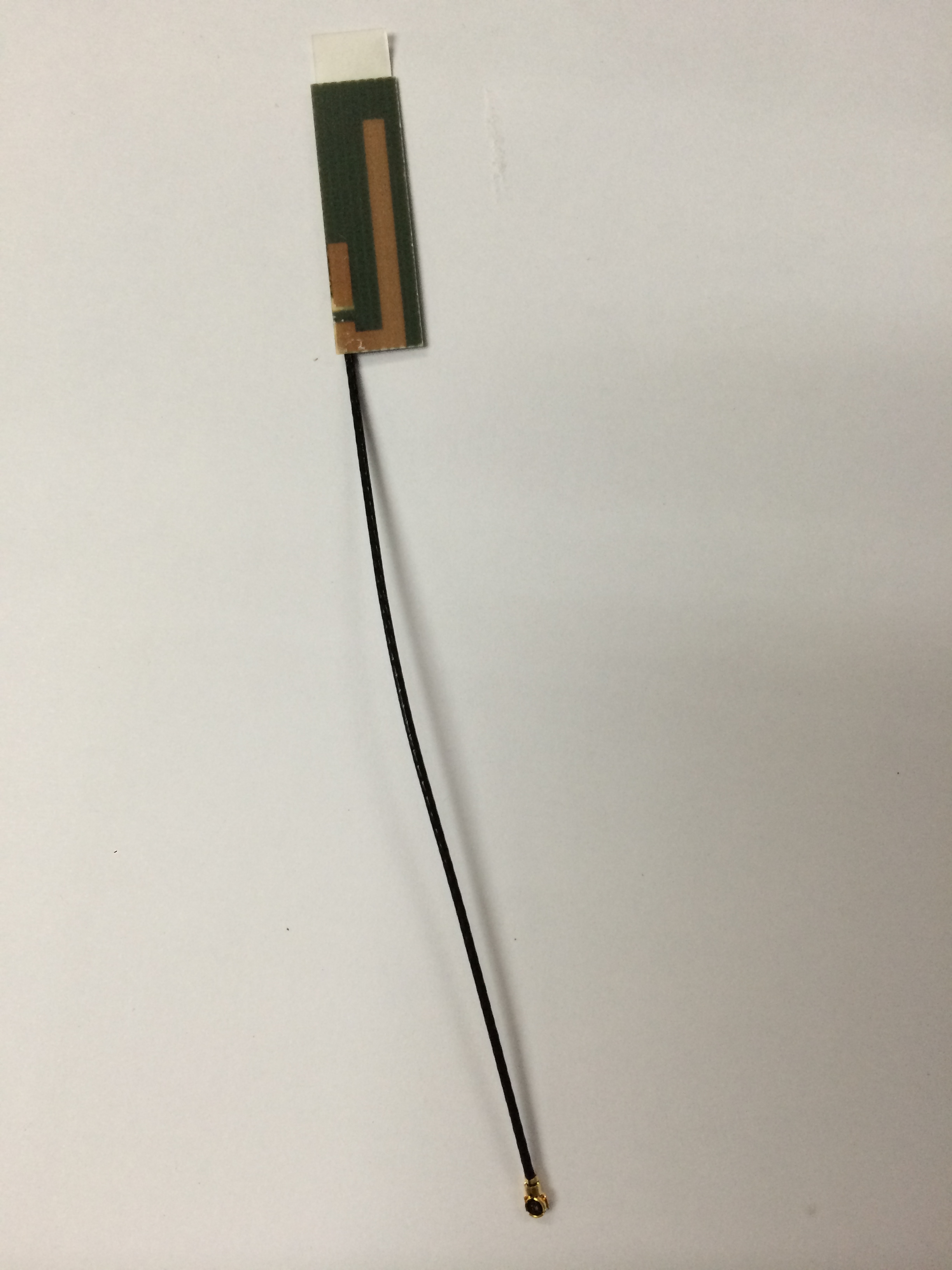
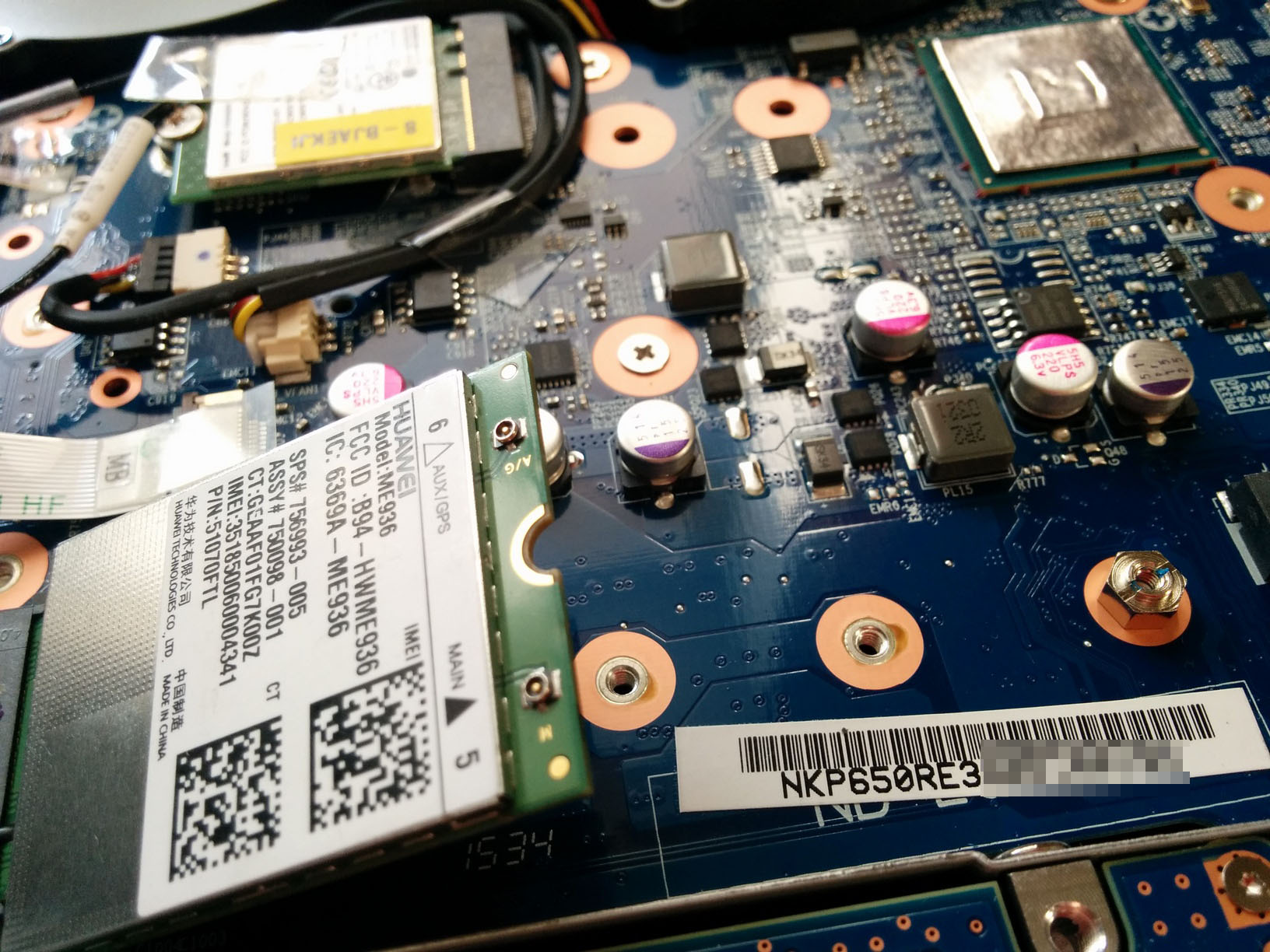
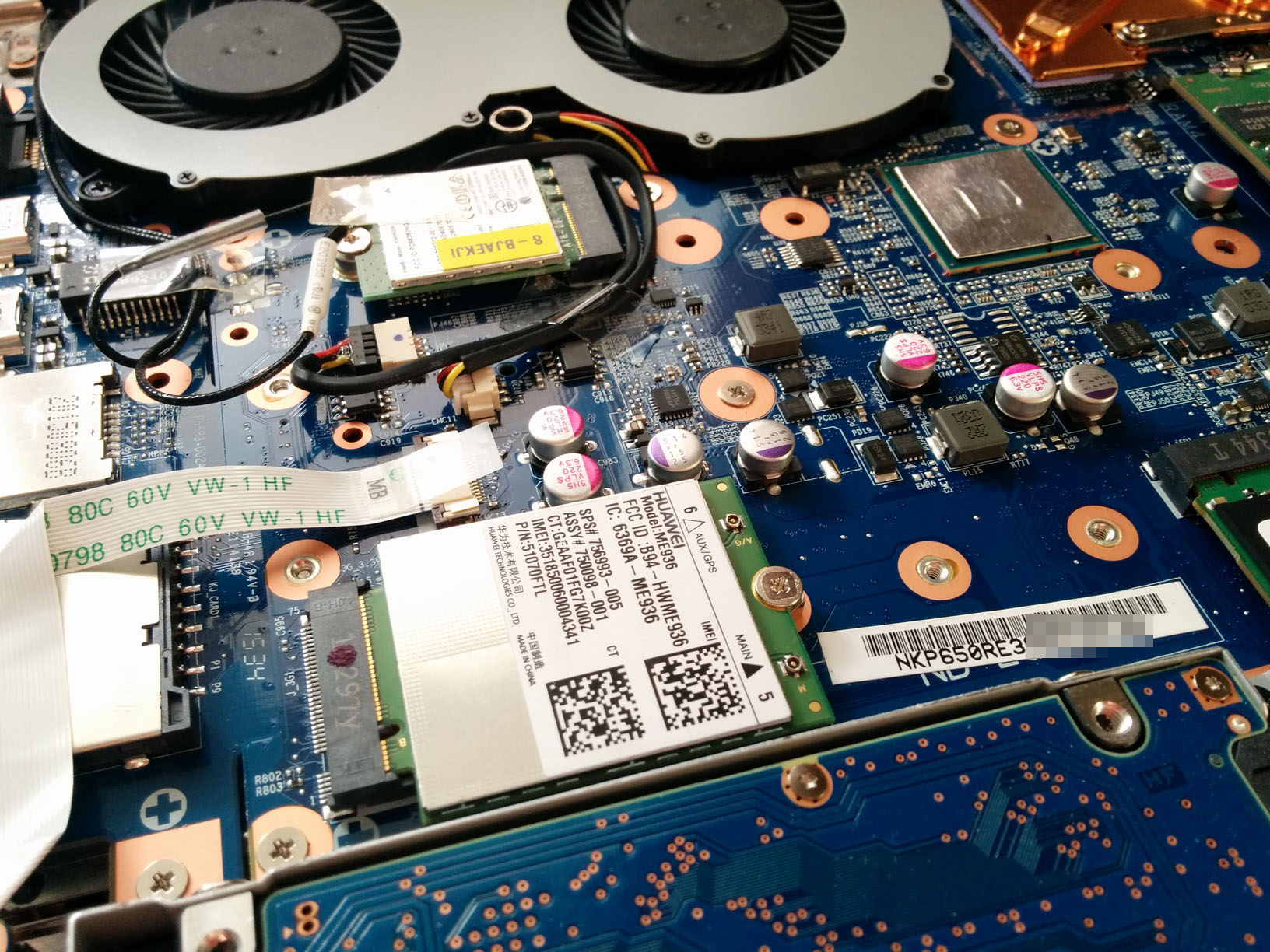
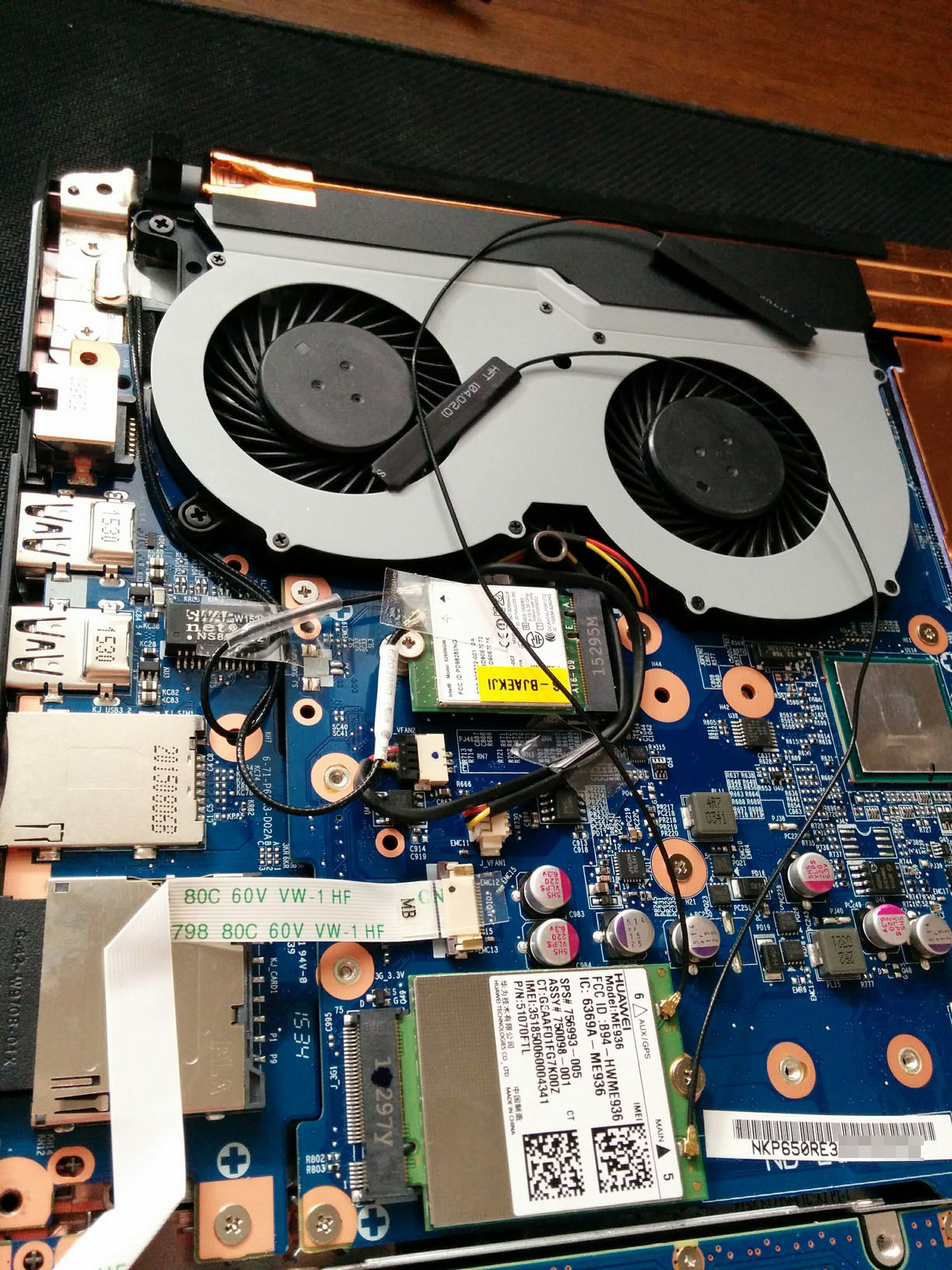
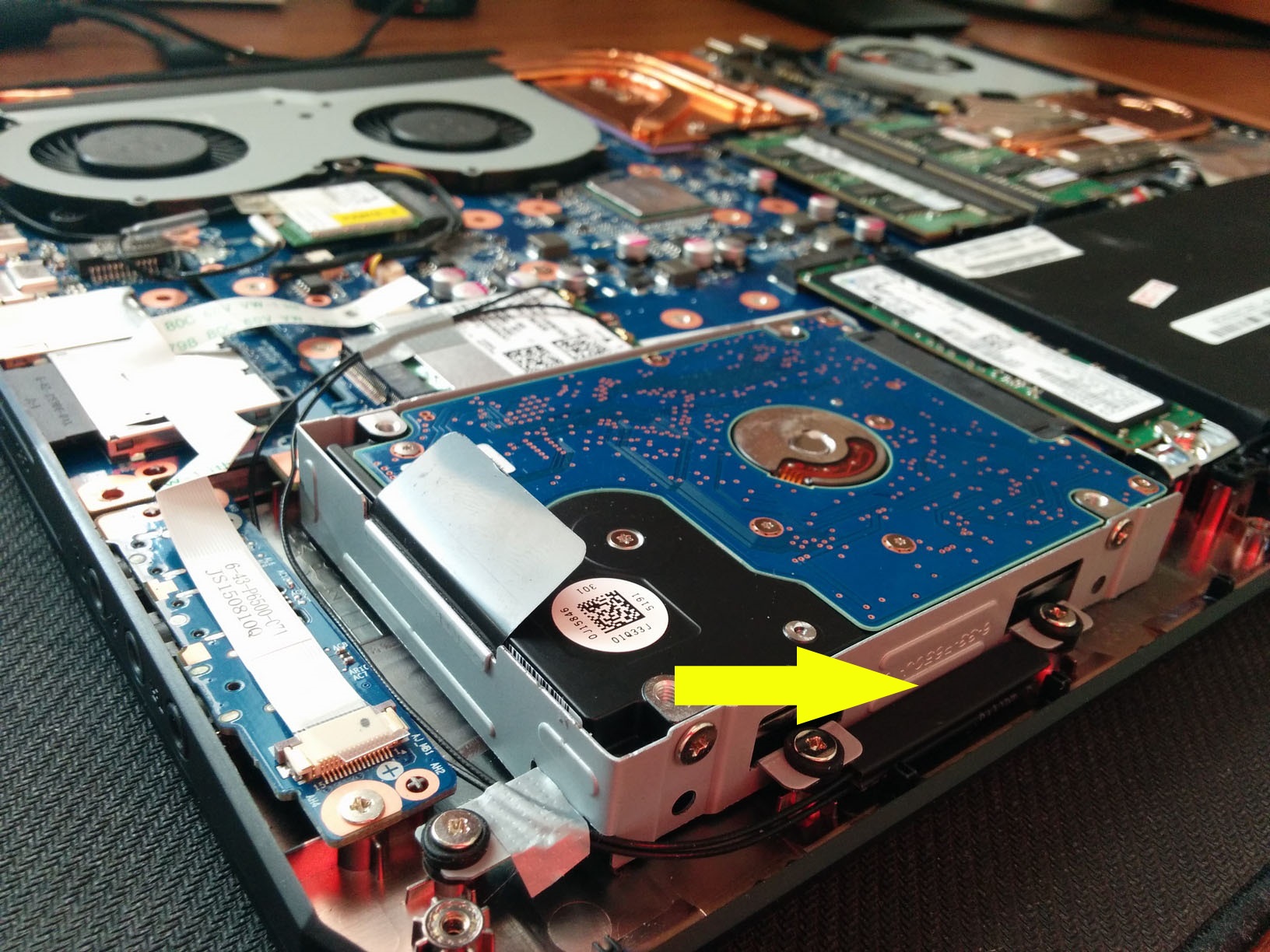
Is there a guide on how to properly arrange antennas (check the image attached) of 3g/LTE module within the case?
To avoid any interference and other possible issues.
Just got this one
http://www.aliexpress.com/item/HUAW...-HSPA-GPRS-EDGE-NGFF-Modules/32576145184.htmlAttached Files:
Last edited: Jan 26, 2016 -
-
I would make sure it is not surrounded by metal, it can be fairly close to the wireless antennae as they don't use the same frequency and should not cause issues with each other.
-
I can't figure out what is going on with my fans, but it's been like this since I got my P650RE in late December. When I play a game (for example, GTA V) the fans will not spin any faster unless I specifically turn on max fan mode. It will continue to let the GPU temps rise until it starts to lower the GPU clock and voltage to try to maintain a 79C temperature, then eventually overheat and have a thermal alarm. Not sure how to solve this.
-
This sounds very similar to what I was running into. Either when running a game or when the fans kicked on, I got an alarm. I tried to fix it by updating the BIOS, but it kicked on the alarm and caused the laptop to turn off in the middle. That's how it got bricked.
My advice to you is don't even mess with it and just RMA it so you don't brick it by accident. Maybe there's a bad batch out there?
Sent from my HTC One_M8 -
Hey folks. Want to make very sure optimus is disabled on my new P650. How do I do that? I entered the bios, but couldn't see relevant settings. It has a skylake cpu, which alteredqualia suggests should mean I can disable optimus
Last edited: Jan 27, 2016 -
-
Yes that's the switch, though optimus wont impact most applications unless you have a G-sync display.
-
Thanks so much! For me this is about VR - optimus can stop connected displays, including VR headsets, from connecting to the graphics card. Instead it just uses the integrated graphics, which is catastrophic for VR, because if you go beneath about 50fps it can induce vomiting.
Someone may want to put a link to that picture in the first post. -
I've attached photos on how it was installed. Another person has advised to not intersect its antennas with the wifi ones. Please take a look and let me know what you think. The yellow arrow on the last image is illustrating the current position of the antennas.
-
That looks pretty clean to me!
Sent from my HTC One_M8 -
Any chance you can put one of them to the other side?
-
Do you mean where the wifi ones are located? Please clarify.
-
The antennae for your 4g are on stacked on top of each other is what I was questioning.
-
I just removed the second one (GPS) for now.
-
Fair enough, that place is fine for one.
-
I contacted my reseller for support. Support initially thought it was EC/BIOS related and were going to send me a copy to reflash, but concluded it may be a hardware issue. They issued me an RMA and I will drop it off at UPS. Will see if they can fix it.
-
Wondering if someone could help me with an issue. I have the Sager NP8658-S, with the intel 6820HK. The problem I'm having is that I'm using the HDMI port to my main Dell screen and I get the screen intermittently going black for 4-5 sec. Seems to happen pretty randomly and not too often. Wondering if anyone is having a similar issue or has some recommendations on a fix. I'm kind of a newbie to this so any help is appreciated.
I have updated the NVIDIA and Intel drivers but that didn't help. Tried several different HDMI cables and no difference. Unfortunately I don't have another monitor to see if that is the issue. Any thoughts? -
Thanks. BTW Do you have any experience in installation of such 3g/lte cards and its antennas? Just wondering if there is some standard procedure with the best antennas placement and so on.
-
I'm about to order one of these but I am torn on the display (I'll be running Win10). Has anyone regretted getting the QHD display over the 1080?
*** Official Clevo P650RG, P650RE3, P650RE6/Sager NP8658 and NP8657 Owner's Lounge ***
Discussion in 'Sager/Clevo Reviews & Owners' Lounges' started by moviemarketing, Oct 10, 2015.