Problems? See this thread at archive.org.
hmm sadly the BIOS & EC update doesnt fix my real problem:
i always get a BSOD: SYSTEM_THREAD_EXCEPTION_NOT_HANDLED caused by nvlddmkm.sys
Bluescreenview (Bug check Code: 0x1000007e) doesnt show up more information and in Windows EventLoger i also found nothing useful....
every time i start the Laptop in hybrid-mode and after the GTX 1070 is used by a app it crashes - if i activate dedicated alone (1070) in BIOS its not crashing.
i tried using different Nvidia Drivers (also intalling without Geforce Exp.) , Intel HD Drivers, fresh new Win 10 install, BIOS update but nothing seems to fix the Problem.
any other tips?
-
You are right man, sorry i´m just stupid tired, i really need this Easter holly days to rest.
I uploaded a fixed version, same URL.
Don´t worry it wont break anything, you can download and flash again.JohnnyR8 likes this. -
Then your problem might not be BIOS related at all, it seems more like a faulty VGA.
Well actually the fault is not in the VGA chip itself, those symptoms usually show a faulty logic-gate that control the switching, that is a really CHEAP fix, but it would involve soldering a new gate to fix. We had a couple RMAs already, fortunately it´s easy, fast and almost no cost to repair.
So to be sure you can re-install the OS, use the app in my sig to update drivers and if the problem is still there then just RMA the unit.JohnnyR8 likes this. -
thx for all your help John!
i have updated all Drivers with your nice tool but the BSOD still happens :-(
i am right that this faulty logic-gate isnt affecting the performance of the 1070 or of the Laptop in general, when booting with dedicated setting in BIOS?
Looks like i really have to RMA... -
We have seen two types of symptoms, in one of them it's like your problem, in another even in dedicated mode the dGpu will keep disconnecting and eventually show a windows error saying it stop responding or just a blue screen.
But we also seen similar problems with bad windows/drivers so be sure to always try a clean install.JohnnyR8 likes this. -
and both types of symptoms can be fixed by replacing the faulty logic-gate?
yesterday i have reinstalled win 10 + all drivers and the error still exists but i have only seen it under hybrid-use... -
Can someone tell Clevo to fix stuff like this? It's just really unprofessional to see numerous typos like this on a $1600 machine.
![[IMG]](images/storyImages/aAg28OG.jpg)
Annoyingly, I can't even get this message to go away after three restarts. I'd like to uninstall and reinstall, but the Clevo website isn't even downloading and I don't want to downgrade, so now the CCC is useless...
EDIT: I'm thinking this is the Creator's Update fault, my fingerprint driver is also "updating" daily so I'll have to fix that with the instructions posted here and see if that helps. As for CCC, I downloaded it again and installed it and rebooted, and lo and behold, it worked!....until the next reboot. I'm out of ideas at this point.Last edited: Apr 15, 2017TomJGX likes this. -
Does anyone know if liquid metal TIM is ok the use on these laptops? Does the heat sink contain and tin or aluminium? does it sit close enough to the processors for liquid TIM to be effective??
-
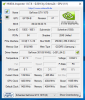
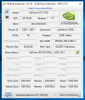
plz guys i need your help with a little and really easy test:
- change the graphics settings in BIOS under Advanced > Advanced Chipset Control to "MSHybrid"
- start Nvidia Inspector and look around in the program
are you getting "flickering values" example for temperature etc... and a blue screen after some moments?
(i attach 3 screenshots showing how it looks under Dedicated & Hybrid (missing values - screen taken some moments before BSOD) and the Bluescreen)
if i boot up with "Dedicated" setting (GTX 1070 only) in BIOS everything is working normal when i start Nvidia Inspector i can look around, make settings and no Bluescreen is happening - only under "Hybrid-Mode (GTX 1070 & Intel HD 630)"
I really need to know if this is normal or i need to RMA
thanks JohnnyAttached Files:
Last edited: Apr 20, 2017 -
-
Are you using the Windows 10 creators update?
-
"EDIT: I'm thinking this is the Creator's Update fault"
So, yeah. I think I fixed it with Revo Uninstaller Pro. Hopefully. It's been two restarts and it's fine. -
Yes you can use it but the usual caveats of liquid metal apply.
-
Creators Update on Win 10 breaks Nvidia drivers for some of these Clevo Laptops, I did this if anyone is interested, I edited the policy under 1607 win 10 edition to defer feature updates for 180 days (still get security updates). now overclocking from 75hz to 100hz works again, and color enforcement works again. I also reported this to Nvidia and they escalated me to tech level 2
 so hopefully in 6 months it will be fixed, until then I personally am staying on 1607. (also creators update broke 4k dsr from showing up in games as video option that previously supported it)
Also,
Hi guys, there is a new BIOS for my Clevo P670HS-G (gtx 1070 - 7820HK) but Obsidian makes you be a customer to get it... :/ Also, I messaged PREMA a long time ago and no response.
So can I please buy the new BIOS for my laptop from someone? Please... PM me.
Also, below is screenshot of my model and BIOS number
![[IMG]](images/storyImages/p1W0a5c.jpg)
-
Within 6 months will next Crippled Windoze build see the light
And thereafter March 2018
-
That is the point though, edit your policy in Win 10 to defer updates for 6 months. In 6 months I'll be on creators update and by then all kinks will be worked out, and in 6 months after that rinse and repeat.
http://www.zdnet.com/article/windows-10-tip-temporarily-delay-the-creators-update/ -
Help: Egis Technology Inc. driver update
This thing has been updated by Win10 like 100 times within the last 24hrs.
How do I stop it? -
Windows 10 Creators update is the OS you are using I bet isn't it? Happened to me to, then I went back to 1607 update and I had 0 issues. Creators update broke Nvidia driver enforcement for me. edit: as well*Papusan likes this.
-
Did you move to the creators update?
-
Lol - offtopic, but I always thought your profile picture was of some exotic Frog, cause of that brightly colored dot and the green, I just looked and I was like welp I am an idiot lolMr. Fox likes this.
-
My longest running last one was from Bastion
I had a great time with hollow knight recently too. Not sure if I want to switch though. -
Use gpedit and deactivating Driver updates for affected hw or everything else and same time disable Win updates. Use also OO shutup.Mr. Fox likes this.
-
Yeah.. And ever since I've received a ton of issues.
NP8173U2-GK
I'll give this a try..
I uninstalled the fingerprint reader out right for now.Papusan likes this. -
Yes looks like Microsoft are having some fun with this update breaking everything.
Papusan likes this. -
-
This worked fine for me. No other issues on the update except some weird app defaults thing, but other than that, it's totally fine.
How will the bugs be ruled out if early adopters aren't there to report their existence? Obviously Microsoft can't test every config and Clevo laptops are generally more affected by updates than more mainstream manufacturers so... -
Micro$haft have already +10 millons unpaid Guinea Pigs on their list
-
Go back to 1607 win 10 update like I did. and just edit policy to defer feature updates (you still will get security ones) but updates like creators will be delayed for 6 months max.
or if you don't want to edit policy, you can just click "defer updates" under update settings in win 10, and you will get like 2 months deferred.
-
and after 2 months? i was always curious how "defer updates" worked.
-
Defering just shifts the schedule but any changes made to each patch will be taken into account.
-
-
What is the third audio hole for on clevo notebooks? my 7820hk laptop has a headphone slot, mic slot, and then a 3rd slot? what is this third slot? is it a DAC bypass, so if i have a dedicated headphone amp I plug said amp into this bypass to use the SABRE dac chip with the amp? and how come sabre dac isn't an option in audio windows settings, yet all my other dedicated dac's are? (i own a lot of headphone amps and dacs)
![[IMG]](images/storyImages/13042161d6.png)
-
I think the jack is just a line out that is indeed a DAC bypass.
Sent from my iPhone using Tapatalk -
Awesome thanks, this is excellent news! I can hook up my headphone amp to that bypass and still get a nice DAC while on the go.
-
Line out by definition isn't a DAC bypass. Only optical out is.
-
This is great news then, because I want to use the DAC without the amp part of it with my dedicated headphone amp.
-
Can anyone chime in on this?
-
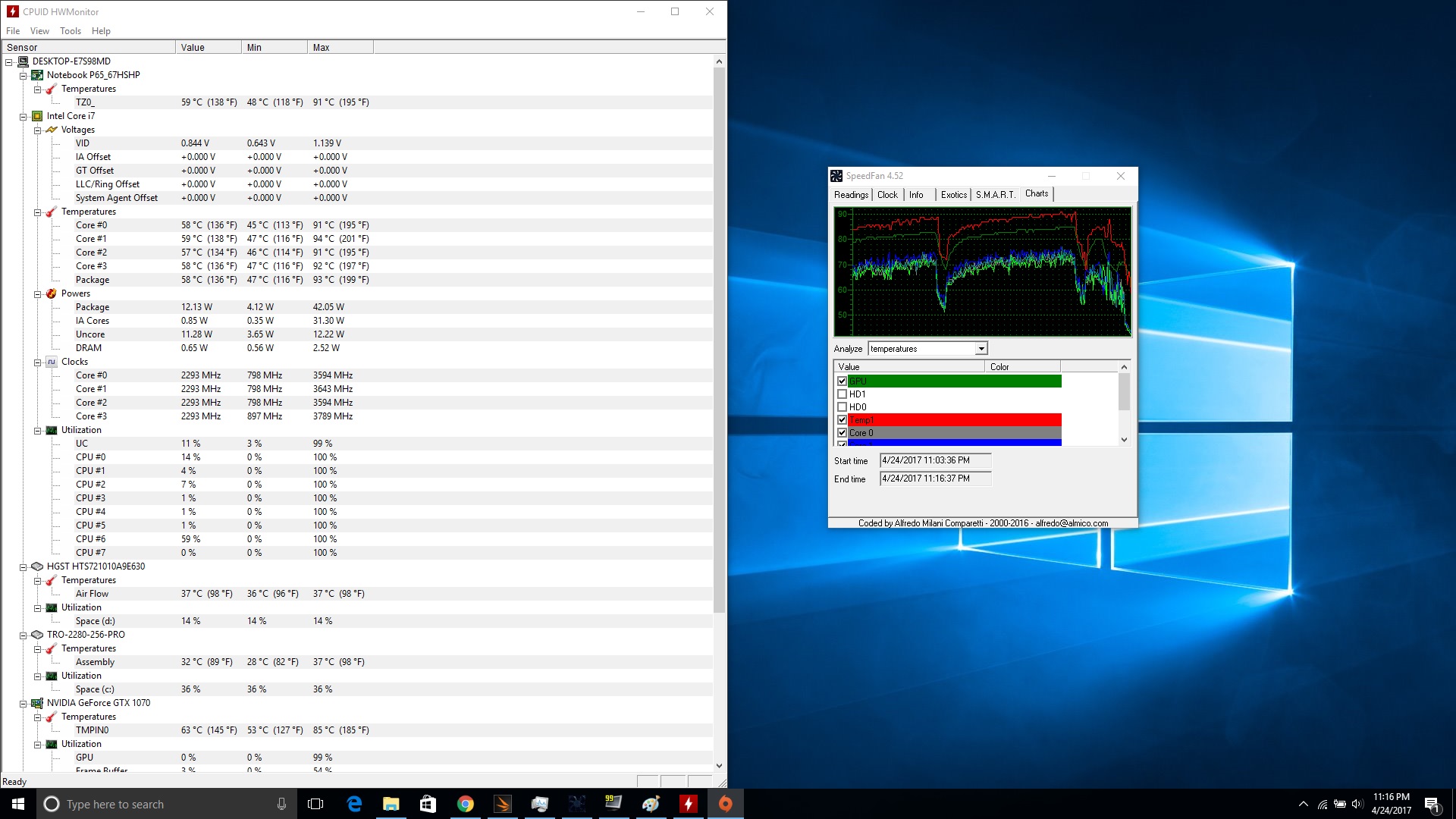
So after 2 months of owning the p670hs-g with overheating problems, I finally returned my comp to Eluktronics for a fix. I got it back 2 weeks later after they applied new thermal paste and updated the bios, but within 10min of playing battlefield 1, my temps were back in the 90s. Thankfully Eluktronics is taking back the comp for a refund after a bit of a wrangle but I understand it can be tough to accept a return on such an expensive machine. The temps were unacceptable. I uploaded images of both battlefield and overwatch temps - overwatch hit 97! on cpu and 90 on gpu within 10 min (shouldn't it be turning itself off at these temps?). Did I get a lemon? No one else has temps like this? I'm upset because I really wanted this model with its components but now can't trust getting another one. I also had a lot of problems with the track pad. I want a comp that peaks in the 70s when playing today's games so that its a little future proof.
Attached Files:
-
-
i have the same machine as you and also the heat issue - i think every 7820HK has it because the case is too small for the generated heat- repasting changed around - 2 degrees but now i am reducing the CPU multiplier on the game depending and always cap the Frames (with nvidia inspector) at 60 or 75, because the monitor cannot show more (without OC) and that reduces my temps and so i try to reach a temp-target around max 85 degrees...
gnarkill283 likes this. -
I have the 7700hq but I've heard of some others with the same comp without the heat issues (they might not be playing the same games as me though too)
What do you guys think of getting the older 6700hq? Or even getting a 1060? Probably runs much cooler right?JohnnyR8 likes this. -
there isnt much difference in heat because on base clock the 7820HK only has 100 MHz more then the 7700HQ...
exactly the same things i thought about some weeks - 6700HQ is a little cooler because of running on 3,1 GHz on all 4 cores compared to 7700HQ 3,4 GHz on 4 cores...
i decided to go the other way and limiting FPS with Nvidia inspector - and reducing the multiplier but i never was lower than 34 (same value you 7700HQ runs when playing a game)
https://www.notebookcheck.com/Test-der-mobilen-Intel-Kaby-Lake-Quad-Cores.189697.0.html -
I doubt that because I have the 6820HK, and it runs cool - mid to upper 30s idle, low 70s while gaming. What I would say is more likely is your system had a bad heatsink that wasn't making proper contact with the CPU. No amount of thermal paste is going to fix it. Rather, it's something the reseller needs to pay particular attention to during assembly and testing.
Edit: Here is a whole thread detailing issues with heating issues on 6700HQ/6820HK as a result of poor heatsink fit. Since the design of the P6XXHS is virtually identical to that of the RS, we can extrapolate that your machine could very well be suffering from the same.Last edited: Apr 25, 2017gnarkill283 likes this. -
that could be the case, but my temps between the cores only have a max difference of 5 degrees and dont forget that your 6820HK is running with 3,2 GHz (if not OC) when really forced in games and my 7820HK with 3,5 GHz which is a massive difference in heat (i tried downclocking it to 3,1 GHz some weeks ago and have compareable temps you have mentioned (of course without capping frames))
-
Peaks in the 70s? That is going to be hard. Most gaming laptops that are not elephant size is in mid to high 80s for CPU while gaming, GPU is usually in the high 70s to mid 80s.
Fairly satisfied with my P670HS-G. GTX1070 GPU is in high 70s and 7700HQ CPU in low to mid 80s while gaming, but my games are probably not the most demanding. Civ 6, world of warcraft, anno series and so on.
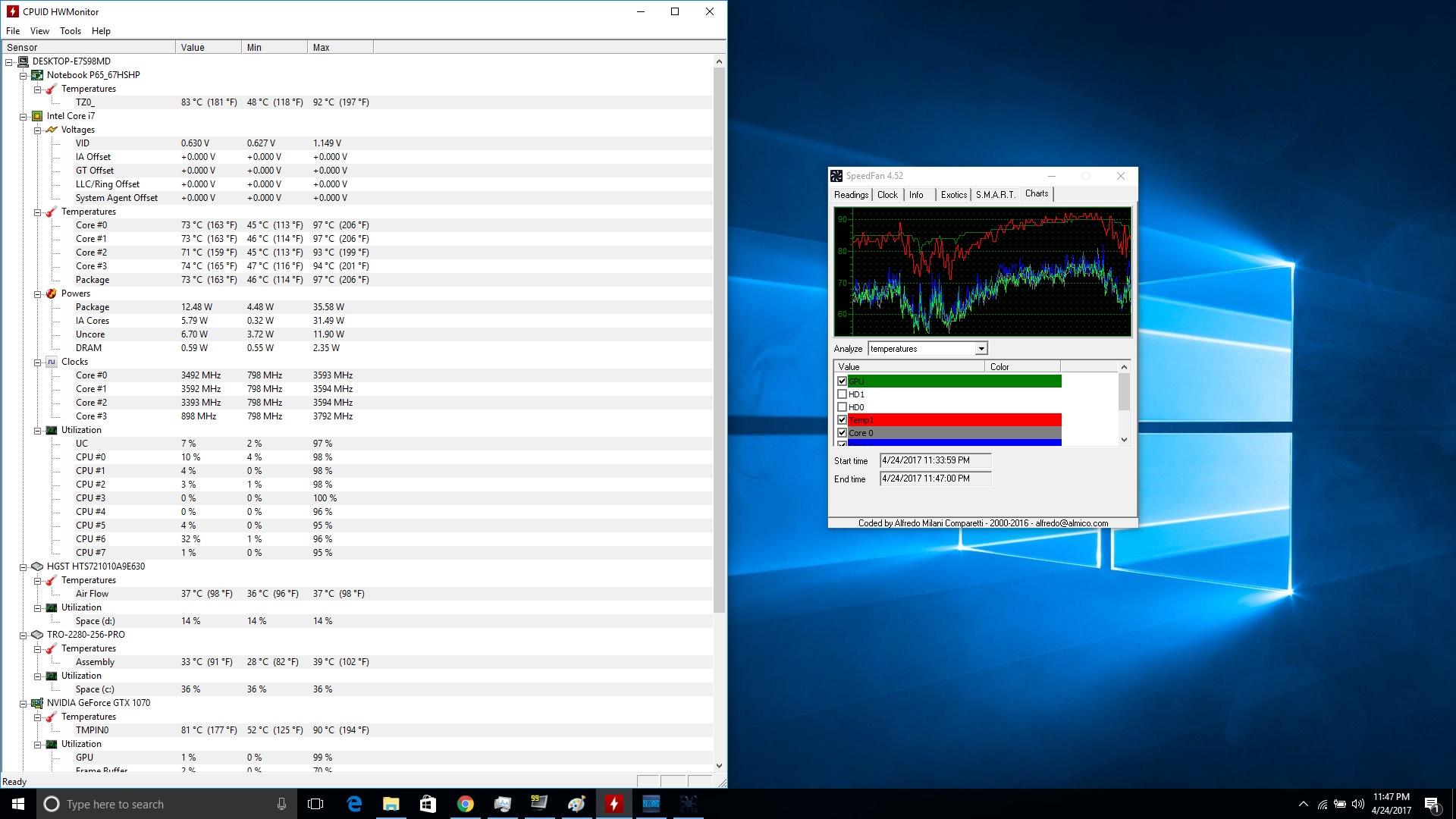
I can get it to hit the temp limit when stresstesting with prime + furmark of course - as shown in image below. 30 min stresstest with prime + furmark.
Stock paste, no undervolting. -
Try battlefield 1 or overwatch if you can please - I think you'll see similar temps. I get 70s too when I'm playing Heroes of the Storm but thats not a cutting edge game in terms of graphics
-
I own the P670HS-G, gtx 1070 and i7-7820HK, stock settings I have same issues high temps. I put all 4 cores in bios at 36, undervolt -60 in bios, and lowered overall wattage to 43000 instead of default 45000. I get 0 downclocking and all 4 cores stay at 3.6ghz 24/7 and I never break 72 celsius even in BF1 now.
but yes if I try to go any higher than 36 I have to increase voltage a little and temps skyrocket. 36 is the sweet spot, and honestly 36 is enough, even witcher 3 was not using 100% on any one cpu. BF1 does push it pretty hard though. BF1 is really badly optimized game imo.
-
The intel silicon is just like the AMD silicon in that as it hits 3.6ghz the power consumption rises rapidly, just it's not quite a dramatic until the mid 4ghz where it does it again.
-
Can you comment on the third jack? It goes headphone 3.5mm, mic 3.5mm, and then the third one (I posted image a few posts back). What is that 3rd one for? Does it use the SABRE DAC without the BURRBROWN AMP, allowing me to use a headphone amp with the SABRE dac? I know the burrbrown amp and sabre dac utilize the headphone jack, just was not sure about that 3rd jack. -
As per the manual it's a line out jack
-
Can you please explain in layman's terms. Are you using throttlestop? How do you put bios at 36, undervolt -60, and all that. Sry I'm a nub when it comes to this kind of stuff. Also I have the 7700hq - would changing my settings to yours not be a good idea?
*** Official Clevo P67xRP6-G/P67xRS-G (Sager NP8172/8173) Owner's Lounge ***
Discussion in 'Sager/Clevo Reviews & Owners' Lounges' started by D2 Ultima, Sep 11, 2016.