Problems? See this thread at archive.org.
Install went seamlessly... So far so good. Hope battery life is the same...
Sent from my SM-N910V using Tapatalk
-
-
I have an 880z model and just recently updated to Windows 10. All of my Fn keys are working, but my AMD GPU is running all of the time, even when unplugged. As you can imagine this is leading to dismal battery life. The drivers being used are 10.18.10.4242 for Intel and 15.200.1062.1003 for AMD 8870M. Anyone else had this problem?
eva2000 likes this. -
So far chasis running cooler to touch than previous Windows 8.1. Don' t know about better life yet but so far a single crash on Edge and everything seems to work...
Sent from my SM-N910V using Tapatalk -
Upgrade went smooth, but it indeed looks like my battery life is a lot worse now. How can I see if it's always using the ATI card instead of the intel one, even when unplugged? I guess this could indeed explain the battery difference.
I have another problem. I can't install my latest drivers through SW Update, because it needs to update, but this it tried to first uninstall the old version but it always gives the following error message during uninstall:
"The feature you are trying to use is a on a network resource which is unavailable."
The path is: C:\ProgramData\Samsung\SWUpdate\Temp\ while the file is there. Annoying.
I might try a clean install from USB drive. Anyone tried this befo -
Try using GPU-z. The HWiNFO Sensors panel should also be able to show what is happening.
John -
Finally found some sort of improvement on the battery life. Under Control Panel>Power>Advanced Power Options>Switchable Graphics> choose the "Force power saving graphics" in the Battery option. Not as good as before, but at least this time i managed to squeeze 5 hours out. I do not recall ever seeing this option before though, not sure if i simply missed it or a recent update brought it out (i did install quite a few updates this weekend)
-
Do you guys experience worse ''ghosting'' - image retention on Windows 10? I upgraded my NP770Z5E 4 days ago and it is very noticeable compared to 8.1.
-
Checked and looks like my integrated one is running. Battery now has around 4h30 on full charge in normal usage I think max. Think this was better before but not awful.
Just did clean install and went smooth. Installed all required/recommended drivers from SW Update, but there was no graphic driver as required/recommended which is strange. If I search for my model and windows 10 then I see it there, but I think people already tested it and had issues with it. Someone else was able to successfully install the latest graphic driver through SW Update for Windows 10?
Regarding the ghosting, I still see it once in a while, but so far not that different than before for me.Shadowguardian likes this. -
I sent mine to warranty because of ghosting and an USB port. I think ghosting it's because of the lcd, i tell them to replace by a new one.
-
Samsung here in Austria replaced my 18 month old display because of ghosting.
 Shadowguardian likes this.
 -
That's good to hear. I just got the notice on my NP780Z5E-S01UB that I was ready to upgrade. I wanted to get an image of the hard disk before pulling the trigger but I'll probably do it sometime this weekend.
Also, I was inspired by Matt9882 to fix the last lingering issue with my laptop. I ordered the black/charcoal keyboard from someone on eBay and will try to replace the key caps (as opposed to a full keyboard swap). When I saw how legible his was I decided I just had to have it. -
hi all
I want to report a problem hoping some of you experienced and found a solution. After 2 weeks travel I tried to open my np780z5e, battery was finished. I plugged it to charger (windows7) but it didnt boot because it can not locate my ssd. if I get into bios menu I can see that bios still recognize samsung 840 pro 256gb ssd but doesnt show up in bios boot menu. Also I detached sdd and connected it to another pc. SSD still works fine.
I checked other messages but couldnt find similar problem.
hope to hear your ideas guys.
thanks -
A possible cause is that your UEFI setting (in BIOS) doesn't match the partition style of the SSD. That could happen if you installed Win7 on the SSD in Legacy BIOS mode ( OS Mode Selection=CSM OS) and the BIOS settings were subsequently lost or reset to default (thus reverting to OS Mode Selection=UEFI OS).
UEFI mode (OS Mode Selection=UEFI OS) can only boot from a FAT32 partition on a disk using GPT partition style.
Legacy BIOS mode (OS Mode Selection=CSM OS) can only boot from a disk using MBR partition style (either NTFS or FAT32 partition).
If you are not sure whether you installed in UEFI or Legacy BIOS mode, you can inspect the SSD and see if it is GPT or MBR (I suggest using Minitool Partition Magic).
The post here has more detail on that including a number of links.
I apologize if this is old news to you, but it IS a common cause of confusion. Of course the problem in your case could be something else entirely. -
I've also noticed a HUGE drop in battery life since I'm using Windows 10. I think it's like 50% of what it was supposed to be. I didn't really dig into this issue, but a fix would be awesome. Most of the time I'm using it plugged in, but the higher power consumption also means that the fan is working harder as well and that becomes irritating.
-
Have you looked at the power consumption in the settings application? What is the total wattage used?
-
Thanks for pointing that out. With ECO mode on, battery saver in Windows 10 enabled, on the power saver profile, closed every running program and my brightness level at the lowest position my usage is still about 16 W, way too much in my opinion. I think it should be around 8 W or something.
-
One thing to watch on this laptop is the ECO, or silent mode, just switches between two power profiles defined by the operating system. What those two power profiles are can vary. So when you use the settings app, or the function key with the 'fan' symbol on it, make sure it goes into the 'power saver' profile instead of something like 'balanced' mode. I check it by clicking on the battery symbol in the lower right corner. Also someone may have changed what the power profiles actually do.
I agree that 16W is too much for doing nothing. I can easily get it lower than 10W (on Windows 8.1) which translates into about 8hrs of use. -
Yes, I'm used to get figures of around 8hrs battery time in Windows 8.1. My guess is that it only can be either the CPU/internal GPU or the external GPU. There is not something else that can use like 6W without active cooling and only those two components are actively cooled and producing heat in the system.
-
FWIW I usually consume around 16w w/ Windows 8.1 on battery, but I generally don't ever dim the screen or set any other eco modes on. This gives me 5.5 hours of battery life in the NP780z5e
-
I'm getting an (estimated) 5.5 hours out of mine since the upgrade. I haven't timed it yet, I'm just going by what is reported by the system. I'm using the default Samsung power plan, and I tend not to have the screen brightness up very high or any other high-consumption settings. I did notice the estimate took a large nosedive when I ran a MS Security Essentials scan on the SSD, so it could be that the battery estimation is just more accurate than the one with Windows 8/8.1? I seem to recall seeing it estimate 7-8 hours of battery life, and I don't recall that every being an advertised feature of this notebook. Perhaps a bug has simply been fixed?
-
I have the same problem with my NP770Z5E on windows 10 (clean install), battery life is noticeable worse than it was on windows 8.1. Installed only settings and brightness fix from swupdate. I get ~18W on ECO mode with battery saver on and lowest brightness settings. I would get 7-8 hours previously now I barely get 3-4 hours (tested, not looked at the windows estimates) this should be something with the windows/drivers that consumes more power than necessary. Let's try to solve this issue together as Samsung doesn't give a **** as always.
Tried to investigate the problem more in depth, there is a windows based tool to generate energy report. Run cmd as administrator, use "powercfg -ENERGY" to generate a report named "energy-report.html" in C:\ Windows\System32\.
I got the following errors:
- 4x of
USB Suspend:USB Device not Entering Selective Suspend
This device did not enter the USB Selective Suspend state. Processor power management may be prevented when this USB device is not in the Selective Suspend state. - Platform Power Management CapabilitiesCI Express Active-State Power Management (ASPM) Disabled
PCI Express Active-State Power Management (ASPM) has been disabled due to a known incompatibility with the hardware in this computer.
Last edited: Sep 16, 2015 - 4x of
-
hi guy
1.before when the battery is full, i unplugged the adapter and used until the battery' level is 7%, i shut down the computer and plugged the adapter to charged full. i used that and the wear level is only 7% within 1,5 years
2.actually when the battery is full "fully charged" or the battery'level is 97%(plugged in, not charging), i continuous plugged the adapter and used.
i used that and the wear level is increased 7% to 14%.
How about that ?? -
I'm 99% sure that the underlying problem is that the AMD GPU isn't switching off when it is not needed. HWiNFO > Sensors may be able to provide useful information. It can report the CPU package power and should also show if the AMD GPU is active.
If you haven't already done so, try the update driver option in Device Manager. This found a newer graphics driver for my Dell E7450 than either Windows 10 wanted to find through its normal update process.
John -
I upgraded to Windows 10 on my NP780Z5E, and the process was pretty painless. Two finger scroll wasn't working until I went into the touchpad settings and unchecked/checked the box for two finger scroll.
Battery life has been reduced by more than 30%. Using battery bar estimates which were pretty accurate for me, the battery used to last 5 hours or so and now only lasts 3.5 hours if that. When I check power consumption when the computer is idle, it is now about 20w after upgrade vs 16w before the upgrade. I don't have any eco modes turned on, and I always keep my screen at full brightness.
I just updated the AMD graphics driver via device manager as suggested by John Ratsey above, and we'll see if that makes a difference. -
So there is definitely a newer version of the driver available than what was installed? That's encouraging. Any idea what the version numbers are?
-
Device Manager says the driver version is 15.200.1055.0 and the date is 7/6/2015. After updating through Device Manager, Samsung update notified me that they want me to install version 10.18.10.4242 of the "graphics driver". I'm guessing it's an older version so I'm going to hold off and see if battery life is improved. Idle power watts used now seems to hover closer to 19w which is only a 1w difference from before, but we'll see what actual usage is.
-
For those who are able to read and understand! I do not know why people keep deleting obviously useful entries!
http://forum.notebookreview.com/threads/windows-10-on-samsung-notebooks.778806/page-19#post-10096899
P.S. Maybe those power drained people of you are able to try these version combinations of onboard intel and amd too and report if you will have better endurance?Last edited: Sep 23, 2015 -
I posted an explanation to you in the Win10 upgrade thread of why cross posting is forbidden on NBR -- and most other internet forums. You have since added some useful information to your original request for help in that thread, so I am leaving your latest post here, including the link.
-
Any suggestion to improve the battery life in a np770z5e with W10?
-
Start by finding out what is using the power. Run on battery with display on minimum brightness and run BatteryInfoView to monitor the batterey drain. Is there a way of turning off the AMD GPU other than disabling it in Device Manager?
John -
Samsung update today bugged me to update my video drivers in Windows 10. NP780Z5E
They are version 10.xx something something. Has anyone installed these yet?
-
This might just be me, but has anyone noticed that the catalyst omega drivers no matter the version lacks a significant amount of settings compared to the desktop version? I have display scaling options my desktop running latest 15.7.1 amd catalyst drivers but on this laptop, there's nothing.
-
Like others here, I also feel like battery life has been significantly reduced after updating to Windows 10. I still don't know for sure what's the problem, but after seeing the video driver update, I thought I'd give it a try to see if that helped. I first uninstalled the AMD driver through the Catalyst Install Manager, rebooted, tried to clean the AMD driver family with Driver Fusion (free version), rebooted, installed the driver offered by Samsung Update (which I had previously saved to my local drive), and rebooted. The driver seemed to have been correctly installed, but brightness control was broken. I tried reinstalling the Brightness Control Patch, but that didn't help. I followed the instructions posted a while ago to manually fix brightness control (original posts here and here) and that fixed it. I found several entries of "FeatureTestControl", but only the first two entries that I found were different from 0xFFFF, and I changed both of them.
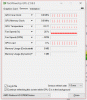
At this point, I still can't tell if that has to do with battery life, however GPU-Z shows some weird behavior (see attached screenshot). HWiNFO actually triggers the GPU for me, causing the GPU load to jump to 99%. Additionally, Samsung Update is still telling me that I should update the graphics driver, but I won't touch that anymore for now.Attached Files:
Last edited: Sep 26, 2015kroimon likes this. -
-
Hey so i upgraded my drivers to and my brightness control broke as well.. I'm trying to do the registry thing but when i ctrl f the registry i only find 1 featuretestcontrol. I changed that one too FFFF but its still broken. How did you find the other entities?
-
Just click Ctrl+F again and press Enter once more.
-
F3 is Find Next. That will work as well. And make sure you reboot. It won't work until a reboot is done.
-
Well crap - same problem here. Updated the drivers, edited the registry (all but one entry was ffff and I changed that one entry), rebooted, and it didn't work. Then I redownloaded the Windows 10 brightness patch, ran it, rebooted, and still no brightness control. Meh.
-
Are you sure only one entry was not FFFF? Make sure you start searching at the beginning of the registry.
-
There were around 5 entries with ffff but only one without.
-
Not sure wether it has been mentioned already, but just in case...
I faced simimlar issue, and at 1st the registry trick worked but it stopped again 2 days later. And the registry value were still ok.
I had to activate the Generic Plug And Play Monitor (not sure of the wording in English though) in the Device Manager, and brightness control was back again
-
I've posted here before. I upgraded and did a clean install of windows 10 on my ativ book 8 and started using it as a HTPC. So I'm using to watch live stream television mostly (I only watch what I can listed from my provider) so clean streams you know. Anyway after a few hours of watching I start to have errors giving me sign that I have a memory leak or what ever by saying "in order to prevent data loss you may need to close applications to free memory" and like "low memory error messages". Sense this laptop was new it has always got to a point that It usually needs to be restarted in-order for it to become back fast again. Can I please get some insight on this please, I only have windows10 installed and the AMD display driver I have no other stuff installed at all and all i'm using is Microsoft edge or IE. I never got a SSD for it or anything so it's all factory.
-
You, sir, are a genius. I wonder how in the hell that managed to happen?
Azharb17 likes this.
-
Have you looked at the Processes tab in Task Manager to see the memory usage?
If that doesn't help then I would expect that one of the utilities on the SysInternals suite would help you identify the source of the memory leak.
John -
I'll open task manager and just keep it open then and have it on my laptop display while it's streaming video to my tv. I haven't really checked task manager like that sense I put Win10 on it. Thanks for the reply
-
Thank you so much, it is working now
-
Mine was already set to generic plug and Play Monitor so I tried the registry hack and that worked perfectly.
I don't know who to thank for this but you are definitely a genius -
Is anyone else struggling with their AMD drivers bugging out?
I keep getting the: "display driver stopped responding and has recovered" warning....
Surely my card isn't going bad? I barely do anything involving intense graphics. I've been updating the latest AMD drivers and etc.
Really not sure what's the issue here.
EDIT: I've just tried the "TrDelay" solution.. we'll see if it actually works.Last edited: Oct 4, 2015 -
Hey, I just upgraded to Windows 10 on
NP780Z5E
I am getting very little brightness on full settings. I even checked for adaptive brightness OFF.
I have also downloaded the Samsung updates "Win 10 Brightness Control Patch"...but it didn't seem to adjust my brightness problem.
FIX EDIT: APPARENTLY IT WAS THIS PROBLEM
Last edited: Oct 5, 2015 -
Thanks for the tip, I've also had to go back to the generic plug and play drivers. Regained the brightness settings but seems to be at the expense of video performance. Can barely play HD video sometimes now without stuttering. Anyone else have this problem?
On another note has anyone discovered the cause of the increased battery drain in Win 10 at all, looked at everything in HWinfo and can't figure it out. Haven't seen anyone else report for certain what it is yet either but I may just have missed something. -
So after increasing the TrDelay thing I'm still having the same issue, but it hasn't happened until much later in the day this time. First problem was Google Chrome (stopped from accessing graphics hardware) and now any other program I try to run that goes on "high performance" settings for the GPU switchable graphics setting.
This is quite strange.
2013 Series 7 chronos / Ativ Book 8 15" owner's lounge (NP770Z5E / NP780Z5E / NP870Z5E / NP880Z5E)
Discussion in 'Samsung' started by pranktank, Mar 24, 2013.