 Problems? See this thread at archive.org.
I have the same problem. It comes and goes, seemingly at random. It makes the mouse cursor move erratically. A reboot usually fixes it. This is my main gripe with this laptop. I am suspecting wifi acitivity as an possible culprit. Has anyone found a working solution? Also interested in owners of 770Z5E who don't have this problem. What version of Elan Touchpad Driver are you using?
-
where can i buy parts of this laptop? im interested in the case, becaue i got some scratches on the back cover and one time my laptop fell and smash a corner, the corner is like elevated and opened, gonna upload pics later. Im from mexico so i need a site where they send to here!! THANKS!
-
1. Ask samsungparts.com if they ship to Mexico.
2. If they don't then get the part numbers from that site and search for other sellers of those parts.
John -
Never, ever, ever, EVER send a laptop, desktop PC, smartphone, or other device in for repair without first getting a full backup of all files on the system AND removing any added components. There is no guarantee that your unit can be repaired, and even if it CAN be repaired they may well simply replace it. So take a full backup of your hard drive, wipe the disk, revert to factory default image, remove your SSD and extra RAM, etc. Otherwise you may end up coming back short.
I still have my original 1TB drive sitting on a shelf in case I should ever have to send in the unit for repairs. It has never had anything on it but the factory image, so I know that my data will never escape and I won't lose anything. -
Today I finally got my new EVO 840 SSD. Its thickness is 7mm. After reading LOTS of threads here and several youtube comments I suspect that I need 9.5mm caddy, but I can't seem to find the right one anywhere in my home country so I'll need to order it from UK/Germany.
I have some concerns about the actual changing of HDD to SSD (probably because I've never opened this laptop before and I don't want to damage it). I've watched two videos on youtube, but I'm still quite uncertain. I know that I could take my laptop to the service but I have reservations about their quality of work from personal experience where they damaged the back of my laptop and friend's episode where they managed to break ports on the left side. So I'm asking from somebody who did the upgrade on their own to share their knowledge, to give me some safety instructions, hints and such...and also assure me that I'll be able to do it by following guides such as this -> Quick guide to install SSD in Samsung Series 7 Chronos/Ativ Book 8 + Test run - YouTube
I'll be very grateful for any help given so many thanks in advance! -
You don't need any special caddy to mount the SSD. 7mm should fit pretty well and 9.5mm is much too big for the enclosure! Opening this laptop is really tricky, but basically you unscrew everything and then start from a corner and pry off the bottom from front to back (being very careful around the hinge). There's more detail in the first post of this thread if you need more information.
-
I'm not sure which model laptop you are referring to, but my NP780Z5E-S01UB shipped with a 9.5mm hard disk. The model is a Samsung ST1000LM024, and you can read the specs that state it is a 9.5mm drive at various sites ( SAMSUNG Spinpoint M8 ST1000LM024 1TB 5400 RPM 8MB Cache SATA 3.0Gb/s 2.5" Internal Notebook Hard Drive Bare Drive - Newegg.com is one), and I also just measured it and confirmed that it is between 9mm and 10mm thick.
All that said, you can easily mount a 7mm or 9.5mm drive in this laptop without any sort of adapter or bracket. -
I have a 500gb Samsung Evo, there were no issues with the thickness of this drive when fitting it in my Chronos.
An update: as previously mentioned I sent my laptop in for repair. The screen had image persistence problems and a stuck pixel. It was repaired for the image persistence not the stuck pixel (need 5 stuck pixels to qualify for a screen replacement).
I had to send them an email (Digicare do the repairs for Samsung in the UK), so they could replicate the image persistence problem - with stock settings they didn't know what the issue was... I asked them to turn adaptive brightness off, up the brightness levels and put a solid colour on the desktop. This combination showed the greatest degree of image persistence.
Anyway, the laptop was collected on Monday and returned to me today (Friday) with the matt screen replaced - I am very happy with their service and choice of laptop.Dannemand likes this. -
Thanks for clarifying the bad pixel policy (5 is a lot). I presume your bad pixel went into the skip along with the old screen.
John -
What about the persistence, is it gone? If yes it means that there are panels of different quality.
Also, it would be nice to know if it is a different panel model. -
The panel was replaced so yes the stuck pixel is probably in a skip now.. thank God!
Has the persistence gone? Yes I would say mostly it has - there is very very faint image persistence when I have brightness set high and the desktop background set to a darker colour like grey but its nothing like it was before and you have go looking for it - even then it's the faintest of outlines and only near the edges.. it's not a issue for me and it would be quite hard to argue that there is persistence it's that faint and only under those conditions.
Before, I could read the text in any persistent image. Now I can't.
I use my computer for my full time work (web developer) - I am delighted that the image persistence issue and stuck pixel problems are now over. The 1 stuck pixel was more of a distraction than the image persistence I had, it was very annoying watching dark scenes in films and being distracted by a bright green pixel in the middle of the screen! The stuck pixel developed since I had the laptop; I was lucky I had an image persistence issue so I could get the panel replaced and not see that pixel again.
On a different note, I am looking to buy another power adapter for my NP770ZSE here in the UK. As I often hook my laptop up to my TV for films and games, I want a second adapter by the TV - one less lead to carry around. I see there are varying prices (and most probably quality) for these adapters.
Can anyone recommend one to buy?gizzmoffm likes this. -
I better add that anyone in the UK thinking of sending in their laptop for repair under warranty, the turn around time may be quite fast - often within 5 working days according to the driver who deals with the repair company. As I use my laptop for work I was reluctant to send it in as I thought it could have been away for weeks.
-
The Battpit PSU I bought for my Series 9 seemed to be good quality and has given no problems. The one for your model is probably this. However, it is unclear from the photo whether the tip is straight or L-shaped. The latter is much better for the power socket on the side of the computer so you can route the cable to the back. This PSU has the L-shaped plug.
5 days is plenty provided they have the parts in stock and can replicate the problem. Replacement of the battery for my NP900X3B took more than two weeks because the original battery had been discontinued and they (Digicare) had to find out from Korea that the NP900X3C battery could be used instead. Fortunately, I was on holiday and not needing the computer.
JohnKuya Simon likes this. -
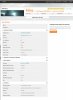
Score 3762
13.5 beta 3 drivers. enduro fix program. MSI afterburner 1300mhz and 900mhz. high performance mode. Silent mode off. 120watt psu. Notebook cooler.
:thumbsup: -
I've got an NP880Z5E-X01AU on the way to me soon(!) and plan to run Windows 7 on it. Are there any special adjustments or driver differences I should be aware of?
I'm seeing a couple people on a different forum talk about upgrading the wifi card to an Intel 7260-AC Wifi/Bluetooth. Opinions on whether this is worth it? Seems like a pretty cheap/easy switch if it's going to improve the functionality, given that I'll be inside the laptop regardless to install the SSD.
Also, not sure if I should ask here or in the SSD forum, but I'm planning on installing a Samsung Pro 840 SSD. I wanted to do a clean install of Windows 7 anyway, so I have no interest in copying the contents of the hard drive. Can I put a clean copy of Windows 7 directly on the SSD from a bootable USB? -
Yes no problem. I have done the same, I tried to like Windows 8 but it's just not for me. I had no driver problems when using Win 7.
I have no problems with my wifi, although I can't communicate with my smartphone (Galaxy S2) via bluetooth.. this may not be the cards fault though. -
Rats, I spoke too soon. Whilst the image persistence problem is no more I discovered a stuck pixel last night. It's much harder to spot this time round and in a less distracting position so I'll just have to live with it.
-
Awesome. Did you have to change the boot order settings at all before doing it, or were you just able to plug in the USB and boot it up once the SSD was installed? And are you using all the current/updated drivers? -
Have a look in BIOS and check if the option to boot from USB is there - you may not need to change anything once an SSD empty of data is fitted and a bootable USB drive is connected.
I think I changed a setting in BIOS so Windows 7 would boot once installed (UEFI + CSM?) - there should be a help note in BIOS stating which option should be selected for booting Windows 7.
I used windows usb-dvd tool to load the windows 7 image onto a usb stick which makes it bootable: Microsoft Store
I am using the drivers as listed in SW Update minus a few programs like Intellimemory. I have also changed the graphics driver.
For me, Windows 7 and my series 7 chronos are a good combination.. no problems with drivers so far. -
Which driver you use the official or modded.I use the leshcat drivers but I don't like how the laptop work
-
Hi guys.
Yesterday I put a 840 EVO SSD on my laptop, and changed the HDD to the optical drive spot. I already trid using the Recovery to put the HDD Windows on the SSD, and it did it, but I can't boot from the SSD.
I can't boot from a USB pen either, because in the boot selection menu only appears "Windows Boot Manager"... And I already changed all those options on BIOS (Fast Boot, SecureBoot, OS Mode Selection).
I made sure the USB Pen was bootable for GPT partition scheme for UEFI, and FAT32.
Is there no way, I can just tell it to boot from the SSD?
I really don't know what to do anymore :/ -
Hi Everyone:
Just a quick question. Can I drive two external monitors at 1920x1080 resolution on this machine? I wouldn't need to use the laptop screen at the same time. Really, I'm wanting to use this as my desktop replacement, and I need two external monitors. I imagine I'd use one VGA and one HDMI? Or is there a way to drive both monitors via the HDMI by the use of some splitter? I want both screens separate - not duplicated (ie same content on each screen). -
Yes, you should be able to drive two external monitors at the same time, one through VGA and one through HDMI. Both support resolutions of 1920x1080 (or higher, depending on model and HDMI port type).
Except for models with DisplayPort, Samsung laptops have traditionally only supported two simultaneous monitors (internal + external OR two external). But owners of newer models have reported driving three monitors (including internal). I forget exactly which models, though, and whether it included AB8. -
Based on the fact that you have an optical bay, I conclude that you must have either a 17 inch 2013 model or a 2012 Series 7, is that correct?
Exactly how did you install WIndows on the SSD? Using the Copy Disk feature in Recovery or with a Bootable Factory Image feature on a USB stick?
If you did it any other way, try again, using the exact steps in this post (also quoted in the opening post of this thread).
Here are some basic guidelines:
1) In order to boot from a GPT style disk, UEFI must be enabled (OS Mode Selection= UEFI or UEFI & CSM OS). If UEFI has been disabled (OS Mode Selection= CSM OS) it will NOT see (or boot) from a GPT disk.
2) If you cloned the factory installation (either using Copy Disk or a Bootable Factory Image Backup) your new SSD will automatically be GPT, and should be bootable as long as UEFI remains enabled.
3) Disabling Fast Boot should only be relevant when booting from a USB source, not for booting from a HDD or SSD. But it shouldn't hurt either.
4) If the last Windows Shut Down was with Win8 Fast Startup enabled (a sort of mini-hibernation, which is default) BIOS can be stuck in a state where it wants to resume rather than fully reboot -- thus refusing to re-detect boot devices. Turning off by keeping the power button pressed for 5 seconds may clear this. Alternatively, try loading Default Settings in BIOS, and see if that unsticks it.
Most members in this thread have replaced their HDD with an SSD and the original HDD is no longer present (since they don't have optical bays). Maybe in your case, since the original HDD is still visible to BIOS, it wants to keep trying to boot that. If that is the case, resetting BIOS to default settings may fix it.
Worst case you may have to disconnect the HDD to force it to detect the SSD. There has to be an easier way, though...
I'll be out rest of today, but please do post your progress here. Maybe others have suggestions, otherwise I will take a look next time I come by. -
The picture quality through VGA may not be as good as through HDMI. Have always found the image quality a bit sharper when connecting via HDMI or DVI compared to VGA.
-
Thanks for the reply! You're right I've got the 17'' Samsung Series 7 CHRONOS NP770Z7E-S01PT, not sure if it's 2013 or 2012 though.
1) Right now, I have OS Mode Selection=UEFI & CSM OS.
2) I used Copy Disk on Recovery to copy the Factory image to SSD.
3) Fast Boot is disabled right now, while I'm trying to get this running.
4) Didn't know about that Win8 Fast Startup but I already tried the hard shutdown method and it still doesn't list the SSD nor USB nor HDD. It just shows "Windows Boot Manager".
I'll try loading the Default Settings on BIOS then. I really didn't want to open the Laptop again since it's really difficult, a friend of mine had to help me do it.
I'll give feedback later! -
Hi Guys !! Please i Need urgent Help !
I have the ATIV BOOK 8 from bestbuy, today i decided to made all the updated from windows system (the ones marked as importand not as optional) ............... however right after i installed all of them I LOST MY WIDI CONNECTION, when i try to launch it it says the driver need to be upgraded by Intel or PC Manufacturer. If i updated by intel it says WIDI was customized by the OEM and i only can get the update from it, in this case Samsung, however when i lauch SW updated it says wireless display is updated..... now i cannot use WIDI anymore , any suggestions guys ???? i wish i would have never installed those updates,, any way to come back ??
Thank you very much,
I would appreciate any help since im just an average user
ps:
*I made the windows updates but i did not updated to 8.1 im still in w 8.0
*I tried uninstal the widi and installed by sw updated, has the same problem ........ then uninstalled again tried installing directly with intel widi software and it says the i need to install the customized version from samsung. -
Loading the default settings didn't help. :/
-
Hi guys!
I've been recently playing guild wars at my GFs place.
I tried running it on my surface pro (HD4000), it ran quite well on native resolution (FHD) and minimal settings, ranging from 24-32 fps.
Next time I dropped by I came with my samsung, hoping that I could amp up the settings a bit and get a slightly better experience and guess what? I hit the same 24-26 fps.
The weird thing is that it didn't matter if I was on high settings or low. I was hitting 30 fps on 768p lowest settings and 27 fps on 1080p with high textures and models.
I verified time after time that I was using the 8770m and not the HD4000 but it didn't seem to matter.
In any case, I'm looking for a driver update.
Did anyone here have luck with the latest drivers from LeeKM? -
I use LeshCat's 13.12, then downloaded AMD's 14.1 for mantle with battlefield 4. No problems at all except after i installed leshcats drivers, i couldnt install AMD's drivers. I had to install leshcats older drivers then upgrade using amds drivers.
-
Where can i get a 120W PSU for the NP880Z5E-X01UB (USA ATIV Book 8)?
-
With the new driver I lost the ability to control the brightness.
Reinstalled the drivers via SW update and viola! smooth 60fps on medium-high.
Sorry to bother
-
So I wanted to reinstall the 14.1 drivers because the mantle option was not showing up on the options menu, so i followed these steps AMD Catalyst 14.1 Beta Drivers Released - Release the Mantle! : buildapc. And every time I retry these steps I always get a message saying that an error occurred during the driver installation. This is the messages that pops up: imgur: the simple image sharer. Then when I go into device manager, under the tab that say "Other Devices" it shows a drop down tab that reads "Video Controller" with a yellow triangle with and exclamation mark. I've followed these steps and i continue to get the error. This what shows up after the installation: imgur: the simple image sharer
Also I know that my computer is compatible with the driver because I already had the 14.1 driver installed. Then when I tried to reinstall i kept receiving these error message.
Does anyone know what is going on? If so can y'all please help me? -
Okay I think this might be the case for me as well. Can you please tell me the steps you did, so that I can try and see if it works for because I am unable to successfully install the new 14.1 driver.
-
So this just happened to me http://imgur.com/Pb2zcnW. Apparently its called the blue screen of death. Can someone please help me?
Sent from my SCH-I545 using Tapatalk
Edit: Disregard this post, I managed to fix it. -
Thank-you sir!
-
Just uninstall all AMD drivers, reinstall leshcat 13.12 UniF and then run the 14.1 Installer for it to reinstall AMD's stuff. It wont install 14.1 as its not supported by our HD8770M/HD8870M cards, It will just install AMD's 13.12
-
1.So this should give working switchable graphics in Win 8.1 without needing to turn of the signed driver checking of windows?
2.where can i get leshcat drivers?
Sent from my SM-N9005 using Tapatalk -
I had video drivers from SW update then i installed 14.1 mobility beta driver from AMD site. Battlefield running OK without mantle (i cant switch it on) - 20% fps boost with 14.1, brightness is working but i dont have switchable graphic. Any idea how i can turn on graphic switching?
EDIT: I have Samsung 870Z5E -
so the first big update for 8.1 is coming.... do we still not have updated drivers for 8.1?
We also dont have a card compatible with the latest AMD drivers? -
Thank you for the update. Too bad it didn't fix it. A few more things to try before the nuclear option:
1) Make sure the SSD contains the partitions it is supposed to (see this post) and that the EFI partition is marked Active. If you're able to boot Windows on the original HDD, you can use Disk Management to check it, otherwise you can boot a Linux LiveCD or LiveUSB (Parted Magic or similar, Google it).
2) Temporarily change OS Mode Selection in BIOS to CSM OS (non-UEFI), save and restart. This should fail (if it doesn't, something is really wrong). Now go back into BIOS and change OS Mode Selection to UEFI OS, save and restart. Now see if BIOS will detect the SSD.
3) Remove the HDD (temporarily) and see if that forces BIOS to re-detect the drives.
The nuclear option is to re-install the HDD, so you can boot Recovery. Create a Bootable Factory Image Backup on a 32GB USB stick, and use that to completely re-image the SDD. Essentially use the steps in this post (the one quoted in the opening post). -
Thanks for the reply!
The EFI partition on the SSD is not marked as Active. How can I do that?
Here how it looks right now: Disk 0 is SSD, Disk 1 is HDD.
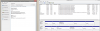
I really can't open the laptop again, it was a friend that did it for me and I can't do it myself :/
I think this is just a matter of messing with the active partitions and bootloader, I just don't really know how yet... -
what about following following steps? I had same problems as you.
so checked these are written on the manual.
1. Right-click on the Desktop and select Configure Switchable Graphics from the popup menu.
2. click the Browse button and register the software and click the Apply button.
3. some of the functions of the registered program that require a high graphics performance will
run with the external graphics chipset without additional configuration.
hope it would be helpful
-
Thanks again for the update. I apologize, I was rushed and not thinking straight when I posted my last reply: You don't have to mark any partitions active since this is a GPT disk and we're using UEFI. I don't think that's the issue.
Once again, I think the issue is that BIOS keeps detecting the original ESP (EFI partition) on the old HDD because that disk is still connected. I am almost certain if the HDD is disconnected, you will be able to boot the SSD. Once BIOS has detected the new ESP, I would assume you can re-connect the old HDD without problems. But I understand about not be able to open the laptop.
Try this again:
1) In BIOS, set OS Mode Selection=CSM OS. Save.
2) Reboot back into BIOS and check the Boot Priority list, what does it show? The two GPT disks (SSD and HDD) may or may not show up, if they do, select the SSD. If not, have a bootable USB stick (Windows Setup, Linux, anything bootable) and choose that as the Boot device. Save.
3) Reboot back into BIOS and change OS Mode Selection to UEFI OS. Save.
4) Reboot back into BIOS and check Boot Priority. Are you able to select the SSD now?
Other possibilities that do not require opening the laptop (in random order):
A) Try a battery/CMOS reset: Disconnect power adapter. Insert an unbent paper clip into the battery disconnect hole under the bottom (assuming your model has that). It should click. Press the power button for a minute or longer (it should NOT turn on, because battery was disconnected). Re-connect power adapter (this should re-connect the battery). Check BIOS Boot Priority again.
Note: One member did post recently how this procedure completely hosed his computer requiring a Samsung repair. That is the first time I've heard that, and I consider it highly unlikely. But I cannot guarantee anything.
B) Upgrade or re-flash your BIOS. If you already have the latest, you may be able to downgrade, then upgrade again. I have not tried that, but the BIOS Update thread should have some info. In particular, read the opening post for safe update tips. After flashing, always reset your BIOS to default settings. Now check Boot Priority.
C) Change the ID of the EFI partition on the HDD (using DISKPART or Minitool Partition Wizard or a Linux LiveUSB) so BIOS doesn't detect it, and (hopefully) detects the EFI partition on the SSD instead. Of course you risk not being able to boot at all if this fails, so make sure you have some way to change the ID back (such as a Linux LiveUSB).
D) Use EasyBCD (which I see you have) to add the WIndows installation on the SSD to the current BCD/Boot Manager, and make it default. I realize this is not ideal, since you will still boot from the HDD, adding a little extra boot time. But at least you will run Windows from the SSD.
E) As previously mentioned, if you are able to run Samsung Recovery (either F4 boot or the Samsung Recovery Windows app), create a Bootable Factory Image backup on a USB stick and use that to re-image the SSD. This will completely wipe and re-partition the SSD, and maybe it will help BIOS detect it as boot device. No guarantees though.
F) Enter UEFI settings through Windows Advanced Startup Options (Charms - Settings - Change PC Settings - General - Advanced Startup) and see if this provides some more options.
That is really all I can think of -- other than opening the laptop and disconnecting the HDD. Please keep us posted.Kuya Simon likes this. -
Yeah, I've got a similar problem, except on Windows 8.1. I think what we need is an updated Intel graphics driver from Samsung. I was thinking of contacting their support people to pester them - I think that an advertised feature, wireless display, being broken ought to be justification for them to fix it.
However, I've never had a widi-capable display before if broke, so I've not been angry enough to complain to them yet. I'd advise you to do so and let us know how you get on. -
I dont have this option after right click because both AMD options missing from popup menu after new drivers.
EDIT: I removed intel and amd drivers with DDU and DF, installed drivers from SW update and switching option in popup menu still missing
-
So I just did a clean install of Windows 8.1 on my new Ativ Book 8. I used Leshcats 13.12 drivers.
I get these benchmarks:
AMD Radeon HD 8870M video card benchmark result - Intel Core i7-3635QM,SAMSUNG ELECTRONICS CO., LTD. NP870Z5E-X04DE
What's strange (other than the benchmarks being lousy) is that the graphic card shows with 128mb memory, where it should have 2048?
Any Ideas on how to improve the perfomance? Obviously sth is absolutely wrong -
How did u guys get RadeonPro to work? They say that it doesnt support mobile chipsets?
-
I want this feature too. I don't think the proper drivers will ever be provided because of the switchable graphics. Even AMD wants to push the A10 stuff with video as part of the CPU silicon. Switchable graphics were made to fill a need that has gone away. I was hoping to try WIDI on an Intel/ Win 8.1 PC to see if its better than Miracast is on the Nexus 7 tablet with Andriod, but I don't think I'll ever find out.
-
After reinstalling the drivers I ran the test again, now with these results:
AMD Radeon HD 8870M video card benchmark result - Intel Core i7-3635QM,SAMSUNG ELECTRONICS CO., LTD. NP870Z5E-X04DE
As you can see, the laptop seems to perform well for Fire Strike and Cloud Gate (at least I think it does), while it only manages to reach 50 fps on Ice Storm. Anyone got an Idea why it performs that bad?
Other configurations and benchmarkposts would be greatly appreciated
2013 Series 7 chronos / Ativ Book 8 15" owner's lounge (NP770Z5E / NP780Z5E / NP870Z5E / NP880Z5E)
Discussion in 'Samsung' started by pranktank, Mar 24, 2013.


