Problems? See this thread at archive.org.
Sounds like you your USB 3.0 slot may be the issue. Does the little "flap down cover" feel loose? You said that you'd added the RAM. That should have no impact but is it possible that you didn't use the right screws on the sides when you put the case back together and now that "flap down" is loose? There are 3 screws that are shorter than the others (and I think I remember them going into the holes in the bottom front (under touchpad).
When I first did things with my A03, now returned, I got the side "flap downs" really loose. Not sure how or why... I'm more careful with my second one now
-
Thanks for the input but I actually made sure which screw went to the right slots because I noticed some were shorter then others. I just felt both flaps and they feel the same. Strange!
-
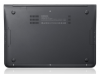
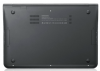
Any ideas what this little "flap" and outdent is on the top left corner of the A03 that is available in Korea? Could it be something to do with a WiFi antenna?
Attached Files:
-
-
Happy to report that after 2 weeks of running the Intel Centrino Ultimate 6300-N w/ 3rd antenna, all is doing well. In fact, better than expected. My wifi signal quality is much better, and I have no problems picking up my 5 GHz band at around 25 ft. (where as before I couldn't even register it with the Broadcom adapter). Also the 8GB of Kingston HyperX 1860 MHz ram is still doing awesome! No heating issues at all. I also decided to help out my computer a bit with some cooling... picked up a CoolMaster X-Slim cooling pad, since most of my work in done at a desk. The cooling pad gets the bottom of the computer off the flat surface and the 160mm fan keeps it running at around a average of 113 F; as opposed to an average of 125 F - 130 F, when sitting flat on a surface. With these issues resolved, I am a happy camper. Now just waiting to see if the price of the Intel Core i7 2677M will come down once it becomes more widley available, and I might take the plunge and swap out the processor too.
-
1 week follow up....
I realize that my review 1 week ago was "glowing" but now that I have been "trying" to use this machine, I absolutely do NOT recommend it and would NOT buy it again knowing what I know now)
I Have been using my S9 B02 quite a bit for past week. First 5 days was spent mostly installing software and setting up. Past 2 days on a biz trip with many, many hours spent on the computer. I am EXTREMELY UNHAPPY WITH IT.
Nevermind the WiFi issue (which was not a problem at home, 10 ft from router, but is glaringly bad in hotel with connect speaks fluctuating "moment-to-moment" btwn 1-5 Mbps. something is DEFINITELY not "right")
Now that I am doing a LOT of typing, trackpad is acting REALLY sketchy. Cursor is jumping all over the place when I type which is incredibly frustrating. Have been adjusting sensitivity, tap fields, etc. but nothing fixes it. In fact, I had typed most of this post when it all "disappeared" (b/c page scrolled "back"-- TWICE now). I have tried lots of settings but if I make it too unresponsive then it doesn't register taps or gestures. Also, the "smoothness" of trackpad surface is bothering me (compared to MBA trackpad which has a nice texture to it).
Here's another design flaw I've discovered. Initially, I was pleased that there was a Function Lock (Fn Lock) key so that you can control volume/mute/brightness/etc. by directly pressing key rather than needing "Fn- and F-key" combo. HOWEVER, the arrow keys also work as home/end/pg up/pg down keys when the Fn key is depressed. BUT, when the Fn Lock key is on, these keys are FIXED as pg up/down/home/end and you have NO ARROW KEYS. So, if you are typing, YOU CAN'T MOVE THE CURSOR WITH THE ARROW KEYS and you want to select the whole next word, you would normal type "Shift-Ctrl-RT arrow". But, if you do that with Fn Lock, you get "Shift-Ctrl-End". ANd there appears no way around that. Holding the Fn key does NOT disable the Fn-Lock key (i.e., the product of 2 negatives is a positive. e.g., if you have the caps lock key on and you hold down the shift key you get the lower case letter). Here, the only way to use the arrow keys is to TURN OFF Fn Lock. I've tried every other way to do it with no luck. That's just f'n stupid, poor design. I don't know if that can be fixed with a firmware upgrade but it sucks. If you do a lot of typing it's exceedingly annoying.
Between the typing problems from the trackpad interference and that unusually Fn-lock key (while typing at least) it is almost impossible to work. In fact, I'm starting to wonder (hope!?!) that perhaps my machine is defective b/c I can hardly type a sentence w/o the cursor skipping lines, the page scrolling up or something. This didn't happen the first few days but all I was doing was loading programs and not much word processing.
I decided to stop into the Apple Store which happens to be just across from my hotel. After typing on/playing with MBA after now having for a used the S9 for a week: there is no comparison. The MBA is MUCH more solidly built. The S9 feels much more "plasticy". The MBA trackpad is much, MUCH better.
The 2 things the S9 has over the MBA are the screen- which is SIGNIFICANTLY better (due to matte and stable brightness at off angles, which is critical for photo editing to get good exposure settings) and the USB 3.0 port. That's it. (and perhaps, user upgradeable RAM in S9)
However, I am beginning to wonder if I actually have a defective unit. No matter what settings I use, my cursor is jumping all over the place, pages are randomly going back in the browser, when I hit the spacebar I get "page down".
Between the trackpad and the wifi issue, I am just about ready to give up after 1 week.
Has anyone who has bought from Newegg or Tiger had any luck returning a unit? Are they even allowed to say "no returns"? (Any lawyers out there?) Who defines "defective"? What about returns from Samsung? I'm about ready to call Newegg and say "you can take it back or you can deal with my credit card company.... but I'm not keeping this non-functional POS. What you sold me DOES NOT WORK as advertised". I am now seriously wishing I just bought the MBA in the first place (and I have been a PC user for 20+ years, so that's saying a lot).
If I had had the chance to try the Samsung before buying I'm not sure I would have (but I did not). I must say that now that I am actually USING IT--- no way. Unless my machine is unique, this is almost a nonfunctional machine. I can barely even type a complete sentence on it. As I said, I have adjusted the trackpad sensitivity, turned "Smartsense" to max, adjusted tap zones, etc. but it's almost like the trackpad has a mind of its own. I press the "h" key (and NO others) and the cursor jumps to the end of the line. I press the space bar and get "page down".
Has anyone had any luck arguing the wifi issue alone as a justification to return this machine? (even to Newegg?). I certainly don't want to send it in for repair as I am leaving the country for a month long trip in 3 weeks which was the whole reason I bought an ultralightweight. (again, I hit the spacebar and got page down and hands were NO WHERE NEAR the trackpad.... I'm about ready to hurl this thing off the 33rd floor of my hotel!!!)
other than go to Apple Store tomorrow and buy an MBA and then "fight" Newegg and/or Samsung... anyone have any suggestions? I'm kind of running out of time before I leave for Africa to find a solution. I need to have a fully functional computer to take with me and, at the moment, this is not it. And, I on the time/confidence to send it to them "for repair" (after 1 week) and know that I will have it back in time to get everything installed and setup for my trip.
thanks. I would appreciate ANY suggestions (short of hurling it off the 33rd floor) -
I should add that my wife is with me and has used this computer yesterday and today as well and is having same issues with trackpad/cursor. She HATES it.... and can barely type on it. It's jumping all over the place for her, too.
Cursor seems to move OK. 2-finger scroll works, 3-finger flick, etc. It's just that while typing and SAME pattern of "problems": it seems to be that the cursor (actually, the insert point) suddenly "jumps" 15 spaces to the left (never right) into the middle of the prior sentence or the page suddenly "pages down" (never up) after the space bar is pressed (but certainly not every time it is pressed- just "randomly"). Ends up typing into the middle of previous sentence or paragraph below. -
@DrAloha
Lots of words there but you seem to have the known WiFi issue; have issues with the way Fn-lock works and have problems with the trackpad. I think that it sounds like your trackpad is defective -- it wouldn't be the first defective trackpad that has been reported in this forum.
Both the Fn-lock and trackpad are not exercised extensively by me though -- I use my bluetooth mouse 95% of the time. I'm not a trackpad fan.
As far as returns go, I returned my first to CircuitCity (purchased through Amazon) with no issues -- I just told them there was a weak WiFi issue that Samsung had acknowledged -- they did not ask for proof or case #.
I made sure I purchased my second from one with a liberal returns policy (Buy.com). I know that some stores have restrictive return policies and some charge re-stocking fees. If you want to return it, the first thing that I would would do is open a case with Samsung Support (so that you have a case # and can say that you reported it). That may or may not work for you as Samsung will volunteer to take it back for repair and the seller might say that's what you need to do.
I'm actually going to be contacting Samsung Customer Relations (not Tech Support again) today about my A05. I need to make a decision very soon as to whether to return it to Buy.com
I have been a PC user for over 25 years and did look at the MacBook Air & Pro very closely in May. I decided that I wanted to stay with Windows. My son has a Macbook Pro and I've used that a bit recently. It's a solid machine and Apple knows what they're doing. I still really like the Series 9 though -- both my purchases have been problem-free apart from WiFi so for me it's more a decision of
1. keep the A05 and wait for Samsung to release a WiFi fix (if they ever do)
2. return the A05 and wait for Samsung to release a new model (with Core i7) that has WiFi issue solved.
If I return the A05, I will be looking at the new Sony Z but that will cost me at least a $1,000 more than the A05 for roughly the same config and I will also look at the new MacBook Air (but I'm not likely to purchase a MacBook). -
@DrAloha
1. To temporarily disable FnLock with a Fn key is a smart idea. It could be easily done by Samsung programmers by adding this function to the next release of Samsung Control Center. Anyway, why do you need FnLock to be constantly on?
2. Played with my touchpad and keyboard with FnLock On - nothing even close to your experience. The touchpad doesn't even register my palms on it while I do the typing (10 fingers). Try to disable Touchpad (Fn+F5) and see if those "h" and "space" jumps continue - it might be a mechanical issue between your keyboard and a touchpad. If that's the case, you would not be able to reproduce it with a turned off touchpad. Another idea - some disability/handicapped settings in Windows (highly unlikely, but who knows)?!
3. Don't judge the laptop by defective unit! -
It looks like a slot for a simcard. They might finally released promised Wi-Max/3G/4G model for their home market...
-
Got a new update through Samsung Update Plus - Easy Battery Manager Update (1.0.0). It is really strange:
1. Was installed without my confirmation (in the past it always requested confirmation to install smth new);
2. I don't see any changes in Samsung Control Center as well as new programs with "Easy Battery Manager" name. -
You could be right. The specs don't mention any of those options but there is this picture with the A78 model (their equivalent of the A05US) which shows 3G:
(I can't use a translator, e.g. Google, to translate because it's part of a larger image on their site.)Attached Files:
-
-
Sorry about the probs Dr Aloha...
-
FYI
1. Was not installed without my confirmation. Samsung Update Plus opened up with it there available to install. I installed it.
2. I tried to determine any changes too. I thought it installed here c:\program files (x86))\samsung\easy display manager\EBM as the files in there start with "EasyBatteryManager..." but the directory and files do not have today's date. I don't know what it does and executing the program there does not appear to do anything. -
Hi everyone, I bought this laptop about a month ago and absolutely love it. My only problem has been the wireless. It has driven me absolutely insane and cost me money. I tried to hack my WRT54gl router to increase the signal strength which ended up getting bricked. It was my fault but I never really should have needed to do anything in the first place. Now I have a replacement for it and trying to decide if I should spend more money to get an antenna for my router to increase the signal. Again, something I shouldn't have to do.
I have been reading this forum every day for a long time hoping that a solution arises, now I am just kind of stuck. I know this isn't really of help to anyone but just thought I would vent a little.
-
to be honest, it doesn't "need" to be except that I rarely need the F# keys but frequently use the mute/vol keys as I am often listening to music while working. TO be able to hit "mute" Fn directly w/o having to hold Fn key just "makes sense", Yet, you can't really have Fn keys locked if you are doing any typing, at all, b/c you lose function of arrow keys.
you're absolutely right- which is WHY I bought this laptop. I read literally ever post on this forum re this unit before buying and figured that the "complaints" were really just from a "few problem people". In fact, if you read one of my prior posts, I actually say that it's very difficult to know how bad the problems really are with the S9 series re build issues (e.g., WiFi) vs. quality control issues (e.g., keyboard or trackpad issues). Because we (or I, at least) have no idea how many units have actually been sold and what % have had problems (a # that I'm sure Samsung wants to keep secret if it's high). I'm not even sure what the "acceptable" DOA or failure rate is. I had hoped that the complaints on this site were from a very small % of actual units sold and didn't really represent "reality" and that there would actually be a very small chance that I would receive a "defective" unit. So, I have to wonder: my bad luck or "of course it has problems- they ALL do"?
I shouldn't say this is a "bad" laptop b/c "this particular unit" has problems (an "N of 1" in statistics speak) but I have to wonder how common these problems really are and there is almost no way to really even know w/o knowing the # of units sold and the % that have had problems. Of course, all that matters is MY unit and that is the one that isn't working....
I REALLY, REALLY WANTED THIS MACHINE TO BE STELLAR. I have spent a many, many hours installing software and setting it up, so to consider scraping all that and returning it is NOT a pleasant thought.... except that I have to have the confidence that I have a machine I can trust when I leave for a month in Africa 3 weeks from now.
thanks for the feedback. Everyone on this forum has been great. I DID love it for first week but it wasn't until I really started using it that I discovered these problems. I'm gonna contact Samsung to start the process of poss return ( I really don't have time for repair...) and re-consider options. I will also continue to adjust trackpad settings. -
For now, if you considering keeping your Series 9, I suggest getting an USB wireless adapter for those times that you need it. There are many options for under $20.
Don't spend more time, or money, on your router. I spent so much time configuring, making changes to and testing multiple routers -- and it was all a waste of time... -
so- just spent 30+ minutes ith Samsung tech support. He was surprised this machine had a backlit keyboard and ran Win 7 (not his fault... SAmsung does make a lot of products, I guess)
Anyway, he thinks it's a "keyboard driver issue" and wants me to download a new driver form Samsung and install. However, I told him that the "updated" driver is the exact same version of the driver currently installed. He then said it may have installed incorrectly. Really. Worked OK for a week and then started acting up and it's b/c the original software driver was bad?
He then gave the "standard" tech support answer...."I think you will need to do a complete system reinstall.' BS. Not after spending 10+ hours loading programs and editing preferences.
Next call is Newegg. Samsung support was "very pleasant but utterly worthless."
I guess I will try re-installing driver. No harm in that in the meantime.
Of
course, I had been writing a long reply to @Kalahari before that when web page suddenly jumped back a page and I lost 10 minutes of typing (and hadn't been saving as I went w/ frequent "copy-all".... crap). This is almost unusable. -
sorry for your woes. You are not alone. Wi-Fi while traveling is weak on my laptop, too, and unreliable. Fortunately, most of time i'm near the access point or on a wire connection, so this "feature" is rarely a problem.
The trackpad is a mess. I use a bluetooth mouse and disconnect the track pad entirely.'It's a waste of space.
every darn laptop I've ever bought has some stupid quirk or mismatch.
Costco will take back laptops within 90 days. sorry that I can't help more. -
Just an update on what Samsung Support is saying about WiFi...
I've had multiple tickets opened over the last 7 weeks for "weak and fluctuating WiFi when not near a router". Have never been able to get to talk to Product Specialist; only get to talk to tech support people who know less than I do.
Today, I "escalated" to Executive Customer Relations. They were no good at all -- you would go to them for warranty/returns. They said I need to ask for Supervisor in tech support.
Spent hours today before I did get talk to Supervisor. Problem is known. Some still think solution is installing new adapter (which is the Intel 6230). I explained the June builds already have that adapter. He said that Samsung does not have solution yet. We discussed options like different case bottom; antenna placement in screen bezel; etc. He had NO idea when the problem might be fixed. Said customers can't to Product Specialist; only he can and he has done that.
So that's it. They know there's a WiFi problem and, hopefully, the engineers are working on a "proper" solution. -
Welcome to the Club
-
I bought a Series 9 last week and absolutely love it! But I too have experienced the 'weak' WiFi issue but I may have a solution (or at least a workaround for now).
I also thought it was a wireless N or G thing and whilst running a ping to my router (getting high reply response times) and looking for configuration options to permanently switch the wireless adapter to G I enabled the Intel My WiFi on and suddenly the ping responses fell to 1 or 2 ms !!
I haven't looked at this in further detail yet but it seems that as soon as the Intel software takes over the management of the wireless adapter is starts working properly.
Can anyone try this and see if they get the same results? -
For the love of God people, stop complaining about the wifi adapter, it sucks... yes we are all aware of this... Samsung dropped the ball... it's most likely b/c of 2 things:
1) The POS Broadcom adapter that Samsung used b/c they wanted to go the cheap route and save a few $ and not ship with an intel adapter.
2) Take off the bottom panel, and you will see that the two wifi antennas do not go up into the back of the LED screen like "normal" laptops, but instead run along the side and back edges, and are buried underneath the mother board, the ssd drive, etc... all kinds of crap that makes for a lousy antenna placement.
Do yourself a favor, if like the Samsung Series 9, but hate the wifi, get the best Intel adapter for $30 off Amazon and a 3rd antenna for $5 and install it and be done with it... No, this will not make it as good as a "normal" top of the line laptop, b/c of reason #2 above, but it sure helps A LOT.
Amazon.com: Intel Ultimate N 633ANHMW IEEE 802.11n (draft) Wi-Fi Adapter - Mini PCI Express - 450Mbps: Electronics
Amazon.com: Tyco Wifi & Bluetooth Antenna: Everything Else
**Edit**
Actually, I take that back... my speeds / signal quality are now pretty much the exact same as my 1 1/2 year old Sony Vaio, that my S9 replaced. In fact, I think I get a better signal on the 5 GHz band now, with the newer Intel Centrino Ultimate 6300-N Adapter. -
@Si_250
Did what you suggested. It made no difference. You are testing with a distant router? No one should see WiFi issues when one is close to the router.
@Swiftks
I suggest you try comparing the Series 9 and the Sony Vaio at some distance from the router and tell us how they compare then. The Intel 6300 is only slightly better than the 6230 that Samsung has been installing in June 2011 and later builds. -
what model should I choose ? I want an i5, but I see it comes with different processors and SSD sizes.
Help please
-
the trackpad should NOT be "a mess". I' ve had a number of laptops that trackpad worked quite well. It would appear that the MBA trackpad works VERY well.
I'm not spending $1700 for a laptop with poor wifi, broken trackpad and bad keyboard.
FWIW- I reinstalled Synaptics drivers (even though exact same driver version) and no change. I've also resent touch pad to all default settings in case that was the problem (though it worked poorly out of the box until I made some changes to default settings, originally).
Newegg was willing to do an exchange for an exchange for credit. That would be acceptable except they sell no comparable computer (ultralightweight w/ SSD) except Sony VAIO SA25GX. Appears that reviews of that unit are NOT good. Next step is to discuss with credit card company. True, Newegg clearly stated "no returns" but I also think they have an obligation to sell a product that actually works at advertised specs o/w it's just a bait and switch if they want to take it back but force me to buy something else they sell.
I will say that I did type all of this w/o keyboard going crazy.... so perhaps something has changed? I REALLY DO want this machine to work. I love the screen AND I spend 10 hours installing Office, 2 Adobe suites, setting up FTP and back-up programs, a dozen different applications, etc. -
If you read all 200 and something pages of this thread, you will probably choose the Asus model U36SD when it comes out in a couple weeks.
-
I read some, and have noticed wifi trouble. I can replace that one. I like a very light machine and s9series is light...
-
update:
I went to Synaptics settings and essentially turned off ALL trackpad "touch" settings except basic cursor movement and 2 finger scroll. L/R clicking is now only by "pressing". That means I turned off tapping (for now, at least, while "testing") and turned off the various tap areas and scroll bars, etc. Seems to be typing MUCH more reliably for now. Perhaps that was the real culprit as it had worked pretty "normally" for 1st week. That would be a HUGE relief.
@Swiftksjust for the record, I was NOT complaining but thought it should be mentioned that B02 units still have issues (as expected). I bought a USB WiFi adapter at same time as S9 b/c I expected there to be WiFi problems. Nevertheless, if I was going to return this unit, I think that is a reasonable justification for doing so (in addition to what I thought was a defective trackpad- which turned out to probably just be a not very good trackpad design). The machine should work- and if it doesn't that should be disclosed by seller and perhaps the opportunity to return the unit. Other "bribes" (compensation...) by Samsung could be a free WiFi adapter (which I no longer need) or even a cash rebate equivalent to the price of an adapter ($50?). Hardly a solution but the status quo is pretty crappy for many.
Also, Newegg DID issue an RMA for this unit and offered to repair or replace or give me "store credit" towards another machine. While I appreciate their offer (since unit clearly states "no returns") if they are selling a "defective" machine and then refusing to accept its return and only allowing you to buy something else, that is what is known as BAIT AND SWITCH..... I think I would have had a pretty good case for demanding a refund for receiving a "defective" unit (and even if the only defect is severely dysfunctional WiFi. If it's not ready for sale they should either declare that up front or accept that it is a problem and THEY should fight with Samsung about it- not dump in on their customers)
however, I just typed the entire above text w/o the cursor going haywire so perhaps it was all just due to trackpad. (maybe not even defective, just too sensitive?) In that case, I can get by with sl reduced function trackpad and KEEP my machine!!!!!!! -
There are a couple of things that I think that you need to consider when you Series 9 i5-Core laptops:
1. buy one with 256GB SSD so that you don't have to worry about the space that the Recovery Partition is taking -- that recovery partition is useful. Upgrading from 128GB to 256GB SSD is expensive. NP900X3A-B02US had 256GB.
2. Consider whether you need a 3-year warranty or can live with 1-year warranty. The B0x models have 1 year while A0x models have 3 years.
3. You won't see much difference if you purchase 4GB, 6GB or 8GB memory. It's an easy (and relatively upgrade) if you want to do afterwards though.
4. Make sure that you buy from store that has good returns policy. Costco and Buy.com have 45 days. CircuitCity took mine back with no issues in 30 days.
5. The B0x have faster processors than the A0x but I don't think the difference will be noticable.
6. All new models come with with Intel 6230 WiFi adapter which does not need upgrading. Replacing that Intel 6300 and adding additional antenna makes a small difference. With Intel 6300, you do lose bluetooth though.
7. Buy a USB wireless adapter for those times that you might have distant WiFi issues (airports, hotels, etc.). I have an Alfa (not small) but have purchased micro USB wireless USB adapter which I'll carry around as needed. -
AFAIR, Costco has 90 days.
-
You're right. I knew that. It slipped through.
-
Been trying to sell my B02 on Craigslist. Either I am priced too high or no one knows what it is... my price is 1400 and no takers... Is that too high?
**Edit**
Just lowered to to 1300 to get some bites. -
You can get them new for $1580-1590 shipped. Take $100 off for yours being used instead of new and shiny. Take another $100 off for the risk that there's a reason you're getting rid of yours. And that gets you to just under $1400.
If it's not selling, though, maybe it is too high...
I wonder if the market for B02's is smaller than for B01's to begin w/, since you can get those new for $1299. Maybe many think that a smaller SSD is enough since they're gonna have to have an external solution anyway (for those that need 500GB, 1TB size places to store data like movies and such)?
I'd think that $1299 + assurances that nothing's wrong w/ yours compared to new S9s + any extras you may have bought thrown in (e.g., external adapter, VGA connector, etc.) + reminders that yours has a bigger hard drive than B01s and a faster processor than pre-refresh versions (I'm guessing this is why the new MBAs have much better than expected benchmarks vs. the S9) = somebody buying yours.
Good luck. -
I guess "nothing is wrong with it" is a relative term. Mine is like everyone elses.
-
hello all!
I just got my laptop and loving it so far
I'm about to reinstall system while getting rid of the recovery partition. Has someone done this with the recovery DVD? Is it possible to choose which apps you get installed or will i get all the crapware?
TIA! -
I think that's exactly what I'm going to do, but had a couple questions before I went ahead with the order. Maybe someone here can help...
First, I use Bluetooth regularly (mouse and DUN), and from what I've read, the BCM WiFi/BT card is an all-in-one, and the Intel Ultimate N 633 appears to be only WiFi. Would a better suggestion be to go with the 6230 (which is I believe the model in newer builds) that apparently does include both WiFi and Bluetooth?
When adding the antenna found for order on Amazon, does it replace the factor antennas, or is it an additionally antenna, and do you have any tips for placement?
Lastly, does replacing the stock BCM WiFi with an Intel card cause the Fn hotkey to turn wireless on/off to stop working?
Thanks in advance! I've read about 30 pages of this thread over the past couple hours, I'm sure these questions have been asked, but I haven't located them (yet). -
@wellssd
All models since June 2011 build have Intel 6230. Read phil1980's posts about the 6300 and its additional antenna (the others only have 2). He did not feel that it made a significant difference (and I therefore did not try that).
You lose Bluetooth if replace the Broadcom with Intel 6300. You should not have WiFi issues. Just remove all Broadcom drivers (there are two listed in the Windows list of installed programs -- one for WiFi and one for Bluetooth) before installing the Intel 6230 or 6300.
No one has found a really good place for placing the 3rd antenna. I have heard along the side of the battery. BUT the problem is that all 3 antenna are still in the Duralumin case -- the antenna ends have to get out of the case (behind the screen bezel; beneath the keyboard, etc.) for WiFi to really improve...
I tried Intel 6230 with two additional antenna, that I connected, and I tried many different positions in the case. It made no difference. -
@kalahari
Thanks for the response. Sounds like the 6230 is the way I should go and probably keep the antennas I have where they are. After you installed the 6230, did you see an improvement in range? That's my big problem...not so much the speed. I can't go more than one room away from where my AP is located and it can't hold a connection, whereas other devices (2 Dell laptops, an Acer laptop, Toshiba laptop and Asus tablet) don't have any connection issues. -
@wellssd
So you already have pre-June built Series 9 with Broadcom? If you're deciding between the 6230 or 6300, it really comes to whether you are prepared to give up Bluetooth. If you are prepared to give up B/T, then get the 6300 plus an antenna.
For WiFi, Intel 6300 is slightly better than Intel 6230 which is slightly better than Broadcomm.
If you get the 6300, you could look at a WiFi mouse. Only HP has one so far but others should have them soon too. I have an expensive B/T mouse and also speaker box.
The WiFi problem that you're describing is the standard WiFi problem with the current Series 9. For both of my Series 9, the WiFi range was worse than ANY other WiFi-enabled device that I or anyone else in my family uses. -
@kalahari
Thanks...I think I might have misunderstood your first response. I guess there no real fix at this point, and it's either going to be a return or get a USB WiFi...which is a real bummer. -
Yes, there is no real fix yet. That's why I returned my second Series 9 today.
I have lots of Samsung Series 9 specific accessories so it was not an easy decision. I actually have purchased both an Alfa USB and a mini USB. Many parts lying around idle including Intel 6230, 8GB fast RAM, antennas, power supply, VGA adapter, HDMI adapter, laptop sleeve, USB 3.0 devices and cables, etc. etc.
I really want a Series 9 and I think that Samsung will fix the problem but they are not releasing any kind of target date. The reason that I did the return is that I don't have faith that they will fix the existing models. -
Thanks, that's much better. An odd Windows design quirk...
-
When I returned my first S9 to COSTCO I used the included DVD to re-install the system and - from what I remember (I did not really care) - just ended up with a generic WIN7 installation. If you get rid of the recovery partition I think you should first backup the disk image with Acronis Trueimage (or something like it) ...
-
I also have an ALFA (which beats everything), but would like to get a micro USB adapter else well. What did you buy and are you happy with it?
-
I bought a Monoprice-branded "Mini USB WIRELESS Lan 802.11N Adapter - 1T2R (300Mbps)" adapter (similar to one that S9 Guy had posted a link earlier). Here's their full list
I was not able to test it too much as I was returning my A05. This is what my initial testing showed:
1. It was way better than internal WiFi (but you knew that would be the case)
2. On 2.4GHz, it showed more bars (for distant router) than Alfa
3. On 2.4GHz, it was faster on SpeedTest.net (for distant router) than Alfa
4. The Alfa saw all the neighbors access points. The Monoprice 1T2R did not.
5. A problem that I had, that I wasn't able to debug due to time constraints, was that did not show me my nearby 5GHz router (and it obviously should have). I think this may have been because I just plugged it into my S9 without installing the software first. The instructions say to install the software before plugging in adapter. I didn't even see the instructions or little CD in the packaging until I went searching.
6. It does get a little warm but I don't know if that will be a problem as I didn't use it for very long
7. It's not as small as the Ultra-Mini USB wireless adapter but it's good looking
It was interesting that the SpeedTest.net results, to the distant router, were better than the Alfa AWUS036NHA High Gain Wireless B/G/N USB Adaptor. I did not expect that. -
got a warranty question - don't know if anyone else has noticed, but samsung on their web states the warranty is 3 yrs, parts/labor.
I just bought one from Newegg (due to be deliverred tomorrow) and noticed they describe the warranty as one year, parts/labor, but only for the model i purch'd ( newegg SAMSUNG Series 9 900X3A-B01 Intel Core i5 2467M(1.60GHz) 13.3" 4GB DDR3 Memory 128GB SSD Intel HD Graphics 3000 Notebook ) price was $1299 incl shipping
what gets interesting, is the same spec'd series 9 is offered for $1439 but with three year warranty.
is there price tiering that's warranty based? I suppose i could call sammy tomorrow but was hoping someone here might know tonite
tks in advance -
@Ralph
The A03, A04, A05, etc. all have 3 year warranties. The B01 and B02, which came out a little later, have 1 year warranties.
I think that the reason for the B01 and B02 have shorter warranties (and a corresponding price reduction) is to make them more comparable price-wise to the MacBook Air (which has 1-yr unless you buy extended warranty) and also to other competing laptops. -
kalahari - tks -
tried doing some more research at sammy's web but never any models with the "b" series in the model number (at the end)
but got to thinking about it and started to suspect what you describe. Car mfgrs, when they went to superlong warranties (like the VW Jettas when it had a 100K warranty), the added warranty period was figured as a cost and factored into their MSRP
tks for the assist
curious - have folks been experiencing any serious failures on the series 9? trying to decide if to buy the extended warranty from newegg -
@ralph
provantage.com has a decent list of all available models. Just search on "np900x3a". You can compare models too.
The B models, which only come in Core i5 so far, do have some minor improvements over the A models with Core i5. -
been reading back re all the wifi issues - not a big concern to me but a pessimistic note to those hoping / expecting sammy to correct the issue, whether by supplying different back covers, new adaptors or however.
Samsung does not have a good record in this area. check over on the smartphone forums re the Galaxy S (T-mobile's version was the Vibrant). From day 1, they had GPS issues - major functionality issues. They wouldn't get a lock on more than 1 or 2 satellites, and even when / if they would, the alogrithims were screwed up so that the display would indicate you were driving 100 yards off the road to 1 mile off to the side.
when i bought mine, sammy had sold 2 million galaxy s units, even when they hit the 10 million mark, they still hadn't corrected the issue. I got rid of mine at the 90 day mark (Tmobile was great in that area - they kept extending my "satisfaction period").
sammy released a number of software updates but it took the longest time for sammy to even acknowledge the issue. Keep in mind, GPS functionality is a primary core function - a number of other applications are responding based on it's functioning. And this was on their top of the line smartphone that they were (and did) establish their reputation as being capable of building a top end smartphone, and going after the iPhone's market. They accomplished that in spite of a defective GPS chip in the phone, that they never never corrected. The processor was top of the line, the display was killer, the thinness of the phone all contributed. Hell,i didn't want to give mine up cause of the display.
recently i was thinking about the new galaxy S II smartphone (they do have great AMOLED displays) - before i purch'd, i dropped into the vibrant forum over on XDA developers board and asked if the GPS issue had been resolved (now 1.5 years after release of the phone) - the s--t storm my post started was "deja vu all over again".
FWIW
Samsung 9 Series laptop (ZX310 / 900X3A) unveiled
Discussion in 'Samsung' started by SoundsGood, Jan 5, 2011.