Problems? See this thread at archive.org.
there's only one serious reason: the design
-
None of them have diamonds. Glued on by hand.
-
Beautiful matte screen, great keyboard, lovely design, and, most important, I've already used mine 8-14 hours a day for four months.
Update on the power cord: my cord started to split at the jack, so I've wrapped it in electrical tape. I think one of my very first posts here commented on the decision not to use a right-angle input jack.
Incidentally, I've been using it for the last month with my tethered cell phone supplying my internet at the place I'm staying; this works quite well, though I go out to a wifi cafe whenever I want to download something of significant size. -
For me it's physical , the touch, the keyboard, I just love this thing
-
I did clean install of Windows 7 and ended up with a system which has all the same symptoms as you witnessed.
Except, I have workaround to make it all work again.
Sadly, you need to do a reinstall of windows to fix the above issues, and here's how:
First disable uefi from bios, to force the system in legacy mode.
Then boot to windows install media, and select system repair and go to cmd.
Run DISKPART and convert the drive from GPT partition table to MBR.
Then install windows in freshly partitioned MBR disk.
Continue to install all neccessary drivers in order:
Chipset
HECI
Internal VGA
LAN
WLAN
Easy software
Bluetooth
Audio
Touchpad
and rest of the stuff you might find useful.
My end result is system which hibernates correctly, has fast start(well kinda, I use truecrypt so theres always the password delay) and fn keys function properly.
No need to disable UAC etc.
I'm running W7 ultimate with password protected standard user. -
this mini pci-e card has 4 antennas so first thing to do is to find a compatible antennas for this mini card's 3G connection ,
after need buy an usim as the below link :
USIM SIM Card Reader Expansion Pack 3G/HSPA WWAN Module | eBay
or if the mother board has ready the place for the sim slot than in this case need only the sim slot and welding skill.
then in the OPTION website you get the driver and application start up for the wwan/wifi card ........normally the Option minicards are compatible for almost all laptiops brands.........
in the past I have already done this with my old vaio VGN-Z,
by the way I am still collecting information about the Series 9 so I suggest to wait me and once I do it i'll post the result of my idea ........... I am very positive about it ......it should work.
the bluetooth should be a different chip as in all other laptops brands so it will not be affected. -
okay - need some help - been looking for that fast control center, where you can change fast start, sleep mode settings etc and can't - how are you guys pulling that up or what's the secret?
one of the recent downloads changed my settings so when i put the screen down, it goes into full sleep mode. When i go to power control panel, the choices are greyed out -
Fn+F1 starts the Control Center..
I seem to have lost the hybrid sleep mode somewhere along the way, or something more sinister is going on? This is really frustrating - when I close the lid, no blue lights blink or are active, but when I open the lid a day later - the battery has lost half of its capacity. Control Center says - fast start enabled, power settings are grayed out (tried resetting to defaults several times, did not help). Anyone else with a similar problem? I have the default Win7 Home Premium 64bit installed and have not tinkered with any registry controls.. -
i haven't noticed battery levels go down, but mine stay's plugged in. but otherwise exactly what you describe. and the Fn = F1 isn't pulling up the control center for me, only the "silent mode" on/off selection control
-
In my experience, when Fn-F1 is not pulling up Control Center (even though it is installed and appears running) it was related to the fact that the user was not an admin.
When you are not an admin, at logon you get a password prompt for WifiManager and that program then runs in a different user context, stopping Fn-F1 functionality.
I'm currently running my main user as admin to overcome that.
I'm also thinking of disabling some of the Samsung Tools which require admin rights to run properly. Perrier suggested a complete reinstall, but I think removing the "affected" Samsung services is another option.
You can do this by uninstalling them but also going to Task Planner and disabling the respective tasks.
Here's the full list of Samsung programs and if they need admin rights to run.
EasyBatteryManager - easybatterymgr4.exe -- ??? not running
Easy Display Manager - dmhkcore.exe -- Runs w/o admin
EasySpeedupMgr - easyspeedupmanager.exe -- Runs w/o admin
MovieColorEnhancer - moviecolorenhanver.exe -- Runs w/o admin
SamsungSupportCenter - sschbdhk.exe -- starts witg Supbackground, needs admin
Smart Restarter Program - Smartsetting.exe -- Needs admin
SUPBackground - Supbackground.exe -- Needs admin
Wifimanager - wifimanager.exe -- Needs admin
Another option I'm exploring is to disable the tasks and then create a line in the Registry (under CurrentUser) to start the respective program. This way you could choose not to run them for some users.
For example, none of my users would need SupportCenter and SupBackground running (I take care of this..
If they need WifiManager and/or Smart Restarter program is something I still need to find out.
I believe WifiManager is responsible for the enabling Fn-F1 key, and smart restarter might be for the weekly fast start optimization reboot?? -
thanks for the assist - but still have no control panel access, and when i go to power settings, the sleep settings are still greyed out ???
i opened another acct set up as administrator, and deleted the first - no results. Went into task manager, shutting the samsung apps down, one at a time - nothing
btw, when i shut down Wifi manager, it did stop the one control panel that used to open (Silent mode on/off) from opening -
interesting my macbook air with broadcom is about the same average as my broadcom samsung series 9 a03 may 2011. still worth calling samsung to get the wifi card changed to intel?
-
any chance you have usb charging enabled? That drains the battery.
-
Thank you, it had not occurred to me, actually! However, I checked and, since I enabled all defaults, charging was not enabled. In 12 hours my battery has drained from 80% to 64%, something else is going on.
-
I now wonder where is the SRS premium settings panel*. I'm not sure I have one on mine
Any ideas or download link?
*No srs tab under audio device properties in control panel (only the soundalive option). -
I monitor Samsung's Korean web sites for updates on any models. I see that they have released a new model NT900X3A-A88.
Differences to current Core i7 models are:
1. it has Intel Core i7-2637M (1.70 GHz, 4MB L3 cache)
2. it has Intel Centrino Ultimate-N 6300, 3x3 802.11 abg/n
3. it has Bluetooth 3.0
It's interesting that they have the Intel Centrino 6300 and have Bluetooth capability. We've only seen the Broadcom and Intel 6230 in use before this.
As I've seen before, they have what appears to be 3G slot. (picture 1)
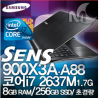
What does appear to be different is the power plug! I can't find a larger image. (picture 2) Changed to remove note about the vanity models posted earlier. The power plug did not look the same.
EDIT: Added an advert. This is the model that I think I want. How to get from Korea???? -
Hey everyone:
Just wanted to give you all an update on my Sammy. I returned it to best buy and decided not to replace it. I was getting to many fluctuations in the wifi signal to keep it. This was going to be my sons laptop and he would need a solid connection that he could rely on for school work.
Maybe when he's off to university next year, they'll have fixed the problems because he really liked this laptop.
Thanks to all for your help. -
Anyone sent in their S9 for service recently for weak WiFi?
I called Tech Support (as it's been over two weeks since I last called them). When I asked if there was a solution to the "weak WiFi" issue, they said I could send it in for service. I asked a couple a couple of different ways but, finally, I was told that the weak WiFi is a known issue.
I pushed him to tell me what they would do if I sent it in for service. He said he did not know and I believe that he did not know. He gave me the 1-800 number of the company that does the repairs. I recognized the number from an earlier post in this thread; it's InteliSol in TX. I'll call them to see if they can/will tell what they can do.
Update after talking to InteliSol on Sept 8th
For those that may not know, InteliSol, in Texas, is the company that does Samsung Series 9 repairs in the U.S. I called them today and had quite a long discussion with a tech resource there. She said that I could send mine in for service. Once I told her that my S9 WiFi's would probably test out just fine (as it's equal to the rest of the current S9's), she said that they do not have any changes from Samsung to apply (i.e. different adapters, antenna, case bottoms, etc.). So no point in sending in for service.
She said that more than 95% of Series 9 repairs are for cracked screens -- she said that they crack so easily. I hadn't heard that before. She was not aware of repair requests for weak WiFi or for broken power sockets... Then I began to wonder how knowledgeable she was.
Right now, the Lenovo IdeaPad 300S is looking like a very attractive option OR the possibly fixed model/s that Samsung have started selling in Korea. -
Interesting info, thanks. It seems they are attempting to address the two major negatives of about the S9. Presumably, the Intel 6300 with OEM-installed 3x3 (makes me curious about antennae placement?) would improve wifi; and as for the power plug, perhaps Sammy was listening when I suggested that (since they are busy getting sued by Apple anyway) this is one part of the MBA that they SHOULD copy?
It's too late for me, but hopefully this version makes it outside Korea soon -- in fact, if they also create a version with a 900p+ screen I'd seriously consider upgrading my current S9 to the new one (a less finger-print and smudge prone surface would also be a big plus). -
So less then 1 month later..there goes my power connector...so whether I like it or not the S9 is going back
....
And its already Sept and still am waiting for other choices in the ultrabook space..they promised early September..sigh...
I wonder if they fixed the touchpad issue in the newer version of S9 :/ -
Samsung also took longer than they promised, if I recall correctly.
-
@Eppsing
I was thinking about your response to my post about the new "available in Korea" Core i7 model that has faster processor, Intel 6300, B/T and appears to have revised power plug.
If they've addressed WiFi, or at least made it better, and solved the power plug issue, then this new model sounds like one I will get (if it comes to USA).
I can return my A05 up until early November although the Ultrabooks are only scheduled to start coming out in November (Toshiba Portege Z830, Lenovo U300s, Acer Aspire S3, and maybe more). -
Anyone know if there is some kind of link between the driver release date and when Samsung Support Center will pick them up?
There are a lot of new and updated drivers from August 29th.
I could of course go an install them all manually, but I would say the benefit of the Samsung Update program is that this is taken care off.
On my system, the latest udpated offered by Samsung Update was AHCI Controller update (published september 1st). Strangly enough I don't see this driver on the Samsung site (Could be part of Chipset or HECI).
Samsungs version management is a bit challenged anyhow.
Their Display Driver has a date of 29th of August, but the same version number I already have (out of the box) from Dec 2010, v2266.
The Touchpad driver on the system says, 15.3.6.0, but their new driver from august 26th lists 1.9.0.2. Pretty confusing I would say and it is not easy to tell which ones are new, it is almost (since all drivers have a new date on the site) as if the site simply got reset and the "release date" column is now showing a bogus date.
Curious if any of you have already got the new set of drivers offered. -
@pvandam
No, I was not notified automatically of any of these updates by Samsung Support Center. The last update that I got a notification about was probably two months ago.
I find that Samsung's dates, associated with the drivers, are often incorrect. At least one driver was updated in June but the date was left showing Jan 2011.
Display Driver 8.15.10.2266 is the latest Samsung-approved so you don't need to update that.
Touchpad Driver changed from 15.3.6.0 to 1.9.0.2. I actually uninstalled 15.3.6.0 and installed 1.9.0.2. Now when I look at Touchpad driver, it says I have 15.3.6.0 -- so it doesn't look like anything actually changed there! -
@kalahari
Yeah it is mostly a versioning/release management issue from Samsung unfortunately I guess. :-(
The broadcom wifi driver does have a significant higher number though, so I'm going to give that a try. (not expecting Wifi signal improvement from it...)
And I may decide to remove the Samsung support/updated tools altogether, it then gets rid of 2 programs which require admin rights to run. -
Any tips for the fingerprint issue? hehe.. its kinda annoying. Im thinking bout switching my laptop to an airbook that doesn't give fingerprints.
Alltrough I love my s9 -
Haven't see any one post anything. I've learned to ignore and wipe regularly. I agree it's annoying.
There are some " wrist rests", that cover both sides of the touchpad, for sale on eBay but don't know how well those would work or look.
For the outside, you could consider a custom skin from skinit.com They have them available for the 11.6" and 13.3" S9 models. -
Can anyone comment on this please ? Mine has the same problem, I may open it myself if it does not require any spare part.
Thanks -
@kalhimeo
I had to do a search to figure out what your question was about. I see you're talking about Eppsing's post 2435 where he was talking the power connector becoming loose.
I don't have an answer but maybe that post info will enable someone to answer your question. I personally, even though I've opened my S9's a couple of times, would rather have Samsung repair those sorts of problems. -
Yeah that's correct it's about the power connector lose, thanks for clarifying... maybe I trimmed his post a bit too much within the "quote"
-
What is your temperature when browsing or doing small tasks? My CPU is around 56-60c. Isnt that alittle bit high?
-
I get similar temps here, but my previous laptop (Asus U33Jc) did similar temps too, so I guess it's common.
-
The same here! Just fired up and find the temperatures between 50-58° C
-
A CPU idle temperature of 55-60C also looks OK to me unless some heat is getting transferred to the outside. Getting the CPU much cooler is possible but will require a lot more fan activity - the cooling efficiency reduces as the CPU temperature approaches room temperature.
John -
Great, yet another 9 series problem for me: The AC adapter cord is coming apart where it connects to the wall wart and the wires are fraying. Haven't plugged it in since I noticed this to see if it works. Anyone else have any experience trying to warranty the AC adapter? This thing is practically brand new, I can't believe it!
-
^^
@TrueDis:
My adapter has fallen apart (well, frayed, displaying bare wires) on both ends, including the wall plug end and the computer jack end. In addition, as I noted here several times, the power port on the laptop itself was faulty as well, so the charging system is actually faulty in at least three separate locations. I had stated in one of my very first posts here that the S9 adapter was similar to a cheap old Nokia phone charger, but in retrospect that was a disservice to Nokia (never had one of those fall apart).
I am currently keeping my adapter functional with electrical tape on BOTH ends. I haven't had a chance to make an effort to get it replaced under warranty, but another poster here (sorry, forgot his moniker) mentioned that he had been successful getting it replaced for free, although it had taken some arguing with Samsung to get it done. My first adapter was also replaced (under warranty) for a different problem. BTW, my current adapter is only about two months old, so this issue is obviously very commonplace, hence the apparent change in adapter for the newer special edition S9's (per Kalahari's posts).
Good luck, you are certainly not alone. Being a guinea pig for the S9 series has certainly had its price. In many ways the S9 has been the best laptop I have ever owned, but in other ways it has been the worst. I have really learned my lesson about being an early adopter for an all-new laptop line. From what I can tell from this and other threads, it seems none of the brands get it completely right the first time (with possible exception of Apple).
-------------------------
EDIT: I see from his post below that it was MintyBloke that was successful in getting the charger replaced. BTW, MintyBloke, I like your idea about using self-amalgamating tape, but unfortunately it has not been easy to find in the the local hardware stores, so I have been getting by with electrical tape for now, although it appears the entire adapter and cord will soon need to be wrapped in it... -
@TrueDis See Post #2333
-
For info i am sharing the same problems with power port on the laptop and the power adapter on the wall side. I will try to contact samsung soon.
I recently noticed an other problem with my S9, my touchpad looks in lower position at the bottom left corner, like if it was half pressed (it s only cosmetic atm, everything works fine with the touchpad).
I own this laptop for 1 month... -
Just spoke with Samsung Netherlands (Benelux) as that is my home country and the Service request I created with Samsung US for the Wifi issues has the status "waiting for notebook to be send in".
As this is not so practical, I hope to be able to receive service from my home country. Samsung does offer that which is great, but they are either ignorant or in denial of the problem.
Their claim is that I have a US model and the the problem may not exist in a European version. With all the research done here, that seems impossible.
My company has a number of these devices and through the Samsung Repair center we have been given a number of replacement Wifi cards (being the current Samsung "solution", which may not be the final solution).
Neverthesless I have been given one of those cards to try out and will most likely move forward with it.
I'm a bit worried how removing the cover will bream warranty and how visible it will be that it was opened. On the other hand the store where I bought it already opened it to upgrade the memory... -
MintyBloke - not sure what you mean by self-amalgamating tape - i suspect that's what i call silicone self-fusing tape. Stuff works great, no adhesive (sticks to itself, actually it welds to itself), very flexible, available in multitude of thicknesses. I had some black, .030" (.75mm) thick, cut it into 3/8" (10mm) wide strip, maybe 2-2.5" (50-65mm) in length, and wound it in a spiral, real tightly spaced spirals at the plug end, and let the spacing grow as it traveled over the cable side - maybe a total of 1.375" total (35mm).
that was at the laptop plug end - now you guys are saying the wall power end is breaking up as well. Jeez, did sammy hire some high school kid to spec these?
for those interested, self-fusing silicone tape is available at radio-shack, or online -
PS - just googled self-amalgamating tape - looks like my guess was correct -
Unfortunately, my posts have been way more prolific on this thread than what I would have liked (and I apologize to those that wish I would just "quiet down"). Due to the weak WiFi issue, there have been way too many.
FYI. I sent my Series 9 A05 in for "weak WiFi" service today. I don't expect to accomplish anything but I thought that I would give Intelisol (the company that actually does the repairs) a chance to see if they can improve it. This is part of the note that I enclosed:
Samsung/Intelisol,It'll be interesting (to me) to see if any changes are made at all. At least I'll be able to open it myself, when it gets back, without Samsung saying that I am "voiding the warranty". Also, I can still return to Costco for full refund if nothing has improved.
Please note that this is my third Series 9 laptop. They have all had the "weak and fluctuating WiFi problem". After many, many hours of testing, I attribute this to the Duralumin casing.
WiFi works well (not perfectly as I could not use WiDi without glitches in the same room) when one is near the router. As soon as one is some distance from the router (e.g. a couple of rooms away in the house; in airports; or in hotels) the WiFi connection becomes weak and fluctuates between fair and no connection at all.
My Dell laptop, my iPhone 4, my son's Apple Macbook, my wife's iPad, etc. all have far better WiFi connectivity and reliability than the Series 9!
I see that the newest model in Korea, the NT900X3A-A88, has an Intel Centrino 6300 wireless adapter and also still supports Bluetooth so maybe Samsung have fixed this problem. (The 6300 has 3 antenna vs. the 6230 which has 2 antenna).
I would really appreciate it if you could
1. place the antenna ends up behind the screen bezel (as that will get them out of the duralumin case) or
2. place the antenna ends under the keyboard, if that is even possible, (for the same reason)
3. install the Intel Centrino 6300 and provide Bluetooth capability -- that would be great. I would forgo Bluetooth if the 6300 does help (it should)
4. if there is a replacement for the fragile power adapter and connection, I would appreciate if you do that repair too.
-
Time to look at the new/upcoming Toshiba Z830 Ultrabook, perhaps?
-
Currently thinking about forgetting about these Ultrabooks and getting the Lenovo X220 instead...
My short summary in order of preference. Mostly limiting my notes to Intel Core i7 and 13.3" screen:
Samsung NP900X3A "with Intel 6300 WiFi" Not in USA yet
Pros: i7-2637M (1.7GHz 4MB) and i5-2467M (1.6GHz 3MB), SuperBright 400 nit matte (anti-reflective), 256GB SSD, 8GB RAM, micro HDMI, Bluetooth 3.0, USB 2.0, USB 3.0, Intel Centrino 6300 WiFi adapter, Micro SD, Ethernet, 3 year warranty (some models), WiDi-capable
Cons: Still flimsy power connection?, not announced in USA (and may never come here).
Notes: This is not an Ultrabook.
Toshiba Portege Z830 ( pictures
Pros: i7, USB 3.0, 2 x USB 2.0, full size Ethernet port, full size HDMI, full size VGA, backlit keyboard, 6GB RAM, 256GB SSD on i7, matte screen (Z835=glossy), Bluetooth, a light Ultrabook
Cons: slow SSD and max 128GB (probably replaceable), fan on all the time (possibly annoying)
Lenovo IdeaPad U300s. pictures
Pros: i7, 256GB SSD, full size HDMI, USB 3.0, USB 2.0, styling, best keyboard?, WiDi, 1.3Mp webcam
Cons: max 4GB RAM, no backlit keyboard, heavier than most, gloss display
HP Folio: Dec 2011
Pros: 4GB expandable to 8GB; 128GB SSD; backlit keyboard; full size ethernet, HDMI, USB 2.0. USB 3.0; SD card; rugged Ultrabook; good battery
Cons: no i7; glossy screen; sound not great; heavier
Asus UX31-DH72: pictures
Pros: i7, 256GB SSD (SATA III, 6Gbps), 1600x900 screen, USB 3.0, USB 2.0, Micro HDMI, Mini VGA, Mini or Micro Ethernet, SD/MMC slot, solid construction, B&O speakers, display 400 nits, Bluetooth 4.0
Cons: max 4GB RAM, no backlit keyboard, SD card sticks out, apparently heaviest ultrabook, gloss display, WiDi?, 0.3Mp webcam, mixed reviews -- generally more negative than positive
Acer Aspire S3: pictures:
Pros: i7, 240GB SSD, larger HD options too, rigid magnesium-alloy case, HDMI, available Oct 2011?
Cons: 4GB RAM max?, no USB 3.0, no backlit keyboard, probably no Bluetooth, keyboard too "plasticy", highly reflective display, no Ethernet port, plastic bottom
Oct 12th. Negative review
Pegatron (Pegatron is part of ASUS group)
Pros: Ethernet port (full size), HDMI (full size), USB 3.0, USB 2.0, card reader, matte screen, Core i7?
Cons:
LG P220: This may not be an Ultrabook pictures
Pros: weight, LG Shuriken display with thin bezel, Ethernet?, HDMI, 2xUSB 2.0
Cons: probably no i7, battery life?, max 128GB SSD, no USB 3.0, 12.5" screen, max 4GB RAM, no Bluetooth
LG P330: Not an Ultrabook pictures
13.3:, 1366x768, 4GB, Core i5-2453M, WiFi, Ethernet, 2xUSB 2.0, 1xUSB 3.0, HDMI out, VGA out, 3.9 lbs, 40GB SSD + 640GB HD
Not coming to the USA
Sony Supposedly bringing out Ultrabook
Dell Supposedly bringing out Ultrabook in January 2012
Fujitsu Lifebook SH771: Not an Ultrabook
Pros: Core i7, 13.3" 1366x768, only 2.7 pounds, up to 8GB RAM, up to 750GB HD or 128GB SSD, DVD burner, USB 3.0, 2 x USB 2.0, HDMI, Intel WiDi, Bluetooth
Cons: no backlit keyboard -
forgot who, but wasn't there a poster here that got one of the new sata 3 SSDs (CRS keeps me from remembering both his name and the name of the SSD) - did he ever get it installed and running in his Series 9?
and did he see 6 GB speeds? -
That was Series 9 Guy and the drive is the 120GB Runcore T50 6Gb/s. He's still waiting for Series 9. Here's the SSD review
-
I have the 120GB Runcore sitting and waiting to get into a new Series 9 which Samsung has stated won't be avail for two weeks or so now...its been delayed.
The T50 has been tested and reviewed as well where they found that it is a great drive that stands beside the top reg form factor ssds out there. -
Oh and Kalahari..... I can pretty much guarantee this drive will rest in one of those ultras at the end of the day. the Toshiba looks great.
-
I thought the Asus one also has no backlighting?
out of all those the Toshiba one probably sounds the best...except its the one that is going to come out last in November
As for sata 6gbps or more hard drive space I am fine with 3gbps and 128mbp..but it would be cool if they get that SATA DEVSLP standard out the door and into our ultrabooks!!!
Also you forgot to mention LG P220 and the HP one... -
One would think that companies would match systems up with their capabilities though. Why sell me a SATA 3 system with a SATA 2 drive?
-
simple..cost..see when you buy a motherboard for example..the company who made the motherboard includes the sata3 by default..but when buying a drive thats another story..and sata 2 drives tend to be older drives..hence cheaper drives...
It boils down to usage really..but as someone who has been using disk drives even sata 2 with ssd is a HUGE step up...so while SATA 3 would be a nice plus its not as ground breaking as say reducing power usage by 10x...
Looking back, hard drives used to be one of the only 2 things that has not "improved" technology wise..ssds changed all that..now all thats left is for them to figure out a better alternative in battery technology (that is commercially viable)..but for now i'm settling on devices with reduced power consumption until then :/..I dream one day we can go out and use a laptop for a month without charging..one day...
Samsung 9 Series laptop (ZX310 / 900X3A) unveiled
Discussion in 'Samsung' started by SoundsGood, Jan 5, 2011.