Problems? See this thread at archive.org.
I`ve got installed the Samsung drivers after the installed Lashcat drivers. For me it seems to switch between Intel and AMD Card.
-
Didn't work for me...

-
You dont need the Lashcat drivers anymore. Use the 9.840 and everything is just fine and perfect.
-
No, it isn't. Civilization 5, for example, will simply not run on the AMD card, no matter if I set it to high performance. With leschcat's drivers, it does (see my post last page). So there still are obvious problems with the drivers Samsung provides.
-
Can anyone confirm whether Crysis uses the AMD card?
I'm getting very poor performance (15 - 25 FPS on medium settings, 1440 x 900, no AA, less than 10 FPS at native res on high settings).
This is MUCH lower than the benchmarks for the 6750M listed for Crysis here:
AMD Radeon HD 6750M - Notebookcheck.net Tech
and here:
http://forum.notebookreview.com/gam...amd-radeon-hd-6750m-benchmarking-results.html
It's only really playable (25-30 FPS) on medium settings at 1024 x 768, which is pretty bad. So, I'm wondering if it is using the integrated GPU instead.
Any suggestions? Cheers in advance. -
I have the same GPU in my Macbook Pro and I get the same frame rates (25-30) at 1440 x 900 on high. Surely something isn't working.
-
Possible CPU throttling - check temperatures.
-
Can you recommend a tool for CPU temperature checks? If that is the cause, is there any solution (e.g. a laptop cooling pad)?
-
The one I use which has A LOT of good information in it is HWInfo, but there are other alternatives aswell ofcourse.
HWiNFO, HWiNFO32 & HWiNFO64 - Hardware Information and Analysis Tools -
Cool, will try that this evening. Thanks!
Has anyone tried using ThrottleStop with the S7?
http://forum.notebookreview.com/dell-xps-studio-xps/639159-throttlestop-4-0-a.html -
Yes, it works well.
-
Are there any significant risks with using it (e.g. damage to hardware, assuming that the point of throttling is to prevent overheating)?
Maybe I should invest in a cooling mat/pad as well? -
The fan just goes faster. Intel's CPU will auto shutdown at 105C, nothing to worry about. The Series 7 seriously needs a cooling pad if you are going to do some serious work because of the thin chassis.
-
Well, therer is a reason to the throttling, and changing so it throttles less is most likely a good way to get your CPU to "burn out" faster resulting in a nice looking brick you can use as a paperweight.
-
A hotter CPU will result in one that gets worn out faster.
-
Not exactly true. Sure, you cant make the CPU burn up like you could with the old AMD, but making it run at higher temperatures will stress the CPU and make it "burn out" faster.
-
Thanks for the help guys. I guess I'll pick up a decent cooling pad and then monitor temps with HWinfo before trying ThrottleStop.
-
That's nonsense. No matter how you have ThrottleStop set up, it can not disable the Intel throttling scheme built in at the hardware level. No software can over ride this so your CPU will continue to run within the Intel specification for heat. The Intel designed thermal throttling built into all of their CPUs is second to none and their thermal throttling does a great job of making sure that Intel CPUs never reach a core temperature where they can prematurely burn out.
Your multiple posts are not based on any facts. -
That seems resonable. It was the Nvidia that burnt-out on my previous laptop, not the CPU. However, even if the CPU will not burn-out as you suggest, surely increased temps are not good in general (for mainboard, GPU, etc.). Otherwise, why would this level of throttling have been implemented to begin with?
-
Heat will kill hardware faster, this is a pretty well known fact, and I guess that is why even YOUR disclaimer even says:
"Using ThrottleStop to overclock or over volt your CPU or to disable a laptop manufacturer's throttling scheme may damage your computer and is at your own risk. "
The throttling is there for a reason, and it's not to anoy the user...
Yes, you can't burn up a CPU today like the good old AMD videos, but by forcing them to work at a higher temperature you WILL wear them out faster. Especially if this higher temperature is also because of higher voltage. -
Yes, CPU Heat will increase temps overall for the notebook, and depending on model, it might increase the GPU temp alot if they use the same fan and/or heat sink, as some do.
Heat is one of the biggest hardware killers, no matter what he says. -
Oh, also, higher temperature leads to more noise, which I personally hate. Depending on the notebook the fans can be VERY anoying. Not that bad with the S7, but still.
-
I agree with you about the noise. However, others may be willing to accept this trade-off.
Perhaps it is worth noting that there are a lot of contented ThrottleStop users out there who have regained some performance because their computer manufacturers have been unnecessarily conservative in their thermal rules.
John -
Noise won't likely bother me much as I usually use headphones when gaming (which is the only time I would use ThrottleStop).
I will buy a cooling pad (probably the Cooler Master NotePal U2) for use with ThrottleStop, to be on the safe side. -
Even with cooling pad, there is not much to cool down the temp in the S7 because there is so few of ventilation in this model and the thin chasis. I once used the NZXT Cryo, which is best for desktop replacement notebook or 17" laptops, but the result was not so much. More over, most of gaming application or applications that need the use of GPU don't take much advantage from the GPU because the driver is not stablized, which leads to bottleneck in which GPU cannot keep up with CPU.
-
So, are you suggesting that using ThrottleStop will likely just shift the bottleneck from CPU to GPU? I guess I will just have to test and find out. Crysis (the application in question here) certainly runs much better on an MBP with a very similar configuration, which indicates something specific (e.g. temps/throttling/GPU driver) is causing poor performance on the S7.
-
Did you run HWiNFO to see the CPU throttling? The graphical CPU speed display shows it very clearly.
John -
Not yet as I'm still at work. I'll do that this evening and post the result here. I suppose I will need to run Crysis windowed to see the HWiNFO display at the same time.
-
Performance depends on hardware plus temperature. Using ThrottleStop will only slow down the CPU, there is still GPU. The switchable graphic from AMD is not really good in laptop. Compare to Nvidia on desktop card, AMD has more better performance, but on laptop, Nvidia is much better because of driver. What I highly doubt is that Crysis or other games or applications don't take much from the AMD card due to the driver. Because if you look at CPU usage, with 4 cores 8 threads, running intensive apps will only at much as 50% overall. I will try to install some game to test because I just replaced my HDD and did not have a chance to install some game.
P/s: You said Crysis 2 or 1? Even some laptop cannot handle 1 properly. -
Don't you mean the reverse - ThrottleStop will prevent the CPU from slowing down (rather than slow it down)?
I get good performance with most games. It's just Crysis 1 and Crysis Warhead that are much worse than expected. Higher resolutions has the biggest FPS impact, but physics, shaders and shadows also kill performance. Even with everything on low setting, it runs only at around 18 FPS at native resolution (1600 x 900).
Both run much better on a MacBook Pro with the same AMD/Intel switchable GPU, RAM, and CPU.
Crysis 2 is supposed to run well enough at medium/high settings on the S7 too, but I don't own a copy so haven't tested. -
Hi can anybody tell me what kind of tempertures you are getting while playing games? I get around 85 degrees Celcius gpu core while playing BF3. Is this too hot? I also notice that my gpu doesn't run at 100% while playing BF3, usually around 70-80%. I understand that it is throttling a bit to keep tempertures lower but is anyone else experiencing this? Or do I need mine serviced?
-
This warning message is intended for owners of Intel Extreme processors. The Core i based CPU in this Samsung laptop can not be over volted or over clocked using ThrottleStop.
Some Core 2 owners got a little carried away and cranked up the core VID voltage on their X9000, X9100 and QX9300 CPUs to 1.50 volts but you can NOT adjust voltage on the Core i mobile CPUs so this is no longer a safety issue.
You also can NOT adjust the CPU multiplier higher on the non-Extreme Core i processors when using ThrottleStop so with or without ThrottleStop running, your Core i CPU will be running within its Intel intended specification.
The problem is that some laptops are crippled and barely usable because of throttling. ThrottleStop provides users with some options so they can better balance performance vs heat output. You can use ThrottleStop to try and run your CPU at its rated speed or you can also use ThrottleStop to slow your CPU down to reduce power consumption and heat output which can allow you to run your GPU at full speed longer without overheating.
Not all manufacturers are honorable. Why should a user have to suffer with a crippled laptop because a manufacturer decided to be overly conservative? Some throttling schemes are beyond insane for how badly they can cripple a CPU to a fraction of its Intel rated performance. This has been going on for years because not enough users are willing to hold manufacturers accountable for the junk they sell.
If you want to learn more about the bizarre throttling scheme that Dell engineering came up with then read this paper by Randall Cotton.
throttlegate.pdf
My disgust of what Dell was up to was what originally motivated me to write ThrottleStop so users could regain control of their CPUs. It was obvious that some manufacturers had gone off the rails with overly aggressive throttling schemes. -
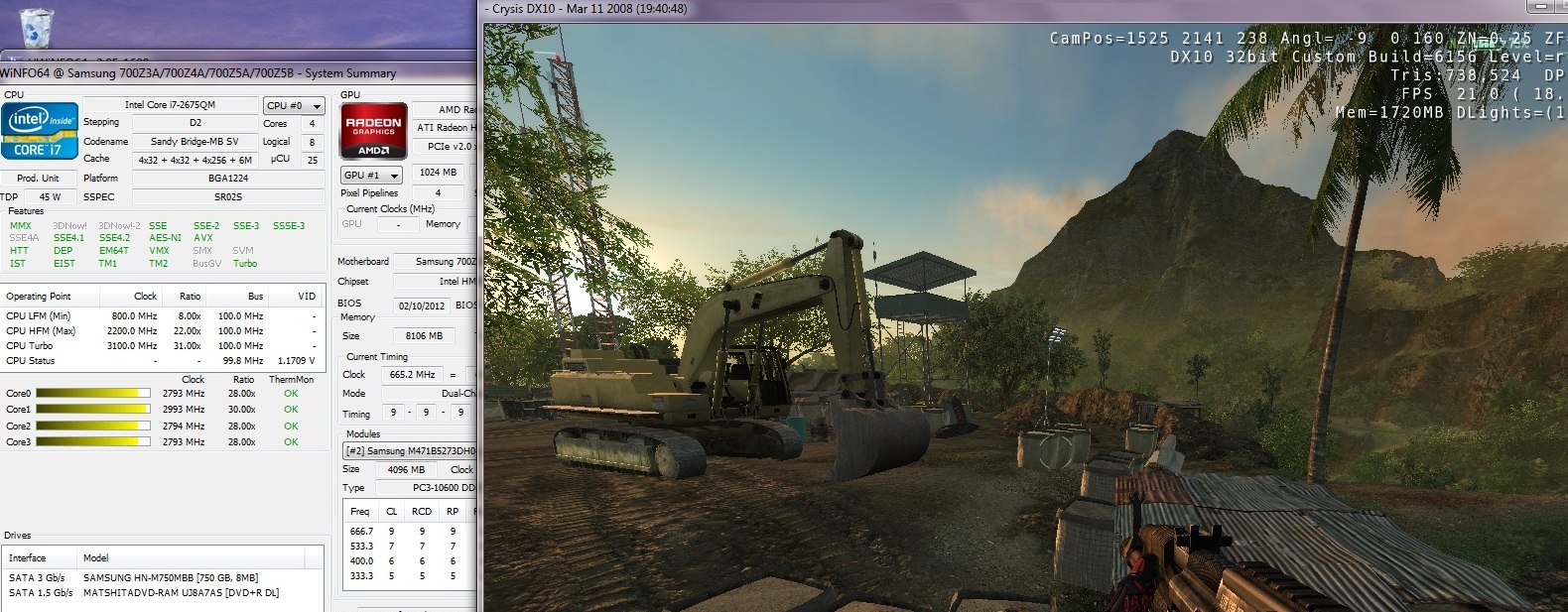
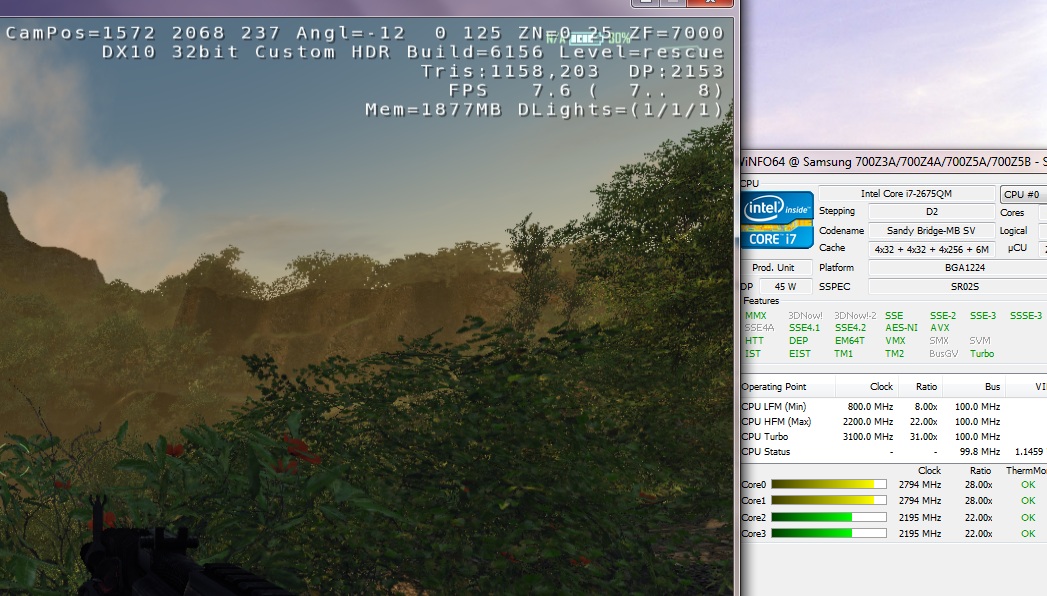
OK, I just ran Crysis with HWiNFO running windowed next to it. First ran it at a lower resolution on a mix of medium/low detail settings (approx 19FPS). Then I ran it on high settings at 1440 x 900 (approx 9 FPS). In both cases, the CPU does not appear to have been throttled and temp monitors show green and ok. See attached images. Am I reading this correctly?
Does this mean throttling is not the problem? Note: I am running the 32bit version of Crysis as 64bit is not available on Steam.
Thanks everyone who has contributed suggestions so far. Hopefully, we can get to the bottom of this.
I suppose if someone else can test a copy of Crysis with their Series 7, we'll know if the problem is limited to my unit.Attached Files:
-
-
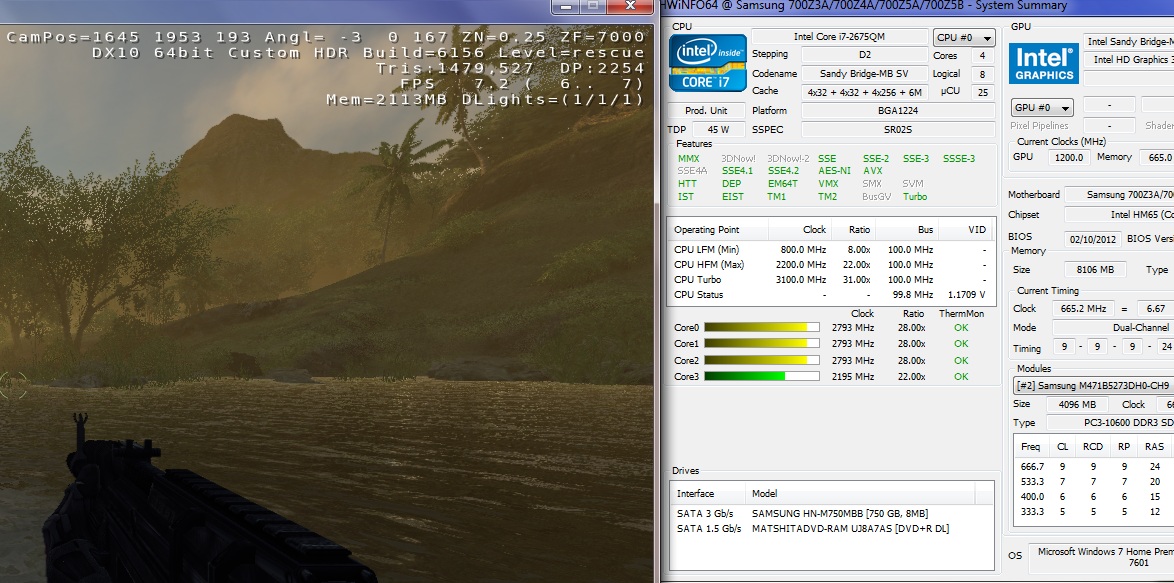
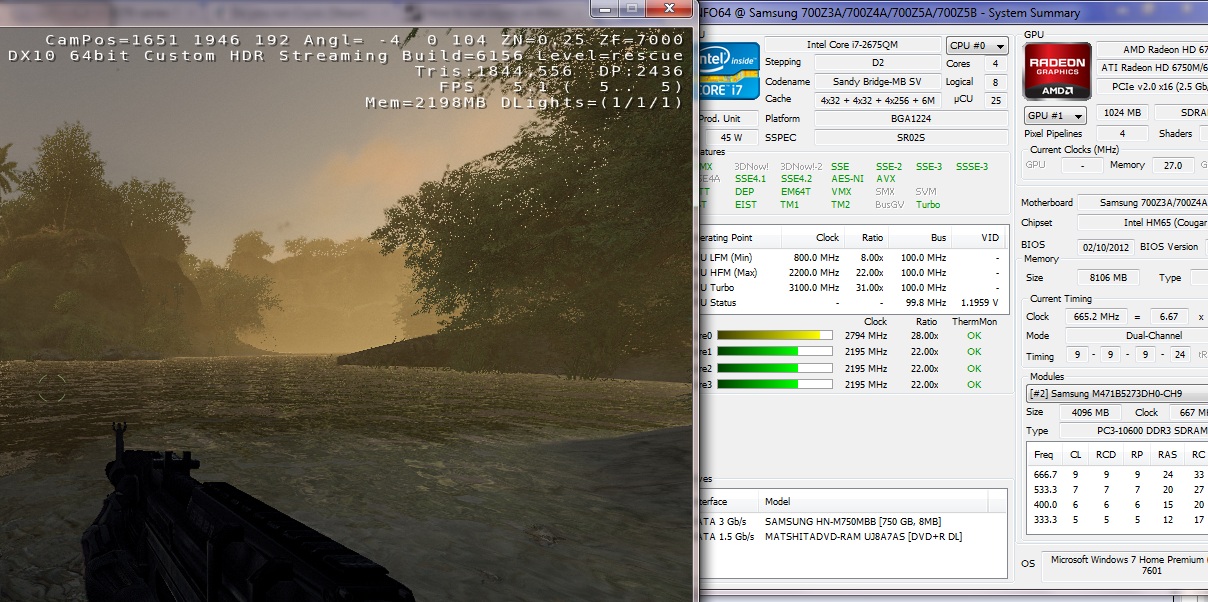
Tweaked it to run at 64bit and got no improvement. Here is another screen showing HWiNFO, with Crysis running at 720p with high settings (about 7 FPS), and one last one on very high (about 5FPS).
No sign of throttling, right?Attached Files:
-
-
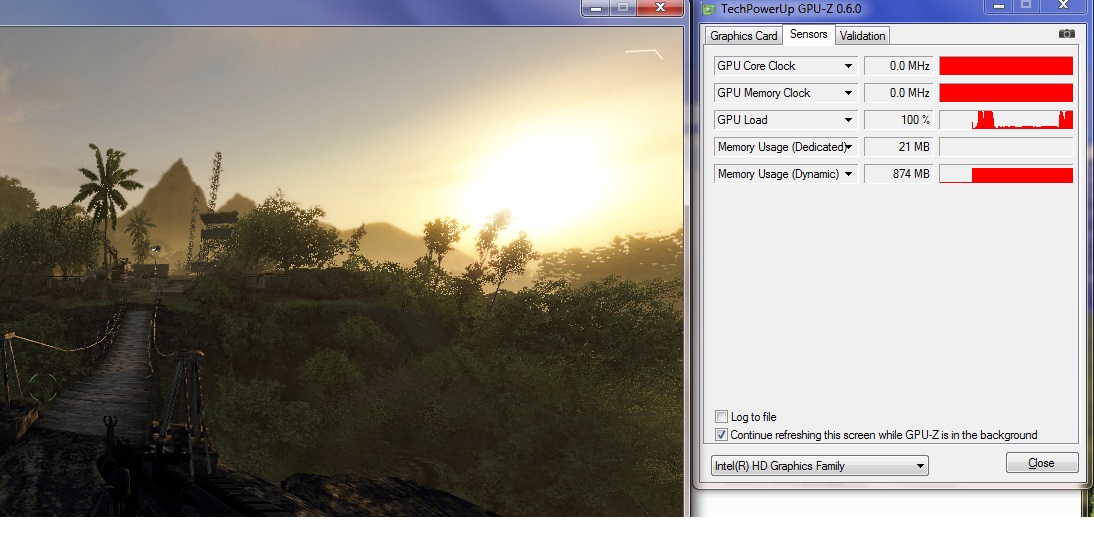
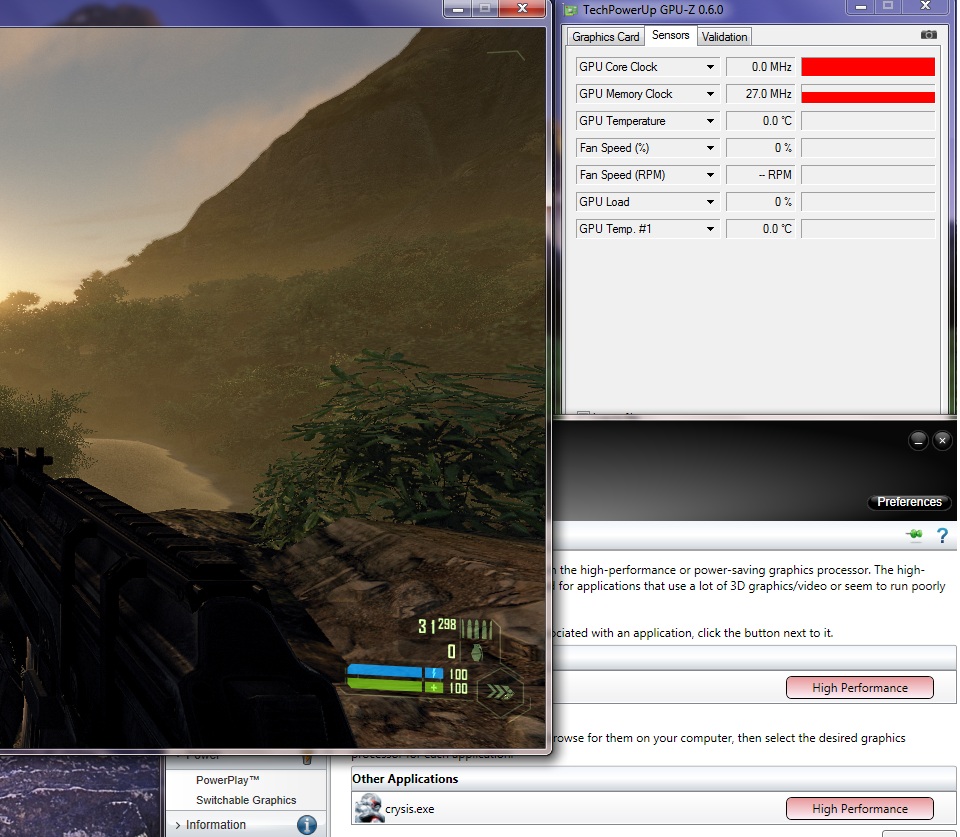
Well, GPU-Z has revealed the truth. Crysis refuses to recognize the AMD card. Even with High Performance selected, it only runs on the integrated Intel chip. No wonder I'm getting such crappy performance.
This blows. The 8.94 driver certainly isn't perfect.
I am surprised to see this is even playable on integrated graphics (barely).Attached Files:
-
-
I'm starting to wonder if GPU Z is reporting correctly though. I can't get ANYTHING to show load on the Radeon. Load constantly shows on the Intel for Portal 2, Far Cry 2, Crysis...
-
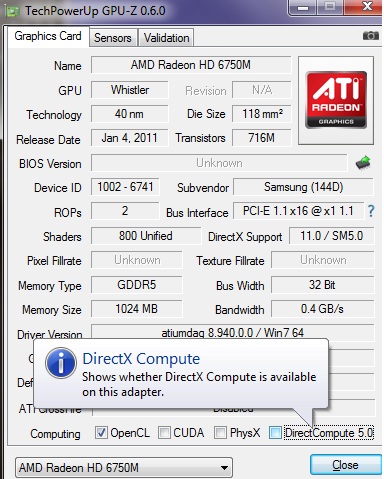
Update: the only application I have managed to show load on the Radeon via GPU-Z is Google Earth when switched to OpenGL rendering. I also noticed that GPU-Z indicates that "DirectX Compute" cannot be done on the Radeon (see attached screenshot). Does this mean that DirectX in general is not running on it?
Cheers in advance for any assistance. This is getting pretty frustrating.
I also tried re installing the driver from page 1 of this thread, and no change.Attached Files:
-
-
I believe the DirectXCompute is in this model. However, because of the driver, GPU-Z cannot show everything correctly. I'll check this week to see if mine driver is running fine some game. Post result later.
-
Correct. As you have figured out for yourself, throttling was not the caue of your problem in this case. If you want to check whether throttling can be an issue then run a program such as wPrime with the HWiNFO open.
John -
I think you are correct - GPU-Z is not showing everything correctly. Although Crysis is seriously under-performing, there is no way an Intel HD 3000 can account for the performance I'm getting in other games, can it?
40 FPS in Far Cry 2 (all settings maxed at native Res), 40 - 50 FPS in Doom 3 (maxed with AA/AF, native res with Sikkmod effects and hi-res texture packs), 35-40 FPS in COD MW2 (native res, all settings maxed), Bioshock 1 and 2 (all maxed), Dead Space 2 (all maxed), Deus Ex HR (mix of medium / high with some AA), Medal of Honor 2010 (native res, high settings), close to 60FPS on all Source games, including Portal 2 (maxed with full AA/AF).
I know most of these titles are a few years old, but surely Intel's GPUs haven't come THAT far since then? -
Actually, they have come very far. The built in Intel 3000HD that Sandy Bridge has is faster than Nvidia Geforce 220M/320M.
And the new Intel 4000HD in Ivy Bridge is almost twice the speed of Nvidia Geforce 520M and comparable to older gen cards like the NVidia Geforce GTS 250M
Atleast in 3D Mark Vantage benchmarks. -
Talking about SOC or laptop, this might be good. Because with Ultrabook or thin laptop, putting discret card is more challenging. However, if we compare the HD family with AMD or Nvidia card, there is still much a gap to reduce. For example, for game requires PhysX, there is not a chance that Intel HD can perform like an Nvidia.
-
I know they have improved greatly, but looking at the benchmarks here, the performance I have seen cannot be produced by the HD 3000 (which indicates that GPU-Z is not reading the hardware accurately):
Review Intel HD Graphics 3000 graphics solution - Notebookcheck.net Reviews
Intel HD Graphics 3000 - Notebookcheck.net Tech
1. Far Cry 2 - 18.79 FPS at 1024x768 high DX10, 0xAA. (I'm getting 35-40 at 1600 x 900, on Ultra).
2. COD-MW2 - 26 FPS at 800x600, low, 0xAA (I see 40+ maxed with 8x AA and AF at 1600 x 900)
3. COD MW - 12 FPS on high (I get 60 maxed with 8x AA and AF at 1600 x 900).
4. FEAR 2 - 11.2 FPS on high (I get 35+ on high at 1600 x 900)
Only Crysis framerates are consistent with the HD 3000 benchmarks. It appears that graphics switching is broken for CryEngine 2. -
A prescient statement, it would seem.
-
That was exactly why I insisted on manual BIOS switching in the first place. Full control. I have mentioned time and again that the driver may not be updated frequently by Samsung. Within 2 years, it is almost certain all driver updates will cease.
-
Could this be the reason that GPU-Z doesn't show load on the AMD with DirectX titles, even though performance indicates it should? Intel HD 3000 shows 100% load frequently.
-
Most of modern game are using launcher to let you config options before actually going to the game. With current issue of the switchable graphic, the launcher cannot recognize the AMD card to select settings that suitable. We can actually run the game without launcher, but we don't know if the game really know that there is an AMD card and it supposes to run on that card. Meanwhile, I installed an MMORPG game that has really intensive graphic. The result came out wasn't good at all. The game did really run on the AMD card, but not always at 100% work load. Moreover, the CPU temperature was being raised too fast that my cooler cannot keep up. FPS was in the middle, but because of the CPU running too hot, I just exited that game. When I have time, I will install some game and see if mine result is better than yours or at least the same at the benchmark result.
-
Point the AMD switching S/W to use AMD card for both launcher and exe.
-
Just registered so I can share with you guys my findings regarding the pixelated/poorly scaled youtube videos. I am using Waterfox (a variant of Firefox) with flash version 11.2.202.233 and the following video is NOT pixelated judging by the control bar at the bottom. A word about Gmail Tap - YouTube
Therefore I think the problem is Youtube's old player and the new player used in the above link fixes the problem.
Hopefully I'm not posting something obvious that everyone new about and thank you for the very useful thread. BTW I am a happy S7 Chronos owner
-
How does one do that, exactly?
Series 7 Chronos All Models: Push for SAMSUNG to implement "FIXED MODE" in BIOS
Discussion in 'Samsung' started by yknyong1, Dec 9, 2011.