Problems? See this thread at archive.org.
Help. Here's where I get to display my ignorance:
I'm setting up my new r700 and I'm prompted to install either Win7 32 bit or 64 bit. I've never installed Windows 7 before. Which do I use? I do very little gaming but do some video editing and watch some movies. I have 4gb RAM installed (i3 processor). Thoughts? Quickly?
My office is installing 32 bit on all of its new computers b/c of complications with 64 bit, but I don't know whether those would affect me.
-
I'm not expert either but I will be using the 64-bit version. Here is an article with a short rundown on the two.
If you are going to be using you R700 in conjunction with the programs you use for work you might want to use 32-bit to avoid any of the conflicts they are experiencing. As far as the driver conflicts mentioned in the article I wouldn't worry about that since Toshiba is including 64-bit with the R700 meaning all the drivers work with it.
4GB Ram and the i3 are more than enough to run the 64-bit version. In fact if you chose the 32-bit version you won't be able to use you full 4GB memory (32-bit only makes use of 3.70 or something like that).
You can always go back and reinstall if you change your mind.
Hope that helps, GL -
My understanding (someone please pipe in and correct me if I'm wrong) the i3 R700 has the same screen as the R705.
The actual differences are:
i3 R700 has:
-Windows Professional
-3yr P&L warranty
-Bluetooth
-High speed docking station port
-Express card slot
-Fingerprint reader
R705 has:
-Windows Home Premium
-1yr P&L warranty
-Wireless display option -
Not sure about the display, but several people have confirmed that the R700 has WIDI
-
Use 64 bit on these new core i processors. Only reason to use 32 is if you are installing some specialized old hardware where the 32 bit drivers just wont work and for which 64 bit drivers will just not not be available.
Another reason to stay with 32 bit is you don't ever want the temptation of venturing beyond having 4GB of ram.
-
My understanding is that for every one of those confirmations there was an equal and opposite refutation.
-
Yup. That's my understanding, too.
On a separate note:
Holy jeebus. I'm setting up the r700 and it's taking an incredibly long time for Win7 to install itself. It keeps on shutting itself down and starting up again; it's now on the "configuring system" screen, and the task bar says 5/33. And it's already been doing this for about 10 minutes. What the heck? Is this going to take a couple of hours? I've never seen anything like it.
EDIT: just rebooted itself again and now it's on 6/33, "Intel LAN Driver." I think it's going to reboot itself a total of 33 times. I'm agog. -
My mistake. After looking around it seems the R705 has a different WLAN than the R700. It specifically states in the specs for the R705 that is is enable for WIDI and there is no mention of this in the spec for the R700.
I guess we won't know for sure unless someone installs the software on the R700 and attempts to connect to an adapter.
Although I guess an interested party could just try contacting Toshiba
-
Yes, I was surprised when I went through the setup. Took over an hour.
-
Go to bing and type "newegg" and you see the first link and you will get 10% off on the R700 there. Maybe another way beside ebay.
-
I'm getting ready to buy and I was only getting 2% before. Love you.
-
It lasted 3 hrs. Its over.
-
A few minutes short of 5 hours playing 480p mkv videos on eco-mode with brightness lvl 3 and wifi on.
-
I'm pretty unenthused as well. I got more like 5 hours, but that was in eco mode (and a while on lowest brightness), doing nothing but word processing half the time. Also did some light web surfing, listened to a 30 minute mp3 file (pretty poor speakers, which I had already known about), and about 20 minutes of a flash-based game for my son. If I'd had the screen brighter and had been doing a bit more intensive stuff it would have been more like 3 to 3.5 hours. Not happy about that.
And when my son was playing his game the computer got way hotter than I had expected near the vent and in the center (underside). Most people had said it was warm but not uncomfortable, but I didn't like having that thing on my lap. It got a lot cooler when I was doing only word processing, but that's to be expected.
Less than a day's worth of ownership and I'm thinking about returning it.
On the bright side, the track pad is better than I had expected and I don't mind the screen, since my old HP DV1000 had even worse contrast and viewing angles. -
Interesting...I would have thought it would have been somewhat longer, though I typically I wouldn't be running video during the entire battery cycle. A more likely day for me would be Microsoft Office, database and browsing. Under those circumstances, I wonder how long the 9 cell would last.
After you have had a chance to spend some time with the 9 cell, I would appreciate it if you could give us your impressions. -
-
Almost making me regret my purchase before it even gets here. Are the speakers really that bad? Are they just too quiet or is the sound quality not great? -
Just so you know, I have had the laptop for close to a month and I have no regrets. Give yourself some time to optimize the settings, unload bloatware, manage startup programs, and download Flash 10.1. Then you can make a decision.
As to the speakers, they push out plenty of sound but it is somewhat tinny. With the exception of the R705, most of the R700 series is targeted to the business user instead of the consumer. As with most business laptops, high fidelity is somewhat of an afterthought. -
Oh, that's fine. I don't care if the occasional episode Lie to Me sounds a bit tinny as long as I can hear it. I won't be doing any gaming on it at all so hopefully it won't get too hot on me. -
That's one difference between small fast light laptops and everything else. They gots to get rid of the heat, and the ONLY way to do it is to blow it out fast and hard.
That is not something that Toshiba or any other laptop manufacturer can solve. How much heat is generated and how it gets removed, its up to Intel and the laws of physics.
You always have the option of going with something that has a ulm type processor. It won't generate as much heat, and it will definitely run your word processing program slower
Option two is a much larger and heavier laptop, it can use big heat sinks and convection instead of relying on the fan so much.
Best bet is to just invest in a lap desk if you don't appreciate hot air on your legs (and really now, who does?)
Attached Files:
-
-
You're right, they're not quite as soft as I had originally thought... I played a sound file on the r700 and on my 5 year old DV1000 and the r700 is louder... but VERY tinny. Very. Again, I knew that already, and if one doesn't mind tinny then it's not a big deal.
I appreciate your input. Yeah, I know, heat's a problem on a lot of the small ones, especially the Macbook Pro. But I had been looking at some of the Asus 13" computers before stumbling upon the Portege, and some of those Asus models (with the CULV processors) are supposed to run very quiet and cool with very long battery life. UL30VT, for example. The switchable graphics were supposed to be able to handle high def videos and video editing fairly well. But in the end I liked what I was reading about the Portege's build quality and the i3 processor. It's very hard to tell which would be best for me b/c my local "big box" stores (incl. Best Buy) don't carry very many models (and didn't carry the Portege r705, either).
I don't do any gaming (my son does a tiny bit) and I mostly do word processing with a lot of firefox tabs open, some video editing, some streaming video. Not rocket science. I wanted a computer that I could keep for 3 years without it being obsolete almost immediately. It's a very hard combo to fulfill. -
I guess there are two schools of thought on that. On the one hand people will say that anything you buy is obsolete the instant you get it, blah, blah, blah...
But I say, anything you buy today, the average laptop, is faster, has more hard drive, and more memory than the biggest, baddest, best thing you could have bought a few years ago. And one would have been ecstatic then with the performance (speed, battery life, drive space, memory...) that we would call mediocre now.
So I say enjoy the heck out of it. We never had it this good.
And 3 years from now, when you are ready for another, it will be cooler yet.
(I guess I should know, I've been iterating in that same loop for over 30 years now)
-
Hey all,
I'm about to start grad school, been looking at the R700 for about a month now. A question: if I buy the laptop from Newegg.com, is it relatively simple to upgrade the limited warranty to four years and add some accidental damage coverage via Toshiba?
Not sure how Toshiba handles warranty upgrades when a reseller is involved. Any ideas? -
Thanks! What processor do you have in yours?
-
Hi Renormalized, what's the backup time you're getting with the extended battery? I mean for regular work (not continuously playing mkv files).
Also, does the laptop still FEEL lightweight enough (the weight becomes 3.6 pounds)?
Did you experience any other issue with the extended battery? Would you recommend buying it? -
It's an i3.
-
It's super easy. I bought an R700 from a reseller, then went to Toshiba.com, selected an upgrade warranty plan (I added accidental care 3 yrs cuz I always break stuff), entered my part# and serial #, and I was done. Plus, there's a 15% off coupon that came with my notebook.
-
Is anybody running Linux on this thing? I'd be interested to know how your battery is performing.
-
will let you know about battery life doing regular work in a couple of days...
it is still very light, but since the percentage increase is rather high in this case, you do feel it. does it make a difference? not really.. (i used to carry around a 3.5lb slate for a long time... so i have no problems with the weight in this case)
i wish the extended battery stuck out back (instead of downward) like with the thinkpads. if this thing is carried about in a backpack or some other carrying case, then it doesn't matter. But I often place it in a sleeve and carry it around by hand and the extended battery makes it an awkward fit. -
So true ... Its taking me all of my will power to not go for it...
-
Computer is growing on me a bit. I'm not crazy about the keyboard; I wish the chiclet keys were softer and more pliant. But the battery life seemed better this cycle. I just got around 6 hours, which included some time at max brightness ('tho not a long time) and about an hour of running video in the background. Wireless network on but not bluetooth. It might have been closer to 5.5 hours, b/c I shut it down for a while in the middle, but it was pretty good. Hopefully I can get in the 5 hour range regularly. I'd be happy with that.
-
Newegg is back at 10% now wth bing and the R700 is $949. This is your last chance! Better hurry! Bing ends 7/31. I am so sad.
-
irrefutable evidence:
Just got my r700-s1310 from CircutCity and during its setup saw this screen:
![[IMG]](images/storyImages/qXJo2l.jpg)
Also noticed this driver on the Toshiba site the other day:
![[IMG]](images/storyImages/Cjzrbl.png)
-
I'm not seeing this newegg cashback...
-
What about the Intel Wireless Display?:
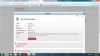
I hope I am wrong about this but it only lists the R705. -
In fact, I don't even see newegg listed as a Bing cashback store.
-
TigerDirect still has 15%, comes out to roughly the same as New Egg
-
TigerDirect only sells the i3 version of the laptop. I want the i5.
-
Has anyone spent any time with the Intel My WiFi technology? I see that when it is enabled, it allows the R705 to act as a wireless hub. When my kids use their Ipod Touch, they see my R705 as a separate wireless network. Apparently, you can share files and your internet connection.
I tether with my Blackberry Storm on a regular basis since I travel a great deal. I am interested to try My WiFi out on a family trip to see if the kids and another computer can access my internet connection and what kind performance they can expect. -
This is showing the wireless display?
-
If you're implying that because of that screen you have a widi chip you are 100% mistaken. Intel display driver has been used for, forever to describe some drivers to change display settings / video card drivers. Your R700 doesn't have a WIDI chip, regardless of any screen shot.
"intel display driver" - Google Search -
interesting, k well the intel display probably isnt WiDi related, BUT
check out whats on page 5 of the drivers for the R700...
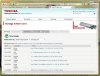

to me, I read that as intel wireless display for the R700 baby!
Weird. If it has that ability, seems like it would be already installed like on the R705 right? but then it seems really weird to have a driver for something that it doesn't support... -
Not really, why would Toshiba waste time creating a separate image for a PC if you don't have to.
-
Can someone tell me if the processor is soldered on or if it's removable?
-
You would think so, but I noticed that my R705 came with USB 3.0 drivers installed, even though you'd only need it for the R700 (since the R705 doesn't support the port replicator that has the USB 3.0 ports). So the same thing may be going on with the WiDi. It may just be that Toshiba chose to install a single set of drivers for the R700 and R705.
-
Did anyone throw a Linux live cd into the r700/705 yet?
I've no idea what motherboard/chipset is in the R700/5...Last edited by a moderator: May 8, 2015 -
Though I am interested in Linux on this laptop, too, why would you need a Live CD to find out the motherboard's chipset?
-
I guess you wouldn't; my point was that since I don't own this machine yet I can't anticipate its Linux compatibility.
I'm particularly interested in acpi and thermals as I don't fancy buying a £700 toaster. -
I've read up a bit on the subject and from what I see, the dynamic overclocking in the core series works just fine on modern Linux kernels. I assume that is where the majority of heat/battery dissipation problems would come from in Linux. If you want, I can dig up some of the articles and forum threads that I was reading that confirmed TurboBoost as working under Linux...
-
I could be wrong, but I thought Core i3 didn't have overclocking/turbo ?
Doesn't battery life, heat, suspend/resume also depend on whether the linux kernel has built in drivers for the mobo?
I've also read that the i3/Graphics Media Accelerator HD combo is unsupprted in Linux/Ubuntu?
Portege R700 - the thin and light 13.3"
Discussion in 'Toshiba' started by theawddone, Jun 21, 2010.