 Problems? See this thread at archive.org.
My model is a CTO from sonystyle.nl (i.e. built in Japan). Specs: Core i7-720QM, 8GB, BD writer, GT330M.
The Display is the premium one. I don't see any reflections in it while working. When I turn the display off, I can vaguely see myself, but there is much less reflection than on my old Sony Vaio A215M. The viewing angle is also quite wide with a moderate change in colors when tilting it vertically.
I am also not a display expert or professional photographer and do not feel any need to tweak the display (at least not with any urgency). The discussions about matte versus glossy are subjective anyway. It is in any case an improvement over the old display with much less reflection.
The keyboard is, I think, without backlight, but I would have to check that while running windows at night. Using linux now and the keyboard backlight would probably not work anyway in linux
So far, opensuse 11.2 and ubuntu 9.10 experiences have been the same. I tried a live CD on ubuntu today and found out it has the same problem with the wireless card. Problem is that the iwlagn driver with the kernel supports microcode versions up to version 3 of the card, whereas intel has only released version 4. Version 4 is supported in the latest stable kernel so upgrading your kernel works. Then quad core *is* an advantage because you can do parallel builds (make -j 8). And then of course the fan starts working and it gets a bit warmer (but not hot (poor computer...
Temperature wise, the laptop feels cool above the keyboard and to the right. The palmrest feels just above luke warm as well as mainly to the left of it. The warmest spot is the left side of the laptop near the power connector (max 5cm away from the power connector). The air there feels comfortably warm (again not hot).
The display problems are also the same with suse as with ubuntu and following the instructions by RyanFG really works. The only thing is you have to choose Export in the Phoenix tool and choose the 128byte raw format for the EDID settings.
Perhaps I am imagining things but it could be that the laptop is quieter under linux than under windows. Main purpose is now to break the silence and get this *!/.#? sound card working. It is recognized (hda-intel driver) but not working.
Edit: And the hard disk is the Seagate 7200.4 one. Not the Hitachi drive. It appears fast enough though.
-
-
Hello Erik
Could you post a photo of the cover and the rubber zone?
is it possible for you?
I want to order today, but I am not sure how looks the premium black in the palm zone. -
I'm back from the linux trenches and I got the audio to work. What I did was: (1) uninstall all alsa packages, (2) download alsa kernel drivers from the alsa site, (3) reinstall alsa packages, and (4) configure the audio driver in yast. The audio configuration is really simple, no module options are required. Just snd-hda-intel!
Probably steps (1) and (3) were not necessary.
Summary of changes so far:
- upgrade kernel because of iwlagn WIFI issue
and install latest microcode (version 4) from
Intel in /lib/firmware. - follow instructions from RyanFG. Get EDID
settings from windows, install nvidia driver
(download from nvidia site and execute script,
straightforward). - Update snd-hda-intel driver from the latest
alsa version.
I will do a more detailed write-up on my home page soon. Now I am working on making the linux installation complete. Then it is back to windows to see how this thing will perform in games.
PS. I also saw bluetooth working when I used Ubuntu live cd (didn't try yet in Opensuse but this is low prio). Also didn't try the web cam and microphone yet. But at least the laptop is now in a state that I can use it. - upgrade kernel because of iwlagn WIFI issue
-
Thanks for posting those pics. Mine looks like that as well. Thanks also to MelodyMaster for the description of the problem he was having.
-
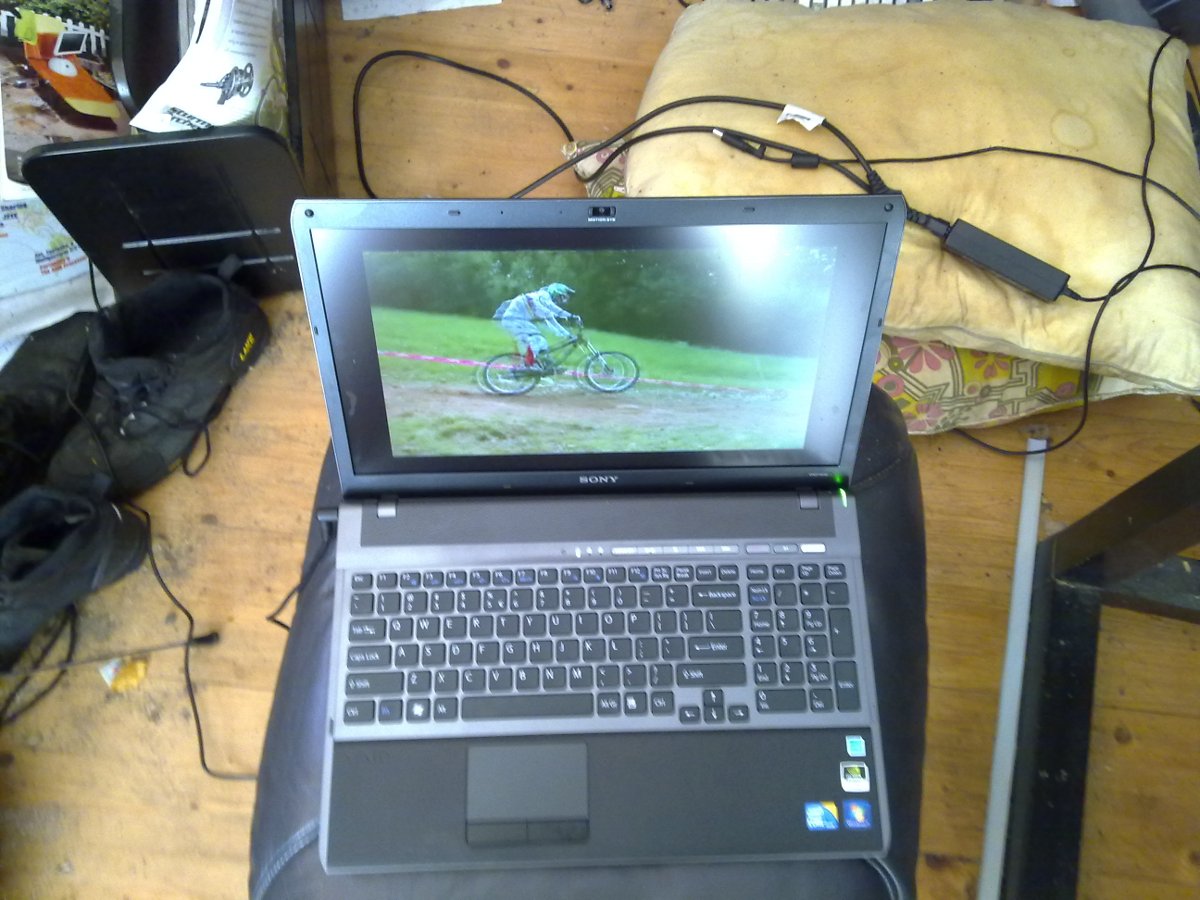
See attachment for a picture. Taken while playing a video (including working audio).
The sound is actually quite acceptable. On the Vaio A215M sound would really get sharp and unpleasant as the volume was increased but this remains clear.Attached Files:
-
-
Several options for bluray media, as shown in the link below:
http://www.tapeonline.com/blu-ray -
after I do clean install, I forgot to install the "intel turbo" thing....what is that and it is worth it to install ?
Also, what's your setup of your screen (gamma, etc etc.)? I bought mine in Best Buy so I dont know what kind of monitor I have. -
@eric
You know what? Your laptop is awesome
Thank You very much for Your illustration of the 'linux case', You're beeing really helpful, I wanted to give You a Rep but the system told me I already gave it to You... deserved!! -
thank you.
I guess it's not automatically loaded in my system after I do clean install so I need to download the driver for Intel Turbo and install it?
can I use the above link to download the Intel Turbo driver or go to Sonny esupport?
Additional question: Is there anyway I can improve my F series sound system after installing the sound driver from sony esupport website?...my sound system sucks! -
Is this the Vaio F? If not, what is it?
http://www.flickr.com/photos/tokumitu/4315458412/ -
I recommend a Soundblaster sound card and external speakers. About $75.00 for the sound card and $120-$250 for external speakers. I have a set of Bose computer speakers.
http://www.soundblaster.com/products/product.asp?category=1&subcategory=208&product=17988 -
Hi, J and R will match this price. Only pre-order though. -
I just noticed in the Vanns add that they are claiming that their F Series has:
"Full HD LED LCD screen "
Do they know something that we don't? I suspect they are incorrect about the LED part. -
Dear friend here Laura from Forlì, Italy.
I have some questions to ask about this laptop.
I use the laptop mainly for work (I write many word documents, use photoshop for photo editing, etc. ...)...but I do not watch movies on laptop.
At this point the screen full-HD is a disadvantage? The monitor would be wasted for my use? Or is it still profitable if i use the laptop mainly for work?
The reading is clear or fonts and icons (also in the web page) are too small? Tired eyes?
-
I had an HP ENVY 15 for about a month and returned it for the F series. Both were Best Buy models. The ENVY has a better keypad with regards to the hot keys. When you factor in that the Sony has a backlit, the Sony wins the keypad battle.
You can fry an egg on the ENVY. Also it is not all metal as they claim. It is metal-coated plastic.
Out of the box, the screen on the ENVY is better. However, they ENVY screen is plagued by horizontal lines which are noticeable. The Sony screen does need to be calibrated, there has been a good profile posted in this forum.
The ENVY is prettier, but who cares about that. Ohh and by the way it does not have an internal dvd drive. So the fact that it is smaller is negated by the fact that it is less functional.
The ENVY was $1999 and the F was $1350. I got $550 back and I am very happy -
Guess I'll have to take a look at the Sony F series in person.
As to cost, it would actually cost me more to get the F series over the computer I have purhcased in my sig. -
Nice (and important) post. Thank you, Melody Master.
First time someone else has actually talked about screens and buzzing in the same post ;-). Recall that some FW owners (all CCFL screens) reported that their screen lumination issues triggered whine issues.
Now, since the North American premium FullHD ("premium" in the sense that it is not the lower resolution screen) is not the Adobe RGB compatible screen of Japanese and European models, then we are dealing with either
1) two different batches or manufacturers of a FullHD, with one (or parts of one) being defective
2) two different types of CCFL backlight (Phil's suggestion that one type of FullHD has only a single backlight) with one (or parts of one) type being defective
3) a CCFL version and an LED backlight version (a la Vann's ad), with one version (or batch of a version) being defective
Time, and more postings by forum members, will tell.... -
Looks like an AW series.
-
I've just spent the last 30 mins on the phone to Sony who refuse to do any sort of deal on a CTO laptop. Not even a 5% discount.
I'm trying to tell them that a similar model can be found on Play.com for £1299.99:
http://www.play.com/PC/PCs/4-/13474...-64-Bit-Laptop-Notebook-Premium/Product.html#
1. Core i7 720QM 1.6 - 2.8GHz
2. 8GB
3. 500GB RAM (I'm guessing that it'll be 5400rpm)
4. Blu-ray BD-RE
5. 16.4" Display Premium
6. Windows 7 Home Premium 64 Bit
7. Premium Black
...compare that to this model that I'm trying to build on the Sony Style site which is going for £1429.01...
1. Core i7 720QM 1.6 - 2.8GHz
2. 8GB
3. 500GB RAM (I've chosen the 7200rpm version - but there's only £30 difference between the two)
4. Blu-ray BD-RE
5. 16.4" Display Premium
6. Windows 7 Home Premium 64 Bit
7. Premium Black
I've tried my best to haggle with them but they're having none of it. -
I doubt that there could be a choice between a CCFL or LED sceen on the same system. They have fundamentally different requirements, with the CCFL type needing high voltage for the Flourescent tube cathodes, the LED backlight requiring a low-voltage current source. The voltage source is provided by the motherboard to the connector where the screen ribbon is joined to the MB.
-
If you go to the source link under the photo, you find it described as a Vaio A -- and indeed, it seems to have the rubberized palm rests that we see on the Premium Black Vaio F.
And that link sends you to Series A (AW4 in the URL) on the Japanese site, where two editions exist -- a photo and a video edition: http://www.vaio.sony.co.jp/vaio/products/AW4/feature_4.html
The photo edition has an RGB FullHD - and it's apparently an LED: http://translate.google.com/transla...0CDoQ7gEwBg&prev=/search?q=sony+aw4+.jp&hl=en
It's described as a 3 chip RGB LED anti-glare screen, and called the Premium FullHD.
Hmmmm...... -
From what I've read the onboard sound in the F11 is pretty decent, and the Soundblaster is a gaming card, not some ultra hi-fi audio component. I'd either use the laptop's output directly to an amp with speakers, or powered speakers, or for a good investment in sound quality use a high-quality USB connected unit such as from M-audio, or an external dedicated DAC.
-
That A(W) has that transferjet logo too it seems. But from my limited understanding when browsing thru the Japanese site, they're still core2 duos
-
Yup...only Core 2 Duos
I wonder if it will be updated with the new Intel processors. -
@hilly 2009
TRY TRY Again!! maybe on different days. It seems that there are sales help who won't be willing to extend a discount even if you're nice and all but there are people who do and actually throw in some amazing deals!!! I just don't know when they're shifts are.
I went high end spec for this unit just because I got 10 off
You can get that 10%. -
I can see the reps being less willing to negotiate when stock is in backorder and they know they can sell everything that they can get ahold of at full price via online sales and the retail channel.
-
Does anyone know about the performance level of the i5 version? (cinebench scores would be great)
-
Well, taking our cue from the A Series, that would be why the F series with the premium case (the rubberized palm rests) has a different screen description from the American models: the RGB display is likely an LED.
Note that if you mosey around the A Series at the Japanese site, you discover that the photo edition of the series has the premium RGB LED display and the video edition of the series has a premium display with no mention of LED (thus CCFL): for example, http://translate.googleusercontent....&twu=1&usg=ALkJrhg_c6Ew86SvYSqVL_fwtXfI3Ewyig
And the high voltage of the CCFL display fits right in with the complaints concerning the FW's CCFL FullHD that the whine was related to the brightness of the screen, since the demands at full brightness were higher than at lower brightness. In the F, the power demands on the motherboard perhaps shift when the microphone is engaged (just "spec"-ulating, of course).
Yeah, I can see why only some models of the F might be having whines and why only some models of the F might be having screen bleeds -- for different, and likely mutually exclusive, reasons. -
Since the play.com price is £130 lower than sonystyle, why even try to haggle ? Just buy it from play.com right ? Or am I missing something ?
-
I signed up the Sony/Chase Visa and received $50.00 off. I also received 10% off my purchase. When you call to order the computer, be ready to buy, and state you will be asking for a discount upon completion of the order. At this point in my order the rep did not guarantee a discount, only they would speak to a superior. If this is agreed upon, go forward with the order. If they emphatically say 'no', state Sony has offered others a 10% discount, but I need to be ready to purchase now . This is important to say- they know this is their procedure. Now tell them you are ready to order. Again ,if they emphatically state you will not receive any discount, calmly tell then no thanks and you will no be purchasing their product. Hang up and try another time with another rep. If they say okay, be willing to go through the order procedure, with a possibility you still may not get the discount. But remember, Sony has now spent time and money on you placing this order. Do they want to take all that time and resource not selling anything to you? I " I want to stay a loyal Sony customer- what can you do for me today" is always a great general line to tell them. Remind then this is not a cheap line of computers- you are spending a lot of money. You need to sell them on why you feel a discount is in order. Stay pleasant, never be nasty, and don't beg either. My computer came in over $2100 so getting a few options may help, I just do not know. Good luck in your discounts!
-
Well yes that is true and it didn't occur to me when i wrote the reply.
I did get lucky i guess since the order was placed only a few days ago
-
Hilly, if you are referring to Sonystyle.co.uk then yes, there are not giving out discounts or promotions like the US or other Sony stores as mentioned by members in this forum. But I thought I would try all the same just before pressing the 'Proceed' button on the web order and used "I'm sure the price went up since they were pulled from the website?" and manage to get a few percent off. I'm glad I asked, the saving went towards a Spyder 3!
Also, remember just like buying a car, they might be more willing to offer free accessories or an extra year on the warranty than drop the price!
Good luck
matt
-
I tried twice tonight (hence the 30 mins), but I must have got the 2 most idiotic reps known to man. The second one took my postcode then dissapeared for 10 minutes and came back with a quote of £1,400(ish) even though he didn't know the spec of the machine I wanted to order. When I eventually got round to telling him he just said he couldn't do anything and it was bacause they came from Japan!!!
Ideally I want to get the 7200 RPM HDD, which is only available via Sony hence me trying to go through them. However, I've found the same pre-built machine via DABS for £1,286.58 (add 2% Quidco onto that and I could get it for about £1,260ish) -
That is a pretty nasty looking pillow and room dude.
-
The 7200 500 gig drive is about $80 from a computer supplier. Buy the system with 5400rpm drive then have a tech guy swap drives.\
Anyway, that's an option. The type of drive included shouldn't be a deal-killer. -
How do you guys feel about the 1920x1080 on the 16.4" screen? I'm still trying to get used to it, but I really feel much more comfortable using by browser at 125% to see it well, at 100% it is a little too small for me.
-
Yeah I don't mind because I use Firefox with the nosquint plugin. I think my default is 110% on all sites, but I change it accordingly.
-
Just installed the plugin, works well, much better than the standard zooming features of IE and Firefox. Thanks
-
I loved it. I work with a 1920 X 1200 24" screen with the desktop system, using my regular glasses. And the 16.4" display at the same resolution is just as comfortable using my reading glasses. It's like working on a living book.
-
Hey guys,
I've had my new customized F series for about 2 weeks now... I was using it last night, no worries, and everything worked fine. I turned it off through Windows.
Next morning I wake up and try to power it on, and I get nothing but a green flickering light on the power button. I've tried plugging in the AC adapter (because I thought the battery simply needed recharging) but no luck there either...
Now the interesting thing is that when I plug it in with AC, I can hear the unit power on and the fan turns on but the screen is blank.
I'm hoping I didn't get a lemon, but if worst comes to worse I can ship it back to Sony under warranty and have them fix it...
Anybody had similar issues? -
Thanks for the calibration slrosenfeld. However I noticed that when I play movie files, DVDs or Blu-rays, everything seems bluish. All the actors look like blue aliens. But when I watch Youtube videos, the blue is not there and everything looks normal. Did you or anyone else have this problem?
-
You tried a reset?
-
What software are you using? Things like WinDVD can have their own picture settings...
-
You can adjust the zoom on the F-series, on-the-fly, using "gestures" via the touchpad. Try it.
-
I used WinDVD, Media player and VLC player. All three had the same issue. When I'm looking at the video files in Windows explorer as thumbnails, they look fine. But once I play them, people turn blue. It's so strange.
-
Have a look in your graphics/video card settings... again, sometimes there are different settings for video.
Something like this for example: http://www.downloadatoz.com/manual/...e_color_settings_of_video_on_your_display.htm -
I can understand some ppl complaining about 1920x1080 on the 13.1 screen of the Z, but on 16.4 screen? C'mon...
-
Thanks for that! I went into the Nvidia control panel and fixed the problem.
-
here a couple of good picture of the two screen almost side by side in a store, i5 glossy vs i7 matt:
here they are turned on
![[IMG]](images/storyImages/confrontomonitoraccesof.th.jpg)
and off
![[IMG]](images/storyImages/confrontomonitorspentof.th.jpg)
Official Sony VAIO F Series Owners lounge
Discussion in 'VAIO / Sony Owners' Lounge Forum' started by eagle17, Jan 7, 2010.




![[IMG]](http://img686.imageshack.us/i/confrontomonitoraccesof.jpg/)
![[IMG]](http://img69.imageshack.us/i/confrontomonitorspentof.jpg/)