Problems? See this thread at archive.org.
Hey all,
I can't for the life of me figure out how to turn the auto dim off on my F series. Can someone please provide detailed instructions for this?
Thanks
-
-
Go to the Sony Vaio Control Center from the Start menu, Click on the Display Icon and then select Automatic Brightness Settings. Uncheck the "Adjust Brightness Automatically" box. That should solve your problem. Also keep in mind that Power Management Power Plans will affect the display brightness depending on whether you are on battery or AC.
-
Hallelujah!
------
Some users reported recovery discs creation problems after customization and one had to go back to factory state & lost his work so might as well do it right out of the box before tweaking.
Here are the links again for latecomers:
- out of the box, create recovery discs (to preserve factory state, DL not good, 2 or more DVD's depending on factory installed software)
- create a system repair disc (one CD)
- after customizing & adding software, create a system image, which contains a copy of Windows and copies of your programs, system settings, and files with Windows Backup or an other backup utility.
- if you used Windows Backup to create a system image, you need the system repair disc to re-install in case your HDD is dead for example.
--------------------
Startup Repair feature > VAIO Recovery Center: 1- Turn off the computer. 2- Turn on the computer and then at the VAIO screen, press the F8 key.
How to use VAIO Recovery Center
Restore C: Drive: The entire (C drive can be restored to its
original, factory-installed condition by selecting Restore C: Drive (all your data & messing up will be erased).
Last edited by a moderator: May 8, 2015
drive can be restored to its
original, factory-installed condition by selecting Restore C: Drive (all your data & messing up will be erased).
Last edited by a moderator: May 8, 2015 -
I'm experiencing the same problem. It's not the whining - something different.
The second possible problem I have is that i'm not sure that colors remain the same as i dim the display... If I plan to calibrate my screen, is it worth calibrating it at different brightness?
Tried connecting my laptop to a HDMI tv yesterday. The picture was worse than the one from my Canon 5D. And I was unable to choose anything but 720 in HDMI resolution settings in Vaio Control Center. Is it normal this way?
And does the second ssd/hdd moding void the warranty? -
Hey,
Little bit Off Topic, but is there a way to follow only this thread in RSS, and not the complete Sony Owners' Lounge Forum ? -
I can't believe I missed the whole exciting adventure. I leave for a few hours and then this happens. Well that settles it. I'm never leaving this thread again, even for a minute...........I'm still watching.
-
WOOT!! got my sony laptop 2 days ago from fedex, took a week to get from the us and customs made me pay $180.
Anyhow, i realised that this thing doesn't have the scroll feature on the touchpad or even zoom! So i looked further into it and it has an alps touchpad. Now Dell's also have the alps touchpad and they have the scroll and zome in gestures on the touchpad. When i looked further i saw that other sony laptops have the alps touchpad and that other people have installed the driver package (though its older, it supports gestures) and gotten it to work on their laptops.
http://forum.notebookreview.com/showthread.php?t=309346
So when i installed it on mine, restarted, it just stopped working... Has anyone else tried this? Or is anyone willing to try it? -
See this post by roweraay. It show that the i7 can run at 1.73ghz with all cores maxed at 100%. This is b/c of the Intel Turbo boost.
http://forum.notebookreview.com/showpost.php?p=5877586&postcount=3646 -
Just got mail.
![[IMG]](images/storyImages/img0200r.jpg)
-
Vaio F's have scroll function out of the box and have the alps touchpad. Are you talking about an F series laptop or not?
-
yer f series, my scrolling has never worked.... -
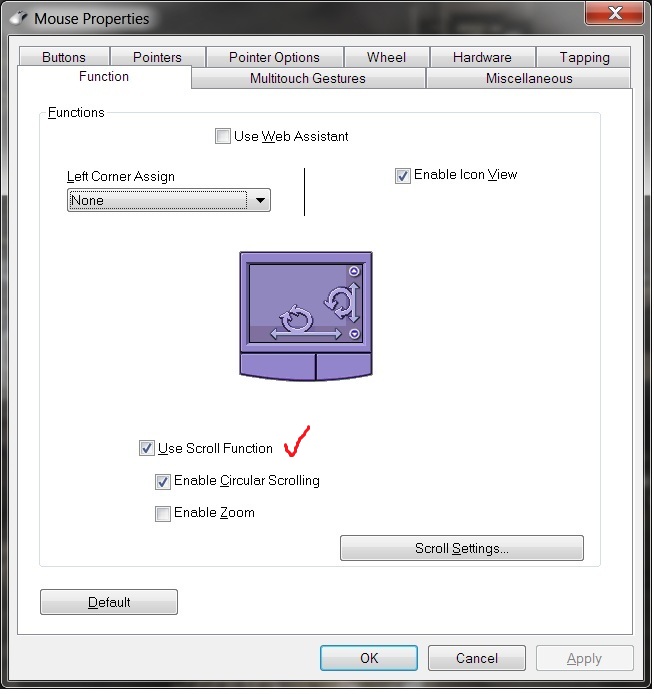
Strange, and have you tried installing the driver from Sony directly? Also make sure in mouse properties scroll is enabled.
Attached Files:
-
-
I connected my Vaio F to my girlfriend's 1080p Samsung TV at the weekend and we watched a blu-ray using the Corel DVD software (it started automatically). Saying that, it is annoying that notifications will interupt your film and it is a struggle to get the mouse cursor and window-border to disappear!
I also noticed that it only had 720 selectable, but saying that the picture was stunning and far and away better than a DVD upscaled through the Xbox 360.
On another note, I transferred my World of Warcraft files to my Vaio at the weekend and I am very very happy...
- Windowed mode (so i could watch my Intel turbo-boost gadget )
- 1920 x 1080 (wide)
- All settings on High (some tabs back one notch)
- and the performance batch file run (extended nofarclip etc.)
- got a solid framerate around 60fps
- not a hiccup stood in Orgrimmar auction house!
- reasonable fan noise, not intrusive to gf watching TV next to me!
- I really need to get a mouse though!
Much better than I expected, although it is a CPU intense game and I am running the 720QM, 8GB ram and 128Gb SSD...happy days!
matt
- Windowed mode (so i could watch my Intel turbo-boost gadget
-
Awesome.
Only problem is... I can't see ever going back... $$$$$$
-
Mine did work, however it doesn't now, and I do not have the lower tabs in "mouse properties". I wonder what happened?
-
Check that the alps driver service is actually running - Vaio Care tried to disable it from starting automatically on mine (!) which meant that scrolling and multitouch stopped working...
-
I just reinstalled the driver, and it works fine now. Thanks.
-
My Asus also has Alps and I notice that even just momentarily connecting a mouse will disable vertical and horizontal touch scrolling on the pad. It's restored just by going into (Windows) Mouse properties and "ok'ing" settings without changing anything.
-
There's no duty, just taxes. How much was Fedex brokerage? I'm thinking of doing the same thing but brokerage charges can be a killer on top of the 13% taxes that would have to be paid in Ontario.
-
Awesome, i reinstalled the driver from the sony website and it works now.
-
Well my cousin bought it for me in new york and sent it over to australia. Cost $220AUD/$190USD to ship over. Got over here and got stuck in customs so i called fedex up and used a credit card and the brokerage was around 48AUD and then paid 10% tax on top of that
I'm not completely sure how much you'd have to play for canada but here is the country profile for Canada if your thinking of using fedex. It should have all the information and all the prices for tax/broker fees
http://fedex.com/us/international/irc/profiles/irc_ca_profile.html?gtmcc=us -
I forgot it was Australia, rates look about the same for Canada.. A Fedex shipment shouldn't ever get "stuck" in Customs, Fedex has a whole system in place to avoid holdups. However it does need proper paperwork. A parcel can be precleared at the point of origin so that it comes straight to your door. They'll invoice you for fees, and if you go missing they then haunt the shipper. However the shipper has to pay brokerage and fill in all the forms.
-
In my case they said that they had the wrong mobile number in my contact details so i was lucky i called them on the weekend as it was due for delivery on monday. My impatience finally paid off cause i wanted to pick it up saturday. Called up and they were like, oh, we have the wrong number and you need to pay tax so i paid friday, woke up early on sat and picked it up
P.s I didn't have to fill in any forms :S -
I saw that you messed up the touchpad by trying the 32 bit Alps driver here: http://forum.notebookreview.com/showthread.php?p=5887702#post5887702 It's a good thing to mention it so we don't do the same.
That's it? Only tax & touchpad messin' stuff?
How about some impressions & feedback on the rest of your new machine?
-
Oh no, not an other blow by blow thing!
ilfuca, could you post a photo of the bottom of the optical drive? I would like to see the rails so I can order some for a HDD optical bay caddy while I'm waiting for my machine as it takes 2-3 weeks to get the parts over here in Costa Rica. Or maybe they are so simple that I could wait & make some. Thanks!
-
I don't know if anyone has already posted this, but I stopped by a SonyStyle store over the weekend, and noticed they had placed the tiny blue Energy Star sticker over the backlit keyboard light sensor on the display models...tricky...
-
Tricky? Naw... With blasting overhead lights the screen sensor reduces the screen brightness. We already had people at this forum who went to see the F in stores and declared the screens dark. Sony must be reading this forum!
-
A very interesting hack
:
How to Select Any Edition or Version (SKU) of Windows 7 to Install From Single Edition DVD Disc Media or ISO! This proves that all 64-bit editions have the same core, it's just a question of unlocking layers of features with a Anytime Upgrade key, for example.
That means that if you already have a full Win 7 Ultimate disc, for example, you could use that disc, hack to Home Premium, install on the F and activate with the Home Premium F key: no need to download a Home Premium iso!
Before attempting anything:
1- create recovery discs (to preserve factory state, DL not good, 2 or more DVD's depending on factory installed software)
2- create a system repair disc (one CD)
3- - after customizing & adding software, create a system image, which contains a copy of Windows and copies of your programs, system settings, and files with Windows Backup or an other backup utility.
4- Backup your personal data & files, if any.
For people who like the fun of a clean install: Son*y Support Clean Install Instructions for Windows 7. (* added because of the automatic Coupon link parsing cr@p done by notebookreview breaking the links )
)
READ the " IMPORTANT: It is strongly recommended that you install the files in the following order" chapter.
According to other F users feedback, you can download a full copy of the Win 7 OS & use the product key included with the F. Note, select the same OS as your key: Home Premium 64-bit, Pro, etc. You can't upgrade for free here.
You may loose WinDVD & other stuff as reported by some users. UPDATE, check this workaround:
That's a great tip ilfuca, thanks!
While not 100% directly applicable to the F, just to give you an idea of the process involved: FW* Windows 7 x64 Clean Install Mini-Guide. or check the Windows 7 64-bit clean install guide for FZ-190*.
Maybe somebody will post a similar specific mini-guide for the F?
BlackViper.com: Windows 7 Install Guide and for optimizing: Windows 7 Service Configurations optimization, just don't follow blindly every recommendations, check his reasoning for each Services and decide for yourself.
Before you clean install, could you check the system performance before & after using Task Manager AFTER un-installing all the trialware (so we could compare oranges to oranges) or an other utility and report here? Screen grabs are great, including installed software before/after.
Example from the How to Optimize Any Son*y VAI*O With a Semi-Clean Install thread:
Before:
HD Space: 130 GB Free
Processes: 66-70
Memory Usage: @40%
After:
HD Space: 162 GB Free
Processes: 54-58
Memory Usage: @28-30%
If you choose the Son*yStyle CTO route (Configure To Order), you pay only $50 for the Win 7 Pro + Fresh Start option which is as clean as a Pro Full Version clean install IMHO, with the advantage of also including the Arcsoft WebCam Companion 3, WinDVD & Vaio Care software & utilities, and all the necessary specific F drivers.
-------
Screen grab how-to: capture active window by pressing ALT+PRINT SCREEN, open a new document in Paint, paste capture, crop & annotate to taste, save image. More info here. When you post a message, Go Advanced & Manage your attachments. Browse your computer, select image & upload.Last edited by a moderator: May 8, 2015 -
@Joe Bleau
That's a good reminder!
@Melody Master
Will keep an eye out on eBay.
My replacement F is finally arriving tomorrow!
This will be 6 of 6 I am receiving items from Sony Style on their estimated shipdate on regular free shipping from San Diego to NY!!! -
Did it a few hours ago just to check that I don't break any possible warranty seals 2 screws for DVD drive and 4 for HDD. Takes 1 min to get the DVD, 2 min for the HDD
Now I need to get what kind of this bay for my original 500 GB HDD do I need (I live in Moscow, Russia - that makes buying things from ebay harder). Going to get myself a 128 GB SSD (Apacer A7 Turbo with 200/230 MB) - that should rock!
-
Great! Could you please post a photo of the underside of the optical drive?
When you post a message, Go Advanced & Manage your attachments. Browse your computer, select image & upload. Piece of cake!
"Now I need to get what kind of this bay for my original 500 GB HDD do I need..." - Do you mean HDD optical bay caddy or external enclosure? Your OEM HDD is SATA. Could you post the brand & model number of yours? -
hehehe yer, soon. But this notebook does have this peculiar behaviour where if more than 2 or 3 apps are using sound, the speakers just lose their fidelity and the bass just dissapears. And this is with for instance windows media player playing on its own and everything else not emitting sound. But disabling the sound card then enabling it again fixes it. So i'm guessing its a software issue and not a hardware issue
-
I've already put everything back, but here you are:
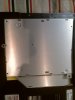
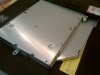
Btw, I'm also interested in finding a good right bay for a hdd. I guess it's possible to take out that plastic curved part of the original DVD bay to have the custom one being identical...
P.S. Well, thx for the explanation, but I do know how to upload pics I just didn't see your msg about the pic...
-
Thanks!
I see that you completely removed the bottom of the F. I'm sure any photos you could post of the inner workings would be appreciated by many here.
"I guess it's possible to take out that plastic curved part of the original DVD bay to have the custom one being identical.." - yes, but many HDD caddy come with a removable face plate, I saw aluminum, chrome, black, grey, etc. Not a perfect fit but I will keep the plate on the original optical drive but it should be easy to remove
. -
If you are experiencing an odd sound from your speakers, download the Realtek Audio Drive Update from the sonystyle website using eSupport (I would post link but it really depends on what country and what model you own as I'm sure it is model specific)
If you are experiencing the morse code buzz sound which sounds like it is coming from the palm rest, it can be temporarily "fixed" using the fix which is mentioned multiple times in this thread (thanks Joe Bleau for reposting...yet again...), or simply keeping the sound device window open on the "Recording" tab seems to do the trick. Also, I was told that a new Thermal Pad was installed on my laptop under the palm rest which should remove the noise permanently (Unfortunately I did not have my laptop in my possession for very long before I sent it in for repair again, so not sure if this "cured" the buzz/morse code sound)
If you are experiencing a high pitch whistle from the top left of the keyboard by the "Esc" key, it is most likely the fan in need of repair, in which case I would call Sony Support and they may recommend you send in the laptop to be analyzed and fixed.
All info above is from a combo of personal experience and also reading all 3,000+ posts on this thread.
-
My OEM HDD is Hitachi Travelstar 5K500.B . As i understand I need a SATA optical bay hdd, but which one to choose from the link above?
-
My OEM HDD is Hitachi Travelstar 5K500.B . As i understand I need a SATA optical bay hdd, but which one to choose from the link above?
According to this page we (proud owners of the F series) are only interested in following OBHD: 12.5 mm height caddy with a 9 mm (for ssd and below 1TB HDDs) or 12.7 mm (for above 1TB HDDs and possibly some monstrous future many-TB SSDs) max HDD height and a black color. What we'r offered is:
1. OBHD-SATA12-SATA-B which is 12.7/12.7 mm - 12.7 seems to bee too much for an ssd; but it's black
2. OBHD-SATA12-SATA - the same but chrome
3. OBHD-SATA-SATA which is 12.7/9.5 mm, but chrome
4. OBHD9-SATA-SATA-B which is 9.5/9.5 and black - 9.5 seems to be too thin
So, am I wrong saying that the first option is not the best? If 12.7 is a
MAX height, then it should fit a 9.5 ssd, shouldn't it? Otherwise the right one would be OBHD-SATA-SATA-B 12.7/9.5 mm
black - something that's not available
P.S. I'm sorry for double posting... Thought I could delete my previous post. -
I too tried to delete a post to no avail. Maybe you could edit one of them & replace the text with a good Russian joke?
Follow my posted links, read carefully, I am in Costa Rica & try to order the right stuff too. Otherwise it's a 4 to 6 weeks round trip @ best or I eat the cost of my ordering mistakes
-
"if more than 2 or 3 apps are using sound..." - At the same time? Why would you do that?
"... windows media player playing on its own and everything else not emitting sound..." looks like normal Windows gorilla approach to overtake everything.
-
Again, follow links in posts (DIY...), Newmodus is pricey.
Yes the Optical Drive HDD Caddy p/n OBHD-SATA-SATA-B has the correct specs: 12.7mm, SATA caddy/laptop interface & SATA HDD/caddy interface, black faceplate. All good for the SATA OEM F drive you want to put inside. $42 + $9 shipping to Costa Rica via First-Class Mail International (shipping estimate in Cart).
Same caddy but with different bezel: p/n OBHD-SATA-SATA, Silver,12.7mm but in the description they say: "Front Faceplate/Bezel is "chrome-look finish"". -
Updated my previous post with some more options and something that seems to me like a problem (I hope it's not).
As I get it, the best post describing the stuff is this one and it has a link to ebay that says we should search for "SL400 HP2230s" or "R400 R500 W700" caddy Will try to do that...
P.S. Unfortunately, I couldn't find any 1TB or above HDDs in Moscow Otherwise I'd go for the 12.7 mm
-
That's not that good, don't forget you need 12.7mm thickness as your OEM optical drive.
Most listings do not specify the caddy thickness (just HDD thickness compatibility), I wrote to several sellers yesterday asking for that info, will report if/when they reply. -
The link you have lead to a desktop OBHD for some reason Looks like their guide is a bit confusing as what they offer is different (according to what is written in the features part):
black 12.7 mm caddy for a 9.5 mm HDD/SSD and a black 12.7 mm caddy for a 12.5 mm HDD. I'll go for the second one, as otherwise I'd have to order for a second caddy after running out of those tight 500 GB)))
-
The specs & photo are not for a desktop drive bay, there is a mistake.
![[IMG]](images/storyImages/IMG_2854%20adj%20sml.jpg)
Let's stop the blow by blow & post an equivalent caddy from eBay that fits the F. Meanwhile, one can shed the $42 and save some headaches.
If you look at their how-to video on Youtube, it's just a flimsy aluminum box, some on Fleabay look sturdier.
BTW, I just love the fade-out/fade-in editing they made to delete the times when the guy had problems with a screw or inserting the HDD caddy in the laptop.
-
I have a VPCF115FM. It's a BestBuy purchase with the 1920x1080 screen.
I'm not so sure I'm a huge fan of the screen?
Good:
sharp, crisp text
good color (after applying the calibration floating around here)
(out of the box the screen is a little washed out and a little blue)
Bad:
not that bright
viewing angles not that good, esp vertically
[edit] fairly pronounced bleed at the top and bottom... esp noticeable when watching 4:3 content, a non-issue when using the computer as a computer or watching 16:9 content
Am I alone in this?
I have a Spyder2Express, I may try to whip up my own profile if I can find Win7 software for it... -
Ok, but what everybody wanted to see was a CLOSEUP of the rails on the sides. You can see, Joe, one of the rails I was talking about, at least. A closeup would have shown the screws holding in that rail.
One can use ANY generic Notebook Sata drive or caddy, but the rails have to be taken OFF of whatever unit is being removed. That's ok, the removed drive can be repurposed to another laptop using the rails from THAT Toshiba or Dell or whatever.
(edit) and of course the bezel trim piece has to be swapped, just finding Sony rails is not enough. -
I hope I'll find any additional rails needed - that shouldn't be so hard. I think I'll save my headache and loosing some extra $30
And I don't think that it's that less firm compared to stuff on ebay. In any case a hdd inside a metal box should heat up a lot, firs of all... I'll go for the experimental way to see how thing really are. If the newmodeus sucks, then I'll get back to the ebay searching headache
Btw, I agree on stopping blow by blow)
-
The screen is bright, blindingly bright, but only if the VAIO's screen control is disabled completely. What's important is that there IS a best viewing angle, with no shading or bleeding.
-
I think I have found a fix for the squeal.
First, you can alwas stop it by muting the Mic (under the Mixer control at the bottom of the Speaker control at the lower right of the screen).
But if you want to leave the Mic on, go to Control Panel - Hardware and Sound - Sound - Manage Audio Devices. A window will appear with 2 devices, the Speaker/HP and the Digital Output. Click on the Speaker/HP device and the Speaker/HP Properties window will appear. Click the "Enhancements" tab. Check the "Pitch Shift" box and reduce the setting until the sound disappears.
For me, setting "Pitch Shift" at -1 worked fine, but I imagine you may have to shift it further if you are recording and/or playing at high volumes. -
Yes that's an important point, the drive's heat is only being dissipated by conduction through the frame. So the HD adaptor frame should be substantial, (or tunnel-vented, as the one in my Eurocom/Clevo is.) and the drive should be noted as being cool-running.
Official Sony VAIO F Series Owners lounge
Discussion in 'VAIO / Sony Owners' Lounge Forum' started by eagle17, Jan 7, 2010.