Problems? See this thread at archive.org.
You are stating it much more accurately than I did. My apologies.
-
OK thanks to all. I updated it.
The last question about this. How is this connected to a CPU? -
Civility, please! It's easy to correct someone's misinformation or mistakes without coming off as rude. This came off as rude. :|
As Jacol pointed out, it's not connected with the CPU. It's a storage controller. Regardless, it's good to have up to date drivers. These ones just come out very frequently. -
I have read about this couple weeks ago and i figured out about that gadget and was ready to forgot this but as this cropped out again lets finish it completely

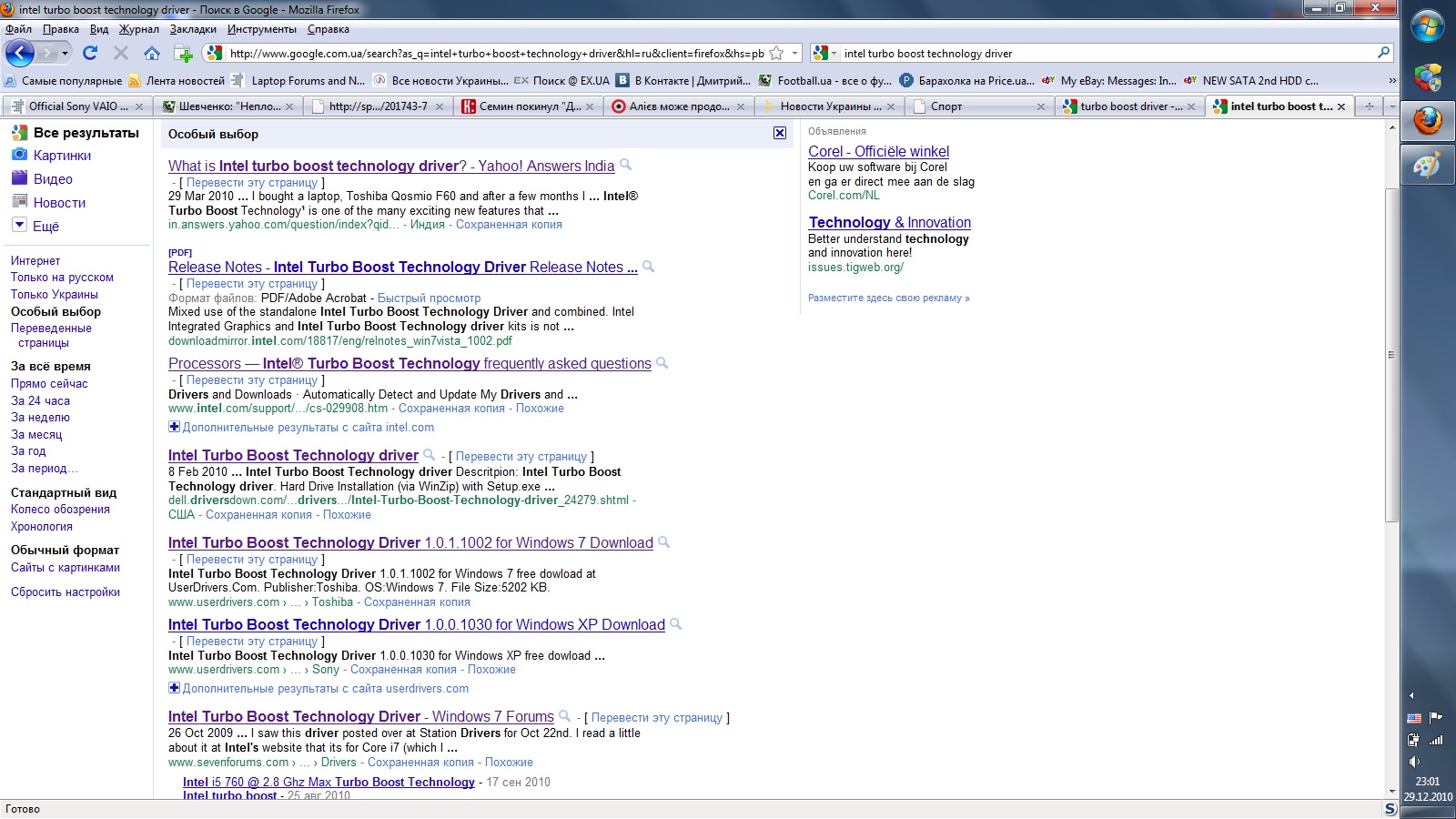
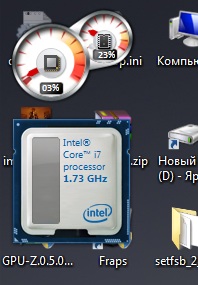
What is Intel turbo boost technology driver???Attached Files:
-
-
Its a desktop gadget....
-
Intel Turbo Boost Technology is automatically enabled in Windows. It allows for overclocking of the individual cores to make for better performance. That's about as good as I can explain it, though there are some posts around notebookreview that explain in MUCH better depth.
Intel Turbo Boost Technology MONITOR is the desktop gadget that you can download that shows you the overclocking that happens on your CPU. It's a fun little gadget. -
I respectfully disagree. Yes, there are slow SSDs that I would not purchase. I did not purchase the OEM option. I did, however, purchase an Indillinx Barefoot controlled Crucial M225 256GB SSD just as the Sandforce SSDs were appearing. I actually ordered a Sandforce 1500 controlled 256 GB SSD. I was shipped an SSD with a 1200 controller, so I sent it back simply out of principal. I did not get what I had ordered.
The Crucial is now middling to poor performance compared with the year newer SSDs. However, I beg to ask, can you really tell a difference?
My F11 boots in about 25 seconds. My max read speeds are around 240-250MB/s and my write speeds are around 230MB/s. If we look at small file reads, yes, my 4MB file reads and writes are both around 20MB/s. Others are 3-4 times as fast. Does it really matter? If I open a small file, or even say, 4-5 small files...will the 1/2 second difference in speed be noticed? Also, who has SATA 6 connectivity? My SSD approaches the limits of my SATA interface. Will I really notice the additional 15% that a C300 or a Sandforce drive will give me?
I maintain several laptops and desktops that utilize the same Cricial M225 drives. They have been fantastic since their installations 9-10 months ago.
I understand that they will not test as well as the newer C300 or sandforce controlled drives. I also doubt that normal day to day activities in our church office would benefit from the slightly quicker drives. I will emphatically state that the SSDs we installed had a huge impact over the standard HDDs that they replaced.
Saying that there are only a pair of decent controllers and that all others are crap is, well, just plain crap.
I would go so far to say that if an F owner here simply installed a Sandforce controlled SSD in place of the factory HDD, that laptop could not keep up with my old F11. My F does not index files. It has been modified to have a very small paging file (some programs look for the paging file and will not work well without one, so I keep a 512MB paging file just for their use). Prefetch and Superfetch are disabled.
Some of these changes actually slow my computer a bit, but they drastically curtail disk writes, which can shorten the life of an SSD and can add to TRIM needs. -
Anyone done any gaming on a 1080p TV with the GeForce GT 425M? So far i tried out the Batman arkum asylum demo and get about 25-30FPS @1080p with high settings, and about 35-45 on medium. Dirt 2 on medium getting about 30FPS @1080p. All tests were done with mutisampling off. Adding any AA will unfortunately greatly reduce the framerate. So far I think these results are pretty good. Has anyone else tried any other games?
Is there room for any overclocking on a laptop video card? Id love to squeeze another 5 FPS out of this thing if possible... -
Yeah, there's room for overclocking if you do it in small increments and check for stability. I've used NVIDIA System Tools with ESA Support before and it works. Others, I'm sure, have other progrmams that they recommend.
-
Hi there.
I've been searching a while to a clear explanation about a problem I got and many more I think but never found out (even here).
I've been playing a lot lately. Good performances, not disappointed by the 330m.
BUT a problem appeared when I was playing Dragon Age : Origins. The screen was flashing randomly with black. At first not a lot, then more. I thought I have played too much and power off the computer. But the problem came again next day after hours of playing. I finished the game anyway.
Since, the same problem has happened on Mass Effect and GTA 4. This last one is the worst : I got these damned black flash after only few minutes.
I tried everything : full screen and Vsync ON/OFF, changed power profile, vent profile, tried many graphical options in these different games... I've even downgrade the last driver (260.99) to 2 older (258.96, 257.21) and even if the problem seams less severe, the flashes always comes after a while.
I finally tried to play on my HDTV using HDMI and miracle: No flashes. I can play gta 4 fluently with great resolution and graphical performances (as always but this time WITHOUT the flashes).
I'd really like to know if there is more having the problem (I know there are, I've seen reports of the same things on different forums but strangely, very few), what causes it and if there is a solution to it?
Summary:
-VPCF12M1E
-Clean Install (Joe Bleau) made less than a month ago (flashes were there before and after)
-quick, random black flash (all the screen goes black but during a frame maybe) appears after some time of playing
-ONLY in these three games for now : Dragon Age, Mass Effect, GTA4 but haven't try a lot of others. Assassin's Creed works GREAT without flashes for instance.
-drivers tried : 260.99, 258.96, 257.21. The olders seam to be less problematic
-NO FLASHES with hdmi "monitor only". Flashes come back with "duplicate", so it seams to be more the relation between the internal screen and the CG that have an issue. Like when trying to install OSX... but that's another story
Thanks 4 reading and helping
Sorry for the typos, english isn't my mother tongue -
Such a brilliant laptop, truly one of the best. But I have a problem and I have read others have it too, the mouse pad is very good, however when i use it for long it starts gettiing really slippy therefore causing problems. Another issue is when i move the mouse there is a unusual symbol when using the mouse. Hope someone can help me out.
-
Glad to hear that. At least now i can get some smoother gaming at 1080p which is VERY impressive from a laptop!
Doesnt look like it supports windows 7. Have you tried it on the Sony F laptop with win7?
Any settings you can recommend that worked out for you? -
Just use the Nivida control panel to make your changes. Not at my computer to give you my overclock numbers, but myself and others have posted them within the threads. Mongosango often offers gaming info so checkout his past postings and here:
YouTube - MrChowderClam's Channel -
That won't work for ReD. The Nvidia Control Panel that comes with the GT 425 drivers is stripped down and does not include that section. He/She will need to download the System Tools. I installed this version, even though it does not list support for the 425, it worked for me. NVIDIA DRIVERS 6.06
I've never overclocked but I'm also assuming ReD should probably not use the same numbers as you guys that have the 330 GPU, right? Off hand, I don't remember anyone has posted any overclocking numbers for the GT 425, but maybe someone will now.... -
What does the symbol look like? My first two thoughts are it is either the mouse locater or one of the functions you have set (like scrolling, etc). Open Control Panel - Mouse. If the symbol you are seeing looks like a shrinking circle (sorry don't know how else to describe it), go to Pointer Options tab and look at last option under Visibility. If that is checked, try unchecking it and see if it still happens. Next I would go to the Functions tab and see if it from any of the settings you have there, like scrolling or zooming, etc. Then check the rest of the options on the other tabs.
As far as the slippery track pad, I don't have the problem even after using my computer for 16 hours straight, so I don't know what to tell you. Are your fingers sweating maybe? Sorry, no help there. -
I looked at the youtube videos and they are nice but i dont see any numbers posted for overclocking, and hes using a GT 330m which is a different/slower card than the GT 425M.
You sure its safe for me to overclock using this nvidia program?
I also never realized that FRAPS drops your FPS so much! Whats the point of using it if its so inaccurate? Can I therefore assume that im getting at least 5 FPS more than what fraps is showing me if i dont run it in the background?
That would mean this laptop is capable of playing batman arkhum @1080p with high settings with at least 30-35 FPS since with fraps its showing me 25-30 FPS? -
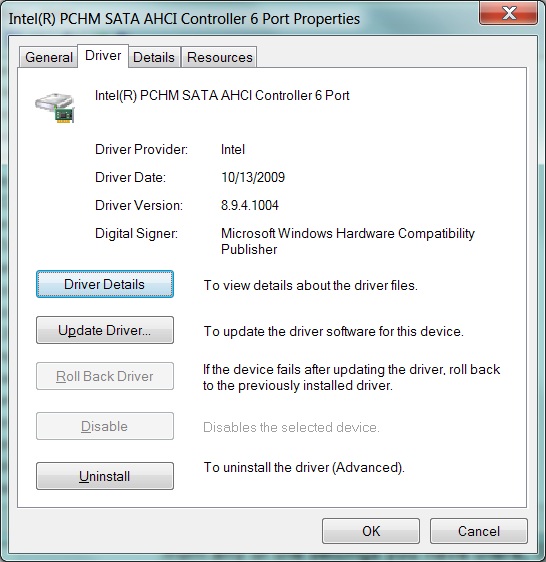
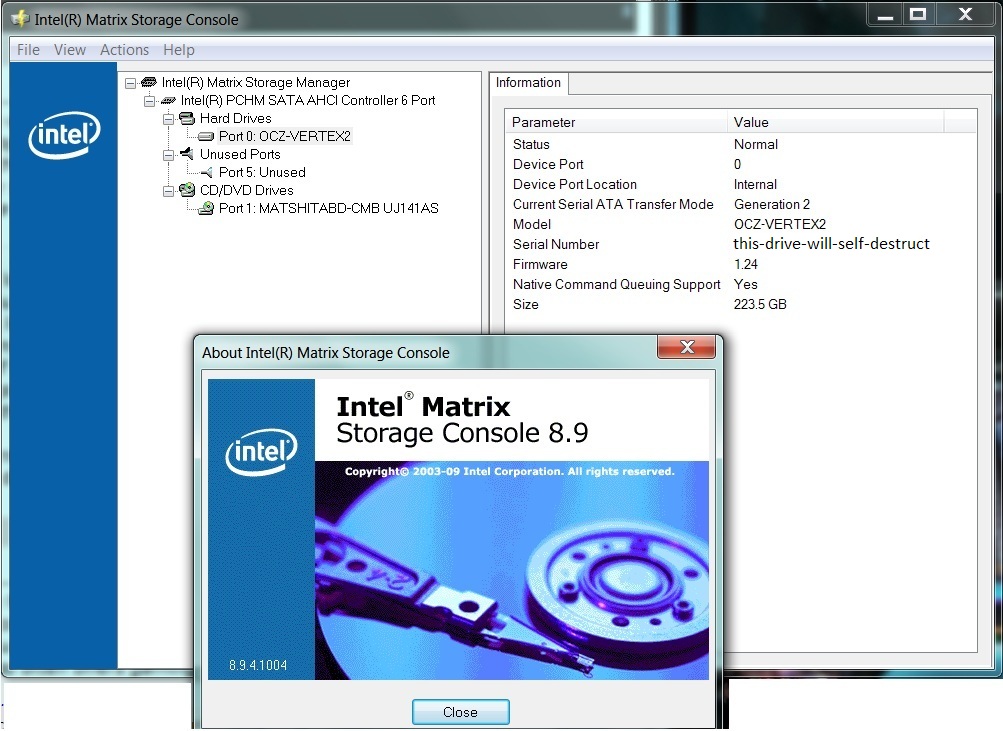
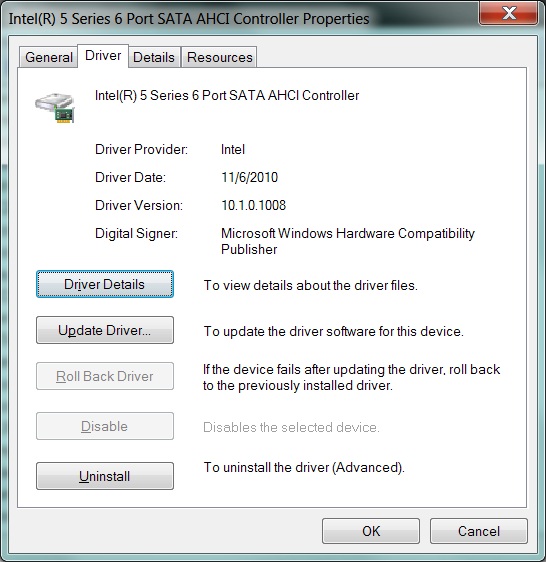
Just curious if I would likely see any benefit from installing the Intel IRST driver. Near as I can tell I have the original Intel drivers from a recent clean install- Intel Matrix Storage Console 8.9.4.1004. I have only one drive which is the OCZ Vertex 2 240gb SSD which uses a Sandforce Controller.
Attached Files:
-
-
8.9.4.1004 is slow compared to the default Windows driver, which is slow compared to the newest RST driver from Intel. You don't need the entire RST software, as it's meant to benefit RAID. So, just download the drivers themselves, extract, then manually update from Device Manager.
http://downloadcenter.intel.com/Det...oduct=Mobile+Intel®+5+Series+Chipset&lang=eng
better instructions on the page before this one.
-
You dont understand me. What I mean that besides Intel, Sandforce and also Indilinx theres a huge gap and somewhere at the bottom there are Manufacturers who just sticks SSD to anything they could ship out from china like Toshiba, A-Data, Kingston, Samsung etc. There were just 3 controller manifacturers that matterd at the time: Intel, Indilinx (they died recently) and Sandforce. Indilinx is preparing a new controller to be launched in 2011 so is Sandforce. Also Samsung went with some proper engineering and released a product that could finally eat a piece of ssd market pie. Of course we could also say that Kingston had one good drive - the 40GB V series which was Intel G2 40GB with Kingston sticker but its not avaiable and for now, Kingston, Toshiba, A-Data and any other company serves ssd's with JMicron, early Samsung and Toshiba controllers which are weak.
I thought Ive made my point about real players in ssd market - part of it was Indilinx. -
Thanks anseio. I updated the driver via device manager just fine and in the device manager it shows the updated driver version, but I am wondering if I still need the intel matrix storage manager, which is still installed and shows version 8.9.4.1004. Not sure if I should just uninstall the intel matrix storage manager now.
-
There is no benefit to having the Matrix Storage Manager. You might as well get rid of it. It may uninstall your driver, so you'll want to double check that your newer version sticks around. If not, reinstall it.
-
Thanks anseio. I uninstalled the matrix storage manager and it didn't change the device manager driver version from the irst driver I installed. I should be good to go then. Thanks so much for your help.
Attached Files:
-
-
So you can uninstall the programs witch installs next to the drivers? Because I've got 3 of those programs: Intel Rapid storage technology, Intel turbo boost technology driver and Intel proset/wireless wfi software. Can I uninstall these?
Thank you -
In my add/remove list for intel I have two entries: Intel turbo boost technology driver and also Intel turbo boost monitor (which is just a gadget). You might have intel wireless on your laptop so you may need the intel proset/wireless wifi software. I don't have an intel wireless card, mine is atheros. As for the Intel Rapid Storage techology, I don't have the entry, but most likely b/c I only installed the driver and not the entire IRST software that anseio mentioned a couple post ago.
-
Intel Rapid Storage Technology is not necessary for single drive setups. Just the actual driver itself, by doing a manual driver update after extracting the files.
Intel Turbo Boost Technology Driver, according to Joe_Bleau, is a misnomer and is not necessary to the funtion of Turbo Boost (I uninstalled it and things have always worked fine).
Dunno anything about the last one. -
Fraps only affects your framerate when you are using it to record your gameplay to a video file. Otherwise it is spot on accurate.
As for overclocking, just up the clock rates by 10% and go from there. I wouldn't recommend going higher than 15% tho (if you can get that far), as thing will probably start getting hot and unstable.
I use EVGA Precision and set my clock at 10%, I'm not greedy!
-
I indeed have a wireless networkcard from intel.I also installed the completed package of software.
Thank you both for the answers. -
I have 330M and for me FRAPS *does* a quite slight drop in fps so iM not using it.
As for overclock im playing games with these settings: 700/895/1500 and its fine. Played Modern Warfare 2 all day on it, NFS Hot Pursuit for couple of hours. But everyone should keep in mind that OC, temperatures are dependent on their enviroment and specific unit. -
What a great day to spend here while at work =)
Hello everyone and thanks for sharing all these posts. I've been backing this topic far far back and finaly i made it to todays posts =)
Im thinking of buying the F12S1E/B (i7 740QM 6gb ram) since there is a hot deal here in sweden where it goes for 1200 euro! I might even be able to escape the vat of 25% and get it even cheaper. Though reading up on all these posts im worried about a few things.
1) The cooling issue seems to be a relative problem to F11 and F12 (is it the same for F13?) My main concern is this since i will be taking the laptop with me to India since im moving there quite soon. Its not very unusual that we have around 40-50 celcius indoors and at some points very moist.
My current laptop a FujuitsuSiemens managed the horrible weather in Goa with 98% humidity and 40-45 celsius but then again i didnt run it for more than 4-8h during the days.
2) Has the noise in the speakers/soundcard been adjusted for F12 ? Do you still experience the wavy sound coming out from it?
3) Is it worth putting the extra 300euro (aka 1500 euro) to get the GeForce GT 425 ?
I will use this laptop in amature video production, live visual performances, dj playing/music production with ableton software and a lot of graphics art mostly 2D. I gave around 1500 euro for my last laptop that is now over 2 years old and really doesnt cope with everything as i want. Though it will hurt my pocket to put another 1500 if i dont really see a great advantage to it. Since i work fast and not to much with the mouse i need a laptop to be working as fast as my mind =)
What im not bothered about is blu-ray & gaming stuff, but since i cant pick out what specs i want to have in the laptop i guess i have to go with the pre-customized specs.
Thanks and happy new year to you all! -
Im using for couple of months F12S1 so Ill try to answert your questions as best as I can:
1. Cooling "problem" is in every F unit: F11/F12/F13 S or Z. Well, technically its not a problem - people just thought that Core i7 will be as quiet as some Atom in a netbook. Serioslu, its quite a monster in here and it need to be cooled constantly. In idle, my F12 is about 48-54C. IDLE!. Without any cooling pad or whatever there is. I could say that noise in idle is not bad. Its just constantly cooling the cpu. Ive got about 25C temperature in my entire house. Below 50C fan is spinning less and the noise level is lover and its for me really good. There are 2 ways: either set up power saver plan and processor managment to 5% both minimum and maximum or run it on the battery - if you switch to high permormance and god forbid: start a game, watch video file on the internet, flash animations etc then its getting a little noisy. Remember also that this machine goes to almost 90C under stress! So it must be cooled of.
2. You need to disable microphone to get rid of the "weird" sound. On F11, F12 and F13 you need to do it.
3. If you want to play games then 425M is a little better but 300Euros for that ? Man, thats a rip off. Buy SSD ddrive instead because standard Seagete 5400rpm in F series is so weak- that I cant imagine. This drive sucks, for real. You should get rid of the blu ray drive, put your factory 500GB Seagete there in a caddy, and SSD in the place of original hard disk. Or if u want to stay with the hdd and the optical drive - switch it to sth 7200rpm. Entire laptop is quite a Ferrari which runs on flat tire - which is a factory 5400rpm drive.
About the India: if the temperatures there are higher then buy yourself a cooling pad (Coolermaster U2 is good and cheap). Laptop will be a bit more noisy in idle if there are higher temps. -
Heya and thanks for the fast answer!
1) i have no problem what so ever with a noisy fan, frankly i lissten to music or i am in the studio where music production happens everyday at loud volumes so im not bothered at all if its below 50db =) But normaly when a fan runs that fast its some "serious" cooling issues. I do have a nice and solid cooling pad for my 17" laptop that i will use for this one, but i fear somehow that it will not be enough when im in india. 48-54 celcius does sound a lot when in idle mode. I would need to see what my current laptop is at when in idle so i can relate to it.
2) Alright thats good to know, then i guess if i want to use mic i'll just connect the firewire to the external soundcard though a bit anoying when u want to skype home and have that serious buzz stuff. Have you tried putting adhesive tape on the charger? There was one topic about this way back =)
3) Semes like we have different specs here in sweden than the rest of the world. Let me quote you the translated specs in here of what im getting on the F12:
So the 5400rpm drive is not an option, neither can i change the specs of this one. It comes as its stated and goes for 1200 euro. That being said i seldom play games, actually have been waiting almost 3 years now for diablo III to arrive but yeah we all know how that is going =)
Again thanks for your interest in my post =) -
Sorry, ma bad - specs are the same, I too have 7200rpm hard disk drive (now Im working on Dell 1745 also with 7200rpm). I compared drives from my Vaio and my office Dell, both are 7200rpm, Dell is 320GB but its way more fast. Its just the Vaio is having quite crappy hdd and I would advise you to get an SSD. Also, if youre waiting for Diablo, 425M over 330M wont be so fast. You should stay with 330M - its quite decent gfx.
As for adhesive tape - I dont use skype, no headset and such and Ive never need the microphone anyway so Im not using it. Turned off and thats all.
Last thing: Screen: 16.4 LED-backlit 1920 x 1800
Its a Vaio Display Premium, it is not LED backlit. Its dual ccfl lamps. Vaio F series didnt and doesnt have any lcd panel with LED backlit. Not in F11, not in F12 and not in F13. But it doesnt matter, it could be even backlit by a tonberry with a candle - these panels are incredible, and after applying calibrated color profile its just 'omg'.
-
Okey im following you now =) So basically for performance issues just get a SSD drive on my own and install it, yeah ? I am a bit techy since i normaly build my own computers (desktops) and have only one previous experience to open up a laptop (my current one =). But i've read somewhere that this is really no big problem on the vaios since they are easy to operate.
2) So 330 is ok stuff, cool, since i work with 2d graphics and some times render heavy duty fractals on my comp im not using to much of the graphics card since most of that load goes to the memory.
about the sound, i guess its managable, probably not that serious as i think it is =)
3) lol i just saw that 1920x1800 lol wth is that now haha, must be some typo. And yeah the damn screen is what makes me wana jump in bed with this baby. Everyone in here keeps saying how great it is and i cant really wait to set my eyes on it. If i dont buy it today i'll see if there is a open Sony Store after the weekend where i can spot it and try out the layout.
Cheers mate and thanks for the info, i might save the extra 300 euro it costs to get the F13 =) -
![[IMG]](images/storyImages/sony_vaio_f_bottom1_b.jpg)
![[IMG]](images/storyImages/sony_vaio_f_bottom2_b.jpg)
Place with the yellow warning sticker - only 2 screws and another 2 screw of the metal bracket and you could eject the hard drive and put there your own. Its fast and simple. -
wow a lot easier than the one i have now =)
sweet! then the one in the middle is the ram right ?
I've never changed hardware on laptops but is there anything i need to know before switching to the SSD ? like connection and stuff ? is it the same, just unplugg old drive and put in new one ? 1.2.3 =) ? -
Almost. You just forgot to add 1 step "to buy a SSD"
-
Everything is plug n' play for ssd and ram.
-
how convinient =) lol James D
i'll buy the same ssd as Jacol has
-
I'd shop around. The Intel drives read quickly, but there are much faster writing drives for less money. Don't rule out Corsair, G.Skill, Mushkin, Crucial, OWC and OCZ.
Once installed, modify windows parameters to lengthen the life of your new baby. -
My recommendation is to also use that 300 euros to buy an SSD.
-
Cheers, i'll have a look around. These babies are new to me, since i havent been updating me much on the hardware part. I see on my site that there are 2.5" and 3.5" wich one do i need to pick for the vaio? Also, maybe stupid question but here we go, are there two slots for hds ? Or do i just switch between the already installed one with the one i buy? I ask because i see that Jacol runs two drives.
I got 3.5tb on external drives so space isnt really my worries, maybe if im doing live visual performances then i will need some space for my clips and it would be handy if i didnt have to bring the external drives. But im guessing you use 80-160gb drives for "just" ms windows and software ? Im looking at the prices and they are not to cheap if u dont want to have like 40-60gb in there only.
Sorry if this is going a bit OT.
EDiT:
Anesio, you got a point there mate =) Though i dont really want to spend them hehe. But yeah insted of fetching the F13, take the F12 and invest in proper SSD. Are the changes REALLY that great ? though one downside with not getting the F13 is the usb3 =/ Guess i can live with that though. -
It's worth it. My boot times are quick and programs load VERY quick. AND... SSD is a drive capable of handling multitasking, just like the CPU.
-
Vaio F drives are 2.5" SATA II. There is a single factory bay for hard drives, although others have removed the optical drive and replaced it with a HDD caddy. This requires slight mods to the laptop.
It is generally best to keep your HDD no more than 60% full, and I try to keep my SSDs no more than 50% full. In the case of a HDD, once you get to about 2/3 full, it can become fragmented easier and defragmenting programs will work harder and take longer to do their job.
SSDs, on the other hand, write to free sectors. If you keep the SSD no more than 1/2 full, the TRIM function can work during free time. If, say, your SSD was 75% full and TRIM had not yet run, writes may take longer due to the need to free up sectors prior to writing. Also, SSDs wear out from being written to...their lifespan is dependent on the number of times a NAND sector has been written to. If you purchase a larger SSD and keep it "less full", the sectors will not be written to as often and the drive will theoretically last longer.
Our workstations run W7 Pro (64 bit), MSE, a large database and a few "personal" type programs. A 128 GB SSD is filled about 40% on these workstations and all data is saved to the server instead of the SSD.
My personal F11 has a 256 GB SSD that is 26% full. It stores all programs plus all of my data files and pictures. I bought the additional space not because I needed it, but because I knew I would have all of my files on it and wanted to minimize sector writes over time. This has been working, as here is how quickly my year old, slower Indillinx Barefoot controlled SSD handles smallish, 64KB files:
-
Youre making it wrong - TRIM doesnt work in the background in idle - its a garbage collection function. It was implemented for example in early samples of Crucial C300 ssd's before the firmware upgrade. TRIM works everytime when ou are writing data to the nand cells - every time youre writing new data, the cells are cleaned and thats the TRIM. Intel made a tool (Intel Toolbox) for systems where TRIM wasnt supported by ide/sata controllers or by system (WinXP) - it manual was sendind TRIM commands to clean up the cells. Win7 does that everytime youre writing sth to the drive - if u are trying to use Intel Toolbox it is finishing in about 1 sec - no need to trim the disk if its already enabled. Garbage collection feature is for systems that doesnt support TRIM or it is disabled, then its doing clean up in the background.
AS for buying ssd right now - I would but Corsair F120. Intel G2 still has the best small files performance but overall F120 its better because of the added space. You could go for an Intel G2 120GB which is fabulous but Im waiting for G3 tocome out and see how market will behave. -
When I first began considering SSDs (13 months ago), TRIM was a brand new concept that was just beginning to be seen as a way to stop SSDs from bricking after heavy write benchmarking.
There were many articles written about the new TRIM command, but here was one that I always thought was both technical and explained in fairly simple layman's terms. As far as I know, this is still how TRIM is implemented today.
Without TRIM, writes were slowed terribly because of the way NAND flash storage works. TRIM takes deleted sectors and wipes them during idle time so that they are free and ready for use when the next write occurs. Read this article and pay particular attention to the last paragraph under "What TRIM Does". In this last paragraph, read the last sentence.
http://www.maximumpc.com/article/features/white_paper_trim_command
I guess that my wording was a bit vague. What I should have said is that the TRIM command is implemented during free time after the deletion of data, prior to the next write. I guess the way I wrote it looks as if it is scheduled to work overnight such as a defragger might be. This was not my intent.
I apologize for the miscommunication. I have not really thought about TRIM for quite some time, perhaps I should have re-read the articles and simply quoted several of them to begin with.
TRIM does not, as far as I know, work when you write data. It works when you delete data so that when you decide to write new data, the sectors are empty and ready to be written to. Garbage collection is a way to do this manually on non-TRIMmed drives. TRIM has been around for just over a year, longe before the Crucial C300 SSDs. My first M225 had the original Indillinx Barefoot TRIM firmware and has since been updated to the newer 1916 FW. I am not sure if Indillinx or Intel was the first to have a working FW version that supported TRIM, but it has definitely been over a year since I first saw it. -
Yeah well, I didnt used proper words and what your saying its right - after deleting a file (writing "delete data" is what I meant) it send a signal to te cell. Sorry im my english is bad and I cant write my state of the mind enough clearly
-
@ReD2847
Got your PM re: overclocking but having trouble responding on my phone. Here is an article that user Eat_My_Brains followed to OC their GT425: Jagat Review | Mobile Graphics Overclocked: NVIDIA GT 425M
Keep in mind that the article concerns a different laptop with a GT425 but E_M_B has an F13. Your individual laptop may respond differently, however, and no one can tell you for certain what numbers will be safe for you. You have to test this for yourself. You should gradually try increasing your numbers and seeing what effect it has heat-wise and if it produces artifacts or unwanted behavior. The article also references other software you can use to overclock since the Nvidia System Tools does not allow adjusting of the shaders over 1120. These are all used at your own risk of course. Nothing can be guaranteed safe so you have to just be responsible about it and keep a close eye on how your adjustments are effecting your laptop. Let us know what numbers you end up with.
Edit: Also, if you are going to keep your GPU overclocked, I would recommend using a laptop cooler. There are a couple that have been frequently recommended in this thread and in the previous F threads so just do a search for that. The F fan does a great job of keeping the laptop cool but it was intended for the default values. -
Hey guys! I've owned a F11JFX/B for like 6 month and it has been great so far. Just a little question, does anyone know how to use the alps web assistant (you know when you use the upper part of your track pad to cycle forward backward) on Google Chrome?
Thanks! =) -
I hate to break it to you, but it doesn't work with Chrome. I started with Chrome when I got my lappy, but couldn't use the web assistant, so switched. There was ONE thing about each browser that I really liked that I could not get full benefit from when considering other things that I liked, so I settled with IE.
-
ok thanks man! i thought so.. did some reasearch found something but didnt know how to set it up:
use the back and foward sliding feature on my Alps Touchpad to go "BACK" OR "FOWARD" using Google Chrome? - Google Chrome Help
And going to IE is not an option Tried to tolerate Firefox, but the google guys do it really well especially with the extensions...
Anw if you're able to fix the problem with the link i posted, plz do share!
THX!=D
Official Sony VAIO F Series i5/i7 owners thread *Part 5*
Discussion in 'VAIO / Sony Owners' Lounge Forum' started by Willscary, Aug 20, 2010.