Problems? See this thread at archive.org.
Again: But if the firmware was the culprit then how do you explain that your HDD was faster on an other computer as you yourself benchmarked & posted previously here Dr. Watson?
Firmware is in the device itself: when you moved the HDD to the other computer, you carried the firmware with it.
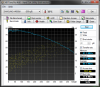
I'm sure that Sony_did not write a firmware for a Seagate HDD. They could have asked Seagate for a custom firmware where they could have requested the AAM value (Automatic Acoustic Management) to be optimized for quietness/lesser vibrations instead of Maximum Performance like Seagate's default, for example. The differences are minute anyway, not in the magnitude of more than 10% like when comparing your tests to mine for the same model of HDD. See below & please report if your AAM setting is different from my after market 7200.4 HDD.
![[IMG]](images/storyImages/Seagate_AAM_HDTune_Performance_HDSentinel_Check.jpg)
![[IMG]](images/storyImages/image1429)
![[IMG]](images/storyImages/image1430)
*****
-
Just got the notepal u3 and it performed a lot better than the zalman nc3000
![[IMG]](images/storyImages/p0309101849.th.jpg)
![[IMG]](images/storyImages/p0309101906.th.jpg)
![[IMG]](images/storyImages/p030910190601.th.jpg)
![[IMG]](images/storyImages/p0309101907.th.jpg)
![[IMG]](images/storyImages/stabilitytest.th.jpg)
used the FurMark stability test for 15 minutes and the max temp was at 64 celcius. so that in itself is not bad. in a later post im going to see the temps when under load from SC2 and see how high the temps are.
honestly the zalman nc3000 did not do crap to cool down my notebook. putting my notebook on the edge of my calculus book produced the same results. The cooler master U3 actually had some benefits and cooled down the notebook. i am going to try to get better numbers once benchmark the cooler with a game -
For several brands of i7 quad core laptops, high operating temperatures under stress is a problem (95c + for CPU & GPU) as well as hot palm rest (Envy_17 for example) & they definitely benefit from a laptop cooler.
OTOH the F runs cool even when running simultaneously 100% CPU (Everest > Tools > CPU test) + 99% GPU (Furmark) stress tests. This post shows screen captures of those tests ran by several F owners in the previous thread: VAIO_F Series: A cool Cucumber. Nobody managed to go above 84c while the max operating temperatures of the CPU is 100c and 105c for the F's GPU.
So IMO the benefits of a laptop cooler for the F are:
- lower the rpm of the F's fan for more quiet operation
- better typing angle
- lower somewhat the max temperatures
- lower slightly the palm rest temperature which is not hot to begin with
So using the fans position tip (under the 2 biggest air intake vents) & Cool Master U2 heights reported by Willscary & not wanting to wait 2 to 6 weeks for delivery & wondering if it's worth $40-50 w/ shipping (in my case) I decided to run some test with a prototype in my Costa Rican F lab.
The front stick is 2cm thick, the one of the back is 5cm. The front fan is 1.5cm thick & the one in the center is a regular 12v desktop fan 2.4cm thick. Both have a 80mm diameter & were ran @ 3v otherwise they get noisy. The 3 different setup configurations were used for 5-10 minutes each.
![[IMG]](images/storyImages/Cooler_DIY_Prototype.jpg)
![[IMG]](images/storyImages/Cooler_DIY_Prototype_Vents.jpg)
![[IMG]](images/storyImages/Cooler_DIY_Prototype_Fans.jpg)
![[IMG]](images/storyImages/Cooler_DIY_Prototype_tests_Idle.jpg)
![[IMG]](images/storyImages/Cooler_DIY_Prototype_Stress.jpg)
- YMMV depending on your ambient temperature, mine was @ about 22c.
- Simply elevating the laptop w/o fans gives the most benefits, it reduces the idle fan speed (and noise) by about 200 rpm because the F stays at the same low temperatures & is just reducing the fan speed because not as much volume of air is needed to do the job. Doing the same w/ the U2 or U3 could be less efficient because there is a grid under the laptop while it's free empty space w/ the sticks so the air may naturally circulate more freely by convection as well as some heat escaping by radiation.
- Turning on the fans reduces the F's fan rpm by an additional 100-160 rpm
- I ran only 1 CPU + GPU stress test w/ the sticks: about 15 minutes w/o fan & 15 minutes w/ fans & the F's fan stayed at about 5700 rpm & the CPU & GPU temperatures changed by only 1-2 degrees. I'm sure that if playing an intensive game & wearing headphones then pushing up the fans speed could have more benefits, especially if one is overlocking the GPU.
- The groves on the main drive door or for aesthetics only, air can't go through. I guess Sony_want the cool air to come in where it has the most cooling benefits on heat producing components & the drive is not one of them. I always monitor the F's components' temperatures & effectively the HDD never overheated so far. If it ever does, I will drill a small hole in that door.
- If you run this test at idle, check those yellow CPU Usage peaks: the more you have those, the more background programs/services are running on your computer. Which explains why some of you have the fan speed modulating @ "idle" which is not really idle when a lot of cr@p is running on a computer.
My conclusion: I will cut the sticks to the proper size to hide them under the F, will not use the fans & won't order a laptop cooler. If I would live in the US, I would get a U2 for $17-20 shipped.
*****
@ edween (thanks for the photos BTW) & other U3 or laptop cooler users: If you have the time & inclination, it would be interesting to run the same CPU+GPU stress tests and checking the fan speed with Everest v5.50 (free trial) with these 3 variations: F flat on desk vs on cooler w/o the fans vs on cooler w/ fans speed set just below the point they could be heard.
***** -
I received Sony Vaio F "VPCF115FG" yesterday as a gift. I notice the boot time is very long and also when the laptop shuts down.
Is this something common with F model or my laptop has a problem?
anyways to fix this? -
Can you be more specific, please? How long is the boot time? You can press ASSIST and run "One Click Care". In its report, you'll get 1st boot time and average boot time. You can also use independant programs like Boot Timer, which is free. Or, just use a stopwatch.
Also, what are the specifications of your particular model? I looked online and saw that it's got an i5 processor. Is this correct. Things that impact boot time will definitely be your processor, the speed (rpm's) of your hard disk drive and what programs and drivers are being loaded at startup. It's safe to assume that it's currently got a full installation of all of the Sony software, so of which you may or may not like. That can be addressed later.
First, we need specifics, and I'm sure someone around here will be glad to offer some great advice. -
Specifications: i5 2.40, Ram 4 GB, HDD 500 GB, Nvidia 310 M 512.
While just booting it works pretty fast but as soon "Welcome" screen appears it takes like 1 min until desktop appears
I did Windows rate test for it and the result is 4.9 is it normal? -
Thats the weird thing, the F/W on my HDD is what that differs from others. I did not mean that Sony wrote the F/W themself but Seagate sad that they did not know why Sony did this and what was changed. Why the drive performs as should on another computer can I not tell, and thats why I say it is in combination of the Vaio F.
I can not change my AAM, which means I can change the settings but the peformance is the same. The Settings in HD Tune always says current value is 0, default 254.
-
First, run Vaio_Care > One Click Care as anseio suggested, read the report & fix what is recommended.
Then check: What’s Taking So Long? How to Fight Slow Startup Times in Windows 7 for tools & tips.
You could also disable or remove bloatware. Check the bottom of F Clean Install Guide for a road map to spot bloatware. -
From: F11 Gaming Performance Part 3
---------------------
Final Fantasy XIV (14) Online Open Beta
To illustrate my point about how poor the performance in populated areas is, here are 2 videos of the game on my desktop PC (Athlon II X3 440 + ATI Radeon 5770). Notice that the FPS in the city is similar between my much more capable desktop and the F11 (my desktop handles much better than the F outside of towns):
FFXIV Open Beta on 5770 Part 1/2, FFXIV Open Beta on 5770 Part 2/2
The only way I got this game to look nice and run decently was to OC my GPU to 730/915/1515 (Core/Mem/Shader)
VIDEO LINK: FFXIV Open Beta - Part 1/2, FFXIV Open Beta - Part 2/2 -
Great post, following our exchange in PMs. To add setting the buffer to 3/4 if it's running very slow is fine but imo buffer of 1/2 just looks so so awful. It's interesting to see that the game itself is having issues with populated areas, but it's only beta after all.
Talking about OCing when you're thinking of OCing to play on an MMO it's not something you do for 30 mins or an hour... so the OC has to be safe enough to be under load for hours. My question is, without running fraps what range of OC would be deemed relatively safe on the 330m to run for hours, but turning off the OC when not gaming. I have been looking through various posts about OC ranges on the card and there seem to be mixed results with a core higher than 6xx. Would be nice to have definitive values for a safe OC and a pushing it but stable OC with the latest stable drivers. The safest OC is no OC, so by safe I just mean relatively.
Edit: To clarify I have looked at F series OC thread and posts in the owners lounge, just wanted to know updates on usage with different clocks, such as Mangosango's with his relatively high clocks. -
Mango or anyone here knows if the F12 can run Guildwars and Starwars old republic beta?
How good?
Is it max settings all the way if not what settings did you use?
Thanks in advance -
![[IMG]](images/storyImages/4957163106_8e93ccc472_z.jpg)
Everyone having fun with Google's molecular ball? You can spin it with your mouse pointer. Woowoo.I'm using an extension in FF and/or Chrome called Stylish Restyle the web with Stylish! | userstyles.org and when Google adds stuff like this sometimes weird things pop up. It's moving too. I do recommend this extension to customize the look of popular websites. I even changed my co workers Google page to this lovely color below. He just couldn't figure out why only his was pink.
![[IMG]](images/storyImages/4957180720_ddc327d8a9.jpg)
-
Definitely had fun with the molecular ball yesterday.
Though for whatever reason, I always prefer the plain simplicity of the default google.
Joe- Thanks for the cooling tests! +1. I too have noticed the most significant increases in efficiency when I simply elevate my laptop. Also kudos for the Tic Tac case in there. -
Great post for anyone considering a cooler purchase Joe Bleau, though I've already purchased my NZXT........+1 rep for you! As a woodworker, I wish you were nearby as I'd offer to make a custom wood frame for you to mount your fans in!
-
I do not see the U3 as being needed unless you like the cooler to stick out past the laptop. My F11 only has grills that can be accessed by 2 fans, so the 3rd will be useless other than to throw air upwards towards a solid area of the laptop bottom.
I have posted before about how much my temps decrease with the U2. In order to make it work as well as possible, my fans are located as close to the seating position as possible without touching the table (which will cause vibrations). They are also located towards the left. they are located as close as I cn get them to underneath the two larger grills and they do a wonderful job. The small grill is too close to the front (bottom) of the cooler, and the way I have it positioned, it is directly over the large open slot in the cooler.
This cooler just plain works, and does what it is supposed to. -
Unchecking that box did indeed seem to work. I think the reason why I didn't try that one on my own is because the check box is actually labled, "Show location of pointer when I press the CTRL key" and I was having the circles problem whenever I'd move the cursor w/the trackpad - I wasn't pressing the CTRL key. In any event, unchecking that box seems to have solved the problem... buggy "feature" indeed!
Thanks again, Jacol. -
You, and your dog, are hilarious! Your posts brighten up this place.
+1 for your generousity.
Here, Here! for the U2. It really does a great job, doesn't it?
To make my pointer easier to find, I've changed it to a very slick 3d red cursor. Been using one like it for years when I had the Metroid Prime Desktop theme. It's my favorite.
Download the attachment and save the cursor file to C:\Windows\Cursors
You can then select that cursor via your mouse settings panel. Give it a try and maybe you'll want to make it hot pink or something.
Attached Files:
-
-
So far, my clocks of 730/915/1515 (Core/Mem/Shader) are working well for me (I turn my OC on just for games), but that doesn't necessarily mean that they will work for everyone. I've been able to play Crysis MP for 3+ hours with these clocks with no hiccups.
If you haven't done so already, I would strongly recommend picking up the 258.96 drivers from nvidia.
I would recommend aiming for something around 650/800/1625 - those *should* be stable OC numbers (but you never know for sure). The safest (but most time consuming) way of overclocking is to start at the standard clock speed and increment your core speed by 10 mhz until you get to a core clock you want or start seeing artifacts. If you do see artifacting, turn the OC down by 10 mhz and see if it's stable. If it is, leave it there. Then do the same with the other clocks (mem/shader) As long as the temperature of the card is below 80/90C under load and you don't see any weird glitches/artifacts, you should be fine. Propping up the laptop should help with cooling. You could also always set the clocks to 650/800/1625 and hope for the best.
Nope, I haven't played either (not a big fan of MMO's). Guildwars seems to have a trial though (I applied for TOR beta, but haven't heard back). I'll see what performance I get with Guildwars. I doubt I'll be able to get into the TOR beta though. -
You had set your numbers at 575/790/1265 a long time ago, and I've been using these as my OC numbers as well. I'll try your recommendation of 650/800/1625 and see. Thanks. Do you ever play with Device Rules? Any info on this subject?
-
Mangosango, have you been using something to log the CPU/GPU/motherboard temperatures while doing that? Like the free CPUID's HWMonitor or Everest or SIW 2010 for example?
-
Hei I've just benchmarked my Samsung 500gb HDD in HD tune. These are the results. I'm planning to buy a hdd enclosure in place of the blue ray and a OCZ agility or vertex or crucial ssd. Which would you recomend?
Attached Files:
-
-
My F's OEM Samsung 5400 rpm shows similar rates.
If you are asking for a caddy to put the HDD in the F's optical drive bay: How to install a secondary hard drive in the optical drive bay of a VAIO_VPCF Series.
![[IMG]](images/storyImages/ODD_HDD_Caddy-04_Inserting.jpg)
-
I've read that already. I'll try to buy the Fenvi enclosure if I can find one on ebay... I was asking about the ssd. Which one out of those two brands would you recommend?
-
Nope - Haven't played with device rules yet, so unfortunately I don't have any info on that subject atm.
Nope, but I did run furmark for 1:30 minutes with that OC and the temps never went over 79C:
EDIT: But next time I get a chance to game for a long time I'll see high high the temps go
![[IMG]](images/storyImages/furmark.png)
-
Fishon,
Those are the default factory settings on my F11. I don't believe that those are OC numbers on your machine.
Remember that if you see current settings of...say...143, 197 and 316, those are basic 2D settings while surfing or performing normal tasks. Your computer changes these settings as 3D needs are encountered.
I am not a gamer and am not completely familiar with this sort of thing, but I did OC when I benchmarked my machine early on.
I hope this helps. -
Thanks for the info, +1. The lower 650/800/1625 OC seems appealing to me for when I play some games. I doubt I'd try clocking higher to reach those that you use but who knows, I would of course go up incrementally at that point. I'll be keeping a close eye on stability and temperatures as I don't want to hurt the lifespan of the laptop much for a few fps. By the way you YouTube channel is looking very healthy with viewers, very good job.
________
As an aside about notebook coolers, I still have my old Coolermaster Notepal which will be useless for the F12 apart from to raise it off the flat lol. The U2 does look good I just have a slight reservation about the height of the back it does seem quite high from Willscary's photos. Granted that steepness helps the fans reach the bottom where the F needs them. It's hard to imagine day to day usage with such a typing angle but it may tempt me yet.
________
To chime in on the surge protection discussion, coming from Jamaica I know all too much about power issues, heard the one about the guy with the 65" Plasma that got fried? Yep fun... Being in the UK now I'm still cautious and use surge protectors for all major electrical equipment. I guess it just makes you feel a little more secure! -
Check in your Everest > Preferences > Logging & while you are in Preferences you can also set Alerting with temperatures triggers & the Action of your choice.
-
My Caron Fiber Vinyl hasn't arrived yet for my palm rest, but I'm burning my recovery discs as we speak! I think I'll keep the MS Office stuff and the Adobe stuff. I'm wondering though, what's the difference between the VAIO recovery discs and the Windows repair disc in the Control Panel? Is that just to return to a previous working state rather than an initial start point? And wow, my U3 looks awesome under the F!
-
Start > Help & Support > search: repair disc.
-
Sure, I could do it that way, but it's so much more fun getting responses from everyone here!
-
Make both. Sony discs are good for clean install, full recover and Sony Software. Windows discs are good for restoring from a previous system image, accessing the command prompt from the repair center, and a few other things.
-
What do i install to get my fn keys to work again? I had to do a clean install.
-
In case anyone wants to buy the Logitech N315 lapdesk with mouse tray, the tray might not play nicely with your mouse. I have a Logitech MX Revolution and it can barely read the surface of the mouse tray. As a quick fix, I covered the surface with masking tape and it works perfectly! I bought the N315 because I have to use a mouse and if I don't have a surface nearby, you can just slide it out. It's a bit small for the F, but it still works well.
-
Arthur C Clarke predicting the future in 1964
YouTube - Arthur C Clarke predicting the future in 1964
Especially at the 1:45 mark when he talks about future communications...this man was brilliant. -
i've just went to the sony canada store website
they took out the i7- 840 processor upgrade for the F series
anyone know whats wrong? is it too fast for the laptop? overheating?
or is there any other issue? -
The Value Software does not require a specific installation sequence for things to work properly. What required an order were the system/hardware drivers.
If you did a clean install from a Windows 7 disc, then install VAIO Care from the Sony eSupport site, then install from the recovery discs:
VAIO Event Service - Fn keys
VAIO Contorl Center - S1 key
Settings Utility Software - VAIO Control Center content/access
There are others to install as well, but these 3 make sure that your buttons all work. VAIO Event service being the most important. -
Well that's contrary to what Sony_support says.
Read the Required section here: Vaio_Care Software:
![[IMG]](images/storyImages/Vaio_Care_F12_Required.jpg)
Also read Step 3 here: Clean Install Instructions for Windows 7.
The steps I described in the OEM Recovery Discs clean install article simply works. There is no harm in installing the Sony_Shared Library first & following_Sony's recommended order.
Third party value added software like WinDVD, Roxio, etc can be installed @ any time, in whatever order using Vaio_Care.
***** -
It's interesting how you seem to know how to read, but not really "read".
the REQUIRED programs before VAIO Care, as you linked, are:
VAIO Location Utility
Sony Shared Library
VAIO Update 5 Software
VAIO Hardware Diagnostics Software
How many of those did you install before you installed VAIO Care. These required programs are to ensure that VAIO Care has the fullest possible functionality, but have no impact themselves on the performance of VAIO Event Service. Lastly, will installing them AFTER VAIO Care mean that they will not work? Not likely and not relevant to the question at hand.
I have, EVERY SINGLE TIME, installed VAIO Care as downloaded from eSupport and then batch installed VES, Utility Settings, VAIO Update, and others with no problem. I have never installed these other required programs beforehand and everything seems to work just fine. What I posted was not in disagreement or in direct contradiction to eSupport's recommendations.
Must you be contrary to everything I say?
You're a nice guy, but you're offending me at the same time. -
Well, that was an interesting pointer but the article forgot to mentioned gains if any.
I checked memory resources usage before/after stopping the HomeGroupListener and HomeGroupProvider services as suggested in the article using Process Explorer & the gains are next to nil. So unless one never ever networks with other computers, I would suggest to leave these settings alone:
![[IMG]](images/storyImages/HomeGroupListener_Running.jpg)
![[IMG]](images/storyImages/HomeGroupProvider_Running.jpg)
One can check that by simply stopping the services, no need to Leave Homegroup, Disable & mess up your settings.
***** -
Well, I disagree with that statement!
I agree with your U2 cooler choice:.
I don't even agree with myself all the time (not mentioning my girl friend), what do you expect?
***** -
I did a search but could not find much info. I live in the California and noticed on Best Buys website an i3 model of the F series for the same price as the quad core on Sony's site. I don't see the i3 model listed on their site, which not surprising since the S isn't even listed on their site. Is there anywhere else I can find the i3 model for less? What about the i5 model is that available in the US?
-
Its been a while since someone complained about the whining/whistling sound of the F series when performing idling tasks such as browsing the web.
I was one of them. I sent my f11 for repair several months back and it never completely rectified it, but seemed to take the edge off of it.
Now, since doing my clean install a couple of weeks ago I have to say that the whistle/whine seems to have completely disappeared on my f11.
And I'm really digging this backlit keyboard while I type this in the dark
-
At first, I thought you were crazy to suggest that the F Series has an i3 version. Then, I found it on Best Buy, like you did and then tried to figure out the differences between the i3 (BestBuy.com) and the i7 (Sony.com). The first things I could see were that the i7 CTO base model for $999 has a smaller HDD, no BluRay drive, and no backlit keyboard. Adding those features to the i7 bump up the price to $1209.
Found i3 specs on Cnet:
Sony VAIO VPCF12AFM/H specs and Laptop specifications - CNET Reviews
i3 on BestBuy:
Sony - VAIO Laptop / Intel® Core i3 Processor / 16.4" Display / 4GB Memory / 500GB Hard Drive - VPCF12AFM/H
i7 CTO on Sony:
VAIO F Series PC | Sony | SonyStyle USA
Are you sure you want to get such a good laptop and then only get the i3? -
If you found some pages & would like our comments about it, then why not post the links to what you already found instead of us needing to do a search to try to find them?
-
I wasn't specifically asking for comments on it, I was wondering if there was some where other than Best Buy that carried the i3 model for less. And then asked if the i5 model is available in the States and where it can be purchased.
@anseio thank you. I personally would rather go for the base i7 model and forgo the larger HDD and blu-ray at this point, but this is for my mother and she like the idea of the larger HDD, and blu-ray(just in case) for the same price and is indifferent on CPU(really the i5 would be perfect for her usage).
On a side note, which has the better screen quality the EC or F? I want to say F as it is more of Sony's flagship. Thank you. -
i3 Processor / 17.3" Display / 4GB Memory / 500GB Hard Drive / BD-ROM / ATI Mobility Radeon HD 5470 $800. Why get i7 quad core CPU if not needed then complain about fan work & battery life? No need for a muscle car to commute to work.
-
Ah, I understand better now. I can't find too much online about it for shopping either. Perhaps it's a bestbuy specific configuration to offer an affordable F model? Are you particularly attached to Sony? They are dependable, aren't they?
I don't know much about the screen quality across the models. I'd expect that the 1600x900 on the EC would be the same as the 1600x900 on the F. It makes more sense to me. I'm happy with mine, but would have gotten the 1920x1080 were I could afford it.
Good luck to you! -
Well she is a CAD user for work, but her needs are not as demanding as others, hence I am asking about the i5 model and availability in the States. Well thank you for the replies. She like Sony because she saw how good the support was on my TT, and the fact there is an actual store to get support near our home.
-
I just bought an F12 in July - black, i7-740, 1080p, Bluray reader, 4GB, 500gb 7200rpm, 330M, and backlit keyboard. I, like others, am not satisfied with the charcoal interior and am interested in converting it to the Japanese (I think?) dark black interior. Can this be done? If so, can someone point me in the right direction? Sorry if this has been answered before, but it's hard to look through three other enormous threads for answers. Thanks for any guidance!
Official Sony VAIO F Series i5/i7 owners thread *part 4*
Discussion in 'VAIO / Sony Owners' Lounge Forum' started by Willscary, Aug 20, 2010.

![[IMG]](http://img706.imageshack.us/i/p0309101849.jpg/)
![[IMG]](http://img801.imageshack.us/i/p0309101906.jpg/)
![[IMG]](http://img832.imageshack.us/i/p030910190601.jpg/)
![[IMG]](http://img838.imageshack.us/i/p0309101907.jpg/)
![[IMG]](http://img409.imageshack.us/i/stabilitytest.jpg/)