 Problems? See this thread at archive.org.
Can anyone help me with this problem?
Over the past few days, my Z2 has been randomly disconnecting from wifi networks, giving me the message "Intel My Wifi Technology Adapter is unavailable" or something like that. When this happens, my laptop becomes laggy and I have to restart it multiple times for it to work, I've even sometimes gotten a BSOD from this problem.
I've tracked the problem to be that the wifi adapter becomes unrecognised by the computer, as I can't find it in the device manager when the problem occurs.
Hope someone can help me with this because it's a very irritating and dangerous problem since I play some online games.
-
If anyone is interested in selling their PMD, drop me a PM please. Preferably in EU but open to non-EU. Thanks
The PMD that comes with Z2 should work with SVZ1? -
Hi guys,
I just got my new Z to replace my Z1. On the Z1, after a year or so the palm rest area got slightly discolored from sweat.
Does that happen with the new Z? The Z1's palm rest is a separate plastic piece so maybe the new Z is better and won't discolor? -
Anyone here playing Guild Wars 2? The intergrated intel 3000 hd graphic is performing better than the AMD 6550M using best performance at 1920x1080. I'm using latest drivers from Sony's support site.
-
With a bit of sadness I report that my Z2 experience is at an end. Sale of my unique "blurple" Vaio just closed on eBay. The new owner gets the Z2 experience for 65% less than I paid one year ago. Anyone know of a bridge I can buy next?
-
Hey there,
I am playing GW2 on my Z2 (i7, 8gb, ext. dock) but disappointingly getting only 15-25 FPS at low-med settings.
What sort of numbers are you getting? Really annoyed because I can play Skyrim at high ! -
I have 2 sticks 4GB for Z2 laying around. If anyone needs, let me know.
-
Warranty question.
Bought a Z22 at the Sony Style store last December with 2yr Accidental Damage warranty. Currently, it's suffering stress fractures and cracks on the left side by the outlet vent. The crack is getting a bit worse while it is spreading along the vents as well. The PMD dock also has problems where discs read only intermittently and sometime the unit randomly powers on and off as witnessed by the blue light.
The keyboard keys don't sit flat/uniform and depressed in some areas and lifted in others.
Does Sony ever send current model replacements? I kinda feel jipped on this one and would LOVE to have Sony send me a Z23 as replacement. In 2010, with my Z11 \, Sony Style store offered me a giftcard for the entire amount I paid + tax, either because of a huge backlog or they went inside and found they couldn't fix it. -
We wouldn't know except you give them a call to find out.
However, it looks like you would be covered with Accidental Damage Coverage because your issues are within its terms I guess. -
What software should be included/not included with the Fresh Start option?
I just bought a Z21, with Fresh Start, and restored it to factory defaults:
(For some reason the Z won't see my Seagate GoFlex usb 3.0 hard drive, and I was hoping to solve this)
However, it includes a number of software options that I was not expecting with Fresh Start - Roxio, TriDef 3d, VAIO collaboration apps, ect.
Also, any advice on getting my portable hard drive working with the Z? It shows up fine on my Z12, and any other machine I try it on. -
USB 3 HDD connected on the PMD or directly on Z?
Try the HDD on the USB 2 ports. -
where can i buy PMD cheaper? as far as i know the cheapest is like 300 dollars in ebay...
-
There are a few members on here that would be willing to sell their PMD but obviously, most likely won't be new. If 'used' is ok for you, than you should get a few hits on here. Declare you want one on here in this thread (as well as the maybe the SVZ thread), if interested.
-
The performance on the PMD is terrible and unplayable for me even at the lowest settings and the bar set to best performance. However it runs decent (30-35fps) when i'm running on the intel 3000 graphic.
-
Maybe try the Vaio SVZ graphic driver. They work very good on 3d gaming!. And try to connect the Z and PMD to an external display and deactivate the Z internal one!
-
Dear Z2 owners,
How is your general experience with the laptop?
What are the things you like/dislike about it?
At what level is gaming a possibility?
How do source games play?
I can't decide between a Sony Vaio S13P and the Sony Vaio Z2 (basic config).
The biggest con of the former being its screen, the biggest con of the latter being the 128gb SSD and 'aged' hardware.
The Z2 configuration I would buy is:
Processor : Intel Core i5-2410M 2.3 Ghz
Memory : 4 GB DDR3 1333 Mhz
Harddrive : 128 GB SSD
Screen : 13.1 VAIO Plus
Graphics card : Intel HD Graphics 3000
Software : Windows 7 Professional NL/UK 64 bit
Connections : VGA, audio, 1x USB 3.0, 1X USB 2.0
10/100/1000MB, 802.11 B/G/N, HDMI, Bluetooth
Weight : 1.3 KG
The S13P I currently have on order is:
Intel®Core(TM)i7-3520M, 2,9GHz
Windows® 7 Home Premium
500 GB Serieel ATA (7200 rpm)
4 GB 1333 MHz DDR3-SDRAM
DVD-station
33,7 cm LCD, 1600x900+camera
NVIDIA® GeForce® GT 640M LE
Sheet battery
Wireless WAN
Office 2010 Starter + Acrobat -
Terribly sorry and noob of me but could I clarify?
1. SVZ Graphics driver - googled that ... what is it? I am using the lastest from the Sony.com site. Would you mind putting a link up if it's not the one you speak of?
2. Connect Z and PMD to External Display - Done, on a 23" Samsung Monitor.
3. Deactivate Z internal one - you mean just Start-P to Projector only?
I just loved GW1, and waited for this game forver, and want to run it properly as a proud Z2 owner!
Thanks a million. :thumbsup::thumbsup::thumbsup: -
Hi, I have a quick question that I hope someone can help with. I have a Z21 that I bought 4 months ago. The following pink dots have appeared on the screen recently. It has stayed on my desk all the time so has not been bumped at all. If I try to clean the screen with a screen cloth, the pink dots move slightly.
I assume this is some sort of screen damage? Does anyone know what would have caused this? I will be contacting Sony when I can get through to them.

-
SVZ graphic driver? What does that mean? Sony Vaio Z driver? I'm using the latest version from the sony site. I even tried the Z3 driver. I did notice a little improvement but still laggy.
Also, are you saying that connecting a monitor straight to the PMD will render 3D graphic faster than go through Sony's Light Peak to the laptop screen? -
Before the Sony Store in Boston closed, I talked to the store manager about my situation. He informed me that although I was in the standard 1 year warranty, the type of damage I talked about would most likely be considered damage and be covered under teh additional warranty. I was quite miffed.
I'm hoping they give me a Z22 instead -
Okay!
On my Z21 the SVZ13 AMD drivers works very well. All games are more than just playable!
You have to follow some steps for driver cleaning!
First you have to download the program "driver seweeper", install it and follow these steps:
1. deinstall AMD and Intel HD software!
2. go to device Manager and delete the two graphic cards!
3. reboot
4. look in device Manager
5. The graphic there should apper with al yellow "!"
6. when NOT delete the graphic cards and reboot!
7. Device Manager and then there is the yellow ! reboot to safe mode!
8. run driver sweeper and select AMD and Intel HD and clean!
9. Reboot normal to windows and try to install the Vaio SVZ13 driver (Note: before installing the driver make sure the Z is connected to the PMD!)
10. After this process all things except of rotating my 2nd monitor worked great!
Note: Instead of the SVZ13 driver you can also try the actual leshcat ones
-
Thanks for that - can I just ask what exactly do you mean by an SVZ13 Driver? The rest I follow, but is it the Z3 (HD4000 and AMD 7670m) driver? -
Yes you have to search on the sony site for the SVS13 model and download the ATI/Intel driver from there. They are newer than the last VPCZ2 driver!
When you want to test the actual drivers then got to leshcat labs and take this driver! -
Followed your instruction and it kinda worked.
Running "Auto-Detect" (which is mainly medium) and getting FPS @ 30 now, with AMD.
I hope they optimise it better soon, but it's a lot more playable.
Thank you very much for your help! -
Maybe try the leshcat drivers ( Catalyst 12.8 WHQL UnifL for ATi+Intel Graphics). Eventually they give a better performance
One question: Is your Z connected to an external TFT and the internale Z display is disabled? This setting saves a lot of fps
-
Here is a short review posted today (I don't know why they didn't review the SVZ): Link
Just by looking at the thumbnail (shows VGN-Z), you can say it was written by a competent person. Yeah, it's a deals site, not a tech site, but they clearly miss the point. -
I am not some superpower in computing, and kinda scared to use a driver site that has so many red letters and warnings! Will try it when brave.
And I am connected to an external monitor by HDMI with my Z on "external display only". Is that what you mean? -
I'm interested in one of those sticks. Please contact me
-
Anyone planning on trying Borderlands 2 on this?
-
Do you still have these and is that 2 x4GB sticks for total of 8GB?
How come you have them spare if you don't mind me asking? I current have 4GB total in my Z21 and I'm wondering if it's possible to swap these? If so I might be interested...
Cheers -
I thought the ram was soldered to the motherboard?
Will an SSD from a Z1 fit in a Z2? -
Has anyone installed Windows 8 yet? I just installed it, and the install went fine. I have a few hardware items that show up as unknown in device manager, so i likely need more drivers. I haven't installed any drivers outside of what windows does automatically. I installed while plugged into the PMD, and it does list the two display adapters, but, im not sure how to tell if I am actually using the PMD video card or not. The other issue is that only some of my fn+ keys work. For example, FN+F3 or F4 will adjust volume fine, but FN+F5 or F6 does not change the brightness.
Just wondering if anyone else has been through this, and if there is a setup instructions. I did search and found this thread, but, it is a little dated so I am not sure if someone has more recently done this: http://forum.notebookreview.com/sony/668807-vaio-z2-windows-8-release-preview-pmd-issues.html
**quick update** I checked under the resolution>advanced tab, it it lists the intel HD Graphics as my graphics adapter. So, i dont think the PMD is working for graphics. In the other thread, it seems that people have installed a leshcat driver, so i may have to check that out. -
Hi everyone,
So I bought this Vaio Z2 in January 2012.
Everything went fine with it.
I also bought a SFBag sleevecase and a Dell screen (U2410).
Thanks for all your advices.
Quick questions for you :
1) I need another external HDD (mine has 500 go... and is old !).
Does the PMD have a powered USB 3.0 port so I could buy a HDD such as the Western Digital My Passport 2.5" 2 To USB 3.0 ?
Or should I buy a HDD with A/C adapter such as the Western Digital My Book Essential 3.5" 3 To USB 3.0 ?
What about the fan noise of this HDD ? What about the horizontal position ?
I need something "quiet" (as quiet as the Vaio Z2 and less noisy than the PMD...) and that could be in the horizontal position... What do you suggest ?
2) Sometimes when I boot my Vaio Z2, my external screen (Dell 24") doesn't show anything... I still see the image of "Windows booting" with the Windows logo on the Vaio screen. Solution : push the ON/OFF button of the Vaio for 4 seconds and start it again. Do you have the same problem ? Any solution or workaround ?
3) I usually have the laptop closed since I use my external screen with keyboard and mouse.
But... although I "always" put this tissue between the Vaio screen and the Vaio keyboard, I can see some patterns of the keyboard keys on the screen... Is that normal ?
Thank you in advance !
Regards,
Chris -
^^^^^
1. You can use either drive. I used the USB 3.O (no adapter) drive with no problem.
2. None of the external drives I've had in recent years (including powered drives) had a fan.
3. If you are putting any pressure on the top of the laptop (books in a backpack, etc), getting marks on screen is possible. A tissue is too thin. Use a micro fiber cloth or the foam insert that came with the unit. Try cleaning the screen -- the marks might be from skin oil transfer. -
Has anyone been able to do a full win8 install with the PMD working?
-
Windows 8 Drivers are now available from Sony - Sony eSupport - VPCZ21CGX
Includes the usual VAIO Control Center, Power Saving etc. But no sign of trackpad, graphics or utility key drivers / utilities. Not sure if these are coming later, or if they just want us to use the Win7 equivalent. Or are they available from Windows Update? -
x2, I noted that Sony no longer sells the PMD seperately either and that they noted it isn't compatible with Windows 8. I'm hoping Sony does update the PMD drivers, and if not I'm hoping that someone finds a work-around.
-
In which order should the drivers be installed (and between which steps to reboot?)
- Basically: Is there a Windows 8 clean installation guide for the Vaio Z2 (2011)?
Thanks in advance! -
Okay, so how can I find out which US Z2 is compatible with the European model VPCZ21Q9E?
But I guess I can't update to Win8 as long as there are no PMD drivers, anyways. Or do the drivers from leshcat work?
How about an own Sony Vaio Z2 Windows 8 thread maybe? -
I have the exact same question, since I have the same model, and would be very interested in this too!
-
I tried it. Unfortunately it doesn't work. Especially the system tools, the system will have trouble with checking battery status.
I just upgraded my VPCZ21M9E to Windows 8 pro and it works quite well. Both graphic card are recognized and no problem of extending screen with extra monitor. But I used the older graphic driver of leshcat's before the upgrade and I don't know whether it was key of that.
What's more, leshcat gave me a newest driver but I didn't try it. If someone has graphic card problem and wanna try it out, just let me know.
-
Thanks for your reply.
So does everything work out of the box? Did you install any other drivers apart from the leshcats ones?
Are your FN-keys all working the way they are suppost to? (especially the brightnessControl) -
Nope, brightness could only be adjusted in Windows, but FN key to control volume is OK. According to the graphic driver description of 6700M(6880), it is from Microsoft Windows Hardware Compatibility Publisher. The fingerprint sensor doesn't work and there is another unkown device on "Intel(R) HM67 Express Chipset Family LPC Interface Controller - 1C4B".
I just installed the official Synaptics driver for the touchpad and it fully works. -
Hi,
I have come across a retail store which sells last years Sony VAIO Z series for $1299.99 (includes PMD)....is this a good deal? Should I get it? I want this year's model but the cheapest that I have seen with similar specs are $1599.99 or above....it doesn't even come with a PMD as well. Granted, this year's model comes with Ivy Bridge 3rd Intel Chip....
Let me know if i should just settle for 1299.99...thanks!
Specs below:
Model: Sony VAIO VPCZ212GXB
Intel® Core™ i5-2410M (2.30 / 2.90GHz)
Genuine Windows® 7 Professional 64-bit
Features: 13.1" LED backlit display, 4GB RAM, 128GB SSD, Power Media Dock (DVD, AMD graphics).
VPCZ212GXB | VAIO 13.1" Z Series Laptop | Sony Canada
The only thing I don't like about is that RAM is maxed out at 4GB....
i am currently a proud owner of Sony VAIO SZ780 with T8300 2.4Ghz and 4GB RAM which I bought 4 years ago....it is running perfectly without any issues....should I buy the 2011 model Z or just go all the way up to 2012 model Z? -
Yes, installing the Fingerprintsensor drivers did it as well for me.
Couldn't figure out how to get the "Intel(R) HM67 Express Chipset Family LPC Interface Controller - 1C4B" as well, which seems to be responsible for intels WiDi.
Anyone a fix on this one?
Found a fix: See the guide in thie thread: http://forum.notebookreview.com/son...4552-vaio-z2-owners-windows-8-experience.html.
See Step 1 in the "Download and install the Win7 drivers from Sony" section of the guide -
I recently ordered a Vaio Z2 (VPCZ2390X) and was wondering if it ever came with a 7670M. Every source I have read said it only came with a 6650M, but my specs on my order say otherwise. Did Sony just trick me, or did I get lucky? Thanks in advance. Attached is a screenshot of my order comfirmation (cropped to save space).
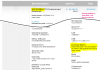
-
it's the same card, just another badge. Performance is the same.
-
Thanks !
I ordered the WD My Passport 2 To USB 3.0 and connected it to the PMD. Really great !!!
Any idea about my other problem below ?
-
Hey There,
I'm looking for a way disabling the Intel Card on my VPCZ21C5E Hybrid ( Intel / Geforce Gt 320M ). Is there any Bios hack or new hybrid drivers to get the switch running?
I'm experimenting with Windows 8 right now. Got Nvidia driver running, but right now i have both graphic cards installed, but i can't switch between them. If I disable one of them in device-manager i get a black screen
Official Sony VPC-Z2 (VAIO Z 2011) Series Owners' Thread
Discussion in 'VAIO / Sony Owners' Lounge Forum' started by SPEEDwithJJ, Jun 29, 2011.


