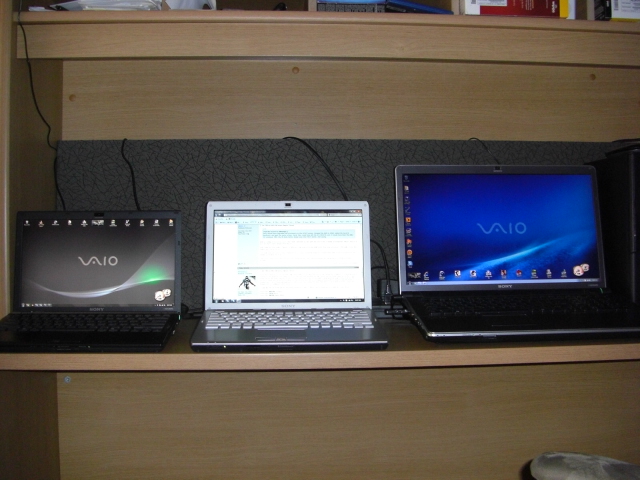
Problems? See this thread at archive.org.
Much help! Thanks!
One more question though, can you do like a theme change for each mode? Like for example, I prefer to use the Aero themes that came with Win7. Or is it just a wallpaper per mode?
-
Thanks a lot for the feed back.
I placed the order today!!
Does any of you know if Sony would be willing to send the Win7 update DVDs together with the notebook if I order it now? or they have to be sent separately? I would like to save 25€.
-
People are buying the SR series over the new S? Is there an advantage that the SR series has?
-
I bought the SR590 instead of the current S series because Best Buy is selling a low end version of the S with no other choices and Sony Style U.S.A. is not even offering the S yet. The screen of the SR is way better as far as viewing angles are concerned. To me that's a biggie. The NVIDIA 310m graphics card is not an option up to this point on the Best Buy version of the S series and even if it was, it's no better than the SR's ATI Radeon HD 4570 graphics card. The S is not any lighter in weight and to me the styling of the SR looks better than the S. And finally, I CTO'd my SR590 in Alpine White. The lid is white as well as the keys but everything else is silver. It looks sharp. It appears now though that Sony Style is only offering the SR590 in Classic Black because it's being phased out. I did see one SR590 being sold by Sony Style U.S.A. as a clearance model in Alpine White fully configured minus the Blu ray drive for anybody looking to get a nice SR.
-
on top of that, here in Germany the shipping time is 4 to 5 weeks for the S, and if no WAN card is selected, the shipping goes to 6 to 7 weeks in time, which is too long. My wife´s birthday will be pretty soon. SR was ordered yesterday and it was shipped today.
She likes the SR design very much.
We also prefer the 1280 x 1080 screen resolution of the SR over the lower resolution that comes with the S.
BD was not necessary in our case, since my FW does have one. -
You meant 1200 x 800 or did I get a lower resolution SR ?
-
I meant 1280 x 800
-
It's all good. That's an excellent birthday present. Mrs. Efrain Lopez will love her new Sony VAIO SR.
-
Is anyone else having this problem?
I keep my laptop in a ZeroShock case (padded), and am extremely careful with it. I have, however, noticed that when light is cast towards the laptop, loads of small defects / imperfections are apparent on the palm-rest. They look like tiny nicks in the paint, and they are numerous. I use my laptop with my sleeves rolled up, and do not wear gloves or jewelry. What's going on? Will Sony repair this laptop? I am guessing that there is not a large enough gap between the lid and body. -
@xSDMx
Ive had the SR for about a year and a half now (SR290) and i have developed a few small imperfections on the palm rest too. While i do treat it well, its a road machine and gets used daily.
After working on my gf's new Macbook pro (13 inch) after it would only boot to a blue screen, I think ill take an idea from Apple's playbook and install a thin rubber boarder around the perimeter of the screen. I dont think sony repairs wear and tear cosmetic defects. I guess the SR's needed a little more real world R&D.
On an unrelated issue, I hear this is the last version of the SR. Sad to hear as this was on of the best laptops ive used. When I bought mine I was torn between the Z, FW and SR but after realizing the Z was too cost prohibitive and the FW too big and power hungry the SR was really the best option.
With this Win7 pro CD sony sent me I hope to get a few more year out of machine and hope the SR's replacement turns out to be just as good. Its got some big shoes to fill. -
This is the configuration I am considering ... It will cost me $1,600.
Intel® Core™ 2 Duo Processor T9600 (2.80GHz)
Microsoft® Windows® 7 Home Premium 64bit
Classic Black
128GB SATA Solid State Drive
4GB (2GBx2) DDR2-SDRAM-800
CD/DVD playback/burning
ATI Mobility Radeon™ HD 4570 Graphics (512MB VRAM)
Is the SSD really necessary?
I am considering it due to heat (How hot does this machine get?) and a slight increase in performance. I really have no issue using a 7,200 rpm drive.
Can I install an SSD into this machine myself? If yes how easily?
I know the new i5/i7 are all the craze ... If the most daunting task I will be performing is flawlessly streaming HD content (1080p), is this machine up to task?
I really mean flawlessly, I don't want any hiccups. Am I right in assuming a C2D of that caliber should be up to task?
Lastly, I'm considering the large capacity battery on Sony style for $100 ... It's a 9 cell battery so I guess I can extrapolate battery life time from the default 6 cell.
What I want to know is does it extrude? You know, is there any extension when this battery is installed? I don't mind the extensions/bumps as long as the laptop can still stay flat on a desk. -
We got the laptop on Monday and I just can say AMAZING!
we are really impressed with this device!
It´s fast, silent, light, awesome screen, perfect size, is runs flawlessly, does not get hot.
I can not say anything about battery life yet.
What bothers me is that a XP downgrade DVD was included, but any Win7 upgrade DVD.
-
Sony should have upgraded the processors to the i3/i5/i7 group, changed the RAM to DDR3, added the back-lit keyboard, and kept the same screen. Heck, they could have left the ATI HD4570 card. It would have been the killer SR notebook. IMO, the SR looks better design wise than the S series. Just saying.
-
Well according to Notebook Check, the T9600 still holds its own with the rest of the i5 mobile arrandale line. What's more is it isn't any more power hungry than the i5's.
DDR3 RAM and DDR2 RAM ... Almost no difference. No point in having RAM faster than your processor's FSB really. If you don't believe me, check this out.
I've really done my research and I think the SR is a great notebook, however I haven't been able to see it in person so I'm holding out making the leap.
I also have some battery life concerns. I'm considering the large capacity battery but am worried if it sticks out when installed. -
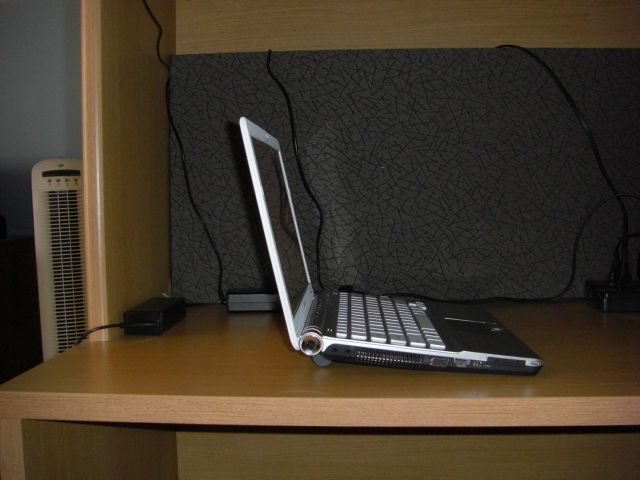
As for the T9600 processor and DDR2 AND DDR3 RAM, I'm not disputing that at all. I made the comment as a generalization in regards to the upgrade cycle going on across the VAIO line, keeping the SR current and not being replaced by the....ugh...S series. As for the large capacity battery, it raises the back of the SR providing a small upwards angle in the back and the battery is under the SR and not sticking out the back. Battery life is averaging 6 hours with no power saving measures enabled and 1 notch from full brightness of the screen, and surfing the web using 802.11n wi-fi with an EVDO connection plugged into a Cradlepoint EVDO router.
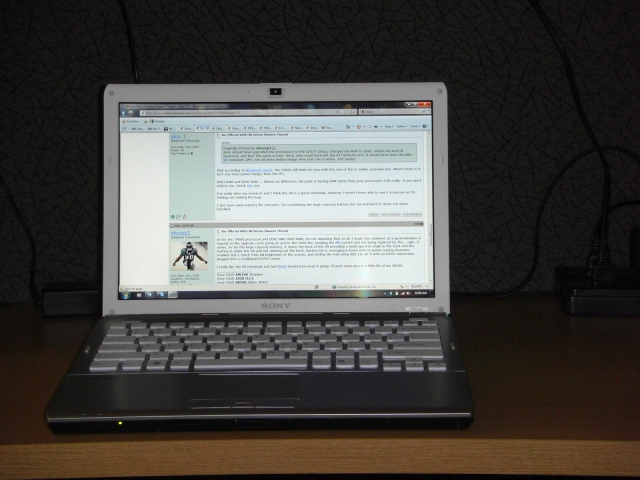
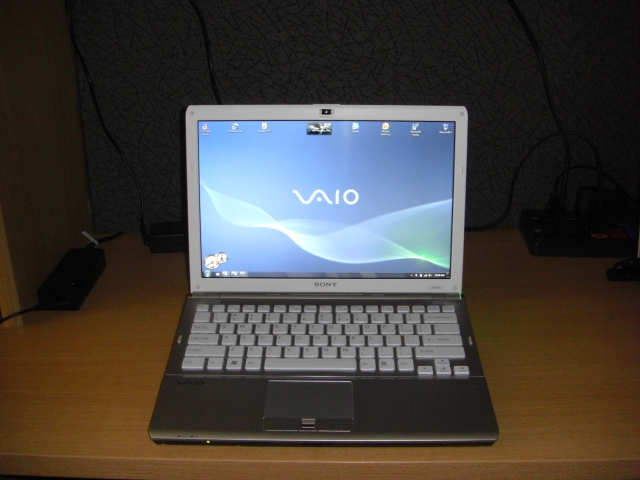
I really like the SR notebook and feel Sony should have kept it going. I'll post some pics in a little bit of my SR590.Attached Files:
-
-
Well it's either this or the Macbook Pro ... I'm thinking of waiting till the end of the month (Apple might refresh the MBP) before making a decision.
Also, why is Sony still offering the SR if it's a discontinued line? Does that mean they no longer support it? -
It seems to be in the phasing out mode. It's still CTO but it's only available in black. Awaiting on the official release of the S series through Sony Style should determine the future availability of the SR. The S series is supposed to be the replacement. Sony won't stop supporting it just because it's being replaced. Get an extended warranty though for piece of mind. MBP.....ugh.
-
Is anyone else getting constant BSODs under Windows 7? This is ridiculous.
-
I've been using Win 7 since the public beta release on my SR290 and Dell E520 desktop, 32 and 64bit flavors on each platform. Not even one BSOD.
You could have a driver issue, bad ram or other hardware fault.
Or Windows 7 just doesn't like your computer. Hard to tell without more details... -
I'm using the official Windows 7 Upgrade kit (from Sony) on my SR490. I get E1 errors, D3, just constant blue screening. Using the Sony default drivers, or the latest from each vendor. Memory test came out a-okay.
-
I'd be really tempted to do a clean installation of Win 7, not an upgrade. I don't know if that's possible from the Upgrade kit, but it might be possible if you can boot the Sony upgrade disk and choose "Custom Installation".
You'd have to back up all your data and re-install all your drivers and applications, but it's worth considering at this point, IMHO. -
does anyone know which audio drivers to download for the sr430 for windows 7? whe ni download the updated ones off the sony esupport site nothing happens
-
Ive just bought the SR51MF and it's pretty good, liking it so far, although the colours on the screen are rather washed out. Comparing it to the screen on my phone, colours aren't anywhere near as vivid. Is this a matte screen issue? Not too much of a problem, as I'm gonna buy a 20" LCD to plug it into at home.
Wanting to do a clean install of Win7 but there were no CD's included - whats the go there?! -
I believe that the colors are like that, because it is an "Eco-brite" display.
As for Windows 7, run a re-install from the recovery partition. One of the options will re-install all of the bloat-ware, another won't. -
No option to remove the bloatware, the system has reinstalled with google toolbar, mcaffee, vaio software etc... not good.
-
You need to look up how to do a clean install by backing up the discs then only putting back Vista. THEN, do the Windows7 Upgrade. My only issue with Win7 was with my Lexmark Printer driver but now that they released a new driver, everything works great ! -
OK this screen is getting on my nerves, the colours are so incredibly dull. Is it just mine or everyone else getting the same? Thinking I'll take it back to the store to check it out, I swear it wasn't this bad when I was there. (at least not as bad as the S)
-
here the colors are OK, SR45X532H.
-
See post #3765 in this thread, just a page back or so. There are pics of my SR590 and the screen on mine looks great. I'm not sure of your situation but have you tried adjusting the colors and gamma settings ?
-
About to pull the trigger on this http://www.sonystyle.com/webapp/wcs...&productId=8198552921666002658#specifications
Any last minute thoughts from you guys?
Thanks! -
The link you provided says it is sold out now. But, the SR590 is a fantastic notebook. That is my configuration except I got it in Alpine White. It looks sharp. I would go ahead and get a CTO one. And get the large capacity battery for $100.00 more. I provided some pictures of what that looks like a page or 2 back in this thread. The screen looks way better than its " replacement " S series notebook. I bought my SR590 after looking at the S and CW series.
Edit : Even SR590 CTO is now saying estimated ship date unknown. S series must imminent. -
I need some help on a problem.
does anyone know how to turn off the single beep that happens when you change the brightness or volume or press any of the mode buttons???
it's so freaking annoying, any help is deeply appreciated! -
They are available at a local Sony Style store. Only the $1200 one thought http://www.sonystyle.com/webapp/wcs...&productId=8198552921666002658#specifications
I asked this on another thread but should have asked it here:
It looks like I can set one up cheaper by customizing the base model, am I missing something?
What's the performance difference between this processor and say an i5 520m?
-
You can probably also get the SR590 here :
http://www.provantage.com/sony-vgnsr590fhb~7SONN1PQ.htm -
has anyone heard some strange high pitched noises from their sr? mine seems to make that sound when im doing graphics intensive stuff like playing nba2k10. im wondring if its the graphics card/cpu overheating or something like that.
-
CLick on speaker icon on lower right of screen. Then click on MIXER sounds then put it down to Zero for Applications...should solve your problem
-
whoa, if you are ready to spend 1600 I'd probably wait and spend the 300 extra to get the new Z series. The new Z series is a much better laptop. The SR is old technology...the Z has a better screen, better battery life, better graphics card, better build quality, lower weight.
-
Hmm I thought that was the hard drive? But it looks like you've got yours upgraded.
I do have an occasional screech too. I see we both have the SR 190, different HD and Graphics.
Maybe it's the motherboard, fans..or?? -
Here's a couple options:
1) Click the volume icon, in the mixer, drag the slider for "Event Service" all the way down.
If you don't have that...
2) Go to: C:\Program Files\Sony\VAIO Event Service and delete the pi.wav sound file. You can rename a sound file as pi and place it here as well if you want. -
This works, thanks!
Repped too!! -
Hello everyone,
I am having some issues with my SR590 docking station (VGP-PRSR1). It seems when I am using XP SP3 on the docking station my screen is truncated to the size of the laptop screen (top and bottom black edges like if someone was watching a HD channel not in HD). If you hold up the laptop to the screen you will notice they fit perfect size of each other. My issue only lays with the docking station, as plugging the monitor into the left side of the computer through VGA it works fine. The docking Station I have tried both VGA and DVI to no success. The HDMI and VGA from the computer show correctly though. I have 4 of these docking stations, and not a single one came with a cd of something to install. When I set the laptops down on the docking station they auto detected the device and installed something. These 4 all do the same thing with every monitor type we have at our building. I can change the resolution to 1024x768, but then everything looks gigantice and pixelated. Our monitors even have messages that pop up on the screen stating the monitor can take higher settings that 1280x800. Hopefully someone has ran into this issue and found a solution.
When I switch it over to Windows 7 on the docking station the settings come out right. I have already contacted sony tech support and they told me to reinstall the drivers, which does not make a change to my situation. They had no other options on how to fix my issue.
I am wondering if anyone else is using the XP Pro version on these laptops? Our sofware is not supported by Windows 7, and the XPVM is very crappy. I personally use Windows 7 and then remote into a Desktop Windows XP for access to software. I either want to purchase new monitors that will support these docking stations, or find a different docking station that will work better.
My email is:
[email protected]
if you have any solutions.
Thanks, -
Hello,
I'm interested in the VGN-SR57S with SSD drive.
A technical question comes up when reading the specs. It says 4GB max RAM.
Former SR models have already 8GB max RAM as standard configuration so I wonder why it should not be possible to upgrade with two 4GB modules to a maximum of 8GB?
I'd be grateful if anyone has an explanation.
Here are the specs (sorry, it's in German):
http://www.cyberport.de/notebook/no...50-4gb-128gb-13-wxga-hd4570-n-bt-w7pro64.html -
is the SR series out with the new core i5...???
-
SR no longer on Vaio laptop page at Sonystlye U.S. Are they finally releasing the S series for CTO for the U.S.?
-
damn. .
-
Hi guys,
I recently bought my SR 4 months ago and it has been doing well.
But today when I tried using the switch buttons, they don't respond!!!!
I tried other buttons as well, and my fn buttons for volume and screen brightness do not work as well.
Help!!!!! -
i know that sr is a quiet laptop. it has been a quiet laptop for me for the last year and half. Recently tho, it sounds like the fan is constantly on and im not sure y. sounds like the overall fan noise is up a bunch. is anyone else experiencing that? and if so how have you fixed it?
-
I am glad I am not the only consumer who has noticed these defects. This does not seem to be "normal" wear and tear. I buy Sony because their products look very sleek and professional. And quite frankly this it is pathetic that it occurs.
Some info. I use this laptop daily for work, carry it inside a neoprene sleeve which travels to and back from work in a padded section in my Timbuk messenger bag. This is my third Sony notebook. Have had this notebook for over 1 and a half years.
I've attached pictures. Beware to other owners.
http://imgur.com/euCgf.jpg
http://imgur.com/FOodL.jpg
http://imgur.com/BAj5G.jpg -
Yeah, that looks like what everyone is getting on their SRs. This is pretty ridiculous, we should get Sony to notice this.
And, for anyone wanting an SR in great condition, with a boat load of extras, peep this:
http://forum.notebookreview.com/showthread.php?t=461572 -
I just bought a SR57 (the model with SSD) and I like everything on this notebook except the constant fan noise, even in system idle mode.
I researched internet and didn't find any solution to control the fan speeds manually. I also found an old interview about the Sony Vaio Z development where they were talking about it here:
http://vaio-online.sony.com/prod_info/pcg-z1xgp/interview/index_04_body.html
Do you guys know if I can get my Sony SR fan to stop when idle? It's a pretty silent noise but really annoying after some time.
Not a solution but try this:
My new SR57 model has a funny bug/feature, an issue I saw in several threads throughout internet forums:
If I keep pressing a random button on the keyboard the fan goes off, as soon as I release the button, fan starts working again)
I find this very strange!! Can someone confirm this strange behaviour. Any solutions for it, Bios update etc?
Official VAIO SR Series Owners Thread
Discussion in 'VAIO / Sony Owners' Lounge Forum' started by Duke2007, Jul 15, 2008.