Problems? See this thread at archive.org.
nope. but then again, do it at ur own risk. when i uninstall, nothing eventul happens other then possible resolution change.
-
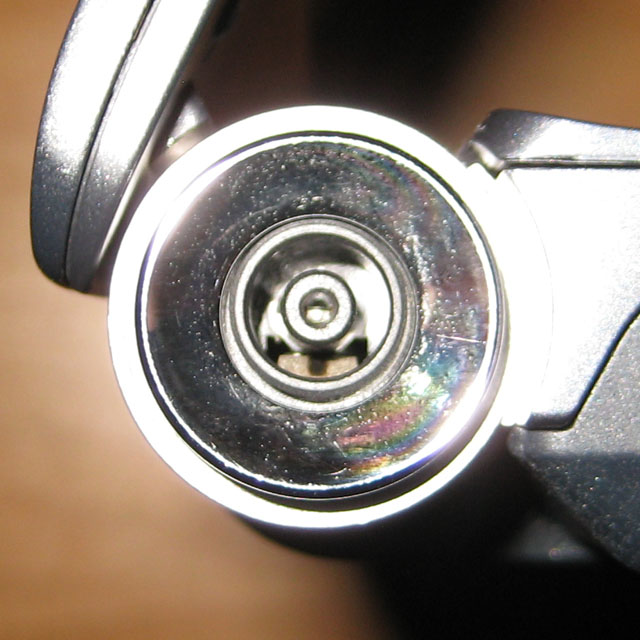
I notice the SR webcam is not clear.
If you look closely on the other end of the webcam, I was testing it on the Skype webcam, the picture looks a little pixelated.
Anyone of you notice this? -
Hands down, the webcam on SR is bad. I would expect an expensive laptop to have a better webcam, but no. The S is not any better from looking at it at the Worst Buy store.
-
Has anyone noticed that the maximum CPU multiplier is 6.0 on battery? It will absolutely not jump to 9.5.
-
I noticed the webcam is pretty cheap too compared to the Macbook Pro I have. My brother's SR's webcam is real grainy when skyping.
-
You can see the outline is quite pixelated. All in all, the webcam on the SR is bad. I see the S at the BB store and it is not that great also.
-
You should join the Macbook Pro bandwagon.
 We promise we won't bite
-
The Macbook Pro webcam is good?
-
I definitely believe so. The Macbook Pro lines have better webcam quality than the Sony's I have seen. I have an old Sony FJ series that had a webcam and it died after 2 years.
I have my Macbook Pro and I will get my brother's Sony SR later to take some comparison shots for you guys. -
Right now I have it connected to another good USB camera and it looks good.
I notice my left palm rest runs HOT when I have it on HDMI output. There are no fans on the palm rest. I hope its OK. -
Hi everyone, I'm back after a year of using my SR. (btw I love it!). I've also finally had a chance to sell my docking station that I got with it and never used. I figured these forums were the best place as opposed to ebay and whatnot. I wanted to know if I should post it here, or in the dedicated section of the forums (seems cluttered there). Regardless, its the VGP-PRSR1 (docking station for the SR series). PM me if you're interested, and I do apologize in advance if posting even this is against forum rules.
It feels good to be back in this community again. =D -
Does anyone know where I can find a cheap Extended Battery for my Sr laptop? I can't seem to find it on ebay or anywhere else. Let me know, thanks!
-
direct from Sony: http://www.sonystyle.com/webapp/wcs...productId=8198552921666055187&tab=featuresTab
Ebay (the cheapest one I could find): Sony VGP-BPL21 Notebook Battery - 7500 mAh - eBay (item 230483829636 end time Jul-04-10 19:04:15 PDT) -
i say if u are still under warranty, then show them the infamous vaio battery drain and they will send you another battery. i did
-
Really does the new battery not drain as fast? I just don't want them sending me out a refurb. Do you know if the new one is better and is not a refurb.
BTW Repped for the help! -
Thanks a bunch!
Repped of course! -
I have ask this question before, has anyone try the ATI Mod thing to update their video drivers on the SR? Is it easy? Can someone tell me more and how did you do it? Thanks for helping.
-
to updog: i dont think it drains slower, but at least you have 2 batteries to work with. you dont have to send back the original... at least i didnt
-
I quit using the extend monitor thru the HDMI for now. My left palm rest get so warm doing this. I think the video adapter is there? Why does it get this warm?
-
HI there,
here there's a guide for disassembling the laptop and replace CPU, RAM, HD, DVD-RW and Keyboard
Here -
Use google translation if you dont read chinese.
-
I totally forgot - does the SD slot have a flap / dummy card? My MS slot has one, but the SD slot is barren, and I'm wondering if I broke it, or misplaced the dummy card.
-
excellent. thanks!
-
After a year my SR (46GD) now's starting to heat up really fast when I gaming or run heavy programs. Is there anyway to fix this?
it's get really hot that I could get burned by laying my finger close to the emission spot for a while -
Clean out the fans, probably a lot of dust in them.
-
Anybody have any issues with the hinges making a loud creaking noise? This only occurs when I push my laptop's screen all the way to the end, and just makes an awful creaking noise.. I feel like maybe paper or something could be stuck in it... any help?
-
so I have to disassemble my laptop?
Can you do it by yourself or do you have to bring yours to Sony support service
-
Hello guys! Haven't been here for a while
Guys, do you have types Recovery Menu's options and its descriptions? My computer is away and I need to remotely assist them which Recovery Option they should choose.
Thanks. -
Just used some compressed computer air that comes in a can and with the laptop off, blow air into the exhaust port to dust off the heatsink and fan. That's about all you can do without taking the laptop apart.
-
Use a can of compressed air first. That may be all you have to do. My wife's HP's fan eventually sounded like a hair dryer and started shutting down due to thermal overload. I sprayed one of those cans pf compressed air in the bottom vents and dust balls flew out of the exhaust vents. After that, it ran quiet again and did not suffer from thermal shudown anymore. After that, I learned to do that as a PM on my SR every so often.
-
i am having the same issue with right speaker and this problem seems to be rampant in VAIO models as well as the sr series can we start the process to get this problem recalled and fixed...
-
here's what I found for the SR
I followed these guides and clean my laptop then able to assemble them back lol
Google Translate
notes that you take the harddrive off by pulling the cable at the other end, which is not connects to the main board -
be cautious with that cable, its very fragile.
-
hey sr owners does anyone recommend buying the refurbished laptops from the sony website? they no longer offer new sr laptops and I was considering getting one from the outlet since they start from $599
-
it is an awesome laptop. $599 can be a good deal depending on what is on the stats. if it has the ATI 4k or 5k with the T or P series cpu, then i think its worth it
-
finally upgraded to win 7 clean install however the drivers and programs are often for vista on the sony esupport website even after selecting the win 7 home prem version. Anyone know how to get the right drivers? Also any suggestions for the most minimum bloatware installation?
-
does the SR model have mobile broadband option to be connected through phone companies like sprint? if so, please chime in on how to activate. thx!
-
I just used the newer SR models' drivers. Worked just fine.
-
Still selling mine for $1000:
http://forum.notebookreview.com/not...am-ati-4570-3yr-warranty-2x-battery-more.html -
Hey guys, does Sony clean the dust when they receive and inspect it for repair?
-
I've got the same issue, hopefully Sony fixed it under while repairing it.
Only way to prevent from it is: placeing thin sheet of fabric/plastic between LCD and keyboard/palmrest. Any suggestions? -
I'm thinking of upgrading the hard drive in a VGN-SR240n to the following SSD and installing a clean version of Windows 7:
Crucial RealSSD C300 CTFDDAC128MAG-1G1 2.5" 128GB SATA III MLC Internal Solid State Drive
I looks like it is fairly easy to physically swap out the HDD for the SSD. My question is: after putting the SSD inside, do I have to (or should I) do anything with the BIOS settings? I mean, can I just pop out the HDD, pop in the new SSD, insert the Windows 7 installation disc into the optical drive, power the thing up, install Windows 7, and be on my way?
Thank you in advance for your replies. -
i am not sure about your question, but i do have a suggestion as to an alternative to the SSD drive. Seagate momentus XT. its a hybrid drive of 4GB SSD in the 500gb 7200RPM HD. i think its a fraction of the cost at less than $150 and gives u a lot of space. i have been reading many reviews and seems very legit.
-
I don't think there should be any problems with what you want to do. I would boot to bios after installing the ssd, take a look and hit save, then proceed with your win7 install. also be careful with the hdd connector ribbon, its fragile. unplug it from the hdd side and leave it connected to the mobo.
-
Hi guys, been prowling the forum and this thread for a while lol, i am a proud SR owner, have been since Sep 2010. So around a year, got a few questions wondering if anyone could help.
First, my battery has started wiltering, i have an extended 2 year warranty, does this fall under that?
Second, the paint next to the mouse pad is fading is this covered?
Third, the rubber feet have fell off, is this covered?
And finally, i got sent only the 32-bit windows 7 upgrade, only to recently disvoer my laptop is not outputting the power it could be if it was the 64-bit, do you think Sony would help with this? Or could someone else lend me theirs? I will pay postage through Paypal and what not.
Phew! Sorry for so much and hello to everyone in the SR world!
-
Hey wallace,
I have the same problem, really strange! Were you able to solve it? It would be really nice if you could let me know! I just emailed sony as well, but you habe probably tried that...
Best,
Hans -
Hi guys,
I have been a SR290 owner for about 2 years. I never really had any problems with it besides the battery drainage issue.
A couple days ago, I noticed that the power adapter will not stay in the power jack on the right and I am not sure but I think there is a small housing piece missing in the cylindrical power jack hole.
My warranty is over but I was wondering if anybody has access to a service manual or has ever opened up the SR series?
Thanks,
Ryan -
Hello.
Batteries are usually not covered in any laptop manufacturer warranty that I'm aware of.
I'm thinking the rubber feet might be covered, as for the paint I don't know, you might try calling sony.
The upgrade dvd should have both 32 and 64bit versions of win7 on it, however you cant do a upgrade from 32 to 64bit. you can only go 32 to 32, or 64 to 64. there is a way to do a full fresh install of win7 using the upgrade dvd, you would have to completely reinstall windows but then you get to choose which version you want.
What do you mean it is not outputting the power it could be if it were 64bit? Both versions should get almost the same benchmarks but 64bit will allow you to use the full 4gb or more of ram, while 32bit is limited to under 4gb. the laptop will not be "faster" with 64bit in general.
Some manuals for vaios have been posted but non yet for the SR. I know someone on this forum disassembled their SR and posted some pics once, but I don't think any of them would help you. I have some of them saved. I took a pic of mine so you could compare to yours:Attached Files:
-
-
Hello. I was having some problems with my Sony SR220J laptop on Windows Vista 64 bit and there were just a lot of errors and stuff like that so I reinstalled it with Windows 7 on it. I tried to go on the sony website and install all the drivers and stuff, but the Fn keys don't seem to be functioning at all still. Furthermore, for some reason my battery has become incompatible? Gives me some message like "The installed battery may not be properly connected to the computer or may not be compatible with the computer. Press OK to hibernate and remove" And it keeps popping up in the middle no matter where I move the window.
-
re-install the drivers in the correct order:
http://forum.notebookreview.com/4939711-post2135.html
I just did a clean install of vista and had the same problems and battery popup. finally i installed them again in that order and everything worked.
Official VAIO SR Series Owners Thread
Discussion in 'VAIO / Sony Owners' Lounge Forum' started by Duke2007, Jul 15, 2008.