 Problems? See this thread at archive.org.
So I decided to check out the gaming potention of my z, I popped in Far Cry 2 to try things out and it did a decent job through vga. One thing though, the Z got really hot near the fan. To the point that the WASD area was getting pretty warm.
I'm kind of new to having a laptop that was capable of gaming at all, so I'm wondering if theres anything to worry about? Can this thing really take all that heat?
Would it be worth it for me to break warranty and use some arctic silver paste on the cpu, or would that not really have too much of an effect?
It just scares me a bit the amount of heat the thing was pumping out.
-
-
Thanks for the info
 Also, did your 7200rpm make a lot of noise ?
-
After doing more searching i found the battery university website that'd I'd totally forgotten about..
In a nutshell: Batteries don't like to be charged to 100% if they are going to remain in that state. A battery that is stored at 50% charge for 6 months will have a longer total life time than one that is stored at 100%. Since batteries like to hang around at 50%, using the battery care function and keeping the battery from 80%-20% is better than 100%-20%. I think the bettery care function is simply that: takes better care of your battery. I'll leave mine on 80%-20% from now on. -
Great info here. I had looked at this b4 but for some reason didn't pay close attention to it. Since I'm plugged in 90% of the time I went with 'Super Battery Care Function' which will only charge the battery to 50%.
Let's say I know I'll be going mobile in a couple hours, is there a quick way that I can tell the computer to give me a 100% charge this 1 time or do I have to go back and change the battery care settings every time I want a full charge? -
Oh, look at that, they raised the price of the Z540.
Hrmph. -
You have to change the battery care setting every time.
Unless there is another 3rd party program im not aware of. -
FIRST: I LOVE my Z690!! I ended up doing an F10 and reconfiguring it all. My main issue was the virus scanner that worked properly with Vista 64bit. McAfee is what I finally ended up using.
My question:
I will be going to mainland China in 2 weeks. I bought a electrical converter. I am confused as to use the "High" or "Low" setting on the converter for my Z690??!!
Thank you!!
Joseph -
About 2 months ago I had my Z repaired due to white spots showing up on the screen, usually concentrated on the center of the display.
Sony repaired the original screen under warranty and now they are starting to slowly appear again.
I will wait how bad it's going to get but will be definitely monitoring this up.
I transport my Z on a messenger bag within the CKZ2 sleeve and always a microfibre cloth between the display and the keyboard. -
There shouldn't be a confusion at all because it is common sense. The converter comes with instructions on the maximum wattage that the "low" setting can support, and at what power requirement you should switch to "high." Look at your sony charger and see its power requirement 90 watt I believe, and adjust the converter accordingly.
-
Nothing on the Sony charger on wattage! I see a 19.5V Output and Input of 100-240V /1.5A and 50-60Hz
The converter/transformer has a high switch for appliances between 50 and 1650 watts and a low switch for equipment under 50 watts.
So if the Z690 charger is over 50W, I set the switch to High? I am just concerned that I will damage the laptop since the High goes up to 1650 watts?!! -
Well the charger definitely uses more than 50watts, 91watt minimal by my calculation (19.5V * 4.7A)+conversion loss. Set it on "high" and don't worry about it.
-
Are you sure? It might be different because the base CPU offered is no longer available, only the middle option is for sale anymore. I imagine that changed the listed 'starting at' price.
-
Thank so much nystateofmind27!!!
-
You're welcome but after reading the other thread, I realized..you don't need a converter. The laptop charge already accepts 220v/50Hz AC voltage (it takes anything 100-240 and 50-60hz).
All you need to do is use a little plug adapter and feed the charger directly from the outlet. -
FANTASTIC....thank you again!!!
-
Anyone notice that the z690 cto is not available now ? Hope it will be back soon
-
Working fine for me ...
-
What just happened to that discussion with clean-install & partitioning? I was taking notes...lol.
-
I hope Sony release a new driver set now, but also the newest z's have the same nvidia driver.
-
That discussion was moved into its own thread here: http://support.microsoft.com/kb/927392
-
Yeah, I just check it and it is available now, dunno why. Anyway, can someone please kindly take some pictures of their premium carbon fiber lid
and post it here? Thanks! -
It has already been posted in this thread. Search through the whole thread from around October/November & you'll find quite a few of them. I don't have those posts bookmarked so I cannot be of too much help. Sorry. Maybe someone else can help you out.
-
I just got my Z690 configured just right...i want to do an entire system backup. Does the Z690 come with such an utility?
Thanks. -
Oops, made a copy/paste error there (and my crappy work browser makes it impossible to use the edit function on these forums). Here is the correct link to the Vaio Z Windows x64 install thread: http://forum.notebookreview.com/showthread.php?t=361820
-
Here are a few photos of the premium carbon lid from other users:
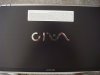
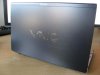

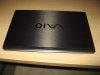
-
I know I'm brand new to this forum (I joined when I ordered my Z690 CTO which is due to be delivered on 3/17) and I know that I'm reading fairly old posts, but I thought that I would let you guys know that the Z isn't the only laptop to have the battery drain issue. My son has an HP Q50-104NR (a low-end laptop, for sure) and it looses about 5-8% reported battery life per day, though the rate seems higher on the first couple of days. In other words, if it's shutdown 2 days, the battery is reported at about 82%, but if it's shutdown for 5 diays, the battery is reported at about 75%. That means it's not a consistent rate. Oh, and his laptop is running Vista Home Premium, SP1.
-
Actually, with the Campus discount, Sony's price is alot better. At my Best Buy the 610 retails for $1,899. My 690 CTO with the higher resolution screen, the extended battery, Vista Ultimate 64 bit (instead of Ultimate 32bit that comes with the Best Buy 610), and the Premium Carbon Fiber for only $100 more ($2,007, to be precise). That seems like a better deal to me.
-
That's not correct. The Z610 sold by Best Buy comes with Vista Ultimate 64-bit.
-
Wow. That's a great entry onto the forum. Only my second post and I'm already being corrected.
Even so, for only $100 more I still get more than $100 worth of hardware (just the extended battery alone is worth that), so my point stands, even if I was off on one of the details. -
Just got a Sony Z36 (from Singapore) with a Gothic Arabesque "etching".
![[IMG]](images/storyImages/SONY-Vaio-VGN-Z36-J-Gothic-Arabesque-SKU00109509_1.jpg)
The salesman told me it was a limited "color". Anyone know if that's true? -
Maybe its limited in Singapore, but if you check Sony Style Japan, its offered as one of several design lids to select from. Not a limited design/color based on this site.
-
I wish they sold the Gothic Arabesque somewhere as a part or something. *drools* So pretty!
-
Aw... thanks for the information. How about in US/Europe?
Well, I am still very happy cause the "etching" is just so nice to feel. -
It's certainly very limited in the UK!
S -
Thank you very much and also SPEEDwithJJ for your concerning. I'm going to buy a z690 with a carbon fiber lid, just wait the $300 bundle to arrive again
. -
Hi all, I'm new to the forum but I'm following it since a lot of pages (enough to get convinced to buy a Z690 CTO
). As of now I'm waiting the 300$ boundle to come back but I'm worried about the student discount. Do you guys/girls know if it is permanent or if it can expire too? I would like to combine both but if there is a possibility it can't be done I would not loose the 10% discount.
Thank you. -
Do what I did. Be persistant and keep calling. This is what I did.
Me: Hi, I was wondering if you still honor the $300 bundle deal.
Rep: Yes we do.
Me: I would like you to put that discount on my order and also stack it with my 10% student discount.
Rep: Sorry sir, its either/or, coupons dont stack.
Me: O really? Well when both coupons were online, I did it. Please, is there any other way? If not, do you know when the coupon comes back?
"At this point, my 3rd attempt, the rep went to check when the $300 bundle coupon was going to be back online. He came back and just said he'll combine both for me."
Also, if they keep trying to talk to you to get you to buy something, just hang up. Don't waste your time.
Be persistant and never give up! Btw I got my Z today! Gonna make a proper review soon after my finals!
-
Thank you for the advice Qeuqeu. I'll try but I would prefer to order it online because English is not my main language so it would be difficult for me to have a telephone conversation and be sure to have understood everything.
I look forward for your review.
P.S.: Since I'm a CUDA developer I'm interested in running CUDA on the 690. I read that, at least in Linux, you can have both cards active (actually this is what people from the "Vaio Z Linux" thread tried to avoid). I was wandering if anyone managed to use the Intel card for the display and at the same time use the Nvidia card _only_ for CUDA. It would really be a great feature in my opinion to be able to use Intel for video and CPU/GPU for processing.
-
I ordered my 690 CTO on 3/6. At the time the shipping estimate was 3/17. I was like OK, that'll give me time to finish reading this enormous Z thread
. Because of my OCD (no, not diagnosed, I just
feel that way sometimes), I checked on it on Tuesday, 3/10, and it had SHIPPED. The delivery date is 3/17, the original day that it was estimated to ship.
Is that normal? I did see a post somewhere the 700 pages mentioning that their estimates are cautious and that it will ship before then, probably.
Anyway, the suspense of waiting for it is torture. After checking out the 610 in Best Buy, I was sold on the Z. Of course, I wanted the better screen, though.
In case anyone is interested, my config is:
- P8600 w/ 4 GB RAM
- Premium Carbon Fiber
- Extended Battery
- 320GB 7200RPM HDD
- 3 Year Express Ship Service Plan
-
After extensive research and reading a lot of this thread (Thanks!!), I just placed my order yesterday for a 690 CTO.
Here's my config:
* P9600 w/ 4 GB RAM
* Premium Carbon Fiber
* Extended Battery
* 160GB 5400RPM HDD
* 2 Year Express Ship Service Plan
I plan to upgrade to a SSD in the next 6 months, so I really didn't want to invest much in the HDD. Maybe when Windows 7 comes out, and the prices for the larger drives drop a little more...
Anyway, thanks again for all the great info in this thread. I'll be a regular viewer! -
Is there a reason other than the aesthetical one for everyone choosing the "Premiun Carbon Fiber" over the "Black" (non carbon fiber)?
Are the lcd panels in both lid models exactly the same or they differ too?
Anyone who ordered a z690 CTO with the plain "Black" lid?
Sorry for the "question density" but this is the last doubt I have about the Z.
-
LCDs are the same either case.
The lid differs only in color/design (cosmetic differences). Both "Premium Carbon Fiber" & "Black" lid are still made of fiber carbon. -
Why care about whether it is "limited edition" or not? IMO, the most important thing is that you like/love that lid design. It doesn't matter what others think.
-
Thanks SPEEDwithJJ.
My doubt was raised by the following article:
http://www.notebookreview.com/default.asp?newsID=2892
that, even if old and about he SZ, uses the same names for the lids and states that the "Black" one is made of magnesium-alloy.
I'm happy it is no longer true. -
Well, my Z is on its way back from Japan.
In "celebration" of having to put a new OS on there (I'm going to put 64-bit on there), I just ordered 8GB of memory to replace the 4GB already in there. Assuming it works, even though Sony cripples VT, I can still run more 32-bit virtual machines which is good enough for now. -
did you notice the breather hole on the western digital drive? This drive is gonna cook - no doubt. Excellent pics & step by steps.
-
I just read it and posted the following:
I initially thought the same thing when I configured my Z690. I signed up for the Campus Discount and the price in the configuration screen came out to be exactly the same as when I configured it without logging in first.
After chatting with a Sony rep, I discovered that in some cases the discount is listed at the outset with a crossed out and replaced price, and in other cases like mine the discount only shows up in the Shopping cart. At first I didn't believe her, until I tried it. And there it was, my 10% discount, nearly hidden on the checkout page.
I told her it seems like Sony seems to be trying to hid the fact that they're giving a discount when other companies advertise their discount everywhere they can. She said she'd pass that feedback along. -
I got my Mobility Bundle today and have a question about the battery. As recommended by LT. Glare a few pages back, I will keep it stored at a 50% charge to extend it's life. Do I need to discharge it periodically the keep it "fresh"? Should my initial charge be to 100% or does it not matter.
-
I called Sony on 3/12/09, and ordered the Z540 configured the way I wanted it, and they gave me a $200 promotional discount. The discount doesn't apply when configuring on their site,so the best thing to do is call.
-
The optimal % to keep it at is 40%. Keep it in a ziplock bag in the fridge if you want to extend the life even longer, and make sure it's completely dry. No need to discharge just check up on it every few months to make sure it's still at 40% when it has dropped a bit.
Official VAIO Z Core 2 Duo Series Owners Thread
Discussion in 'VAIO / Sony Owners' Lounge Forum' started by DiscCollector, Jul 15, 2008.


