Problems? See this thread at archive.org.
Right. Either way you'll get the speed improvements that the defrag offers, but the first option will tend to engender (cause) future fragmentation when the next new file write/save occurs (depending on where the BIOS decides to put the file, etc. etc.).
Even that consideration aside, theoretically the defrag will run in slightly (though possibly not measurably) less time by having less files to defrag.
-
So the "KEY" words are HOLES and NEATLY (lol). So the latter is best. Clean Up followed by Defrag. The reason I asked is believe it or not I've been told both ways. I never imagined it the way you just described and it makes sense. Thanks!
-
Anyone? I've searched for info, and nothing... Someone must have tried this?
-
There's also a tiny speed benefit for the running system to deleting first, because (a) files will on average be placed a little closer to the faster start of the drive, and (b) read-ahead will less often waste time on reading empty data.
In any case, yes, clean up before defrag is the correct way.
-
(GPS without WLAN)
I thought the problem was the opposite -- that you can't have GPS without enabling WLAN?
At least I have not been able to enable the GPS on my 590, because I can't enable WLAN even if I were willing to fork out $720 per year, because the signal doesn't reach where I live in central Connecticut. As it is, there's a much greater chance of finding an open WiFi connection than finding a place where Sprint EVDO works reliably.
Back to GPS -- just buy a cheap GPS receiver. Like the one that comes bundled with Microsoft Streets and Trips for $70. -
I dont defrag manually since I have Diskeeper which defrags automatically. Cleanup is automated every Friday using TuneUp Utilities. I luv my laptop to be automated even when it comes to maintenance.
-
I think you mean you can't get WAN (WLAN = WiFi).
I can enable the GPS in Swart-Wi, but it instantly turns off the WLAN.
Sure a dongle works, but it would be nice to use a built in GPS instead of having to attach a dongle. -
Actually, I meant WWAN. WAN = Wide Area Network, and is more often two or more LANs connected through a wired network. WWAN = Wireless WAN, and yes, WLAN is (most often) WiFi.
-
http://www.ocztechnology.com/products/flash_drives/ocz_vertex_ex_series_sata_ii_2_5-ssd
Not sure if they are the fastest and no prices are known yet.
Since they are SLC, the expectations are high.
Keep an eye on them, as they say they should be available in 2 weeks or so. -
One additional clarification, the receiver you buy should be a Bluetooth receiver. Then you can pair it with the laptop and Streets & Trips (or whatever navigation software you use) will be able to use the data.
-
woow that's new, vertex ex series. i was already impressed with vertex series, and these offer even better write perf on same energy consumption.
tho there's this drawback: it's only 120gb, no 250gb option available. i wonder if that'd be enogh for a laptop. -
No offence, but buying an external GPS receiver is kind of an easy answer, and not for the question I am asking. I am trying not to carry any more gadgets than I have to. I just want to use the internal GPS while also using WLAN. It seems silly that it can't work...
-
The Intel Matrix Storage Console gives me a little system tray pop up that a storage device was connected after startup/reboot/resume. (The program, if I click on the notification, then just displays that all hard drives are OK, system is functioning normally.)
Is this a concern at all? It's stupid ... it must be referring to my HDD, nothing else connected ... but I'm a little bit wondering if this means my HDD isn't connected well? Or if it's more software related, causing this program to recognize the HDD every time and prompt me of it? :/ It's ... annoying. -
Hi everyone, this is my first post in this forum and all i can say it's really great, helpful, and misses nothing, thank you NBR team and thank everyone who shared their knowledge in this forum.
I have 2 questions regarding my vaio z520n, is it possible to add ZIF SSD to it along with 320GB HDD and DVD Drive, and where can i get my laptop parts online, because i dropped my laptop two days ago and broke the power button (Thank god i can still switch it on).
I would really appreciate any help from anyone, thx -
Hi. Also being a newbie here, some patience would be appreciated while I get used to the environment ^^
Anyway, I bought a Z2 VAIO a while back, and curiously my Z26 didn't come with the VAIO spec sticker on the palm rest. Now, I know that you would be going 'why would you want that?' (since I read that people usually take those off because they look horrendous), but would it indicate something iffy with my Z26? I bought this from a Sony Style store.
I noticed that some Z2 come with the stickers, and some do not (ie, some other large retailers who sell this, their Z2 and CS16 display models don't have the stickers on them while the other VAIOs like the AW and FW do).
Would somebody be able to clear this up? My question is... Is it normal for my Z26 (or any recent Z series VAIO) to NOT come with a spec sticker on the palm rest?
Thanks in advance~
^_^ -
You can order them through sony website.
But I suggest that you call them because not all small part is offer in the website. -
Wow, it's funny that you would post this because the same thing was happening with my 690 when I first got it. A few days later, it stopped booting normally, though I don't honestly know if that Intel Matrix crap had anything to do with it or not. All I know for sure is that when I restored the system using my 3 Recovery DVDs, I never saw that message again. Oh, and my system runs about 30% faster since the Recovery.
I suspect that that software was intended for use with the SSD Raid option but for some unknown reason is included in the disk image (could it be that Sony only has one Image per OS version regardless of the type of storage? ) even if it is loaded onto an HDD.
-
None taken...and I totally agree with you. I was just adding to Arth1's comment about using an external GPS receiver to make sure that, if you got one, that it was a Bluetooth receiver. For me it wasn't a problem since I already had a bluetooth GPS receiver that I also use with my iPAQ 211.
-
1. If you can find a 1.8" 320GB HDD, maybe it can phyiscally fit, since two 1.8" SSD drives are how Z can have two SSDs in RAID. However, whether you are going to have all the right connectors and power, let alone software, is iffy at best. Short story is I have not seen any attempt at and succeed on such a feat -- doesn't mean it's impossible, though
2. Try here for Sony parts. Be forewarned, it may be cheaper to buy a new laptop than fix this one
http://servicesales.sel.sony.com/ecom/accessories/web/index.jsp -
So it applies only on 1.8 HDD or SSD only, because the 320GB i have is 2.5, then i guess i have no choice but to sell my new 32GB MTron SSD
, thanks anyway.
And regarding the power button, i couldn't find this part in vaio's website under my model (Z520N)! Any other other useful link will be great.
Thanks again -
I've been looking around trying to figure this out, maybe someone can clear this up:
Is the available SSD setup for the Vaio Z6xx two Samsung MLCs (either 64x2 or 128x2) in a RAID0?
Anyone have a link to a review or performance comparison?
Thanks a bunch in advance. -
I've took a few pictures of my Z35X and I hope you can see the colour difference:
![[IMG]](images/storyImages/dsc00377l.th.jpg)
![[IMG]](images/storyImages/dsc00374o.th.jpg)
-
same thing here (Z620D)
-
I have an Intel X25-M inbound, and am planning on doing a clean install on it.
But, its going to be absolutely awesome out this weekend. After suffering through the winter, it'd be a shame to waste it.
So, can any one tell me how much of a time commitment I'd have to make to install the SSD and then do a clean install? -
Hey guys im looking to buy a vaio z5?? series but i need to know if there is a big differancebettween ddr2 and ddr3.
ife i can get a sony vaio z540 with 2 gb of ddr2ram with a p8400 for 930 dollars. should i get it or pay 200.00 more for ddr3 with the same proccessor -
At present, no. DDR3 will enable higher speeds in the future, but right now, the fastest is 1333 MHz, and the common speed is 1066 MHz.
At the same speed, DDR2 will usually be slightly faster, due to lower latency timings. There are cases where DDR3 are faster, and cases where DDR2 are faster, but overall, at the same speeds, DDR2 tends to win tests.
But that doesn't help if you're comparing apples to oranges -- if the DDR3 is 1066 MHz, and the DDR2 is 800 MHz, you will of course have a different situation.
Does it matter much in real life? Probably not much. Some apps have the CPU as a bottleneck, and others the RAM. In most, it's a mix, and even if you boost the RAM speed by 20%, it's not certain you'll notice much of a difference. -
does any of the sony vaio z5?? or 6?? come with ddr2 ram at 800 or are they all at least 1066 -
No, all Z5xx and 6xx come with DDR3 RAM only.
-
Yay! Removed my stickers from the palm wrest today, super easy. Zero scratches/blemishes/sticker residue. I used a credit card to lift up an edge on each sticker, then used my tweezers to grab onto the sticker and very carefully peeled them up. (Take extra care you don't scratch with the tweezers, but I found they were perfect because of the control and good grip it gave me with the stickers.) If you truly go *slow* you can get all the glue up while you go.
-
i read about defective touchpads on the Sony Z6xx...has that been corrected? anyone having problems on lag with touchpad or being unresponsive??
-
Actually with regards to point #1, Sony uses special SSD's stacked on top of each other to achieve Raid. Think of an SSD with all the casing removed so its just a board with chips on it -- then 2 of those stacked on top of each other. Its quite a custom setup and they also use a special SATA cable that has 2 heads pretty much
In other words , 2 1.8" drives wouldnt work becaue they would be too thick -
Has anyone found a fix to the battery leak problem?
-
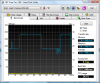
I'm not sure when that benchmark is from, but I have the 256 raid in my 690 which I just got a month ago. Here is the HDtune benchmark that I get (note that I dont really know how to benchmark, I just ran it with all the normal stuff already running on my computer)
Attached Files:
-
-
Ok
I may know what is causing the battery drain but cannot fully confirm it:
When you fully shut down (that is, choose shut down and shut down the Z), and when everything is off, try listening to the exhaust area. Provided that you have good hearing (like myself but in no way am I bragging ^^*), you will hear a extremely high-pitched and very quiet sound - I think it will be at a higher pitch than the mosquito ringtone that was common a few years back. The high-pitched sound is there when the battery is left on the Z, and not there when the battery is removed off the Z. I will need someone else to confirm this sound to be fully sure.
The reason:
I have a custom built QuadCore desktop beast which has an ASUS motherboard. I noticed that it has an LED on the board, which is ALWAYS on even though the PC is off. This LED will turn off when it is disconnected from the mains. I have reason to believe that something like a LED is always on in the Z despite the fact that it is turned off.
The fix:
A simple BIOS update, which Sony doesn't seem to want to release yet. All it takes is a small hex mod on the firmware and the LED will be turned off when the lappie is supposed to be fully off (unless the mobo is designed in a unique manner, then we can't really hope to much if that is the case...). Something the size of that LED to me seems logical enough to be draining my battery (about 3-5% every 10 hours or so, but sometimes, no drain whatsoever...)
In terms of the mousepad, my Z2 (from New Zealand) mousepad was slightly pushed towards the top of the mousepad frame (so much so that there was some slight open space at the bottom and I got worried about dust). I just got my fingers and gently and firmly pushed/slid it fully towards the bottom of the frame - the glue on the mousepad isn't too strongly applied, but strong enough so that it won't move very easily unless you apply enough downwards pressure and slide it. There is a lag SOMETIMES on my mouse (that is, the mousepad becomes quite unresponsive minus some slight movements), but whenever that happens I just take my finger off the pad, give it a second or so, and it is fixed. Been like that since new and it seldom happens, so I'd say a small but insignificant design fault. It might even be Vista and some random memory caching lag. But then, if it is a design fault, the Z are hand-assembled after all, so I guess it is expected. However, this happens whenever another part of my hand is nearby the pad, so maybe the pad is getting confused with 2 different heat sources? If that is the case, then I guess a driver update will fix this up...
I would like someone to confirm if their mousepad had a very slight gap between the bottom of the pad and the mouse buttons (to a point that you can slightly see the depth/thickness/side of the pad itself). Also, would appreciate it if someone could confirm the high-pitched sound?
Cheers in advance -
Isn't this is quite above expectation for the Samsung MLC SSDs Sony has been using? Does anyone know if they've started using a different line of drives?
-
i've been hearing this sound since the first day i got my z (6-7 months) i'm fairly certain something stays on and sucks the juice; but i couldn't find out and let it go actually..
-
I don't have that sound problem with the Z. Trust me. I have good hearing but my Z doesn't make that sound.
-
My guess is that you hear the capacitors for the LCD display inverter draining.
-
Yes. It happens from 0 - 2 times per day of constant, all-day use. Although it's probably just a driver issue, when it happens, it's as though the sensor becomes "lost" for about 2 seconds and then it recovers and works just fine.
-
Re: Battery Leak
Back in Aug. 08, when some of the people on this thread first got their Z's, including myself, we were comparing different diagnostics. One was to disconnect the battery after shut down overnight and see if there still was drainage the next morning. The results were the same. My percentages went from 100% prior to shut down, down to 92-93% the next mroning whether the battery was connected or not. -
Hi all, I have a Vaio Z I bought in Dec 08. I suspected something was wrong when I first wiped it clean and put XP on it just after I got it but long story short the S.M.A.R.T. technology is now reporting imminent failure of the drive.
I called Sony Support and they opened a ticket for me to replace the drive but I have to send it in, 7-10 business days without my computer. They won't just give me a new drive. I need this unit for my business so I am concerned about the downtime. I can get a new Hitachi 320gb 7200rpm drive to replace its 250gb 5400rpm for less money than I will lose taking the down time and driving it out to the service center twice. BUT, will they just replace the hard drive, or will they actually just give me a whole new unit? ie. there's some marks on the screen where the lid closes (common Z issue, poor design) and some nicks on the case. If I know the whole thing will get replaced then its worth it for me to take it in.
Does anyone have experience with Sony Service Centers?
Thanks -
The sound is always there, even after a day after I shut it down.
Also, Sparda, maybe because you have the P9xxx series CPU? Anyways, at least I am not the only person hearing this sound so all good...
Quite certain that a BIOS update will be able to fix up the sound... I have asked Sony support New Zealand regarding my theory and they told me to fully shut it down (even though I explicitly stated it WAS shut down by selecting shut down.... But then, I guess we can live with it if the drain isn't too bad...
BTW, if your batt is draining even though it is off the lappie, then I guess your batt may have issues. I could leave my batt off the lappie for 10 days and it will lose 1% charge (around abouts, sometimes none at all)
Also, would somebody be able to confirm the slight gap between the mousepad edge and the left/right buttons when they first got their Z?
Cheers again~~ -
hey guy im considering an z540nbb vaio for 930 dollars is there anything i need to know about before i buy?
-
They'll just take the laptop & replace whatever is broken.
-
Can someone tell me if on the 1366 x 768 Z series models if you play movies full screen does it cover the entire screen or do you get those black rows at the top and bottom because I herd that the advantage of a 1600 x 900 screen was that in full screen mode the movie plays out on the entire of the screen.
-
It's from japanese Vaio Z, made 3 month ago.
-
ok i just went to bestbuy and bought a sony vaio z520 for 999 brand new. did i do good?
oh yeah what kind or ddr3 ram do you recommend -
Yes, I have this same slight gap between the bottom of the touchpad and the top of the left and right buttons.
-
Still having a lot of problems with this keyboard and adjusting the key repeat delay to shortest and repeat rate to fastest has not seemed to help. Again, when I type quickly, many keypresses are not being registered, even when I try to type more gently as suggested.
At this point, I need to just confirm with other Z owners that this is not a hardware build error, as I'd need to somehow ship this in from the mideast where I'm deployed and don't want to do that if I find hat it's actually normal.
Are there any third party software utilities that might be able to solve this?
Also, the touchpad has the cursor jumping around so much that i have to entirely turn it off and lug around an external mouse. Any utilities that make the mousepad less sensitive or "smartly" ignore light touches while typing is going on?
Official VAIO Z Core 2 Duo Series Owners Thread
Discussion in 'VAIO / Sony Owners' Lounge Forum' started by DiscCollector, Jul 15, 2008.


![[IMG]](http://img19.imageshack.us/my.php?image=dsc00377l.jpg)
![[IMG]](http://img19.imageshack.us/my.php?image=dsc00374o.jpg)