Problems? See this thread at archive.org.
The leaked specs have it at a hair over 3 lbs- about 3-4 oz less than the original. We'll know for sure soon enough.
-
Looks the same as mine (although as mentioned above, different to the Japanese one with Felica).
The manual for changing it has been posted several times in this thread. Use the official Sony one.
S -
Hmmmm. Where can I check that on mine to compare? I don't have the Intel Matric Console installed. Device Manager says I have a Standard AHCI 1.0 Serial ATA controller.
Having said that, it's not actually a bottleneck on a spinning HDD is it?
S -
indeed, but MHO is that if they make it lighter they cannot call it a Z series anymore.....
-
As mentioned earlier by another fellow member, the current Z series is named V GN-Zxxxx while the new successor is to be named V PC-Zxxxx..... That is the long way of saying the model names but most of us just use something like Z series (short form way) since it is assumed that we're all referring to the current model. IMHO, this is definitely a redesign of the series, although the actual external design may not be too different from the current series.
-
http://www.pcmag.com/article2/0,2817,2357773,00.asp
Z890 Details:
SSD only
Nvidia 310M
Core i5 540M 1.6GHz
2.9 pound
$1,899 -
http://www.sonystyle.com/webapp/wcs...atalogId=10551&langId=-1&cmsId=z_press_page10
*
No sacrifices. No sweat.
When you're on the go and deadlines approach, there's no room for compromise. Forged from high-grade aluminum and lightweight carbon fiber, the slim-yet-sturdy new VAIO Z Series notebook makes mincemeat of your workload without weighing you down. It's even available with Blu-ray Disc™ technology. At a svelte three pounds1 and measuring just an inch thin1, the Z serves up a mouthwatering mix of go-anywhere mobility and sophisticated style.
*
POWer when you need it.
Exclusive to the Z, the revolutionary Dynamic Hybrid Graphics System lets you easily set your graphics performance to deliver power when you need it and battery life savings when you don't. You can even select your performance level on the fly without rebooting using the unique 3-position switch. Changing from internal graphics to an external graphics chip is unbelievably easy—or just leave it in Auto mode and the Z will choose the best option for you.
*
see the light.
Working late tonight? The all-new backlit keyboard of the Z features LED illumination for a remarkable view of the keys. Perfect for typing in the cabin of a plane or in bed with the lights turned down, the lights shine through the characters themselves as well as between the keys—framing them with a pleasant glow that helps minimize typos.
*
Stable storage.
By employing an advanced, reliable solid state drive (SSD) instead of a typical spinning hard disk drive, the Z Series notebook provides faster boot-up, speedier access to your applications, faster read/write speeds and lower power consumption. Because an SSD has no moving parts, it's less prone to the common scratches that occur in conventional hard drives.
BATTERY UP TO 3.5HRS DVD Playback UP TO 7HRS Max. Brightness UP TO 7.5HRS Default Settings
Signature Collection
*
TURBO BOOSTED.
Blast through HD video, run graphics-intensive programs and enjoy multi-task processing at will—all with incredible speed and power efficiency. The Z is available with Intel® Core™ i7 and i5 processors with Intel® Turbo Boost Technology2 and Intel® Hyper-Threading Technology3. How does this help? When extra performance is needed, the processor automatically speeds up, constantly adapting to your needs.
*
limited engagement.
Treat yourself to a 2010 limited-production VAIO Signature Collection model while you can. Select the unique Metal Mosaic design or the Glossy Premium Carbon Fiber model with maxed-out specs. These won't last long.
Shop VAIO Signature Collection -
I wonder how GLOSSY this PREMIUM CARBON LID is going to be? Also, did you see SonyStyle's site? You have to pay $4499.99 start, under their Signature Collection, just to get a Z with this lid. The current Z offered the premium carbon lid under the signature collection as well as non-signature, so I'm hoping Sony will do the same for the New Z.
-
Because of space constraints, Sony couldn't make room for a cellular modem, which acquired broadband speeds from Verizon's network.
In a previous version of the Z there was a room for cellular modem ?
So once you pay $1,899 you still need to use a dongle ? -
I think there's a bit of confusion, as the press release states:
"The PC integrates wireless 3G Mobile Broadband technology provided by Verizon Wireless Mobile Broadband Built-In (optional), Wi-Fi® (802.11n), and Bluetooth® wireless technologies-so you will always be connected."
The article also states no backlit keyboard but there is one in the press shots.
Nice looking machine and nice evolution of the Z though, by the looks of it. Having seen the custom SSDs in the current Z, that the new Z is SSD-only leads me to wonder whether they're all now custom format drives, and that there's actually no standard 2.5" drive slot inside it. How to sell a disadvantage (to a few people) as a feature! Just speculation of course.
S -
The pr page of the new Z mentions a backlit keyboard, to further confirm that bit of info. Z press page
The matter about the 310m being used in the new Z series isn't certain either. There is no information about this in any press release. Screenshots posted at a Chinese site show the 330m in the application manager, while others (or perhaps just pcmag) claim it will have a 310m.
I'd rather believe the screenshots, especially considering pcmag was wrong about the backlit keyboard. -
Here are some pictures of the new Z series from the CES.
The Glossy Premium Carbon Fiber looks great. But the rest of the design... I dont know... -
Very nice Video and Youtube started HD-1080 video wooow
http://www.youtube.com/watch?v=DnTWipoBAT4 -
And the B2B VAIo Z 2010 page confirming the backlit keyboard and more, in support of the posts above.
http://b2b.sony.com/Solutions/subcategory/notebooks/ultra_portable/new-z-series -
Does anyone know if the smaller AC adapters e.g. for the X series or W series are compatible with the VGNZ-series?
http://www.sonystyle.com/webapp/wcs...productId=8198552921665907984&tab=featuresTab
http://www.sonystyle.com/webapp/wcs...=8198552921666005655&tab=featuresTab#features
The compatiblility list does not state so... but maybe someone has tried... -
Thanks for this link!
If I decide on Sony Z (current one or new) instead of MBP13, I will purchase thru this Business channel (no state sales tax if vendor out-of-state vs SonyStyle-sales tax assessed);
also- the Business Extended/ADH warranty is cheaper/longer than SonyStyle (consumer) and you get Tier2 support(USA) instead of the Tier1(overseas) with SonyStyle. -
As far as i understand there is no such thing "international warranty". Do you know how can i get warranty in AUS after buying from US ?
-
The Extended/ADH Warranty I was describing is the one offered by Portable One Inc. ( www.laptopsinc.com) for the Sony VAIO Z899 preconfigured/customizable Business models, purchased in the US.
For example, the max 4 year Extended Warranty (Business Division) with ADH is US $330, compared to max available on SonyStyle.com (=Consumer Division) of only 3 years, priced higher(!) @ $399
In addition, as was explained to me by the nice people @ Portable One (ask for "Scott"- he was really knowledgeable and patient with my many ?'s), the Business Extended Warranty gives access to Sony Tier2 phone-in Tech support- speaking to someone in USA. The SonyStyle (Consumer) Extended Warranty gives initial Tier1 access to phone-in Tech support overseas (Phillipines, India, etc..). My personal experience has been that the overseas Tier1 phone tech support, as friendly as they often are, can be frustratingly and rigidly scripted (I have heard the pages in the 3-ring binder being flipped!), aside from the sometimes difficult to understand accents often encountered; the Tier2 phone tech support US-based tends to have a much less rigid scripted approach and less language barriers; again, this has just been my personal experience.
The SonyStyle Warranty, though shorter by 1 year and more expensive, might still be somewhat more attractive to someone who has convenient walk-in access to a local SonyStyle store, with a friendly/accessible "computer guy"
All of the above pertains to a purchase of Notebook + Extended Warranty in the US; I'm not aware that I made any references to an "International Warranty" (I have no knowledge/experience in that area and would just refer you to Customer Support @ SonyStyle or a third-party vender, such as Portable One) -
Actually, I did go for the extended warranty from sonystyle (when I bought my F-series last week) and the price is as follows:
3 Year Express Ship Service Plan with ADH for Notebooks - [ $329.99 ]
The price is the same, whether one goes for an F-series or whether one goes with an even more expensive Z-series. -
GPS help please
got myself the vaio z880g/b.
comes with verizone wireless.
how? i'd be happy for step by step. -
When I purchased my Z (and later cancelled because of the new Z coming out) the warrenty was $399. Just to make sure I went and built one right now and it also says $399. So not all PCs have the same price for their warrenties.
-
You are absolutely right and I was mistaken !
 Yes, the ADH warranty price is higher for the Z, when compared to the F-series.
-
Or you can also buy the "official" Sony extended warranties from online retailers like Provantage (if you're located in & using your Vaio notebook in the U.S.):
http://www.provantage.com/scripts/search.dll?SEC=&QUERY=vaio+warranty&Submit.x=0&Submit.y=0
The warranties are exactly the same but you pay less for it in most cases (dependent on the current "market demand/value"). All these warranties (including buying direct from Sony) are handled by a 3rd party company called Service Net Solutions, LLC. -
This thread has slowed down some since the release of the new Z.
-
That is ok, I have been wrong about other things, like listening to some site that misprinted the new Z as starting at 1.4 instead of the actual starting CPU of 2.4
-
I've talked with Scott and he said the first year is international warranty.
BTW he told me portableone sell only business z and not consumer z like form sonystyle i'm not sure what does it mean.
Scoot said the Z come with integrated modem but compatible with Verizon only.
There is no solution for me if i use the Z outside US (AUS).
he said i have to use a dongle... It doesn't make sense to use dongle while paying $2000
Please advise what are the differences in consumer z and business z ? -
I hope you found Scott @ Portable One as helpful as I did!
Re: diff between SonyStyle Z (=consumer) and "Business" Z (i.e. described @ http://b2b.sony.com) I don't think there are a lot of differences- the "Premium Carbon Fiber" Lid is only available @ SonyStyle; the "Business" Z is available only with the standard Black (Magnesium) Lid.
The Business site does specifically mention and shows off the "spill-resistant" keyboard, which I don't recall being highlighted as much on SonyStyle, so this might be another difference?
http://b2b.sony.com/documents/category/notebooks/dura_flyer copy.pdf
Another difference that is apparent is that the Business site lists many more preconfigured models (= ready to ship); whether or not those are "Made in Japan" or "Made in USA" is not known to me.
As I summarized above, there are some differences in the Extended Warranties available on the SonyStyle (Consumer) Z and the Business Site Z.
I hear you on the WWAN card being included by default- it does seem like a waste if you are not a Verizon Wireless customer; I would not fret too much about this though since the actual hardware charge is only around $100 US. If I am not mistaken, HP seems to have a better option for internal WWAN; their one (HP un2400 EV-DO/HSPA) Mobile Broadband Module allows you to choose Verizon, AT&T, or Sprint.
Internal WWAN is definitely cleaner and less cluttered and doesn't take up a precious USB slot, but I prefer the USB WWAN external module, because I can use it among my several computers and not just locked to one. -
spill resistant seems only for the BZ, not Z.
-
The standard black is a black carbon fibre lid. The only difference between the premium carbon fibre lid and black carbon fibre lid is the design pattern on the lid.
It is not made out of a different material.
-
When I saw the vaio z at the first time I've noticed the lid is very thin (the most thin exist i think).
I saw on youtube a black vaio z with noise while open the lid.
So if the lid made with different material it is matter!
Anyone can confirm that the "premium carbon fibre lid" is indeed a stronger material ?
And if yes why the business serial of the new z is only the "black" ? -
It's not a stronger lid. Just the surface appearance is different.
S -
HI Guys
I bought a Sony Z21wn almost a year ago and it dropped. Sony Repair says the Motherboard, hdd and Palmrest must be replaced.
Now what I wanted to ask, do you think it's possible to get a black palmrest? And do you know if only the palmrest is required or if other parts would need to be order too in black?
Cheers
Flam -
Carbon fiber can be used to dramatically increase strength. But in the case of the Z its more used to save weight- pun intended.
-
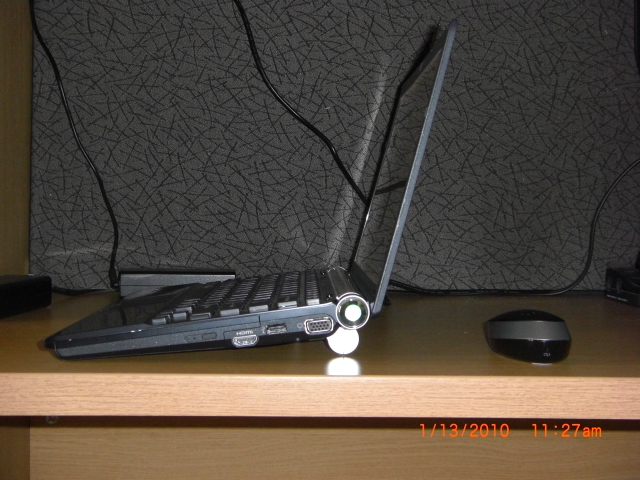
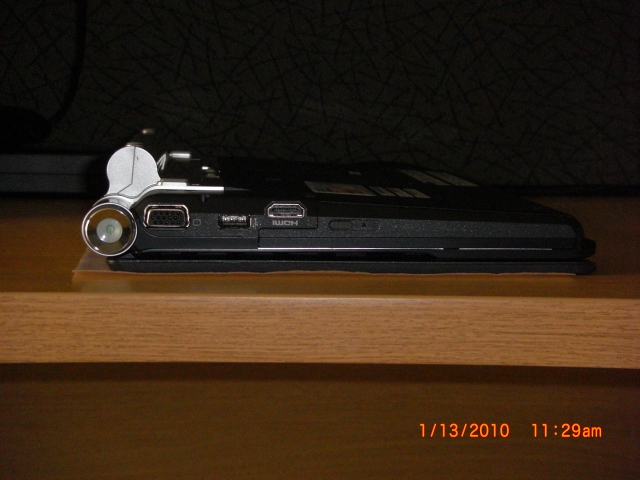
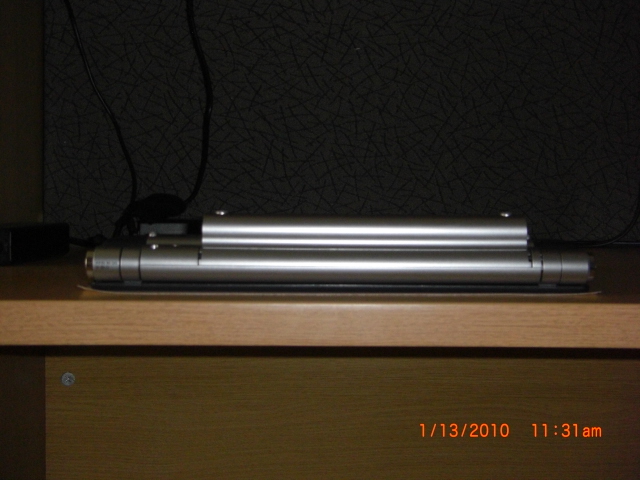
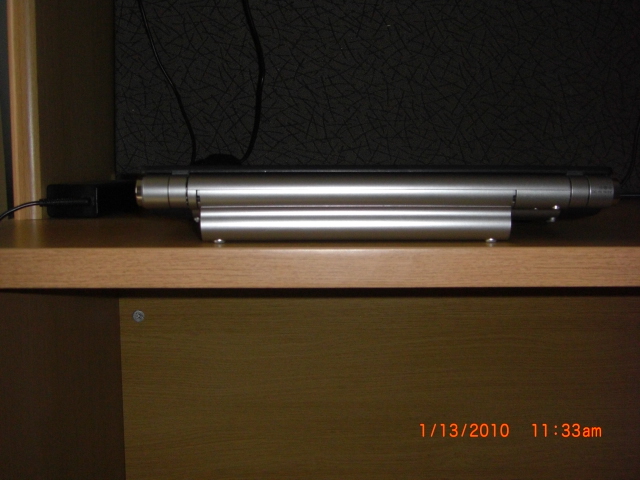
Update. I had been testing the battery in a couple different situations. All of the testing had been using a Sprint USB modem for my internet access. This modem was directly plugged into one of the USB ports of the Z820. I mention this because wifi was turned off during the testing and I have recently been testing with the same settings with a major difference. I now use the Sprint USB modem with a Cradlepoint MBR900 EVDO Router, using the EVDO signal over the 802.11n signal and found a 90 minute increase of battery time while testing in speed mode. I tested in speed mode as well as stamina mode. High performance was the setting on every test as I won't use it in balanced or power saving modes. Bluetooth was on and screen brightness was one notch down from total brightness. The main use during testing was just web browsing with multiple pages open ( 8 or 9 Sony Owner's Threads pages ) at once. Also, the battery went through 2 or 3 conditioning cycles before I began the testing. The following are my unscientific results as well as some pics of the extended battery.
Speed Mode, High Performance 4 hours, 35 minutes.
- Sprint USB Modem plugged directly into the Z820 with wifi off and BT on.
Stamina Mode, High Performance 6 hours, 30 minutes.
- Sprint USB Modem plugged directly into the Z820 with wifi off and BT on.
Speed Mode, High Performance 6 hours.
- Sprint USB Modem plugged into a Cradlepoint EVDO Router using 802.11n
and BT on.
I might perform a test in stamina mode with the Cradlepoint Router on to confirm my suspicion that the extended battery will last 8 hours under my settings but we'll see.
In my opinion, I feel the battery was worth the $200.00 I paid for it. I get somewhat " netbook like " runtimes but with a hundred times more performance. Asthetically this battery might not be for some but I don't worry what the battery looks like and besides, this battery places my Z820 in a better typing position and provides some underneath breathing room for some additonal cooling of the computer. There you go.Attached Files:
-
-
The figures you got from the extended battery are good, but not too good, using my standard one in Stamina, plus using the vaio power management to turn off:
1. iLink
2. Modem
3. CD/DVD
4. Memory Card
Plus:
Setting the fan to Silent mode
Plus:
Using Power Save (Power Profile)
I then can hit 5 hours easily, with WiFi ON, BT ON, and using 30 tabs in firefox.
I wished to see 8 hours in your test, as SonyStyle says that with Standard battery you can get 7.5 hours.
Well, I know that they are lying because you cant get this figure at all except on Brightness = Min, and everything is OFF, and you don't touch it.
Will -
I see what you are saying. I'm using IE8 and as for your settings, they differ dramatically than mine. As I mentioned in my review, I did NOT use Power Save mode or even Balanced Mode. I went full on High Performance mode. The i Link, CD/DVD drive, memory card slots, and modem were all left on and the fan was at it's normal setting. I probably don't see myself turning things off to increase the battery runtime but I'll think about performing a test with the settings you mentioned using the standard battery and I'll use the extended one and will post those results. I do carry the standard battery in my case as well but have not needed to use it.
As a side note, those EVDO USB modems do suck some battery power quite quickly, and seeing a 90 minute increase using wifi makes a big difference. -
Keep me informed about your test results, as I'm so much excited to get an extended one
-
Hello,
I want te replace my ssd 1.8" by a new ssd 2.5".
I search a cable sata for VGN-Z and system to fix the 2.5" ssd.
Thanks
Jerome -
I do have one which has a slightly longer stick and is madew for the Z. The model is VGP-AC19V30. However, these are themselves quite bulky, while much smaller than their predecessors.
-
Does anyone know what the model number of this New Z series is?
On Wikipedia it reads "Z11" but That is an older U.K. Model, which makes me think this new model must have a different designation. -
The New Z is a VPC-Z. The old Z is a VGN-Z. If you go to this site, there's a huge discussion on the new Z. Drvec also listed all the model no#s for the new Z.
http://forum.notebookreview.com/showthread.php?p=5749747#post5749747 -
VPC-Z11GGX/X Sony Vaio Z VPC-Z11GGX/X Core i7-620M 2.66Ghz (Turbo Boost 3.33Ghz) 4096MB 256GB SSD BlueRay DvDRW+DL WiFi NIC Bluetooth FingerPrint Webcam Microphone 13.1" WXGA Xbrite nVidia GeForce GT 330M 1024MB Dedicated Windows 7 Professional (Made In USA) Premium Carbon
For how much would this configuration likely go for? -
If I were to make a wild guess, I assume this will cost close to $2800-2900 in the above configuration.
The reason being that the 3 things you are mainly upgrading over the base version, are the CPU (to an i7-620M), the SSD from 128GB to 256GB and adding a Blu-ray player.
We know that the base costs $1900. So if we add around $300 for the CPU upgrade, $400 for the SSD capacity upgrade and around $200 for the blu-ray player (the Z-series optical drives are pretty pricey), then it will work out to around $2900.
I personally would go for a CPU upgrade to the 620M, RAM upgrade to 8GB and upgrade to a bluray burner, while leaving the base SSD capacity as-is at 128GB. The intention is to backup the data periodically into portable hard-drives and not leave too much stuff on the laptop's disk drive - for that, 128GB would be plenty. -
hi all,
im using Z11wn, with nvidia as video card. I wonder if any get the driver update for this card, becaus i checked the nvidia website, they have the update for 9300M GS but also with notice Sony Vaio is not supported.
I wanna update driver because some saying with updated, the temperature might be decreased. -
hey guys,
horror story for u guys!
well, my fan stopped working and my laptop restarted by itself numerous times. so i called sony and they sent a tech out here w/ a new mobo and fan. he fixed it and then another problem arose. my Z 620N would idle at 50 C then when the adapter is plugged in, it would jump to 80 C automatically. also, when the hdmi was plugged in would go to a crazy excess of 105 C and shut off automatically. on top of that, the tech didnt plug/handle my right speaker well so it didnt work.
so i called sony again and they sent out another tech w/ a new mobo and fan. after the tech finished, the temps were moderately normal, not excessing 60 C idle and going to 70 C when hooked up to the hdmi (also, he fixed the right speaker, but there is distortion in the bass. very disheartening.)
so my question to u guys is:
what temp does your Z's idle at and also at full load?
idle: GPU 55-60 CPU 55-60
full: GPU 65-75 CPU 60-70
idle use to be alot lower. also, when i plug in the adapter it will go up by 5 C. try it on ur laptops. let me kno if the same happens to u guys. thanks in advanced. -
So about 9 months ago I bought my Z, refurbished, from Sony. I've loved it a lot, but I have a few questions:
First, does anybody have any information about hardware changes they've made to the VGN-Z since its inception? I've caught a few comments about them changing the materials or color of the area surrounding the keyboard. Mine is more of a bronze than a black, and looks nothing like any I've seen at the Sony store. Does this indicate anything about my particular notebook?
Another question along the same lines: regarding materials, they say the lid is carbon fiber, but it seems to be a lot more plasticky feeling than pure CF. And I've read a lot of things about aluminum being used for the area around the keys, but this area definitely feels more like plastic to me than anything else. What's the deal with this?
Second, some issues: Lately, and ever increasingly, the arrow buttons have clanked and clacked while typing, and feel a lot more loose than they did at first, and certainly more so than the keys on the left side of the keyboard. If I hold down the body of the laptop with my free hand while pressing the keys, they seem to do alright.
Also, I've noticed (for a long time) weird splotchy patches on the left side of the screen. I'm pretty sure they're areas that are brighter, as they show up a little on white pages, and are noticeable (though not painfully so) during movie playback.
Anyone got anything to add? -
I noticed that the current 5th generation Zs come with a nVidia 9300GM with CUDA enabled, which I remember reading here that the 9300GM (at least in the Z) doesn't have. Can anyone confirm?
The 5th gen Z (which comes with the new C2D label and W7 preinstalled) has a nVidia sticker which says near the lower half CUDA ready (or words to the similar effect) -
The card is the 9300M GS and there was the CUDA sticker on it. It was just labeled with NVIDIA on the top half and CUDA on the bottom half. I peeled it off.
http://www.nvidia.com/object/product_geforce_9300m_gs_us.html -
Cool - so do the new Sony hybrid drivers include CUDA then? I remember that the earlier ones didn't, even though nVidia's own drivers had been updated.
Is there any way of checking? I can't see anything CUDA related in my nVidia control panel.
S -
Hang on - if I go into driver details I can see that nvcuda.dll has been loaded up. But I can't find anything else to switch or whatever.
Any ideas?
S
Official VAIO Z Core 2 Duo Series Owners Thread
Discussion in 'VAIO / Sony Owners' Lounge Forum' started by DiscCollector, Jul 15, 2008.