 Problems? See this thread at archive.org.
I came here to ask the same thing. Anybody have any idea?
-
-
I have already downloaded it and tried to install it three times from the official Windows Apps Store however it will not instal and I get an error message "Couldn't install Windows 8.1 Contact your manufacturer to see if you can upgrade the System BIOS". Yes I have installed the latest "BIOS Updates - R0151S7 64 bits 5.02 Mb 04/09/2013" from the Sony website but it looks like we will need another. Anyone else have this problem?
-
I'm getting the same message.
-
Thanks for the update. Now I know not to waste my time later on today.
-
Yup. Same error for me. I won't be bothering to upgrade the XPS or the Yoga since I'll be prepping them for disposal soon but I'll see whether I have any luck on the Tablet2.
EDIT: OK, the Lenovo is a go. I'm going to see if I can upgrade my XPS touch desktops this evening. SONY U R WEAK -
There is a new BIOS update added today on the Sony site dated 10/18/2013.
Sony eSupport - SVD132190X - Drivers & Software
update! there is also a required 'Vaio update' on the site:
http://esupport.sony.com/US/p/swu-download.pl?mdl=SVD132190X&upd_id=9185&os_group_id=24
Site says this is required before installing Windows 8.1
There are also several driver updates on the site now.
(this is all on the US site)
Another note: when I installed the BIOS update, instead of restarting the computer, it shut it down. Made me a little nervous, but I waited a few minutes then turned it on. -
- I have the European model SVD1321C5E. No BIOS update available and strikes me that installing the wrong BIOS might be a disaster. Anybody have any ideas?
-
Ah OK, so US users are being served. For us, I guess not.
-
wonder if those drivers would work on a uk duo 13
-
I love how Sony puts out these "Required" updates steathly. It's as if they love getting thousands of "I can't upgrade to 8.1" messages. It's great for their stellar technical support reputation.
-
Just download the BIOS and start it. It will check whether it's compatible. I did so with my asian Vaio. It made noises and was off. I waited 30 sec, then pushed the power button and 10 sec later it started. now downloading win 8.1
Vogelbung likes this. -
I just downloaded the US upgrade (BIOS) and I installed the 8.1 upgrade as well on my UK vaio duo 13 and it looks fine... for nowVogelbung likes this.
-
I dont need the features so early, so I'll probably wait for you to test it
 cugel_spain likes this.
 -
Thanks! I updated the bios and then ran the 8.1 upgrade. Everything went smooth.
-
If you experience a blurred Display while using some applications like chrome or hate the big icons: control panel-->display> tick let me choose one scaling level for all my display> medium 125% and it should restart.
Now your Display is just as fine as before.
One issue: it seems like this update killed my kaspersky -
For all the hubbub and complaining about WiFi (and I am having the issues as well), this is the single most capable and well appointed laptop/tablet I have ever had the pleasure of owning. Sure it is annoying I'm using an aftermarket ultrasmall USB wifi antennae, but honestly I've never been in a situation where I need 2 usb ports.
I checked out the flip lineup, and many of the early reviews mention how LOUD the fan is, doing just about anything. To be honest, I have never heard my Duo 13's fan kick on. The battery is phenomenal, so much so that for light usage it has literally taken me though 2 working days. People have harped about the lack of screen adjustment, and ironically, I find this to the the most comfortable laptop I've ever used in bed or extended on the couch. Open the flap, rest it on your knees, and you have a screen pointed directly at your face. No more blood draining for the good ol' arms from holding a tablet up to read at night.
Looking at benchmarks, even the flip laptop's fall short. Nobody has the benchmarks up for the flip 15 with the discrete graphics yet though. Plus the Flip lineup mysteriously does not have battery life comparable to the Duo 13. Sony VAIO Flip 14 Review | Laptop Reviews
If the upcoming Yoga 2 Pro had active digitizer, maybe I would swap out to that. But I really feel like any laptop over 1200 should have optional digitizer support.
I'm very much looking forward to the windows 8.1 upgrade. -
My Duo's WIFI is abysmal. It is still the best Windows 8.x tablet I have ever used and I think it is more indicative about the lack of high end Windows 8.x tablets than anything else. To make my Duo 13 useful, I now have 3 access points. Basically one for each room I use it. That is absurd!
I will likely get a Flip 15 with SSD when it comes out. I think the reason some of the battery results so far look abysmal is because they are shipping it with a mechanical hard drive for some idiotic reason. I think with a SSD we should see better battery life. I just hope they did not skimp on battery capacity for the Flip 15.
I want to be able to connect this eventually to an external 4K monitor and the Flip 15 seems to offer that feature but I am not sure if it is 4K 30hz or 4K 60hz via HDMI 2.0.
Basically it is very dissapointing more manufacturers are not selling more ultra high end convertibles.
-
I could see where the spinning HDD on the Flip series would shorten life, additionally the larger sheen will also similarly shorten life. Early reports are also showing wifi problems with the Flip series.
-
How much of the WIFI is a Haswell issue? How much is it due to Broadcom? It's amazing so many still have issues and there's no answer or even a hint of a solution. For the record, I have a Duo 13 and no WIFI issues whatsoever. Of course I've never tested transfer rates, I just know it works just as well as my other WIFI devices as far as using the web.
-
i just update new bios version R1081S7, but i can't see vaio duo 13 on the list can be update this version. so now, i tried to download and start again
-
Finally! Someone without WiFi issues like myself! And I use my Duo 13 across various routers, some quite far. It works just as well if not better than my other devices on WiFi.
I agree, though I don't have any WiFi issues so it is just that much better. The only gripes I have with the Duo 13 are its keyboard and pen holder. There's 3 problem keys in particular that are unnaturally unreliable, and the pen holder is abysmal, though I would much rather have it than not, i.e., at least there's something whereas many tablets give you nothing. The pen "ink well" is an unexpected pleasure to use and have. On a side note, although I don't really mind lacking pressure functionality in Wintab-based programs, e.g., PhotosShop, it will be amazing once those programs (specifically PS) drop Wintab, which is rumored to be happening soon or at least by the end of this year. -
Are you using your WIFI router as a coaster for your Duo 13?
I just upgraded to 8.1 and WIFI is still abysmal as before. It's like Sony forgot to connect the WIFI antenna.
If the FLIP 15 has the same WIFI issue that will pretty much rule out me buying that.
-
well, i just update windows 8.1 via Store after update bios. update successful. i'm so happy because my duo still keep license
-
If anyone hates the giant Modern UI elements like I did, you can go into PC settings, PC and devices, Display, and then hit the drop box under "More options," changing it to "Smaller."
-
So I just updated to windows 8.1, and now my Bluetooth functionality is no longer working. Anyone else having this issue?
Tried to manually re install Broadcom bluetooth driver, and still not working.
Checked device manager and the device status is "The device cannot start. (Code 10)" STATUS_DEVICE_POWER_FAILURE -
Check for updates in Control panel, you will see options update broadcom driver for windows 8.1
-
after 6 hours and 4 failed attempts later, i was able to update to Windows 8.1... i kept getting stuck when setting up the account after putting the code in that Microsoft texts on your phone... finally it worked...
now this is my biggest gripe so far... everything is large, the icons, the taskbar, the texts, everything!!!! and yes, i tried doing this setting but it didn't really change the desktop size... the texts did get smaller but the icons and the rest, they're still big and doesn't look good at all... can anyone please help???
-
Can I confirm that someone has tried installing the BIOS from the US site and it works on the UK Duo?
-
Win8.1 Upgrade Problem: After the upgrade, my desktop taskbar no longer works. I can run desktop apps but none of the apps show up on the taskbar so I can't switch between them. This was not an issue before and I previously had various programs pinned to the taskbar. I performed the same upgrade on my desktop machine and didn't have this problem.
-
Is this confirmed? I just reverted back to base Windows 8 and had to tediously reinstall all my productivity software for a business trip this weekend. I don't want to upgrade again, only to lose some key functionality whilst away from home. I checked the updates via charms bar, right click "My Computer" and then Windows Update, checked for updates via Device Manager, then again via Vaio Update module. I'm not sure where I would go in the Control Panel to update.
-
From the Charm Bar, go to Settings, Change PC Settings, PC and Devices, Display, and then under More Options, change from Default to Smaller
-
I saw the Broadcom Bluetooth update as an optional update under Windows Update before I upgraded to 8.1 so I'm not sure it's a Windows 8.1 only update. However, it may have fixes to what you're experiencing under 8.1.
-
Honestly (and it is common sense), if you're going to be in a situation where you're not going to be able to troubleshoot issues now is not the time to be doing this kind of upgrade, especially with a Sony.
I manually checked for updates post-8.1 and did find wifi and bluetooth updates. My BT appeared to be working before I updated those drivers but I figured it couldn't hurt. -
Well, looks like the update (for me) was not without its troubles. I have 2 issues:
1. The BT problem. Trying to run win update but its been churning for a bit now - guess today is a busy day to be a server?
2. Back light on the keyboard does not work
3. Virtual keyboard does not pop up on start up -
Did you install the Vaio Update before running the upgrade? And all the firmware/driver updates? I'm having no issues.
-
I updated the bios only before the update. I've since installed all of the updates as per the update centre. Even tried the old BT drivers and they didn't work. Still awaiting win update...keeps telling me its checking for updates...If anyone has a link to the latest BT that would be greatly appreciated.
-
After updating to Windows 8.1 on my Vaio Duo 13, it does not switch to tablet mode when slid into tablet. As a consequence, auto rotate does not work and neither does it bring the virtual keyboard up when needed. Any suggestions would be greatly appreciated.
By the way, I chatted to a Sony customer support and the best he could come up with was to reinstall 8.0 and update to 8.1 from there. -
Me too:
- No on screen keyboard popup in tablet mode
- No 'autorotate on/off' automatically -
Did you guys install the "Vaio Update" as well as the BIOS before running the upgrade? The Sony site says it's required to prevent some installation issues. I have links in a previous post.
-
i checked the vaio update and updated everything it told me and then manually the bios update. for me its the same problem with the keyboard / autorotate
-
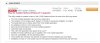 Just wanted to make sure we're talking about the same thing, the screen shot above is from the US support site.
 -
Yes. Did all as was required. I think, for some reason, Windows 8.1 does not read the slider sensor and does switch it to tablet mode. I suspect a driver issue.
-
could you do me the favour and give me the link please? on the german site i cant fand this ...
if i type my model no SVD1321C5E into the USA site, it tells me i can find this on the europe site (yeah, i have the german model) to bad the dont list this thing there... i hope theyll bring out a fix for the ppl who already updatet -
I posted a link in a previous post.
-
Follow this guy's instructions and you should be fine for 8.1. At least it did for me. Vaio Update didn't show any of the required 2 updates. You have to go to the links and download them individually. Manually upgrade the BIOS and the Vaio update software before downloading and installing 8.1.
-
thanks for the quote with the links.
my model isnt listed there, and it says i have to do it before the upgade, but ill give it a try and install it on my europe model with win 8.1 ...
Edit: okay the installation changed nothing, so i have to wait until the release a fix for the people who updated to 8.1 without installing the vaio update.... -
That's too bad. I hope you get it resolved soon.
One issue I have in 8.1 is the on-screen keyboard. Before 8.1, when in laptop mode, the on-screen keyboard would not and should not appear when I click on a fill-in field. In 8.1, it does. Anyone know how to fix this? -
I think you may have to go back to Win 8, then install that update, then install the upgrade.
-
but how to go back? couldnt do a backup cause the vaio care thing wasnt able to use my external hdds (maybe because of the NTFS and exFAT format) and i wont to a complete reinstall of everything, so i rather wait for a fix ... its sonys fault, for my model they dont mention anything about this update, just the fact that you need the bios update, which i did
-
if the 8.1 installer created a restore point, you should be able to go back pretty easily. I'm not sure the steps, but you can google it
Sony Vaio Duo 13 Owners Thread
Discussion in 'VAIO / Sony Owners' Lounge Forum' started by CoolHotCold, May 8, 2013.


