 Problems? See this thread at archive.org.
You can't upgrade any notebook unless they have a MXM slot, which very few notebooks have. The FZ does not have an MXM slot therefore there is no way you can upgrade the graphics card.
-
So what driver is the latest one, or the one we should be using. I am currently using the 167.43 from the laptopvideo2go site.
-
orite i know this sounds lame, but i just got vaseline on my glasses cleaning cloth and cleaned the glossy screen with, now theres a huge smear on the screen, i kept rubbing but its got bigger.!!!
Anyone have any ideas how to remove this thick grease from the screen?
Iv read 50/50 parts of rubbing alchol and distilled water....oh ****..its only a week old!!! -
First STOP rubbing. Rubbing too aggressively will only create scratches. Get some LCD cleaner, I have some that is a spray-able GEL, meaning it doesn't immediately run off the screen. (I think it is branded by Targus. The laptop case folks.) Just keep applying the cleaner and wiping it away until the vaseline is gone. Then throw the cloth away.
BTW I found 2 microfiber cleaning cloths at the local Target store for about 3-4 bucks!
Gary -
Thanks for the video card comments. I'll stay with this laptop, all I need. I don't play DVD's that often and the picture is fairly good.
Ken -
cheers gary.
does it matter if i find a soltion whcih has an alchol percentage in it?
Also does it matter if its left there for more than a day?? -
has everybody already experienced with sonicstage audio filter? I tried to give some effects while playing in windows media player.. but it seems no effect..
could u give me some explanations about this software? :blank: -
Just make sure whatever you get specifically says it is for LCD displays. That is VERY important. As for leaving it a day or more I can't say.
Gary -
From my experience it is a bit of a power waster, it will make a slight difference to sound such as when your listening with headphones (an improvement depending on what you consider 'good' sounds like). For a game its a waste of time, you may as well let the game do the work. I would recommend you have it turned off at start up since its an unnecessary process hogging up resources.
-
thx for the replyging jsf

only a slight difference? maybe I'm use the built-in speakers so I barely can find the sound that has not a difference between ON and OFF..
vista already "eat" a couple of memory and I face a bit slow when starting the windows especially while starting in desktop..
oh ya.. I also face a problem that my SD (not memory stick) has incompatible with every mmc.. In the previous page, they (notebookreview's member) suggest to download the patches from www.sony-asia.com (Memory Stick Upgrade Driver Version 2.0.0.18) It seems bring me to the "wrong address"
-
Has anyone tried a clean install of the existing version of vista using the contents of the WAU folder in C:windows\sonys in their FZ? I burned the contents to a DVD, and it will be the windows anytime upgrade disk. But I don't know whether the the existing activation key will work for that reinstall/clean install.
I did read in the microsoft site that some notebooks come preconfigured with windows anytime upgrade, so that you don't need to have the actual windows upgrade disk to do upgrade. -
Raw VCC8 cam driver may be found on UK Vaio support site.
-
Hi all,
I am a new user and hope to find usefull things in your forum.
I've bought a FZ290N6 that comes with Win Vista Bussiness. The total capacity of the HDD is 200GB with 1 Partition. I tried several times to make another partition with 100 GB but the message make nerves. My FZ allow me to make only 10GB!! The message tell me that windows use "paging files" or "Snapshot"!!
Please help me how can I solve this problem.
I didn't have this problem with my another laptops, Those were FZ250 and CR140.
Thanx B4 -
i have detailed tutorial on this... see link in my signature
-
wrong section sorry
-
Since THIS thread is about the FZ series you might want to ask this in a thread about the SZ model. You are not likely to get a reponse from any SZ owners in this thread.
Gary -
Maybe this has been asked before. I am planning to replace my FZ11E (Fujitsu) hard drive by a Hitachi one. They have a good name where it's notebook HD's concerned. Very often faster than the other brands of notebook HD's. Plus I would like a bigger HD maybe 160Gb or 200GB. Does anyone have information on how to replace the HD on a Vaio ? Maybe an url to a manual of soe sorts ? Thanks in advance for the help.
-
There's really not much to it. Just open the lower lid on the back of the notebook (at the hight of the right palm rest), take out the old drive, take it out off it's bracket and put the new drive in the bracket, put it back in the same way the old one came out and screw the lid back on. You're done!
edit: yeah, some of the older models had the harddrive buried deep underneath the keyboard, it was a real pain to change those things. Luckily that has changed
-
Pheww that's far too difficult for me...jk ofcourse Thanks!
Edit : I saw some websites with extensive manuals on how to replace hard drive on a Vaio. But it meant removing the keyboard and looked complicated, with chance of scewing things up. -
I'm not entirely satisfied with the battery life on the FZ21S. Does anyone know any good power-saving tips that can be applied?
Also, another thing I've noticed is that the battery takes forever to charge. A lot longer than it even takes to fully drain. I used Everest to check out battery information, and it says the battery is a non-rechargable Li-Ion.. .which is obviously wrong, and even more strangely, while charging the charge rate shows something ridiculous like 7 million watt hours or something. Is this extra long charge time just me or is that just how the FZ21S is? -
It's the same on my FZ11E. Takes ages for the battery to recharge completely. I assumed this was normal, but maybe I'm mistaken ?
-
Same here with my FZ21S ...
-
Yep, the battery life on the FZ21s is pretty poor. I only get about 2hrs 20mins, balenced mode, half brightness, aero on and surfing the net. Also takes a while to charge up.
I'm definetly gonna try an get the extended battery, but its damn expensive in the UK!!
-
I am thinking about buying a 22" Samsung TFT (226BW) to connect to my FZ11E. I have 3 questions :
- I assume the only way to connect it is by VGA, and not HDMI (should the Samsung have a HDMI connector) ?
- How would picture quality be (due to the vga-only connection, and no DVI) ?
- Would the Geforce 8400M GT graphics card be able to handle the 1680x1050 resolution of the external 22" screen ?
Thanks for the help... -
I have a LG 21.6" monitor connected to my FZ190 which has the 8400M GT graphics card. the LG monitor has a DVI connection, and I happen to have a HDMI to DVI cord which I bought off of ebay for $10 or so. I'm not sure how the vga is compared to DVI though. Hope that helps. By the way, my monitor's resolution is 1680x1050, so there's no problem for the 8400M GT
-
Thanks for your very helpfull reply. Great to hear resolution isn't a problem. I didn't know hdmi>dvi was possible, so that's good as well.
-
Any recommendations on a good wireless printer for a Sony FZ's. Running Home Premium. Looking at the C7280 All-in-One, but some people have had wireless issues with it. I did see vista drivers for it on the HP website site. Seems to take up a lot of memory. I can go with a straight wireless printer, if one is light on memory and works well with Vista. Also, some complaints with the C7280 on messing with your internet connection and slowing web browsing. I don't want that and would be happy with a basic wireless printer. Any ideas?
Thanks,
Ken -
I think the battery charges normally upto 94% but then its slows down very much and takes ages to reach 100%. So its not a big problem.
following features reduce battery:
1- Bluetooth
2- wireless internet
3- speakers/ sounds
4- screen brightness
5- heavy work load on processor - running heavy applications
6- external devices powered by usb - like usb cam, usb storage device
7- search & indexing. windows feature running in background.
You can create your own power plan accordingly. -
Hello, I'm new to the forum and tried searching but had no luck. My wife just bought me a VGN-FZ180E/B to replace my old HP. Since I live in Japan and am on my way TDY she was in a hurry and couldn't order one and was stuck with what AAFES had in stock.
My question is if anyone know's of a internal bluetooth module that will work with this model.
I know it is a pain to add a card but with only 3 USB port's and their locations, I don't want one being used by a dongle if I don't have too. Pulling it apart won't be a problem since I am going to any way to use quick silver on the processor. If anyone can help me out it will be greatly appreciated. -
Can someone please confirm if Canadian model (FZ240, 260, 280) has bluetooth??
Here in Quebec only 240 is allowed to be sold at retail because the other 2 doesn't have french version, LAME.....
Also, how much dedicated video RAM the 8400 GT has? -
I think all FZ's have bluetooth don't they? Anyone back me up?
And, from what I know, all FZ's in the US have the standard 256mb RAM. -
No. In the U.S. there are a number of FZ models without Bluetooth.
Edit: it appears to be the same for Canada. The specs on sonystyle.ca don't say anything about bluetooth on the preconfigured models. When the computer has it, Sony definitely says so. -
Lol, not true. In europe, the old FZ's were only said to support 2GB memory when actually they use the intel chipsets that can support upto 4GB.
On that point as well, I bought a Sony Ericcson phone a year ago, and on the specs and tour video, it said it had a photolight. Guess what.....it didn't. -
I tried unsuccessfully to download below vaio update. I have been having trouble downloading updates for awhile. I read somewhere there has been problems with downloading vaio updates. Can't remember where. I may be way out of date on the updates, but not sure if I need any of them. Computer was running fine. Now I keep getting the other below attachment every time I boot up wanting to install an unknown device driver for new hardware. The attachment is the details of the message not the message itself. I haven't installed any new hardware and don't know what the referenced hardware is. Windows cannot find the driver and I have to cycle out of the prompts to be able to stop the process. Any ideas? If nothing else, I would like to stop the messages from coming up.
Thanks,
Ken
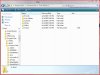
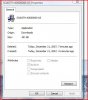
Here's more info on the hardware, seems it's a hardware ID for a processor? I think? Don't know why it is looking for drivers that it can't find. I don't think I have that processor in my FZ190.
[ Processors / Intel(R) Xeon(R) CPU 5160 @ 3.00GHz ]
Device Properties:
Driver Description Intel(R) Xeon(R) CPU 5160 @ 3.00GHz
Driver Date 4/1/2004
Driver Version 5.1.2600.0
Driver Provider Microsoft
INF File cpu.inf
Hardware ID ACPI\GenuineIntel_-_x86_Family_6_Model_15 -
I corrected the above post so the attachments work. Hope someone has an idea.
Ken -
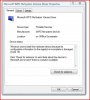
Went back to last restore an it eliminated the incorrect processors and no more messages to install drivers for an unknown device. However the processors listed now say I have T7300 not T7100. Oh well, all works and at least they are Core2 Duo. The only program I backtracked on and did not update was leaving Quicktime at 7.3 not 7.3.1. That recent update changed some media functions, but I don't think it would have changed the processor names. Only other problem item I still have is the below screen shot. Don't know how long it has been that way. Everything works OK on laptop (can't check the SD slot), just have that yellow triangle and exclamation mark. Don't want to keep doing restores if everything works. I did read of a few other people seeing this lately. It may be a problem with some recent Windows Updates. I didn't do anything to the register that would have effected those keys. I'll leave it for awhile. Anyone else see this or have any thoughts. Can that item be redownloaded for Vista or uninstalled and reinstalled out of device manager. Don't know if that would help.
-
Hey I just bought a new logitech mouse for my computer, but the look sensitivity is wayyy to high. Anyone know how I can change this???
-
You should have Logitech now installed on computer. Bring that up from Programs menu and all settings should be there.
-
Hi to all. I have bought sony vaio fz240n and installed windows xp but i cannot find the computer drivers for my laptop model in sony's site. Where can I ind them???
-
Hi
I have a FZ260. I want to install XP on it But I cant find XP drivers for it.
Anyone can help me?
Good Luck -
Since the FZ2 series is nearly identical to the FZ190 series, you might want to try the XP drivers for that model. I don't know for sure if thay will work, but it is worth a shot. Use the search box at the top of the page to find the threads about FZ insalls of XP. Details abound if you look for them.
Gary -
hi all guys ,
i've an fz2 notebook is it possible to boot from an sd/mmc memory card ? (i cannot test it because i don't have bought yet an sd/mmc memory card).
Anyone have tried it ?
TIA
Mark -
Download the software for your particular mouse on the logitech website and all options are within that program.
-
Hello, I just bought a FZ250E/B and want to downgrade to XP. Does anyone know where I can find the drivers for this?
-
Hey does anyone know if and when Sony is coming out with a new FZ line soon? maybe FZ3 in the first quarter of 2008? Or just a new 15.4" series?
-
Sony will be having new FZ line soon... there are leaked specs floating around. A new thread was posted regarding it... but its below for your viewing pleasure.
One thing I'm happy to see, the high end FZ31/Z looks like it will have Nvidia 8600m GT w/ 256 MB. Been waiting for refresh with slightly improved video card before getting FZ.
Notebook Italia translated by Google -
right now i'm looking at an FZ290N5 with the 8400M GT, Blu-ray drive, and 5400rpm HDD. do you think if i use it for only basic computer work and minimal gaming it will still kill the battery faster than an FZ with x3100 integrated, DVD drive, and 4200rpm HDD? and what are your estimates for battery life on FZ's of either type?
-
I can't comment on actual battery life per charge since I don't have an FZ... currently have SZ.
But comparing the two you asked about, the x3100 uses less power then the 8400M GT. Of course, for gaming purposes, it also isn't as good either. 5400RPM vs 4200RPM isn't that much of a difference though.
What it comes down to, how important is battery life, what do you plan to do gaming wise and also what your budget is. -
makes sense, thanks! i really want a computer that can handle whatever i want to do with it, be it games or whatever. games wise, it'll probably something like WoW quality at most. i doubt the x3100 can handle that so i'm leaning towards the 8400M GT, but i also don't want to be limited to around 2 hours running time just cuz i'm using an FZ with better graphics you know?
EDIT: i'd rather not use an extended battery either cuz it's extra cash and bulky ^^'
actual battery life numbers from FZ owners would be great to see, but i'll be happy with just an estimation on what kind of hour difference i'll see between the x3100 and 8400M GT models. this is probably already somewhere in this thread so i'm scanning through the pages right now but if anyone would like to post their hours here i would be really appreciative! -
WoW, it will run on the X3100, just probably at low or medium setting.
WoW and GMA X3100
Vaio FZ Owners Official Owners Thread
Discussion in 'VAIO / Sony Owners' Lounge Forum' started by Jaymz, Jun 7, 2007.


