Problems? See this thread at archive.org.
Sure...sorry for relatively boring gameplay...still on the beginning and don't have really time to play.
<param name="movie" value="http://www.youtube.com/v/RSiJgVjvm0k&hl=en_US&fs=1&rel=0&color1=0x2b405b&color2=0x6b8ab6"></param><param name="allowFullScreen" value="true"></param><param name="allowscriptaccess" value="always"></param><embed src="http://www.youtube.com/v/RSiJgVjvm0k&hl=en_US&fs=1&rel=0&color1=0x2b405b&color2=0x6b8ab6" type="application/x-shockwave-flash" allowscriptaccess="always" allowfullscreen="true" width='640' height="505"></embed></object>
-
Wicked. Thanks!
In the owner's lounge, one guy mentioned that a German site claimed the Laptop could only running 1 hr of portable gaming. Is this true? -
EDIT: HMM... Nevrmind
-
:O! :O! :O! :O!
excited! My Z11 is dying for some updated drivers! -
Not sure if they will work on the VPCZ11 but I am going to include my mods for it.
EDIT: May be getting ahead of myself. Had it working but upon reboot no go. -
I don't do really portable gaming and it really depends on game...but I'm surely able to play HL2 Deathmatch for more than two hours on battery. But it's true that I undervolted my CPU and it makes difference.
-
Some VPCZ11 compatible drivers would be greatly appreciated. I applaud your efforts!
-
Thought I had some, but for whatever reason when I had someone test them they did not work. Unsure why.
I have them uploaded here if anyone else wants to test them. (Note: This may be the package with a few missing files. If so let me know.) -
Just tried it on the Z11, it says it's missing igkrng400.bin, igkrng500.bin, igcompkrng500.bin, igfcg500m.bin, igfxcfg.exe, igkrng400.bin, igkrng500.bin, igcompkrng500.bin, igfcg500m.bin and igfxcfg.exe.
-
Oops guess I didn't reupload the new package. The missing files are here. Extract them to the driver folder and reinstall. Had someone test it already but as I said, it wouldn't work for them. And thanks for testing BTW.
-
You're right. It didn't work for me either. It just didn't want to start the drivers some strange reason (even after signing them).
-
Yeah its strange. I guess maybe 191.97 doesn't have proper support for the 330M.
I can put together a 197.41 package for the VPCZ11 only if anyone wants. -
I would love to have a 197.41 package. I want to use CUDA 3.0 that requires 195 or higher driver.
-
me too!! would love a 197 series driver!!
-
I would love a 197 package as well. Thank you for all your hard work Nautis
-
I don't know if I'm the only one, but I bought one week ago a VPCZ11 here in Italy via sonystyle.it and I'm having serious troubles with the dynamic hybrid graphics system. EVERY time I put in suspend the notebook in battery mode, I then receive, after a few seconds, a BSOD (or a completely black screen) when I awake it again (whether it was in speed or stamina or auto mode). When it's connected via AC everything is fine.
I think it's a graphic problem because of the behaviour of the screen before the BSOD and of the LEDs of the hybrid graphic system.
Maybe with the new NVIDIA drivers the situation would be better..
Thanks for your work Nautis!! -
Nautis,
Do you mind packing the latest graphic driver for my old SZ, I just got the new Z and now majorly upgrading the old SZ (now that i have a spare laptop). My SZ is VGN SZ583N, and uses GeForce 8400mGS
Thanks -
AFAIK SZ does not support hybrid graphics.
You need to install seperately as you reboot and switch your graphics.
It will be very interesting if SZ supports hybrid graphics though. -
Nautis, I gotta report problems with the "Nvidia: 191.97 | Intel: 1994". One was, than in speed mode I couldn't lower my brightness for more than one step. Well that's not really big deal for me, but the main problem was, that with these drivers nTune didn't let me overclock the Nvidia. I already rolled back to 191.66 and everything works great again.
-
'
Sorry I didnt have much time to get to the 197.41 package today. I will try to get to it as soon as I can. I can't guarantee that it will work even. I have taken a good look at the inf and drivers for the vpcz11 vaio z and don't see really any difference with the way that is put together though.
As Dream said the SZ AFAIK works entirely different than what is in the Hybrid Graphics notebooks. I really wouldn't know where to begin on it. Sorry.
I have heard about the brightness issue before. First I have heard about ntune though let me look at that. Thanks for the heads up.
--
Dreamliner you should post up your set here to give people an alternative. (or at least the INF - that is if you feel comfortable enough.) At this point we are pretty much at the play with the settings to see what works best stage. :| -
I'm sorry to mislead you, but it seems it's problem with my nb about the OC, as it started to happen with the older driver as well. Strange...everytime I try to change the core clock, I get "The changes made were invalid and will not be applied" message. Trying to google for solution right now, but didn't find any yet.
Also I get "D3ERR_DEVICELOST" error while trying to run 3DMark06...something's odd.
edit: Stupid me...the nb has to be plugged in to be able to change the core clock... So I'll try that newer driver again. Now just to find the reason for that 3DMark06 error. -
3dmark06 works on my notebook with the 191.97 drivers.
-
Hi all,
I´m having trouble installing Nvidia-Hybrid-Driver for Windows 7 driver (64-Bit) on my VGN-Z11. When I try to install a 64 bit driver the screen goes blank after three thirds of the installation process. After a reboot I have to deinstall the driver or switch to a safe point prior to installing it.
Can anyone tell me what the last known working Win7/64bit driver for a VGN-Z11 (9300M GS/Mobile Intel 4 Chipset) is? Preferably with working switch.
What are your experiences? Perhaps I did something wrong when trying to install Nautis` drivers. Are there any steps worth doing before starting the setup.exe?
Sorry, if my queries do repeat questions already asked, but this threads size has become very massive and I could not find no how-to to solve my problems.
Any help is appreciated!
Cheers! -
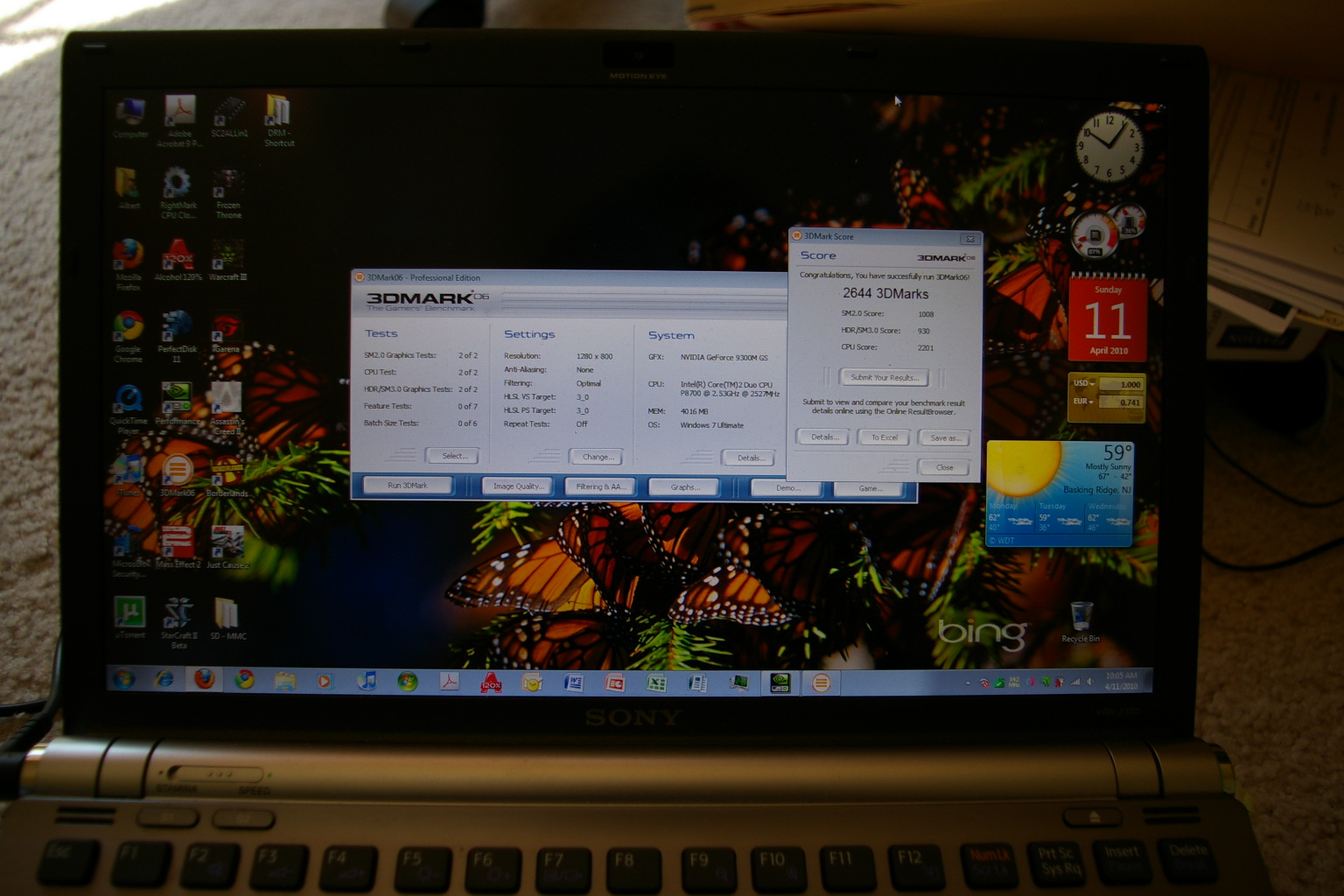
Here are my 3dmark results:
Attached Files:
-
-
In that case
Well, I lost that text file, but for both 191.97 and 191.90 I get around 5900 3DMarks in 3DMark06 at 1280x800, which is equal to my best score that I got with 185.85 by Dox. -
Make sure you sign the drivers with the instructions by Nautis:
Driver Signing & Test Mode
1.)Download Driver Signature Enforcement Overrider
2.)Disable UAC (Can usually be done by typing MSCONFIG in run and going to the Tools tab.)
3.)Run deso13b.exe and choose "enable test mode"
4.)Reboot. (You should see Test Mode at the bottom right corner after reboot.)
5.)Run deso13b.exe again and choose "Sign a System File"
6.)In the box type "C:\Windows\System32\drivers\nvlddmkm.sys" and click ok
7.)Click "Sign a System File" again and this time put "C:\Windows\System32\drivers\igdkmd64.sys"
8.)Reboot and all should work.
191.97 is the latest working version. -
Wow, that did the trick! A great many thanx!
-
Glad I could help.
-
But well, I can only use this driver in Test mode, can't I?
Can answer that myself: yes
-
looks good. my current stock driver on 3dmark06 is at 2259. do you think if i upgrade the driver to 191.90 (am on Vista 32bit) will increase the performance? btw my proc is P8600 and 2GB if that do count too in benchmark.
and also, im concern with the unable to use brightness level (Fn+F5). do you have this brightness issue when running on speed? ok thanks in advance. -
Cant wait to get these drivers when they become available as waiting for sony to update their's is a pain in the .
PS I have a VPC-Z11X9E -
Just to clarify...my system somehow got messed up after i exchanged thermal paste in my Z, but after I did restore with Acronis, everything seems to be fine again...just few degrees calmer
Anyway...here are my 3DMark results...with overclocked GPU and undervolted CPU...don't really understand why SM2.0 score is lower than yours...
![[IMG]](images/storyImages/3dm06.png)
To Nautis...so only the brightness issue in speed mode persist, but it's not real issue for me anyway.... -
Well, I made two sets of drivers recently just to play with and give some feedback for switching issues on 195 or newer.
I did not want to open to the public because they are highly experimental and most importantly THEY ARE NOT BASED ON NAUTIS'S DRIVERS (they are very similar though).
However, after a few tests and Nautis's encouragement, I decided to ask hybrid graphics users for some help and feedbacks.
As I said, my drivers and Nautis's drivers are essentially very similar.
I began with several official drivers from Fujitsu, Sony, Asus, Acer, Alienware, etc. to gather some information and added into the newer drivers.
I used nvbridge_int.kmd, nvdisp_IH.nvu, and nvtmmhyb.dll files from new Vaio Z11 just because they were the biggest in size than ones from any other official drivers.
Now, known issues.
I think CoreAVC acceleration works well on my 191.97.
I did not have a lot of time for it and I just checked there was no frame drops while I was playing BDrip 1920x1080 x264 FLAC File (about 11GB, 2hr).
Maximum CPU usage was 25. Average was slightly lower than 20%.
I do not know about brightness change.
If this set has more problems than what I thought, I will make 191.90 or lower.
I checked and their INF information is almost identical.
I think 197.41 is just amazing.
It works perfectly on almost everything. CUDA, DVXA, Flash 10.1, etc, etc...
BUT!!!
Brightness does not change on nVidia side and switch from Intel to nVidia does NOT work.
This is so frustrating.
I am hoping that Nautis or I can find the right settings for this, and I think we are very close (maybe he is more)
And for Intel 2xxx, I won't even mess with it. It is just Intel side, you know.
We can use nVidias while we are playing, and we can use Intel while we are out. It is just integrated graphics, right?
So, my driver supports following devices:
nVidia GeForce 9300M GS (DEV_06E5)
nVidia GeForce 9300M GS (DEV_06E9)
nVidia GeForce 9600M GT (DEV_0649)
nVidia GeForce G105M (DEV_06F1)
nVidia GeForce GT 130M (DEV_0652)
nVidia GeForce G210M (DEV_0A74)
nVidia GeForce GT 240M (DEV_0A34) I don't know why I have this...
nVidia GeForce GT 355M (DEV_0CAF)
Mobile Intel 4 Series (DEV_2A42)
I purposely removed settings for new Vaio Z11 because I regard it as totally different sets that has Intel HD.
All settings for each devices are the same.
It is your own risk for using these drivers, but please do and give me some feedbacks.
BTW these drivers require signature tools.
191.97+1994
197.41+1994
If you decide to use 197 driver, use this for switching.
When you are on Intel and want to change back to nVidia, add this registry and reboot.
I am making some simple command line to make it more user-friendly.
Thank you for using my drivers.
I will do my best for switching issues, but it is time for me to study organic chem exam tormorrow.
EDIT: Hybrid Switch
This is temporary hybrid switch for 195 or newer drivers.
It is very straightfoward, and easy to use. It still requires reboot.
This is built on C# and requires .net framework. Your Windows Vista or 7 should have that. -
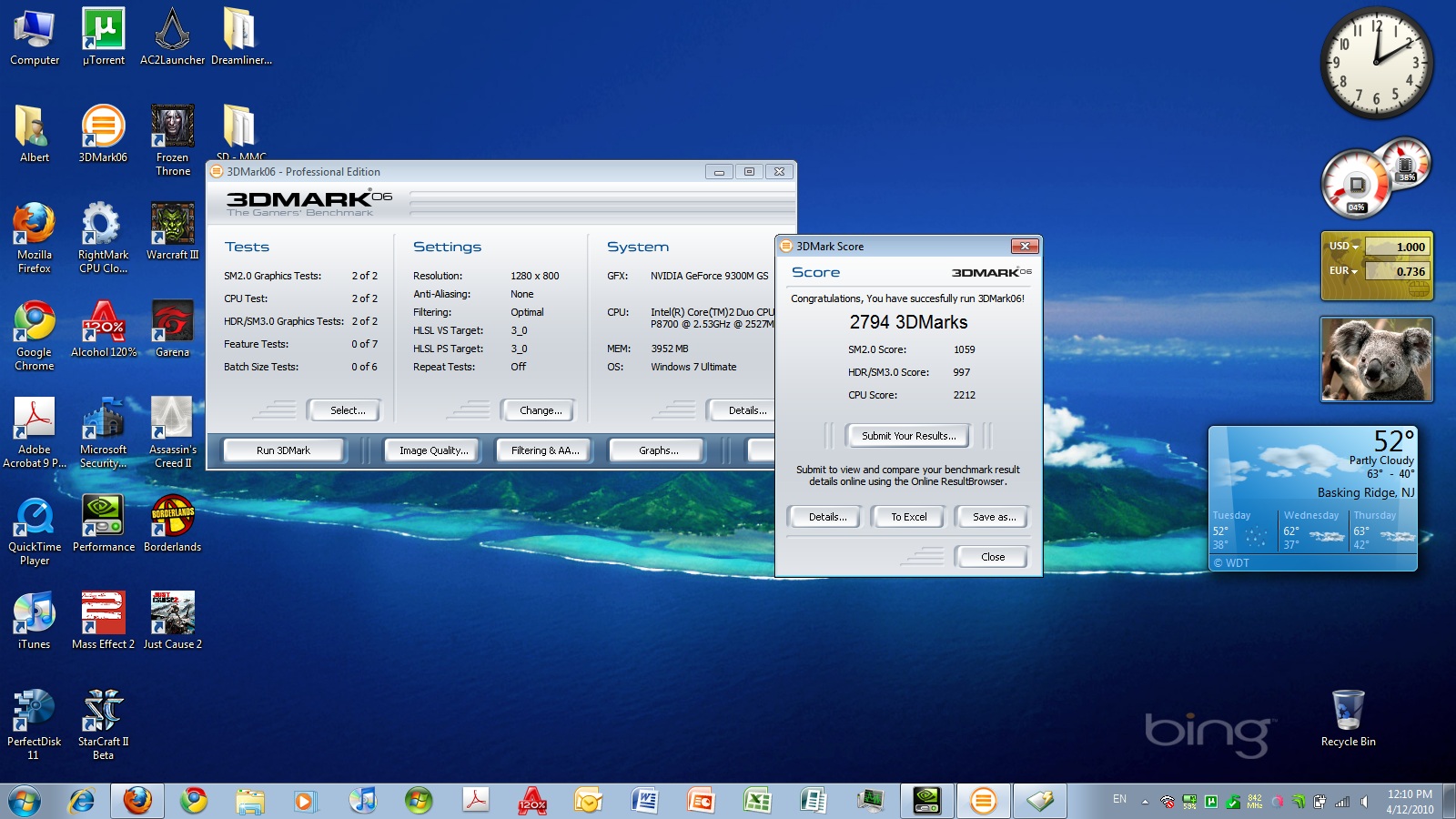
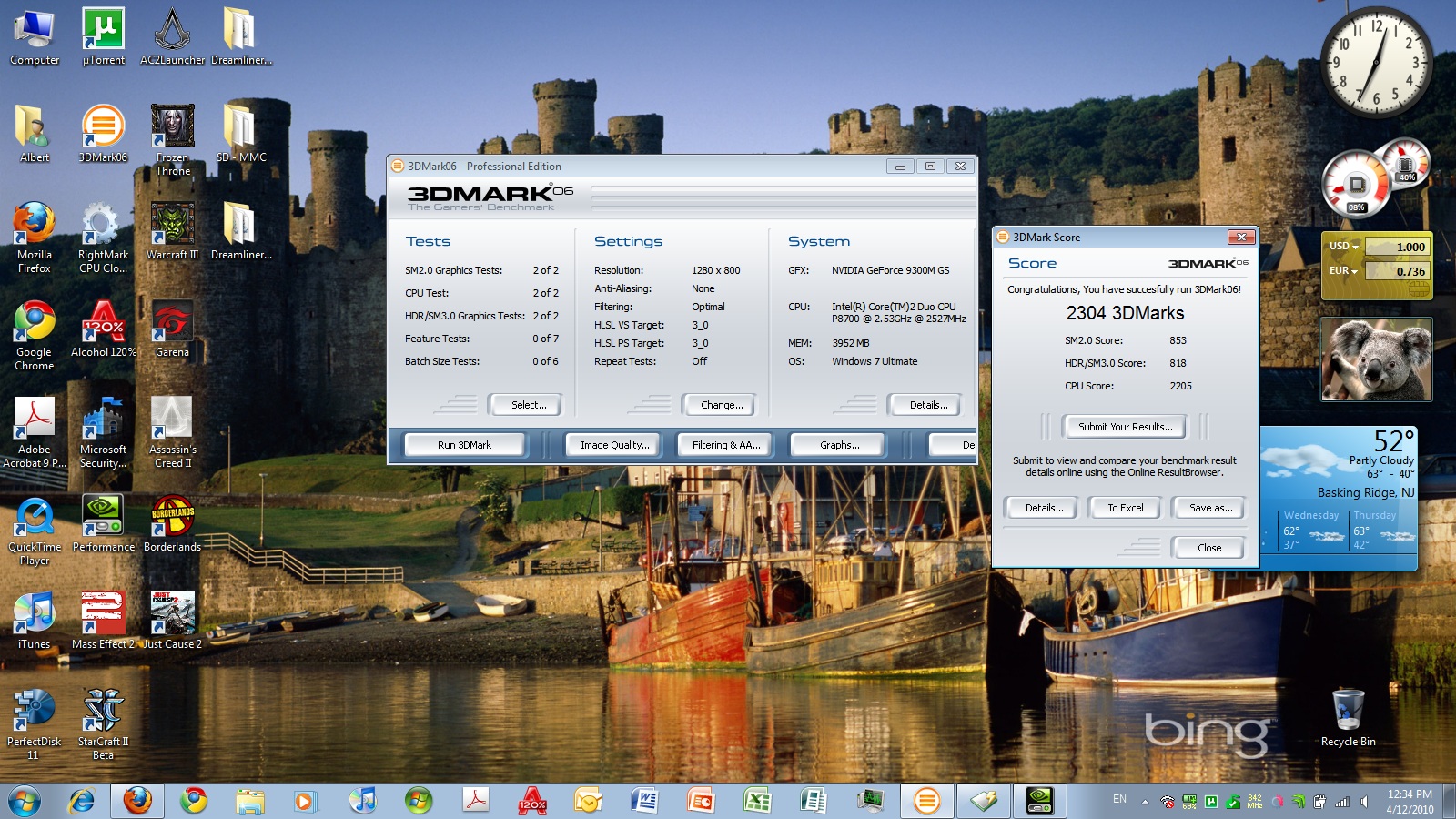
I think overclocking actually improves the 3dmark06 score more than the new driver (191.97). Using stock clock speeds, I get 2304. I overclocked it a little more to 800-800-1800 today and got 2794.
Oh, and brightness doesn't work in speed mode, but you can just switch to stamina mode, change the brightness, and switch back to speed mode.Attached Files:
-
-
General news and interesting information on the Hybrid Graphics front
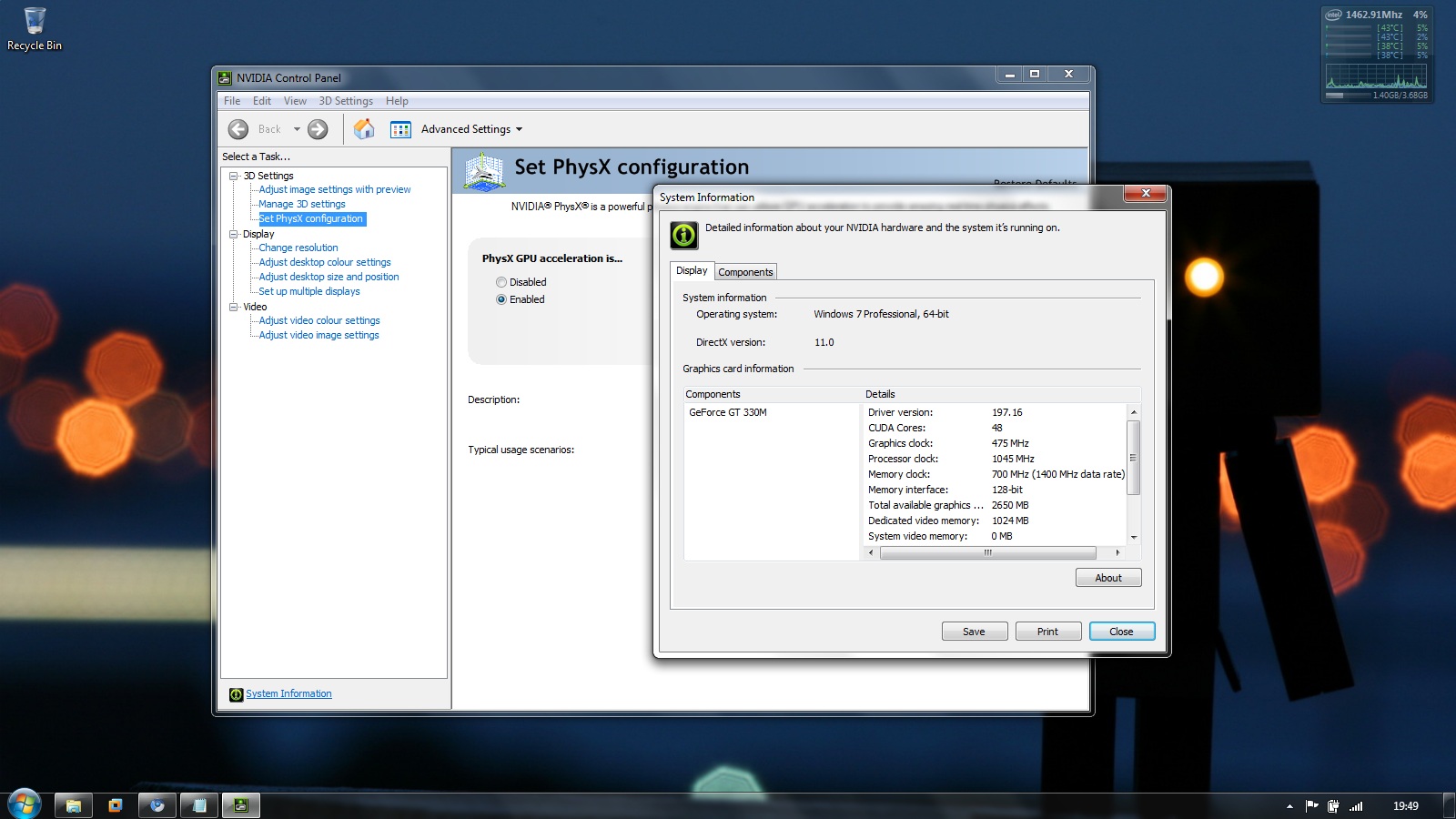
Apparently 197.16 works fine on the ASUS UL80VT with switching and all. This is the first and only Hybrid graphics notebook I have heard of it working fine on without switching issues.
The M11x does not power down the nvidia portion at all. This seems to be a pretty big bug. It even happens on their official Hybrid Graphics drivers.
The new Vaio Z is giving me serious issues all around with new drivers. I just can't seem to get any working on it.
I have made some interesting progress on the 197 front. I have gotten it so it switches if I set it to sleep after I switch. Of course there are all kinds of sporadic switch issues now but at least there is some sort of progress.
That is all... for now. -
hi,
I have been follwoing this forum for a long time and I would like to propose a benchmark overview, comparing 3Dmark06 scores for the various driver combinations. Any suggestions?
I volunteer to put such a table together. If you have a 3DMark06 performance score, e-mail it to me and I will combine it into an overview table. Please mention driver version(s), laptop type, processor type, processor speed, graphics card, OS, overclocking
BTW, Nautis, thanks for your great work! Maybe I can pay you a beer sometime?
(please specify brand, type, quantity and temperature) -
thx for the status nautis!!
hopefully you will keep it up and beat the new z
nice that it works on the asus though....
keep it up,
Dave -
I 2nd that, thank you for your efforts and persistence
-
SOmeone may want to try something like the following as they seem to be getting good results.
http://forum.notebookreview.com/showpost.php?p=6120876&postcount=1
http://forum.notebookreview.com/showpost.php?p=6138260&postcount=1
I don't recommend the methods used. But results are results. -
I hope it's this easy
I might try it
EDIT: Need to tweak the nvmvsz.inf file -
Indeed try it out. Make sure you use 197.16 though.
-
I have being playing around too with 197.16 got them to install fine along with the standard vpc-z11 intel ones but unfortunately when I switch to stamina mode I just get a blank screen.
Going to look at the links Nautis posted to see if I can get it working 100% (ish) -
Which intel drivers are you using?
-
I am excited
-
I very carefully copied the stock nvidia 197.16 ones into the extracted Z11 display drivers folder along with the hdaudio stuff leaving the intel ones completely intact.
Then I modified the NVMVSZ version line to have this so there is no driver version mismatch.
[Version]
Signature = "$Windows NT$"
Provider = %NVIDIA%
ClassGUID = {4D36E968-E325-11CE-BFC1-08002BE10318}
Class = Display
DriverVer = 03/16/2010, 8.17.11.9716
CatalogFile = NVMVSZ.CAT
I am trying to keep it very simple as I am learning as I am going along and then I can start to modify them more to try to make them work as good as possible. -
As am I. I am taking a back seat here just trying to help in whatever capacity I can.
-
Ok so the intel drivers are the stock ones from the 188.80(?) drivers?
EDIT: Black screen on Intel is the same issue I get when trying to use 2### series Intel drivers on my Vaio Z. For you it seems to be reversed. -
Yeah they are I figured I would try and get the nvidia ones working properly first too be honest I did not expect the stock intel ones from the 188.80 set to work.
I am uploading the custom drivers to mediafire as we speak so everyone here can get involved as well. -
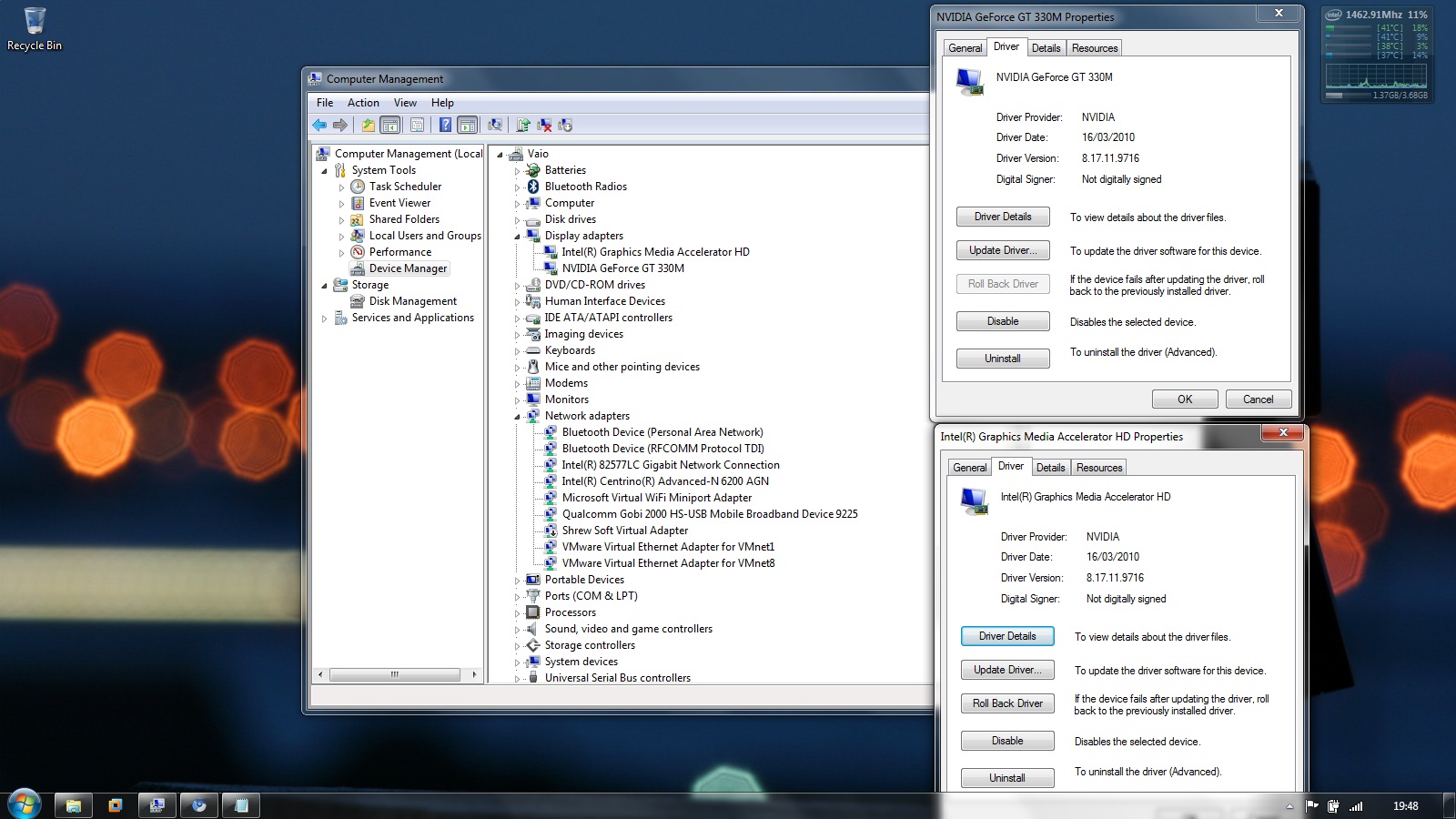
I notice in the nvidia/intel hybrid graphics original driver package the Intel driver is 2021
Intel DriverVer=12/14/2009,8.15.10.2021 -
This is what mine shows.
Attached Files:
-
My discoveries on Vaio Zs Hybrid Graphics
Discussion in 'VAIO / Sony' started by Nautis, Jan 16, 2009.