 Problems? See this thread at archive.org.
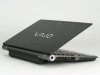
Not really liking the glossy carbon fiber, especially the bezel also being glossy.
-
Looks like somebody poured out oil all over it
 .
.
-
If all I did was put that glossy Z inside a glass case to admire like a piece of fine art and not touch, then I guess it'd be okay but for that much money I'd actually wanna use the thing.
-
What's the default warranty for the Z ?
In the UK for the first version it was 3 years.
I've bought a S to replace my first gen Z and it's definitely more robust for everyday transport but reading reviews talking about a stiffer lid on the new Z makes me want it now. -
I can say that I've honestly never been interested in a 13.1" screen...but the more I hang around this thread, the more I feel myself leaning towards this Z.
something like a black hole of awesome. -
When I checked last weekend, it was still slated to ship in mid March.
-
It all depends what type of work you are doing on your laptop and where you usually work.
If you are doing something related to video or photo editing, or some work related to design small screen can be a problem
First time I saw portege R600 (12'' screen) I was thinking it will be hard to do some productive work on this screen. Now, I am not even using my desktop machine except for games. Only reason I want new Z is because I need more power.
Also if you are table person than paying premium for small machine is not smart move. Since I am freelance developer I can work any where any time so I don't remember when was the last time I put my laptop on the table.
-
I have a couple of questions (that I posted earlier, but seem to have been overlooked):
1) Anybody have an idea how much the extended battery will stick out, and in which direction it will protrude..?
2) Will the hybrid graphics system present a problem for a Linux installation..?
Cheers. -
I was of the same opinion. I've been looking at mostly 15" laptops, mainly because that's what I've been using the past 4 years (Lenovo T60p), and -- up till now -- most 13" models are generally viewed as entry level models. But then I reassessed my needs. My laptop is plugged into an external monitor (24" at home, 22" at work) and external keyboard/mouse 90% of the time. The other 10% is when I'm traveling or sitting on the couch -- situations where thin-and-light are ideal. Furthermore -- someone mentioned this, not sure if it was in this thread or another -- a 3 lb. laptop is generally going to retain its build quality over the long run than a heavier laptop, all other things being equal. My 6-lb. Thinkpad felt great when I bought it, but now, after 4 years of heavy use and multiple in-and-out of its laptop bag and docking, it's got creaks and is literally falling apart under its own weight. So, it has became very apparent that the combination of power-user specs in a small form factor are the ideal solution for me.
-
Anyone have an idea on the size / dimensions of the power adaptor? Or maybe even... uh... uh... pictures? Is it bulky and ugly like Dell / most manufacturers or nice like the MacBook Air one?
Edit: Found it
The adaptor
Hmm, so so. Somewhere in between what I meant.. -
-
Good to know about the discount! I'm a "few" years removed from being a student, but I'm sure I know a few people who are...
Odd, I could have sworn it said the preconfig had an extended battery. Must have read it wrong. There's really no advantage to buying the preconfig then (unless you can get the discount, in which case it does make sense), since building a CTO with same specs AND the extended battery comes out at the same price of $2499. -
You will definitely have problem with it. Even W7 users will have problem if they need to update nVidia driver. If you ask me only reason I would like to see optimums on new Z is to be able to update nVidia drivers without Sonys blessing. For you even that will not solve the problem since as far as I understand optimus will work only on W7.
Sony is using proprietary divers for hybrid system and I don't think they have version for linux. You will have problem to make OS recognize nVidia GPU. As for switch...I am not sure if anybody ever manage to make it work on linux.
Check this thread.
http://forum.notebookreview.com/showthread.php?t=342947
Maybe guys there know something more about it.
Linux is epitome of openness and Sony is only second to Apple in proprietary stuff. They are not good match
-
I don't know how you could like the MacBook power adapters. They are very annoying for both yourself and other people. Whereas most other power adapters only take up one power socket, the MacBook ones can block other sockets depending on how the sockets are oriented.
-
Thanks igorstef.
I'm not too bothered about being able to switch; the Intel HD card alone will suffice for Linux. But I believe there was trouble with the old Z, whereby people had to install XP first for some strange reason..!?
All I hope for is to be able to switch the graphics to Stamina under Win7, then install Linux, which would hopefully load the Intel drivers automatically...
But you are right, Linus Torvalds is certainly not on the Sony Christmas card list, lol... -
You have the choice!
You found the regular one plain and ugly. The "stick version" is small, compact, stylish, the cord is going in a small rectangle stick...but it's costy.
It's an option here in Japan, I don't know for the rest of the world though... -
Got a link, or pic?
To the other poster: Obviously I didn't have the "" socket.... do to say. It was small, light weight and very manageable with the 13"... -
Is this is a recent change? Because when I was at SonyStyle awhile back they told me 7% on the old Z. Online it is 5% to 7% depending on the model and CTO is 0%. Someone else called up on the phone and they were told 5%.
The $100 diff people see between the pre-config and the CTO is the Verizon card. Most people aren't adding it to their CTO and that is why they see a $100 difference. -
Well the compact stylish version (which btw in case of previous Z was nearly the same size...and I would be surprised, if it'll be different in case of new Z) has one big disadvantage...the cord leading to your nb from adapter is very short. So, when you're using it, you have to have it on table next to your notebook.
Personally I prefer if the adapter is somewhere on the ground than on my table. -
Update on my Metal Mosaic:
Shipping date was changed to Feb 19th tomorrow. Called and asked to be made 2nd level support. They will e-mail me hopefully if this is a real and ready Sony Z or vaporware. Either way it will be up to 24 hours more, but the customer rep said to keep checking status as it could be updated later today.
Hey, maybe they're putting TRIM in it; I dunno... -
I still have a hard time believing that someone that just ordered it will get it over those that ordered it a long time ago and still have a Feb 8th ship date, but it still has not been shipped. But good luck, I hope someone gets it soon so we can get user reviews. But I think the original March date that some people thought was not accurate is going to end up being the actual ship dates.
-
Hope this helps:
![[IMG]](images/storyImages/l_tm_1002vaiozr11.jpg)
Edit: image keeps messing up. I attached it as well. -
Yeah, I am getting conflicting info at this point. My ship date was changed from the 17th to the 19th, yet I just received an e-mail from Sony Customer Care stating they apologize but the model I want is a pre-order and she expects the product to arrive the 19th of March. Suspiciously though this is the same person that advised me to go to level 2 support, and I expected an e-mail from them, yet the e-mail reply is coming from her.
I will wait till Saturday and if no joy I will cancel my order. No point in having spent $89 for next day delivery when it is going to take half a month.
But like I say the shipping date is still marked as Feb 19th so I'll just have to wait a few days and see if it changes. But yeah, I have my doubts I will get one even if it is not a CTO. I can then wait on Apple's and other companies new versions, as I planned from the beginning. -
Thanks Drvec... Hmmm, it sticks out quite a bit, doesn't it...
-
Do models in US with Verizon Broadband have SIM-card slot?
-
Huh, quite a bit. That's one of the ugliest extended battery Sony produced...
-
You are absolutely correct. Another annoyance is that it's not well fit for traveling: the AC cord is 3-prong and very thick, I much prefer 2-prong cord version of notebook adapters. During my latest trip I used Cooler Master Slim adapter with Z690. A nice one except for high-pitched sound (not loud, probably a defect), stylish, light, half the price of "Stick adapter."
By the way, it looks like only Z uses 3-prong AC cord, AC adapters for all other Sony notebooks models are 2-prong. What gives? -
No. CDMA does not use SIMs, and it would be very hard to retrofit one there. The circuit board itself has a place to solder SIM socket on it, AFAIK, and the card supports all standards, including GSM. The window for SIM is closed with plastic. There is firmware for AT&T that can be loaded into card. So it's not impossible, but very hard and voids warranty.
-
Well mine (JP Z 1st gen) came with 2-prong adapter.
-
Well, this is a big advantage to me. I hate ac adapter with unnecessary lenght cable (PCtoAC). I usually buy 2 additionnal cables lenght (ACtoPlug) for my home and my office. Then I carry only the adapter, it might a small inconvenience but I like to use small bag so it's perfect.
-
Isn't it easier to buy one more AC adapter, so you would have one at home and one at office? In that case, you wouldn't have to carry any adapter
-
My first gen Z was creaking on the first day, not a good start I gather
-
Do we have some reviews of the new Z? Except of the engadget one.
-
The Z ONLY support Windows 7 x64, they don't offer a 32-bit option (at least in the US), so I'm going to guess the x64 driver will be readily available.
EDIT: Oh, if you want to update video drivers at will, then yes the hybrid system may not be ideal for that. -
Is the 128 + 64 option faster than a single 256 drive?
-
-
My guess is that the Quad (256GB) SSD will be a little faster. But i doubt you're gonna notice a difference between 600mb/s and 500mb/s or something -_-.
-
Lame but quick question: Somewhere early on in this thread someone suggested a particular brand of cloth or fabric that is particularly useful/cool that would go between the keyboard and the screen of the Z to protect the screen when carrying the Z around. I have searched the thread for "cloth," "fabric," and "screen protector," but can't find what I recall having read. Does anyone remember what was mentioned in this regard? (If memory serves I think it is a piece of cloth that fits the Z nicely and looks especially cool somehow.) Thanks.
-
I use RadTech cloth for all my nbs...it looks cool and serves well
btw, I'll ask here as well, as many previous Z owners are here as well. Some time ago someone posted a color profile calibrated by Spyder 3 for our Z. Another shop just canceled my order, because they don't deliver to Prague...so till I'll buy my Spyder3 in Japan, can anybody post that profile? Can't find it via NBR search... -
Only US C2D Z came with 3-prong adapter. I hope they switch back to 2-prong with the new Z.
-
Europe C2D Z came with 3-prong adapter as well
-
There are many here with questions about how the differences in CPU can affect performances. I found some articles addressing these differences and hope that I will answer some questions and make people decisions easier.
http://ixbtlabs.com/articles3/cpu/archspeed-2009-6-p1.html - On CPU speed
http://www.tomshardware.com/reviews/cache-size-matter,1709.html - On cache
http://www.xbitlabs.com/articles/cpu/display/core2duo-e7200_4.html#sect0 - also on cache -
I suppose...but I am cheap! Says the guys who will burn 3 grand for the new Z...
-
You could buy one of these to use around home. I'm glad the new Z seems to use the same AC adapter as the old one, because I already have 3 adapters!
-
Thanks! It's cheaper and if it works for future generation that's a nice bonus.
Now I am wondering between the dual or quad SSD...+60K yen is too much...I really doubt it's going to boot up faster, if it's only for benchmarks it's completely useless. Am I wrong?
Also glossy carbon or shield silver? I think I have to see them in Ginza store... -
Guys I need a bit of help from anyone buying a Z in Japan...
I really like the Briefing Vaio Case for the new Z.
If there's someone buying the Z and they can get me a case as it is not available anywhere else in the world I would be most thankful.
Of course I will pay for it and all shipping and handling costs. Paypal is the easiest way.
EDIT: I am talking about this case: http://www.jp.sonystyle.com/Special/Computer/Vaio_acc/Z/Briefing/index.html
EDIT 2:
The Quad SSD may even take a bit longer to boot up as the controller has to detect and verify two more disks. -
Bah, just got back from Best Buy and looked at the CW and the old Z to compare the size and weight. I think ive come to terms that I might have to shell out the extra money for the Z.
Call me a wimp, but 5.4 lbs was just too heavy for me to be lugging around for hours (considering I work out with 5 lb weights, I should have realized this). Not only that but the CW battery life wont last me through a school day.
Can someone confirm this for me: I talked to my good friend/computer guy and described to him the SSDs in the Z and told him my situation. He says SSD with Raid 0 arnt worth investing in in his opinion but that he will be able to get in there and replace them with my own bought SSDs as long as they are the same size or something. Will they be compatible with the Z? Or is he just confused? -
Your friend may be wrong about the SSDs in the Z not being worth much but regardless, possibly the LIF or the ZIF of the following will be of equal performance:
http://www.runcore.com/content/prod...mages/RCP-IV-LA1800-Cth.jpg&GBSize=32GB-128GB
http://www.runcore.com/content/prod...images/RCP-IV-Z1800-Cth.jpg&GBSize=16GB-128GB
As for the RAID 0, the new Z looks like it has an intel Hardware/software controller that will also allow for RAID 1 and JBOD so if you order a Z, hold off for a while on the whole replacing the SSDs endeavor as they may end up being good ones. -
Thanks, he was explaining that the Raid 0 are incredibly fast, but they arnt reliable as in my data could be crashed. My main question is, is it actually possible to take the Zs SSDs out and replace them with new ones? Like Intels or something?
All I want is this TRIM thing you guys are on about or something that will last me..SSD degradation just aint worth the perks. I dont want to have to wipe my SSDs clean and go through that long process every few months etc. But then Id rather skip the HDDs cause I want my optical drive.
Oh and I dont want to have to back up my computers data every single day in fear that I could lose all my memory if even one fails.
New Z model with Intel Core i5 CPU
Discussion in 'VAIO / Sony' started by exetlaios, Jan 2, 2010.


