Problems? See this thread at archive.org.
I did a successful clean W7 install on a 1st gen Z (z555 - Canadian)
I just followed the little guide provided on the first page (2nd post) of this thread (yes, everything is there)
The part I had little trouble with was the "unknown devices" in device manager are actually the sony utilities
After installing the fingerprint driver and the 2 sony utilities everything else is pretty straight forward (just follow the guide by Firestorm)
Awesome job Firestorm, Sony couldn't have made a better guide!
PS - Any of you guys with R2170M3 BIOS in a 1st gen Z try 8gb of ram?
-
it's stone... but u're welcome
-
I missed the DisablePowerPolicy=0x00 discussion.
Can you tell me where to set the flag? -
HKEY_LOCAL_MACHINE\SOFTWARE\NVIDIA Corporation\Global\Hybrid
Set DisableUI to 0 and add DisablePowerPolicy with value 0.
Reboot, then go into your advanced power options to set GPU settings. -
firestone did you get the modded bios for z Bios Revision : R4043M3 w/ sony2.1 slic i have link if you want
-
what does that do?
-
Appreciate it, thanks!
-
I think that is how you trick a BIOS into thinking it is a particular make/model so as to satisfy OEM versions of Windows, and if so, I would ask a mod to interject if that is permissible to discuss on these forums?
-
I am having problem with the HDMI output resolution in vaio control center. I can't change the resolution and im stuck with 720p. It doesn't let me change it. Is this a problem with the windows 7 driver or there is another way to change it? thanks!
-
i don't have hdmi device to test out.
but if u plug the hdmi into the tv for example, does the option still black out?
or is there option to change it now -
Does this enforce STAMINA mode when u go to battery ?
Plugged in .... SPEED
unplug auto switch to STAMINA ? -
Where is NewVersion VAIO Smart Network for Windows 7?
I can't find it at SONY-USA Website....
I don't mean SmartWi Connection Utility....
They are different.... -
You don't need it.
It's only for people who want to steel from Microsoft (to use Win7 without buying it).
TDO -
Thanks
But the new version and old versions are different...
NewVersion NO LOGO on desktop and no wire Network appeard....
EX:Lan and Modem....
![[IMG]](images/storyImages/3659215_5ea07bad27f4fc3ad69031404afc0f84.jpg)
-
Can you explain what that 2.1 slic mean? did´n find any information about that...

-
For OEM installation (Sony pre installed) M$ uses an auto activation scheme based on some information in the Bios (SLIC) this is married with a certificate on your maschine, and tells windows that it does not need to go and activate in the normal way, in fact its automatically activated. M$ changed the scheme from SLIV v2 to SLIC v2.1 for win7.
Scenario is if you have SLIC 2.1 in your Bios and you can get a hold of a copy of win 7 for a sony then it does not need to be activated... i.e. you have a working full copy... which is stealing ... so this is not supported by this board in any way... however if you want to learn more about this scheme go have a look at mydigitalife blog... they have a lot of details there on exactly how SLIC 2 & 2.1 differ...
The upgrade disks from sony are using an alternative scheme as far as I am being told, this is MAK (Mass Activation Key)..
Hope that helps you along
-
cool.. that's a nice and short explaination...
before today, i was thinking ... is that the same as nvidia SLI? since sony z have 2 gpu inside lol
-
im kinda getting tired of people being hipocrits : how many people here have drivers that they unpacked for use on there computer that is wasent meant for ? how many people have nero that they havent bought or the av that they didnt pay for or the office 2007 that they got their mak key . i think all here are wound up way to tight . i do not to post links . i remember way back before win7 was rc and i came on this forum and tried to let people know how win7 was going to be on our computers everyone was begging for a link . chill people . over time i have givin people lots of good info and help not just modded bios . and it seems some of you who are up tight know exactly where to go to get modded bios . so i say chill people and have fun putting win7 on computers that they do not support win 7. and thats all i have to say about that!!!!
-
and buy the way you dont need upgrade disk and its not a mak key .its a oem disk or retail disk with oem cert and key activation offline !!!! its how oem loads windows on all your computers that you bought in store !
the keys are oem slp not mak keys -
Only works if SLIC 2.1 in BIOS + cert + OEM Key ... otherwise SLIC 2.0 = MAK Key
as the cert and SLIC 2.1 are requiered as off win 7 ...
M$ made SLIC2.1 for automatic offline
-
Mate
you should chill, the US puts a wrapper around there drivers so that they cannot be sued if some one installs a wrong driver on their laptop, look at any other support site... nothing...
but then again it only seems to be the EU & USA that have their support sites up to date for win 7...
Asia will get there in about 4-8 weeks... so no one is installing something that was not meant for their machines... they are just doing it early
-
i beg to differ . all are unwrapping drivers and thats wrong. and right now only a few computers are up to date with drivers and ill bet all here with the z's and others are running win 7. and slic 2.0 was to activate win vista oemwith slp keys and slic 1.0 was to activate xp with slp key. i have been microsft beta tester for years . xp-vista-win7 -2-offices and all sp's and others and just to let you know i have 3 computers at home and they all have th os they were bought with vista-vista and vista . i dont get bent when i here the stuff why should any one else as long as the forum rules are followed . we should not condem others . we are all it seems in the tester mode . i think people should test their computers with new os to see if it works before you buy the product and find out its not going to work. look how many computers are not ging to get support for win7 from the oem's
-
Excuse me... but if the driver works with my piece of hardware, it is definitely "meant for" my piece of hardware.
When I purchased my Sony, I paid all patent royalties for all specific IP in the 3G modem, graphics card etc... and those IP fees have been passed to the respective provider if need be, and Sony paid all necessary patent costs.
Drivers are just support code for a piece of hardware - they only work with the specific piece of hardware they are meant to support. What's the difference between all different Z models in hardware terms? None (except different CPU / memory size / drive configuration) - so all those drivers that are "locked" to a model perfectly work on all others.
And there is nothing illegal in that. Sony UK and Europe offer those drivers unlocked and, hell, there is even a Sony FTP site with all those drivers in plain-vanilla archives.
The reason Sony US shrink-wraps those drivers in special packages that check model # has nothing to do with the Intellectual Property protection - but simple reduction of support calls, as it effectively prevents inexperienced people from installing an incorrect driver.
Technically, someone could say this is a DMCA violation (to unpack a "protected" driver) if you are living in the U.S. (I am not) - but since you should already be entitled to that piece of IP (as you have the piece of hardware it supports) - and that piece of IP is already available unprotected from the Vaio-link FTP, I am quite sure to sue somebody for that would be next to ridiculous. -
Mate for a Beta tester you are so off the mark..
Vista used SLIC v2.0 + OEM:SLP + cert to auto activate
Win7 needs SLIC 2.1 + OEM:SLP + cert to auto activate..
http://www.mydigitallife.info/2009/07/30/how-to-check-or-verify-pc-motherboard-bios-slic-version-is-slp-oa-2-0-or-2-1-for-oem-activation/
interesting point is however
"For OEM activation to work and able to authenticate OEM licensing for Windows, three (3) components or criteria must exist and fulfill:
1. Full SLIC table in BIOS
2. OEM certificate (xrm-ms) which corresponds with OEMID and OEMTableID (Windows Marker) in SLIC table.
3. OEM-SLP product key
SLP OEM Activation 2.1 works in very much the similar way of OEM Activation (OA) 2.0, with no change to activation technology, and OEM does not require to change factory process to accommodate new SLP 2.1 OEM activation. The only changes is Windows Marker version is now version 2.1 instead of 2.0. Even the digital certificate, which has file extension of .xrm-ms, signed by Microsoft with OEM’s SLIC public key (0×9C bytes) with Microsoft’s private key together with OEMID of SLIC table, is unchanged."
"If you’re having SLIC 2.0 in BIOS, try to wait for computer manufacturer if it will release new BIOS update that includes SLIC 2.1 table."
which I am sure you as a beta tester would know....
BTW I am also a beta test and have a full set of legal keys for all OS & office products.. technet-plus...
But as a beta tester and not an OEM... I never had any thing to do with OEM activation...
hope the link does not break the rules... included for education only.. -
i really dont know what ftp sites you go to but the ones i go to for sony have this printed at the top of every one of there ftp sites
WARNING: This is a restricted access system. If you do not have explicit
permission to access this system, please disconnect immediately! -
and you have mak keys for your sub. and not to be used as every day usage its for testing !
-
And mate i dont think that having a msdn or tech account is a Fully Licensed genuine if your not using it for the reasons it was intended . no every day personal usage read what you signed up for. tech usage . if that was what microsoft intended for these accounts then everyone would sign up for 299.00 a year for all microsofts software . and not pay 299. for one license of windows 7 full version. so it looks like everyone has skelitons in there closets !!
-
If you cant read that which is written then...
All DL's from Technet are legal and fully licensed in the users name, they are for testing and not to be used in production.... i.e. should not be used commercially... So any sub (and btw its not 299) has access to all of the products for testing...
and you sir are a troll !
you argue about things which you show that you don't really understand..
Where does it say here that you are not allowed to use it ?Attached Files:
-
-
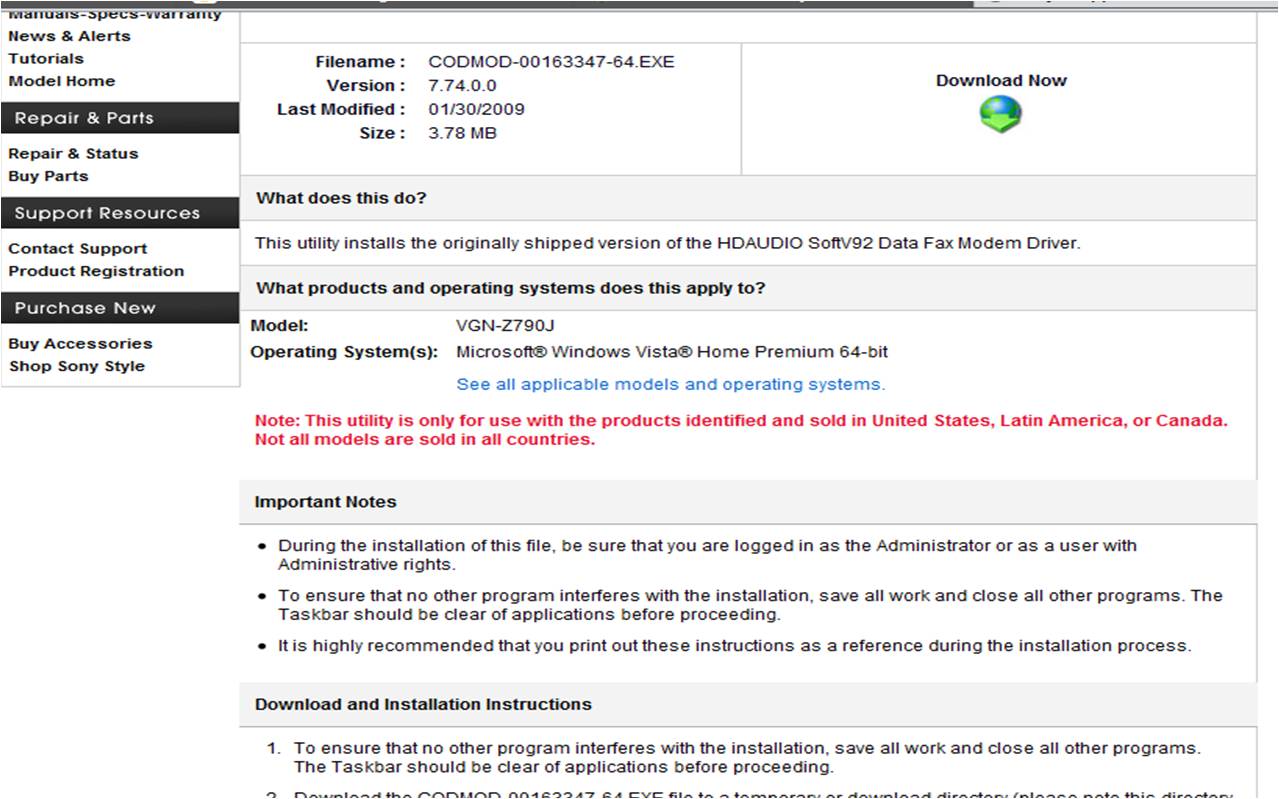
hey mate this arguing is point less you see it your way and i see it mine ! on you handy little pic in red states that it is for ony the model listed ! you see it yor way i see it mine . and you know the ftp sites im talking about ! for ex:
ftp://ftp.vaio-link.com/PUB/VAIO/WIN7UPGRADE/ . which every one uses . and as for the price im sure you used the coupon 299.00 after coupon code . how about we just be friends across the big ocean! because this is really going no where . have a great day MATE !!!!! -
Note <> illegal... you stated that there was a warning .... usage of the word NOTE is not a warning... and no mate no coupon codes as part of EMA... no need to disagree... -
but please let me know in here where it states that you can surf the net . do on l;ine banking play dvds write reports for work or school and the other thounsand of personal things we do on the computer every day .
LICENSE TERMS FOR MICROSOFT SOFTWARE
MICROSOFT TECHNET PLUS AND TECHNET DIRECT SUBSCRIPTIONS
THESE LICENSE TERMS ARE AN AGREEMENT BETWEEN MICROSOFT CORPORATION (OR, IF APPLICABLE BASED ON WHERE YOU ACQUIRED THE SOFTWARE, ONE OF ITS AFFILIATES) AND YOU. PLEASE READ THEM. THEY APPLY TO THE SOFTWARE NAMED ABOVE WHICH INCLUDES THE MEDIA ON WHICH YOU RECEIVED IT, IF ANY. THE TERMS ALSO APPLY TO THE MICROSOFT:
• UPDATES,
• SUPPLEMENTS,
• INTERNET-BASED SERVICES, AND
• SUPPORT SERVICES,
FOR THIS SOFTWARE UNLESS OTHER TERMS ACCOMPANY THOSE ITEMS. IF SO, THOSE TERMS APPLY.
BY USING THE SOFTWARE, YOU ACCEPT THESE TERMS. IF YOU DO NOT ACCEPT THEM, DO NOT USE THE SOFTWARE. INSTEAD, RETURN IT TO THE RETAILER FOR A REFUND OR CREDIT. IF YOU CANNOT OBTAIN A REFUND THERE, CONTACT MICROSOFT AT (800) MICROSOFT, OR THE MICROSOFT AFFILIATE SERVING YOUR COUNTRY SEE WWW.MICROSOFT.COM/WORLDWIDE), FOR INFORMATION ABOUT MICROSOFT'S REFUND POLICIES.
MICROSOFT DOES NOT COLLECT ANY INFORMATION FROM YOU OR YOUR COMPUTER SYSTEM THAT CAN BE USED TO IDENTIFY YOU OR CONTACT YOU WITHOUT YOUR CONSENT. AS DESCRIBED BELOW, THIS AGREEMENT OPERATES AS YOUR CONSENT TO THE COLLECTION OF CERTAIN INFORMATION FOR INTERNET-BASED SERVICES.
1.
OVERVIEW.
a.
Software. The software is a suite of software programs and documentation.
b.
License Models. The software is licensed based on:
• the number of users that use the software; or
• the number of servers on which you install the software.
2.
INSTALLATION AND USE RIGHTS. If you comply with this agreement, for each license you acquire, you have the rights below.
a.
General.
• Single User License. If you acquire a single user license, one user may install and use copies of the software on any of your devices.
• Server License. If you acquire a server license, you may install copies of the software on one server. Any person that has access to that server may install and use the software on any of your devices.
b.
Certain Components.
• Evaluation Software. One user may install and use copies of the evaluation software listed in the COMPONENTS.TXT file, even if you obtained a server license. You may use the evaluation software only to evaluate it. You may not use it in a live operating, in a staging environment or with data that has not been sufficiently backed up. If the evaluation software comes with its own license agreement, this agreement will control. If that other license agreement gives you additional rights that do not conflict with express limitations in this agreement, you also have those rights.
• Windows Server. The 32-bit version of Windows Server includes data storage technology called Microsoft SQL Server Desktop Engine for Windows. Components of the server software use this technology to store data. You may not otherwise use or access this technology under this agreement.
c.
Other Terms Provided With Software.
• Pre-Release Code. The software may include pre-release code. The terms that appear with pre-release code apply to your use of it.
• Third Party Software. The software may include programs licensed by third parties. The terms that appear with those programs apply to your use of them.
• Other Executables. The software includes tools, utilities, resource kits, patches, updates, and training materials. The terms that appear with those other executables apply to your use of them.
3.
ADDITIONAL LICENSING REQUIREMENTS AND/OR USE RIGHTS.
a.
Documentation. Any person that has access to your internal network may copy and use the documentation for your internal purposes. Any such person may also:
• modify it for your internal purposes;
• use it (modified or not) to provide support services to your customer;
• distribute it without modification to your customers, as part of your support services, for their internal use.
4.
NOTICES.
a.
CONSENT TO COLLECTION OF INFORMATION FOR INTERNET-BASED SERVICES. The software contains features that connect to Microsoft computer systems if you use the features while accessing the Internet. In some cases, you will not receive a separate notice when they connect. You may switch off these features or not use them. These features and the information they send to Microsoft (including your Internet protocol address) are described below. See the software documentation for more information about these features. Microsoft uses this information only to make the Internet-based services available to you. By using these features, you consent to Microsoft's collection of this information. Microsoft reserves the right to discontinue the Internet-based services at any time.
i.
Windows Update Feature. Your device may not have the drivers needed to communicate with additional hardware. If so, the update feature of the software can obtain the correct driver from Microsoft and install it on your device. You can switch off this update feature.
ii.
Web Content Features. Features in the software can retrieve related content from Microsoft and provide it to you. To provide the content, these features send to Microsoft the type of operating system, name and version of the software you are using, type of browser and language code of the device where you installed the software. Examples of these features are clip art, templates, online training, online assistance and Appshelp. You may choose to not use these web content features.
iii.
Digital Certificates. The software uses digital certificates. These digital certificates confirm the identity of Internet users sending X.509 standard encrypted information. The software retrieves certificates from Microsoft or other digital certificate authorities and updates certificate revocation lists. These security features operate only when you use the Internet.
iv.
Auto Root Update. The Auto Root Update feature updates the list of trusted certificate authorities. You can switch off the Auto Root Update feature.
v.
Windows Media Digital Rights Management. The software contains digital rights management technology for Windows Media. Content providers use this feature to protect their digital content. It can control access to their content. When your device tries to access protected content, the technology retrieves a list of unauthorized devices from the provider or Microsoft. It checks the list to see if the provider permits your device to access the content. If so, the technology will give you access to the content. You may need to upgrade the technology to access some content. If so, you will receive notice and a request for permission to download the upgrade. If you switch off the technology, you may still access protected content if the technology already permitted your device to access it.
vi.
Windows Media Player. When you use Windows Media Player, it will check with Microsoft for new versions of the player. It will provide new versions to install on your device. If you try to play content but do not have the correct decoder, the player will check with Microsoft for new decoders. It will provide the correct decoder if available. You may switch off this decoder retrieval feature.
b.
Mandatory Activation. Some programs included in the software are designed to prevent their unlicensed use. If you do not activate the software as described in the set-up sequence within the allowed number of days or launches after you first install it, you will not be able to use it. You can activate the software by Internet or telephone. Internet and telephone service charges may apply. You may also need to reactivate the software if you alter your computer or the software. The software will remind you to activate it.
c.
Notice About the MPEG-4 Visual Standard. This software includes MPEG-4 visual decoding technology. This technology is a format for data compression of video information. MPEG LA, L.L.C. requires this notice:
USE OF THIS PRODUCT IN ANY MANNER THAT COMPLIES WITH THE MPEG 4 VISUAL STANDARD IS PROHIBITED, EXCEPT FOR USE DIRECTLY RELATED TO (A) DATA OR INFORMATION (i) GENERATED BY AND OBTAINED WITHOUT CHARGE FROM A CONSUMER NOT THEREBY ENGAGED IN A BUSINESS ENTERPRISE, AND (ii) FOR PERSONAL USE ONLY; AND (B) OTHER USES SPECIFICALLY AND SEPARATELY LICENSED BY MPEG LA, L.L.C.
If you have questions, please contact MPEG LA, L.L.C., 250 Steele Street, Suite 300, Denver, Colorado 80206; Telephone (303) 331-1880; FAX (303) 331-1879; www.mpegla.com.
5.
SCOPE OF LICENSE. The software is licensed, not sold. This agreement only gives you some rights to use the software. Microsoft reserves all other rights. Unless applicable law gives you more rights despite this limitation, you may use the software only as expressly permitted in this agreement. The software may be engineered to allow you to use it in certain ways. You must comply with these technical limitations. For more information about them, see the software packaging or documentation. In addition, you may not:
• work around the technical limitations in the software,
• reverse engineer, decompile or disassemble the software, except and only to the extent that applicable law expressly permits, despite this limitation,
• make more copies of the software than specified in this agreement or allowed by applicable law, despite this limitation,
• publish the software for others to copy,
• rent, lease or lend it,
• use it for commercial software hosting services, or
• disclose the results of any benchmark tests of the software to any third party without Microsoft's prior written approval.
6.
TRANSFER TO A THIRD PARTY. The first user of the software may transfer it and this agreement directly to a third party. Before the transfer, that party must agree that this agreement applies to the transfer and use of the software. The first user must uninstall the software before transferring it separately from the device. The first user may not retain any copies.
7.
BACKUP COPY. You may make one backup copy of the software. You may use it only to reinstall the software.
8.
EXPORT RESTRICTIONS. The software is subject to U. S. export laws and regulations. You must comply with all domestic and international export laws and regulations that apply to the software. These laws include restrictions on destinations, end users and end use. For additional information, see www.microsoft.com/exporting.
9.
SUPPORT SERVICES. Microsoft provides support services for the software as described at www.support.microsoft.com/common/international.aspx. You may also contact Microsoft at:
• (800) MICROSOFT,
• Microsoft Customer Service and Sales, One Microsoft Way, Redmond, WA 98052-6399, or
• the Microsoft affiliate serving your country (see www.microsoft.com/worldwide).
10.
ENTIRE AGREEMENT. This agreement (including the warranty below) and any amendments to it, and the terms for supplements, updates, Internet-based services and support services, are the entire agreement for the software and support services.
11.
APPLICABLE LAW.
a.
United States. If you acquired the software in the United States, Washington state law governs the interpretation of this agreement and applies to claims for breach of it, regardless of conflict of laws principles. The laws of the state where you live govern all other claims, including claims under state consumer protection laws, unfair competition laws, and in tort.
b.
Outside the United States. If you acquired the software in any other country, the laws of the country where you live apply.
12.
LEGAL EFFECT. This agreement describes certain legal rights. You may have other rights under the laws of your state or country. You may also have rights with respect to the party from whom you acquired the software. This agreement does not change your rights under the laws of your state or country if the laws of your state or country do not permit it to do so.
13.
LIMITATIONS ON AND EXCLUSIONS OF DAMAGES. You can recover from Microsoft and its suppliers only direct damages up to the amount you actually paid for the software. You cannot recover any other damages, including consequential, lost profits, special, indirect or incidental damages.
This limitation applies to
• any matter related to the software, services, content (including code) on third party Internet sites, third party programs, and
• claims for breach of contract, breach of warranty, guarantee or condition, strict liability, negligence, or other tort to the extent permitted by applicable law.
It also applies even if
• repair, replacement or a refund for the software does not fully compensate you for any losses, or
• Microsoft knew or should have known about the possibility of the damages.
Some states do not allow the exclusion or limitation of incidental or consequential damages, so the above limitation or exclusion may not apply to you. They also may not apply to you because your country may not allow the exclusion or limitation of incidental, consequential or other damages.
LIMITED WARRANTY
A.
LIMITED WARRANTY. If you follow the instructions, the software will perform substantially as described in the Microsoft materials that you receive in or with the software.
B.
TERM OF WARRANTY; WARRANTY RECIPIENT; LENGTH OF ANY IMPLIED WARRANTIES. The limited warranty covers the software for one year after acquired by the first user. If you receive supplements, updates, or replacement software during that year, they will be covered for the remainder of the warranty or 30 days, whichever is longer. If the first user transfers the software, the remainder of the warranty will apply to the recipient.
To the extent permitted by applicable law, any implied warranties, guarantees or conditions that you have last only during the term of the limited warranty. Some states do not allow limitations on how long an implied warranty lasts, so the above limitations may not apply to you. They also may not apply to you because some countries may not allow limitations on how long an implied warranty, guarantee or condition lasts.
C.
EXCLUSIONS FROM WARRANTY. This warranty does not cover problems caused by your acts (or failures to act), the acts of others, or events beyond Microsoft's reasonable control.
D.
REMEDY FOR BREACH OF WARRANTY. We will repair or replace the software at no charge. If we cannot repair or replace it, we will refund the amount shown on your receipt for the software. We will repair or replace supplements, updates and replacement software at no charge. If we cannot repair or replace them, we will refund the amount you paid for them, if any. You must uninstall the software and return it to Microsoft with proof of purchase to obtain a refund. These are your only remedies for breach of the limited warranty.
E.
CONSUMER RIGHTS NOT AFFECTED. You may have additional consumer rights under your local laws, which this agreement cannot change.
F.
WARRANTY PROCEDURES. You need proof of purchase for warranty service.
1.
United States and Canada. For warranty service or information about how to obtain a refund for software acquired in the United States and Canada, contact Microsoft at:
• (800) MICROSOFT,
• Microsoft Customer Service and Sales, One Microsoft Way, Redmond, WA 98052-6399
2.
Europe, Middle East and Africa. If you acquired the software in Europe, the Middle East or Africa, Microsoft Ireland Operations Limited makes this limited warranty. To make a claim under this warranty, you should contact either:
• Microsoft Ireland Operations Limited, Customer Care Centre, Atrium Building Block B, Carmanhall Road, Sandyford Industrial Estate, Dublin 18, Ireland, or
• the Microsoft affiliate serving your country (see www.microsoft.com/worldwide).
3.
Outside United States, Canada, Europe, Middle East and Africa. If you acquired the software outside the United States, Canada, Europe, the Middle East and Africa, contact the Microsoft affiliate serving your country (see www.microsoft.com/worldwide).
G.
NO OTHER WARRANTIES. The limited warranty is the only direct warranty from Microsoft. We give no other express warranties, guarantees or conditions. To the extent permitted under your local laws, we exclude the implied warranties of merchantability, fitness for a particular purpose and non-infringement. If your local laws give you any implied warranties, guarantees or conditions, despite this exclusion, your remedies are described in the Remedy for Breach of Warranty clause above, to the extent permitted by your local laws.
H.
LIMITATIONS ON AND EXCLUSIONS OF DAMAGES FOR BREACH OF WARRANTY. The Limitations on and Exclusions of Damages clause above applies to breaches of this limited warranty.
This warranty gives you specific legal rights, and you may also have other rights which vary from state to state. You may also have other rights which vary from country to country.
Please note: As this software is distributed in Quebec, Canada, some of the clauses in this agreement are provided below in French.
Remarque: Ce logiciel étant distribué au Québec, Canada, certaines des clauses dans ce contrat sont fournies ci-dessous en français.
GARANTIE LIMITÉE
A.
GARANTIE LIMITÉE. Si vous suivez les instructions, le logiciel fonctionnera dans son ensemble comme il est décrit dans la documentation de Microsoft reçue avec ou dans le logiciel.
B.
DURÉE DE LA GARANTIE ; BÉNÉFICIAIRE DE LA GARANTIE ; DURÉE DE TOUTE GARANTIE IMPLICITE. La garantie limitée couvre le logiciel pendant un an après son acquisition par le premier utilisateur. Si vous recevez des compléments, des mises à jour ou un logiciel de remplacement au cours de cette année, ils seront couverts par la garantie pendant la durée restante ou pendant 30 jours, la période la plus longue étant retenue. Si le premier utilisateur transfère le logiciel, la durée restante de la garantie s'applique au destinataire.
Dans la limite autorisée par la loi en vigueur, toute garantie ou condition implicite dont vous bénéficiez prendra fin au terme de la garantie limitée. Certains États n'autorisent pas les limitations portant sur la durée d'une garantie implicite, de sorte que les limitations ci-dessus peuvent ne pas vous être applicables. Elles peuvent également ne pas vous être applicables, car certains pays n'autorisent pas les limitations portant sur la durée d'une garantie ou condition implicite.
C.
EXCLUSIONS DE LA GARANTIE. Cette garantie ne couvre pas les problèmes engendrés par vos propres actes (ou absences d'actes), ceux de tiers ou tout autre événement indépendant de la volonté de Microsoft.
D.
RECOURS DANS LE CADRE DE LA VIOLATION DE GARANTIE. Nous nous engageons à réparer ou à remplacer le logiciel gratuitement. Si nous ne pouvons pas le réparer ni le remplacer, nous rembourserons le montant que vous avez payé pour le logiciel figurant sur le reçu. Nous nous engageons à réparer ou à remplacer les compléments, les mises à jour et le logiciel de remplacement gratuitement. Si nous ne pouvons pas les réparer ni les remplacer, nous rembourserons le montant que vous avez payé pour ces composants, le cas échéant. Vous devez désinstaller le logiciel et le renvoyer à Microsoft avec une preuve d'achat pour vous faire rembourser. Ces recours sont les seuls dont vous disposez dans le cadre de la violation de garantie limitée.
E.
DROITS DES CONSOMMATEURS NON AFFECTÉS. Vous pouvez bénéficier de droits des consommateurs supplémentaires dans le cadre du droit local, que ce contrat ne peut modifier.
F.
PROCÉDURES RELATIVES AUX RÉCLAMATIONS DANS LE CADRE DE LA GARANTIE. Vous devrez fournir une preuve d'achat pour obtenir de l'aide en matière de garantie.
1.
États-Unis et Canada. Pour obtenir de l'aide en matière de garantie ou des informations sur la procédure à suivre pour vous faire rembourser un logiciel acquis aux États-Unis et au Canada, mettez-vous en rapport avec Microsoft :
• (800) MICROSOFT,
• Microsoft Customer Service and Sales, One Microsoft Way, Redmond, WA 98052-6399
2.
Europe, Moyen-Orient et Afrique. Si vous avez acquis le logiciel en Europe, au Moyen-Orient ou en Afrique, Microsoft Ireland Operations Limited offre cette garantie limitée. Pour faire une réclamation au titre de cette garantie, vous devez vous mettre en rapport avec :
• Microsoft Ireland Operations Limited, Customer Care Centre, Atrium Building Block B, Carmanhall Road, Sandyford Industrial Estate, Dublin 18, Irlande, ou
• votre filiale nationale de Microsoft (visitez le site www.microsoft.com/worldwide).
3.
En dehors des États-Unis, du Canada, de l'Europe, du Moyen-Orient et de l'Afrique. Si vous avez acquis le logiciel en dehors des États-Unis, du Canada, de l'Europe, du Moyen-Orient et de l'Afrique, mettez-vous en rapport avec votre filiale nationale de Microsoft (visitez le site www.microsoft.com/worldwide).
G.
AUCUNE AUTRE GARANTIE. La garantie limitée est la seule garantie directe de Microsoft. Nous n'accordons aucune autre garantie ou condition expresse. Dans toute la mesure permise par le droit local, les garanties implicites de qualité marchande, d'adéquation à un usage particulier et d'absence de contrefaçon sont exclues. Si le droit local vous accorde des garanties ou conditions implicites, nonobstant la présente exclusion, les recours dont vous disposez sont ceux présentés dans la clause de recours dans le cadre de la violation de garantie ci-dessus, dans la limite autorisée par le droit local.
H.
LIMITATION DES DOMMAGES-INTÉRÊTS ET EXCLUSION DE RESPONSABILITÉ DANS LE CADRE DE LA VIOLATION DE GARANTIE. La clause de limitation des dommages-intérêts et exclusion de responsabilité ci-dessous s'applique aux violations de cette garantie limitée.
La présente garantie vous confère des droits légaux spécifiques et vous pouvez également bénéficier d'autres droits qui varient d'un État à l'autre. Vous pouvez également bénéficier d'autres droits qui varient d'un pays à l'autre.
LIMITATION DES DOMMAGES-INTÉRÊTS ET EXCLUSION DE RESPONSABILITÉ POUR LES DOMMAGES. Vous pouvez obtenir de Microsoft et de ses fournisseurs une indemnisation en cas de dommages directs uniquement à hauteur du montant que vous avez payé pour le logiciel. Vous ne pouvez prétendre à aucune indemnisation pour les autres dommages, y compris les dommages spéciaux, indirects ou accessoires et pertes de bénéfices.
Cette limitation concerne :
• toute affaire liée au logiciel, aux services ou au contenu (y compris le code) figurant sur des sites Internet tiers ou dans des programmes tiers et
• les réclamations au titre de violation de contrat ou de garantie ou condition, ou au titre de responsabilité stricte, de négligence ou d'une autre faute dans la limite autorisée par la loi en vigueur.
Elle s'applique également, même si :
• la réparation, le remplacement ou le remboursement du logiciel ne compense pas intégralement toute perte subie ou
• Microsoft connaissait l'éventualité d'un tel dommage.
Certains États n'autorisent pas l'exclusion ou la limitation de responsabilité pour les dommages indirects ou accessoires, de sorte que la limitation ou l'exclusion ci-dessus peut ne pas vous être applicable. Elles peuvent également ne pas vous être applicables, car votre pays n'autorise pas l'exclusion ou la limitation de responsabilité pour les dommages indirects, accessoires ou de quelque nature que ce soit.
EFFET JURIDIQUE. Le présent contrat décrit certains droits juridiques. Vous pourriez avoir d'autres droits prévus par les lois de votre État ou pays. Vous pourriez également avoir des droits à l'égard de la partie de qui vous avez acquis de logiciel. Le présent contrat ne modifie pas les droits que vous confèrent les lois de votre État ou pays si celles ci ne le permettent pas.
LICENSE TERMS FOR MICROSOFT SOFTWARE
MICROSOFT TECHNET PLUS AND TECHNET DIRECT SUBSCRIPTIONS
THESE LICENSE TERMS ARE AN AGREEMENT BETWEEN MICROSOFT CORPORATION (OR, IF APPLICABLE BASED ON WHERE YOU ACQUIRED THE SOFTWARE, ONE OF ITS AFFILIATES) AND YOU. PLEASE READ THEM. THEY APPLY TO THE SOFTWARE NAMED ABOVE WHICH INCLUDES THE MEDIA ON WHICH YOU RECEIVED IT, IF ANY. THE TERMS ALSO APPLY TO THE MICROSOFT:
• UPDATES,
• SUPPLEMENTS,
• INTERNET-BASED SERVICES, AND
• SUPPORT SERVICES,
FOR THIS SOFTWARE UNLESS OTHER TERMS ACCOMPANY THOSE ITEMS. IF SO, THOSE TERMS APPLY.
BY USING THE SOFTWARE, YOU ACCEPT THESE TERMS. IF YOU DO NOT ACCEPT THEM, DO NOT USE THE SOFTWARE. INSTEAD, RETURN IT TO THE RETAILER FOR A REFUND OR CREDIT. IF YOU CANNOT OBTAIN A REFUND THERE, CONTACT MICROSOFT AT (800) MICROSOFT, OR THE MICROSOFT AFFILIATE SERVING YOUR COUNTRY SEE WWW.MICROSOFT.COM/WORLDWIDE), FOR INFORMATION ABOUT MICROSOFT'S REFUND POLICIES.
MICROSOFT DOES NOT COLLECT ANY INFORMATION FROM YOU OR YOUR COMPUTER SYSTEM THAT CAN BE USED TO IDENTIFY YOU OR CONTACT YOU WITHOUT YOUR CONSENT. AS DESCRIBED BELOW, THIS AGREEMENT OPERATES AS YOUR CONSENT TO THE COLLECTION OF CERTAIN INFORMATION FOR INTERNET-BASED SERVICES.
1.
OVERVIEW.
a.
Software. The software is a suite of software programs and documentation.
b.
License Models. The software is licensed based on:
• the number of users that use the software; or
• the number of servers on which you install the software.
2.
INSTALLATION AND USE RIGHTS. If you comply with this agreement, for each license you acquire, you have the rights below.
a.
General.
• Single User License. If you acquire a single user license, one user may install and use copies of the software on any of your devices.
• Server License. If you acquire a server license, you may install copies of the software on one server. Any person that has access to that server may install and use the software on any of your devices.
b.
Certain Components.
• Evaluation Software. One user may install and use copies of the evaluation software listed in the COMPONENTS.TXT file, even if you obtained a server license. You may use the evaluation software only to evaluate it. You may not use it in a live operating, in a staging environment or with data that has not been sufficiently backed up. If the evaluation software comes with its own license agreement, this agreement will control. If that other license agreement gives you additional rights that do not conflict with express limitations in this agreement, you also have those rights.
• Windows Server. The 32-bit version of Windows Server includes data storage technology called Microsoft SQL Server Desktop Engine for Windows. Components of the server software use this technology to store data. You may not otherwise use or access this technology under this agreement.
c.
Other Terms Provided With Software.
• Pre-Release Code. The software may include pre-release code. The terms that appear with pre-release code apply to your use of it.
• Third Party Software. The software may include programs licensed by third parties. The terms that appear with those programs apply to your use of them.
• Other Executables. The software includes tools, utilities, resource kits, patches, updates, and training materials. The terms that appear with those other executables apply to your use of them.
3.
ADDITIONAL LICENSING REQUIREMENTS AND/OR USE RIGHTS.
a.
Documentation. Any person that has access to your internal network may copy and use the documentation for your internal purposes. Any such person may also:
• modify it for your internal purposes;
• use it (modified or not) to provide support services to your customer;
• distribute it without modification to your customers, as part of your support services, for their internal use.
4.
NOTICES.
a.
CONSENT TO COLLECTION OF INFORMATION FOR INTERNET-BASED SERVICES. The software contains features that connect to Microsoft computer systems if you use the features while accessing the Internet. In some cases, you will not receive a separate notice when they connect. You may switch off these features or not use them. These features and the information they send to Microsoft (including your Internet protocol address) are described below. See the software documentation for more information about these features. Microsoft uses this information only to make the Internet-based services available to you. By using these features, you consent to Microsoft's collection of this information. Microsoft reserves the right to discontinue the Internet-based services at any time.
i.
Windows Update Feature. Your device may not have the drivers needed to communicate with additional hardware. If so, the update feature of the software can obtain the correct driver from Microsoft and install it on your device. You can switch off this update feature.
ii.
Web Content Features. Features in the software can retrieve related content from Microsoft and provide it to you. To provide the content, these features send to Microsoft the type of operating system, name and version of the software you are using, type of browser and language code of the device where you installed the software. Examples of these features are clip art, templates, online training, online assistance and Appshelp. You may choose to not use these web content features.
iii.
Digital Certificates. The software uses digital certificates. These digital certificates confirm the identity of Internet users sending X.509 standard encrypted information. The software retrieves certificates from Microsoft or other digital certificate authorities and updates certificate revocation lists. These security features operate only when you use the Internet.
iv.
Auto Root Update. The Auto Root Update feature updates the list of trusted certificate authorities. You can switch off the Auto Root Update feature.
v.
Windows Media Digital Rights Management. The software contains digital rights management technology for Windows Media. Content providers use this feature to protect their digital content. It can control access to their content. When your device tries to access protected content, the technology retrieves a list of unauthorized devices from the provider or Microsoft. It checks the list to see if the provider permits your device to access the content. If so, the technology will give you access to the content. You may need to upgrade the technology to access some content. If so, you will receive notice and a request for permission to download the upgrade. If you switch off the technology, you may still access protected content if the technology already permitted your device to access it.
vi.
Windows Media Player. When you use Windows Media Player, it will check with Microsoft for new versions of the player. It will provide new versions to install on your device. If you try to play content but do not have the correct decoder, the player will check with Microsoft for new decoders. It will provide the correct decoder if available. You may switch off this decoder retrieval feature.
b.
Mandatory Activation. Some programs included in the software are designed to prevent their unlicensed use. If you do not activate the software as described in the set-up sequence within the allowed number of days or launches after you first install it, you will not be able to use it. You can activate the software by Internet or telephone. Internet and telephone service charges may apply. You may also need to reactivate the software if you alter your computer or the software. The software will remind you to activate it.
c.
Notice About the MPEG-4 Visual Standard. This software includes MPEG-4 visual decoding technology. This technology is a format for data compression of video information. MPEG LA, L.L.C. requires this notice:
USE OF THIS PRODUCT IN ANY MANNER THAT COMPLIES WITH THE MPEG 4 VISUAL STANDARD IS PROHIBITED, EXCEPT FOR USE DIRECTLY RELATED TO (A) DATA OR INFORMATION (i) GENERATED BY AND OBTAINED WITHOUT CHARGE FROM A CONSUMER NOT THEREBY ENGAGED IN A BUSINESS ENTERPRISE, AND (ii) FOR PERSONAL USE ONLY; AND (B) OTHER USES SPECIFICALLY AND SEPARATELY LICENSED BY MPEG LA, L.L.C.
If you have questions, please contact MPEG LA, L.L.C., 250 Steele Street, Suite 300, Denver, Colorado 80206; Telephone (303) 331-1880; FAX (303) 331-1879; www.mpegla.com.
5.
SCOPE OF LICENSE. The software is licensed, not sold. This agreement only gives you some rights to use the software. Microsoft reserves all other rights. Unless applicable law gives you more rights despite this limitation, you may use the software only as expressly permitted in this agreement. The software may be engineered to allow you to use it in certain ways. You must comply with these technical limitations. For more information about them, see the software packaging or documentation. In addition, you may not:
• work around the technical limitations in the software,
• reverse engineer, decompile or disassemble the software, except and only to the extent that applicable law expressly permits, despite this limitation,
• make more copies of the software than specified in this agreement or allowed by applicable law, despite this limitation,
• publish the software for others to copy,
• rent, lease or lend it,
• use it for commercial software hosting services, or
• disclose the results of any benchmark tests of the software to any third party without Microsoft's prior written approval.
6.
TRANSFER TO A THIRD PARTY. The first user of the software may transfer it and this agreement directly to a third party. Before the transfer, that party must agree that this agreement applies to the transfer and use of the software. The first user must uninstall the software before transferring it separately from the device. The first user may not retain any copies.
7.
BACKUP COPY. You may make one backup copy of the software. You may use it only to reinstall the software.
8.
EXPORT RESTRICTIONS. The software is subject to U. S. export laws and regulations. You must comply with all domestic and international export laws and regulations that apply to the software. These laws include restrictions on destinations, end users and end use. For additional information, see www.microsoft.com/exporting.
9.
SUPPORT SERVICES. Microsoft provides support services for the software as described at www.support.microsoft.com/common/international.aspx. You may also contact Microsoft at:
• (800) MICROSOFT,
• Microsoft Customer Service and Sales, One Microsoft Way, Redmond, WA 98052-6399, or
• the Microsoft affiliate serving your country (see www.microsoft.com/worldwide).
10.
ENTIRE AGREEMENT. This agreement (including the warranty below) and any amendments to it, and the terms for supplements, updates, Internet-based services and support services, are the entire agreement for the software and support services.
11.
APPLICABLE LAW.
a.
United States. If you acquired the software in the United States, Washington state law governs the interpretation of this agreement and applies to claims for breach of it, regardless of conflict of laws principles. The laws of the state where you live govern all other claims, including claims under state consumer protection laws, unfair competition laws, and in tort.
b.
Outside the United States. If you acquired the software in any other country, the laws of the country where you live apply.
12.
LEGAL EFFECT. This agreement describes certain legal rights. You may have other rights under the laws of your state or country. You may also have rights with respect to the party from whom you acquired the software. This agreement does not change your rights under the laws of your state or country if the laws of your state or country do not permit it to do so.
13.
LIMITATIONS ON AND EXCLUSIONS OF DAMAGES. You can recover from Microsoft and its suppliers only direct damages up to the amount you actually paid for the software. You cannot recover any other damages, including consequential, lost profits, special, indirect or incidental damages.
This limitation applies to
• any matter related to the software, services, content (including code) on third party Internet sites, third party programs, and
• claims for breach of contract, breach of warranty, guarantee or condition, strict liability, negligence, or other tort to the extent permitted by applicable law.
It also applies even if
• repair, replacement or a refund for the software does not fully compensate you for any losses, or
• Microsoft knew or should have known about the possibility of the damages.
Some states do not allow the exclusion or limitation of incidental or consequential damages, so the above limitation or exclusion may not apply to you. They also may not apply to you because your country may not allow the exclusion or limitation of incidental, consequential or other damages.
LIMITED WARRANTY
A.
LIMITED WARRANTY. If you follow the instructions, the software will perform substantially as described in the Microsoft materials that you receive in or with the software.
B.
TERM OF WARRANTY; WARRANTY RECIPIENT; LENGTH OF ANY IMPLIED WARRANTIES. The limited warranty covers the software for one year after acquired by the first user. If you receive supplements, updates, or replacement software during that year, they will be covered for the remainder of the warranty or 30 days, whichever is longer. If the first user transfers the software, the remainder of the warranty will apply to the recipient.
To the extent permitted by applicable law, any implied warranties, guarantees or conditions that you have last only during the term of the limited warranty. Some states do not allow limitations on how long an implied warranty lasts, so the above limitations may not apply to you. They also may not apply to you because some countries may not allow limitations on how long an implied warranty, guarantee or condition lasts.
C.
EXCLUSIONS FROM WARRANTY. This warranty does not cover problems caused by your acts (or failures to act), the acts of others, or events beyond Microsoft's reasonable control.
D.
REMEDY FOR BREACH OF WARRANTY. We will repair or replace the software at no charge. If we cannot repair or replace it, we will refund the amount shown on your receipt for the software. We will repair or replace supplements, updates and replacement software at no charge. If we cannot repair or replace them, we will refund the amount you paid for them, if any. You must uninstall the software and return it to Microsoft with proof of purchase to obtain a refund. These are your only remedies for breach of the limited warranty.
E.
CONSUMER RIGHTS NOT AFFECTED. You may have additional consumer rights under your local laws, which this agreement cannot change.
F.
WARRANTY PROCEDURES. You need proof of purchase for warranty service.
1.
United States and Canada. For warranty service or information about how to obtain a refund for software acquired in the United States and Canada, contact Microsoft at:
• (800) MICROSOFT,
• Microsoft Customer Service and Sales, One Microsoft Way, Redmond, WA 98052-6399
2.
Europe, Middle East and Africa. If you acquired the software in Europe, the Middle East or Africa, Microsoft Ireland Operations Limited makes this limited warranty. To make a claim under this warranty, you should contact either:
• Microsoft Ireland Operations Limited, Customer Care Centre, Atrium Building Block B, Carmanhall Road, Sandyford Industrial Estate, Dublin 18, Ireland, or
• the Microsoft affiliate serving your country (see www.microsoft.com/worldwide).
3.
Outside United States, Canada, Europe, Middle East and Africa. If you acquired the software outside the United States, Canada, Europe, the Middle East and Africa, contact the Microsoft affiliate serving your country (see www.microsoft.com/worldwide).
G.
NO OTHER WARRANTIES. The limited warranty is the only direct warranty from Microsoft. We give no other express warranties, guarantees or conditions. To the extent permitted under your local laws, we exclude the implied warranties of merchantability, fitness for a particular purpose and non-infringement. If your local laws give you any implied warranties, guarantees or conditions, despite this exclusion, your remedies are described in the Remedy for Breach of Warranty clause above, to the extent permitted by your local laws.
H.
LIMITATIONS ON AND EXCLUSIONS OF DAMAGES FOR BREACH OF WARRANTY. The Limitations on and Exclusions of Damages clause above applies to breaches of this limited warranty.
This warranty gives you specific legal rights, and you may also have other rights which vary from state to state. You may also have other rights which vary from country to country.
Please note: As this software is distributed in Quebec, Canada, some of the clauses in this agreement are provided below in French.
Remarque: Ce logiciel étant distribué au Québec, Canada, certaines des clauses dans ce contrat sont fournies ci-dessous en français.
GARANTIE LIMITÉE
A.
GARANTIE LIMITÉE. Si vous suivez les instructions, le logiciel fonctionnera dans son ensemble comme il est décrit dans la documentation de Microsoft reçue avec ou dans le logiciel.
B.
DURÉE DE LA GARANTIE ; BÉNÉFICIAIRE DE LA GARANTIE ; DURÉE DE TOUTE GARANTIE IMPLICITE. La garantie limitée couvre le logiciel pendant un an après son acquisition par le premier utilisateur. Si vous recevez des compléments, des mises à jour ou un logiciel de remplacement au cours de cette année, ils seront couverts par la garantie pendant la durée restante ou pendant 30 jours, la période la plus longue étant retenue. Si le premier utilisateur transfère le logiciel, la durée restante de la garantie s'applique au destinataire.
Dans la limite autorisée par la loi en vigueur, toute garantie ou condition implicite dont vous bénéficiez prendra fin au terme de la garantie limitée. Certains États n'autorisent pas les limitations portant sur la durée d'une garantie implicite, de sorte que les limitations ci-dessus peuvent ne pas vous être applicables. Elles peuvent également ne pas vous être applicables, car certains pays n'autorisent pas les limitations portant sur la durée d'une garantie ou condition implicite.
C.
EXCLUSIONS DE LA GARANTIE. Cette garantie ne couvre pas les problèmes engendrés par vos propres actes (ou absences d'actes), ceux de tiers ou tout autre événement indépendant de la volonté de Microsoft.
D.
RECOURS DANS LE CADRE DE LA VIOLATION DE GARANTIE. Nous nous engageons à réparer ou à remplacer le logiciel gratuitement. Si nous ne pouvons pas le réparer ni le remplacer, nous rembourserons le montant que vous avez payé pour le logiciel figurant sur le reçu. Nous nous engageons à réparer ou à remplacer les compléments, les mises à jour et le logiciel de remplacement gratuitement. Si nous ne pouvons pas les réparer ni les remplacer, nous rembourserons le montant que vous avez payé pour ces composants, le cas échéant. Vous devez désinstaller le logiciel et le renvoyer à Microsoft avec une preuve d'achat pour vous faire rembourser. Ces recours sont les seuls dont vous disposez dans le cadre de la violation de garantie limitée.
E.
DROITS DES CONSOMMATEURS NON AFFECTÉS. Vous pouvez bénéficier de droits des consommateurs supplémentaires dans le cadre du droit local, que ce contrat ne peut modifier.
F.
PROCÉDURES RELATIVES AUX RÉCLAMATIONS DANS LE CADRE DE LA GARANTIE. Vous devrez fournir une preuve d'achat pour obtenir de l'aide en matière de garantie.
1.
États-Unis et Canada. Pour obtenir de l'aide en matière de garantie ou des informations sur la procédure à suivre pour vous faire rembourser un logiciel acquis aux États-Unis et au Canada, mettez-vous en rapport avec Microsoft :
• (800) MICROSOFT,
• Microsoft Customer Service and Sales, One Microsoft Way, Redmond, WA 98052-6399
2.
Europe, Moyen-Orient et Afrique. Si vous avez acquis le logiciel en Europe, au Moyen-Orient ou en Afrique, Microsoft Ireland Operations Limited offre cette garantie limitée. Pour faire une réclamation au titre de cette garantie, vous devez vous mettre en rapport avec :
• Microsoft Ireland Operations Limited, Customer Care Centre, Atrium Building Block B, Carmanhall Road, Sandyford Industrial Estate, Dublin 18, Irlande, ou
• votre filiale nationale de Microsoft (visitez le site www.microsoft.com/worldwide).
3.
En dehors des États-Unis, du Canada, de l'Europe, du Moyen-Orient et de l'Afrique. Si vous avez acquis le logiciel en dehors des États-Unis, du Canada, de l'Europe, du Moyen-Orient et de l'Afrique, mettez-vous en rapport avec votre filiale nationale de Microsoft (visitez le site www.microsoft.com/worldwide).
G.
AUCUNE AUTRE GARANTIE. La garantie limitée est la seule garantie directe de Microsoft. Nous n'accordons aucune autre garantie ou condition expresse. Dans toute la mesure permise par le droit local, les garanties implicites de qualité marchande, d'adéquation à un usage particulier et d'absence de contrefaçon sont exclues. Si le droit local vous accorde des garanties ou conditions implicites, nonobstant la présente exclusion, les recours dont vous disposez sont ceux présentés dans la clause de recours dans le cadre de la violation de garantie ci-dessus, dans la limite autorisée par le droit local.
H.
LIMITATION DES DOMMAGES-INTÉRÊTS ET EXCLUSION DE RESPONSABILITÉ DANS LE CADRE DE LA VIOLATION DE GARANTIE. La clause de limitation des dommages-intérêts et exclusion de responsabilité ci-dessous s'applique aux violations de cette garantie limitée.
La présente garantie vous confère des droits légaux spécifiques et vous pouvez également bénéficier d'autres droits qui varient d'un État à l'autre. Vous pouvez également bénéficier d'autres droits qui varient d'un pays à l'autre.
LIMITATION DES DOMMAGES-INTÉRÊTS ET EXCLUSION DE RESPONSABILITÉ POUR LES DOMMAGES. Vous pouvez obtenir de Microsoft et de ses fournisseurs une indemnisation en cas de dommages directs uniquement à hauteur du montant que vous avez payé pour le logiciel. Vous ne pouvez prétendre à aucune indemnisation pour les autres dommages, y compris les dommages spéciaux, indirects ou accessoires et pertes de bénéfices.
Cette limitation concerne :
• toute affaire liée au logiciel, aux services ou au contenu (y compris le code) figurant sur des sites Internet tiers ou dans des programmes tiers et
• les réclamations au titre de violation de contrat ou de garantie ou condition, ou au titre de responsabilité stricte, de négligence ou d'une autre faute dans la limite autorisée par la loi en vigueur.
Elle s'applique également, même si :
• la réparation, le remplacement ou le remboursement du logiciel ne compense pas intégralement toute perte subie ou
• Microsoft connaissait l'éventualité d'un tel dommage.
Certains États n'autorisent pas l'exclusion ou la limitation de responsabilité pour les dommages indirects ou accessoires, de sorte que la limitation ou l'exclusion ci-dessus peut ne pas vous être applicable. Elles peuvent également ne pas vous être applicables, car votre pays n'autorise pas l'exclusion ou la limitation de responsabilité pour les dommages indirects, accessoires ou de quelque nature que ce soit.
EFFET JURIDIQUE. Le présent contrat décrit certains droits juridiques. Vous pourriez avoir d'autres droits prévus par les lois de votre État ou pays. Vous pourriez également avoir des droits à l'égard de la partie de qui vous avez acquis de logiciel. Le présent contrat ne modifie pas les droits que vous confèrent les lois de votre État ou pays si celles ci ne le permettent pas. -
hey buddy across the ocean you must be a lawyer or a fan of pres clinton what is is and i never had relations with monica . !!! just having fun lets get back to work and help some peope with computer problems what do you say . have a great monday by the way im in calif where you at ?
-
LOL - usually, "restricted access system" with anonymous login, and /pub folder accessible for all... I am quite sure that message was left by mistake, otherwise they would just disable anonymous login.
Even if you take this literally, you can still download unlocked drivers from the European Sony site.
I am all against piracy and these "OEM activators" or whatever, but using drivers written for the piece of hardware in my notebook... to hell with it, I can use them as much as I want. -
Any idea which of the nvidia drivers in the following link:
ftp://ftp.vaio-link.com/PUB/VAIO/WIN7UPGRADE/
Would be usable with a z550 running 32 bit win 7? -
I don't think sony will be releasing any 32bit Win7 drivers, all big vendors seem to be sticking to 64bit
-
EP0000208679.exe is a 32bit Nvidia driver
-
Ok I am going banana's. I have a Z540 running 32bit. Install the new Bios, put in the bootable windows 7 disc. I get a Cannot boot from CD - Code 5. And when I try to run Windows 7 upgrade I get a warning that this file in not compatible and to find an x86 version.
Any help? -
Seems that they are only doing 64x on their new professional boxes (Z,SR,X) are already out with 64x Vista.. would seem that 32x is not high on their list
-
qwaarjet try here its for 64 bit but unpack with extractor and look inside to see if also for 32 bit ? http://esupport.sony.com/US/perl/swu-list.pl?mdl=VGNZ850GB&LOC=3
-
Speak for yourself. Just because you habitually do any or all of the above doesn't imply that others do, nor does it mean it's right.
I have two non-Sony drivers/utilities on this machine that are better than what Sony provides -- Upek Protector Suite 2009, and WinDVD 9. I bought both. For a $2500 machine, an extra $100 for the software updates is nothing.
Remember, a majority of car drivers break the speed limit too, but that doesn't make it the right thing to do. If you pirate software, you break copyright laws. It's as simple as that. You have no legal rights to do so, even if you feel it isn't morally wrong. Simply put, that's not for you to decide.
The copyright holder can say that people have to stand on one leg and pat their belly for the download to be legal, and there's nothing you can do about that. It's their right to decide, and whether you disagree with their decision is irrelevant.Last edited by a moderator: Jan 29, 2015 -
Z610Y here.. Everything works fine except that the brightness will not change by using the FN buttons.. Although the brightness feature is detected when I use those buttons, the meter just stays at max and won't go up or down. Seems like a video driver issue maybe?
-
I installed this already. I just have a question that is it really necessary to have this since the SmartWi seems to do the same job
And also on my Z540, the Vaio Smart Network 3.0 does not allow me to turn off WWAN (it always shows being turned on) and I cannot see GPS in SmartWi as well
Btw, can I upgrade to the new BIOS directly from Win7 or I have to re-install Vista and update the BIOS from there?
Thanks in advance!!! -
hey buddy im with you ! its the right of the every one to decide on there own . all my stuff is bought and payed for . this all started when i ask somewho was at the start of testing win 7 if he had copy of modded bios . and all of a sudden people were jumping in saying o my god !!!! like i said earlier when i first came on this site and said win 7 on fz people were like i want link . got my hand slap and i went on from there . lets just let it all go and fix our computer that the oem sold us and not helping with . Isan't it a great monday. have a grat day!!!!!
-
Which generation is a Z610 considered?
-
Second. For the US models, subtract 4 from the first digit (they started with VGN-Z5xx)
-
Odd, Sony recommends a R4 bios as an upgrade for the Z610 though. But according to discussion here, I should be using a R2.
-
Ahh, brightness works now.. after upgrading to the latest R4 on my Z610... Yay!
-
Thanks for the link - I'm cautioned on Sony's website to have my system in "speed" mode prior to installing the driver but, as I don't have an Nvidia driver installed currently (I merely have the basic drivers that were installed with Windows 7), I am unable to do so.
Is this something I should worry about or should I just fire away? -
Here is my experience with the BIOS versions.
I have a Z570, it had a version on it older than R2169M3
until I flashed it a week or so ago.
I then tried to flash the NEW R4043M3 BIOS, and it refused to.
Then I flashed to R2170 (legal from SONY FTP)
and then I tried the R4043M3 (legal from SONY FTP) again
and it successfully flashed!
So, it would not flash R4043M3 before flashing R2170M3, but now
it is a Z570 on R4, supposedly same as the latest and greatest for the newest Z's.
Others here have also flashed older Z's to R4 successfully.
I see no difference whatsoever.
>> Vaio Z Windows 7 Bios and driver
Discussion in 'VAIO / Sony' started by achau, Oct 23, 2009.