Problems? See this thread at archive.org.
Hello again, I found a working driver/widcomm software for the bluetooth stack on Windows 8! Here:
http://ez2.x-drivers.com/dd6bd4ddcde96fc968a3caf5f495645e/www.x-drivers.ru_broadcom_bluetooth_6.5.1.1101.zip
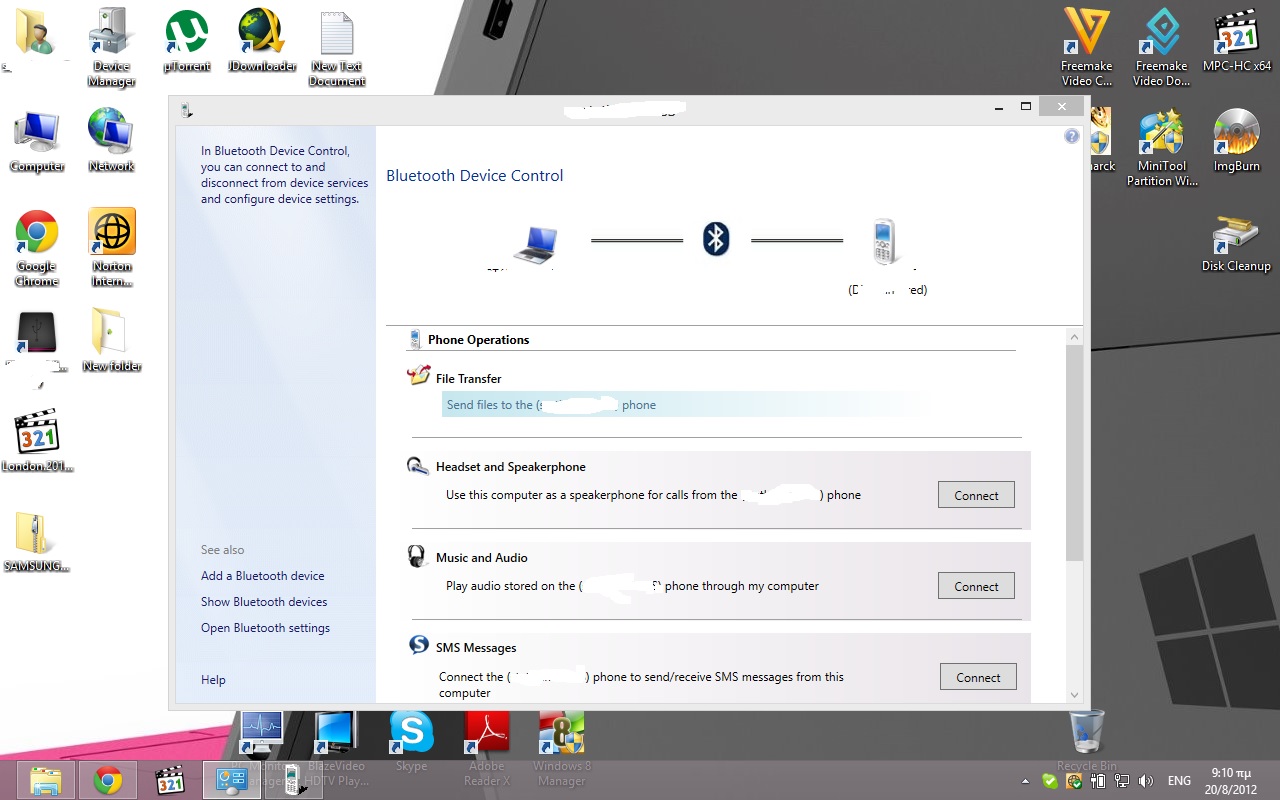
It finally works with my fully activated Win8 Pro x64 RTM! (see screenshot)
The one in coolguy's guide didn't work with Win8 CP\RP, after all it is supposed to work with Windows up until 7 anyway.
-
Attached Files:
-
-
@ stathismes: the bluetooth driver on the first page was working fine for me.. Anyway your link doesn't work now ;P
-
Guys I've installed the final Windows 8 Professional and I'm unable to get the memory card reader to work.. What can I do?
-
The Vista driver worked fine with Windows 8 RP. Did you get any error when installing the driver?
-
I've tried with the latest v2.0.0.20 exe file, even downloaded on Windows' suggestion.
I've found that the older v2.0.0.8 (for 64bit) is working fine
Thanks anyway, as always! -
Hello coolguy
i need help with some nvidia drivers i have a vaio CW (vpccw15fl) nvidia 230m GT
i have windows 8 pro x64 RTM and i want install this driver 302.80-notebook-win8-64bit-international but the problem is when in try to use your moded inf dont works :|
can you help me with this ?? -
You can try my 304.79 modded INF here Laptopvideo2go
-
sorry but don´t worked
the installer tells me that the installation failed -
Did you disable the driver signature enforcement in Windows 8 before installing the driver? The driver will not install otherwise.
-
thanks now works -
The new 306.23 driver for Windows 7/8 is out! :thumbsup:
-
Hi there,
I reinstalled my Windows 7 64 bits system on my FZ21S from scratch following the guide (great guide dude !).
Everything works fine except one of the right USB port (rear) : whatever usb device I insert in it, it says "Device not recognized". The other USB port on the right (in the front) is working correctly. Any idea why?
Thanks in advance,
Samuel -
This sounds like a hardware issue. Are all the USB ports showing up fine in the device manager?
-
I would get the inf's up here soon.
-
Updated the Nvidia driver to version 306.32 WHQL.
-
The USB key appears as "Unknow device".
Here is the list of devices I have under "USB bus controller" :
Any idea ?
Thanks
-
Remove the device from the device manager and restart. When did the USB port stop working?
-
Already tried to remove it and it does not work.
Not sure when it stopped working, already a few months from now. I tried to open my VAIO once and maybe something got unplugged in there (although I doubt). I'll check. Thanks anyway for your answers. -
I have the Vaio CW and have tried to follow your guide for installing the latest nvidia driver update, even using safe mode and disabling signature checks. I still have had the 'checking system compatibility' screen come up when trying to execute the install package. Is there any way to skip over this part of the install process? I replaced the nvscz file using the one you provided and have still failed the compatibility check. Is there something else I need to do to make it work correctly? Thanks!
-
thanks for keeping the drivers update. !!!
-
Thanks a ton man..i have been searching the graphics driver of my laptop for a long time now for Windows7-64 bit OS, i even downloaded the exact .exe from NVidia website but it did not help..but your guide, your installation and especially I think the attached 'nvszc' file did the trick i guess..anyways really appreciate the great work in keeping it all updated..thanks a lot man..
-
Hi. Been looking for a way to upgrade to W7 on my Vaio FE 31M, since some apps start not being compatible with my venerable XP SP3. Would you guide work or must I go on towards buying a new machine? Been using a virtual machine running W7 with no problems for those apps that won't work with XP... Thanks.
-
You are welcome.
-
Depending on your original Sony software and drivers, some apps might not work. If I were you, I would be looking for a new laptop.
-
Nvidia 306.97 is out since 2 days and maybe we can have birghtness working again on Windows 8.
I'm waiting for you coolguy
Thank you -
I will update the driver soon. Can you extract the nvszc INF from the driver and post it here? I don't have a great internet right now.
-
Yep, here it is!
Attached Files:
-
-
Thanks. I will update the inf soon.
Edit: Updated the Nvidia driver to 306.97 WHQL. -
Thank you!
It works just fine, but (as expected) the Sony utility for brightness doesn't work, just like with the previous Nvidia driver.. :hi2: -
Hi,
Just got a hold of a vgn-fz290, installed win7 64 bit, but could not get the fn brightness keys to work. Tried several of the SONY updates for 64bit, but no help as far as the Fn keys.
First I could not get any video drivers updated, tried several. The laptop has NVIDEA 8400M gt
Gave up, so I installed win8 64 bit, now it can actually see the 256mb ram dedicated video card. So Win8 64 bit was better with video drivers, but still no Fn keys to control the brightness, the volume button works. I even tried win Win8 to use the software to control
the brightness but the options was unavailable.
Any suggestions?
Thanks,
Cris
p.s. Ironically, 64bit linux mint live cd, was able to use the Fn keys without a problem. -
Did you follow the steps in page 1? With Windows 8, you need to disable the driver signature enforcement before installing the modded video driver.
-
Does the fn key control (Windows 8) work with the laptopvideo2go modded INF?
-
Hi,
So if I do step 4.1 and get digitally signed drivers do I still need step 4, the nvidea drivers/software?
I am attempting this in win 8 64bit
Cris -
I have not tried the laptopvideo2go modded INF
-
I also confused, because the Sony states that the "Sony Control Utilities" controls the Fn keys, and I did run the 64 bit Win 7 update of this utility. So is it the video drivers that control the Fn keys for brightness or the Sony Control Utilities?
-
You need to follow Coolguy's guide to the letter! The libraries and drives must be installed in EXACTLY the right order.
Gary -
Hi Coolguy,
I have a VAIO VPCF13 Z1E/B with Nvidia GT 425M and version 266.72 updated from the VAIO website. link; http://www.sony.co.uk/support/en/product/VPCF13Z1E_B/downloads/EP0000249425_5833
My Hardware Id's are:
PCI\VEN_10DE&DEV_0DF0&SUBSYS_907A104D&REV_A1
PCI\VEN_10DE&DEV_0DF0&SUBSYS_907A104D
PCI\VEN_10DE&DEV_0DF0&CC_030000
PCI\VEN_10DE&DEV_0DF0&CC_0300
Could you please post a modded file so I can update the drivers to version 306.97 WHQL ?
Thank you in advance.
All the best, -
I think that the F series GPU's are already supported by Nvidia verde drivers. You don't need a modded inf.
-
Excellent work! Congratulations!!! :thumbsup:
-
Coolguy,
Thank you for your reply,
Could you describe the exact steps in order to upgrade my drivers?
Should I download and run the 306.97 installer from the nvidia site and perform a clean install or use their tool inside the Verde notebook program webpage and allow it to run and find the drivers itself?
If it doesn't work will it be possible for you to make a modded file?
Thank you so much for your kind assistance.
Best regards, -
Just download the driver and select the clean install option when installing the driver.
-
Coolguy,
Just followed your instructions and it perfectly worked!!!
THANK YOU very much.
Kindest regards, -
I have another question, when new drivers will be available from Nvidia will I continue with the same procedure, download the new drivers from the nvidia website and performed a clean install?
I forgot to mention that I have a second Vaio VGN-AW41 ZF/B, I used your modded file from the "VAIO FZ Windows7 Clean Install Guide" and it perfectly worked too.
Thanks again.
Regards, -
Yeah, you can follow the same procedure for installing the Nvidia drivers in the future.
-
I need help!
I have a fz340E I have ever driver working for windows 8 EXCEPT a video driver.
I followed the direction on page 1 and downloaded and copied the file into the directory, but when I try to install I get
"This graphic driver could not find compatible graphice hardware"
ANY help would be great! -
Hi Coolguy,
I have a minor issue with my VPCF13Z1E/B.
When I shutdown or restart, I got a Windows message indicating:" Waiting for backround programs to close". It's visible for one second or less since I upgraded to Nvidia 306.97 version.
It was worse before updating and had the 266.72 Sony version.
I checked the Event Viewer and the Nvidia process is no longer slowing the shutdown process but sometimes it's the Alps touchpad drivers who is the culprit.
Since Sony never released an update, I have: Alps Touchpad Driver 7.105.529.105 & Alps Touchpad Driver 7.105.529.104 versions.
Do you know if it's possible to update those drivers and if so, what's the exact procedure? (link site etc..)
Also, can you please provide some info on how I could revert back to the original installed Alps drivers if it doesn't work?
Thank you in advance for your assistance.
Best regards, -
You can get the latest Alps driver from Station Drivers:
ALPSIperzampem0 likes this. -
You need to disable the driver signature enforcement in Windows 8 as mentioned.
-
If you update the driver from the device manager, you can revert back to a previous driver. I would let you know if an updated driver is available.
-
Hi Coolguy,
Thanks for the reply.
Please let me know if anything is available for my laptop and if something is available the exact steps in order to update, for example from device manager, update yout software etc.
Looking forward to hear from you.
Best regards,
Windows 7 Clean install Guide for Vaio FZ
Discussion in 'VAIO / Sony' started by coolguy, Oct 28, 2009.