 Problems? See this thread at archive.org.
Having found out about the recent AW15R1/17R2 unlocked bios, I remembered there was the haswell microcode bug to overclock. I tried it out and got 3.7ghz on all four cores on my 4710hq. Its pretty stable so far if I keep it on at 3.7ghz, and even with a 50-60mv undervolt. Attached is a screenshot. So far got through GTA5 and various cpu benches and didn't crash. If I push higher to 3.8ghz or higher, its pretty unstable even with one or two cores only. And this is with no undervolt.
This is when using my AGA as I can get 72W plus power limit. I could get this overclock also when using the dgpu, but its limited by the 47W power limit. I can get 3.7ghz on two cores under 47W. With the unlocked bios so far I am having mixed bag getting the microcode bug to work. I am using bios A09.
I will include instructions in the next post if anyone is interested to try. Would love to see others feedback as there are several microcodes to try and for all the different AW15 bios versions. It actually feels like these old microcodes may be slower in the nintendo switch emulator. Maybe later microcodes (before spectre fix) have better performance for certain calculations.
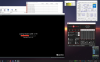
-
-
Here are the instructions to modify and flash your bios with an older microcode and to overclock past turbo limits. Disclaimer do this at your own risk! I have only done this on a AW15R1. Credit to genius239 at biosmods, tpro and helden57.
*Won't link to any downloads in case of any legal trouble. Just google for them.
1. Check the intel ME version of your bios. Use HWInfo and check the motherboard info.
2. Look for the Intel ME System Tools version for that ME version. Extract to a folder and navigate to Flash Programming Tool folder. (WIN32 or 64). Open an admin command prompt there and run "FPTw.exe -bios -d biosdump.bin". This will dump your bios to a file. Make a backup of this. Also be familiar with blindflashing procedure in case anything goes wrong.
3. Get UBU tool v1.69.17.2. Also get MMtool 5.02.024 (patched). Drop MMtool.exe into the UBU tool folder.
I haven't figured out how to get a later version of UBU tool to work as it doesn't come with the old microcodes. If someone can figure it out please share.
4. Run UBU.bat and it will prompt you to select your bios file. Select biosdump.bin. It will analyze the bios. If it says its not Aptio V but another Aptio version, check that you have the right MMtool version. MMtool 5.02.024 is for Aptio V AMI bios.
Continue at when prompted. At the menu for options, select 7 for Update CPU microcode. It will show a table of all the microcodes in your bios dump. Select 1 to change microcode. There will be a list of microcodes for you to select.
So far, I've tested v1,2,4,6. I think I was having trouble getting 4 and 6 to work reliably. I think v7 is the last bios to work with the overclocking. Not sure where v3 or v5 is, its not included with the UBU tool microcode db.
Select the microcode you want to try. It will say it successfully modified the bios. Press 0 to exit and 0 to exit again. It will prompt to rename your modified bios file.
5. Drop the modified bios into the Flash Programming Tool folder where FPTw.exe is. Run the command "FPTw.exe -bios -f 'your bios filename' ". After successful flash, wait a couple seconds and reboot. Go to your bios menu and reload default settings and make whatever changes you need.
6. Check out this post for how to overclock past the turbo limit: http://forum.notebookreview.com/thr...-intel-haswell-cpu-microcode-bug-hack.790177/
For me, throttlestop 8.6 and later worked. Earlier versions said it was incompatible with my CPU. You will need to delete the windows microcode dll patch. Make a backup first. I had to change owner permissions in order to delete it.
Supposedly you can drop the windows microcode patch dll back into system32 folder once you have your throttlestop profile working. Haven't tried that yet.Last edited: Sep 26, 2019 -
I can hit 3.8ghz on all cores, but its easily pushing up to 90C in a heavy CPU bench which forces throttling. To get past 3.7ghz limit, have to use v1 or v2 microcode and have AGA attached with oc lvl 1. Microcodes v4,6,7 only allow up to 3.7ghz on all cores. Also need to increase current limit to 100 or higher and up power limit past 72W. Gonna repaste with LM and see how high this can go...
-
Guys - can you replace just the LCD on a 4K IPS Touch 15 r2, it looks like 1 built-in unit vs the 1080p one where you just pop the bezel off
-
Did the flash and it went good. I got the message to run the bios file again after reboot just to confirm the BIOS version, but I did not want to take that risk and just checked with HWiNFO...
Here are some additional info with the new BIOS;
Vasudev likes this. -
help requested here fellas!
I recently updated BIOS per dell recommendations but windows isn't seeing my gtx 970 card anymore. It is visible in BIOS and HWiNFO but not in windows and my laptop thinks it is only running on an intel gfx card...
I have tried installing both Dell recommended drivers and Nvidia drivers to no avail... should i try to back out to a previous version of the bios?...
what the hell should I do?!!! Prost! ~ Tecton
Last edited: Oct 25, 2019 -
If not already tried, do this:
- Shut off the computer
- unplug all the attached devices
- boot up the computer and log into windows.
- check the device manager if the card is listed.
- report back.
VICKYGAMEBOY likes this. -
PCH temperature is 60 degrees on idle. Is it normal?
What is your PCH temp? -
There were some newer nvidia driver that locked the GPU clocks or the dGPU itself disappear. Try Dell driver.
-
it is normal depending on your ambient temperature, even mine hovers around 50s with a ambient of 26c.. in summer it hovers around 62c most times on idle or more..
it will only run on Intel GFX when on idle or any basic tasks like browsing or using basic programs, like thomas suggested go ahead and reboot on safe mode and see if you can still see your GTX970m on Device Manager, if you can see on safe mode then probably some driver conflict, if not Your Vbios Must have Been Corrupted, i once faced this when i tried to flash Mod Bios, Had to reflash the bios using Nvflash tool to get the device back on list.. i dont think the latest normal BIOS of 15R2 had any VBIOS updates.. so i dont think so its the biosLast edited by a moderator: Oct 27, 2019 -
... Update - installed the dell recommended drivers, rebooted, and i'm good to go now. Thanks for the help.
ThomasAAT, Vasudev and VICKYGAMEBOY like this. -
I just had a horrible experience where the Alienware Update software said updates were available and I clicked install and the thing bricked my laptop - apparently the update was a BIOS update and it tried to install it while the computer was running. It froze and the power button wouldn't work and the laptop wouldn't come back on either after I turned it off by disconnecting the battery after a long wait. Not even the Dell screen. Dell had to physically replace my system board to fix things.
Vasudev likes this. -
Just done last cooling upgrade. Transferred my 15 R2 to new case, old one was damaged. Using laser cut made 4 holes and reused steel rest from old case. From inside res fixed by cyanoacrillate glue to align it with plastic. After that filled perimeter with BISON epoxy glue. Also some time ago finished custom cooling pad with Noctua 5V FANs. Now I can run i7-6820HK all cores 4GHz and GTX 980M 8GB 1430MHz 1.175V and VMEM 2820MHz. CPU cores during Linpack + Heaven 4 is max 85°C hottest core. GPU Temp does not exceed 70°C. PCH Temp now max is 65-67°C, with blind cover in was up to 90°C. During day I`ve 4-6 hrs battery run, evening time few hours gaming WoT, WoWs, COH2, GTA5 etc.
![[IMG]](images/storyImages/IMG-20191110-181027.jpg)
![[IMG]](images/storyImages/IMG-20191110-181157.jpg)
![[IMG]](images/storyImages/IMG-20191110-181233.jpg) Vasudev, VICKYGAMEBOY and Papusan like this.
Vasudev, VICKYGAMEBOY and Papusan like this. -
Try this https://www.dell.com/support/articl...covery-options-on-a-dell-pc-or-tablet?lang=en
But first of all download latest BIOS file, in CMD make .HDR file, like
c:\BIOS.exe /writehdrfile
hdr file rename to BIOS_IMG.rcv
Place it on FAT32 formated USB stick.
Vasudev likes this. -
more assistance needed fellas...
I updated windows 10 to build Version 10.0.18362 Build 18362
now only 1 of my 4 usb's are working. I've tried going through device manager to each and updating the drivers. tried system restore and get a "System restore did not complete successfully. Your computer's system files and settings were not changed. ... error 0x80070005" Tried restarting into, then out of Safe Mode. No Luck. -
-
SO, anyway, make clear CMOS, that`s easy with this laptop https://www.dell.com/support/articl...rading-or-replacing-the-system-memory?lang=en
Vasudev likes this. -
I finally found out how to keep gtav from crashing on my r2 I run October 2018 nvidia geforce driver and Intel driver, and I run msi afterburner at 113 clock and 300 memory. No more crash with my gtx970m!
Vasudev likes this. -
As per my last post the system board has already been replaced by Dell's technician and the laptop is working again. I was able to successfully update the BIOS to A12 afterward, too. For the issue I was having, I wasn't able to do anything with it. Pressing the power button didn't seem to do anything. Nothing appeared on the screen. There was no way to load from a USB so this suggestion would not have worked. My advice to people is: Get the BIOS driver from the Dell site directly, don't click the install button on the alienware update popup.
-
Rexcore - thanks for the advice. I disabled secure boot and cleared CMOS per the instructions in the link. Now none of the USB's work!
Thoughts...?? -
Hm, at this moment just try to execute internal Dell diagnostics. During POST screen press F12 and then select diasgnostics. If no errors just try to boot into any live USB or make bootable stick with Ubuntu or bootable Windows installation USB stick. If USB`s will work there, problem is somewhere in WIndows.
-
rebooted into diagnostics. ran them. rebooted. looked in device manager, and the USB Root Hub (USB 3.0) had disabled itself. Re-enabled, and so far everything is working. One of windows updates/installs must have disabled it.
Appreciate the help! -
USB recovery for 15r1 is different and literally is a blind flash. The procedure was in some thread and I don't remember where it was. Was it AW arena or 15 r1 owner's lounge?
-
Its been awhile since a post was made here so I hope that this is fine
Cyber Monday came and gone and I decided I wanted to upgrade to 16 GB. So I bought https://www.newegg.com/g-skill-16gb-260-pin-ddr4-so-dimm/p/N82E16820232148?Item=N82E16820232148 as another thread I saw on here mentioned that these worked for 15 r2. It's...a strange case for me.
When I put both sticks into my laptop, I get the 4 beeps for an issue with the RAM. Putting in one of them, into the lower slot (The 2nd one?) makes it work fine, with the 8 GB. It's only a specific one too, because the other one will just give the same beep sounds. Did I just get a faulty RAM stick with my order by luck of the draw or is there something else I can do? I set up an appointment with Best Buy to try and fix this...but honestly I'd rather not have to deal with that lol. My old memory of 2x 4GB works fine, as does the single 8 GB. It's just both of the newer 2x 8GB that doesn't seem to want to work at all. -
Is the BIOS updated to latest available version? Re-test after updating BIOS if its not updated.
-
It is yes,
![[IMG]](images/storyImages/5401303538.png)
There isn't any other BIOS I can upgrade to off the websiteVasudev likes this. -
Return it. Have you tried ordering standard 2400/2667MHz Crucial RAM?Yanm likes this.
-
Looks like I will be returning it. No I haven't, I thought just getting 2133 would be ideal since that's what mine came with. Would those possibly work better?
-
I tried 2400MHz w/o any issues and ran at full speed but the OEM RAM from Micron was listed as incompatible and PC shut off. I think newer B-die based RAM sticks will work on 15r2.
-
how about this: https://www.amazon.com/gp/product/B07TY2TN64/ref=ox_sc_act_title_1?smid=A2UXO5LPTDY3LN&psc=1
...anyone used this part?
newegg has for $50 less than amazon: https://www.newegg.com/p/0D9-0017-0...2rRkLrY0UP8REDijpc0aAvtMEALw_wcB&gclsrc=aw.ds -
Its a good drive which I mentioned. ADATA SX8200 pro.
-
Ok so odd question, but as is widely known that AW reuses boards for certain machines right? For instance, the 17 R2 and 15 R1 use the same board, just the 15 R1 has 2 less M.2 slots. However, on multiple teardowns I've seen, the MB has the slots still soldered on, just hidden. Can anyone with a 15 R1 confirm this?
Johndill likes this. -
Yes, I can confirm that the AW15 R1 does still have all 4 M.2 slots, they are just covered over because there is no space in the 15 R1 case for them. All the extra M.2 slots are even still detected in bios as empty and still work but no physical space to use them.

-
Interesting, I think its time to learn how to properly use a dremel or at-least a file, eh?
-
It would be possible with a dremel as it's a tight fit to propperly cut that area and you'll have to make up a way to screw down the extra two M.2 drives so they stay in. It all depends if the gains out way the risks for you and your confidence.
-
I'm having a issue with my 15 R1 (4710HQ/HD4600 and M390X)
I'm getting issues where some games (seemingly older ones, newer ones seem to work fine relatively speaking) are white screening and freezing and then crashing and windows is giving me the error "application has been blocked from accessing graphics hardware".
Does anyone have any solutions? -
Try adding older games to use AMD GPU. Have you tried latest AMD and Intel GPU drivers?
-
Yes I've tried that, downgrading the iGPU drivers seems to have fixed it. Anyways I'm selling it tomorrow to someone for $200 more than I paid for it so win win scenario for me
-
Picking up a 15 R2 as a back up/spouse user since I found one for a great price.
Specs:
4K UHD touchscreen
Intel Core i7-6700HQ 2.6GHz
NVIDIA GeForce GTX 970M
16GB RAM
256GB SSD
1TB HDD
I know very little about this model! My knowledge has been around the Area 51m, m17x line, m18x line, and 13 R3. Anything I should know as a new buyer? Any upgrades I should look out for? It pretty much looks all set to me, 4k screen, ram, ssd, has all the basics. With an AGA I bet this thing works pretty great! -
15 R2 has 2 M.2 bays and a 2.5", can take a 120HZ or even a 240Hz screen, and it has TB3. However, the screen and all of the display outputs are wired to the iGPU, so you'll have to deal with optimus no matter what. If you don't mind me asking, what is the price?
Vasudev likes this. -
Paying $550, also comes with AGA with a GTX 970. Seems like great value.
-
Pretty good considering the 970 is about $100 and the AGA is 150-200 alone.
-
I didn't end up getting it sadly. Seller (local, craigslist) ended up being an extreme flake and shady. So my journey for an alienware 15 dies I didn't need it anyway!
-
I believe 15 r2 TB3 port is non-functional atleast for me! Doesn't work as a USB C port as well! I had to dig through lenovo forums and Precision and came to conclusion that TB3 PD from TI was prone to getting Thunderbolt from short circuit or overloaded circuits.
Good thing Dell disabled it but downside is, they didn't inform consumers. I don't buy newer laptops every year but this evaporated few liters of blood. -
I had no problems with TB3 on my 15 R2. Used it with a Lenovo hub.
-
Even on latest BIOS? It was working on 1.3.6 or 1.3.10 but after that, it never worked for me!
-
I'm starting to get a clicking noise occasionally from my Alienware 2015 R2 that I'm concerned is the hard drive. So far everything is working okay but I'm thinking about buying a new SSD since there's an open slot for one, and then moving the contents of my 1TB HDD onto it before it breaks. What do you guys think and do you have hardware suggestions?
-
Try uninstalling kionixx driver and use Dell driver instead of win update drivers.
-
That seems like a very left-field suggestion. Given that the noises only started recently, and no software was changed around that time, I suspect the issue is mechanical and not something that can be fixed with software. I checked my Kionix freefall sensor driver and it has the latest version, which is from 2015 according to the support page at Dell.
-
OK then HDD might need to be replaced with SSD.
*OFFICIAL* Alienware 15 R1/R2 Owner's Lounge
Discussion in '2015+ Alienware 13 / 15 / 17' started by Mr. Fox, Dec 10, 2014.


