Problems? See this thread at archive.org.
LOL, I accidentally ordered a really nice new SSD only to discover I got the wrong keying because these 2015 R2s only support SATA and not PCIe. Thankfully I got a full refund and ordered another compatible (slower) SSD which should arrive soon. I noticed almost everything sold these days seems to be PCIe and it is making my computer start to feel legitimately old.
-
-
Unless you copy gigantic 10+ GB files, trust me, there is no difference, an SSD is an SSD, any brand or model for that matter, they are all snappy as heck.
If I gave you 2 machines, with with the latest and greatest Samsung 960 PRO NVMe SSD and another with a SATA SSD, trust me, other than in synthetic benchmarks, j00 wouldn't be able to tell which has which SSD.![[IMG]](images/storyImages/y0H0dMj.gif)
In fact, my Area-51m came with this Seagste Barracuda SSHD (piece of crap) and it dragged the overall performance of my system to a crawl because every time I want to access something on it, it has to spin up and the system hangs for 2 secs until it spins up, so I grabbed an old 512GB Crucial MX100 from my wife's 5 year old laptop and installed it instead and the speed difference is just insane. -
15r1 can take only SATA based SSD. MX500 should be good enough. Like @Spartan said, SATA/NVMe difference is minimal unless you do a lot of short burst IO which NVMe clearly excels! On sustained IO workloads you will see NVMe M.2 2280 has similar or sometimes worse performance than mainstream SATA M.2 2280.Papusan likes this.
-
R2's can take PCIE SSD's, R1's are stock to SATA. If it makes you feel better, you can buy a AGA and stick a NVME drive in that lol, but you'd probably be better off with a better GPU in that
I'd say for the most part yeah, aside from newer QLC drives. Once you run out of cache, welp theyre just HDDs with better reliability at that point.Vasudev likes this. -
Yeah, it worked on 1.6.1.
Speaking of 15 R2 BIOS, I can see 1.7.0 and 1.8.0 came out with Intel security patches. Any major downsides to these BIOS versions? -
I didn't see any downsides as of now on 1.7 or 1.8.
I think its better that TB3 port non-functional since its a Display only port and doesn't have PD capability. Thunderspy PoC just said it's vulnerable even though I disabled the access in Linux. So, thunderspy is very dangerous.etern4l likes this. -
I'm telling you that in my 2015 R2 I literally just had to send the PCIE drive back because the MB only has M.2 spots keyed for SATA.
-
You don't have a R2, you have a R1
-
I think Dell forgot to swap B+M module with B series NGFF. It seems re-hashed hardware over the years can be the cause. Damn!
-
No, it's because he literally doesn't have a R2, he has a R1
-
There were 2 revisions of 15 r2 one with 980 4GB and another 8GB maybe Dell did something wrong with parts and OP just got bad luck.
-
Literally no. The 15 R1 is Haswell, no USB-C/TB3, has a mDP, and has 2 SATA M.2 slots. The 15 R2 has TB3, no mDP, and 2 SATA/NVME slots.
Vasudev likes this. -
there will be 2 bios updates incoming, most probably all are related to intel fixes mostly..
https://www.dell.com/support/articl...ate-for-intel-platform-updates-2020-1?lang=en
https://www.dell.com/support/articl...ate-for-intel-platform-updates-2019-2?lang=en
@Vasudev @judal57Wes of StarArmy, Vasudev, ThomasAAT and 1 other person like this. -
As long as they don't break something like undervolting!
-
Thanks for the update.
Good that the 15R2/17R3 still gets bios updates. Will do them in the correct order when released and available.
Jumping from 1.8.0 to 1.10.0 is not a risk I probably will take...
Will you do the bios updates @VICKYGAMEBOY ? -
i usually do the testing, but since i have a new motherboard which came with 1.6.1, and so far i havent seen any kinda throttle, it runs butter smooth, so probably ill test it on my friends system, he is already running on 1.8.0, the only issue im facing currently is battery, i tried to purchase 3 different batteries for 15r2, all of them had same issue, shutdowns when NVIDIA gpu loads on battery, then i have to power the ac adaptor to even turn it on, not sure if the 2F3W1 92WHR batteries have some issue with GTX980M.. i heard 410GJ another model uses SANYO cells.. at this point im pretty much gave up on the options, 410GJ original cells are hard to find, and ive seen people getting 96WHR for Alienware 15R2.. not sure where they are getting it from..
-
I see.. So do you recommend me to wait a bit before pushing the update bios button? I do not experience any issues with bios 1.8.0. That said I usually update when a new BIOS is posted.
-
wait for the changelog.. then you can update, can u do me a favor of attaching screenshot of your battery details using HWINFO, there should be 2 tabs one is Smart Battery Section and another one under motherboard / SMIBIOS / Portable Battery..
-
-
Good advice. The changelog is on the drivers page under "View complete driver information" if I am not mistaken?
Here is the HWINFO:
-
i lost count of it.. lol.. but a good news.. no throttle, no bd proc, no pch issues.. but after 20+ mobo yes.. this one looks so new though.. im not sure.. lets see..
-
thanks for the hwinfo screenshot, seems you have a bigger battery, not sure where to get this panasonic model..
-
Sure!
I added the upgraded battery when I ordered the pc back 2016. I think the battery has hold up nicely with just 9% wear. Constantly plugged in with the "desktop mode" in battery settings activated. -
Juan already sold 15 r1 and AGA.
I'll await your GP results as always. -
Hey VICKYGAMEBOY,
How long do 15 R2 fans need to switch ? I own this machine since 2015. -
Will be replacing it next year with AMD CPU/GPUs. Waited long enough for pretty good Nvidia optimus support on Linux. nvidia on Linux is a hit or miss.
Its not as fast after C2/C6 microcode update along with new MEI FW. -
the new 1.11.0 bios is out. Updating it now...
https://www.dell.com/support/home/n...2mxf&oscode=wt64a&productcode=alienware-17-r3 -
Does undervolting still work?
-
I guess it might be disabled or may you can not UV more than 100mV. Will test it via platomav's tools.
-
Update was quick. Did the flash two times as described in the pup up box...
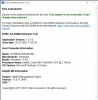
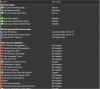
-
Okay. SA0086 tool won't help much. MEI FW seems to be updated. I'm having 3772 MEI FW or something. I tried D6/DC in the past but reverted to CC in BIOS 1.8 due to CPU getting locked up in tight multi-thread workloads.
-
Can you confirm if undervolt is disabled on this firmware update? Thanks..
-
I dont use that feature, sorry.
-
Could you please download ThrottleStop then run it and click on the FIVR tab? Even nicer if yo could click unlock voltage in there and add -15mv offset for Core voltage and click apply. Post screenshot.
https://www.techpowerup.com/download/techpowerup-throttlestop/Last edited: Oct 30, 2020 -
This is my main working pc, so cant afford messing with undervolt etc. Hopefully someone else will be the guinea pig

-
There is no risk in running TS, as opposed to the huge risk of applying a BIOS update - so you already are a guinea pig, we are just asking you to be a smart one. If you don't click save/apply in TS no changes take place. And if your laptop is not undervolted, you are missing out on lower temps, less fan noise, better performance, longer battery life, and longer lifespan of the laptop. Yes, if you are not a technical person, the task could seem a bit daunting, but do yourself a favour and look into this, it's worth it, especially if it's your main driver - it's like upgrading the laptop for free.Last edited: Oct 31, 2020
-
Everyone new to the community seems to think of undervolting as something that can cause harm to the HW. Infact, manufacturers like Acer, Apple and Razer have shipped laptops undervolt straight out of the factory. Helios 300 2019 was undervolted by -125 mV, and the i9 variant of the Macbook Pro was undervolted too. Same goes with Razer Blades. So there must be a solid reason behind it - something special about undervolting, isn't it? Common sense. And the moment you become aware of that reason, you'll straight away undervolt yours without wasting a single moment.Last edited: Nov 1, 2020GrandesBollas and etern4l like this.
-
-
Just tested for few days new BIOS with undervolting -25 core+cache 4100MHz and -125 core+cache 2700MHz seems to all OK
-
Looks like it does include plundervolt protection. So, I will skip the BIOS for now.Normimb, c69k, Papusan and 1 other person like this.
-
I'm starting to get a weird issue where sometimes, especially after the computer has been just started, the W key doesn't want to respond immediately. I assume this is related to it being pressed so much during gaming for WASD movement. But once the computer has been running for a couple minutes, it seems to work normally. You's think it'd either work or not work but it instead works most of the time, but not all the time. Anyone else experienced something like this?
-
If I understood it correctly that it only happens on the start when booting your laptop my suggestion is to try testing in safe mode.. It might be a software issue..
-
It's a mechanical component, sounds the issue could be temperature dependent - have you tried any basic keyboard maintenance, such as vacuuming/blowing with compressed air?Vasudev likes this.
-
@Wes of StarArmy After this suggestion above, the next thing you can do to really rule out software issue is go to bios and try to create a password on the Hard Drive basically just pressing buttons to test.. Next would be reseating the keyboard cable inside the laptop.. I had this issue before and it was the r and y keys.. reseating cable fixed the issue.. Hope this helps..
-
@0lok @VICKYGAMEBOY and others Don't update to BIOS 1.11 since it kills undervolting permanently and now its consuming 1.033V for max sustained and peak loads earlier it was 1.01-1.02V
-
aye man.. too late to the party, ive already updated it... let me check my old VID vs new one.. havnt checked yet.. but anyways this laptop is running basic things.. thats all its good for now..
-
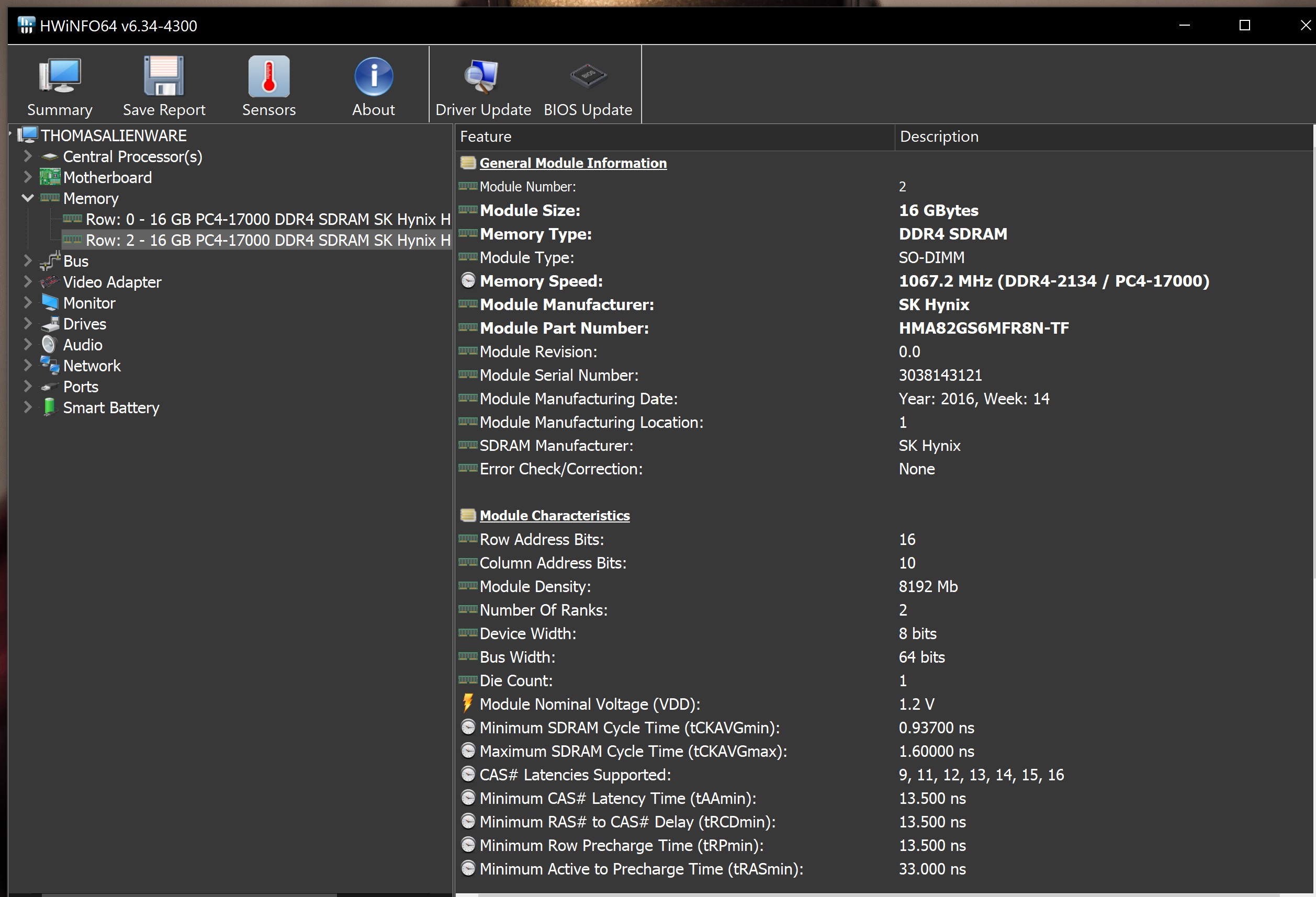
I experienced a strange thing yesterday. After I updated windows to build 19042.685 I was prompted with a error message during the reboot. It says the following:
I pressed F1 and booted normal into windows. But I got the same message after a new reboot and a shutdown and reastart. So I also tried to hit F2 and F10 (Save and Exit) without doing any changes. No error message after the first reboot, but the error message repapered after a new reboot. So I tried to reseat the two 16 gigs memory modules, but that did not help - the error message showed after the third reboot. The strange thing is that I have not made any changes and the pc sits put on a cooling pad on my desk, so no psychical damage is possible.
And when I check the system info it reconice the whole memory, the same for HWinfo, task manager etc. See attached images. I ran the memory test from the Dell support assist with no errors.
The last thing I tried, after some googling, was to flash the 1.11.0 bios again. The error message has not popped up after this, but I haven't tried to reboot more than 3 times. So hopefully the bios flash fixed the issue.
Have anyone else experienced something like this and know the possible reason(s) or solution(s)?Attached Files:
Vasudev likes this. -
-
The last thing I tried, after some googling, was to flash the 1.11.0 bios again. The error message has not popped up after this, but I haven't tried to reboot more than 3 times. So hopefully the bios flash fixed the issue.
Have anyone else experienced something like this and know the possible reason(s) or solution(s)?Vasudev likes this. -
Might be worth running extended RAM diagnostics overnight, ePSA has some built in I think.
*OFFICIAL* Alienware 15 R1/R2 Owner's Lounge
Discussion in '2015+ Alienware 13 / 15 / 17' started by Mr. Fox, Dec 10, 2014.