 Problems? See this thread at archive.org.
There is new BIOS update from dell through WU version 1.02.05 dated 2016. I downloaded it and checked everything is very old so don't apply it it might brick your BGA. Intel MEI is very old.
-
-
sorry guys long time no updates, hope everyone doing good, about the bios thing.. for R2 until 1.8.0 undervolting is possible older Throttlestop version 9.3 below.. after bios 1.11 and 1.12 its disabled.. no issues on bios tho.. system runs fine..
-
Haha.. I don't have any other system no undervolt is a must for me. Still on 1.8 BIOS with uCode updated to EA and latest 39xx MEI FW. Performance is pretty crappy now.VICKYGAMEBOY likes this.
-
so undervolting on 1.12.0 has been confirmed disabled, good thing i haven't tried updating the bios (out of curiosity) and getting locked out lol
but I have a question though, how is the USB 3.0 on your devices? I have noticed that the USB 3.0 hub on my R2 isn't waking up when the laptop wakes up from sleep when on battery power exclusively (tried both 1.7.0 and 1.8.0, different drivers, different OSes, same manner)
USB-C 3.1 hub works perfectly btw
if anyone can test that out using any known to work usb3 device I'll be thankful. -
Hey guys. My R2 has been running strong since 2/2015 but I’m looking at upgrading ram and adding an m.2.
for ram, will the R2 be able to run this @ 3200? https://www.crucial.com/memory/ddr4/bl2k16g32c16s4b/ct16707311
for the m.2, is there any reason this drive wouldn’t work? https://www.crucial.com/ssd/p5/ct2000p5ssd8/ct18194108
appreciate it! -
I can't say anything about P5 SSD since I have P1 1TB QLC which I got few months ago. @MogRules did have weird issue on P1 and when I got the drive it came with newer FW and didn't face drive missing error or not detected in BIOS errors.
3200MHz can be used if you're planning to use the same module on new PCs with 3200MHz SODIMM support natively I think 15r2 can max out at 2667MHz. Do a AIDA64 memory test before and after test to see the difference. You may have to reduce undervolt by 50mV since 3200 RAM needs 1.35V. -
i tested few modules by myself, different brands, kingston hyper x 2666mhz CL15, Vengenage 2666mhz CL18, and Crucial CL19, i can confirm the crucial and vengeance one runs fine on system even on full load for 24hours straight, due to the higher timings, on hyperx it runs fine on bios / detects / loads windows / but random BSODs, Game Crashes, Nothing Wrong with the sticks, its just our alienware 15r2 bios is conflicting somehow.. though hyperx comes with xmp 2.0 and its value for money for 15r2 i wouldnt recomend, i even went back to the initial bios to unlock rom settings to use XMP instead of JED, its still the same.. go for crucial ones for now.. yes it has slightly higer timing.. for SSD im using samsung 970EVO and SN 750 WD, both have decent speeds, @Vasudev WD or Samsung
-
HyperX Impact 2400 CL14? has been super-stable for me though.
-
Yes the 2400mhz is ok, im only talking about the max supported speed on 15r2 which is 2666mhz, only comparing those speed kits.. also these days we have to think about IRx8 and IRx16..
-
The reason for buggy memory or lockups is newer microcode needs more power so 2667MHz XMP will cause glitches or occasional blackscreens even with minor undervolt of -50mV. I had to disable undervolt to run 2667MHz DRAM from Crucial Basics and Crucial Premium kits of 16GB 2667MHz 1R DRAM.
Both are great SSD brands Samsung and WD the user won't go wrong with 970 EVO/EVO Plus and WD SN750 SSDs.Papusan and VICKYGAMEBOY like this. -
New Bios will be out in few weeks, with more patches on cpu side.. more performance drops, terrible platform tbh.. also for NVMe Drivers, Do u use offical MS inbox ones ?? i just let windows update the driver these days.. for alienware 15r2 some of the drivers are outdated, but i feel it runs snappy, comparing the newer drivers.. im planning to add a 1TB ssd as well, just for gaming purposes... any recomendations ??Vasudev likes this.
-
90% of the drivers are from windows updates.
I felt P1 QLC is very fast for all my needs and battery life is amazing on steady IO usage like ISO/Slipstreaming Windows/Linux.
If you are opting for nvme on budget P1 1TB is good. Only issue is R/W gets crappy once you exhaust 150-160GB SLC cache. -
Why bother with those new microcode updates? A lot other security problems you risk run into. Open an wrong email is more risky than getting it from not 100% secure hardware.
If you are afraid for security problems and need to patch HW with never ending microcode updates to stay secure then you should also remove undervolt.
See... No updated microcode in the world can save you if you only put your trust into this HW fix https://www.borncity.com/blog/2021/07/25/discord-wird-mehr-und-mehr-zur-malwareschleuder/
Same here. Updated MC won't be the same as a secure system
New information about the Windows 10 vulnerability HiveNightmare - The print Spooler sagaLast edited: Jul 25, 2021 -
Very useful and not one that warrants any sense of urgency to repair. I hope it can't be fixed.
Normimb, Vasudev, 0lok and 1 other person like this. -
I was getting blackscreens on idle on CC uCode on BGA, had to use newer uCode to fix that issue. Dunno why I still get black screen of death when putting it to Sleep.VICKYGAMEBOY and Papusan like this.
-
See if you find a bios you can roll back to with an ok microcode. Then don’t update and delete MC in Windows so you only have the one from bios. There is nothing appealing with any of the newer firmware updates.Vasudev, VICKYGAMEBOY and Normimb like this.
-
@Vasudev @VICKYGAMEBOY @Papusan
New bios is out, 1.13.1: https://www.dell.com/support/home/n...rhdj&oscode=wt64a&productcode=alienware-17-r3
https://www.dell.com/support/kbdoc/...rity-update-for-intel-platform-updates-2021-1
Will be upgrading later and report back. As a side note I have the HK CPU, so still able to undervolt after what I understand from earlier versions that disable it for the HQ CPU.
HK has unlocked multiplierLast edited: Jul 30, 2021Papusan likes this. -
@Papusan @VICKYGAMEBOY @Vasudev
There is also a new Intel Management Engine Components Installer: https://www.dell.com/support/home/n...d9nn&oscode=wt64a&productcode=alienware-17-r3
I assume that it is advised to install this before the bios 1.13.1 (?)VICKYGAMEBOY and Vasudev like this. -
Maybe the new bios come with an new mei firmware. The imei driver can be installed before or afterwards. Put your resources on the bios first. If you want it.Vasudev likes this.
-
So flash to new bios first and then Intel Management Engine Components Installer?
It says in under the important info to ME Installer that; "This Chipset driver must be installed before installing this update." -
As I said the Imei components is an driver. Some install drivers but not update bios.
You would be advised to install it before the bios if that was important. -
Ok. So it doesn't matter what order I do it in. It says in under the important info to ME Installer that; "This Chipset driver must be installed before installing this update."
-
Maybe a typo. The installer is above 200MB aka has to be a driver.
And nothing about this in the bios update install specs sheet.ThomasAAT likes this. -
Got it. I will double check if the IME from dell is older than my current. There was recently a ime update from ms if I remember correctly.Vasudev likes this.
-
@Papusan @VICKYGAMEBOY @Vasudev
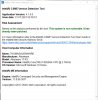
The BIOS flash went well, so did the IME driver updates.
-
Ok check out newer Killer WLAN and BT drivers as well.
I am already using the newer uCode EA and MEI FW 11.8.3909 so I won't see any difference on 1.8 BIOS.ThomasAAT likes this. -
I have the intel wireless and BT card, so only upgraded to the Killer PCIe Ethernet Controller Driver.
-
I can't grasp that you all want the newer bios versions. And it doesn't matter what Dell model you have. All will get about same treatment m15/17 r3 new BIOS version 1.9.2 info
-
@Papusan
The reason I update the BIOS to the newest (been on every BIOS since 1.2.8) is manly the security and possibly firmware updates/new features. I am not a gamer so I dont notice the potential preformens loss. That said I have the HK CPU version and I may have been more restrictive upgrading if I had the HQ.
As a sidenote. All working fine with the newest BIOS. @VICKYGAMEBOY says it will be yet another BIOS update in not to long. I thought this was the BIOS, released July 30. he first ment when I saw his post some days ago, but apparently not.Vasudev and VICKYGAMEBOY like this. -
You can go upto 1.3.12.. You will have better CPU scores
-
@VICKYGAMEBOY
Will stay on the new bios 1.13.1. Will not take the risk on downgrading a locked bios for some minor CPU scores that I in my day to day use won't notice. But thanks for the heads up.
If there is a new bios coming in a few weeks I will flash to that also.Vasudev and VICKYGAMEBOY like this. -
Since you have HK CPU you can undervolt w/o any issue and has XMP 2.0 support as well.
-
ended up with this in hand: https://www.amazon.com/Western-Digital-Blue-SN550-Internal/dp/B08K4NP5DQ
unplugged the machine, secured the drive in the slot with the machine not plugged in, plugged back in to AC power, turned the machine back on, and got the LED's flashing. Is that because I didnt' unplug the battery cable before adding the m2 drive?
I think it may be the problem but want to confirm before I start troubleshooting other potential issues...
Thanks!
Cheers!Vasudev likes this. -
AW BIOS is a mess sometimes acts weirdly!
Do a proper reset by holding power button for a minute after disconnecting battery cable.tecton3d likes this. -
Thanks! Did the reset but the drive still isn’t showing up in device manager or bios.
Only showing the factory 1tb hdd in either bios or Device manager. Scanning for new hardware in Device Manager doesn't do anything.
Do I need to adjust the bios settings? All settings are still what they were from the latest bios updates and I can’t even remember when that was.Last edited: Aug 17, 2021 -
try swapping the drive to PCI SSD 0 slot. i have mine attached to that slot. PCI Slot 1 offered slow speeds and my drives dispappeared out of the blue upon restart.
-
Thanks Vasudev, but the OS is on the HDD in slot 0 (i think) so i'm limited to m.2 slots 1 or 2.
... here's the *****. My new m.2 drive will not physically fit in the M.2 slot 2!!!!!!!!!! WTF. I'll post a video shortly but it will not physically accept the same format drive from M.2 slot 1 INTO M.2 slot 2! -
That's really odd, since both slots accept 2280 PCIe/SATA.
-
Indeed your WD SSD seems couple of mm's bigger in Slot 2. Could it be the copper side and NAND chips causing it to be grounded?
@Papusan What do you think? I have not seen inverted SSD design. I've seen most NVMe SSD in 2280 format has DRAM, controller and NAND on single side unless its a 2TB SSD which is double sided and I think most Dell/AW support tech say its incompatible! -
-
Picked up a WD black SN750 500gb drive to test and it also DOES NOT fit into the #2 m.2 slot. Same fitment problem as the WD blue m.2 drive. Will go to best buy and pick up a Samsung to compare different manufacturers... For some reason, I don't expect that to make a difference...
Vasudev likes this. -
Update: the Samsung Drive came closer to fitting but DID NOT fit into slot #2 and was NOT recognized by BIOS or OS in slot 1 (which it DID fit into - thankfully).
Vasudev likes this. -
Hey gents, I sincerely appreciate the help but if there is nothing else I can do to try to get this drive to work, I'm calling it on this WD 2tb SN550 drive and will return it to Amazon.
Also, it doesn't help that WD is doing this: https://www.tomshardware.com/news/wd-blue-sn550-ssd-performance-cut-in-half-slc-runs-out.
ALL things considered, I'd rather get it to work and avoid the hassle of returning this one, shopping for a new one, and trying this charade all over again, even if it is "slow" by M.2 standards, it'll double my capacity and definitely be faster than the 1tb 5400rpm dell hdd
Cheers!
Tecton3dLast edited: Sep 3, 2021 -
Ordered a Samsung 970 evo plus 2tb and am having the same problems. System won’t boot with the drive installed in either the m.2 slot. … might pay dell money to tell me how to get this to work.
-
I don't think Dell actually supports dual sided 2TB drives.etern4l likes this.
-
Do you mean the machine won’t support 2 sided 2 terabyte drives, Or Dell won’t help me get it to work?
-
I think both. Dell support lists 1TB as max SSD per M.2 slot.
-
Hi everyone, I have a question, how is the USB 3.0 on your devices? I have noticed that the USB 3.0 hub on my R2 isn't waking up after the laptop wakes up from sleep mode and when on battery power exclusively (EXT Hard drive and flash drive only works in usb 2.0 mode at any of the three usb-A ports)
if the laptop is plugged in usb 3 works perfectly after waking up.
tried both 1.7.0 and 1.8.0, different drivers, different OSes, same manner.
USB-C 3.1 hub works perfectly btw
if anyone can test that out using any known to work usb3 device I'll be thankful. -
ordered this turd: https://www.bestbuy.com/site/pny-cs...nal-solid-state-drive/6463143.p?skuId=6463143
we'll see if it works, if not, I'm buying an R6 15 or an x17
if it works, i'll get adventurous and order a 2tb sata iii to try...Vasudev likes this.
*OFFICIAL* Alienware 15 R1/R2 Owner's Lounge
Discussion in '2015+ Alienware 13 / 15 / 17' started by Mr. Fox, Dec 10, 2014.


