Problems? See this thread at archive.org.
In Bangalore yes, but what about temp inside home where you gaming? And please post PCH temp in max load.
![[IMG]](images/storyImages/nMefq7H.png)
-
-
Room ambient temperature was much less, probably in 25-28C range.
Here are pics from dell ePSA and HWiNFOAttached Files:
Papusan likes this. -
-
@sagarbhathwar: The temps are soaring upto 90C on PCH and if a repaste would not bring down the temps, I'd ask Dell for possible board replacement because your PC is at risk of explosion. Probably your older board was fine though. Tell them that I can't rest your hands on the pal rest and you're uncomfortable coding or even typing documents on the PC.
-
Those were images I sent before thermal pasting, after that, in ePSA, PCH temps are holding up at 71C and on HWiNFO, PCH temps are at about 77C. (Tested for 5 min, CPU would blow up otherwise)
But more importantly, there is another major issue. I was running Visual Studio project compilation alongside ffmpeg video encoding. Look at what is happening to CPU clock. @VICKYGAMEBOY . This may make you feel nostalgic. Have a look at the insane behaviour. I am ready to take this case to court now!
![[IMG]](images/storyImages/20zs4Vc.png)
-
You have to make sure, also the humidity is important. You might be operating the laptop out of spec because of this which hinders possible support from AW.
The PCH temp seems okay, I think thats not the problem. But its important to make sure that the heatsink makes the best possible contact with the CPU and GPU to optomize the cooling performance as much as possible. Maybe you can ship it to @iunlock so he can optimize it for you? -
It will be too costly for me to ship back and forth. And time. And security that it is transported properly. Lots of cons over pros
Well, I think the laptop is fit for junk as it has been opened more than 10 times and no idea if it has been assembled back properly each time -
You have to test it at least in a well cooled environment and see how it runs then. If its still way too hot even in an airconditioned 25c room. Then you can build a case on it.
-
Even in their service center, air conditioned to aronund 23C AFAIK, core 1 and 2 went to 98C while core 3 and 4 remained around 90C. The team is damn adamant that it is working according to design. They tell that Intel specified TJ max as 100C and that is the maximum operational temperature. They just aren't seeing that there is thermal throttling, that too now it's becoming severe and going to 799MHz during my regular work(Visual Studio compilation, ffmpeg etc). It's nearly unusable now
-
No one near you that can properly disassembly it and repaste it? The amount of times it has been opened doesnt matter much as long if it is done correctly. Mine is opened multiple times by myself but is still in pristine condition.
Idle temps in a room of 23c is 40c while watching netflix, working a bit, having chrome open with 15+ tabs etc. So if it would be 28c I think it would be around 50 and under load around 80c. This is with a proper paste job with Kryonaut.Vasudev likes this. -
None I know. I can't do it myself too, don't want to risk it while the case with Dell is still open, and I'm not that skilled too. Some hopes after I get a chance to speak directly with R&D team without going through someone.
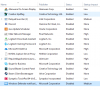
MY idle temps is about 55C as soon as I turn on the laptop. Ambient temp is about 30C now. And for no reason, even below 50% usage, core 1 and 2 are spiking to 96C while core 3 and 4 are going to 85-90C with just chrome open. I've attached my list of startup programs. It has been repasted multiple times, with Kryonaut, Arctic MX-4 and now running on Dell's certified junk paste. I'm sure it won't fix it when done again. Something is just not right and I have no one, not even top techs in Dell, to figure out what is wrong.
Again, my CPU usage hasn't cross 40% on any core, but temps spiking on all cores to 90C+.Attached Files:
-
-
and the GPU? whats the load on that?
-
Nvidia optimus, so, no load on dGPU
iGPU max temp 65C -
@sagarbhathwar: You need a WinPE environment to check so that your apps isn't running. Just for diagnostics download this tool from Majorgeeks http://www.majorgeeks.com/files/details/sergei_strelecs_winpe.html and burn it to a flash drive. Boot up in Win 10 mode during startup, be sure to disable SB or Secure boot for this to work. Fire up AIDA64 Stress Test or OCCT along with CPUz and report back when you're done with stress test(s).
-
But something can trigger the dGPU, especially Windows 10 has that problem that it keeps enabling the dGPU so its worth to check it out
-
Ran 3 minutes of Aida64 test, recorded it on my phone. Occassional throttling to 799MHz, pretty much stays at 2.5-2.6GHz, which is 0.6GHz less than multicore turbo boosting
I've seen it go upto 70C-75C when playing games, haven't played much recently since my laptop is almost in an unusable state.
When I encoded the video for youtube upload, max temp it reached was 66C. Maybe I'm guessing GPU encoding isn't as stressful as gaming. AFAIK, not much problems with dGPU -
This is a thermal throttling issue due to poor contact between the die(s) and HS.
Opening up the system multiple times does matter, when Monkey's handle it.
They simply don't know what they are doing. Period.
::iunlock:: -
Cannot update BIOS for Alienware 17R3: Alienware_15R2_17R3_1.3.10.EXE
When I try to flash intall this new BIOS the computer rejects it saying the ROM cannot be installed and then forcing a reset.
Any ideas?Vasudev likes this. -
Remember load on cpu + gpu will stress PCH chips more than only cpu bench or workload. Even with ok cpu temp you can get throttling if the PCH give you problems. Use HWINFO64 for monitoring with all your testing. Use FPU only and GPU stress in Aida64 for testing. Uncheck all other boxes. Or Use Stress FPU only and Heaven benchmark in loop if you shall show the numbers to Dell tech. Maybe you can push your machine to thermal shutdown and then can't Dell tech deny you a fix. Make it on video. Put up all importent info in Hwinfo as I have told you earlier.Last edited: Apr 13, 2017
-
Put it on a fat32 formatted usb stick and then flash in the bios itself.
-
This is very useful indeed- thank you
 Which menu option in the BIOS do I use to initiate the Flash? I just want to be extra careful because last time I did a bios flash I lost my operating system for days.
-
Dont know from the top of my head, you have to open the bios boot meny by pressing F12 I thought or F8 while botting in bios. THen select Bios flash in the menu.
-
No need! After sending this video to Dell, R&D team is picking up the laptop and have promised a fix. Should just wait now
-
-
Do you have any thoughts about installing faster RAM? The standard for the 17R3 is DD4 at 2133 MHz but there are vendors like Kingston and others that sell 2400Mhz and 2666Mhz claiming to be compatible with 17R3.
-
I havent tested any other memory, but it should work.
-
Hey guys i just bought an used Alienware 17 R3 laptop with the following specs for 750$
6820HK
GTX 980M
16GB Ram
1TB HDD
500GB SSD
Everything seem's to work fine from all the testing i have done expect for one thing.
It's overheating like crazy, i'm getting 40-50C at idle wich is fine.
But while playing game like H1Z1 : KOTK i'm getting temps of 95-100C and my FPS start dropping like crazy (From like 120 to 15 fps)
Do you guys have any suggestion as to how to fix my temps problem and prevent the massive FPS drop?
I'm running CPU and GPU @ Stock speed with updated bios. -
New thermal paste. Remember to follow up PCH temp. A known problem and will cause massive throttling for some.
-
Not exactly sure what PCH temp are can you give more info?
-
See PCH temperature in the pict. Use HWiNFO64 for monitoring.
Test with wPRIME v1.5 [A good tool to benchmark and stress test your CPU, RUN IT AS ADMIN, select 8 threads in advanced options and run 1024m stress test] Run Hwinfo in the background.
![[IMG]](images/storyImages/oEF31YF.jpg)
It may be that Dell has crippled the possibility to monitoring PCH temp in the second model of AW Echo.
Edit. If so, only options is running DELL's EPSA test tool in Bios. But expect higher PCH temp in max normal load.Last edited: Apr 18, 2017pinco000 likes this. -
This is what i'm getting
![[IMG]](images/storyImages/u5xzYtU.png)
![[IMG]](images/storyImages/NypeWZK.png)
![[IMG]](images/storyImages/yuYu0vM.png)
-
Yeah, all too hot for stock clock speed and the Wprime 1024M score is worse than from the fully locked down low entry [email protected]
Dell advertised this i7 BGA with 3.9GHz on all four cores. But You run wimpy 3.2GHz clock speed on all 4.
It seems Dell have crippled the possibility for monitoring PCH temp for the second model of AW Echo.
The only options for you is running DELL's EPSA test tool in Bios. But expect higher PCH temp in max load vs. the weaker EPSA test who don't stress your hardware.
Tested Wprime 1024M stress test with the lower [email protected] clock speed. But still get better score.
![[IMG]](images/storyImages/1MvgFxx.png) Last edited: Apr 18, 2017
Last edited: Apr 18, 2017 -
@Rocktaze: If you do a repaste you can bring those temps down and also OC to 3.9-4GHz easily.
-
@Papusan: See my wprime scores, I'm lagging behind due to HQ CPU. 32M is 6.78 sec and 1024M
http://hwbot.org/submission/3519333_Papusan likes this. -
Use Windoze high performance power plan and not all the power saving ****y. Stop all junk - bloatware who running in the background. And No Antivirus.Vasudev likes this.
-
I use Balanced most of the time because most of the time I carry it to college. There is no background apps, I optimised it myself ( not code level but at a SW level). Thanks for the tip.
-
See pict. Did you run with Windoze Defender in the bench or enabled for the validation on Hwbot? You could svitch power profile when needed with a click in Windoze power plan or try ThrottleStop.
![[IMG]](images/storyImages/1821726.jpg)
-
Thanks for that. I might give it a try.
-
Does Defender being turned off, vary performance that much, I didn't know that.
-
Everything that steal clock cycles will reduce performance in one way or another

-
See the results it is amazing. Thanks to you http://hwbot.org/submission/3525930_v56m_wprime___1024m_core_i7_6700hq_3min_26sec_870ms
See the screenshot. -
Yeah, as expected. A lot better
 See other with same
i7 BGA but with worse score than yoo now
Shoot for
NR.1 in Wprime 1024M
Vasudev likes this.
See other with same
i7 BGA but with worse score than yoo now
Shoot for
NR.1 in Wprime 1024M
Vasudev likes this. -
Will see to it. I might have to change thermal paste from artic silver ceramique 2 to CM Maker Gel Nano Diamond.
-
-
So how does one control PCH temps and how do i go about improving my situation?
Would cleaning the component, repaste the laptop with Kryonaut do the tricks?
What about Laptop cooler? Any good model for Alienware 17 R3? would that help bring all the temps down?
Tbh my laptop experiences come from an Eurocom Tornado F5 and i've never had to deal with PCH temps or massive Throttling like that.Last edited: Apr 18, 2017 -
Yeah, You went DELLIENWARE. And your problems is as expected.
New thermal paste and cleaning. Aka Liquid metal and maybe new better pads. Look for @iunlock's PCH mod. Make you a U3 cooler mod as well. -
I'm buying an U3 right as we speak.
I'll get it repasted + Cleaned on thursday.
I sent @iunlock a message so he can link me to the PCH mod so i can probably do it on Thursday as well.
Thanks for the help Papusan i'll report my progress on Thursday
Edit : Bought the U3, how shall i place my fan? The middle one should push air in the Laptop and the 2 fan on the side should push air out of the laptop?Last edited: Apr 18, 2017 -
You're welcome
All 3 fans likewise. Push air in the laptop. Don't use wimpy low powered fans. 3000rpm with high static pressure and high airflow. High quality 2200rpm fans will also work. -
I'll link you once I get back to the office. On my way.
::iunlock:: -
Lmk
*OFFICIAL* Alienware 17 R2/R3 Owner's Lounge
Discussion in '2015+ Alienware 13 / 15 / 17' started by Mr. Fox, Dec 10, 2014.