Problems? See this thread at archive.org.
just got two 17 R4s with the gtx 1080 and both have the stutter after about 10 or 15 min. on an intense game. Temps look good, GPU in the 60s and CPU in the 70s. I played for an hour with the stutter happing the hole time with GPUz. When it stutters GPU goes to zero percent usage an the one sensor says it is due to power limit and voltage issues. This makes me think it is the issue with the thermal pads not sitting right on the DC components an they are overheating. Would you all suggest just having alienware send new laptops or look at someone like @iunlock an have him repaste an work the thermal pads? Also does anyone know how much it normally cost to have someone do this?
-
Not really sure but it seems like I am throttling without thermal issues present? Or is this normal on laptops? Cores are set to 39 37 36 35 in XTU. This is 100% stock no changes to voltage. -
-
Aida64 does not seem to push the temps up like gaming does.
Mainly because when running Aida64 the cores downclock themselves. -
Yup, that's why I don't suggest that or OCCT as load test software for maximum heat.
prime95 + small FFT will hit the limits and you can tune the threads there or multiplier's in your CPU to reduce to just under the limits.
If your not thermal throttling you've got something else kicking in, power limits, power plan settings - check to make sure you are set to 100%/100% CPU power in Advanced power settings - High Performance. -
It has no problem hitting the clocks when it needs it.
My max clocks are fine. Trying to accurately test.
It seems my highest thermals are with in acceptable limits (91c). Just as a desktop user seems highs
I am talking CPU max temp 91 c, sustained temps hit 85 on the high side after hours.
Sent from my iPhone using Tapatalk -
-
-
Noticed my caps and num on/off light doesn't work. Guessing I just have to download a driver, or maybe some settings thing. Any ideas?
-
Why not? If he is running Aida64 and the cores downclock themselves... What do you think will happen with P95?
 He run Stress FPU box checked aka Avx. Same as for P95. But P95 will push it even harder.
-
Without a doubt I have thermal issues once I set pl1 and pl2 to 100 it could hold clocks only with a -.135 undervolt but still hit 92-94C. It seems I could not escape the tripod heatsink of death. Amazing asus can make a max q laptop almost half the thickness and it doesn't have these kind of issues...
This will be going back to Alienware. The search continues.
Sent from my iPhone using Tapatalkhmscott likes this. -
You think
ASUS ROG Zephyrus with Max-Q run cool? 91c with a wimpy Cpu Package Power around 24w is terrible!!
Pete Light, openglcg, hmscott and 2 others like this. -
No that is not normal on laptops.
It is safe to say that to expect a laptop to run perfectly out of the box would be a fantasy.
ALL gaming laptops need some attention in getting it to run at its peak.
Not all chips are created equal.
The AW's run fantastic once properly repasted with proper contact.
Have you seen my posts showing what the 13's, 15's and 17's can do when running correctly?
I was just wondering that too.
ALL gaming laptops will have thermal issues when you unlock the pl1 and pl2 with an OC.
The tri pod mess can be tamed and once it has, the temps are fantastic.
The Asus maxQ is no better in terms of temps as @Papusan has shown in his post. That's just one example.... now if the Zeph is repasted, that could be another story.
There is no such thing as that Golden out of the box gaming laptop that you're trying to find.... unfortunately.
I can tell you for sure that the AW (once fixed/properly repasted/balanced/tuned) has the best cooling system in its class for a somewhat thin gaming laptop.
.Last edited: Aug 20, 2017Pete Light, openglcg, omtirft and 4 others like this. -
@iunlock
I tried repeating with kryonaut on one of the other replacements. Either I failed or the system had other issues. No change in temps even when swapping out the pads with fujipoly 17 m/wk.
I would love to get this system working in its prime. I have sent you a PM as well.
Power limits are unlocked no overclock just stock.
Thanks.
Sent from my iPhone using Tapatalk -
Use TS and un-check BD PROCHOT.
-
Figured out the on/off light issue with the caps/num lock. You just have to unplug battery, hold down power, then replug it.
hmscott likes this. -
+1
Demands some work but it WILL get way better. In my opinion LM is a must have. For the record I got my unit with the 0.1mm white thermal tape (it was in production when they changed it). Heatsink is a CCI.
![[IMG]](images/storyImages/6885371hourOCCT.png)
EDIT : A run I just made with this time the PCH mod and heatsinks+pads on SSDs. 26°C room temp. OC @ 4.0GHz only via BIOS, no undervolt, PL 100000 :
![[IMG]](images/storyImages/559406OCCT1hour082017.png) Last edited: Aug 20, 2017iunlock likes this.
Last edited: Aug 20, 2017iunlock likes this. -
Main problem with the new machines are the stuttering.. took me a mobo replacement + proper repasting to elimate it. I was lucky i guess but most people i know still exp this. I guess its part of a silicon lottery also. Until a proper fix is found its hard to recommend an alienware to anyone. A zephyrus doesnt run cool but i am sure it does not have the cancerous stutter the alienware has. Dell support in my area does not even know what stuttering is and only way/fix they know is bios update. Had to argue and threaten them to get a new mobo dispatched to me.
Also you are right my cpu temps are very nice! Maxing out at 70c with the new design i guess cooling solution is working
Vasudev likes this. -
Hey Guys, I'm looking for a a gaming laptop since a long time, but now I need to make the decision by sept, my budget is 2300$..I've read a lot about the heating and shuttering issues on the aw17r4 but I like the aw so, Should I go in for an aw17r4 (1070)? or an msi ge73vr or a predator 17? Pls guys I'd really appreciate owners opinion about it. Thank you
-
Alienware 17 r4 7820hk 1080
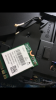
Can anyone advise what the orange cable is for?
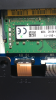
Had an dell engineer replace speakers and noticed the orange cable is cut, see image..
everything seems to be working ok thou.. does KB mean keyboard?
I could pull it out and see if I get a system error however given its current state I don't want to demage it further .... also I've noticed the clip is broken on my wifi card - think this tech had heavy hands. Hope dell Alienware don't think I've caused thisAttached Files:
Last edited: Aug 20, 2017 -
-
KeyBoard BackLight
-
Ah great, yes clearly what KB BL stands for. Strange the keyboard lights seem to work ok ..
-
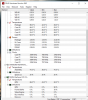
After repaste repad/ same test
Attached Files:
Vistar Shook and Papusan like this. -
-
I'd really appreciate if any aw owner would guide me ...
-
I responded to your post regarding the new thermal paste results here. ThanksVistar Shook and Vasudev like this.
-
Hey everyone! I'm gearing up to pull the trigger on an Alienware 17 R4 and I'm going over the kind of build I want.
It looks like one of the biggest points of contention is which screen to go with (QHD or UHD) but from what I could find on these forums, it looked like each screen had its own series of issues when they first started shipping.
Anyone know if some of those issues have been addressed by now? Is there a clear option to go with? Or is it still personal preference? For me, I'm planning on using it for games as well as art/content creation for game development (running Unreal Engine, 3DS Max, Maya, Photoshop, etc).
If anyone has any other build tips or advice, that'd be greatly appreciated as well.
-
You buying it from the US? If so, buy from Hidevolution or similar.
-
Yep, US.
-
Look at hidevolution site, it is a little expensive but every issue is fixed at factory. Contact @Donald@HIDevolution or @Ted@HIDevolution for NBR member discounts.
-
Except hidevolution are there any other resellers who repaste Alienware?
-
I'm still trying to figure out if I should go with the QHD or UHD screen. I'd love some opinions from folks that have either one.
-
QHD if you game, UHD for everything else.
-
That's exactly my quandary right now. I'd use it to game, yes, but I'd also be using it a fair amount for game development and art creation. So if the UHD has better color accuracy I'd rather go that route, but if that's negligible and games look smoother on a QHD, I'd go with that one...
-
QHD 120Hz will any day feel better than the UHD, but the UHD will look wayy wayy better.Vasudev likes this.
-
Honestly, if you don't play much FPS, I'd just go UHD.
Also consider how much of your time is spent gaming and how much it's spent doing everything else. -
Thanks for the advice! As far as games go, I'm not much of an FPS person--I usually gravitate towards action/adventure, stuff like Dark Souls, Tomb Raider, Resident Evil, etc.
That, combined with me doing less gaming than developing is leading me a lot more to the UHD then.
-
Anyone else have an issue with the latest Intel Graphics driver on the dell site? When i installed it my explorer would hand when right clicking on the desktop. I eventually figured it out and removed the Intel context menu item.
-
dell chat gave me a free upgrade to uhd 200 dollar upgrade also gave me a 512 gb ssd at the 256 price 200 dolars along with 200 dollars off base price plus your 200 dollars credit all in Canadian dollars took two weeks of negotiations many threats of not buying
being a long-term customer didn't hurtLast edited: Aug 21, 2017newtoalienware, jane blackwater, jim hansen and 2 others like this. -
The UHD has much better color accuracy and the 4K resolution will be usefull for development and art creation.
I sometimes use my 120Hz QHD for content creation and I think that the colors could be better.
It comes down to personal preference. If you never experienced a 120 or 144Hz screen and you prefer better colors and resolution go with the UHD IPS panel. With it's great colors and G-Sync you'll still have fun gaming and won't resent yourself when creating.
But if you're like me and tried those fast panels already, I can't go back to a 60Hz monitor for gaming, I just can't 120Hz is silky smooth!
I also really appreciate the eye-numbing brightness of the QHD screen. It's 400nits I believe. I work regularly in a very very lit environment and that brightness comes to good use keeping the screen easy to read.Phlibbit likes this. -
one also has to consider future proof my 9 year old is working as a server all have been running 24/7 in 4 years 4k will be the default and as i said the free upgrade is avalable one also has to evaluate 700 dollars premium on the 1080 over the 1070 one has to deside whiether they want a top of the line desttop replacement or want to overclock the s out of their laptop the fan noise in a real environment makes overclocking a drawback this laptop is perfect out of the box
two complaints no disk activity led and no hdd dual raidLast edited: Aug 21, 2017 -
just a reminder if it wasn't for a life ending earth impact the rodents would still be food for the dinosaurs and i would argue they still areLast edited by a moderator: Aug 21, 2017pulledthe tiggetr4, newtoalienware, jane blackwater and 2 others like this.
-
You really are losing focus on the problem, the problem is Alienware's failure to control their manufacturing, QA, and final test.
Alienware also flubbed the design, or parts specification on the thermal pads, or didn't think through the problem of using different height pads - it becomes problematic for assemblers to differentiate - eyeball - .5 mm differences in part thickness when placing them in the right places.
You're stubborn cluelessness in insisting it's "us" with the problem instead of the source of the chaos isn't helping, but it is letting you hang on to your long lost memory of the "greatness" of Alienware.
There's no such thing, it's all selective happy memory recollection. Alienware has always been overpriced parts in a basket, that's how I always see AW hardware, broken and being held out in a bag or basket as a collection of parts by some hopeful enthusiast that was only trying to make their great toy work, now desperate to get it working again, but Alienware won't fix it. $5000 down the crapper unless they can find someone to put it back together for them.
Nothing changed on Alienware's side, it's just now more people have woken up to Alienwares problems, Dino.
Last edited by a moderator: Aug 21, 2017Vistar Shook, Darkhan and Papusan like this. -
The Alienware support was a lot better before. Can't compare with how it was before. Everything has changed bro @hmscott. Not only the hardware!!Vistar Shook, Darkhan, hmscott and 1 other person like this.
-
I have lost amount of numbers Aw owners who have asked for help in several threads here and other places + PM the last 2.5 years. Aw wasn't like this before.Vasudev, hmscott, Vistar Shook and 2 others like this.
-
by different doesn't that make you a dinosaur let us get back to making the most of the new tech for everbody
-
lol that AW answer saying that "it's not designed to run to perform at a high level" is the lolzVistar Shook and Papusan like this.
-
Debating (even ferociously so) is fine, but kindly stick to the issue and refrain from personal attacks, aggressive behaviour and name calling.
Then again, trashing faceless, behemoth companies is perfectly fine . Lawyers might disagree, companies being deemed persons and, hence, susceptible to feeling hurt, but we can't spill too many tears over such fine print.
-
And that's the rub. Not all systems have these issues so we know they CAN get it right! But their poor QC is holding it back. That tripod design gives them so little margin for error that things like 0.5mm on a thermal pad can screw it up.
It's not all bad, either. These machines are solidly built and look great IMO. I like the understated look better than other designs that scream gamer in your face. The use of metal instead of plastic is a nice touch.
They've made attempts to fix things like replacing the 1440p panel and replacing the heat sinks with different units and better thermal paste but the QC issue persists.
Hopefully the R5 will keep what is good and fix the tripod design, add more I/O, and fix the QC. Of course, who knows when that will be...
It's not all doom and gloom. People are getting good units and I've also had bad ASUS and MSI laptops too. Alienware's service might have problems but ASUS has the worst and MSI isn't much better.Pete Light, hmscott and MogRules like this. -
Unfortunately short of pulling the contract with whoever is building the units I don't see how they are going to fix this. It sucks, it is not acceptable and Alienware knows this. I know they have been sending people to the factory to try and solve the QC issues and yet were still seeing problems so I don't know what the answer is. Unfortunately it isn't easy to just pull the plug and change to a new manufacturer either.Vasudev, hmscott, Papusan and 1 other person like this.
*OFFICIAL* Alienware 17 R4 Owner's Lounge
Discussion in '2015+ Alienware 13 / 15 / 17' started by katalin_2003, Oct 24, 2016.


![[IMG]](https://www.hostingpics.net/viewer.php?id=6885371hourOCCT.png)
![[IMG]](https://www.hostingpics.net/viewer.php?id=559406OCCT1hour082017.png)