Problems? See this thread at archive.org.
I might just do that. So you also feel those temps are too high?
-
-
I usually show people this when it comes to how to apply thermal paste. I just do the pea method and it has always been fine for me. Do extensive testing!
93C for CPU is OK, but not good. If that is your max and it is usually in the 80s you are ok. GPU being over 83C is generally NO NO and is irregular.
Are you undervolting at all? CPU+GPU? I know a lot of people only undervolt CPU since it is very easy to do and not time consuming, but undervolting the GPU is valuable as well (check b0b of all trades vid on youtube about doing this in Afterburner).
The Area-51m is a thermal disaster without an undervolt, no matter the paste job. I didn't read all of your posts if they go back several pages, so sorry if I'm retreading. If you have the 9900k you will always have a bit more to do to keep it thermally happy. -
That's awesome! My system should be here in a few weeks fully repasted, delidded and repadded from HID. Although, I'm having a buyer's remorse as to which color I should opt for. I just came back to Dubai after 3 months and plan to got to Deira city center to see the colors personally tomorrow.
Sent from my SM-G965F using Tapatalk -
Undervolt is a necessity, you can drop 10 to 15C easy on average with a good undervolt
Sent from my iPhone using TapatalkSlickDragon and Fire Tiger like this. -
Hey @Ultra Male, do you use your SSHD for games at all? How do you find it? Cheers
EDIT: Ignore this, don't believe you even use SSHD, no idea why I thought you did.Last edited: Apr 25, 2019 -
-
Okay, so I just spent $70 on cooling stuff. I got the TG Kryonaut for the CPU and GPU.
I've never bought thermal pads, though. I want the best.
I bought these two:
https://www.amazon.com/gp/product/B00ZSJQDYA/ref=ppx_yo_dt_b_asin_title_o00_s00?ie=UTF8&psc=1
https://www.amazon.com/gp/product/B00ZSJQLME/ref=ppx_yo_dt_b_asin_title_o00_s00?ie=UTF8&psc=1
So a 1mm and a 0.5mm; both 17 W/mk. Good reviews.
Anything I should be worried about? Anything else I'll need? Does anyone have pictures of where they placed their pads, and which thickness they used in each spot? -
I probably will just go back to using pea method if these temps dont stabilize. I only tried spreading as it is what kryonaut suggested. I have the 9900k and the rtx 2080. So no long term 93c for CPU and nothing higher than 83c for the 2080. Got it.
I will admit, when I first got this thing from Dell the CPU and GPU temps were both high 80s and low 90s during gaming. These temps I have now are actually slightly better, but I've done no long term gaming yet.
As far as undervolting, does this slow games down, etc? Probably a stupid question.. and either way, does anyone have a really good guide they trust for how to undervolt the 9900k?
I was hoping my temps were ok, but now I'm paranoid haha. -
I got it on 15th march with core i7 - 8700, 16gb ram , 2080 1tb hddFire Tiger likes this.
-
No it does not effect performance, unless you are crashing from too much of an undervolt. Start at -100mv in XTU and decrement by 10 while testing stability each time
Sent from my iPhone using Tapatalk -
Hmmm.... I hover at like 84c for my GPU most all the time. But I haven't undervolted it, yet. Or changed the thermal paste. Honestly wasn't too worried about it, but I guess I should be.
-
hi guys! a couple of days ago the laptop arrived, everything seems fine, i update the bios to the latest version 1.3.2, but i can't update the vbios, it gives me an error: falcon reset control is disallowed! (PLM = 0x000000EF).
 Vasudev likes this.
 -
The Vbios update is meaningless. Its a bump from 190W to 200W. But Nvidia caps the Overclock @ 2100Hz, so the max TDP is moot, and 2100Hz can be achieved slightly less than 180Wmigmap, Vasudev and VoodooChild like this.
-
After 7 weeks of waiting I am unboxing my new machine.
I may also be drunk.Last edited by a moderator: Apr 25, 2019Fire Tiger, VoodooChild, jclausius and 4 others like this. -
My unit is now awaiting shipment. Ordered through Amazon and hoping that rush order gets here soon before my next trip. Will have to do extensive testing of thermals and display before I can say I am satisfied with it.
Fire Tiger likes this. -
Nice work. I'd throw something like this around the CPU socket to protect it in case any LM decides it wants to get attracted to the colorful PCB and gets bored of the IHS if you ever move the laptop. Any LM that gets off the IHS is far more dangerous to deal with than LM getting off a BGA chips and still having the green substrate in the way between it and magic smoke.
similar protection used for subzero cooling to stop condensation works well for LM protection on LGA.
https://www.amazon.com/gp/product/B01LYU5S6D/ref=ox_sc_saved_title_9?smid=A2HQRUFZKW6718&psc=1
Foam dams work great on the GPU and on BGA CPU's, but the socket retention prevents foam dams from really helping on LGA chips, and if you put a foam dam on top of the retention mechanism, there's still no protection from LM that drips to the side of the IHS and falls off.raz8020, Rei Fukai, Papusan and 1 other person like this. -
Oh well, I have to say I was extremely disappointed with the P375SMA...build quality was simply put rubbish, creaking plastic everywhere, cracked around the touchpad after a few months and the edges were so sharp you could cut your skin on (typing was a nightmare because the edge woud "cut" into your palms).
Once I bricked my second GPU (it was a CF system) with a bad BIOS flash, the shop (HID-like guys) quoted me an absurd amount of money as they said it would need a new GPU. I've managed to fix it by swapping the cards and sold the Clevo straight away...the driver CD looked like it came from a Russian flea market where every CD was "Da, da 100% original, spasiba comrade".Last edited: Apr 25, 2019VoodooChild and pathfindercod like this. -
@Mr. Fox uses protection around his cores now. Free insurance is good insurance.
I use foam dams on BGA and MXM and my desktop GPU's (Vega 64, etc).
I still need to order Kneaded eraser and try that. Can't risk accidents around a LGA socket. That's much harder to clean up than an accident around a BGA jokebook @Papusan -
-
I cant seem to get a stable uv under 60mv on the CPU at stock speeds...
-
Also anyone know why my laptop types 3, 9 when i try to two finger scroll?
Video below:
https://photos.app.goo.gl/JGNFKwibnmhD172T9hmscott likes this. -
Nope. never used a touch-pad in my life, never will. I feel like I'm disabled if I try to control the mouse pointer with the touch-pad, it's so annoying.
I just tried the two finger scroll and it doesn't type anything.
I do however disable the pinch to zoom gesture because if I did ever wanna use the touch-pad (say I'm in a cafe or whatnot), when I am scrolling up down using the 2 finger gesture, often times it zooms in the page, drives me nuts
PS: Make sure you have the latest Touchpad Driver installed and the Alienware Pointing Devices fully updated from the Microsoft StoreFire Tiger and Papusan like this. -
wow I am sorry to hear that.
That is horrible . There are different retailers around the world. As I read the reviews online, HID is another big guys but with under average service . My p650 is from metabox. At the beginning, I just felt the look was acceptable and Little cheapy.After 6months , unnormal fan noise came from the cpu venting unit. Sent them the video and they mailed a new fan to me in 3 days after repairs request. They sent me an instruction . If I wasn’t been through the dell’s so called premium service, I would agree this just inappropriate service for customer. But they explainEd this is the fastest way to solve the problem. Ok DIY myself. 3 months later , due to heavy gaming on that machine, the monitor was blinking , asked for help. This time they sent the StarTrack to pick up after the day I sent them video. I received my laptop 3 days later. Ok not bad . Compared with dell keeping me 50days waiting. One month later, again screen blinked. Sent the video. And this time they just sent a brand new laptop for replacement and recalled my faulty one. And they kept me update their investigation. It turned out was the heat sink . It couldn’t hold the stress of heavy gaming(battlefield 5 5hours a day sometimes 8 non stop) and I was told if this happen again, they will send me a modified one to me and my current laptop had been reposted with the best thermal paste they could find. Worked well with it until my Alienware 51m arrived. -
Just tried the battlefield 5 for 3 hours . the hwifor shown the cpu hited 92C max. no repaste yet.
-
New one soon up in smoke?
Black screen issue when playing games. Lights on keyboard still on
Anybody have a black screen issue with their Area-51M when playing games? Idk whats going on but I just got this frickin thing yesterday from XOTIC whose supposed to have “tested” this thing and literally I play a game and the computer screen goes black. Lights on keyboard remain on still. It only goes black when I play games. I’m so disappointed. I dished out 3K+ so I could relax and play some of my favorite games and this is what I get...
This worked very well +1.5 Year before I swapped aka upgraded Cpu. Just don't paint the Liquid metal the whole way out to the utter edge.
![[IMG]](images/storyImages/H4fyA2k.jpg) Last edited: Apr 25, 2019
Last edited: Apr 25, 2019 -
Well, this is extremely strange. So, earlier I mentioned that my temps were 85c gpu and 93c cpu while running a battle in warhammer total war. I ran that test an hour after repasting it using the spread method and was sure the high temps were due to me doing a bad job. Anyways, before going further, I reinstalled windows 10 (had been planning it anyways since I just installed this new gpu) and updated drivers, which of course, took a few hours. I just started testing it again before I began to repaste or undervolt. I played a little Arma 3 to get the cpu nice and warm and then ran the same battle in warhammer total war....
NOW- For some reason the temps seem to be normal again. Actually, better than before really. I had read that Thermal Grizzly Kryonaut did not need to cure, but perhaps it took it a bit to really spread out properly, because now my cpu is staying about 83c and the gpu averaging 72c while playing the same battle. The cpu did spike to 87c once or twice, but for the most part stayed around 82-83c. Thoughts? I'm still interested in undervolting, but surely these temps are better than the 87c and 93c respectively. Why did a few hours make a difference? Thanks!SlickDragon likes this. -
Interesting. A RTX 2070 this time. Wouldn't put it past dell to change the suspect parts on the RTX 2080 and not do anything to the 2070 because failure rates *seem* much lower.
However it is not completely dead this time. Maybe a different issue like the bad cable someone had here.
![[IMG]](images/storyImages/2K4qqqf.jpg) raz8020, Darkhan, Vasudev and 1 other person like this.
raz8020, Darkhan, Vasudev and 1 other person like this. -
For games, use NVMe only. I don't think anyone uses SSHd anymore except for Apple users. lol (no offense). I have a 1TB 970 Pro which is holding the OS (both Windows and Linux), a 2TB 960 Pro that holds my games and stuff, and a 4TB 860 Evo Sata that I use as a big drive for all the data and junk.
Undervolt it using Intel XTU bump it up -5mV every step to see where it crashes. When you find the point of crash, back up 1 or 2 steps depending upon the stability of the system and enjoy lower temps on the CPU. -100mV should be a good starting point for stock boost clocks.
Or you can use the tea-spoon full of paste method that HID uses.
Last edited by a moderator: Apr 26, 2019Fire Tiger likes this. -
Hmmm, might be some variant of enable / disable full-time keyboard numpad function.
Fn + Letter(number) for a single number.
Fn + Lock enabled (lock light on) to make subscript numbers full time, when enabled might interfere with multi-scroll?
Maybe there is some variant enabled through multi-touch/finger scroll? Check options in multi-touch/finger scroll, try Fn-Numlock. Look for function lock light on/off, Dell's indicator is usually on top under bottom of screen or on front edge of chassis near you.mason2smart likes this. -
Bringing these questions to the new page.
-
Wow, you're probably stuck with a hot lemon there. Pretty frustrating.
You'll also need a little 1.5mm one for places like underneath the GPU and on the left side of the CPU. Slapping together 1mm and 0.5mm might work but won't be optimum.Last edited by a moderator: Apr 26, 2019propeldragon likes this. -
Some CPU's won't undervolt well at first, it takes time and patience to get more undervolt out of them.
I had one Haswell that undervolted -15mV max out of the box, but ran cool at that undervolt, and everything else about the laptop was 100%, so I kept it - for 18 months.
Eventually I gradually by small increments over time got the stable undervolt to -45mV for all apps / games, -50mV for benchmarking, and it OC'd stable too - where undervolt went away for most all CPU's anyway. This doesn't seem to work for all CPU's, or most people don't have the persistence and patience to keep trying, YMMV.
Not all CPU's will undervolt at -100mV or better at stock clocks and settings, and some CPU's will be like yours and mine, poor undervolters, but are still good CPU's for OC and day to day use.
Last edited: Apr 26, 2019SlickDragon, mason2smart, Vasudev and 1 other person like this. -
Guys, I am having an issue with my thunderbolt port, when I try to hook up an adapter from the thunderbolt to a 2.5 SSD it does not register in my PC. Any thoughts or help on this?
-
Do you have updated drivers for the thunderbolt controller? Download from support.dell.com page or click this link: https://downloads.dell.com/FOLDER05...ller-Driver_R16N8_WIN64_1.41.484.0_A00_03.EXEVasudev likes this.
-
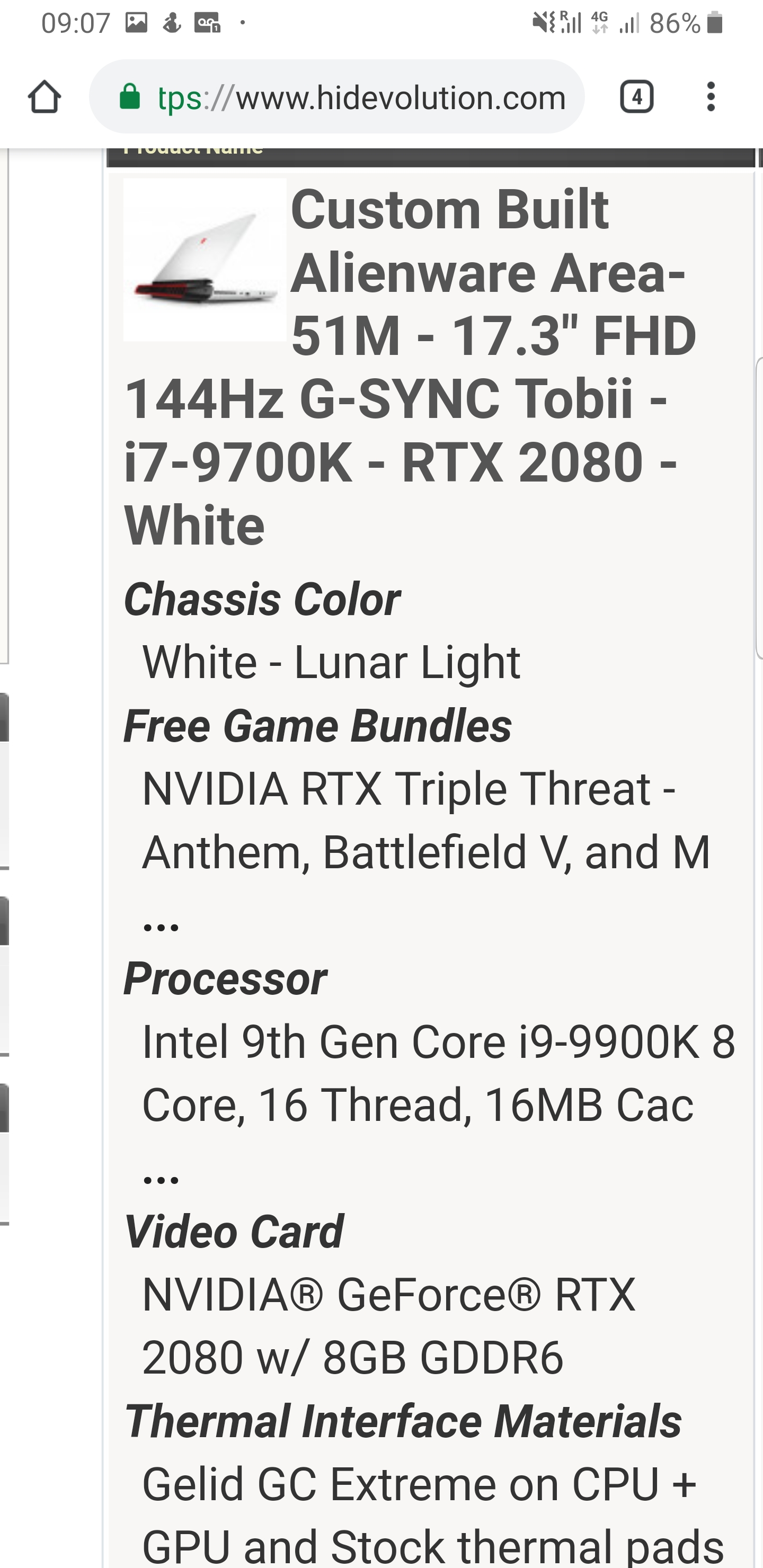
worst thing I did in my life was to buy with HIDevolution, I do not recommend anyone, they are charging me $ 128.00 to send my laptop back, and only after the dell send a machine to them, then yes they send me, if I want to cancel the purchase they are telling me that they will withdraw 10% of the amount paid, a shamemason2smart, AlexusR, XxAcidSnowxX and 4 others like this.
-
WTF?!?!!!
-
You read right, they're doing this to me.
-
Dude, do what I did. Transfer ownership of your machine to yourself in your own country using the international premium warrenty and just go direct with Dell from this point onwards. I did this and I am happy that I did so.MogRules and VoodooChild like this.
-
my machine on dell site is with an i7 processor, which i bought is an i9, i am afraid of losing this processor if i swap for dell
-
Which machine do you have? As long as it is from Dell, I think you should be OK with transferring ownership. Unless there is some upgrade that voids warranty which in case of Area51m isn't the case.
-
This is my machine.
Attached Files:
-
-
HID bought the system from Dell with an i7, and sold it with an i9. If the system were ever replaced by dell, you would get an i7 in return, and not the i9 you had.
HID in europe is a pain, especially since you can get the machine here (and probably cheaper if you factor in import duties and shipping). -
exactly, a real shame, at the time I bought with the hidevolution thought of the test and the fast delivery, I was not happy
-
I don't think you'll ever need to replace the CPU anyway so go ahead and transfer ownership to yourself. If there is a warranty claim, it will be on other components. In the worst case if you want to RMA the system, you can ask Dell to keep the CPU and return the rest which I think will be possible after some negotiations with the support.
-
at first I am going to make this exchange with Hidevolution, after receiving my new laptop, I will follow your recommendation is to transfer the warranty! hidevolution never againS.K likes this.
-
Sounds like poop compared to my MSi GT75 and GE73 Raider with "subs". Heck, even sounds worse than my tiny Lenovo Yoga C930 with a tiny Dolby Atmos sound bar built into the hinge.SlickDragon, Papusan and Vasudev like this.
-
MSI GT75 Titan is hands down the best sounding monster out there, no questions asked! I owned one until last month and it was so good that I rarely used headphones while gaming. Area 51m is also good, but no sub-woofers here, so one has to readjust expectations. I loved it's keyboard too. Those steel series keyboards are just a pleasure to type on!
-
That's what i did... mine is still in repair but in case it's too long (quite 2 weeks now...) i hope this will help me to obtain a swap...S.K likes this.
-
Is it louder than the P870DM/KM etc ? as i have owned many laptops and in my opinion - the P870 is the best sounding followed by the m18x ?Papusan likes this.
-
Hi everybody!
After reading this thread i am a little afraid of choosing the i9 9900k + 2080 combo :/
Regarding the 2080 GPU with insta death problems don’t seem to appealing.
Choosing i9 9900k + 2070 or i7 9700k + 2070 seems to be a safer choice.
The question is, is it worth to choose the i9 9900k over i7 9700k? I will use my laptop most for gaming.
The price difference is quite a lot, I can use the money to buy a new evo 970 ssd
What would you do? Choose the i9 9900k over i7 9700k?
Regars
Tony
*OFFICIAL* Alienware Area-51M R1 Owner's Lounge
Discussion in '2015+ Alienware 13 / 15 / 17' started by ssj92, Jan 8, 2019.