The Notebook Review forums were hosted by TechTarget, who shut down them down on January 31, 2022. This static read-only archive was pulled by NBR forum users between January 20 and January 31, 2022, in an effort to make sure that the valuable technical information that had been posted on the forums is preserved. For current discussions, many NBR forum users moved over to NotebookTalk.net after the shutdown.
Problems? See this thread at archive.org.
← Previous pageNext page →

    *OFFICIAL* Alienware Area-51M R1 Owner's Lounge

    Discussion in '2015+ Alienware 13 / 15 / 17' started by ssj92, Jan 8, 2019.

  1. Amroth

    Amroth Notebook Consultant

    Reputations:
    159
    Messages:
    262
    Likes Received:
    185
    Trophy Points:
    56
    Added a tweet also
     
    raz8020, hmscott, Rei Fukai and 2 others like this.
  2. t10lucas

    t10lucas Newbie

    Reputations:
    0
    Messages:
    6
    Likes Received:
    8
    Trophy Points:
    6
  3. Nomadsan74

    Nomadsan74 Notebook Consultant

    Reputations:
    136
    Messages:
    189
    Likes Received:
    329
    Trophy Points:
    76
    I'm wondering if, from now, we better mention famous Youtube/Tech guys/websites on Twitter or Youtube... I think we need to get this story known of the IT world...

    Even for a niche product...

    What do you think about this guys ?
     
    hmscott and Xatanú like this.
  4. Amroth

    Amroth Notebook Consultant

    Reputations:
    159
    Messages:
    262
    Likes Received:
    185
    Trophy Points:
    56
    "Hi, We are concerned to read this. Could you elaborate the issues on your system? Could you direct message me your system's Service tag, so that I can verify the details and check for the available options. How to find Service tag: https://dell.to/2VQR6WA -Vanitha"

    Lol what a lame copy-paste reply from "Alienware Support"
     
  5. JAGGERBREAD

    JAGGERBREAD Notebook Consultant

    Reputations:
    23
    Messages:
    104
    Likes Received:
    114
    Trophy Points:
    56
    This thing should be completely escalated or Dell will continue his tyranny.


    从我的 iPhone 发送,使用 Tapatalk
     
    hmscott, etern4l and Xatanú like this.
  6. Darkhan

    Darkhan Notebook Deity

    Reputations:
    1,078
    Messages:
    1,122
    Likes Received:
    834
    Trophy Points:
    131
    Now they have just added the 180w vbios download. The system is going backwards not forwards.
     
  7. Xatanú

    Xatanú Notebook Consultant

    Reputations:
    54
    Messages:
    150
    Likes Received:
    165
    Trophy Points:
    56
    Lol, and they keep asking me for the service tag in private even after stating clearly that I don't have any problem for the moment. I don't know if they just want to check if I'm a legit owner or just some sort or troll. Maybe I should tell them my service tag in case that's the only way they take the claim seriously.

    " Description: This package contains the VBIOS for RTX 2080 GPU. It optimizes GPU performance and thermal behavior on Dell Alienware Area-51m system that runs Windows 10 operating system. It is recommended to update the BIOS to version 1.3.0 or later before installing this update."

    WTF... is this a joke??
    If things are going to be this way then we should be able to opt for a full refund even when the return window is over!
     
    Last edited: May 31, 2019
    hmscott, etern4l and Darkhan like this.
  8. custom90gt

    custom90gt Doc Mod Super Moderator

    Reputations:
    7,914
    Messages:
    3,863
    Likes Received:
    4,840
    Trophy Points:
    331
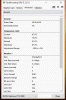
    Anyone with bios 1.5.0 or older mind looking at GPU-Z throttle setpoints in the advanced tab and posting here?
     
    Papusan likes this.
  9. Papusan

    Papusan Jokebook's Sucks! Dont waste your $$$ on Filthy

    Reputations:
    42,737
    Messages:
    29,856
    Likes Received:
    59,711
    Trophy Points:
    931
    All should post info from GPU-Z (New vs. old bios) and confront Dell (Aw) support, Azor and Umar etc with it.
    upload_2019-5-31_14-11-29.png

    Either...

    1) Damage control. Like this...
    [​IMG]
    2) Give Dell time to find the problem.
    3) Bugs with the new bios.
    Increase clocks or that clocks run below default. But not really an error.
    Yea, Its called damage control.
    https://www.dell.com/support/home/u...wt64a&productcode=alienware-17-area51m-laptop
    upload_2019-5-31_14-14-30.png
     
    Last edited: May 31, 2019
    raz8020, Ashtrix, Falkentyne and 3 others like this.
  10. Xatanú

    Xatanú Notebook Consultant

    Reputations:
    54
    Messages:
    150
    Likes Received:
    165
    Trophy Points:
    56
    I will post the info from my system as soon as I arrive home.
     
    Fire Tiger likes this.
  11. JAGGERBREAD

    JAGGERBREAD Notebook Consultant

    Reputations:
    23
    Messages:
    104
    Likes Received:
    114
    Trophy Points:
    56
    180w vbios is finally released,wow!
    Guess somebody is using the time stone!
     
    c69k likes this.
  12. JAGGERBREAD

    JAGGERBREAD Notebook Consultant

    Reputations:
    23
    Messages:
    104
    Likes Received:
    114
    Trophy Points:
    56
    FYI 200w vbios is missing right now lol
     
  13. Papusan

    Papusan Jokebook's Sucks! Dont waste your $$$ on Filthy

    Reputations:
    42,737
    Messages:
    29,856
    Likes Received:
    59,711
    Trophy Points:
    931
  14. JAGGERBREAD

    JAGGERBREAD Notebook Consultant

    Reputations:
    23
    Messages:
    104
    Likes Received:
    114
    Trophy Points:
    56
    etern4l likes this.
  15. Darkhan

    Darkhan Notebook Deity

    Reputations:
    1,078
    Messages:
    1,122
    Likes Received:
    834
    Trophy Points:
    131
    this was after I turned off all limits I had set and OC and rebooted.

    Screenshot GPUZ.png
     
  16. Papusan

    Papusan Jokebook's Sucks! Dont waste your $$$ on Filthy

    Reputations:
    42,737
    Messages:
    29,856
    Likes Received:
    59,711
    Trophy Points:
    931
    Check also the other tab...
    upload_2019-5-31_14-53-57.png
     
    Rei Fukai likes this.
  17. VoodooChild

    VoodooChild Notebook Evangelist

    Reputations:
    519
    Messages:
    541
    Likes Received:
    1,014
    Trophy Points:
    156
    Here we go boys, AW damage control has begun!

    Frank and his bunch of incompetent goons are at it again! Are we going to just take this?

    Sent from a Galaxy S9+
     
    Last edited by a moderator: May 31, 2019
    Xatanú likes this.
  18. Papusan

    Papusan Jokebook's Sucks! Dont waste your $$$ on Filthy

    Reputations:
    42,737
    Messages:
    29,856
    Likes Received:
    59,711
    Trophy Points:
    931
    Nope. You can't.
     
  19. custom90gt

    custom90gt Doc Mod Super Moderator

    Reputations:
    7,914
    Messages:
    3,863
    Likes Received:
    4,840
    Trophy Points:
    331
    Which system bios and GPU bios are you on?
     
  20. Darkhan

    Darkhan Notebook Deity

    Reputations:
    1,078
    Messages:
    1,122
    Likes Received:
    834
    Trophy Points:
    131
    bios 1.5.4 GPU 425.46 Also tried the latest from this week from Nvidia and then reverted back to latest from Dell.
     
  21. custom90gt

    custom90gt Doc Mod Super Moderator

    Reputations:
    7,914
    Messages:
    3,863
    Likes Received:
    4,840
    Trophy Points:
    331
    The NVIDIA drivers won't change the GPU throttle set point, that's controlled by the GPU bios. Are you running the 200W GPU bios?
     
  22. captn.ko

    captn.ko Notebook Deity

    Reputations:
    337
    Messages:
    981
    Likes Received:
    1,252
    Trophy Points:
    156
    What fan Profile?
     
  23. Darkhan

    Darkhan Notebook Deity

    Reputations:
    1,078
    Messages:
    1,122
    Likes Received:
    834
    Trophy Points:
    131
    gpuz2.gif
    Mine does not show thermal limits for this tab?

    Fan Profile? Full Fans but certain Games like Rage 2 hit 78-79 and drop to 500mhz, If i set a limit of 77 it throttles a few hundred but not 90% to where it is unplayable.

    Yes 200w vbios.

    want me to load 180 and see if anything changes?
     
    Last edited by a moderator: May 31, 2019
    Xatanú and custom90gt like this.
  24. custom90gt

    custom90gt Doc Mod Super Moderator

    Reputations:
    7,914
    Messages:
    3,863
    Likes Received:
    4,840
    Trophy Points:
    331
    Now we just need someone with 1.5.0 and earlier to post their GPU-Z throttle set points.

    You can, but I would keep the 200w and go back to 1.5.0 system bios to see if that changes anything.
     
  25. Spartan@HIDevolution

    Spartan@HIDevolution Company Representative

    Reputations:
    39,629
    Messages:
    23,562
    Likes Received:
    36,879
    Trophy Points:
    931
    New VBIOS is out guys. I'm on my phone so I can't post the link
     
  26. Darkhan

    Darkhan Notebook Deity

    Reputations:
    1,078
    Messages:
    1,122
    Likes Received:
    834
    Trophy Points:
    131
    Can't go back to 1.5.0 that's not an option any longer.
     
  27. custom90gt

    custom90gt Doc Mod Super Moderator

    Reputations:
    7,914
    Messages:
    3,863
    Likes Received:
    4,840
    Trophy Points:
    331
  28. VoodooChild

    VoodooChild Notebook Evangelist

    Reputations:
    519
    Messages:
    541
    Likes Received:
    1,014
    Trophy Points:
    156

    Here you go, Bios 1.5.0 and 200W vbios:
     

    Attached Files:

    • gpuz.gif
      gpuz.gif
      File size:
      18.9 KB
      Views:
      129
    raz8020, Xatanú, custom90gt and 2 others like this.
  29. custom90gt

    custom90gt Doc Mod Super Moderator

    Reputations:
    7,914
    Messages:
    3,863
    Likes Received:
    4,840
    Trophy Points:
    331
    So yeah it looks like 1.5.4 introduces a GPU throttle Set Point at 75C, just like they did to the XPS 9570. I'm hoping downgrading from 1.5.4 to 1.5.0 fixes that, then there would be a way to resolve it (at least for a while).
     
  30. Fire Tiger

    Fire Tiger Notebook Deity

    Reputations:
    4,805
    Messages:
    1,030
    Likes Received:
    1,106
    Trophy Points:
    181
    I assume all this only affects the 2080? The 2070 would remain unaffected?
     
    Xatanú likes this.
  31. custom90gt

    custom90gt Doc Mod Super Moderator

    Reputations:
    7,914
    Messages:
    3,863
    Likes Received:
    4,840
    Trophy Points:
    331
    I don't have any evidence either way. My deductive reasoning leads me to believe they will throttle all of the cards...
     
  32. Darkhan

    Darkhan Notebook Deity

    Reputations:
    1,078
    Messages:
    1,122
    Likes Received:
    834
    Trophy Points:
    131
  33. captn.ko

    captn.ko Notebook Deity

    Reputations:
    337
    Messages:
    981
    Likes Received:
    1,252
    Trophy Points:
    156
    Now 1.5.0? And if you Flash 1.5.4 again you have 75 degree again? ^^
     
  34. custom90gt

    custom90gt Doc Mod Super Moderator

    Reputations:
    7,914
    Messages:
    3,863
    Likes Received:
    4,840
    Trophy Points:
    331
    Well I'm glad you could go back. Eventually Dell will release a new bios with a new IME update and will probably block going backwards from that revision. My hope is we can sway Dell into removing the 75C set point for the GPU, but I wasn't so lucky with the 9570 (as can be seen in @Papusan's post). I would recomend against updating the bios on the 51M past 1.5.0...
     
    Dannemand, Darkhan, Xatanú and 2 others like this.
  35. Papusan

    Papusan Jokebook's Sucks! Dont waste your $$$ on Filthy

    Reputations:
    42,737
    Messages:
    29,856
    Likes Received:
    59,711
    Trophy Points:
    931
    Yeah. The latest bios update was intended to reduce smoke and burn up.

    They say the problem ain't real (RMA or flaws is extremly low), but cripple firmware. Oh'yeah... They know. And AW's CEO Azor know it very well! Hence Quiet as an oyster!
    upload_2019-5-31_15-41-40.png
     
    Last edited: May 31, 2019
  36. Spartan@HIDevolution

    Spartan@HIDevolution Company Representative

    Reputations:
    39,629
    Messages:
    23,562
    Likes Received:
    36,879
    Trophy Points:
    931
    Downgrading to BIOS 1.5.0 now...
     
    nkc, Xatanú, Darkhan and 3 others like this.
  37. VoodooChild

    VoodooChild Notebook Evangelist

    Reputations:
    519
    Messages:
    541
    Likes Received:
    1,014
    Trophy Points:
    156
    Heheh. I can visualize the expression on your face after you upgraded to 1.5.4 then read the comments here and then quickly downgraded to 1.5.0.

    Sent from a Galaxy S9+
     
  38. custom90gt

    custom90gt Doc Mod Super Moderator

    Reputations:
    7,914
    Messages:
    3,863
    Likes Received:
    4,840
    Trophy Points:
    331
    They said it's to reduce thermals. Reducing hardware failures would just be a guess at this point since there are reports of at least one system going up when at idle. They did it to the XPS 9570 even though there were no reports of hardware failure. My guess is some bozo who dell contracts to do their bios says it's a good idea so that's what Dell does.
     
    raz8020, Papusan, Fire Tiger and 3 others like this.
  39. Darkhan

    Darkhan Notebook Deity

    Reputations:
    1,078
    Messages:
    1,122
    Likes Received:
    834
    Trophy Points:
    131
    I would assume yes if I went back to 1.5.4 but I am not testing that.
     
    Spartan@HIDevolution and Xatanú like this.
  40. VoodooChild

    VoodooChild Notebook Evangelist

    Reputations:
    519
    Messages:
    541
    Likes Received:
    1,014
    Trophy Points:
    156
    Everyone should downgrade while they have the chance. Only a matter of time before they lock us out from downgrading again.

    A burnt GPU is better than a throttling GPU I say....

    Sent from a Galaxy S9+
     
    Xatanú and Darkhan like this.
  41. Papusan

    Papusan Jokebook's Sucks! Dont waste your $$$ on Filthy

    Reputations:
    42,737
    Messages:
    29,856
    Likes Received:
    59,711
    Trophy Points:
    931
    Reduce thermals will reduce stress on components. Aka they will have a longer lifespan. See.. Less RMA. RMA and tech support ain't cheap. Re-call of the products even more costly. They went for the cheapest and easiest solution for themself to fix a problem. See also... http://forum.notebookreview.com/thr...-owners-lounge.826831/page-1101#post-10911459

    And Dell use same engineers for AW and XPS.
     
    Last edited: May 31, 2019
    Xatanú and Darkhan like this.
  42. custom90gt

    custom90gt Doc Mod Super Moderator

    Reputations:
    7,914
    Messages:
    3,863
    Likes Received:
    4,840
    Trophy Points:
    331
    Right, but speculating that it's the fix for systems burning up MOSFETs is just that, speculation. It could be people complaining about high temps which likely far outnumbers the amount of complaints about burned up systems...
     
    Xatanú, Darkhan and Papusan like this.
  43. captn.ko

    captn.ko Notebook Deity

    Reputations:
    337
    Messages:
    981
    Likes Received:
    1,252
    Trophy Points:
    156
    Bios 1.5.4 GPUz

    [​IMG]
     
  44. Papusan

    Papusan Jokebook's Sucks! Dont waste your $$$ on Filthy

    Reputations:
    42,737
    Messages:
    29,856
    Likes Received:
    59,711
    Trophy Points:
    931
    Could be. But why would they give a damn in peoples complaining about too high temp on Cpu? This doesn't smell(s) well.
    [​IMG]
    http://forum.notebookreview.com/thr...m-owners-lounge.826831/page-858#post-10899910
     
  45. custom90gt

    custom90gt Doc Mod Super Moderator

    Reputations:
    7,914
    Messages:
    3,863
    Likes Received:
    4,840
    Trophy Points:
    331
    You're positive you are on 1.5.4? You would be the first person on it without having a reduced GPU set point. What does your NVIDIA bios tab show?
     
    toughasnails and katalin_2003 like this.
  46. captn.ko

    captn.ko Notebook Deity

    Reputations:
    337
    Messages:
    981
    Likes Received:
    1,252
    Trophy Points:
    156
    Not my A51m. Asked for screenshot in our german forum. Will ask again if it is realy 1.5.4.

    Maybe its a bug with AWCC ? Because silent fan profile has 75 degree limit... Maybe its just a bug?
     
  47. Papusan

    Papusan Jokebook's Sucks! Dont waste your $$$ on Filthy

    Reputations:
    42,737
    Messages:
    29,856
    Likes Received:
    59,711
    Trophy Points:
    931
    And he have the 200w vBios as well?
     
  48. Darkhan

    Darkhan Notebook Deity

    Reputations:
    1,078
    Messages:
    1,122
    Likes Received:
    834
    Trophy Points:
    131
    If you have OC controls on in AWCC it is set to default temps at 87. turn off oc and reboot then run gpuz on 1.5.4
     
    LoneSyndal likes this.
  49. captn.ko

    captn.ko Notebook Deity

    Reputations:
    337
    Messages:
    981
    Likes Received:
    1,252
    Trophy Points:
    156
    He said definitive Bios 1.5.4 since yesterday!
     
  50. LoneSyndal

    LoneSyndal Notebook Deity

    Reputations:
    341
    Messages:
    977
    Likes Received:
    530
    Trophy Points:
    106
    Man, I need to find a dedicated BIOS modder. I will start with an initial funding of $200 donation if they can get it working similar to them unlocked A17’s with the features we need.


    Sent from my iPhone using Tapatalk
     
    Xatanú likes this.
← Previous pageNext page →