Problems? See this thread at archive.org.
You think it is an insane amount until you see what some people spend on the entire portable rig setup...
Mine:
-A51m with 9900K+2080 and Extended Dell Premium Warranty+HIDevolution Warranty
-Audeze Mobius
-Eurocom 780w PSU (ordered after Darkhan mentioned it. Got mine at 5ft.)
-G502 Lightspeed
-Some HyperX mousepad
-A51m Elite backpack
**This is my travel setup
Sent from my iPhone using Tapatalk
-
-
So i emailed eurocom and they sent me a link to a 780w power supply with a “special box” for the A51m and they wanted $700 for both. They’ve got to be nuts asking that much.c69k likes this.
-
Yeah.. I would not spend a third of the cost of my machine on a power supply.. lol.raz8020, hmscott, BADAZZYOUNGIN and 1 other person like this.
-
The neat thing with the 780w... it is usable with my Clevo. (Someone gave me the connector for it.)
Sent from my iPhone using Tapatalkhmscott likes this. -
Yeah if I still had my Sager and my old 780w I’d almost be tempted to buy the add on. But both for $700 is a bit steep.hmscott likes this.
-
How much battery life do you get out of your travel setup?
-
If I am only using the laptop with no outlet and peripherals, 3.3Hrs.
Sent from my iPhone using Tapatalketern4l likes this. -
Not bad actually. If it had BIOS selectable Optimus, battery life might be better than on the new gimped m15/17 R2 lol.
-
Maximizing battery life takes a while. I had to cycle it a few times on my battery saver with downclocked speeds, undervolts, screen autodim with tobii, and lower brightness.
Sent from my iPhone using Tapatalk -
Sure thing. Still, I imagine the main drain is caused by dGPU. Unfortunately there isn't that much the end user can do to directly limit dGPU power consumption, unless power limit adjustment works and downwards in Afterburner for the desktop RTX.LoneSyndal likes this.
-
Curious for those of you with RTX 2080's...what is your undervolt #? I have mine at .931 @ 1920MHz. Wondering how low I can go with this until blue screening.
-
It's going to be different for each machine. One person may be able to go as low as -.800, while you may only be able to go as low as -.950.
It's just trial and error. Lower it until you crash, then raise it a tad bit more to find your lowest stable voltage.
Edit: For reference I'm running nearly the same as you (but on a 2070.) -.931 @ 1900MHz. I haven't tried going lower yet though as I haven't had the time to mess with it.chewbakaats58 likes this. -
I'm using a .975 @ 1950-1980Mhz (in game) at the moment and temps are below 75 in all titles I play. I don't see the point of going too low on the undervolt because the GPU runs cool in this machine especially at Full Speed Fans.
Sent from a Galaxy S9+chewbakaats58 and LoneSyndal like this. -
Tried swapping the positions of 950 and 960? That kind of heat is bad news for SSDs.mason2smart, Papusan, c69k and 2 others like this.
-
As much as I hate AWCC and it's updates through Windows Store, I must say I quite like its settings for individual games, especially the option to set Fan Profiles for each game. I leave the default option at "Balanced" and have settings for each game using the "Full Speed" fan profiles. The transaction between the fan modes is very seamless indeed. For example, my wife plays the new Resident Evil (it's her first game ever and she loves horror movies so..) and I've set up the fan profiles for her. That way, she doesn't have to change any settings, AWCC makes it click and play and spares me the headache of monitoring the temps while she plays. When she quits the game, the system brings down the decibel levels automatically without any user input. To give credit where it's due, it's a nice touch from AW to implement this.
What is the option for "Audio Recon" in AWCC though? It's just greyed out for me and I can't change a damn thing there. Anyone got any clues?
I've finally found the most stable settings for my system. If anyone is interested, here it is:
9700K: 4.9 on 4 cores, 4.8 on all cores (using TS @-.125mV undervolt on both cache and core) and the temps never go above 80C, even on Division 2 which I find is the most taxing game I've installed.
RTX 2080: 1980Mhz @ 950mV (hovers between 1935-1960) using Afterburner and temps stays below 75C all the time, all my games.
I play everything with Full Speed fans with a headphone so the sound doesn't bother me at all. I must say, my M17xR3 was much more louder than this one when pushed.
One last thing, if anyone can guide me how to change .icc profiles on this machine, I would really appreciate it. I've about 5 profiles downloaded and installed but Color Management doesn't seem to do anything. I really don't want to use a third party s/w to implement the change every time I log onto windows like Vasudev suggested a few posts back. How do I use the in built Color Management app to do this?
Thanks and Cheers guys.
Sent from a Galaxy S9+ -
DisplayCal 3 starts with Windows. Once you have that running: in Color Management, go to Advanced tab and disable windows handling color management on bottom. Do same for setting Default Config. I can attach an image of my settings later if needed and how you can test.
Sent from my iPhone using TapatalkLast edited: Jun 2, 2019mason2smart, VoodooChild and Fire Tiger like this. -
I'm playing it safe, because there are games where the temperature still reaches higher temperatures, it depends on the game a little. Also probably has to do with bad thermal pasting job on my laptop on the GPU (CPU is good though).
So I'm running at:
1845 MHz @ 862mV
But for Call of duty where my game becomes instable, I use this setting:
1800 Mhz @ 862mV
How I decided on this voltage was as following: Metro exodus was the heaviest game I was playing at the time I simply started the game and monitored the behaviour. And saw that after my GPU was reaching the peak temperatures of 83 degrees, I would get a stable around 1845 Mhz and 1830Mhz, which is clocked at 950Mv.
So I set a cap at 1845Mhz, and started going as low as possible in terms of mV, and overall had good results with 862mV, apart from Call of duty. And also very but very rarely overwatch also says "rendering device not found". so 1845Mhz is not that very stable at 862mV, but overall good. And then I switch to 1800MHz when necessary. The temperatures are roughly the same on both settings (although on lower end games such as overwatch, it can get a little hotter, because now that the gpu is only 1800MHz, it uses more cores of the GPU, causing it to get slightly hotter than the 1845Mhz, as in both cases it remains shy from using the gpu at 100%) FYI, I'm playing at 1440p 144Hz.
My temperatures are in overwatch in the mid 60s, and on the heavier games, that utulizes the GPU fully, I get begin 70s.Xatanú, c69k, chewbakaats58 and 1 other person like this. -
That will be great if you can share the image, may be more people need it than you may realise. Appreciate it man.
I will find my way around DisplayCal 3 now...
Sent from a Galaxy S9+Fire Tiger likes this. -
Wow
 for me Performance Fan is already too loud
I play everything in silent Mode or balanced. Balanced only for more demanding Games (Metro, BFV, division etc)
My wife would kill me if i ramp up the fans in our living room
vegetaeater, raz8020, Xatanú and 1 other person like this. -
Silent mode cap the gpu tdp 50w...why not buy a maxq...clayton006, mason2smart and Papusan like this.
-
Proof? My 2080 maintain 1600-1650mhz in silentmode... for less demanding Games like Rocket League, Anno 1800, ... is that more than enough...
Proof that 50w Limit is not true. Division 2, Profile silent.
vegetaeater, raz8020 and Fire Tiger like this. -
use Hwinfo to see gpu power consumption
-
See my pic above
there is no power Limit in silent. Only temp Limit 75 degree or lets better say target temp 75.
-
-
Nvidia is probably going to announce a “super” version of rtx 20 series this month. So stick to the a51m might give you a chance for this dirty update at the lowest cost. For those soldered GPU, GG.
Anyway. Could also be rumors.Attached Files:
-
-
Where does one get those MXM graphics boards? Does Dell offer them? Do any 3rd parties?
-
It is not mxm, its dgff from dell itself and prolly only available trough delljclausius, Fire Tiger and etern4l like this.
-
Nice. Can't find any dgff boards in Dell US shop. We'll see how this GPU upgradeability plays out in practice.Papusan likes this.
-
I believe i read in the beginning that it is planned for later this year with also a service that a tech comes in to replace it if you would not want to do it yourselfetern4l likes this.
-
Cool, will be interesting to see the markup vs desktop cards though.
-
Has there been any talk about using the new AMD Ryzen 3000 cpus and 570 mobo?
-
Has anyone found a way to stop Metro Exodus from hijacking the lighting theme of Alienfx. I'm not a big fan of this but haven't found a way to stop it yet.
Sent from a Galaxy S9+alberty likes this. -
I am curious about this too and have the same issue with metro exodus, messing around with the awcc profiles, whatever i assign for exodus it just doesnt apply and the game changes the keyboard white color or turns off all lights. I believe it has something with the game not awcc.
-
turn off ur keyboard lights before u start the game, i think it keeps it offVoodooChild likes this.
-
2 things worry me about the upgrade of GPU's. The power issues have still not been worked out for the current GPU (dying machines). And 2nd what is the likely cost between custom designed board, installation costs (assuming "most" wont' use a tech but that will bring warranty trouble I'm sure) and new chips.
It's really too bad that the chipset won't support the next desktop CPU's. That might have made a nice reward for 51m owners. I'm hoping there is better news on that front maybe now that Intel has more pressure on them than they've had in the past.mason2smart likes this. -
Wait there sir ina few years after people no the it next will be!
Skyline is compatible with the AW17 r1 ranger so. But the hope is a long shot.
Sent from my SAMSUNG-SM-G928A using Tapatalk -
Wish i cpuld get my hands on a male OR A to bga... stick that 6820hk right In my ranger! Haha
Sent from my SAMSUNG-SM-G928A using Tapatalk -
I will try and report back here
Sent from a Galaxy S9+nkc likes this. -
@Papusan @Prema @Mr. Fox @Vasudev
This bios is locked down harder than anything I've ever seen.
WHERE IS THE APTIO CAPSULE?
(Ok i admit this I ran this on the HDR file. I got caught with my pants down).
Can someone please run FPTW64 -d biosbackup.bin -bios with FPTW64 (over from the intel management engine tools section of win-raid.com forums) and post a dump --assuming it even has CPU access?
(I ran this on a gigabyte Z390 board btw).
-
Exactly. And this 75 target temp can be overridden with a AWCC-OC-profile. So you can use quiet fans (maximum 2500/2200 CPU/GPU RPM) without throttling. Requirement:the temperature does not rise above 87 degrees. This works with a 2070 (maximum 78 degrees).
With a 2080 I think this is not possible (maybe with a 0,8v limit @1700-1750 MHz).
It would be so nice if someone tests it for me...
edit:
Ah, your screenshot @captn.ko: I see all the information needed:
- over one hour Division 2 (with high GPU-Load)
- over 0,75v
- 1600-1650 MHz
- maximum 2500/2200 RPM (quiet fan profile)
- maximum 78 deegrees (far from 87 degrees...)
Can you confirm that?Last edited: Jun 2, 2019raz8020 likes this. -
None as of yet.
I would like to see some AMD options though.
The next rev may include Ryzen, who knows though. -
My Screenshot confirms it Max GPU was 76
raz8020 and Fire Tiger like this.
-
The color underneath is totally preserved despite heavy usage of the palm rest area. And what's best is that this stuff that I used is wipe-cleanable and moisture proof. It's a giant vinyl roll that you can buy from Amazon here: https://www.amazon.com/gp/product/B07JN2953D/ref=ppx_yo_dt_b_asin_title_o01_s00?ie=UTF8&psc=1
I don't mind using these patches as I have been using this technique to protect my palm rests for a really long time and it works quite well + not that big of a cosmetic issue since these areas stay hidden under my palms pretty much the entire time I'm using the machine because I don't use an external keyboard. I am in the process of trying new skins though and will settle with the one that looks and feels the best to touch and to use. That carbon fiber one was quite rough to the touch and had sharp pointed edges at the corners that always poked the hand while typing so I got rid of it. Plus, it was getting a little dim on the palm rest area anyway.Last edited by a moderator: Jun 3, 2019 -
I understand what you're saying mate and I agree with you. I wish dbrand made some high quality skin for this system, I would be willing to try it out. I've been using a carbon fiber setup for my old AW and it's still looks classy. I don't like the quality of those cheap Chinese knockoffs, especially the glue they use because it tends to leave a lot of residue behind. Let us know what you decide and share some pics man.
I need your suggestion here, what settings in TS and Afterburner would you recommend me to get the max battery life form this machine. What other settings also you'd recommend? Cheers brother.
Sent from a Galaxy S9+ -
So another one bites the dust...
Initial problems was a bad left speaker, which was changed on location by a local tech who brought the part and changed it on behalf of dell. Everything was fine for a while.. But.....
My 51m 9900k 2080 is dead and needs some new parts. (Was re-pasted with Kyronaut with success, and ran with this for a month or so)
Started with not being able to shut down the computer properly. Went through the shutdown process like its suppose to, but when the screen shuts off, the computer just stayed on and wouldn't shut down until i held down the power button. At first it was random, but after a week of doing this, it was consistent and it just wouldn't power off. To clear things off - the computer functioned fine while on, and gave no identification about being closed down like this when I came into windows. The only thing that was curios to me was that AWCC reset my OC settings every time i powered it back on.
Talked to AW support, who advised me to update all windows drivers and flash to newest BIOS.. Thing is - without being able to reboot, the BIOS update was out of reach, since it wasn't loading after i had to hold down the power button to restart it.
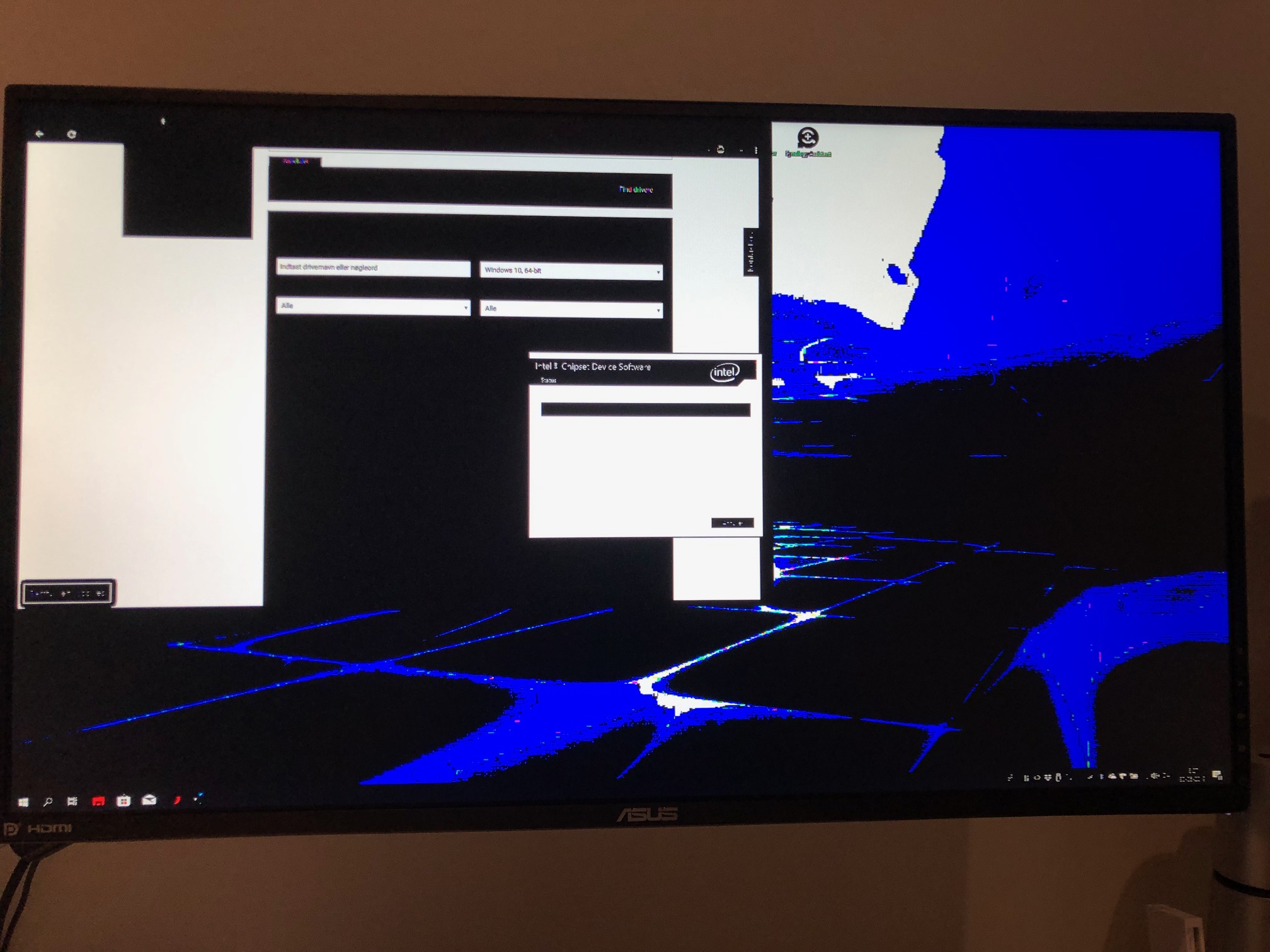
So tech support advised me to go ahead and backup my files and do a local recovery. The recovery went through like it was suppose to, but as soon as i hit "welcome screen" when you choose country, type inn account info and so forth, the screen started shutting off for 30 seconds or so, then coming back on for 5-10 seconds, only to go black again. This would continue even tho it seemed like the computer was running fine even tho the screen was black. Same issue with external screens, running on either HDMI or DP.
Tried a new recovery from cloud, and the same stuff happened.
On advice from the TECH support i tried doing a clean new windows install, that came along nicely. Direct download from windows with no AW specific drivers. Got through the entire install and startup procedure but this time offline, since there were no drivers for either Ethernet or WiFi. Came in to windows with no flickering of the screen. Downloaded Ethernet drivers from different computer and installed them on the 51m. As soon as it came online i started downloading drivers it all happend over again. 10-20 seconds into having internet on the computer.
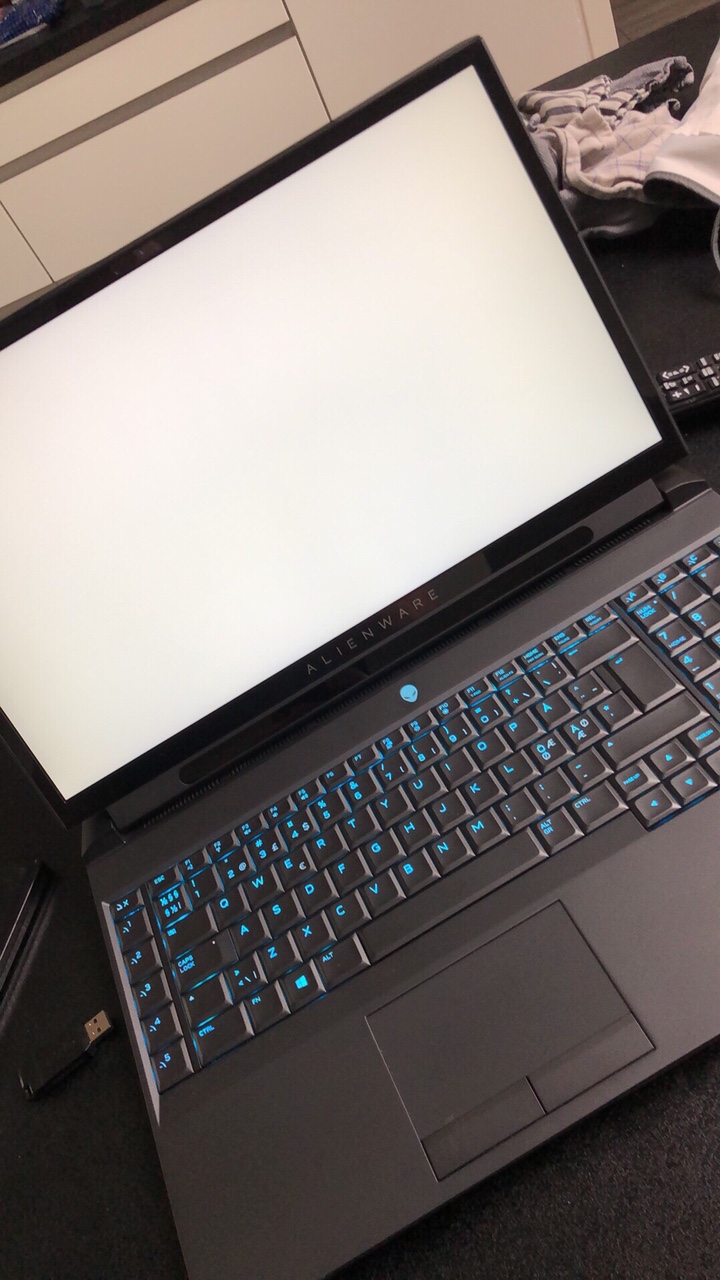
During all these tries of installing windows over and over again - perhaps 10 times all in all - i had a few random shutdowns of the computer and windows giving me BSOD. Also errors like blue screen with the text - it looks like windows hasn't be loaded correct. Also white screens happened, where the screen would stay white for up to 30 seconds before going back to normal.
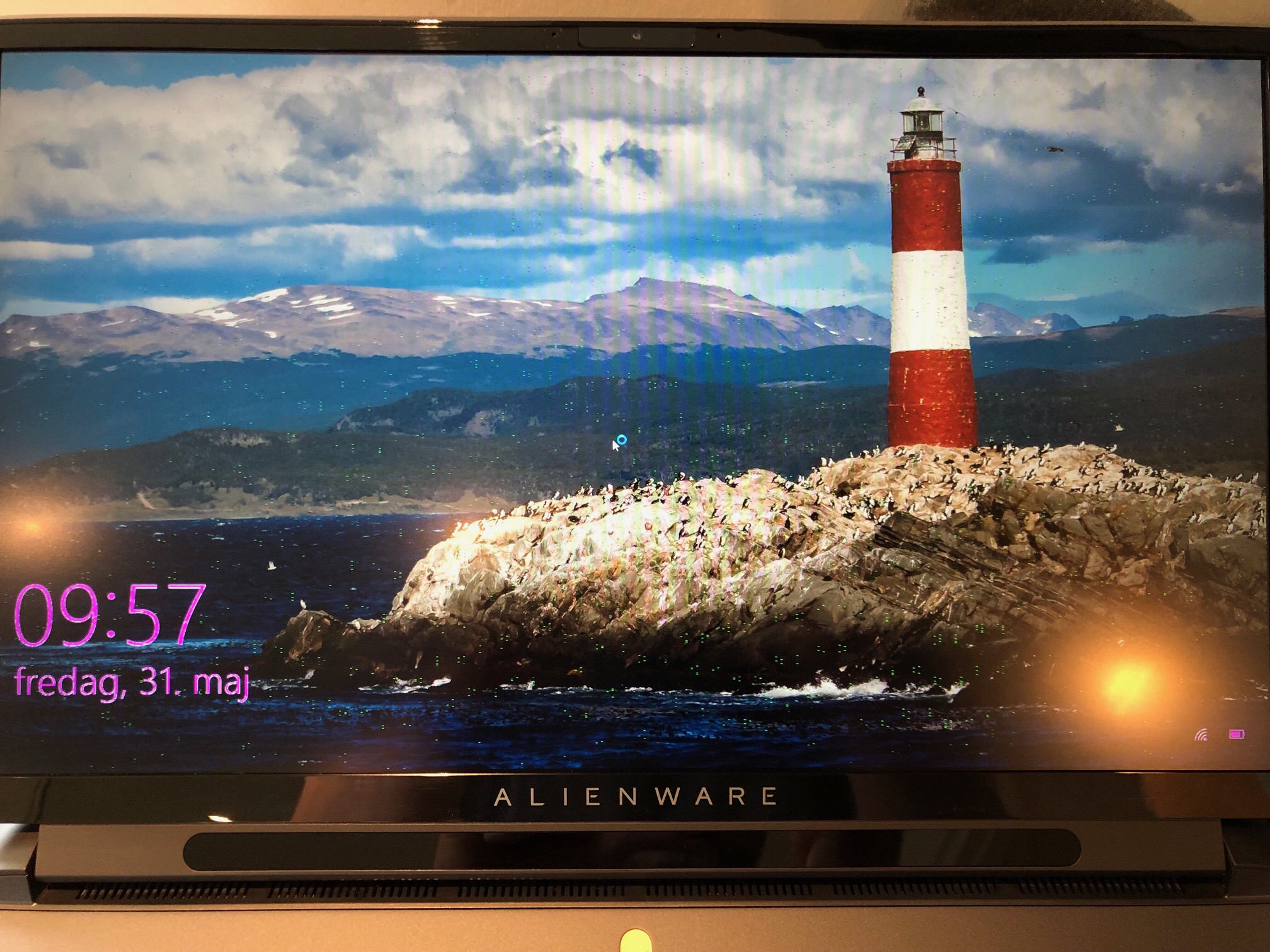
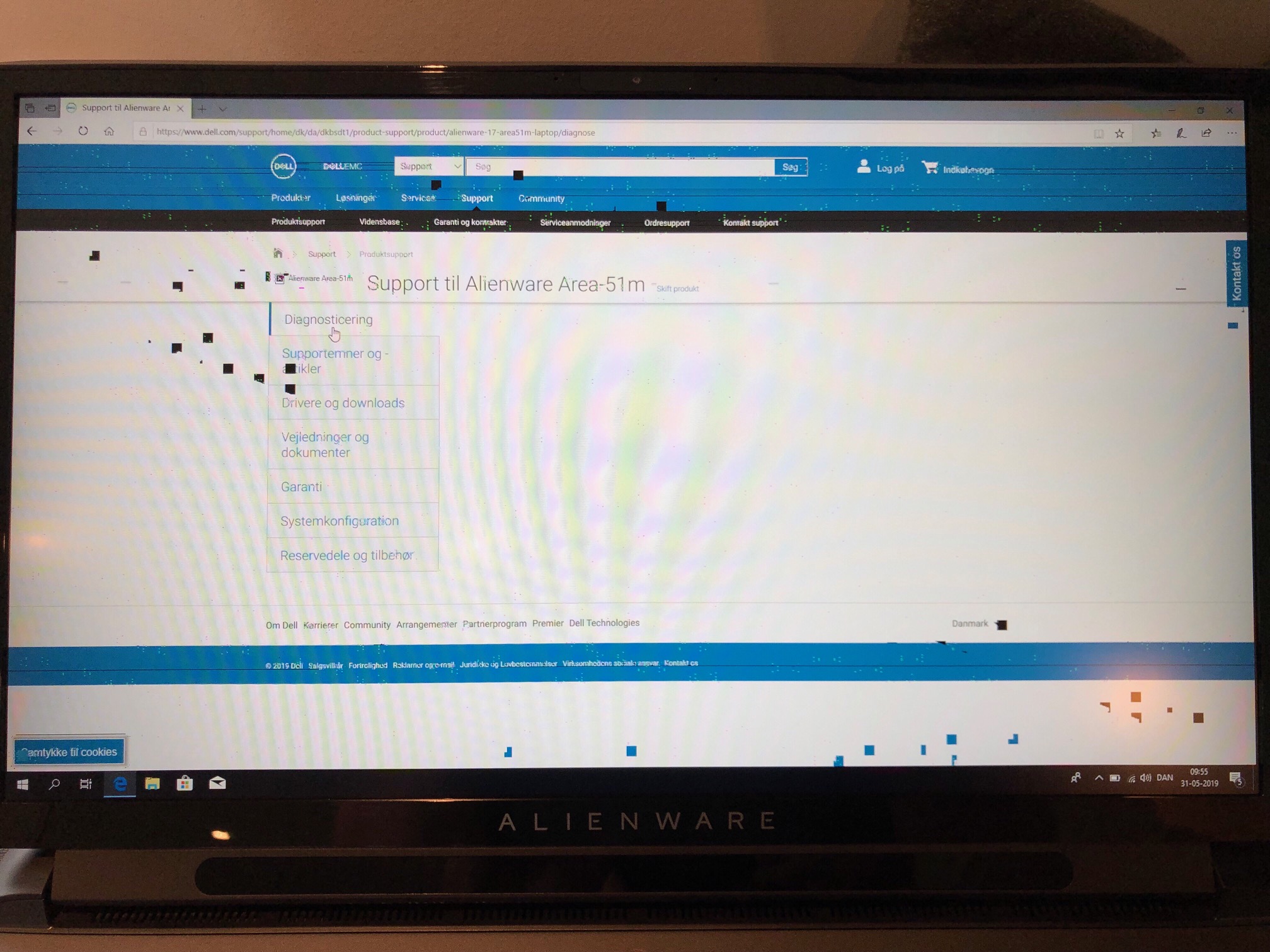
Another weird issue that became more and more frequent was color issues and pixel errors.
You gotta love all the freaking updates this computer gets every other day. Cant even recall all the weird stuff I've had to go through with keys not working after an update, with BSOD while trying to update chip-set, BIOS updates every other week and AWCC updates.. So much instability.
Also a hardware test was run with no errors.
Video of the blackouts, which varies in length -->Last edited by a moderator: Jun 3, 2019 -
I use Intel XTU and I am at -165mV with stock clocks when using the battery (haven't experimented with dropping the clocks to 4GHz across all cores and undervolting it even further, though that might be an interesting project). I don't do much with the GPU though. One thing that I did do however that seems to have helped trenemdously in reducing the clutter as well as increasing the battery life is that I removed the mechanical drive from my machine and introduced a sata ssd instead + force removed windows components from the Windows 10 build that I do not use / need. They include Xbox related garbage, Windows updates delivery optimization (all services related to it), a lot of junk that comes stock with windows and disabled system restore (which is borderline useless anyway if you take backups externally). Battery life is quite decent on my machine now - getting roughly 3.5 to 4 hours with moderate internet usage and bluetooth. Although I'm sure it'd improve further if I put it into airplane mode on top of it.
The information you have presented is quite vague to say the least. The "unable to shutdown" is a bug in Windows 10 that has been dragging on since Windows Vista and re-emerges after every few builds. Basically a driver induced kernel panic at the time of shutdown which creates a lot of problems. For me, the most likely culprit so far over the last few years consistently, has been the igfx crappy Intel's UHD graphics driver. It bothers A LOT if you use external monitors via thunderbolt or USB port. I have that bugger disabled in my device manager as a routinely preventative measure. The best way to pin point the problem is to go through the Windows Event Viewer -> System event logs as they hold each and every single one of the errors and their details that this laptop has ever encountered. Without that information, you are just taking a guess whether this is a faulty motherboard or there is something else that is causing this problem. A simple electrostatically charged cloth particle could wreak all kinds of havoc if it slips through the vents and lands inside (this is an extreme case example which is very rare, but just to give you an idea how many possibilities lay ahead of you).
First thing that I'd do in your situation is to take a backup of ALL ERRORS + WARNINGS that you see in the Event Viewer's System events section and stop using the machine. There is a high chance that you'll likely pin point the culprit. If not, then open it up, remove all hard drives except a single one that you use for OS, remove the audio daughter board, remove the RAMs and replace with stock sticks that came from the factory (in case you did an aftermarket upgrade), remove any USB devices that you might be using the entire time, and just install windows on a barebone computer. Once that goes through smoothly, start adding things back up one by one to identify the root cause.Last edited by a moderator: Jun 3, 2019VoodooChild likes this. -
Typical RTX failure (Even desktop ver.), not related to the smoke issue. Blame is on Nvidia
-
Well this is not an issue I am going to spend more time on myself - i think its more then fair that you can assume that a 5k laptop can reboot on its own, without me having to take it all apart and start to find out what part that's actual screwed. And I haven't added any hardware to the computer since i received it, so its all straight from the factory.
Making a bare bone install with no USB devices connected nor any screens connected has bin tried and worked non of the 10 times done. Only when installing the windows with a clean installation without any AW drivers was this a half success. As soon as the internet was connected to it, it all went south again. -
What I suggested above was to minimize your headaches with back and forth support dispatches. If you have a good part, no need to send it back. Who knows what batch your next parts will be from? This procedure will just help you identify the problem and force the support to ship you the right part. This will minimize your headaches, unless you are willing to wait for several weeks for a brand new machine depending upon where you live.
-
I agree with you. Hassle AW until they give you a new system replacement. This is not the typical burning issue people have had so you might have to be relentless in your pursuit because of all the robot retards who picks up the call at Dell customer care. Good luck and keep us posted.
Sent from a Galaxy S9+
I'll try to run at 4Ghz with maximum undervolt on CPU and about 1500Mhz with maximum undervolt on the GPU while on battery mode and report my findings here.
I must say I'm pleasantly surprised that the battery life is quite good for this machine considering the power it is packing. I'll try and squeeze 4 hours with 50% brightness if possible. Currently I'm getting 2 and half hours at stock.
Sent from a Galaxy S9+
I tested the drives swapping out theory for you and I can confirm that when booting from 2nd m.2 slot (above the CMOS battery, next to the battery) , my boot drive Crucial P1 ran about 10C cooler than usual while unzipping a 60GB game using all threads at 4.8Ghz. Earlier it was running super hot at about 70C, now it's at 59-60C and the idle temps have also dropped by about 5C. So, I'm keeping this slot usage for now.
Boot nvme drive in slot 2 (above the cmos) and storage drive in the other one. I can also confirm that my storage drive is running slightly hotter by about 3C at idle with this configuration. Hope this helps you. Cheers
Sent from a Galaxy S9+Last edited by a moderator: Jun 3, 2019Amroth, hmscott, LoneSyndal and 1 other person like this.
*OFFICIAL* Alienware Area-51M R1 Owner's Lounge
Discussion in '2015+ Alienware 13 / 15 / 17' started by ssj92, Jan 8, 2019.