 Problems? See this thread at archive.org.
Find a way to block AWCC OC tools and then use TS or XTU. Uninstall UWP apps like OC Tools from Dell. Disable hibernation using powercfg -h off.
-
-
Why block??? Is that causing any harm?
Personally I think its a good tool for beginner to play with. You cant damage anything + overclocking and undervolting work ok -
Thanks. Ill give that a try. I get this upon each reboot so I suspected something was causing the issue.
-
Have you tried TS?
my 9900K is holding 5ghz on all 8 cores on a -100mV undervolt using TSVasudev likes this. -
Best way for Dell to revoke your warranty when mobo goes poof due to incorrect voltage. Undervolt is fine.
You'll damage everything because it uses XTU at the back end.Rei Fukai likes this. -
Guys can You please explain me why to use TS or Xtu if we got tool to undervolt from AW?
any reason?????? -
AWCC got limited offest + and - but still You can do -0.1V on core so end of the day software is provided and recommended by DELL and AW.
There is no chance You will lose Your guarantee by using AWCC -
Not yet. I will give that try as well. I think I need to uninstall Dell OC tools first before anything is going to work. Should be home shortly to give this a try. Spent a few hours trying to get xtu to work with no luck and plenty of frustration. Figured AWCC might be causing some of the issues, but I am too noob at this stuff and decided to reach out to you guys for help lol.
-
AW uses XTU and again installing XTU latest version from intel will cause a driver mismatch and very cute way to ruin your undervolt values. If possible disable XTU and continue using TS since its lightweight and portable. AWCC is huge almost weighs 500MB+ XTU tools. TS is under 1MB and works on majority of Intel Chips.
-
Thanks for answer
Clear for now.
But even is 500MB i prefer this over Xtu and TS. I got all tools in one + no one will take my guarantee rights. -
Throttlestop is purpose built to remove nanny like impediments imposed by companies looking to reduce warranty claims or perceived warranty claims. You have much more control and it's a light tool without fluff or needless effects. I personally have never damaged a board or card overclocking or undervolting because i have a conservative policy on it. Increase slowly and back off with instability. It's the only way to overclock. I guess they can not trust every buyer to be sensible and as a result of catering to lowest common denominator, the whole customer base suffers.Last edited: Feb 23, 2019
-
Don't run XTU and TS side by side and it'll cause race condition and contend for same registers and stuffs like that. Use either XTU or TS but not both. Its mutual exclusive.
-
Do you know that invalidates your warranty? Are you aware that recently it became illegal for companies to remove warranties based on customers attempting to service their own parts? Those warranty void if removed or tampered with stickers are not enforceable. Also I'm pretty sure you could throw this laptop in a bucket of water and as long you have your accidental warranty they will replace it. Seems you could just merc your laptop in a bucket to cover up your XTU or TS indiscretions and get it replaced. Although i'd doubt you needed to.
-
I completely agree with you 100%. The false advertising deserves absolutely no benefit of the doubt or excuses.
The system itself is a beautiful machine that can provide more than adequate gaming and work experience.
I was emphasizing the unrealistic expectations of those who expect it to run 1:1 to a Desktop, when even their own laptop dtr's can't match a desktop 1:1.
I may have one soon to work my magic and to display what it can truly do and can not do. But I'm pretty optimistic that I can provide some surprises that'll be above the average of the speculation limit that many of the trolls that don't even own the system have put on it.
-
Could someone please go to device manager and post the driver info for your Thunderbolt port? I'm getting bluescreens and wasting a lot of time trying to get it to work correctly....
-
Not yet. I will try that in a few minutes. I am really new to this stuff, so I was going for what most folks consider the "simplest solution" however, it just errors out.
I uninstalled Alienware OC tools and tried xtu again, but it still fails. I will try TS next, but I really am discouraged currently by everything failing when I try to UV.
-
Yes 10000000%. The stock apps that ODM's provide are absolute rubbish. XTU messes things up really bad. Not recommended.
Yes, XTU is NOT preferred. Uninstall everything AWCC and only use TS to tune.... AWCC is laced with the virus XTU that will just mess things up. It is better to use an older AWCC that does not have the OC built into it.
Excellent! That's great news that the chassis can handle that... have you run some benches yet? Could you run Firestrike on combined test loop and post some screen shots? That'd be greatly appreciated.
Rule #1. Never use XTU with TS. Combined it messes things up.
Rule #2, just stick with TS .... ditch XTU and uninstall everything that is infected with XTU....
Use a good complete uninstaller to rid any XTU traces from your machine....
Use TS only with hwinf64 ... that is my recommendation.Last edited: Feb 23, 2019 -
Even that won't do the trick anymore since XTU from 3rd party digs really deep and no way they'll be uninstalled because they mark it as System components and OS won't let you remove them. I was trying out CAM tools and XTU didn't get removed. Had to use Linux to delete the folder, WinPE to cleanup the reg entries, de-bloat existing bloated reg db using Reg compressor. Still its leftover.
-
That is true... a sad truth... I'd advise for anyone wanting the best to do a fresh install and then to create restores along the way ....
Also, make sure to not carelessly update your bios just because you think it's better..
NEVER DOES NOT = BETTER ...
It has sadly become a one way street where IF you update to the latest virus (bios) you can NOT roll back so be careful folks...raz8020 likes this. -
Rollback is disabled by default.
-
On the newer bios(s) but with the earlier ones you can still roll back...
-
Yes you can.
-
A large amount of dell and alienware stuff I've gotten has had too many stripped screws because they over-tighten at the factory. It's best to throw them away
BTW, am I crazy? If I get a stripped screw I usually just drill it out (At least until the connection breaks) with the tiniest drill bit I can get, and then I remove the remaining piece of the screw with a small pair of pliers. I've done it with everything from laptops to desktops to mac minis -
I to be honest have never seen stripped screws on Dell/Alienware stuff, I do see a lot of people using poor tools to remove screws such as too small screwdrivers.Darkhan likes this.
-
Well the thing is, with the AW15R1/R2/17R2/R3 this caused issues where older bioses where pulling too much power from the the PSU and it slowly started frying the internal DC-in cable. This was resolved in newer bioses but a lot of people where still using the old bioses.Darkhan likes this.
-
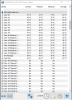
Throttle stop seems to work and hold just fine. Temps are down by quite a bit now. .100 undervolt (I stopped there, but i'm sure I could do more if I pushed).
Last edited: Feb 23, 2019jamesjacks22 likes this. -
I'll make sure mine runs like a desktop replacement
Interesting, so TS works fine?I guess it only doesn't worth with unofficial CPUs like @EepoSaurus was trying? -
I had no issues using TS. UV'd by .100 and played anthem for a little over an hour. Temps dropped by quite a bit. Was mostly in the high 60s to low 70s vs. last nights session of high 80s to low 90s. I may get brave and try to UV a bit more later, but i'm also at the point of "if it ain't broke, don't fix it" and might just leave it at .100 under.Siepacz likes this.
-
No that's not crazy, I've used a drill and easy out on many a bolt/screw.
I have had marred screws from Dell Outlet laptops in the past, but never anything I've had to drill out. It's few and far between though. -
Maybe it's just me! It doesn't work but i suspect it's the bios interaction. Likely no 8700k cpu has been shipped in this laptop. I'll have to correct this by getting a 9900k
-
Maybe I'm just unlucky. Or lucky? My 13r3 runs perfectly, even after upgrading it to 32gb ram and 1.5 tb ssd (500gb pcie and 1tb sata). I just always seem to get screws that are tightened too tightly.. Some are already stripped...........
-
Your magic? You mean you may know a way to bypass Dell's PCH/BootGuard Cancer and is able to fully unlock bios to remove all power limits? I hope You know you'll need their Signing key?
-
What screwdrivers are you using? A quality set goes a long way. For example I have disassembled my alienware about 12 times by now because I was testing thermal pastes and all screws including the heatsink screws all held up fine.
-
I think new BIOS version is unlocked for overclocking.
There is an info in new BIOS changes on Dell web site.
Please check description and correct me if Im wrong. -
You mean this posted by alexnvidia and Prema? http://forum.notebookreview.com/thr...1m-owners-lounge.826831/page-78#post-10857687
Still none who have posted images of the new advanced menu in updated bios. And if it works as expected/hoped. Oc ram options, fully access to all power limits etcLast edited: Feb 23, 2019 -
Question. Do you guys push the undervolt as far as you can go or do you look for temps that satisfy you and call it a day? I dropped 19 degrees in anthem (highest temp to highest temp) by doing a .100 under. I’m sure there’s more wiggle room to go further (with testing) but idk if it’s worth the effort or not. For what it’s worth, I’m not over clocked and I don’t know that I plan to as I don’t really bench. This is just a gaming rig.
-
Its whatever you're happy with mate, not what others want.
-
Thanks. As well what is in Performance Options. + whats in Maintence. + open sub menus in those options.raz8020 likes this.
-
Apparently something is going on because he is taking his time to clearify what happened to the heatsink from ces
Cass-Olé, raz8020, steberg and 1 other person like this. -
I have a tiny screwdriver set with multiple heads for tiny screws (It's more or less like the ifixit screwdriver set), I have regular screwdrivers with magnetic heads, I have an old alienware all in one screwdriver knife set lololol (Which I got from buying an old alienware m5750 from 2006......), I have dewalt high powered drills (And a ton of other dewalt tools including chainsaws and circular saws), I have hundreds of drill bits that cover the entire wierd screw head spectrum.... don't act like this is my fault here, some of those screws even CAME stripped
-
I am just saying a lot of people use the wrong bits/screwdrivers to unscrew them. If they come already stripped, than it is pretty much on Alienware/Dell to fix it. But the amount of times that I see people use the wrong sizes is something I cant county anymore.Zellio2013 likes this.
-
Can you post a screenshot of how TS looks like along with the TPL/TRL tabs?
-
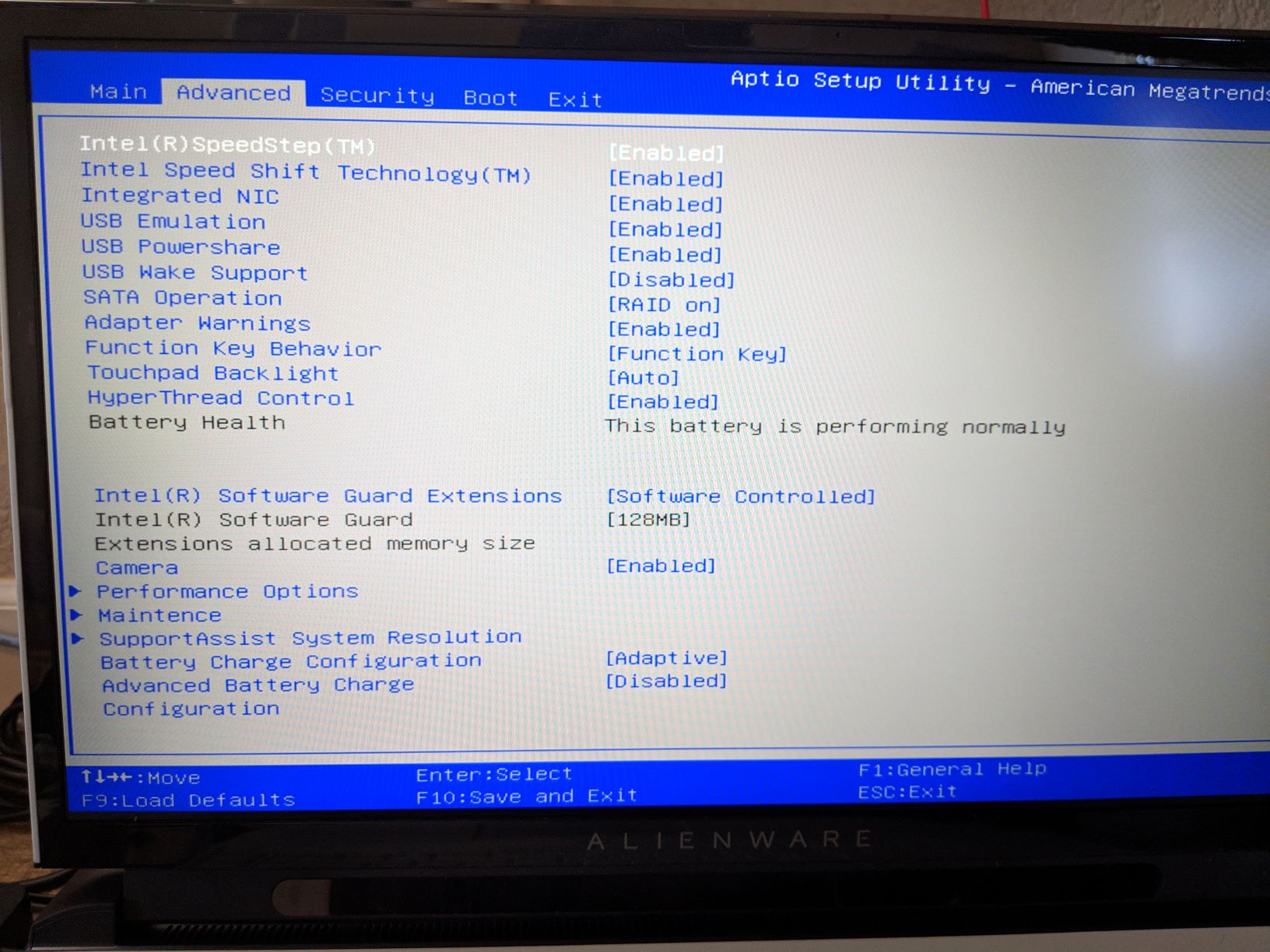
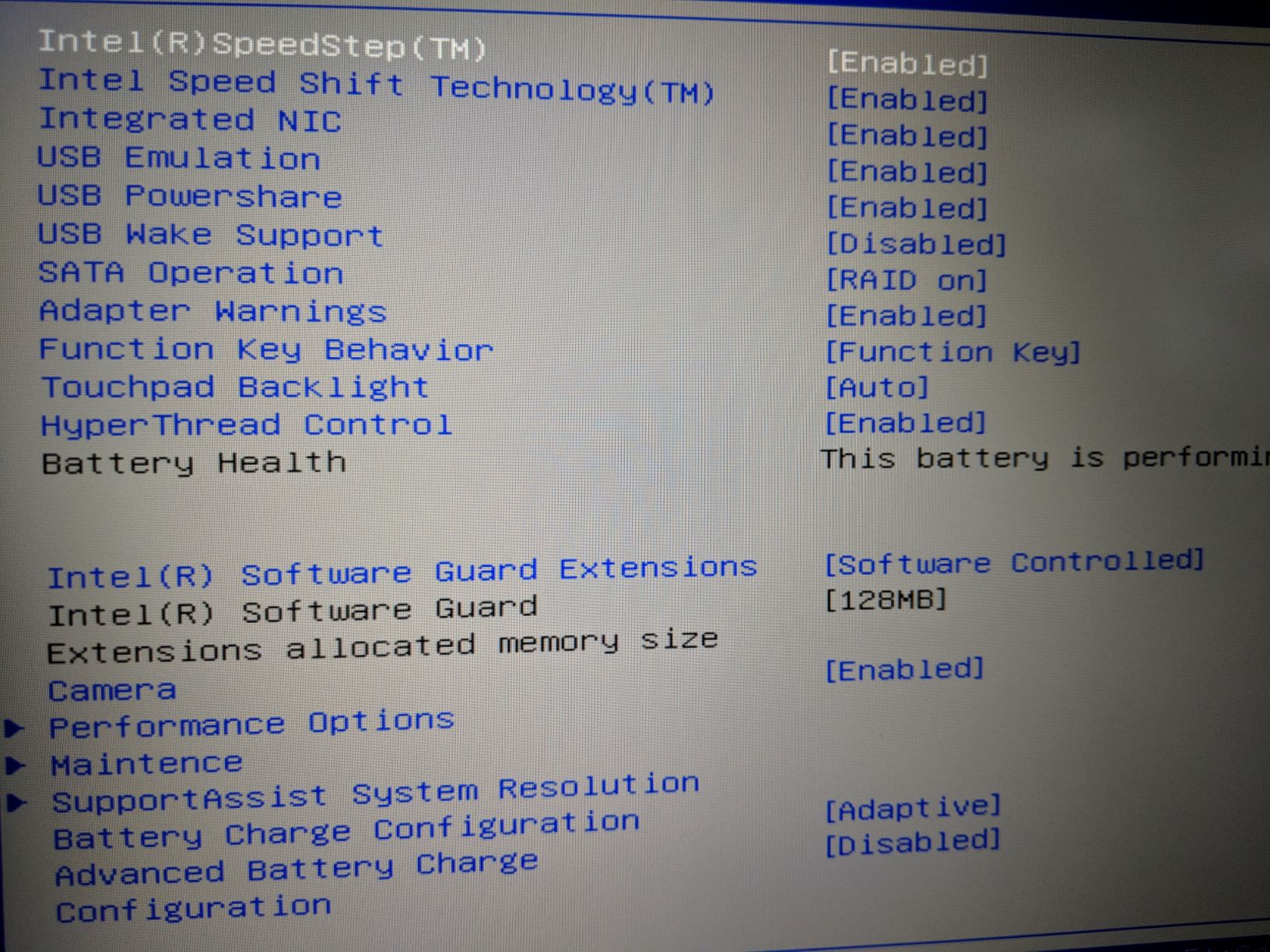
From Alienware Area-51m System BIOS version 1.2.0
https://www.dell.com/support/home/u...wt64a&productcode=alienware-17-area51m-laptopAdvanced Menu...
Performance menu...
As you can see.... Not much can be tweaked from Bios. You'll have to use the app from Microsoft Store.
Maintenance menu...
Last edited: Feb 23, 2019 -
Ive been told to ask @bagman317 but still no answer. It shouldn’t take much for them to add support for the 8700k. I really wanted to use one for my 51m but I guess I don’t have a choice but use my 9900k for now.Cass-Olé likes this.
-
What BIOS version are you running? Can you post what's in performance options and maintenance?
-
Hey, mine arrives Monday. i7-9700k, 2080. I'm going to pop in 32gb of Corsair Vengeance, a Samsung NVMe and a 2tb ADATA SSD.
Is there a checklist of things we should post or things that are needed to be known? We should make a list and put it in the OP.
I plan to:
Minor disassembly, putting in ram and SSD so I'll already have it open and can take pictures of heat sink.
Firestrike, Uniengine, Userbenchmark Scores
Video checking for light bleed
Anthem gameplay
ThrottleStop undervolting/lowering of turbos if any throttling engaging
Anything else we need or want?IKAS V likes this. -
This is concerning....not "electrically" I really hope they didn't screw up the motherboard design and 2666Mhz+ will work with a firmware update.
Doesn't make any sense since 9900K supports 2666mhz stock.
![[IMG]](images/storyImages/cKSpALz.png)
*OFFICIAL* Alienware Area-51M R1 Owner's Lounge
Discussion in '2015+ Alienware 13 / 15 / 17' started by ssj92, Jan 8, 2019.




![[IMG]](images/storyImages/7AIt3k5.png)