 Problems? See this thread at archive.org.
Repasted again today with Kryonaut ... X application on CPU but only had enough Kryonaut for the CPU. Used NH-1 on the GPU ... temps are really good. Doing tests right now with a fixed overclock of 4.6ghz. Here's some Generation Zero gameplay at that setting. Trying to find the highest overclock with the lowest volts. 4.6ghz runs pretty much the same FPS as 5.0ghz and I can use way lower volts and keeps temps mostly in the upper 60's/low to mid 70's .. hits 80C a few times in this vid but just a spike ... gotta say, Generation Zero is the most CPU intensive game I've played so far ... man does it heat things up quick. LOL:
Game running at all Ultra settings (motion blur disabled cause I think it's dumb)
-
Listen to me sir...Please.
First: Kryonault is NOT the recommended paste for this laptop. Kryonaut is to thin (before you mention it was thick?) and these vapor chamber heatsink do not make good contact with CPU/GPU. Kryonaut will not last with such poor contact, nor LM (conductonaut). It will spread out with heat.
So for best performance you need thicker paste and you need a lot (that's why you saw Dell original paste appear to have too much). Thermalright TFX is the new king of paste and it's extremly thick. It beats Kryonaut (not by much but still) for temps but also for longetivity. I understand you swear by @iunlock repaste guide and i agree it was a good guide back then but now you have a different system and the solution is different.
Now you should benchmark CPU with Cinebench R20 after your repaste to compare results. It's useless to do it in game right now. You should monitor temps using HWinfo and look at your clock speed and temps. That will tell you if you have made a good repaste joob. (i imagine you undervolt so always use the same settings if you do).
I have the 10900K and repasted with LM = not godd, then Kryonaut = not goo and finally TFX = excellent.
I can tell you i have no sudden spicke to 100C like you metion before. My temps wiil raise progressivly because my repaste job is correct. Thick and enoughDreDre likes this. -
Thanks for the info ... I'll order some TFX and give it a go ... also want to try Phobya Nano Grease. And I did use much more paste this time on the CPU ... X pattern application ... I'm pretty happy with the temps thus far and yes, I am undervolting and doing all my overclocking with Throttlestop. I have overclocking turned off in Alienware Command Center.
Regarding Cinebench? That is my go-to stability/temp testing app, ironically enough. Doing some testing right now ... and yes ... I use HWINFO64 to monitor clock speed/volts/temps...
Cinebench R20
---------------------------
10700K @ 4.6ghz static overclock
SCORE: 4735
1.20v
Hottest core reported: 81C
Avererage across all cores: 65C
CPU Throttle: NO
Cinebench R20
---------------------------
10700K @ 4.8ghz static overclock
SCORE: 4898
1.225v
Hottest core reported: 90C
Avererage across all cores: 75C
CPU Throttle: NO
Cinebench R20
---------------------------
10700K @ 4.9ghz static overclock
SCORE: 4955
1.225v
Hottest core reported: 95C
Avererage across all cores: 87C
CPU Throttle: NO
Cinebench R20
---------------------------
10700K @ 5ghz static overclock
SCORE: 5088
1.29v
Hottest cores reported: 100C (on two cores)
Avererage across all cores: 91C
CPU Throttle: YES
...
Cinebench is a ball breaker, man .. LOL ... I'll post some more numbers when I get the TFX ... breaking this thing down and putting it back together is so easy now. I can do the whole repaste in about 30 minutes. I might even try repasting my R4 17 but it looks a good bit more difficult than the Area 51m ...
More later
~s1rrah -
Great

I have tested Phobya and it's not close to TFX but at least it's thick.
Also when you test how stable is your undervolt, i recommend running TSbench and look for WHEA errors in HWinfo (it would appear as the last line on the right side in HWinfo) If you have no errors on a long TSbench test then it means your undervolt is stable. If you see any errors then your undervolt is too much, you need to reduce it.
My CPU can run -125 Mv in any benchmark but it's unstable in real world and can run into BSOD. So my every day undervolt for stability is;
-44.9 Mv at 49X.
-64.5 Mv at 48X,
-70.3 Nv at 47X
Also i saw you CPU was running at 36X all cores at one point. This is trigger by AWCC that goes in protection mode (BSOD?) by disabling any overclock. It can be override by rebooting 2 times or simply apply an overclock profil in AWCC or in ThrottleStop.
Finally do not worry about bios tab: Performance. You should leave it at OFF since you are using either ThrottleStop or AWCC for your overclock. (i strongly suggest ThrottleStop)Papusan likes this. -
stop saying whatever the original paste on laptops are always thick, it is not by removing it and putting back such a thick paste that you will gain in temperature! kryonaut is good all depends on the application of the paste but to say that tfx the bottom remains to be proven! I saw no test on tfx! -
?....Not sure i understand what you mean. I'll take a chance and rephrase for your better understanding: The reason why he saw a lot of paste on the original paste job by Dell is the AMOUNT NEEDED for the NEW PASTE. I never mention to reuse the same paste?
Have you repaste an area 51Mr2? I did. Many times with all diffenrent paste.
Here is a thread of experts that discuss best thermal paste, I recommend you pay attention to @Falkentyne comments. He's defenitly one of the best when it comes to repaste, liquid metal and other paste.
http://forum.notebookreview.com/thr...and-liquid-metal.806840/page-45#post-11079755Effiklinger689, DreDre and Papusan like this. -
yes I made it and for me its still the best paste all depends t spread of the thermal paste!I'm talking about the kryonaut grizzly pate and not the conductonaut!
liquid metal paste is that for the delid cpu I do not recommend it for a conventional application -
Have you compared kryonaut to TFX on a 51M R2?.........NO.......I did.
I linked you a thread of all the best experts on this forum that agrees on TFX being superior but all you have to say is......Kryonaut is the best. You have made no comparaison and have never tested TFX,
In my opinion you are the one who should stop saying Kryonaut is the best.
But it's a free world and a free forum. Anyone can recommend what they want. I trust the experts of this forum and my personnal experience have proven they were right.
TFX is better.Effiklinger689 and DreDre like this. -
To @Asdesas point, I think what he was trying to say was that using a thick layer of paste typically is not the best method. What we saw in @s1rrah pic was what looks to be too much paste being applied if I'm not mistaken; it almost overflowed to the motherboard. In my experience, you only need to use a thin enough layer such that the heat can transfer efficiently and effectively from the cpu/gpu to the heatsink. This may be a guess, but I am certain that the heatsink when screwed in, makes direct contact with the cpu; I pretty much doubt that there is such a large gap between the 2 that would warranty that much paste to ooze out.
-
Yeah that cpu draw really got me worried, especially when I had all cores at 100C; and this game isnt even that new so its odd to me. Nice temps btw.
-
Too much paste (on this system) will be pushed away and temps will be best.
Too little paste on this sytem will make the temperature spike suddenly to 100C.
I know it's not what we are used to hear on a regular laptop. Believe me when i first got the 51Mr2 i experience little paste and result were worst then compare to Dell. @Justin Stuever experience the same thing as me. http://forum.notebookreview.com/thr...2-owners-lounge.832848/page-252#post-11069511
Edit: And this one: http://forum.notebookreview.com/thr...2-owners-lounge.832848/page-252#post-11069298 -
Thanks for the offset numbers; yours are similar to mine; I can run at -125 Mv too but it will crap out in real world apps, as you said. I generally run -82.0 Mv @ 4.7ghz as my daily overclock/undervolt and when benching at 5ghz or higher, I will reduce it in 10 degree increments until bench stable.
And yes. I use Throttlestop exclusively to do my overclocking and to save various frequency configs/profiles. I find it way more granular in it's controls than AWCC. I'm used to working in full size desktop bios' with the myriad of tweaks and options they provide in the overclocking realm and Throttlestop most approximates a bios like interface. The Area 51m R2 bios is worthless, really when it comes to overclocking. I might try Intel Extreme Tuning app as well in the future just for fun.
I'm having a blast with this A51m R2, man ... my old R4 17 is awesome; it's been flawless for 5 years other than the throttle/heat issues. It has the LG panel which runs all day at 100hz ... but can't tweak it or overclock it since it's the 6700HQ model. It seems like it's going to be way more complicated to break down and repaste which I'd like to do before I sell it. The R4 17's are still going for $800 to over $1000 on Ebay so I hope to recoup some of the expense on my AW51 R2 ...
I'll post some more numbers once I try the TFX. Oh yeah, I also tried Conductonaut LM yesterday ... as you mentioned, it was horrible ... temps were way high and I took it off immediately. I must have torn down and rebuilt my AW51m about five times yesterday LOL ...
~s1rrahNormimb likes this. -
I would very much like to replace the stock thermal pads with Fujipoly pads. Is there an accurate list of the height of the various pads on the cooling assembly for the Area 51m R2 somewhere here on the forum? I think the entire assembly will require several different pad heights and would like to be sure I'm ordering the right pad heights for the various locations on the heatsink. Thanks for any info...
~s1rrah -
You can start from there: http://forum.notebookreview.com/thr...2-owners-lounge.832848/page-126#post-11039263
Edit: And this one: http://forum.notebookreview.com/thr...2-owners-lounge.832848/page-138#post-11041290Last edited: Apr 6, 2021 -
Thanks for the info re: pads
Was going to put a 2.5 inch 2TB mechanical in the empty drive bay of my Area 51m but found a 2.5" dual m.2 drive bay adapter (Startech S322M225R) so running 2 1TB Samsung Evo 850's (m.2 SATA III, not NVME) in RAID0 in the 2.5 inch drive bay ... drives were pulled from my old R4 17 where I had run them as two single, non raid drives for years. Working well but oddly, the array only tests at 540 read/520 write ... which is basically the exact speed of a single Evo 850 ... wonder if this is due to the limitations of the 6gbs SATAIII interface of these m.2 drives? I was expecting to see double the speed of a single drive ... not a big deal really as I've used them single and at their stock ~500ish mbs read/write speeds and have been okay with that. Better than the 5200rpm mechanical I was going to drop in there, anyway ... LOL
...
~s1rrah -
Hi there ... question about the 2.5 inch drive bay and it's particular interface to the motherboard ...
As mentioned above, I got a nifty little 2.5 inch m.2 to SATA RAID adapter, made by Startech, that allows me to run dual m.2 drives via the Area 51m R2 2.5 inch drive bay. The adapter has it's own, onboard RAID controller and can do RAID0/RAID1/SPAN ... all configurable by a jumper on the circuit board.
I'm using two Samsung 950 EVO 1TB drives in RAID0. I've double checked with Startech support and all jumpers are configured correctly. Thing is, instead of the 1000mbs or so I should see with dual Samsung 950 EVO's in RAID0 (they are m.2 SATA3 and not PCI-E) which test around 540mbs when running as individual drives, I'm instead seeing the single drive speed when running both in RAID0, again ... around 540mbs. The computer reports them as a single 2TB volume, and device manager lists them properly as a RAID volume (discussed this with Startech support) ... but the array still only tests at single drive speeds. Odd. I know they work well and test over 1000mbs in RAID0 as I ran them in RAID0 in my R4 17 for years via it's onboard Intel RAID controller.
So back to the fact that the RAID array is interfacing via the 2.5 inch bay connector: could this be a limiting factor in the speed of the array? I'm not sure if the 2.5" bay interface is SATA II or SATA III but wanted to bounce that off of any more knowledgeable folk out there in AW51m R2 land. I'm happy with the 540mbs speeds I'm seeing out of the array as that's what I'm used to since in the end and with the R4 17, I ended up doing away with RAID0 and just ran them as dual single 1TB drives. 540mbs is far and away better than any mechanical I could stick in there as well but still curious as to why the array wouldn't be benching at typical RAID0 speeds (generally twice the speed of a single drive is rule of thumb).
Thanks for any input...
~s1rrah -
SATA III is limited to 6Gb/s so you are limited by SATA 3 speeds. It is not possible to get faster speeds with the board you are using.
If you want to get full PCI speeds you need to get Solid-state drive interposer board. Here is a link -
Thanks ... the drives are actually m.2 SSD's but SATAIII m.2 and not PCI-E so individually, they will never run over 540mbs or so. However, in a RAID0 array, they should run 1000mbs or more. Could the SATAIII drive bay be preventing that speed? 1000mbs is way less than 6gbs so I can't see how the interface could be saturated.
That being said, I have the interposer board kit on it's way; I bought it last night. They are hard to find. The interposer board won't do RAID, though but I might eventually buy two more m.2 PCI-E drives to run in it individually as they would be much faster than the m.2 SATA 950 EVO's I'm currently using in the 2.5 inch drive bay.
~s1rrah -
That adapter you have is limited to SATA III speeds and splitting it between the two drives. You won't see over 540.
Also RAID is useless on nvme SSD's unless you just want 1 logical volume you won't see much in the way of faster speeds and it certainly won't be double due to the overheads incurred by the controllers. -
Thanks ... that's good to know ... might just run them with the drive bay adapter as JBOD ... using them as two separate 1TB drives which will be approximately the same speed and more secure with data ... went ahead and bought the interposer board which I hope will run PCI-E drives at their proper speeds instead of the limited SATA III speeds.
-
HWMonitor64 and GPUZ both give Hotspot Temperature for GPU - Mine reached 95.4C tops. GPUZ also gives GPU Memory Temperature - 91.4C tops for this. Are the numbers decent or too high?
-
Others can chime in as well but that seems pretty hot for the GPU ... install HWINFO64 and load the sensors ... check to see if your GPU is throttling ... not sure what the throttle point is for a 2080 Super ... I have the 2070 Super and my in game temps never go higher than 58C ... but your card is going to run hotter since it's the 2080 ...
-
Question about the cooling assembly for the 2070/2080 machines ... are they the exact same cooling assembly or is the 2080 cooler different than the 2070? I've been seeing these so called RTX 2080 "upgrade" cooling assemblies and wondering if they are the same as the one in my 2070 machine or different in some way?
https://www.newegg.com/p/1YF-003V-01V44?isClickShare=true
...
![[IMG]](images/storyImages/AKNJS200911PMqpw.jpg)
...
I know there is an aftermarket assembly on Ebay, the all copper one, but not sure if it would fit my 2070 Machine: -
It's the same heatsink 2070/2080 skus.
-
It seems this is normal for a 2080S. I used to have a 2060 in my Area 51m R1 and that easily got to 67C. Your 2070S is doing well in comparison.
-
It's not compatible with area 51m r2! It's for area 51m r1for rtx 2080! -
I agree, the R2 has a different heatsink design and has a vapor chamber on the CPU side.
-
It was definitely better but nothing compared with my R4. And then I noticed that the 7.1 surround option was not only OFF but also greyed out so I could not enable it. I opened a support ticket and the Dell tech showed me how to do that. Now the sound is what I was hoping for.
Thanks for all your tips which have definitely served me well.
Next stop, learn how to use the APO equalizer. -
Would it be possible to get some help on the use of lighting FX?
On all my previous AW's, the FX were easy to create and edit. On this latest version of the Command Center, I'm at a complete loss to understand anything.
Because I have the UHD screen, the help file is illegible. I downloaded the PDF version but that talks total nonsense; it's as though it was written for a different version!
Here's what I want to do:
1. speed up the default Spectrum lighting. You have probably all noticed that when your first turn on the machine the morph moves from left to right and is perfectly fluid but, as soon as Windows starts loading, the keyboard morphs from right to left with a staggered motion. Speeding that up should solve it however, speed options only seem to be available for your own themes, not for the default theme.
2. I want to create a duplicate of the default so that I can edit it to my liking. The problem is that the duplicate option only seems to be available with new themes you have created yourself and if I edit the default theme there is no Save As option, only a Save Theme which would presumably overwrite the default. -
Just set duration to low.
-
Another question for the gurus ... would it be possible to install a A51m R1 palm rest and keyboard on an A51 R2? ... I miss the traditional flush mounted keys and hate the fact they went with the way less tactile/responsive island/chicklet style keys on the R2 ... the previous and traditional AW keyboard was/is quite unique ... now this R2 types/feels like any other old MSI or Asus keyboard ... IE> not special in the least.. ???
~s1rrah -
we will have to look if the motherboard r1's screw holes are identical to the motherboard of r2 !if is identical you could put the frame and keyboard r1s1rrah likes this.
-
I'm going to call Dell and ask them about it ... I'd pay to have them switched ...
-
the best will be to look at the 2 motherboards to quote! if the two are the same then the r1 can be updated by changing the graphics card and the cooler
-
Talked to Dell about installing the palm rest and keyboard from the A51m R1 on my R2 and they said it may well be possible. Have to wait till Monday to talk to the next tier of service support to find out for sure ...
-
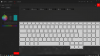
Would that I could.

-
You need to select the keyboard from the top right of that screen (the icon next to the almost solid red square )
-
Glad you got it working ... I think the sound is pretty good. Oddly, I cannot get APO Equalizer to work with the A51m R2 Realtek/onboard speakers. Namely, the pre amp, which I use with my blue tooth headphones to increase the volume beyond what they typically can produce. Can't get the equalizer to work with the A51m speakers, either .. even though they are selected in APO Equalizer as the sound system to control. It might have something to do with the Alienware sound effects and what not being already hooked into the Realtek output ... don't know. But for now, with the loudness set at max setting in Command Center, it's plenty loud for me when gaming on the speakers. Best of luck...
~s1rrah -
Sorry to be a pain in the butt ... but...
-
now click all keys on that screen. Select rainbow or spectrum on the left or whatever you want then you can choose the speed.
-
Brilliant. Working to perfection! Thanks very much.

-
does the "alienware" logotype light up? I mean, the one on the panel ... seems to be dimmed out and can't enable light on it ... hrmm?
-
Yes it does but now that you made me look I note it is doing the rainbow wave thing even though I set it and the Tron to be a plain red with no effects. It would seem that if you choose rainbow for the keyboard then everything is set to rainbow.
-
Odd. I can't get it to light up. Not a big deal as I'm not a RGB guy .. I set my keys to all white and orange highlights on special keys ... don't ever change ...
-
delete
-
the alienware logo can be turned on only inside the default setting! if you create a new parameter the color cannot be modified in this parameter! it must be modified in the default parameter then return to its personalized parameter
s1rrah likes this. -
Thanks for that ... much appreciated ...
-
What is the best thermal upgrade solution (Paste vs. Pad vs. Liquid Metal) I could use to lower temperatures on my R2 and which exact model is the best out of each?
-
It is a desktop class CPU ... already soldered at the die ... so I'm not a big fan of deliddijng/relidding with liquid metal. That being said? You could lap the feck out of your CPU ... I mean with 300 grit sand paper ... until you can see the outline of the die through the IHS surface ... then finish with 600 grit if you like. This has worked well for me ...
-
I'm confused- I'm refering to what is best out of paste, pad, and perhaps LM- and which model (IC Diamond, Kryonaut, Carbonaut, etc) I should get depending on the first response.
Preferably someone with experience already repasting said laptop.s1rrah likes this.
*OFFICIAL* Alienware Area-51M R2 Owner's Lounge
Discussion in '2015+ Alienware 13 / 15 / 17' started by Spartan@HIDevolution, May 9, 2020.


