Problems? See this thread at archive.org.
Kids will be kids....but some, like mine, have had the chance to have an education.....some don't
In french: Les enfants seront des enfants, heureusement les miens ont eu droit a une éducation. On ne peut pas dire la même chose pour tous les autres.
I understand you own the 10900K. The first one i got ran really hot too (i think dell's 10900K are not the premium ones) but then i broke mine trying to delid it. So i had to purchase another one from the store and that one was completely different (in a good way). It needed less voltage to give me the same performance and i was able to run 49X all cores in CBR20 without reaching 100C.
If you can, ask dell to replace your CPU for another one. That might be your issue. Also if you can, order some Thermalright TFX and give it to the technician when he comes. This will give you the best chance to have a good gaming system.
Good luck and please report back with updates.
-
-
Thanks, I will have a chat with the technician about the CPU but unfortunately we don't have Thermalright TFX here in Australia and it probably won't arrive in time if I get it from Amazon.jclausius, ratchetnclank, Papusan and 1 other person like this.
-
Maybe IC diamond 24 (really thick) seems our R2 likes thick paste.
ps. Maybe you can't have TFX but at least you got rid of COVID in australia wich i would trade any time of the day.
http://forum.notebookreview.com/thr...and-liquid-metal.806840/page-48#post-11084441Papusan and ninedragons like this. -
Thanks for the link but only one place got IC Diamond 24 here and they want drug money ($48 AUD) for it lol. We do have CoolerMaster MasterGel Maker Nano ($16 AUD) though so maybe I should give that a try?
I hope where you are can get rid of COVID very soon!!Last edited: Apr 14, 2021Normimb likes this. -
CoolerMaster MasterGel Maker Nano is a good choice. Run and buy
DreDre, Normimb and ninedragons like this.
-
Ok, I'll go get it after work today. It's only $16 compare to $48 lol.
1.5ml be enough for both CPU and GPU? Or I need 2x1.5ml?jclausius likes this. -
Should be enough. But I prefer have something in reserve/spare
jclausius, ninedragons and Normimb like this.
-
-
Yeah, Two is better than one
https://www.guru3d.com/articles_pages/guru3d_thermal_paste_roundup_2019,10.html
ninedragons likes this.
-
Do not get CoolerMaster Gel Maker Nano. The reviews online are for the the old version which was amazing. I got the new edition around 4 months back. Its horrible. Its like this really thick paste that's very difficult to apply and does not help at all. I wasted $50 CAD on two of those tubes. Ended up getting Arctic MX-4.
-
Do not get CoolerMaster Gel Maker Nano. The reviews online are for the the old version which was amazing. I got the new edition around 4 months back. Its horrible. Its like this really thick paste that's very difficult to apply and does not help at all. I wasted $50 CAD on two of those tubes. Ended up getting Arctic MX-4.
-
Not all have same experience
Which Thermal Paste to buy and apply (Traditional and Liquid Metal)
And don't spread it. Just use the x-cross application for thicker thermal paste. -
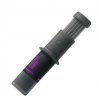
That's the issue. I like x-cross or dot method. I ended up using dot method with Arctic MX-4. With cooler master, it comes in a tube of wide opening that basically acts a spreader. Issue is that the paste in the tube already seems dried up and does apply as well. I attached the image of the tube I got.
Attached Files:
DreDre likes this. -
-
Latest thermal paste roundup 2021 have the new one for the test bench
https://www.tomshardware.com/best-picks/best-thermal-paste
-
It could also be that I got one from the bad batch. Had terrible experience with it. They might have fixed the issue now.
-
Could be.
I have used the old one before. Can't see they would make the new one worse than the old A very good paste but I still prefer Liquid metal. The only high end paste I try to avoid is
Grizzly Kryonaut.
normand668, Normimb and Arkengelus like this. -
Here are a bunch of reviews from Newegg. https://www.newegg.ca/cooler-master-ptk-l01/p/2MB-0009-00022?Description=coolermaster mastergel maker&cm_re=coolermaster_mastergel maker-_-2MB-0009-00022-_-Product
Seems like the newest batch may be fine. -
I don't look on reveiews from web-stores. Too many that should never open a pc. If you repaste you check temps afterwards.
Spartan@HIDevolution and ratchetnclank like this. -
My point was simply even if it "works", it's not supported. That should not be the case. And there is always the potential of a BIOS lockout if Dell get's whacky.
Not quite - its about the above problem. You could get it working, and it might work forever. OTOH, its the attitude that Dell has on it, and the fact they could even _intentionally_ break using it that is the concern.jclausius likes this. -
Hey guys, every time I open up a certain game a weird low screeching sound comes from the right side of my computer, and then all background apps slow down extremely until its finished loading up then it goes away. Is this normal?
Sometimes while playing it, I hear it occasionally, but in a lower frequency. Had my lap top for about 2 weeks now.
The game is Elder Scrolls Online, I'm not sure if it's super taxing enough to make the computer over work itself. Outriders don't make this sound. -
Out of curiosity, did you heat up the tube (in a baggie placed in hot water)? On some of these thicker gels, I've always found that heating them helps with the application. Wonder if the same would be true with the CM Gel Maker Nano?
-
The screeching is coil whine from the VRMs for the GPU.
The slowdown is normal when loading games not all games do it but many stop me being able to alt + tab. -
Delete please
-
Ah okay, so it wasnt the fan, thats a sigh of relief. I was talking to the dell support about it, and there now recommending me to update to BIOS 17... From reading some previous post people seem to not like updating there bios.
Is 17 safe to update? -
I can add in this link to match my post above. Fits perfectly as hand in gloves.
Did not know dell/Alienware is temperamental with 3rd party RAMLast edited: Apr 16, 2021 -
1.7 is fine no issues with it.
-
I did not do that actually.
-
I have repasted my 51m R2 10900k/2080S with Grizzly, Artic Silver, and TFX. The TFX was the clear winner under all apples to apples tests under same temps and environmental conditions. Absolutely need to over apply any paste with about double the amount you would normally use on a desktop since you aren't bolting down a typical desktop heatsink.
I also delided with LM and saw about a 9-10 deg C overall. I would make sure you use a conformal coating on the processor outside of the heatsink area to be safe since its a laptop. -
I had this issue and discovered it was from the cables. I carefully re-attached them and have not had an issue since.
-
If you repaste sometime down the road, give that a try (heating it up thru hot water). Maybe it'll help the viscosity during application.
Papusan likes this. -
what is the thicknes of the thermal pad on the cpu area? just to make sure I buy the right one replacing the factory thermal pads
-
Yeah we are, it's a bit better but sadly still a AW. I think now that Azor has also fleed the sinkin ship, there is not much to look forward to anymore (if you look at the gaming side)
The only flip side they have is that they boast higher boost clocks for the GPU and CPU. But nowadays you can buy a modified heatsink from china for almost any gaming laptop brand.
No AW for me anymore, just here for the discussion/knowledge people spew around.c69k, Vasudev, DreDre and 1 other person like this. -
To be honest, I wouldn't bother much with them unless you have damaged them. They actually work fairly well and transfer heat pretty effectively. You probably wont see much of a performance improvement on temps by changing them. Most people have actually gained heat by messing with them.
-
I am hoping it all depends on the damage on them. Once when I was re-pasting a tiny little bit of the thermal pad tore off at the edge. I managed to stretch it just so slightly to get the gap covered. It's hard to find thermal pads where I live.Justin Stuever likes this.
-
Regards, I wanted to ask for your suggestions in a situation that arose with the Dell Customer Service team. I have an Area 51 m R2, D2 which from the first day had a Coil whine, in short, an exchange team was approved 3 weeks ago, and today they contact me to tell me that there are no exchange teams with my configuration area 51 and they want to proceed to make the refund of the money ... my equipment is an edition with a keyboard in Spanish, nor is the following query, can I request an exchange for a device with a keyboard in another language? or request exchange of a component? since in my opinion the Coil whine comes from the CPU
-
Coil whine comes from the power supply components. See https://en.wikipedia.org/wiki/Electromagnetically_induced_acoustic_noise for details.
If you' re hearing noises from the CPU, perhaps a fan near that area has lost a ball-bearing or something that is causing a fan noise? If you take the cover off, turn on the laptop, can you isolate what piece is causing the noise?
Just throwing some ideas for you to investigate.
Last edited: Apr 21, 2021 -
Looks like summer is here early. And with summer, comes a hotter Area 51m R2. Now this is the first summer this laptop will ever experience. I had a few questions about thermals on this thick beast.
I usually run Flight Simulator on autopilot over Europe as this can really stress out the laptop. This is following I was able to log:
GPU Temperature: 86.6C
Hotspot Temperature: 96C
Memory Temperature: 93C
These are maximum recorded temps I was able to achieve. Flight simulator is the only game that has maxed out CPU, GPU usage, VRAM and RAM at the same time (this is probably a better alternative to 3DMark if someone really needs to stress this laptop). Not even kidding. I have 32GB RAM.
VRAM Usage: 8022 MB
RAM Usage: 31996 MB
I need some input if those temps are fine and within range for this? -
Hey mate,
What about the temps of CPU? You can use HWiNFO64 (tick sensors only at the start for a simplified view) or CoreTemp to monitor it. -
100% agree with you.
The biggest improvment will come from: 1- Undervolt, 2- Repaste 3- Delid.
Repading usually make things worst for the R2, R1.Papusan likes this. -
CPU is almost always at 99-100C. I know I can undervolt for better temps, which I have done in the past and has actually improved temps but resulted in random blue screens. I use the laptop for work purposes and do not want it randomly blue screening.
I actually re-pasted the laptop after my last post. However I do not notice much of a difference in temps. Used the dot method previously and now the X method. -
A undervolt of around -60 seems stable for me. Any higher and i get the odd random BSOD.Last edited: Apr 21, 2021Papusan likes this.
-
Listen,the 10900K runs really hot but it can be cooled if you follow all the steps correctly.
1-You live in Canada so you can easely order some Thermalright TFX from Amazzon.ca (That's what i use) forger about MX 4 (not good enough)
2-Repaste with this paste and use a X patern on both CPU and GPU.
3-Set the clock speed to 48X all cores with an undervolt (with Thtottle Stop) -70core and cache. Run CBR20 and if you can run this test before CPU reaches 96c and thermal throttles (use HWinfo to monitor) then you are good to go for gaming.
If it still exceeds 96C at the end of the test, then set all cores at 47X and re-run CBR20.
4 Don't forget to set full fan speed in AWCC and performance power plan in windows before you test.
The area51MR2 is perfectly capable to cool the 10900k after a good repaste and undervolt. It will either be at 47,48 or 49X depending on how lucky you we're with the CPU dell has sent you.
That is the recepie. Hope you follow itt.Last edited: Apr 22, 2021Effiklinger689, DreDre, jclausius and 2 others like this. -
Thanks. I can order a Thermalright TFX from Amazon and try the undervolt.
-
By the way what do you guys used to clean/remove the factory paste when doing repaste?
-
Just 70% alcohol (ispropryl) and a lint free cloth.
-
Either Articlean, made by Arctic Silver, or I have Chem pads that I get from work.
https://www.amazon.com/ArctiClean-60ml-Kit-30ml/dp/B0007TOR08
https://www.chemtronics.com/chempadninedragons and Papusan like this. -
I was one of the unfortunate 47x but to be honest its not much of a difference in performance. But I did get luck and have a stable -100mv undervolt on core and -60mv undervolt on cache. TFX and Kryonaut LM for the win. Use EXTRA paste on the heat exchange!!!!!!!!!!!.....!!!!!!!!
-
so, how do you guys here update your nvidia drivers? do you waiting nvidia drivers update from official Alienware support or directly get the newest update from nvidia website?
*OFFICIAL* Alienware Area-51M R2 Owner's Lounge
Discussion in '2015+ Alienware 13 / 15 / 17' started by Spartan@HIDevolution, May 9, 2020.