 Problems? See this thread at archive.org.
I like kryonaut and have yet to have had an issue in the many laptops I've repasted with it, even after years. I have also used Phobia with decent results as well, not quite as good as kryonaut from my experience though. I don't run liquid metal in my laptops anymore as it's really not worth it to me.
-
-
My 1080 ti I use in it is an EVGA 1080 Ti FTW card with the three fan design - it this enclosure for cooling that won't fit in terms of height - so yeah, my point was reference cards should be fine in most cases, and most cards will work if they will fit. Been awhile since i read up on it a lot, I recall some people had some BIOS incompatibility issues early on, but since then most seem to work. Generally any commonly available card should work if it fits and meets the power limit.
Ill say this its so annoying it can't work with the builtin monitor for the Area 51M. I use the AGA with my Alienware 13 R3 OLED, and its fantastic a combination at that point.RMLJD, etern4l and alaskajoel like this. -
Conductonaut = Metal Compound
Kryonaut = non metal
![[IMG]](images/storyImages/fedwkc5.jpg)
and is perfectly safe. But out of all the non-metal pastes, Kryonaut loses its effectiveness within 3 days and starts deteriorating in performance every day so it's the worst in my experience. -
Err, "Don't use Kryonaut in a laptop" was in response to the following question:
" What do you think is best for this one? Thermal Grizzly Conductonaut Liquid Metal, Phobya Nanogrease Extreme or Thermal Grizzly Kryonaut?"
I understand the difference between Kryonaut and Conductonaut
Indeed, great point... many thanks Last edited: Apr 5, 2020alaskajoel and Spartan@HIDevolution like this.
 -
Initial application of gallium based liquid metal onto copper heatsink will create a copper-gallium alloy. Where gallium will effectively diffuse into the copper, until it's fully saturated. You see this as a silverish discoloration of the copper. Coppers thermal conductivity is ~400w/mK and is very slightly reduced due to the alloy, but in real world scenario you will still get better performance vs nickel plated copper. Not to mention that with LM you should also do kaptop tape protective around socket etc.
That being said, I would only recommend LM if you have immaculate contact between heatsink and IHS. Since any gaps and LM, will just equal to a bad thermal transfer. Which is why some might have better thermals with regular paste. For 9th gen LM makes sense between die/ihs, since you want as thin of a thermal interface as possible. -
can you post picture of your heat sink after those 7 years?
what is your CPU temperature now after fresh LM application? I will dorp/increase my CPU voltage and we can compare thermal results, I cant imagine it would be more than 3C.
dont take things offensively, Ive got a couple of LM myself.
If you go LM all the way, then why you are using nano grease on the gpu?etern4l likes this. -
To be fair most people don't care about the state of the heatsink after 7 years, much less bro @Spartan who will be rocking a new laptop in a few months
jclausius, Spartan@HIDevolution and alaskajoel like this.
-
great info, ive had something similar with IC diamond, I had to grind the sink with sand paper and polish it later.
Also I noticed LM has short life if it keeps working under high temperature, maybe its better to be used with water cooling , but again with water cooling it the "high end" paste is redundant
I agree to some extent, but its not seven years, you need to constantly replace the paste, if you use LM you will notice the thermal performance is lessens with every month especially when the temperature reaches 90sLast edited by a moderator: Apr 5, 2020jc_denton likes this. -
Anecdotally, I can say that I get the same feeling from Kryonaut, even though the manufacturer says it’s very stable over time. I still think it holds up well for some time and provides good performance, but I disagree it loses performance in 3 days. In a month, for sure I feel it isn’t as good as when it first is applied. I think it “plateaus” and still provides terrific performance vs most other pastes out there, but it does feel anecdotally that it “wears out” more quickly than other pastes.
I’m on PNG and got the feeling that temps were a bit higher when I first applied when comparing to Kryonaut, but they’ve stayed roughly the same since then, no degradation that I’ve noticed. So, for me lately the winner is PNG just because I can avoid repasting!Spartan@HIDevolution likes this. -
It took about 6 months for my Kryonaut to significantly deteriorate. The rationale for the advice against it is that it has low viscosity and thus tends to pump out in case of any sink geometry or pressure issues, and these as we know are pretty common in laptops.jclausius, Papusan and Spartan@HIDevolution like this.
-
So as mentioned, the initial application will result in copper soaking up the gallium when creating the alloy. This leaves tin and indium residue behind, as a sort of slurry, which can effectively reduce the conductivity due to not being as liquid as before, since it now has a reduced gallium content. What many of us do, is remove the residue, but not sand down the surface, since we want to keep the alloy. Reason we want to keep it is, so that gallium won't go through the same cycle again and remain liquid when we reapply a second coat of LM. Now, this is for copper heatsinks, nickel plated heatsinks will not require this extra step.
The process happens over several thermal cycles, as the copper is heated and cooled. You might need to redo it a couple times, since it depends on how much LM you initially applied, before the copper is completely saturated. -
I got a 10C decrease in temps vs the stock thermal paste that I had and I wasn't able to run @ 4.7 GHz on all cores previously due to thermal throttling. Now I run @ 4.7 GHz all the time with no throttling.
Crappy stock Dell Thermal Paste =![[IMG]](images/storyImages/KHlLAii.jpg)
I am using PHOBYA NanoGrease Extreme on the GPU and not Liquid Ultra because look at the picture! It's very easy for Liquid Metal to spill onto the PCB whereas the CPU is elevated so its much easier to keep it in place once the heatsink has been fitted firmly. I've been using liquid metal since 7 years and never had one fried motherboard or CPU. Only n00bs who have no idea how to apply it properly are afraid of Liquid Metal.
And no I am not interested in posting pics for you to compare with your temps. Use what you will but stop spreading FUD that Liquid Metal the devil of all evil! If applied properly, it has the best conductivity and performance and longevity to top it off. If you wanna see comparisons and results, feel free to Google I am not here to spoon feed you.
![[IMG]](images/storyImages/RHNMYwO.gif)
Spot on bro! If I keep the laptop for 7 months that's a miracle! @devilhunter you can keep your laptop for 7 years and keep arguing about Liquid Metal being the mother of all evil while I enjoy the lowest temps possible![[IMG]](images/storyImages/heeur0M.gif)
Enough already with your misinformed posts and lies. Liquid Metal lasts for the life of any laptop. I and many others can attest to this! On the contrary, it's the non metal pastes that need reapplication after a few months.
@Mr. Fox @Papusan
![[IMG]](images/storyImages/uNx55gd.png) jclausius, Papusan, Donald@Paladin44 and 2 others like this.
jclausius, Papusan, Donald@Paladin44 and 2 others like this. -
Bad contact will expose paste to air and speed up the aging process.Papusan, Spartan@HIDevolution and etern4l like this.
-
Right, and it also leads to bad contact (which means poor performance).Papusan and Spartan@HIDevolution like this.
-
Im not lying, here is
http://forum.notebookreview.com/thr...-works-why-it-fails-and-how-to-use-it.809332/
its your laptop, do whatever you find good for you.
Btw, dell's paste isnt "trash" its definitely way above average, I noticed some temperature improvement switching from standard paste ot Gelid Extreme (RTX 2080 + 170 mhz, 9900k @ 4.9 ghz)
but your standard for a "good paste" have to be top rank in the world and replace the paste every now and then...
you are misleading lot of new buyers and possibly fool others into buying this LM, all what I asked is comparison of the results between "the good" non conductive paste versus high end top of the world compound.
Here is post my TimeSPY result for your satisfaction of "high numbers" , I hope you can come up with better values...
FYI, im on latest capped Vbios (78C temperature limit ) and stock Bios
![[IMG]](images/storyImages/TimeSpy2.png)
-
Ah. So you are super rare example of a small subset of power user that needs a highly specialized bit of kit...
Sounds like a awesome job though.Spartan@HIDevolution and lestat2k7 like this. -
Thanks it's fun job sometimes Most people opt for desktop but I prefer laptop due to mobility between jobs. Otherwise I would get 3990x, 128GB ram, and possibly rtx titan, and definitely 30+ inch 4K display.
etern4l, Spartan@HIDevolution and jc_denton like this.
-
I have a dremel. And a AGA....must not cut....Papusan, etern4l, Fire Tiger and 1 other person like this.
-
It's a perpetual cycle. Nothing lasts forever, even LM will require reapplication after being exposed to air for a long enough amount of time.
Since it's rare that you have perfect surfaces in a laptop that can create a suction effect and push all of the air out.
Liquid metal is king of performance, if you leverage it's strengths correctly. But a good paste is hard to beat even with LM, when you're dealing with imperfect contact due to uneven surfaces.Papusan, etern4l and Spartan@HIDevolution like this. -
I fully expect It may be Interrupt conflicts caused by whatever kludge's Dell uses to tie Alienware Command Center into the OS, coupled with Windows not releasing resources effectively.Docsteel likes this.
-
I never had any issue since i got this back in January of this year. I mainly use it to play games.
-
It's something along those lines. It doesn't happen very often but periodically there is a "freeze" where the system is unresponsive for like 5-6 seconds, then all is good.Last edited: Apr 6, 2020
-
I have never been able to figure it out. Happens unplugged and plugged in.
-
Its some kind of low level driver issue I suspect, its annoying but not too frequent.jc_denton likes this.
-
Same here. @Dbentt must have a software conflicting with something in his system or outdated or not properly installed drivers.Donald@Paladin44, etern4l and jc_denton like this.
-
Hey i finally got my 1tb 970 Plus that was on back order, so was going to do the install of Ubuntu but having some difficulty
i switched Raid to ahci and disabled secure boot from the f12 bios. when i restarted it only lists "windows boot manager" and nics as options for boot, my linux install media isnt an option (portable ssd)
am i doing something wrong? -
The pict show 4 year with liquid metal. Have never seen liquid metal damage the heatsink. Neither will it eat up the copper. The greyish color is prefered and won't change the cooling capacity at all.
![[IMG]](images/storyImages/b6YHmGT.jpg) Last edited: Apr 5, 2020Rei Fukai, Donald@Paladin44, jc_denton and 5 others like this.
Last edited: Apr 5, 2020Rei Fukai, Donald@Paladin44, jc_denton and 5 others like this. -
apparently using the usb c port wasnt working, plugged my drive into the next port and it shows in the boot options but now it does this every time i boot into the ssd to try and install linux
![[IMG]](images/storyImages/EIsTe9v.jpg)
-
@Papusan I just realized Dell is selling the Area-51m with a GTX 1660 Ti what the heck are they thinking?
https://www.hidevolution.com/custom...z-g-sync-tobii-i7-9700-gtx-1660-ti-black.html
jc_denton likes this. -
Maybe test out with MSI_util_v2.zip
https://forums.guru3d.com/threads/w...ge-signaled-based-interrupts-msi-tool.378044/
The Ti branding smells good in all ears
-
Ti = Titanium. I see NOTHING Titanium in a 1660 Even if they call it the 1660 Ti SUPER MAX it's still a 1660. But why put a crappy graphics card in a flagship gaming laptop?? Makes 0 sense they could put it in the G7 not in an Area-51m. They just crapped all over their flagship model name.
etern4l, jc_denton and Fire Tiger like this.
-
Bruh, everything can be called flagship And they can put whatever they want in it.
But Alienware, Dell's flagship laptop line for gamers, has lagged behind with heavy cases and archaic screen bezels. That all changes with the Alienware m15, the company's first truly lightweight and slim offering.Rei Fukai, Donald@Paladin44, etern4l and 4 others like this. -
Yeah that all changes with the m15 because we made it throttle to 2.3 GHz so it won't get fried!
![[IMG]](images/storyImages/ixqNbwc.gif) Rei Fukai, Donald@Paladin44, etern4l and 1 other person like this.
Rei Fukai, Donald@Paladin44, etern4l and 1 other person like this. -
Does anyone have lots of problems getting Throttlestop to do its job after the lats update of AWCC?
Fire Tiger likes this. -
Lately I have been quite lost trying to figure out what Dell are thinking, but in this case some explanations present themselves:
1. Some people might only care about the CPU
2. Some people are planning to use 2080 Ti+ with the AGA as the primary driver. In the m15 R3 ideas thread a mod suggested the option to have no onboard dGPU at all, given the AGA port
3. This allows them to claim a lower "Starting at" price in their marketingTerreos and Spartan@HIDevolution like this. -
The worst ones I have seen are 2 blockbuster projects at the same time for 16 hours, 8 + 8 each day for 3 weeks (Dark Phoenix + Aquaman) and one about working 7 days for 3 months without any day off (Batman v Superman). But I didn't experience the latter
Last edited: Apr 6, 2020
-
Introducing our new flagship XPS 13! It has the smallest bezels, the most soldered parts, the worst cooling, is 25% slimmer than last years model, and throttles so bad that even Apple would be jealous! Buy today!
Starting configuration starts at $999 for an underwhelming 1080p screen, 8gb of soldered ram, and 256gb of soldered ssd storage. So you better buy our $2000 model.Donald@Paladin44, Papusan, Fire Tiger and 3 others like this. -
Yep, it's not pretty out of the box. With a considerable investment of extra $$$ of own time, users can make it so it doesn't throttle (ok, it does to 3.8GHz in CB20 with dynamic UV) - this requires a repaste, repad, months of TS tweaking, and running the "bad boy" on a large cooling pad, which is totally what $2500 flagship laptop experience should be like
Last edited: Apr 6, 2020Spartan@HIDevolution likes this.
-
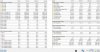
I only can speak for the m15 R1. The performance is out of the box poor. With LM, UV and some mods is the performance not bad for this thin device, even with a i9-8950HK. Gaming-Temps with FC5:
 Donald@Paladin44, captn.ko, etern4l and 2 others like this.
 -
Oh no I get it, you and I and many enthusiasts know how to tame it and make it a great day" is not something many would want to put up with on their brand new $2500 USD laptop.
I loved my previous m15, it's form factor is just perfect and its as easy to carry around as an XPS 15 and has the best battery life amongst any laptop out there. If only they would improve the cooling just a little bit or slap in those new AMD CPUs in it which don't overheat I would buy it in a heartbeat.
Speaking of m15, IMO after having had owned two, one with the 8950HK and tested the 9980HK at the store, I believe the logical choice would be to opt for one with the lesser CPU as it won't overheat as much.jclausius, Donald@Paladin44 and etern4l like this. -
I've not noticed any issues. I have TS set to start 30 seconds after I logon. I've also set AWCC to start Automatically within services instead of Automatically (Delayed) as I found it used to take an age to start on the latter setting.Donald@Paladin44 and Spartan@HIDevolution like this.
-
Def. I wouldn't obtain any extra benefit I heavy multicore loads from 8950HK. With LM maybe.
What's also disappointing is this mantra from Dell and that all is good since their laptops were designed to take 100C like champs (bad boys in this case). This isn't good enough. Most people these days understand thermal throttling and the fact that excess heat and operation near thermal limits reduces the life of electronics.Last edited: Apr 6, 2020Donald@Paladin44 and Spartan@HIDevolution like this. -
@ssj92 @iunlock @Papusan
User on Reddit shows us what Dell support said with regarding his FPS dip on the latest BIOS, see: https://i.redd.it/7bnqudrau7r41.jpg
He's currently on BIOS 1.8.1 as per the first image -
I mean its $200 for what 4-7% difference in speed vs. a 2060.... to put that in perspective, its around +30% more than a 1060... that is not too shabby for 1080p gaming....
In the brief time I had one before sending it back when I got the A51M, it was a sexy but HOT beast with the gorgeous OLED panel.Last edited by a moderator: Apr 6, 2020Donald@Paladin44, Tim V., Spartan@HIDevolution and 1 other person like this. -
I liked my m15r2 oled. I just have to wait for 120hz OLED before buying another.
Donald@Paladin44, Docsteel and Spartan@HIDevolution like this. -
What's the refresh rate on the OLED screen?Donald@Paladin44 and pathfindercod like this.
-
That was the main issue for me - I cant abide 60hz non-Gsynch now, so I had to go AW51M.Donald@Paladin44 and Spartan@HIDevolution like this.
-
I never owned an OLED screen or even saw one so I would really be interested in owning one some day but nothing less than 120hz as I've been using 144hz screens for 2 years now it's so hard to go back if not disturbing actually.Donald@Paladin44 and pathfindercod like this.
-
Good evening all
I hope everyone is keeping safe and well. I wanted to ask probably a very silly question(I have googled already and not much luck) , but how can I change the refresh rate from 144hz to 60hz when in the advanced display settings it only gives me the option for 144Hz. I loaded up mafia 2 and there is a bug that makes the game run in slow motion near the start of the game and apparently changing to 60Hz fixes this..... Many Thanks in advanceDonald@Paladin44 likes this.
*OFFICIAL* Alienware Area-51M R1 Owner's Lounge
Discussion in '2015+ Alienware 13 / 15 / 17' started by ssj92, Jan 8, 2019.


