 Problems? See this thread at archive.org.
Thanks for posting back.
So this also happens to you? Is it normal and nothing to worry about?
Has anyone else came up with these notification messages?
![[IMG]](images/storyImages/image499)
![[IMG]](images/storyImages/image500)
-
-
That would be awesome, honestly!!!
Desktop 4000 series AMD CPUs will have the same socket as 3000 desktop CPUs... haha imagine a 3990X in a 51m??? Or a 4990X later? (Whatever it gets called)
3990X = 64 cores!!!
Yeah most likely no, but one can dream!!!
...with PCIe 4.0!!! K thx bye!
Honestly though, a 3990X is rated at a whopping 280W, sooo... our puny cooling wouldn’t be able to tame it. Maybe a 3700X or 3800X though? Those are nice chips.
3700X is a really nice piece of silicon for the price and performance (and low heat!)Last edited by a moderator: May 6, 2020echterion and Fire Tiger like this. -
that's just 30w shy (and higher) of the new 10900K pl2. That while having 54 more logical cpu core's. 280 or 250w an epyc cpu on 250w is faster than any intel cpu that would fit in an LGA format (or FCLGA)Virale likes this.
-
Hi guys, just wanted to ask what FPS are you getting in UW 3440x1440 with the area51m rtx 2080...
In games like metro exodus, AC Odyssey, rage2, fallen order, ...
I'm using an ultrawide now lg34uc89g, at 2560x1080 Res, mainly because I feel much comfortable gaming at maximum frame rates ideally above 120.
Nice quality panel with gsync that allows me to go to 166hz in specific shooters...
But thinking to get another at 1440p (of 34gl950), for RPGs and other cinematic games but before I would like to check what frame rates are you normally getting, and what Amount of antialising are you normally using at 3440x1440... Also thinking if the difference will be so big ...
Any extra comments on that would be much appreciated.
Speaking purely for gaming, not for work or Windows work...
Thanks -
Disclaimer: I currently don’t have an external monitor, but for any screen that will be ~2 feet away from me, I always consider PPI and frame rate to make the call.
For example the 1080P 17 inch screen on the 51m is perfectly fine for any game because of the distance at which I use it (from my eyes). Sure, I can see pixels if I take a moment to see them at 18 inches distance, but my point here is that running a game maxed at 1080P on this screen and getting 120+ FPS on most titles is exactly what I’m aiming for.
If I had (what I think is) a 34 inch screen like you’re posting about, I’d likely need to sit back a bit further from it, and the PPI piece comes into play, along with a trade off of lower frames if I were to run games at 1440P. There’s a level of PPI and distance at which pixels are argued to become imperceptible, so I’d google that and reference it to make the call of IF you would even notice it (and thus willing to sacrifice frame rate), given where you currently sit and how far the screen would be from your eyes.
Edit: Also, inch for inch, sitting at the same distance, if PPI is at the “retina” level (imperceptible pixels) for the lower resolution screen, I’d always pick the lower resolution screen and use good AA. This will likely result in better framerate and a better gaming experience. You can add Sharpen via Nvidia overlay to add some crispness to textures as well.
My 2 cents!Jhort likes this. -
Put in sTRX4 socket and you won't have much space left on the MB. Sorry I killed your wet dream

AMD's 'TR4' Threadripper CPU socket is gigantic pcworld.comraz8020, Rei Fukai, Fire Tiger and 4 others like this. -
Hey guys!
I just did the AWCC workaround to bring back the GPU temp slider to work.
Also, I successfully surpassed the 80°C limit from the BIOS on 1.6.2 .
.
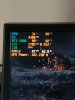
Of course huge thanks to Helifax19 and @Tim92 !
Being able to manage GPU temps MYSELF is such a game-changer.Last edited: May 6, 2020Rei Fukai, Fire Tiger and LoneSyndal like this. -
Hahahaha I know lol. Won’t happen ever. Maybe something ala 3700X someday in a future socket (lower power, smaller footprint).Papusan likes this.
-
And that's not even considering the VRMs.Spartan@HIDevolution, Rei Fukai, Virale and 1 other person like this.
-
Lets be clear here...this was NEVER promised. They hoped to be able to support GPU / CPU upgrades going forward but right from the get go they said that if things change that it may not happen. I know a lot of people will lose their collective crap anyways if it does not happen, but we should have all known going into the Area51m that there may not be any upgrades. I knew as soon as it was announced we wouldn't see any CPU upgrades, it's Intel, they were going to change the socket like they always do and have done again. I certainly hope we get the next level GPU but until it actually happens I won't hold my breath.
I think the biggest problem with most review is they tout this as an upgradable laptop but don't mention that Alienware told us from day one that we may or may not get future GPU's. Alienware also uses this as a selling feature on their website without clarification that it could very well not happen. Hopefully this means they are confident enough that it will and don't feel the need, again time will tell.RMLJD and pathfindercod like this. -
-
Didn't KS work as long as you kept it under <120W? Not that it leaves much room for the KS to shine.Spartan@HIDevolution and Fire Tiger like this.
-
What is this magic work around? I did some thread searching but didn't see anything.Fire Tiger likes this.
-
Why use the internal GPU when you can just use a Graphics Amplifier and upgrade to a full Desktop GPU with barely any performance loss? Pic Related: https://imgur.com/a/U8ay3x2RMLJD, Virale and pathfindercod like this.
-
they buy cpu in batches , I do believe KS version is more expensive.
I’m pushing my 9900k to 4.9 on air but under rendering it throttles , vapor chamber is a must .
we might see ks in R2 -
Yup, Azor himself in early Jan states in interviews that if Nvidia doesn’t change anything drastically on the next few GPU iterations, and provided that they can fit the hardware on the DGFF, that they hoped that DGFF would enable upgrading in future gens.
Not holding my breath, also went into this knowing that it can be a dead end... like my Clevo P150HM (with MXM 485M GTX) that was EOL after 1 year, replaced by the P150EM (MXM 680M GTX) and it never supported the 680M via BIOS, but the card actually worked with the unit. I still have that laptop, and it has been the biggest betrayal ever, I did upgrade to the 680M but I have to force install drivers because the BIOS doesn’t have the hardware ID for the 680M.
Very annoying!
If it happens, I’ll be happily upgrading to a 3080 down the line. If it doesn’t, I’ll be selling this and getting another PC with a 3080 (R3? Clevo? MSI? We’ll see!) -
I came from almost 10 years of dedicated MSI usage. The build quality isn't there anymore. Both of my Ghost Pros had the dreaded hinge break and my GS73VR had the battery swell to such a point that you couldn't use the keyboard anymore. Just my personal experience.Virale likes this.
-
Just overclock a standard i9 9900k. I got KS speeds without the KS tax. 5.0Ghz all core OC in my Area51m
-
5.2 and less power consumption. None say you have to run an ulocked chips at stock clocks.
raz8020, Fire Tiger, Always_Wipe and 3 others like this. -
Really now? I thought the KS was just a pre-binned 9900K?
-
On the end of 9900K life, Intel binned the best chips for the KS sku. Base clock is also bumped up to 4.0GHz.
-
What happens if you put one in now?
-
It will run but capped at 131W vs 210w for 9900Kraz8020, Vanya, Darkhan and 1 other person like this.
-
Is it an all core OC of 5.2 or is it single core? Right now I've noticed the internal GPU is holding back my workloads and not the CPU. Hopefully the amplifier remedies my little project to upscale Invader Zim to 4K.
-
On all cores. None review a single core overclock.
-
Will we ever see 3990x on laptops? Even 3950x really surprised me but it's still a very weak laptop, due to many other issues.
I researched before if I am not wrong, even in SFF PCs, 3990x is not possible. I only saw 3950x max, but then now we have a laptop with that too, so I expect better. -
Oddly enough my temps keep creeping up. Same settings in games cpu core hitting max 81. GPU max 74%
Makes no sense. I have changed no settings and have have not installed anything new. But temps have gone up 6% over the last week or so.Fire Tiger likes this. -
I bought a Silicon Lottery Delidded Intel i9-9900KS (rated to 5.2GHz) from HIDevolution for them to install into a custom Area 51m laptop for me if an R2 isn't announced soon. Would an Area 51m even be able to use the full power of this chip? Was this a dumb move?
I panicked when I heard they were being discontinued and wanted to snag one before they were gone. -
Your thermal paste might be degrading. Check to see if there is no air that can harden it, or not enough mounting pressure. Kryonaught keeps viscous under high mounting pressure, while other less viscous paste will not degrade/pump out as fast as kryonaught.
-
So the GPU Power limit and Thermal Limit have been given the Covid-19 treatment and put in isolation?
There but no access with 1.9 Bios um why?
Anyone?Last edited: May 8, 2020 -
As much as I love my 51m’s honestly they don’t use the full power of the 9700k/9900k muchless 9900ks. In most cases people are getting higher clock speeds with 9700k than 9900k users simply because of heat and power delivery.
Last edited: May 7, 2020RMLJD and Spartan@HIDevolution like this. -
From someone who has owned previous Silicon lottery CPUs, I would never use an Intel CPU that isn't a Silicon Lottery one. They run so much cooler and require less voltage making it a night and day difference.
See my old 6700K here: http://forum.notebookreview.com/thr...running-division.789249/page-21#post-10222477
The non-Silicon Lottery one I had before it used to overheat even at stock clock speeds of 4.2 GHz!RMLJD, Darkhan, Fire Tiger and 1 other person like this. -
9900KS will run colder than most of the 9900K chips up to the power cap. From what I have seen... Dell won't get the best binned chips from Intel. And Dell won't offer these processors for Area-51m.
Intel Core i9 9900KS seems to be going EOLNot all get the bottom of the bin. Rather rare.
You can sell the chips if you lost in the lottery and buy a binned chips. You won't loose much money if you go this way. Swap to a new Cpu is 10 min job.Last edited: May 7, 2020 -
Then explain why my 9700k that came with the laptop can do 5.4GHz all core, or 5.2GHz without pushing voltage
Enviado desde mi HTC One M9 mediante Tapatalkpathfindercod likes this. -
I have not the time to do this and I have the worst luck with CPUs so I'd rather pay and get a guaranteed good bin.
Sent from my Galaxy S20+ using a coconut -
Did I say all get trash in the bin? Remember Intel struggled deliver enough chips. They have to throw out all they have.
Edit
https://www.anandtech.com/show/1516...orsened-in-q4-premium-commercial-pcs-impactedLast edited: May 7, 2020raz8020, jclausius, Rei Fukai and 1 other person like this. -
The only time I got some good luck in my life
Enviado desde mi HTC One M9 mediante TapatalkDocsteel, Papusan and Fire Tiger like this. -
Too bad.
-
Well, it's time to talk.
Some of you might know that I recently bricked my laptop trying to install the BIOS 1.3.2 . This prompted me to ask for assistance to Dell, which was promptly granted. A technician came home today and fixed my laptop... and oh boy there were things to repair.
Let's start with the motherboard. For some reason my laptop came with one that had tremendous coil whine. Like you could constantly hear it every time you moved the mouse. This was the most annoying thing ever since this laptop is extremely quiet when doing office work. Didn't thought in doing anything about it since I'm of the opinion of best known worse than unknown good. Well the brick has required a mobo swap, and the new one if far better, but still there is faint coil whine under certain situations.
Then there was the sound card. For some reason, after listening to something for a while, it started hissing. Not very noticeable, but annoying when on pause. Unfortunately the new sound card does the same thing, but the speakers sound FAR better (like what the hell difference). But for some reason, the speakers "pop" once in a while, more frequently on higher volumes. Don't know what to do about this. Regarding my headphones, guess I will start using a USB sound card.
But guess I saved the best for last. This one in dedication to @Papusan ... the palm rest (and deck area) started yellowing. Not very noticeable, but you could tell the most used areas. This was a huge disappointment since I mostly use the laptop docked, and avoided cleaning it often to avoid precisely this issue. Also, the infrequent gaming I do is using a Razer Tartarus Gaming pad, so my sweat from gaming didn't yellow it. Its just so hard to durability test paint before using it on your products? And still have problems after months of people reporting this? I easily could have had the entire chassis replaced, but the bottom and top covers are fine, and don't want to lose the flawless screen for whatever they have lying around.
Of course there is the technician. I wasn't at home while it was being repaired because I was at work. Due to COVID-19, they now use gloves and mask (thank god because otherwise all my internals would be covered in fingerprints). Found my laptop with the "Tron Light" not working, and for some reason only one RAM stick was being detected. Did a preliminary inspection and found one of the lid screws slightly loose. Also, when removing the "Ribcage" the guy used a "Non precision interchangeable tip screwdriver" and some holes are marred from just jamming the thing down to reach the screws. I just installed the good drives and memory, and plugging the loose "tron light" connector solved the issue, but since I have to do the repaste, I will go ahead and give a thorough check later on.
Overall, I'm not mad at the technician, his just doing his job and he has to finish the repair to go on the next one. He can't spend 5 hours doing the chassis swap properly, but it would be nice from Dell to offer the spares to the user that can do this.
Honestly don't know what to think about this laptop anymore. It sure is a looker and a performer, and the manufacturer service is very good. But is mind blogging that my $600 Flex 14 has fewer faults that something that costs $3000. Also, those constant performance cripples are just unacceptable, just to avoid a recall is it worth alienating (pun intended) your enthusiast customer base (i.e.the ones that get consulted by "normies" about what to buy)?
I don't see myself using this machine for months to come. Not fond of everyday thinking if I'm going to get an OTA crippling thing this day and then fight to keep using my laptop as I should.DreDre, jclausius, Fire Tiger and 1 other person like this. -
to be honest it's not much different in FPS between the laptop panel and my Alienware 3440x1440 ultrawide.
with the monitor on 120hz, running no overclock on the 2080, gpu thermal limit set to 76, AWCC at 5.0 on the CPU and a -100 offset i get...
-in Doom Eternal i have it locked to 120 fps and it pretty much stays there with all settings on ultra nightmare.
-in Control on ultra with most ray tracing settings on high its like 94 fps if i remember right.
- in Metro Exodus with ray tracing and ultra i was getting over 90.
Control and Metro were both played before DLSS 2.0 was released. so it should be even better now.
honestly i don't really bring up the FPS counter that often, if it runs great i don't really worry about it.MogRules and Fire Tiger like this. -
@Jontoad , is the screen you have supplied by Alienware ?
-
There is a Clevo/Sager with a 3900. That’s the highest I saw so far. I know they have a 17” machine coming. Not sure what cpu is gonna be in there. I’m guessing an Intel Cpu. ♂️
https://www.sagernotebook.com/Notebook-NP7958F1.htmllestat2k7 likes this. -
This yellowish mess will be awful to handle once the warranty expire. We are at the time now that many run out of the obligatory warranty.
Can be upgraded with 3950 but it run all too hot to take advantage from it. + AMD chips can only be paired with max up to 2070 Super cards.Last edited: May 7, 2020raz8020, jc_denton, jclausius and 1 other person like this. -
That's pretty good, but isn't there also a 3950x laptop? Or do you mean without power crippling?
-
Same machine. 100C and BGA graphics.
https://www.xmg.gg/en/xmg-apex-15raz8020, zdroj, lestat2k7 and 1 other person like this. -
I’ve only seen the 2070 paired. Not the 2070 Super. Unless the sager page is just mistaken? Only having a 2070 is a bummer in my eyes. But it is priced extremely cheaply for the specs.lestat2k7 likes this.
*OFFICIAL* Alienware Area-51M R1 Owner's Lounge
Discussion in '2015+ Alienware 13 / 15 / 17' started by ssj92, Jan 8, 2019.


