Problems? See this thread at archive.org.
I thought the exact same thing by reflashing 1.5.0 and it seems to have worked this time. Weird that it said 1.5.0 but may have still been 1.7.3 or something in between. Thanks for your replies
-
-
-
I've mentioned this a few times before. This is why, my recovery USB has BIOS v1.3.0, that way, I can easily upgrade to 1.3.2 or 1.5.0 from *Windows* to ensure a full installation.
PS: Do not put BIOS 1.3.0 on the recovery USB drive though if you have a newer motherboard or have recently bought your Area-51m. Mine is from the first batch so I can go all the way back to 1.3.0. If you have the newer batch, then it's best to keep 1.5.0 on the recovery USB then reflash the same BIOS from Windows followed by a reset to defaults.
Enjoy.nader_rizk2003, Fire Tiger, DreDre and 1 other person like this. -
hi, any gain from 1.3.2 over the 1.5.0?. thank you
-
My parrot today tried some ninja moves and he supported himself using his beak on my palm wrest ....
Of course the sticker is useless as I knew before hand my parrot would try to pull some **** on me.
Any idea whats the color code for Area51m? I may try to fix it.
![[IMG]](images/storyImages/Whats-App-Image-2020-06-22-at-4-36-19-PM.jpg)
![[IMG]](images/storyImages/Whats-App-Image-2020-06-22-at-4-36-32-PM.jpg)
-
Take with your machine into a paint shop. They can use their color spectrometer (color measurement device) and find matching color code for you. Maybe Dell support have the Color code.Mr. Fox, jc_denton, Docsteel and 1 other person like this.
-
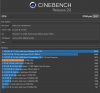
yes, small increase in CPU performance, tested both with Cinebench.jc_denton, DreDre and nader_rizk2003 like this.
-
I just filled out the contact form for this. I'll also be pitching in to bring Dell to justice for everyone who got an R1 and was lied to. Dell delivered on some things as promised in the R1, but they cheated us on many more fronts.
If we have a shot at getting our R1's replaced with R2's then that'll be the "upgrade", and who knows maybe the Ampere cards DO fit the R2, which will only sour me (and I'm sure others) more on the R1 being EOL after 1 year. -
Dell I am sure has some of the best lawyers in the business, but I am still not sure you can simply buy a product and instantly lose any ability to sue or have a class action suit. I am no lawyer, but at least in the US and Europe signing away your rights is not something you can do normally. I will say I have heard nothing from these folks, but there is no sensitive information in the submission either, so really nothing you can lose in the process.
-
I know I said I'd let it go, but this time for sure. Promise. I'm done messing with it. In case anyone has this problem. I just wanted to hound Tech Support one more time to at least get them to acknowledge it's not normal.
The verdict? They consider 6% drain overnight completely expected.
c69k likes this. -
Sounds like typical B.S. to me, but OTOH, I have heard of cars that did this sort of thing as well.... one notable a few years back literally could not be started after sitting for like 2 weeks.
-
They reached out to me within minutes of sending the contact form... they wanted me to share pics of the papers that came in the box.
And they also asked what my purchase method was (Dell.com/chat/phone)
We’ll see where this takes us. -
No overclocking:
-
Interesting concept, but I'm puzzled for the lack of water channels ontop the CPU. However, I would love to see a fully integrated system without external radiator and pump.
The color depends on the shade of yellow it is.
(Sorry) -
I wonder if I can pick your brains and Sorry if this had been talked about before though I’ve read through what feels like hundreds of posts without finding something similar:
There is a noise that sounds like a hard drive in constant “chatter” or constantly reading/writing- That’s the only way I can explain it really. The noise is faint but appears to come from the cpu area. It seems dependent on the work the cpu does - more work the noise reduces but when the cpu is not taxed this noise is there.
Additionally the noise is fainter without the power supplies connected. The cpu is a 9900k.
I have googled this and found a couple of similar questions and some people have suggested the c-state is the solution? Any ideas what this is or is my pc on it’s way out? -
Might be coil whine/electromagnetically induced acoustic noise from the VRMs?Biker Gremling, CitizenKano, etern4l and 2 others like this.
-
Coil whine, usually nothing to worry about. Dell support won't do anything about it for you.CitizenKano and Spartan@HIDevolution like this.
-
What did they send you exactly? Surprised I got nothing, I even wrote a note indicating I have a transcript indicating nothing but refurbs for huge overcosts available for the R1 GPU's.
-
Intel Rapid Storage Technology v17.9.1.1009
RAID Driver v17.9.1.1009
Great news! Now you can optionally de-select the Intel Optane component if you don't have it on your machine rather than having to uninstall it manually after installing the IRST Package!
IRST v17.5.3.1026:
IRST v17.9.1.1009:
Papusan, Lopt, Korben_Dallas and 6 others like this. -
Thanks all, I thought it might be that.
Today I looked inside the laptop and eventually did a repaste - just to satisfy my curiosity. Interestingly the noise only appears once windows has loaded.
This made me wonder if Awcc or some other power management feature was having an impact.
I ended up changing the cpu clock to 4.7ghz from 5ghz and lower the voltage a little. This seems to have reduced the noise. It’s Still there but nowhere near as annoying. -
My m15 R1 suffers from very similar symptoms. I was thinking of maybe trying to cover suspect ICs with K5 Pro in an attempt to dampen the noise while providing extra thermal capacity/cooling area, but dropped the idea due to minimal impact in practice: only really notoceable in a silent room on A/C power and with fans off.
Don't recall this happening with my old 15 R2. I guess Dell must have cut one more corner since.Last edited: Jun 23, 2020Papusan, Biker Gremling and CitizenKano like this. -
I heard that perhaps covering in a glue may help but finding the source will be tricky as the laptop needs to be taken apart to see the ICs.
Good idea on the fan - I’ve now turned it up to performance and the constant fan noise is therapeutic compared to the alternate.
oh dell - I do love the machine but it’s a shame it is such a needy toy!etern4l likes this. -
Nothing else yet. I sent them pictures of the warranty, safety, and regulatory information pamphlet, which is the only legalese document in the box. I think they’ll use it to prove or disprove Dell can have us “waive our rights to class action lawsuits” and comercial terms, among other things.
Don’t know what’s next... let’s sit and wait!Docsteel and Biker Gremling like this. -
I’m surprised the update ACTUALLY did improve performance slightly.Papusan, jc_denton and Spartan@HIDevolution like this.
-
Uh, so that's why my 970 Pro was under performing.My rev 1 motherboard had very annoying coil whyne, for some reason when moving the mouse. The replacement rev 2 motherboard is much better, but still not fully silent.
Enviado desde mi GM1913 mediante TapatalkDarkhan, jc_denton, Spartan@HIDevolution and 1 other person like this. -
I don't know much about this, do I need this if I am in AHCI? Do I just install the IRST if I don't have raid?
-
You don't need it. the IRST driver is not only for RAID, it is also the driver for the storage controller. The default AHCI driver is ancient (for compatibility reasons) so installing the IRST Driver might give you better performance. The only exception would be if you are using a Samsung NVMe SSD on Windows installed in AHCI mode, then in that case, using the Samsung NVMe driver found on Samsung's website is better than using the IRST Driver. But for SSDs that do not have their own NVMe Driver, it might be best to install the IRST driver.Last edited: Jun 24, 2020Lopt, Virale, twin snakes and 5 others like this.
-
Then I guess I'm good, I'm planning to replace this Micron (?) drive anyway as it is really slow. Thanks Spartan!Spartan@HIDevolution likes this.
-
Likely has little to no consequence but I'm curious, do you guys install notebook or desktop nvidia drivers?
Virale and Fire Tiger like this. -
lol what?! Notebook.
Specifically I just let GeForce experience let me know when there’s updated drivers and let it do it’s thing (I update drivers thru there)
That’s what I’m using! Sammy FTW
This makes me wonder, what about for the SSHD? I’ve always been skeptical of if this software/driver helps with performance for that at all. Do you know @Spartan ?Last edited by a moderator: Jun 25, 2020MogRules, Fire Tiger and Spartan@HIDevolution like this. -
SSHD is the worst pile of crap I have ever used. With SSDs being so cheap nowadays, I would never EVER use an SSHD again!
My Area-51m initially came with a 2 TB FireCuda SSHD from SeaGate as the 2nd drive. Every time I want to access anything in my system, the whole system would freeze for a split second until the SSHD spins up as it auto sleeps after a few seconds of inactivity. Only portion of it is an SSD and the rest is a below then average performing HDD. The best thing I did to my system was to replace that POS drive with an old Crucial MX100 500GB which I've had for 5 years. MLC NAND FTW, still runs like new until this date.
To answer your question, it's not gonna matter, nothing will help an SSHD, it don't matter what driver you're using, they're utter garbage and the biggest marketing scam made to mankind! Oh and how smart do you think is the controller on that SSHD to determine *what* data goes on to the SSD portion of the drive and what data goes on the HDD portion? I thought it would be smart enough to figure it out but nope!
@tilleroftheearth -
Oh yes, I know, truly garvaggge nowadays. It’s still in my 51m as the last place where I dump things I rarely access... more like an on-board backup drive than anything else haha... when I fill up my 970 Evo Plus, I’ll just pop in another NVMe on the other slot... I’d rather do that than replace the SSHD. That can stay in there idling indefinitely lol
-
In the UK we can now order the R2 through the Dell site. (not sure if this should be in the R2 forum)
I guess the options will expand in the future, I thought I’d be a bit more excited to see the new lineup...Fire Tiger likes this. -
Well, it is admittedly underwhelming when it took a couple of steps forward in very few respects... it’s not truly R2, it’s more like “R1.5”
Better paint
Less good keyboard
Better CPU and cooling
Hotter CPU
Marginally better GPU
Less Ram Slots
Higher Hz screen (no Gsync)
No higher resolution screen (1440P anyone?)
Hard to be super excited for what seems to be a half-assed effort of an R2 if you’re coming from an R1.
If you don’t have an R1, then I would be more excited for sure!
Now what the R2 SHOULD HAVE BEEN:
Everything exactly the same as the R1, except:
- better paint
- add SD slot
- allow higher speed RAM and XMP
- new gen CPU and GPU + vapor chamber cooling
- new 300 Hz screen option or 1440P with 144 Hz or similar (last gen m17 has 1440P 120 Hz TN panel, for example, but the 51m doesn’t?)
THAT would be a true R2.Last edited by a moderator: Jun 25, 2020 -
You've missing on an Ryzen CPU with a B550 chipset.
Enviado desde mi GM1913 mediante Tapatalk -
To my fellow gsync enthusiasts: 2004 update installed on my system and gsync finally works in windowed mode without having to kill explorer every time you start your pc
-
Might I add BIOS-configurable Optimus to satisfy both Gsync and battery life enthusiasts?Biker Gremling, Terreos, Rei Fukai and 1 other person like this.
-
woof
Attached Files:
-
-
How about a decent BIOS? Let’s start simple LOL!Biker Gremling, raz8020, Fire Tiger and 1 other person like this.
-
That should've been an option a long time ago. Some turdbooks use the hybrid optimus, which still maks them inferior but more "advanced". Dell is still rolling witha bios screen from the 2000's while even their desktops (can't take the aurora or area-51 serious) get the same threatment while almost any $/€/£150 motherboard nets you a nice UEFI screen with a modern interface.
Just sayin... and they dare to ask 2500, or was it 2600 for it ? Base that is.. nah this gen will hit the backseat real fast. I find the r2 laughable against the R1. Simply cause you're comprising even more this time around !c69k, Papusan, Biker Gremling and 4 others like this. -
...and more storage. Now offerring up to 4TB. Not that we couldn't do that already, but now it's official. Whoopty do.
Speaking of which, and I think this has already been convered so forgive me, but has anyone installed a 4TB 2.5inch in place of the SSHD it comes with? Technically, it will fit, but Dell claims it's not "supported," but then I thought I read someone tried it with zero issues. I'd like to install a Samsung EVO 860 4TB, but it's a pretty penny if it doesn't work.Last edited by a moderator: Jun 25, 2020raz8020, Papusan, Rei Fukai and 1 other person like this. -
Any disk you want to install not purchased through Dell should work! As long as it fits (I don’t know the thickness 7? 9.5?)
-
guys my laptop Laptop Gaming Dell Alienware R4 15 Intel Core Coffee Lake (8th Gen) i9-8950HK 1TB+256GB SSD 16GB nVidia GeForce GTX 1080 8GB Win10 Pro FullHD....came with bios 150....should i upgrade bios to latest 181? or im gonna have some issues like area 51m? with throttling...sry for posting in this topic
Last edited: Jun 25, 2020Virale likes this. -
Try checking the thread for your specific PC and search/ask there? I don’t know if anyone would know about your model since we’re on the 51m thread.
Is it a 17 inch? Look for the proper thread and ask there.
Also, this very much applies with PCs: if it works and the BIOS you’re on doesn’t have any crippling issue, don’t mess with it (don’t update...)
Why update if it works fine?etern4l likes this. -
it works fine...i was thinking that they improve thermals on cpu as i saw on reviews that this laptop have somne issues....i did not noticed this problem on my unit until now ....but i only gamed like 30 45 min....i posted here just cause u guys are more active on forum
Virale likes this. -
Never listen to Dell, I've had an 850 EVO and a 860 EVO both work perfectlyraz8020, Biker Gremling, Papusan and 3 others like this.
-
It all depends on whether or not their update strategy includes all necessary changes from previous updates in each later update package, I believe I have seen it done both ways by different companies,
if their update packages DO NOT include changes from previous BIOS versions it might help explain why people sometimes get different results.
Looks like standard deviation to me no two CPU or GPU are alike each can have slightly different numbers, at least I believe that's how it still is these days, but things do change fast let me know if I am behind the curve.
Viper doesn't seem to care about Tobii, Viper still running well and causing no issues hare, have not used ESET products for maybe 20 years or more.
Would be nice if this was a real thing!Last edited by a moderator: Jun 25, 2020 -
I think if you need a river coming out the back of your laptop to cool it you should probably get a desktop at that point
Lopt, DreDre, etern4l and 1 other person like this. -
Hmm, then if you’re sure that the BIOS will improve thermals, go ahead and update it. If I understood you correctly, you have another laptop that is not the 51m. So the BIOS for your PC is therefor different to ours and whatever 1.5.0 has vs 1.8.1 for your particular machine will be different.
I’ll make no guarantees, but I’d bet that BIOS 1.8.1 for your PC is probably ok (unlike the 51m's). You should check if it is possible to downgrade BIOS, and if you don’t like your PC's 1.8.1, just go back to 1.5.0.
Still try to ask in your forum, someone must answer at some point!
*OFFICIAL* Alienware Area-51M R1 Owner's Lounge
Discussion in '2015+ Alienware 13 / 15 / 17' started by ssj92, Jan 8, 2019.