Problems? See this thread at archive.org.
Hey I have a question.
I use both Throttlestop and MSI Afterburner to underclock my cpu and gpu respectively. Both are set up to start with my computer and apply the right profile.
So when I do a cold boot everything is fine. But when the laptop goes to sleep is waken up later, everything is reverted to default Alienware settings.
Is there something I can do about this ?
-
Within AWCC home screen have you made sure the Fusion tab is set to off?Spartan@HIDevolution likes this.
-
Has anyone had issues with the system freezing intermittently for 3 - 5 seconds. As far as I can recall a mother board replacement was the only cure I remember seeing. Has any other remedy been found?
I have been putting up with this for a while now. -
Try disabling Intel SGX in the BIOS and see if the issue goes away The default option is Software Controlled.
Also disable Firmware TPM in the security tablostclusters, Fire Tiger and Docsteel like this. -
Gotta try this. Don't have a huge issue with it, but it happens maybe 2-3 times a week.... annoying.Spartan@HIDevolution likes this.
-
So I have 5mb or 98mb photos ie 9k x 9k pixel.
They are on the sshd.
When I attempt to open in windows 10... click on them.... they are not opening and nothing happens resulting in having to close via clicking the X.
Then click again they open after a short pause.
I expected this laptop to have no issues... opening photos.....
Is this a common issue?
What's the issue? -
1) I had the Seagate FireCuda SSHD. It's the worst and slowest drive I've ever owned. Get rid of it ASAP as it's slow and very unreliable (like all Seagate products)
Download these Reg Files
2) Prevent Windows from Deleting Thumbnail Cache
3) Set Thumbnail Cache size to 4MB (default is only 512K)
4) Reboot -
Can try changing power settings to hibernate instead of sleeping.Last edited: Sep 19, 2020Spartan@HIDevolution likes this.
-
Im having this issue, I removed the battery, still it comes back. Not sure what to do at this point.
-
There is an issue with Nvidia right click menu integration that can cause this behavior.
-
humm... lol.
Docsteel, Fire Tiger, Normimb and 1 other person like this. -
I'm trying to re-install Windows 10 and it keeps getting stuck on 'Getting files ready for installation' has anyone got any ideas? I don't have another laptop handy at the minute to re-download the Windows Media Creation tool. I have tried all ports on the laptop but each time it gets stuck at a different percentage, 60% being the highest I could reach.
Is my only option a new USB stick and starting again?Spartan@HIDevolution likes this. -
reset BIOS to defaults it will work.
The other option which you may not like if you didn't do a backup of your other drives is you either wanna take them out physically or wipe them with the diskpart /clean command so you only have only 1 active drive during installation.Aroc, Fire Tiger and etern4l like this. -
Hi Everyone, is there anyone here that encountered Left CTRL,Windows and F1-F7 suddenly stopped working? I tried reinstalling clean OS, tried to plugout/plugin CMOS batter and reset bios to default settings but none of it worked. However, I was playing apex and it prompted an error saying bad image win32 something then suddenly all non-functioning keys worked again for a while even when in bios menu. Thinking its all fixed I updated bios then it went back to not working again. If this hardware issue? Warranty has lapsed. I dont mind buying keyboard parts but just want to make sure it is really a hardware issue. Keyboard costs 140USD including shipping when I inquired. I have Alienware Area 51m R1 - i9 9900k/RTX2080.
-
I've disconnected the 2nd drive, but I'll try the BISO reset and report back, thanks.Spartan@HIDevolution likes this.
-
Hey buddy, I've been encountering this lately as well. Were you able to figure out what the problem is? I ordered keyboard replacement not sure if its hardware of software. I can still cancel the order from dell as it is still currently for restocking and estimate is November for shipping. I really hope its just either a software or keyboard replacement issue. Thanks!chewbakaats58 likes this.
-
Yep, it needed a keyboard replacement. Once that was done, it has worked flawlessly. That should take care of it for you.
-
The thing is he did see lower temps, would of been better if he tested with 3dmark and see how far he could overclock.
The thing isn't worth the hassle or money to me but it looks to actually work.Spartan@HIDevolution likes this. -
Can someone help me with the realtek audio console problem. The app suddenly stopped showing any options. I have tried uninstalling and reinstalling it but no luck.
Attached Files:
-
-
I always uninstall it, if you have it installed, the Alienware Audio effects have no effect. See:
Uninstalling the Realtek Audio Console gave me back the real Alienware Effects back!DreDre, jclausius and Fire Tiger like this. -
But my headset mic stopped working now after the realtek audio console issue.Docsteel likes this. -
So replacing the sshd...... the HP X950 is better than the Samsung Pro
What size is recommended?
The best available.... price and size is not an issue.
So is it 1Tb, 2tb or 4tb? Samsung Pro?
I can search all the YouTube links and Google but was after if you had a recommended process link/video to install the new drive in the area 51m that is noob proof!
Is it simply
1. Get Ssd
2. Open laptop
3. Remove sshd
4. Install ssd
5. Turn on and Windows 10 auto accepts new drive and allocates same letter to drive?
6. Put Original data on new sdd from external HDD?
7. All desktop thumbnails links replace manually to new drive? -
What size you need? only you can answer that question but I would get a 2TB personally. More is always better.
1) Backup all data form your SSHD to an external drive
2) Remove the SSHD and toss it in the bin
3) Install the new m.2 SSD
4) Turn on your laptop
5) Right click on the Start Menu Button then select Disk Management
6) You will be prompted whether you want to initialize the new disk as MBRR or GPT partition, select GPT
7) Copy your data back to your new SSD
8) Enjoy lag free performance
9) Avoid Seagate drives like the plague.jclausius likes this. -
I'm back up and running now, but disabled Secure Boot before installing Windows 10. Do I need to enable it? I'm getting an error that the OS may not boot or require a re-install which I am not up for.
Spartan@HIDevolution likes this. -
you can enable it, ignore that warning, it will work.
If you had to disable Secure boot for the installation to work, that is because you used an ISO larger than 4TB probably not the official one from the Windows Media Creation ToolNormimb, c69k, Papusan and 1 other person like this. -
I downloaded it direct from Microsoft. It was in sheer panic I started disabling BIOS settings haha. The resolver was re-creating the raid that resolved it.
I'll re-enable it though thanks brother!Normimb, Papusan and Spartan@HIDevolution like this. -
Well I learned a little something today that I did not know on the R1 (and I would assume R2), that FN+F6 toggles the Windows key. Took me 30 minutes or so of reading to find the fix after mine stopped working...
Biker Gremling and Fire Tiger like this. -
Guys, I have 2 16gb G.Skill 2666 memory sticks in my area 51m... My brother in law wants to buy them and i`m thinking to buy 2933mhz compatible with my R1. All ADATA and Cruxial work`s in this frenquency on R1?
-
Do the G.Skill sticks work at 2666mhz? If not then no model will work above 2400mhz, we're stuck with it.Aroc, Papusan and Spartan@HIDevolution like this.
-
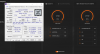
Only flashing spd using a typhoon can make the sticks work on 2800(4)-2900(2)
Nothing is impossible)
 Last edited: Sep 23, 2020Fire Tiger likes this.
 -
Fantastic!
Anyone else comment that HP EX950 The way to go over any other including Samsung.
Also will 4TB work putting in as I think that's the largest I can buy?
Is there any heat issue. or wear out issue with greater than 2TB? -
Not impossible but hoops to be jumped through that we shouldn't really have to?
-
Latest LAN/WLAN/Bluetooth Drivers 23-Sep-20
After you download the ZIP file and before you unzip it, make sure it is not blocked by right clicking on it, go to Properties, then see at the bottom if it says "this file came from another computer and might be blocked..." click the UNBLOCK button then hit APPLY followed by OK!
To prevent Windows from blocking downloaded files automatically, make sure you read this guide: "Are you sure you want to run this file?" [Yes or No]
Killer E3000 Ethernet Driver v10.039.212.2020
Killer 1550/1650/Intel WLAN Drivers v21.120.2
Killer 1550/1650/Intel Wireless Bluetooth Driver v21.120.0Fire Tiger likes this. -
Little heads up for my A51m bros, if anyone is looking for a PCIE SSD like I am I happened to notice that all of Sabrent's M.2 drives are between $20-$50 off on Amazon right now. Good time to pick up a 2tb or something
DreDre and Fire Tiger like this. -
Nice man!
And u have performance gains with this clock? -
No, the 2666Mhz G.SKILL works in 2400Mhz... I will do a test with the oem memory, it comes with 2x8gb 2666Mhz from factory.Fire Tiger likes this.
-
Mine said 2666 from the factory on the box.... ran at 2400... replaced all the modules and went to 64GB on Kingston KHX 2666 memory.... runs at 2400 : /Papusan, Spartan@HIDevolution and Fire Tiger like this.
-
Dell offered to sell me their special memory to see if it would run faster in mine.... they wanted
£117 for 8GB
£250 for 16GB
At those prices, I'll stick with 2400mhz.Biker Gremling, DreDre, Docsteel and 3 others like this. -
Have you heard anything regarding the Area 51 Class Action Investigation ?
I expect this also will follow same paths and be watered down to nothing.
http://forum.notebookreview.com/thr...-owners-lounge.826831/page-2207#post-11022451
What more to say?
![[IMG]](images/storyImages/giphy.gif_cid=ecf05e47irlg2ov25soodszqpzr1x97599qz85hgr28jkeyj&rid=giphy.gif) Wendell Augusto Borges, jclausius, Fire Tiger and 2 others like this.
Wendell Augusto Borges, jclausius, Fire Tiger and 2 others like this. -
Yes I emailed them the other day and Brian Mahany told me "We made the decision to go ahead last week, but still deciding if its going to be nationwide or not, due to differences in case law on class action waivers in different states"Papusan, Fire Tiger and Rei Fukai like this. -
Damnit I have a problem with my laptop all of a sudden

First my touchpad lighting stopped working yesterday and the touchpad itself was a lot less smooth. Seemed like a driver issue. I tried to reinstall the drivers -> didn't work, so I restored a windows checkpoint from a few days ago and that fixed my problem. The touchpad is working fine again. Great!
Now this morning I try to plug my screen at work to the USB C port (as I do every day) and I get no image at all. Nothing is detected. I then try to plug my phone to the usb C port : nothing, not even charging. Again I tried to reinstall drivers and restoring checkpoints but no luck this time ...
Any suggestion to fix this ? -
Not a word. I filled it out very carefully, watched my spam incoming, etc. Nada.Papusan and Fire Tiger like this.
-
Any errors in device manager? Which drivers have you reinstalled?Spartan@HIDevolution likes this.
-
I tried to reinstall the thunderbolt controller drivers. An no there is no error in Device Manager.
What puzzles me the most is that the USB C port isn't even charging my phone. So it might be a hardware issue but it's strange that it happened at the same time as other driver issues.Fire Tiger likes this. -
Not an expert, but it has the ring of either a driver conflict, or possibly a BIOS setting that might need to be reset. Have you double checked your BIOS settings just in case?Fire Tiger likes this.
-
But the feeling, man. The feeling is the most important, isn't it?
Docsteel and Fire Tiger like this.
-
I have another issue i would like to share with my 51M r1.
About 2 months ago i noticed my battery would show 20% wear level after only 5 months of use. I decided to completely discharge the battery and let it charge overnight. To speed up the discharge process i decided to run PRIME 95 small test on battery power alone.
What happened after is weird. When battery life was still above 50% and temperatures where cold for CPU and GPU, the computer SHUT DOWN completely and support assist dissabled the battery.
I needed to reconnect ac power to reboot and got this message from support assist: «The battery is temporary disable, please turn off the computer and try again when the unit is back to operational temperaturre. »
The problem still persist after Dell replaced the MB and the battery. I wonder if it has to do wiht support assist sofware on my system. It is installed but i disabled all updates. It seems like a dell software protcetion issue in my opinion.
Anyone experienced a similar issue? -
-
Hello guys,
I tried to write the SPD data of my ram stick. I floowed this instruction: http://forum.notebookreview.com/thr...re-area-51m-r1-owners-lounge.826831/page-2155 but unfortunately it isn't worked. Then I found this: http://forum.notebookreview.com/thr...-owners-lounge.826831/page-2312#post-11040092. I wrote it into my ram (because I didn't have any other or better idea), and it is dead now, cannot boot with this ram. Ram type: F4-3000C16S-8GRS. I use 1.8.1 bios version.
Any suggestion what should I do to success thsi operation? I have another module to make tests.
If we have any possibility to revive the dead ram, it would be great (if not I will try an rma...).
*OFFICIAL* Alienware Area-51M R1 Owner's Lounge
Discussion in '2015+ Alienware 13 / 15 / 17' started by ssj92, Jan 8, 2019.