Problems? See this thread at archive.org.
If it's failed then that's it, the laptop won't charge it. Does it die when you unplug it? Batteries are only covered in the first year of the warranty, unless you have the special additional battery warranty, if that's even a thing anymore. Dell may be able to sell you a replacement, and if not head to eBay and look there, there is usually no shortage of replacement options.
-
Unused for a while and battery 56% now..... fully connected but BIOS set recharge at 50%..... Posting for record keeping and info for others.
-
I have been unable to find one, do you know if there is a way to set the battery charge max to say 60% or 80% to help preserve it?Fire Tiger likes this.
-
You can do it in the BIOS, I'm not currently at my laptop to give the exact steps, let me know if you can't find it and I'll have a look tomorrow.
-
gonna convert my r1 from white to black, repaste and thermal pad it. anyone got any tips?
-
Not sure about the "white to black" mod ... on your own there; but for thermal pads, the Megamart Frosty pads at Amazon seem to be a great value as they are priced about the same as other 12.8 W/mk pads but you get near twice as much as other more popular pads. Reviews seem to be super solid too: Megamart Frosty 12.8 W/mk Thermal Pads.
I have not replaced the stock thermal pads as temps really don't warrant the work/expense but here is a verified overview ( Area51 R2, mind you) of pad placement and thickness' in millimeters:
...
As far as repasting the CPU? I have tried Thermal Grizzly Kryonaut and also Noctua NH1 and also Conductonaut and found them all, including the liquid metal option, to be about the same and all gained me a few degrees better temps than stock paste. Don't mess with liquid metal; I tried it just cause I was curious but it really makes no difference with desktop CPUs. Any of the well known/rated pastes will work. Kryonaut isn't worth the price premium IMHO so I generally stick with Noctua NH-1/NH-2... it spreads easy, temps are good and is affordable.
Oh yeah ... this might help too LOL:
...
I got so good at tearing that thing down and putting it back together that it was pretty much a 20 minute process towards the end of my testing. LOL .. search about for tear down videos on youtube ...
Best of luck...
~s1rrahanonymous4272, DreDre and Fire Tiger like this. -
im doing the white to black "mod" because of a few reasons. firstly, the white is a ****ty us keyboard that has a weird layout (for us bri'ish guys) like the pipe sign being above the enter, and @ and " being swapped. so i bought a black keyboard to swap it. then i noticed that on the bottom panel the grill for the fan is broken, so that needs replacing. then the touchpad and around that are dirty and brown so theyre getting replaced aswell. then thermal paste and pads - im hitting 100c so that needs doing - i just went with the trusty old arctic mx5. thermal pads im using thermalright ones - cheaper than others and same wmk as the one you mentioned (12.8). im gonna clean the fans aswell, lot of cat hair in there because of this stupid idiotic kitten of mine that like to run around all day. im planning on doing a screen swap with an auo B173ZAN05.0 (4k miniled) so a spare display lid is good. plus it came with a tobii eye tracker thats untested, so hopefully i can get that working.
what would you guys recommend for benchmarking my system? i wanna take a benchmark before i change everything and after. im looking at ungine superposition, so i can do it on both windows and linux -
a piece of advice that I give you keep your original screen, the mini led is almost impossible to find and very expensive and its really not worth it -
New 1.16.0 BIOS! Have anyone installed? What about temp limits?
-
yes, what im probably gonna do is put this current 144hz chiemei display into the new black assembly that i bought, then whenever i manage to find the miniled screen on sale, swap it into the original display assembly, test it, and then put it in after. but im not in much of a rush, since im planning on keeping this pc for the next 10 years xd
-
not installed it yet, seems to just be a security update ( https://www.intel.com/content/www/us/en/security-center/advisory/intel-sa-00562.html addressing this).
-
So can you guys confirm the following from my brief research:
1. The Dell AGA can only take a 3080 Founders Edition.... everything above is too wide or high to close the box. ie. other 3080's or 3090?
2. The ATI 6800XT is good and cheaper but not as good as 3080 and Ray tracing suffers under 6800xt.
3. Is a Chroma X via thunderbolt 3 going to beat the Dell AGA as a 3090, 4000 series being used?
4. Is bios 1.12 required for the DELL AGA to connect external monitors?/work.
5. Is there a better external GPU enclosure for the R1 that will take newer GPU cards?
Dell update the bloody AGA so newer cards can be used with the R1!!!!Last edited: Jan 1, 2022 -
This will never happen, it's end of life, you won't see any more updates aside from what we have right now. RTX3000 is going to be end of the line for official support. In the end it all comes down to drivers, so maybe someone will figure something out for unofficial support, but based on rumors I am seeing the PSU requirements for 4000 are going even higher, which it's already struggling with on a 3080, which is why it only officially supports the 3070.
-
hi guys, i did the white to black swap (except the display assembly). ive got some spare parts lying around, willing to sell them (uk). the touchpad and palmrest assembly are yellow/brown. and the bottom left fan cover is broken. the bottom case is in good condition, as is the keyboard and macro keys. i also have a tobii eye tracker (the stock one - is5). will upload pics in the next few days
-
1) You can fit any card you want just remove the top cover. I had MSI RTX 3070 Gaming Trio X card inside. Bigger than my RTX 3090.
2) nVidia cards seem to perform fine whereas AMD cards seem to have more issues.
3) I have non Chroma X model Razer enclosure. AGA is best. Maybe for future compatibility Razer enclosure is better but we'll see
4) I am on 1.5.0 and can run external output fine with rtx 3000 series in AGA
5) AGA is best for now with razer enclosure being more future proof if AGA doesn't support 4000 seriesFire Tiger and MogRules like this. -
You might be better off placing a post over in the marketplace.
http://forum.notebookreview.com/forums/nbr-marketplace.18/anonymous4272 likes this. -
"3) I have non Chroma X model Razer enclosure."
Which one? -
Razer Core X (black): https://www.razer.com/gaming-egpus/Razer-Core-X/RC21-01310100-R3U1Virale likes this.
-
thanks, will do
edit: dont think i meet the criteria to post there yet, f -
Does this allow you to drive the internal display with the eGPU? vs the AGA which only drives external displays on the 51M R1?
-
IF it ever sees the light of day. I was really looking forward to the UFO as well but we're still waiting for ANY more info on that one.Virale likes this.
-
Cool! I like it over the AGA for obvious reasons (4080 here I come!)
BUT, my question still stands: does a USB-C eGPU enclosure run the internal display on the R1? Has anyone tried?
Thanks folks! -
On my dell precision it does but takes huge performance hit. Not really worth it on that machine. On R1 I will have to test in the future.Virale likes this.
-
Please, can you tell me where to buy your cooling solution with vapor chamber? I've found only 1 on ebay for 268$. And what temps do you have with it? Does it worth these money? Thnks
-
bros, do you think this is just a temporary thing or will i need to replace my gpu? came up today, gpu itself seems fine. ran supportassist, which didnt bring up any errors -
You need to reseat the GPU cable, the small one that connects it to the board. I had this happen. It’s finicky. Just disassemble and reassemble, be very careful since the pins are tiny and could easily bend, leading to the “degraded link”.MogRules and anonymous4272 like this.
-
-
The eGPU CORE X is $450Au on Amazon Au at the moment: https://www.ozbargain.com.au/node/677289
Supposedly been as low as $336Au in comments? -
Back again with more questions...
Anyone using an external monitor? I can't get the laptops internal display to turn off with my externals connected. -
I use a Alienware 34in ultra wide (plugged into the mini display port) with the laptop monitor not active. just set the options in windows "project" to "second screen only" and the internal monitor only comes on for a couple seconds during boot up. then it turns off when it hands off to the external.
-
Anyone attempted DLDSR?
It's there a driver update that allows it to be enabled on the 2080? -
Hey so what type of screw is on the bottom base cover? The 6 screws that open the laptop? They are not mentioned in the manual which is annoying.
I need new ones so I need to know what they are. -
Gee the the site had been down for the last 48hrs...... anyone else experience this?
Anyone running GOD OF WAR?
Settings?
I was playing WITCHER 3 and the keyboard A W D S keys were getting really toasty..... so much so that I thought I could cook an egg on it.....I actually felt unconformable resting fingers on keys!
Is this a sign that CPU/GPU cooking and potential issue pending. I have it elevated and fan on full?
I'm sure I used to be able to put game on external screen and use laptop screen for web..... but now only available the other round?Last edited: Jan 17, 2022 -
Sorry, wrong thread!
-
-
^Is this forum closing on 31st Jan?
Where is everyone going to get info past and future for the R1?
Anyone got any info on the UPDATE/OUTCOME for the DELL R1 American court case?anonymous4272 and etern4l like this. -
The future has been cancelled.... and now they are coming for the past.
Good bye to all my friends I made here, thank you all for the advice and the laughs, I will miss this oasis of sanity on the Net, everyone keep your heads up and carry on enjoy what you do enjoy your selves and thank you all.Last edited: Jan 26, 2022 at 9:17 PMFire Tiger likes this. -
https://www.laptopforum.net/showthread.php?tid=10 made a general on here, please contribute whatever you can. thanks
-
Thanks for all those involved in this forum over the past 8 years as it’s been a educational an useful source for my various Alienware 17 laptops …
-
Hi, does someone have the 2060 or 2070 vbios please ?
-
Spartan@HIDevolution
Any chance you'll be recreating your various guides for this laptop on either of the 2 "replacement" forums?
UGH! I guess I don't know how to tag users. Any help would be appreciated. -
@Spartan@HIDevolution you have a message here: http://forum.notebookreview.com/thr...-owners-lounge.826831/page-2416#post-11139973Papusan likes this.
-
No, I don't have time for this. You do realize it's literally 100s of posts in each thread.
-
I was mainly interested in just your 3 guides for the 51m R1 but I understand.
-
Amazing work you did brother! I really hope it can be saved and restore on replacements forums.Fire Tiger, Spartan@HIDevolution and Papusan like this.
-
Can't we post the links there now?
Are they not via YouTube or copy paste info in new forum for reference? -
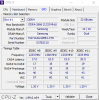
Hi guys, on my area 51m I have installed 128GB of ram 4 x 32GB samsung memory 2666mhz M471A4G43MB1-CTD. Some time ago someone here posted a tool from which you can flash the memory modules to run at a higher speed. Is it possible to force these 2666mhz modules run faster on the area 51m? Does anyone have a link for the tool?
Attached Files:
-
-
just a reminder to take a look at your battery if you haven't lately. had my bottom panel off tonight to clean out my fans and noticed my battery was pretty swollen. just ordered a new one.
-
Thanks for the info but may i ask: Where did you order the new battery...from Dell? and price is?
Thanks.
*OFFICIAL* Alienware Area-51M R1 Owner's Lounge
Discussion in '2015+ Alienware 13 / 15 / 17' started by ssj92, Jan 8, 2019.