Problems? See this thread at archive.org.
--> Exactly my thoughts.
----------------------------
ok, now i want an I5-540M, where is the best place to buy one? Is it a great step between I5-450M an 540M?
-
-
Sounds like the right amount but on the Arrandale Mobile units, you are supposto spread the paste before compressing the heat transfer surfaces. Arctic Silver, Inc. - Intel® Application Methods# I5 mobile is listed as surface spread. I spread with a very thin plastic card. IC Diamond takes a bit of technique. If you don't like it, break out the acetone and start again. I use a coffee filter with acetone to clean the surfaces to avoid lint.
-
lol i was just reading that pdf...im gonna try the spread method tonight and ill let you guys know the new temps *fingers crossed*
after spread should it be thin enough to see through or anything like that?
the pdf said that if the cpu is lapped then is should be a translucent haze...since the cpu/gpu on the 3820 has a mirrored surface im assuming that is the effect of being lapped?
so my final understanding is that the amount applied to my cpu should result in looking more like a smudge on a mirror rather than a core covered in paste...lol sorry for the poor analogies.
thanks bronsky -
Hello all!
I was just wondering, is there anything more to the acer launch manager than promting a chooser for wifi/bluetooth when fn+f3 is pressed. I saw some pictures (not sure what model) where launch manager allowed to customize some key's functions.
I just want to know is it possible to do little more to customize my 3820tg.
Thanks. -
really? I thought since its flashing then it would be alittle more permanent than resetting upon restarts...what options do we got for a more permanent option?
-
That's a bit extreme to get a few degrees less. My 540M is an OEM. There is a used one on ebay but I don't think I'd buy a used CPU. The 540Ms are the same price as the 580Ms. I'd get the I5-580M. Hendrickson loved his.
-
what about that spead technique? how thin was your spread?...are our heatsinks lapped?
-
Perhaps you're right.
Right now it's closer to between 45 and 50 but that's because I'm using my 6-cell on a flat wood desk, so there's practically no airflow.
I'd be much happier with low 40°c temps, but whilst I have the experience, I don't know if it's worth the risk / effort. -
I squeeze the rice grain out and have a very flexible small, thin, plastic card to spread the paste. I make sure everything is covered and then make one more pass to get a translucent film that is even across the surface. The film should be thin, but you should be able to see that it is covered.
It should be thick enough to compress as you lock down the CPU and GPU cover/sink. Be very careful to replace the top sink in a single motion, compressing the paste but not lifting it in any way, that creates bubbles or gaps. If the sink is not completely aligned you can twist it a bit without any upward movement. If you got the right amount, there should be very little extra paste squeezing out the sides once the sink is replaced and screwed down. If you want to check your last job, see if there is any paste outside the footprint of the sink when you remove it. You should also see if your last job covered the heat transfer surface completely. If you didn't spread it, I would assume you have more of an oval than complete coverage.
The heat sinks are not lapped. They mate face-to-face. If you look at the plastic overlay on the CPU sink you can see how small the gap is between the two surfaces. The only overlap between the GPU and CPU are on the back of the sink, at the connection point where the CPU screws down over the GPU anchor point. -
alright thanks..im gonna go as thin as possible and see if my temps dont go up
-
ummmm ... down.
-
yes price is the same, but 203$ is too much. 130$ or less for an i5-580m and i would buy one
-
no I meant up LOL....I'm gonna go as thin as possible and test the temps
-
How in the world did you guys get BF3 already ??? )))
-
Last time I tried I couldn't control the voltage with Afterburner but Sapphire Trixx allows me to increase it to 1.05V but I can't set it lower than 1.0V.
PS. what version of afterburner did you try? -
Early beta for registered medal of honor users.
2.1 and it doesn't change the voltage. I might have to look at sapphire trixx. The 5650 should have some more oc'ing in it with more voltage. I have the temp headroom.
I haven't spent a lot of time gaming in quite some time. I forgot how much time you spend trying to make your computer go faster. -
I got as far as 760 MHz core clock at 1.014V but I didn't want to push my luck by going higher. I see no performance gain (a couple of FPS at most) by OCing the memory though, even at 1 GHz.
-
I don't use the spread method for repasting because of the problem with the paste being too thin. If you put a ball of paste and compress it, the pressure from the heatsink will even out the paste nicely. Of course, don't try this with AS5 because it might fry your CPU if you put too much. With IC Diamond, my load temps fell from 100 degs with factory paste to low 80s on load. On idle it fell from low 50s to 40 thereabouts. The difference between top pastes like IC Diamond, Arctic Cooling MX3/4 etc isn't that much, it really comes down to how you apply it that makes the bigger difference.
-
ok so after 3 1/2 hours of trial and error I figured out that using the heatsink to spead the paste is better than spreading it yourself.
my first run I used a razor blade to spead the thinnest layer i could while still covering the entire area...at the first boot I was seeing temps of 39-40c idle, I restarted the laptop and my temps jumped up to 50-51c idle and hit a max temp of 85c with prime95
My second attempt I applied like this:
![[IMG]](images/storyImages/20110928210021761.jpg)
With this setup Im seeing temps of 47-50c (not much of a change) but only reaching 81c with full load (prime95)
so letting the heatsink do the job seems to be the best way for us on the cpu...as for the gpu both way got me the same result of about 44c idle, didnt do a stress test on the gpu yet.
Still dont know how or why I was hitting 39c on my first boot with the spread method or why it went up after a reboot...maybe it was a software glitch since the initial boot was a resume, hints why I restarted the computer.
Hope this helps people out. -
@boostjunkie95
Run prime95 as a single thread and let the proccesor use the boost mode.
The electrical power consum and the wast heat is higher as with 2 working cores at default clock. -
The only way to overvolt the 3820TG is to flash the bios (with hex edit) and this kills switchable graphics so you have to select discrete only in bios.
not worth it for .05 volts or so. -
Is it not possible with Sapphire Trixx either? I have a 5820TG and I can overvolt without any BIOS modification. Though undervolting is not possible with Trixx.
-
ok so after the paste had a chance to set over night im seeing temps as low as 29c idle for the cpu and 34c gpu
-
Heres the battlefield 3 beta as well
Battlefield 3 Beta ? Try the new shooter from DICE before everyone else -
are you kidding me? how is that possible
my i5-450m is 50C idle.... -
no clue but i love it...took me a total of 4 repastings to get it perfect but it did...the picture above is what got me these temps...also run prime95 to get the heatsinks nice and hot then cool and hot and cool again to really get the paste to set in.
my lowest was 29c but average is about 33-34 -
We need also the room temperature and the fan profile.
-
id say its about 68Fdegrees in here and im using zseros gaming fan profile and my laptop is just sitting on my bed (minimal airflow) and OCd to 3.2 ghz
also the pictures look like the dots are a bit large but they are less of dots and more of small spreads...meaning I put the plunger close to the surface of the chip and squeezed out a bb sized amount but it spread out as it hit the cpu/gpu if that makes sense -
Thanks for the information.
-
no problem
-
Nope, unfortunately. I tried sapphire trixx, AMD Gpu Tool and MSI afterburner. It would be great to be able to overvolt it a bit and get 6550 performance from the card but unfortunately, without giving up switchable graphics (the main attraction for me) we can not overvolt.
-
EDIT: Oops, okay it's been discussed here already. Onto another note, does the search function within this forum work correctly for anyone?
If I try to search within a thread, it doesn't seem to work at all.
For those that have Leshcat's 11.8 v2 driver installed, does the switchable graphics functionality work 100%?
I have an issue where if I switch to integrated graphics and attempt to switch back to discrete, my display is nearly blank, I say nearly because I can see a VERY faint depiction (easier to see at an angle) of what should be displayed on my laptop screen, like as if the LEDs in the display aren't on?
Fortunately I had hotkeys set up so I could switch back to integrated, which displays perfectly fine again.
I had this issue when testing the driver for him a while ago and decided to switch to the Alien9 drivers, but I wanted to give this driver set another shot to get both the latest AMD/Intel drivers. -
yea, i have that issue too...he released the v2 to attempt to fix this problem but it didnt resolve the issue and i have yet to hear back from him again...I think its only affecting the 6550m as well, unless your having this problem with the 5650 but I doubt it.
seems like the backlight gets stuck at 0% or off when you switch back to ati from intel...no idea why -
Now that you mention this I remember that the 3820TG uses the Pheonix bios and trixx can't overvolt the 3820tg. It works on the 4820 and 5820.
-
Glad to see such good results. My current paste is 10 months old and I still average idle temps in the mid to high 30's. You use IC Diamond 7?
-
no i used mx-4 by arctic cooling...said to be the best on a few forums...how good is IC diamond 7?
i chose mx-4 because it isnt conductive -
They're probably close. My temps came down by 10C from factory. I like diamind but it is harder to use. Diamond is non-conductive as well. You did a nice job though. Getting a proper film is something that takes a little practice and patience.
-
Bronsky.
Your OCing seems insane.... I've never bothered to OC my laptop, but a 540M at 3.7GHz, is that clock speed or the turbo boosted max?
boostjunkie92, what about yours? We have the same CPU and there's not much difference in our idle temps, even though you repasted.
Nice job to both of you anyway. -
My idle temps are high 20's/low 30's. You don't have to believe me if you don't want to but it's the truth. With stock paste... The thing is though, I use a notebook cooler 90% of the time. Even if I'm just checking email quickly the notebook cooler is on. Sometimes I've left it for 15 mins to come back and find temps of both cores sitting in the mid 20s until I start clicking around again.
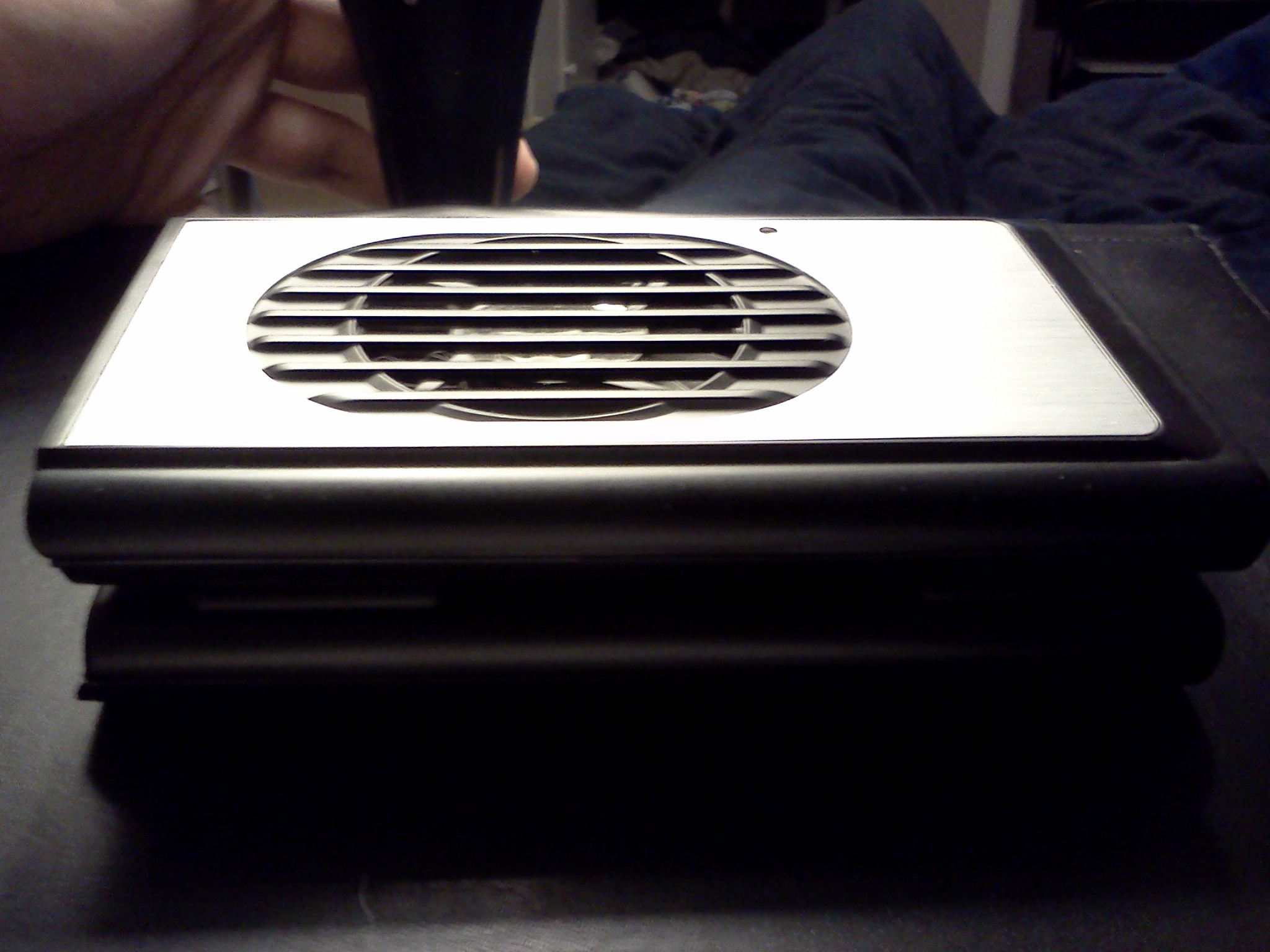
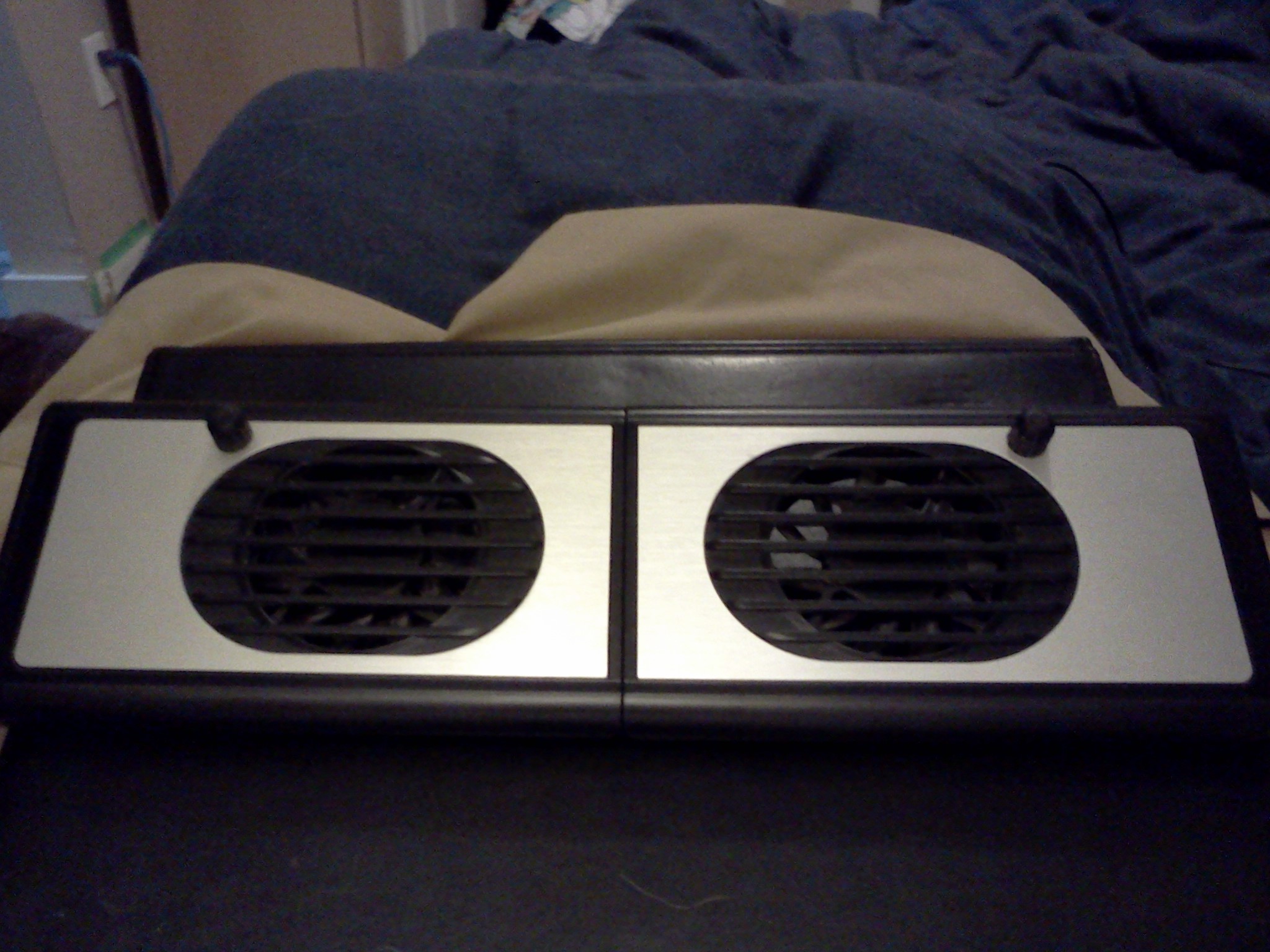
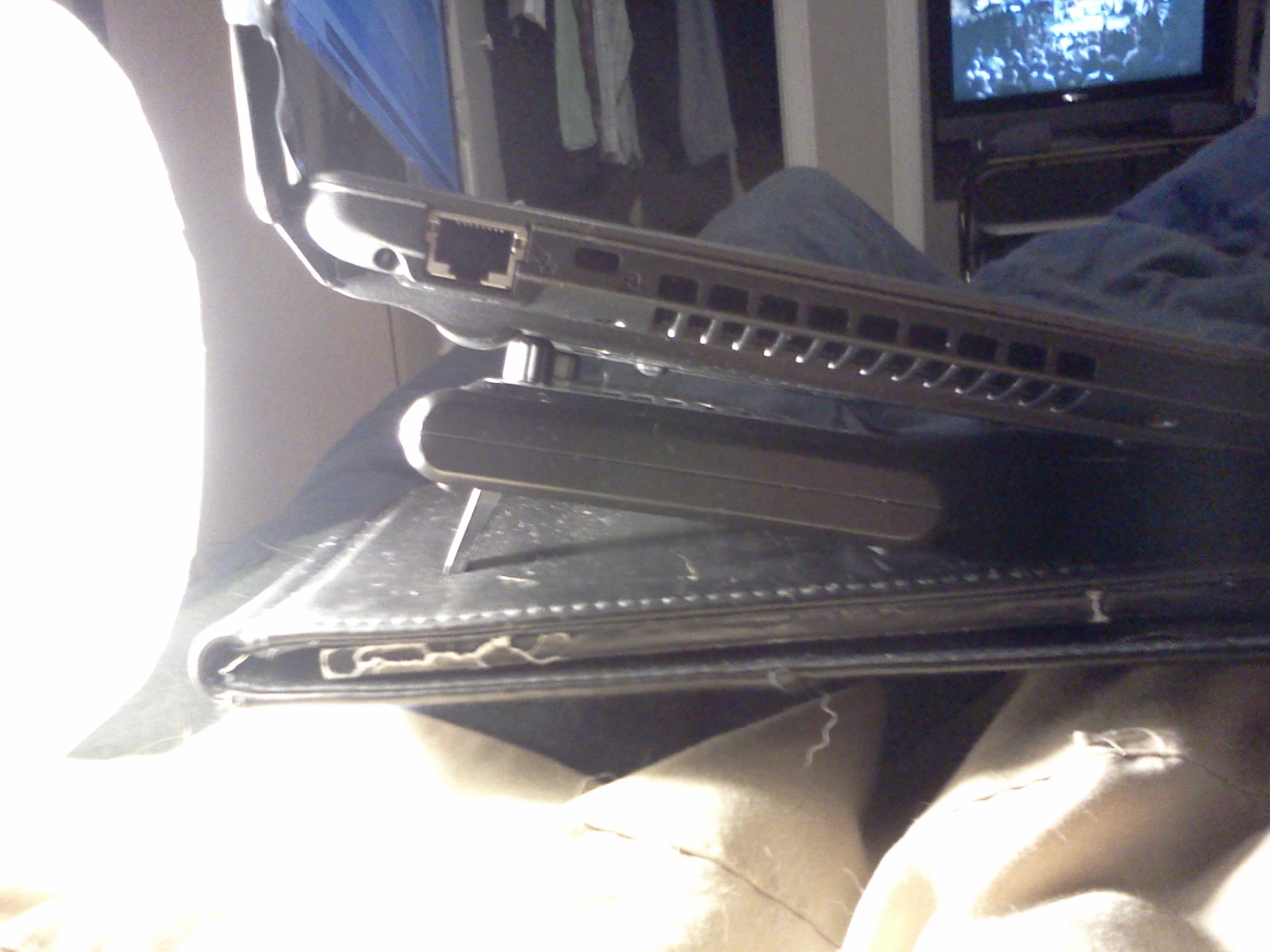
The notebook cooler plays a massive part in my low temps too. I looked at about 200 notebook coolers. I was looking for size (or portability. I didn't want a cooler for a 15"), and fan placement. I wanted two small fans that would sit and blow air up into the 3820TGs intake holes on the bottom of the machine. Money wasn't an issue, I just knew what I needed and nothing else would do. Sadly I had no luck for a while after looking at +200. Then one day my girlfriend dragged me to hell (Wal-Mart) and just walking around in the electronics section I stumbled upon a $20.00, folding, notebook cooler... The thing is perfect. See pics. It has two small fans that I position directly under the 3820's intake holes and it keeps things pretty cool and clean.
It also fits perfectly under the 3820. It's about a half inch smaller on both sides so it's doesn't stick out. I hate Wal-Mart but this cooler was quite a find... -
When you OC a 1st gen Core i3/5/7 series via FSB, it's the maximum turbo clock that gets raised. The 'default' clock remains unchanged.
-
As I suspected. Very interesting and useful though.
-
It's not that insane. Actually, about a month ago, I started running my Acer OC'd all the time. I put SetFSB in the task scheduler. I backed my maximum clocks down to 85%. The result is a better multiplier that boosts to 3.64ghz a lot more efficiently. This is probably the most efficient setting for an OEM I5-540M. The CPU is also rock steady and still passes certification for my GIS MilSpec software.
![[IMG]](images/storyImages/PermOC.png)
![[IMG]](images/storyImages/PermOC1.jpg)
Those clocks can be tweaked even higher by using Typhoon and some modded IGPU drivers. The I5-580M easily clocks and runs stable to 3.8ghz.
Temperature is always a consideration too. The temperature rises significantly with each .05 ghz above 3.5 ghz.
too456 - You probably know a lot more about this that I do, but I always thought the SetFSB reset the base clocks and the max turbo clocks [from (2.53 ghz - 3.066 ghz) to (2.85 ghz - 3.64 ghz)]. If it was a function of raising turbo speed only, you should not be able to overclock CPU's without turbo like the Atom Z540 (mine runs permanently at 2.15 ghz and maxes out at 2.2 stable (I could get 2.5 if Intel would fix its crappy HD 500 driver). My I3-370M clocked to nealy 3.0 ghz stable in the 3820TG before I got the I5-540M. -
But when my 450M runs at the highest multiplier (18. 20 for TB) it runs at 2.664 GHz, while it runs at 2.4 GHz without any OC. Or did I misunderstand your post??
-
Feel like an idiot for asking this.
But i struggled like a madman to be able to install catalyst 11.5 when it came out. Now 11.9 is out, and i cant get it to install. Im still stuck with the latest Acer driver (VGA_AMD_8.771.1_W7x86x64).
Anyone got this working? or am i stuck with the 8.771.1?
Thanx so much in advance! =) (And yes, i have googled, and i have looked at the guides, and followed them from a to b =/ )
* Edit: I actually had to factory reset my 3820tg to get this working. But now i have version 11.9 up and running on my system* -
with the 8gb ram upgrade I was only able to reach a max of 133mhz on my FSB, originally I was able to clock to 156 stable...as for the method I originally tried OCing with setFSB but was not able to overclock because I never got the pro version and could not find the correct clock gen in the freeware version so i tried setpll and havent looked back...have it setup so it runs a minimized bat at startup.
@bronsky yea the mx-4 takes the hassle out of pasting...it easy to spread and has no break in period where as silver has a 200 hour period as well as several heat cycles to reach maximum performance.
I really do need to buy a laptop cooler because I like to stream movies to my xbox with tversity but right now im getting by with a ghetto rig where I take 2 dvd/xbox cases and stack them under the laptop in the center allowing cooler air to be circulated...keeps me around 35c while the laptop is transcoding movies -
I actually have a 5650 model, so unless I'm an outlier, it should be affecting all 3820TG laptops.
-
AFAIK, for Core i5/i7 processors, SetFSB only raises the maximum turbo ceiling so that the overclock will take effect when you need the extra processing power so you don't bleed your battery dry when you don't need the extra speed. For Core i3 processors as well as all non-Core i- series processors, SetFSB will raise the 'default' clocks. I could be wrong, it might be that SetFSB raises the 'default' clocks for Core i5/i7 processors as well, just that the power saving settings still push the processor speed to its default low frequency settings.
-
Just curious, for the ones who are playing BF3 on this machine (and my god do I have to say it runs great, most settings on medium, some on high) I get an error message every time before the start, urging me to update to 1.7, is there any difference in performance ??? Or should I just stick to 1.5 ?
-
Random question, unrelated to everything we've been chatting about...
Any way to get the headphone jack to act as a second headphone port audio port? To connect a set of rear speakers to for example?
Thanks. -
External speakers yes. But, the jack shut-off will turn the units speakers off. You can manually over-ride the jack and get a signal from both at the same time, but I have no idea where you would mount rear speakers in the unit, if that's what you mean. There is nooooo room in there.
Update.
3820TG Owner's Lounge - Part Two
Discussion in 'Acer' started by Bronsky, Mar 13, 2011.