Problems? See this thread at archive.org.
Mine doesn't sit much. but I have not problems with battery drain on my 1410.
-
No battery drain issues here either. Mine is in use as my main laptop though.
-
Certainly if you are using it plugged in on an almost daily there would be no noticeable battery drain...but mine is not an everyday PC (at least once the novelty wears off!), so if I throw it fully charged into the closet, can I grab it a week or 2 later and assume the battery will still be near fully charged?
-
2wks it should be more than 90% charged, All electronic devices recommend you remove the battery if you're not going to use the device for long term. Remeber how often disposable batteries leak when forgotten about? Anyway if you're not going to use your laptop and you don't use any of the "Wake On..." activity wake up modes then just unplug the battery and the wear/discharge will be even a smaller fraction of that if left in the laptop.
So where do we find a newer more improved driver for the built in card reader? I find it's performance quite low. -
Just received this email today from FutureShop: Canadian Price drop on Timeline-1810T-6188 (OlympicEdition)
http://www.futureshop.ca/en-CA/prod...spx?path=5a1c2709465e66fee5d945eec02447d0en02 -
http://www.ncix.com/search/?categoryid=0&q=su9400
if size is not a concern wouldn't this be a lot better? http://www.ncix.com/products/index.php?sku=50131&vpn=LX.PMF02.164&manufacture=Acer&promoid=1230
http://www.ncix.com/promo/promosale.php?webid=spring2010#Netbooks
http://www.ncix.com/promo/promosale.php?webid=spring2010#Notebooks - Business
http://www.ncix.com/promo/promosale.php?webid=spring2010#Notebooks - Gaming
http://www.ncix.com/promo/promosale.php?webid=spring2010#Notebooks - Mainstream
interesting find [POST]6166299[/POST] -
Find the mouse in Device Manager and make sure its checked in the future not to allow the mouse to wake up the computer in the future.
-
Stays in my briefcase for a few days at a time and I get very little battery loss.
-
Nothing in your references that I can see beats the FutureShop pricing for the 1810T-6188 - unless I've missed something.
And, of course size is a concern. In fact, I would surmise that 1810T[Z] owners would consider it the principal concern - along with its corresponding price and performance.
But I've already got mine, so there's nothing in the price drop that matters personally. -
Well I think $700CAD for a Core i3 330M and Radeon HD 5470 out performs the Acer 1810T. Again I said if size is not a concern because the i3 is a 15" unit but it does have HDMI and 4GB of ram too. I would guess removing the included optical drive would greatly increase the battery life too and it's only 1"-1.5" thick.
The block of 4 links already got taken down since a new sale starts later today so here's the units I was trying to point out
$590 1810T http://www.ncix.com/products/index.php?sku=45413&vpn=LX.PM402.001&manufacture=Acer&promoid=1230
$710 Core i3 & Radeon 5470 http://www.ncix.com/products/index.php?sku=50131&vpn=LX.PMF02.164&manufacture=Acer&promoid=1230
also saw a C2D T6600 for $700 -
Yes, the 1810T for $590 looks like a pretty good deal. The $699 one has faster ram and 400gb disc, but I guess the ncix one is better - considering that one of tweaks I've seen somewhere shows how to perform a do-it-yourself speed upgrade of your memory to 800Mhz.
-
Of course it will outperform it but it isn't an 11.6" system that weighs 3 lbs and it definitely doesn't advertise (and get) 8 plus hours of battery life.
Is the Asus UL30Jt or similar out yet? These will be the next step up although they still are not a 11" system.
The 1810T-6188, to the best of my knowledge, is the top dog on the block for the 11.6" system. -
I thought the OC'ing of the memory could not be done in 64 bit ... No?
-
I believe you're correct.
So presumably you could do it on a 32-bit O/S, then install the 64-bit one.
Here's the post on how to upgrade your memory to 800Mhz:
http://forum.notebookreview.com/showpost.php?p=5333093&postcount=14 -
I am one of these people. When OFF I lose 5-6% per day.
I even sent my 1410T back to Acer for RMA repair over this issue and their reply was
"Repair Comments: Power switch is software driven and will use power even when not powered on. Within factory specs."
I use mine on weekends and not every weekend. I've been recharging it Friday evenings otherwise I'd be down to 65% after a week of sitting.
Here's a thread on it.
http://forum.notebookreview.com/showthread.php?t=447231 -
Hello, I am new to this forum. I've had an eee 1000H and have been active in the eee user forums for a few years, but I was in the market for a new netbook and I decided to go with the 1810T, as it seemed to meet all of my criteria.
I got this one: http://www.amazon.com/gp/product/B002TEDANO/ref=oss_product
I don't have it yet, but it should arrive tomorrow. I am very happy to find this forum, as I know it will be a great resource for me.
So did I make a good choice with my purchase? I know that is a little like preaching to the choir but while I know the 1810T will blow my old eee out of the water, the 1810T isn't exactly new to the market. It seems, though, that anything newer with more horsepower is larger and oftentimes lacking in battery life. I wanted to stick with a 10/11 in. screen and have long battery life, as well as having enough power to do some very basic video editing and watch HD videos. I also needed what I consider to be the basics like 'N" wifi, bluetooth and HDMI. So this seems like a pretty sweet netbook.
-
You made an excellent choice.I can see the eee gathering dust from tomorrow.
-
Thanks. FYI, my wife is getting the eee and she's giving her old notebook to someone else. I jumped at the excuse to get a new business tool (toy) and give her the eee.
-
I quarantee you that you will be so pleasantly surprised and it will win so much your respect that you will not call it a netbook again like you did above.Welcome to the club.The following thread might be of interest to you.
http://forum.notebookreview.com/showthread.php?t=419117 -
Maybe try removing the battery for the week, and see if it still discharges that much, which would indicate a battery problem? Anyone else reporting loosing 5-6% a day in charge when unused? -
Thanks for the link. I've actually been browsing that thread a little already.
BTW, I did not mean to insult anyone (or the 1810T) by calling it a netbook. I've never seen that as being a demeaning term - to me it just means "small notebook." Though I guess I understand that most netbooks are pretty crappy and this one isn't. Sort of like calling a Bentley a "car."
-
It's already been done by me and others. There is no perceptible drain over the same period of time when the battery is removed.
When I sent my 1410T in for RMA repair for this I taped a letter to the laptop fully explaining all that I had tried. Even said it was fully charged when I boxed it up and whatever day they got it they would see it had drained down 5-6% per day.
Might only be an issue for those of us that bought this specific configuration during a certain manufacturing period, but nobody can tell me for sure. All I know is that most that got in the Fry's deal in December on the 1410T with the SU2300 processor have this problem.
dave -
Well what if you run thaiphoon burner in compatibility mode? Right click the installer open properties, click the compatibility tab, chose a 32bit OS selection if there's no differentiating between 32 & 64bit then chose windows 2000 as that uses NT5 core but was never made as 64bit. Vista & Win7 are NT6 cores.
Same thing I already said to do before. Power is always consumed when the battery is plugged and if you leave the AC cord & battery in then it's constantly being trickle recharged which wastes battery life/recharge cycles.
The power off battery consumption is highest when you have devices set to "Wake On..." activity like Wake on LAN or Wake on WLAN etc. Any device set to "Wake On..." activity consumed 5V Stand By (5VSB) power while the system is off regardless of AC/Battery plugged in. 5-6%/d means 1-3WHr/day I think. Go in device manager and check all your network devices properties and look at both their advanced tab and power management tab. Set anything related to wake up/wake on to disabled. Set anything related to "shutting off to save power" to enabled/on/checked.
See if that helps. By all means ALWAYS unplug/remove ALL power sources from electronics when you're not going to use them for a long time like a whole day or more. Batteries leak when left in electronics really long and unused and all electronics consume power when off. Except for circuit breaker switches like that on desktop PSUs and power bar/strip switches.
@Les: I havn't seen any jt just these A and Vt units http://www.ncix.com/search/?q=UL30&SUB=Search&mm=1&mp1=&mp2=&m=0&p=1&s=1&a=1&adv=1 their sale will be up in a few hours so check their sale page to see if there's any discounts for any UL30 units. -
Believe me, many of us have tried many many things and still 5-6% discharge per day. If we left some stone unturned I'm sure ACER themselves would have told me what I did wrong when I sent my 1410T in for repair.
Completely unreasonable in that time frame. Sure, after a month or so, but not for a day.
Not lithium ion/polymer cells
Not mA's of current, but I grant you sub microamps due to leakage. Milliamps of current draw when off is poor engineering design.
All this said, it is NOT a big deal if you use your laptop daily or even every couple of days. Those of us that only use it now and again (weekends, business trips, etc) it's a pain and certainly not something I've had to deal with for other brands and models I own but I do understand it isn't completely unheard of in other mfgr's models. Guess I've been lucky
I'm not returning my 1410T, I like it! Just wish the battery didn't drain 5-6% per day, which it does when everything is OFF, but not when the battery is pulled. Those are the facts for my particular laptop, and Acer says it's normal and 'expected' (essentially in those words.) -
I have had my Acer 1410 for about 3 weeks now and I love it (Specs in SIG, got it at Newegg.com), I installed 4Gigs of memory and a WD 320Gig hard drive and installed Win7 Ultimate x64 and so far its my favorite notebook to take on the road, I love how cool it runs too.
-
And best of all - its saphire blue.
Bronsky
-
Why not leave the battery out while off if you're not using it for that day did you just say there's no drain problem when the battery is unplugged? Save your battery life and recharge cycles. Unplugging the battery is simple to do. Got another test for you, leave your laptop off and put it in the fridge (not the freezer) with the battery plugged in. Leave it in there till the next day and take it out let it reach room temp and see if there's any drop in charge? Next test put the battery without the laptop in the freezer overnight. Then take it from the freezer and put it in the laptop but leave the laptop off overnight at room temp. When you turn it on is there a drop in charge? BTW with my original config (5400rpm Toshiba 250GB HDD) my laptop consumed 5% battery power to reboot/wake from hibernate (not sleep I mean power off hibernate). Is that what you're experiencing?
Also make sure none of the tasks in task scheduler are set to wake the laptop to do some work like defrag while you're sleeping.
mA per day vs 4400/5600mA total sounds reasonable.
Acer might be lazy to help and very possible nothing is wrong just bad settings.
All about the Ruby Red here. Can't think of a single person I've run into that has red I've seen a lot of white, silver, grey, black, occassional blue but not red. I enjoy it and the women love it too.
Les the Asus UL30A-A2 is $799 at ncix this week http://www.ncix.com/promo/promosale.php?webid=playoffs2010 -
So, is anyone here an owner of the su9400 olympics edition?? I'd like to hear their thoughts about it, since I can't seem to find any reviews on this one. Thanks!
-
Anything else having the problem of can't adjusting brightness using fn keys after wake up from standby or hibernate?
I'm using the latest bios.
For those that don't can you tell me what bios version you're using?
please test this multiple times because sometimes it works and sometimes it doesn't after wake up.
thanks -
I am using Bios V1.3303 and I don't have this problem.Have you installed Launch Manager???
-
I'm married GC, it wouldn't do to have a ruby red 1410T and have all those women drooling over my unit - would it?
-
YES!
OF COURSE!
No more testing.
Re-read posts regarding this. EVERYTHING is off and it's OFF and not in hibernate.
NOTHING is set to turn on the laptop. NOTHING!
I did not say mA per day and you dropped the very important units of H from 4400/5600mA - It's mAH. 15mA continuous draw is 360mAH per day. 4400mAH battery would be dead in 12 days.
Enough discussing this, we're both wasting our time. -
Rather than buy the 1410 and upgrade, wouldn't you have been better off just buying the 1810TZ?
-
Mine's as good or better than expected. It's small, light, fast, and sleek - especially after replacing the included hard drive with an ssd.
Only very minor complaint is that the battery lasts about 6.5 hrs. instead of the hoped-for 8.
Other than that it's all good after more than 2 months of use. -
The lowest priced 1810T ($599) has 667ghz DDR2 ram. 4GB (2x2) 800ghz DDR2 upgrade is $70. My 1410T was $380 + $70 = $450. Cheapest 1810T is $150 above that for the 667ghz ram. An 800ghz ram unit is at least $200 more. That is almost 50% more. IMO, the upgrade is the way to go unless you want the 1810T.
Bronsky
-
If you're paying those prices for an 1810tz I would argue you're not looking carefully enough for a good deal. On the same note, it's impossible to find a 1410 at that price now.
First of all, it's almost impossible to find a discounted 1410t with an SU2300, you will probably have to pay $450 for that alone, that's about the lowest I can find it with the su2300 (all the other processors I wouldn't consider). There's no place you can find it for sub $400 anymore unless its used.
Secondly, the most competitively priced 1810tz are about $580 and many places offer bing cash back for them, like tiger direct, so you're looking at about $515.
Upgrade the ram from a 1410 -> $450 + $70 = $520 which is already the same price as a 1810tz that comes in stock with a better processor and 4gig ram. Edit: Oh, and when prices are so close you also have to consider that the 1810tz has a larger hard drive by double, and has a longer battery life. Better build quality is also a questionable argument.
If I could find a 1410 w/ su2300 and upgrade ram for $450 I would do it but you're not going to find those prices anymore, just because it would fit my needs better (as in something to play with while waiting for the 3820t!). But I got stuck with the only reasonable option of an 1810tz so now I'm waiting.
You got lucky bronsky
-
It's funny, i bought mine for exactly that reason. I was going to get a Sony when word about the 3820TG started to leak out. So, I grabbed the 1410T to hold me over. I guess I did get lucky in my timing.
You're probably right about the 1810T nowadays. -
Not really!! the price was right and I already had the hard drive and memory.
This one fits my needs perfectly. -
Attn.: Timeline junkies, clones and clingons:
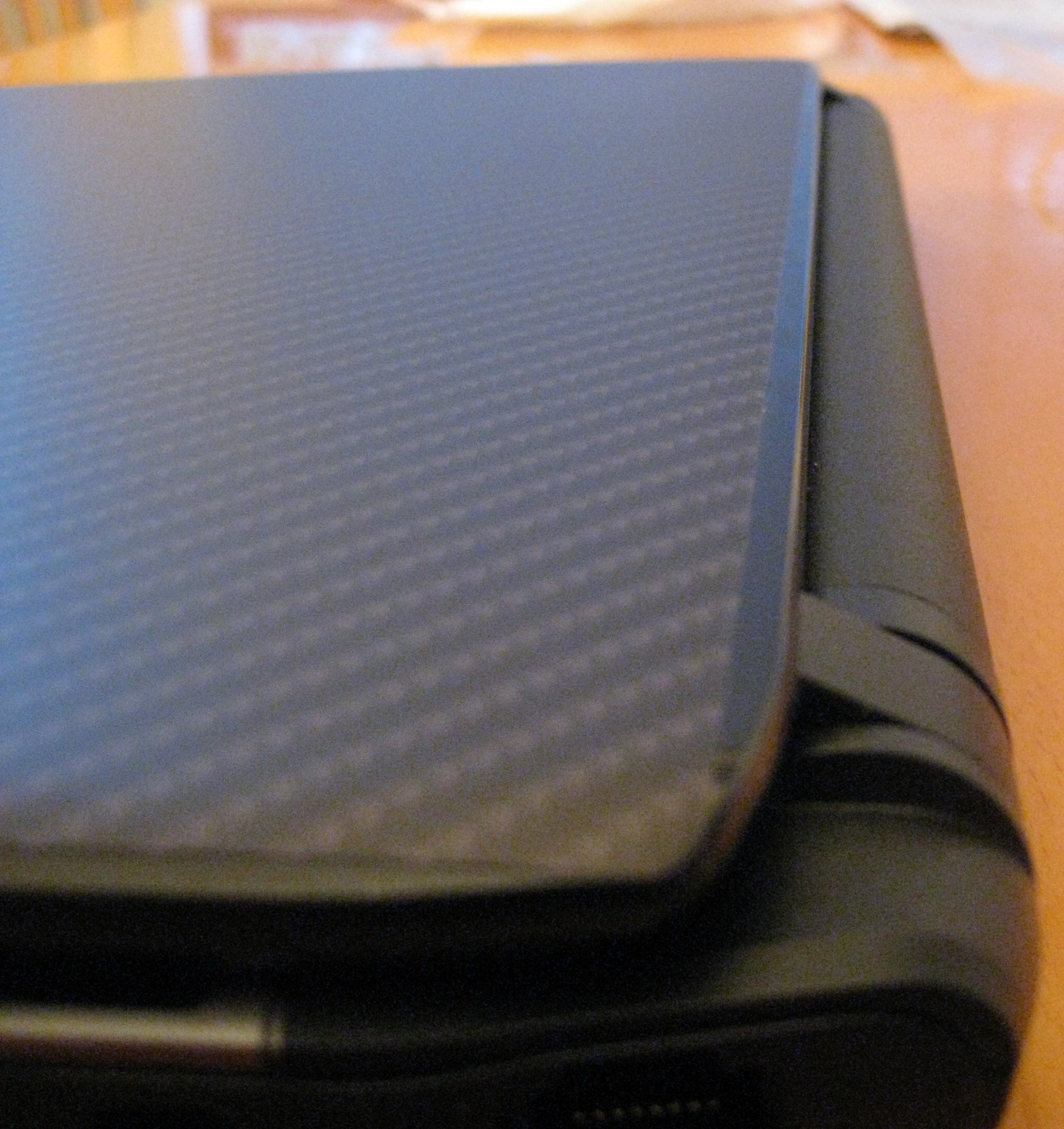
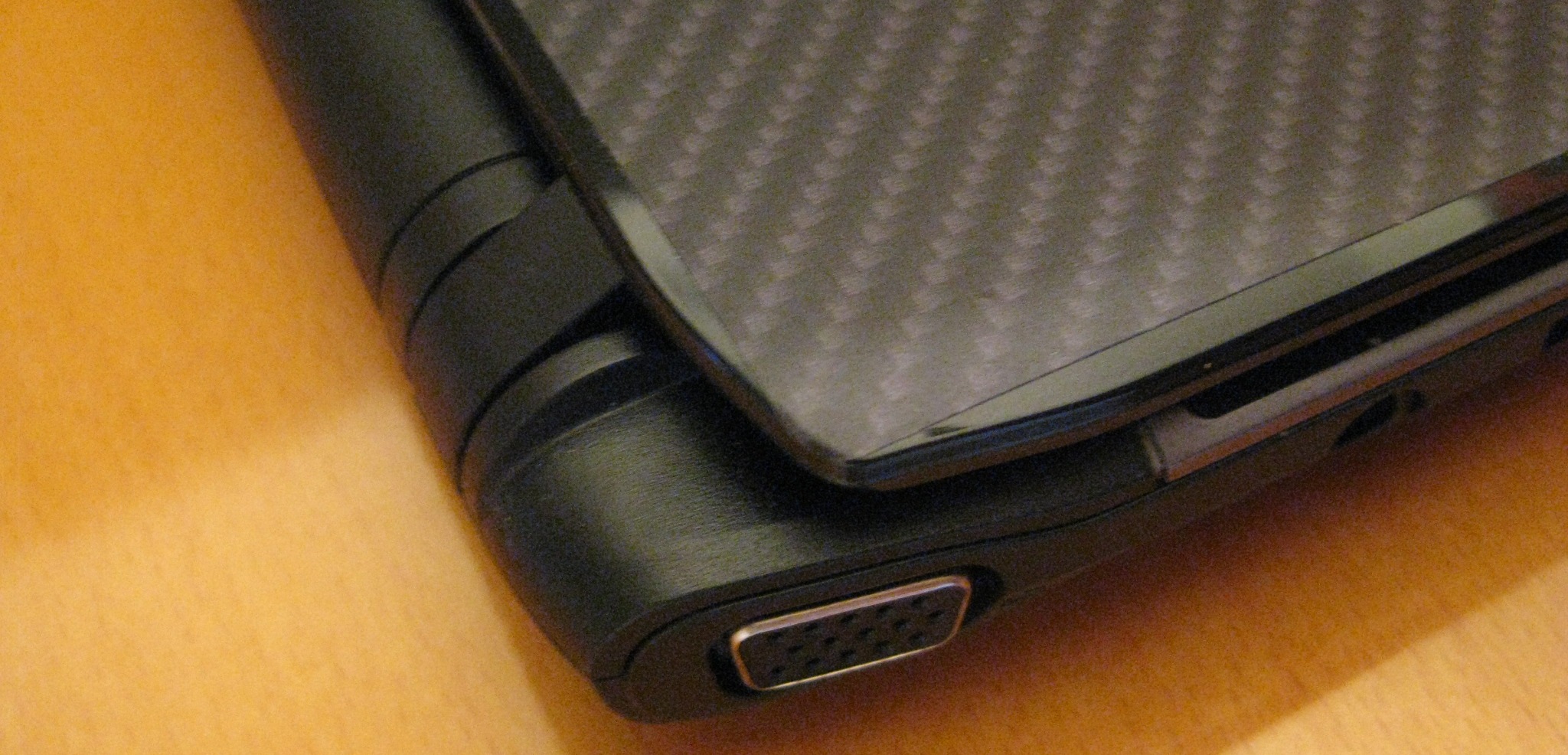
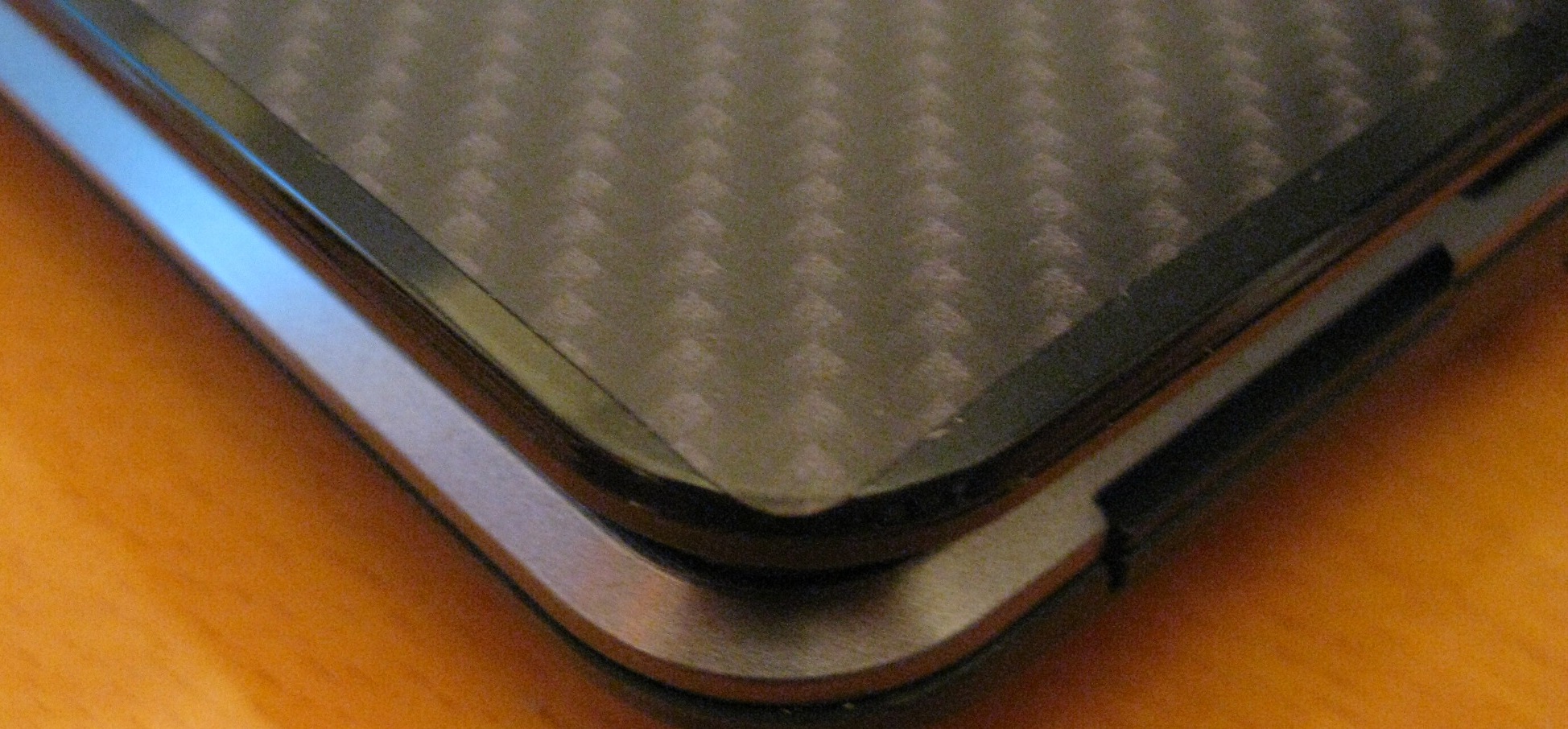
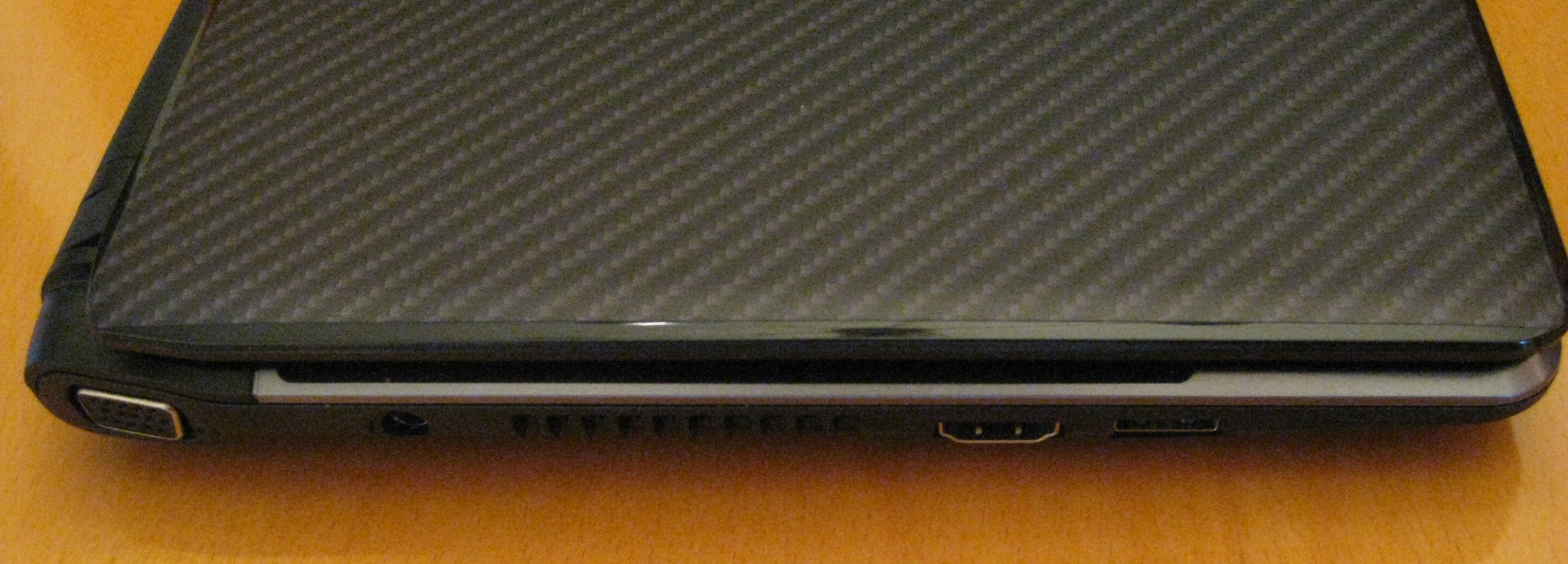
Here's the update of the iStyles carbonfiber skin pic's [for some reason, I'm getting a generic message from the server when I try to upload: "Entity too large..."; I'll try something else later].
As stated earlier [below], I ordered the pre-cut for the Acer Aspire [One?] and as suspected, it's a totally different lcd lid size...never would have thought it, but I never opened it and they exchanged it, but I had to pay return shipping and again on the new 'custom cut' [$15 so far, but for the benefit of 1810T clones, I sacrafice; nothing's too good for you].
Nonetheless, I went with a custom cut unit, for $5 more, and a 'matte' finish for another $5, total cost was $30 + 6 for shipping [it's a flat sheet in a cardboard envelope about 11 x 14; thats ridiculous.]
They also either square cut the corners or 1/4" radius them. [no extra charge] I had them radiused.
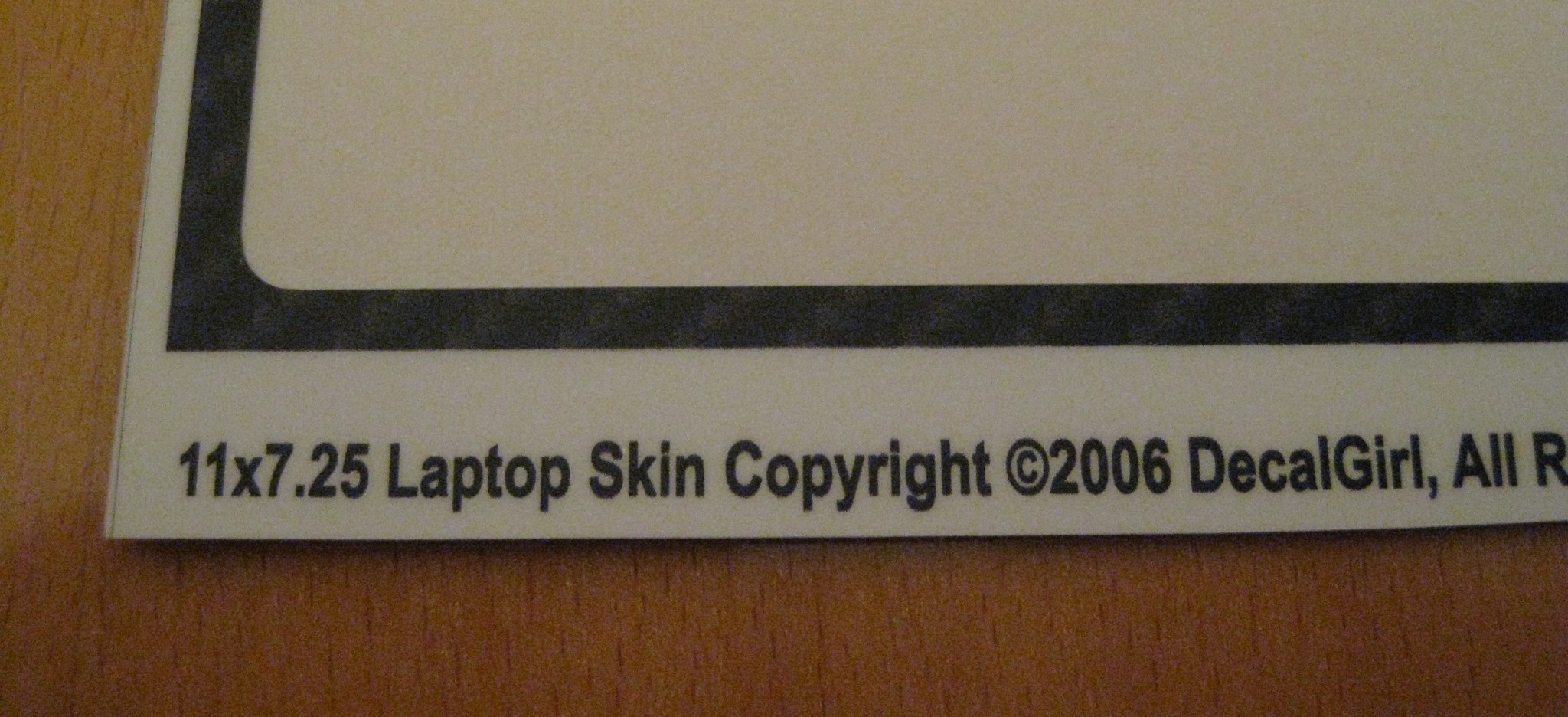
Well, the measurements I requested are 11" x 7.25" and the finished product is exactly that and it's a perfect fit. I didn't try to cut the little deflections at the back of the lid because the overall fit so perfectly.
So, $36 later I'm happy to not have a fingerprint magnet lid and a little better surface to grip. They make a nice product and they are very communicative. Refunds are not given on 'custom cuts'.
Let me know what you think.
Like I said, I'll have to either reset the size of the pics or something to upload; what a pita!
-
How do I get past this; I've uploaded this size before to other forums and never got this:
"413 Request Entity Too Large"
This is really putting a damper on my enjoyment of the Laker game tonight.
-
Exactly my point Bronsky and why I got my 1410!! after reading all the reviews, I made my mind up that I wanted the 1410 cause of the low cost and the fact that I already had the memory and hard drive laying around, so I didn't have to spend any money for the upgrade. I wanted something better than the Netbooks with the Atom cpu for under $450 and this fit the bill perfectly.
-
Sigh... When will Amazon.com get the blue 1410-2990 back in stock...
I ordered mine almost a month ago and it's still out of stock.
What are the chances they never get them in stock again and instead get the new Aspire One 752 w/ SU2300 (basically the 1410 w/ a new name)? -
I think that is the more likely scenario.
Bronsky -
I think so too. Hopefully Acer brings over the white model this time.
-
The touchpad crapped out after 2 weeks on my 1810t Olympic edition with SU7300 processor. Skips on me. Stupid thing is it took 10 emails back and forth between Tech Support, just to get a repair order and shipping address to the depot. They sent 4 different emails asking for different information when they could have sent 1 asking for all the information at once. They sent 2 emails asking me to do a factory restore when I have already stated in the original email that I tried a driver update and then a factory restore to no avail. Never buying another Acer laptop again until the customer service improves dramatically. I guess you get what your pay for. Hope I'm just the exception and not the norm. The only positive thing was they did respond to my emails with in 4 hours each time.
Rant over.
-
Aspire One 752 on Acer USA support site:
http://support.acer.com/acerpanam/n...AspireOneAO752/AspireOneAO752hsp2.shtml#sup_1
It lists red, blue, black and white! Hopefully they do bring a white SU2300 model here. -
just a question; will it be comfortable enough to type on this 11.6" laptop's keyboard for hours without any strains on the hand similar to netbooks?
-
Again, 1810/1410 junkies & clones:
Pic's try #3.
Finally!
I had to crop them to the 585kb limit, then load one at a time.
Apologies for the lack of macro-photo expertise.
The iStyle skin material is truly matte finish, but can also show finger prints, but much less noticeably and almost totally erasable by hand rubbing. Major improvement over plain, glossy surface.
Application notes:
On one corner, I seemd to trap a foreign particle under it; I tried to remove by peeling skin back. iStyles warns that if you pull too quickly, you will stretch the skin. How much is too quickly? I dont know, but thouhgt I was going slowly. Just the same, it seemed to stretch the skin about 1 mm when I replaced at the corner, as shown in pics. Not bad, just be aware.
Also, before replacing, maybe just wait a few minutes to allow it to regain its memory to shrink back.
Overall, I'm happy, except for shipping charges for a large flat, thin cardboard envelope.
Will order the same though for a Lenovo SL400 lid that always looks bad too.
Attached Files:
-
-
iStyles skin follow-up:
I should mention that, as one of the pics above show the backing sheet the skin came on, the dimensions shown are what I specified for the 'Custom Cut', since there is no Acer 1810T specific skin.
As you can see from pics, I estimated to maximize fit to corners, but of course, you can size down or otherwise if you feel it might be too close to make a good symetrical placement on your lid. If I were to do it over again, I'd cut it to maybe 1/8", overall, less in each direction.
That would mean 1/16" less on each edge. That might make it a little easier to place it centered and square to your lid.
Also, as I said earlier, I requested the corners to be rounded at no extra charge. Maybe the rounding will keep it from peeling off, but from what I'm seeing it's not going to peel off with normal handling. -
I orignally bought my 1410T as a temoprary/travel unit. I have had to use it as my main laptop for the past 6 weeks. It has been fine. I don't know if I could use it as my main computer forever. I think I need a 13" at my desk. But for daily use while traveling, it is acceptable. I did have to adjust it to remove the flex. The flex was driving me crazy.
Bronsky
BTW, skins look nice. GOod luck with them.
Acer Aspire 1410 and 1810 Timeline 11.6" Thread
Discussion in 'Acer' started by ohiomoto, Oct 9, 2009.