 Problems? See this thread at archive.org.
Just picked up a 3830tg. Haven't tested out the throttling yet, but I've noticed that my battery wear went from 2% to 4% in one day (panasonic battery)...
and for other owners, did your machine come with really really stiff USB ports?
For my machine, the two USB 2.0 ports are incredibly stiff (very hard to plug in usb devices, and even harder to pull them out). Is this normal? Because I own 3 other laptops (Dells) and all of them were normal. The USB 3.0 port is perfectly normal, but the two USB 2.0 requires so much effort to plug in and plug out without breaking anything.
I'm debating whether to return it, exchange it, or send it to acer... it's too bad because for the price, this machine was really really good.
-
yes it is for me too (acer 3830T) but usb port is harder than other laptop but not very stiff,don't affraid to unplung the usb
u just need to keep y'r usb key or other near of the usb port on the laptop & it's unplung fine -
mine usb ports are kinda stiff but it dont really bother me, ive only discharged the battery once and its been plugged in the rest of the time. battery wear at 0 panasonic
-
Yeah, it's a shame that all the 13" Asus are pretty weak GPU wise. I'm waiting for them to make an A8 / 6650 or similar 13" machine. They have a 14" K43TA coming out with the same specs as the K53TA, so we'll see. I'm hoping a lot more of the Llano based units start showing up now.
-
u stay on ac power everytime?
-
Yea the usb ports ARE really stiff... that's the quality you get for such a low price

It will be interesting to see if you're going to have the same wear problem like the rest of us with Panasonic battery, when you're plugged in. So please keep us updated... -
yes the laptop is currently on ac 24/7, i only drained the battery once to test out this wear business.
had this laptop for a week and half wear is 0 -
u now keep plugged a battery li-on 8+ hour is not good for the battery?
A laptop is suppose to be transportable,if i have to keep plug 24/7 on ac i call that a desktop pc
-
Anyone know if it's possible to use a caddy to replace the optical drive with a hdd?
For the 4830T -
i just got it for school/occasional gaming. waiting for either bulldozer (hope its not trash but its not looking that good right now) or ivy bridge until i build my next desktop.
when school starts in sep im going to be taking it on campus so thats why i got the 3830tg instead of a bigger more powerful laptop -
Removing the grills over the vents really helps. Also the throttle threshold for i5-2410 is 85 c, laptop seems to shut down if it gets over 100 c. I've been able to play sc2 with throttlestop set to turbo and temps get around 85 max which happens to be the cutoff. Anyway I highly recommend removing the grills, taking off the cover only takes one screw and you just peel them off.
-
Picked up an 4830TG for a good price. Nice machine, despite the issues already mentioned here.
There's one thing however, the thing's got an HM65 chipset rev. B2, the chipset affected by degrading SATA performance, as do most Acers today. This wouldn't be a problem when the SATA 2 ports were not used, but it seems the DVD drive is connected to the SATA 2 port, which is affected. Quite strange, why not connect it to the SATA3 port? AFAIK, it's not possible too change the SATA port for the DVD drive. I hope it doesn't affect performance too much. Maybe a DVD drive is too slow anyways to notice degraded performance.
Wondering if you guys have the same chipset and configuration. -
i just observe that my prediction accuracy (discharge accuracy) corresponds to my wear with 20% (24% wear i got) do u think this a bug to panasonic cell who have diffcult to clarify the real value of the battery?
cf :![[IMG]](images/storyImages/screenshothn.png)
i got 85% battery right now,this is why in the graphic the high prediction accuracy is between 85-100% -
I just did a full cycle (empty, then full recharge) of the battery, and now my wear is 6%. it was 2% yesterday...
is going on??? panasonic battery -
Hi, I would like remove grills on my 5830 TG. But I can easily remove only small part of bottom cover which cover HDD and RAM. When I want remove rest of cover I have to unscrew about 6 screw. Does anyone have any photos or tips how to remove whole bottom cover?
-
After seeing the post above, how is Ubuntu working on these? Are graphics/gaming working with no bugs? And where can I get Ubuntu drivers for the 3830tg if it's working?
I hear Ubuntu 11.10 has some good new features and reports of a 10-20 boot up times on regular HDDs. -
Simply taking off the cover should be pretty easy, have you tried taking out the screws? Also I think the 5830 might be less prone to overheating issues due to the larger size, it's not worth doing if you aren't being throttled. There's no point since it may void your warranty (not sure) and you will need to clean it more often.
-
Linux works really awful at the moment, as Optimus is not supported and will not be in the near future. You'll only get 2D working on the Intel chip, while the Nvidia cannot be shut down and drains the battery.
-
i do everything on ubuntu with the 3830T,with the T/TG model on ubuntu u have nothing to install,everything is working fine without install any drivers
i plug HDMI,go on the web browser,etc & it's working fine
i don't know for gaming -
Well, that's the only difference between the two models. On the TG, Ubuntu runs just fine as well, but drains the battery. On the T Model everything might work out of the box.
-
yes it's that,with T model we do not have optimus who drain the battery
-
Bumblebee has been making great progress but still has a way to go. A lot of optimus based laptops can at least turn off teh GPU with acpi_call, but most can't use it yet. A few of the older machines can with bumblebee though. Look up the hybrid graphics mailing list to see how your laptop stands as far as support.
-
Been playing Deus Ex 3, works well (30-60 fps) but there's frequent loading in new areas. Not sure if it's the game engine or a performance issue.
-
Is this the same thing you're speaking about ?
https://customercare.acer-euro.com/customercare/ISB.aspx?ITYPE=IntelSandyBridge
If it is, it says I'm not affected.. -
Just installed mine tonight.
Seems fine but couldn't test it much tonight, will test more tomorrow. -
i already installed a caddy onto mine since i bought an agiltiy 3. can u boot from your 2nd HDD? i've replaced two caddies, and i can't boot from the caddies.HELP!
-
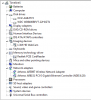
Well the for users who's thinking about installing a HDD caddy like myself (OCZ AGILTY 3 + 640GB HDD), it would affect my 640GB HDD performance in the long run.
-
Cool!
Can you point me towards which caddy you used for that? -
u need only to type "2nd 9.5mm caddy" on ebay make sure it's the 9.5mm thickness, as 12.7mm ones do not fit into 4830TG.
-
You're right, didn't know about the link. Will check mine tonight.
Thanks!
On a sidenote: I read an article from a reliable source which says that both Acer and Samsung (possibly more manufacturers) did not change the revision number in the BIOS, even though they changed to the B3 hardware rev of the chipset. Reason for this in business environments is backwards compatibility, for consumers it's probably cost cutting. In short, we probably got the B3 rev, it just shows up as a B2 in CPU-z. No worries. -
HEY!!! well i just got this laptop a week ago and i get worried when i stream, is CPUtemp of 64 high?? thx!
-
Temps of 64 are perfectly normal. Most 3830TGs run even at 90-95°C.
-
Why the hell would you want to boot from this slow hdd ?
I didn't test this, and I don't intend to sorry..
Did you read the link I gave you ?
You can test your hardware, it says mine is not affected as I told you, and I do have a hdd caddy. -
why? well for one, sandforce SSDs aren't know for their reliability. anything can happen to the SSDs. it can fail on you just like that as early as one day of using it. It's definitely a big plus having a backup OS ready to be used especially when it involves office stuff.
i already knew about the link since last april. and yeah, if try testing it using gigabyte SATA check utility. the optical drive SATA port is connected to the faulty chipset. That particular SATA part will degrade overtime. Do not simply believe what the company says. If anything, there might've wanted to cut cost by rehashing faulty motherboard just because average users do not really care about their SATA ports, or their optical drive performance, or in my case, 2nd HDD connected to that faulty SATA port. -
I see. Then you might want to do as I do, regular disk backup on your 2nd hdd.
Better than a backup OS since it's the real thing, and it won't make you rely on a possibly faulty SATA port.
I'll check the revision on mine when I'll open it next time, but I believe they are revised chipset since those have been available from february/march and I bought it in jully.
However, "Intel expects that over 3 years of use it would see a failure rate of approximately 5 - 15% depending on usage model", so while using it for a DVD or 2nd hdd I wouldn't worry too much until the situation is cleared up. -
Hi folks, most of what I've read in this thread regarding the 3830 is about the TG model, throttling, heat, and battery wear.
Are the problems the same with the 3830T ?
I am hoping with the integrated graphics that the heat/throttling aren't there.
Can anyone comment on the 3830T?
Thanks in advance.
It's on sale at Amazon right now for $480
Amazon.com: Used and New: Acer Aspire TimelineX AS3830T-6417 13.3-Inch Laptop (Cobalt Blue Aluminum) -
Best price I see on that link is $624.
-
sold out
-
maybe the first time a laptop is cheaper in canada lol
-
price was live when i posted it, gone now.
maybe lurkers grabbed them.
anyway, unfortunately posting the sale distracted from my questions...
any thoughts on the 3830T in comparison to the 3830TG regarding heat, throttling, battery issues, or whatever else?
i have an Asus 15" with a B940 (crippled i3-2310m) running here cool as a cucumber, very impressive.
i'm wondering whether or not the Acer i3 will run cool? -
I'd say no throttling, or at least much much less, should stay cooler.
Same battery story: hit & miss. -
75+ processes usually.....time for reformat?
-
Ok this is strange - I'm getting a 4 hour charge on my main user account. I was about to send it into Acer service when on a whim I tried making a new user account and see what battery life it got on default everything. New account - 6 hours. Any ideas what programs/settings could be messing with the battery?
acerpowersmart manager is not allowed to start in the guest account mode, I wonder if that's it. Battery drain is 10,000 mw on guest account.
edit: uninstalling acer powersmart made no difference -
The battery at first give me 3-4 hours after a day or 2 I began to see over 6 hours, now 6 hours + mins is usually what i get on my battery (also got Panasonic), don't let that discourage you though i've read that this is ok to experience. Might want to try throttle stop (if you haven't) battery profile because you will see a slight improvement in your battery life.
-
Based on the A43SV and U41SV, the U41-series will follow A/K43-series, so expect the U41TA, yes it is a 14" but it weighs only 2kg, just 0,2kg heavier than 3830TG.
I think there are more 3830TG and 4830TG here since 3830TG only have small amount of competitor (Alienware M11x-R3, Sony VAIO SA), and all of them are very expensive.
If you don't care about battery life and thickness, then the 4755G is fine for you, and it's cheaper.. -
I have the T model, no throttling problems here...
-
Power Adapter Replacement
Anyone has one of these that they're using with the new timelinex's?
Thanks -
thank you for your response! what about heat? and does the fan run all the time?
-
Most of the heat is caused by the GT 540M GPU. The I5 /HD 3000 IGPU seems to run in an acceptable temp envelope. It appears not to throttle. The I5 has a thermal limit of 100C while the I3 has an 85C limit. In the 4820TG, the I3 throttled while the I5 did not.
-
drain my battery to 10% today and after charging back up wear is still at 0.
played some deus ex max cpu temp 78C gpu 74C after 2 hours. 2310m with 540m not using throttlestop
Acer TimelineX 3830/4830/5830 T/G
Discussion in 'Acer' started by lee_what2004, Feb 6, 2011.


![[IMG]](http://imageshack.us/photo/my-images/845/screenshothn.png/)


