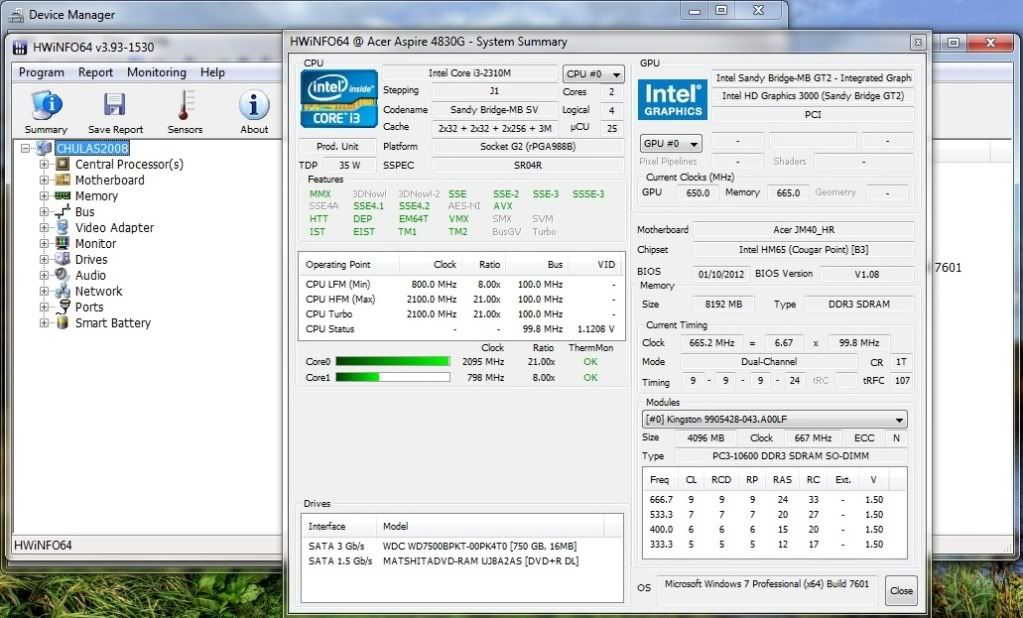
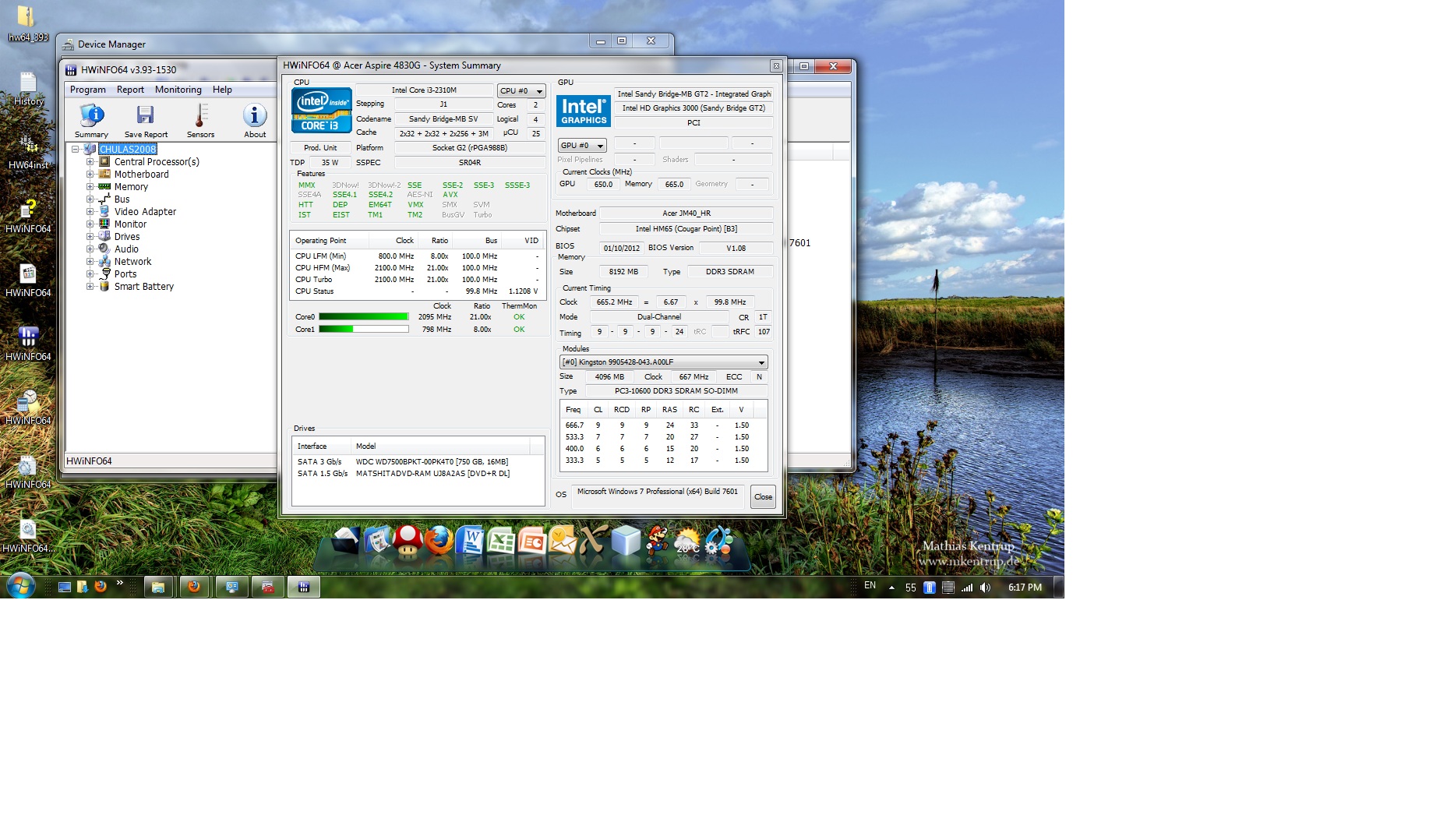
Problems? See this thread at archive.org.
Thanks for the info. Much appreciated.
-
Alright... I have been looking EVERYWHERE trying to find this elusive 3830tg laptop in the USA. Where do you get it these days? Does anyone have any ideas or is eba the only way at this point?
I currently have the UL30VT... it has been an awesome laptop, but I would really like to upgrade it to this timelinex which i feel is better in almost every measurable way.
Thank you!!!!
Mark -
Looks like it. I had to buy mine from Canada because at the time there wasn't even anyone selling it in the US, not even in Ebay.
Acer Aspire TimelineX AS3830TG-6431 Laptop - Cobalt Blue 13.3" i5-2410M New | eBay
Acer TimelineX AS3830TG 13" Gaming Laptop PC. Core i5 500GB, 4GB, GeForce GT540M | eBay
These are the best I could find. The first one is new, and the other one is Mnaufacturer Refurb. -
Those are the same two I could find as well... Thanks for doing some homework with me. Such an elusive laptop. I like the refurb for specs reasons, but not sure I'm comfy with a refurb. I guess I might just wait for the next crop of small light insane battery life laptops to come out.
Thank you!! -
If you can wait a few months, then you could do yourself a favor and get one of the new Timeline Ultras. They'll be thinner, lighter, probably faster and will have the GT 640M which is about a little bit faster than a 550M as far as I know. Hopefully, Acer came up with a solution to the heat issues. The downside about this new generation is that there will be no 13" version.
Acer debuts the Aspire V3 and V5 Series - Notebookcheck.net News
Acer launches Ultrabook-like Aspire V5 series, we go hands-on (video) -- Engadget -
The new V Series looks interesting too. It looks like they will come with the Kepler GT640M and 35W Quad core CPUs. http://forum.notebookreview.com/ace...feat-ivy-bridge-nvidia-kepler-discussion.html Hopefully, the Kepler GPU will solve the throttling problem.
-
Hi guys, I'm hoping someone here can help me out.
For five months now I've had a 4830t-6401 (bios 1.08), it replaced my old 4810t.
I had my old 4810t for two years and it went through some tough use. For five days almost every week during those two years it was with me on campus and by evening the battery level would usually be around 10-20% before I plugged it in. And after all of this, today the battery wear is only at 11%.
However, my new 4830t is NOT performing as well. Only after 5 months and mostly short days on campus, the battery wear is already at 6%. I'm not impressed with the battery; the laptop is perfect for my needs, but the battery blows.
My 4830t was manufactured in September and so I believe by that time the major battery issues were resolved. I believe the difference between the two laptops has partly to do with the fact that the 4810 would not charge the battery if the battery charge level was above 94%. Whereas, the 4830t does not have that same feature (or it is not enabled) and so the battery is always recharging to 100% when it's plugged in.
I'm not an expert with computers, but I skimmed through this How to Prolong Lithium-based Batteries - Battery University
and I understand that maintaining a full charge on a battery can lead to deterioration of the battery. I hate planned obsolescence. I think it's incredibly dickish of the engineers to not include this feature, especially since it was a feature of the previous model.
So, my question for all of you smart people out there, is there any way to enable this feature to prevent the battery from charging when its charge level is above the 94% mark? Is it at all possible with the 4830 to prevent a full charge from being maintained?
I hope you understand my explanation and question. Thanks!
Cheers, -
Just unplug when it gets fully charged. These batteries are not removable without a screwdriver, so that's really the only option here.
-
There is a way to deactivate the battery.
-
Hi
I just bought a 3830tg on a sale
Its the model with i5 2410m and 1gb gt 540m
I also bought 16gb 1600mhz memory (and yes the i5 does support the 1600mhz speed)
I had studied this thread and expected some problems, but so far so good.
I updated to the latest bios and everything runs great
Link to a not notebook friendly picture
http://img860.imageshack.us/img860/8023/3830tg.jpg
I updated the graphics driver and made a quick 3dmark06 run (no overclock)
![[IMG]](images/storyImages/3dmark06c.jpg)
I dont have any problems with throtteling... so far... but I have only played NFS Shift so I might end up having to do some of the mods
Did a fast overclock of the gt 540m to gt 550m speeds
![[IMG]](images/storyImages/3dmark06gt540mgt550m.jpg)
edit +info +picture -
Hi all, i am planning to install SSD into main hard drive and moving my original HDD to the optical bay drive. I question is the SATA speed. I have attached the pic below
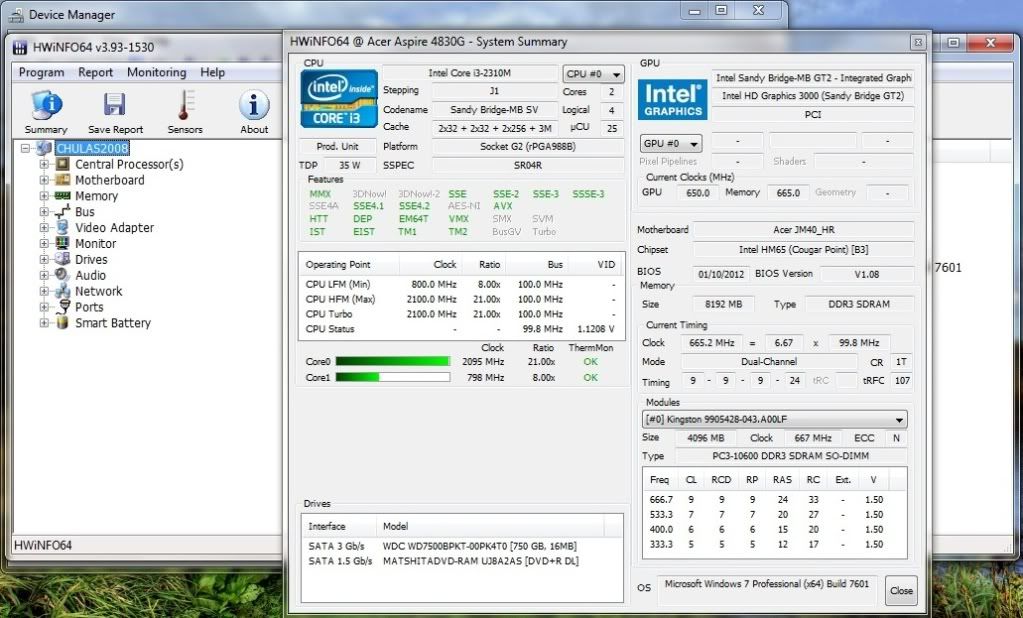
As you can see, my main HDD (WD Black 750gb) is running at SATA 3Gb/s. While my optical bay is running a speed of SATA 1.5Gb/s. My question is if i move my WD Black to the optical bay drive, will the SATA speed reduce by half (from 3Gb/s to 1.5Gb/s)? If that is the case, does it make sense to swap the original HDD with SSD?
I plan to SSD as my primary drive - Windows, Programs, work stuff (speed & response priority)
and HDD as my secondary drive - games, movies (space priority)
Thanks for reading!Attached Files:
-
-
Not sure about the optical drive port, my guess is it's also SATA 6Gb/s capable, but if you want to find out quick, get the optical drive HDD/SSD caddy before you go ahead with the SSD purchase. Just make sure the caddy is 9.5mm in height (vs 12.7mm).
Certainly the main port is capable of the 6Gb/s speeds, so you could always swap the drives if secondary is not. See screenshot of my setup w/ HWINFO64 below. =)
![[IMG]](images/storyImages/9yWEk.png)
-
Ahh...my SATA speed is only 3Gb/s Why yours is 6Gb/s?
Thanks for your reply btw! -
Because he has setup the Sata 6G drive - Crucial M4 SSD
-
Alright thanks!
-
The temperature of 3830T , 10 minnutes playing Heroes of Newerth was at 80 celcius, normal tasks get 50-55 celcius, is my notebook normal?
-
I got up to 97.. Max for i7 is 100, i5 and i3 are lower
-
OnlyI3 is lower. I5 is the same max temp as the I7.
-
But is safe to work with 80-82 temperature for 1 hour?
-
Yes it's safe.
-
Just tried "intel 6230 reviews" and I can see the problems right away.
I'm not the only one, so I don't say the whole serie is faulty, but it was most definitely NOT "one faulty card". Maybe it's only operating wrong with certain laptops too (I'm sure it's not related to the router), but in this case this acer is part of them.
Maybe it could be related to Acer power management software, which seems pretty invasive.
I don't remember if I tried uninstalling at the time..
When powered, if only browsing you won't notice much, but on battery the connection is just awful. You can get it a lil better setting the power mode to max perf. BT works just fine..
It's a lot more than 200 hours already.
Of course I disassembled to apply thermal paste, can't remember well though, if I do it soon I'll let you know ! -
hey guys i just wanted to ask something i don't know if it is previously asked or not.
recently i bought an ssd for my 4830tg and it works perfectly no problems whatsoever. after installation laptop got pretty silent, indeed when cooling fan is not working, there is no sound at all. this is a good thing but as i think you have all experienced it, fan kicks in too soon, around 40-43 celcius. and i think there is no need to cool down cpu when you are browsing internet or listening yo music, watching videos. what i want is to tweak the fan or cpu in order to have the fan kick in around 50-55 celcius. i tried speedfan program but it doesn't recognize the fan. and i couldn't figure out how to do it with throttlestop.
anyone have an alternative way to do it or can someone walk me through on throttlestop?
thank you so much and excuse my english it's not my native language. -
GPU undervolting makes it possible to overclock without serious heat issues
3830 tg, i5 2410m gt 540m 1gb, 16gb mem, no other mods
780 mhz gpu core @0.85v 1000 mhz mem for 10k 3dmark 06
throttlestop@27 max cpu temp in games ~90 max gpu ~75
![[IMG]](images/storyImages/10k3dmark06gt540m.jpg)
-
What do you use for undervolting ?
-
A modded bios
I think its posted here in the thread -
I haven't been up to date with tech news for a long time, due to university and other stuff, so I wanted to ask if there are news on ivy bridge timelines from Acer?
I'm sorry if this has been asked before. -
as far as i know intel won't launch ivy bridges till april 29. but new timeline ultra series may be equipped with them. i don't really know.
-
Acer is replacing the TimelineX model with the Ultrabook sized Timeline U. http://forum.notebookreview.com/ace...rchase-acer-aspire-timelineu-m3-released.html There is no 13" model anymore, only 14" and 15". The first release is powered by a Sandy Bridge ULV I5-2467M CPU with a Nvidia Kepler GT640M GPU. I expect that Acer will simply upgrade when Ivy Bridge CPU's are released. That would be SOP for Acer. Afterall, the primary reason for delaying Ivy Bridge was to allow Intel's partners time to unload their SB inventory.
-
Well hopefully it won't be a ULV processor like the one in M3.
Would love to see the 35W quad core in 14" timeline -
Has anyone figured out how to make the TimelineX 3830tg wake from sleep when opening the lid?
Currently, I must push the power button. Thanks to anyone who can point me in the right direction if this is possible! -
Too bad there's no 13" model.. wonder if ivy bridge cpu's will work in 3830tg
ps.
anyone tried soldering mini pci-e connector to 3830tg? -
please i need someone to walk me through throttlestop i can't do it myself please!!
-
hey, I wanna buy 4830t i3 but I have a few questions, is WoW playing very smooth on it? And the heat issue?
thanks! -
So, i purchased a 5830tg after following this thread for a while. I'm pretty happy with it, but i wanted to check out this whole ssd business that's all the rage now. Are there any youtube videos out there that show how to open a timelinex and replace a hard drive so i could see how its done? thanks.
how did you install your ssd? did you use the included norton ghost app to clone? -
Hi,
I reinstalled Windows on my 4830TG yesterday and today I've tried to install all drivers. Everything is ok, only Launch Manager doesn't work. When I press fn+f3,fn+f5,fn+f6 and fn+f7 nothing is happening. I cannot enable/disable Wifi/BT, disable touchpad and turn off screen. I've tried to install original Launch manager from recovery cd and from Acer download site too and other versions - all have the same problem...
Buttons to control volume (fn+up/down), brigthness and mute works.
Any ideas?
Thanks. -
I dont think u need Lunch Manager. I don't have it installed...
-
yeah me neither.
try re-installing windows
well i guess you can do that with acer eRecovery. make recovery discs and boot them up. i didn't do it that way though when i installed my ssd, did a clean windows installation, but i think that discs should work.
but just in case you should try acronis imaging or similar programs to be safe. but i think eRecovery will probably work as well. -
But I've already reinstall Windwos, because it doesn't work. And after reinstallation it doesn't work again.
I've already tried to run Launch manager in Vista/XP compatibility mode, installed other versions of drivers... nothing works. -
And how to run BT without Launch Manager? I have lates Atheros BT drivers installed and I don't have a BT icon in try and there are no BT adapters in control panels. If there is a way to run BT without LManager, so yes - I don't need have it installed.
-
you need to install launch manager then all other drivers
-
The easiest way to do it is to use Acronis True Image but you need to use the self-created Acronis boot CD rather than from inside Windows (it's to do with Windows not being able to make external HDDs bootable, think there's a whole nother thread on it somewhere).
You'll also need an external USB dock or enclosure for your new drive, plug that in, change the boot order to CD-ROM first, insert Acronis CD to boot into True Image then follow the instructions. If you're a newbie be VERY careful that you get the source and the new HDD the right way around! Also if you're new to Acronis use Automatic mode - you might get one of the partitions bigger than you need (which can waste a bit of space) but it's simple therefore fewer things to go wrong!
At the end of the process make sure you turn the laptop off rather than let it restart then take the 'old' HDD out and install the new one, It's a bit more fiddly than some laptops but not too bad - look at my post here: http://forum.notebookreview.com/acer/594629-acer-timelinex-4830t-ram-hdd-access-upgrade.html - the bottom cover is a bit of a pain to take off and put back on again. Also the battery will trip out and that'll need resetting by sliding the black square of plastic in the middle upwards.
I used a Seagate Momentus XT (hybrid) and it works fine. Needs several reboots in normal use before it sets up all it's shortcuts etc -
Is there a way to undervoltage our CPU? GPU is unvervoltaged by bios 1.08 - that's nice!
-
if you want to improve your operation time just fix cpu multiplier to x8 with throttlestop and disable turbo. it helps a lot. also installing a ssd helps with battery time as well.
-
Well, after flashing 1.08 bios - i have 7-12 (depending on application) C temp drop to GPU, so my GPu can run 90C with CPU running x24 and x18 when T > 90C.
Yesterday i was playing BF3 with GPU stock (don't overclocking it) and disabled Turbo - gameplay was damn smooth. Session was ~ 1hr, yes, there were some stutters, but not such extreme when it was 1.05 bios - GPU runs reaaaly cooler now.
If i can undervoltage CPU even at 5-10% i can run it x24 all time
SSD costs too much for this laptop, especialy cos i have 750GB HDD version.
And after that things, in 1-2 years (when warranty will go out) i will mod it with heatsinks etc. -
I just got the laptop back from Acer a few days ago and the fan problem is still there. So, it looks like Acer don't consider a loud fan a problem. Good thing they replaced the screen for some reason.
Since I didn't feel like sending it back yet I decided to flash a modded Bios to see if I could control the fan speed. Unfortunately, even the modded Bios didn't help and whenever I changed the fan speed it didn't seem to make any difference.
The laptop is great. I played Mass Effect 3 for 8 hours straight with 18x multiplier and the highest temp I hit was 81C but the constantly running fan drives me nut when I'm just surfing the web or doing any light tasks. -
it may be plugged into the wrong connector.
If I'm not beeing wrong, someone else had a fan running 100% all the time and it was something like that.
Anyway, it's probably hardware. -
It looks like a hardware problem but strangely it doesn't run at 100% all the time instead it feels like it runs at 70% when idle or doing nothing intensive but when I run a game it cranks up to 100% which makes me think that it's more of a software problem.
One more thing, hardware monitor shows drastically higher temps than throttlestop. When throttlestop reads around 44C, hardware monitor shows temps around the 60s. -
CoLDxFiRE: There is a button in ThrottleStop that lets you read the data coming from the digital sensor directly. Click on DTS / Temp and you can switch back and forth between the core temperature and the DTS sensor data. Once you do that, both programs should report pretty much the same temperature. Post a screen shot of both programs if you are having problems.
-
I tried what you suggested but it didn't work. Any help is appreciated.

Edit: Thanks for resizing the pic downloads. -
Any updates on my question?
Acer TimelineX 3830/4830/5830 T/G
Discussion in 'Acer' started by lee_what2004, Feb 6, 2011.