Problems? See this thread at archive.org.
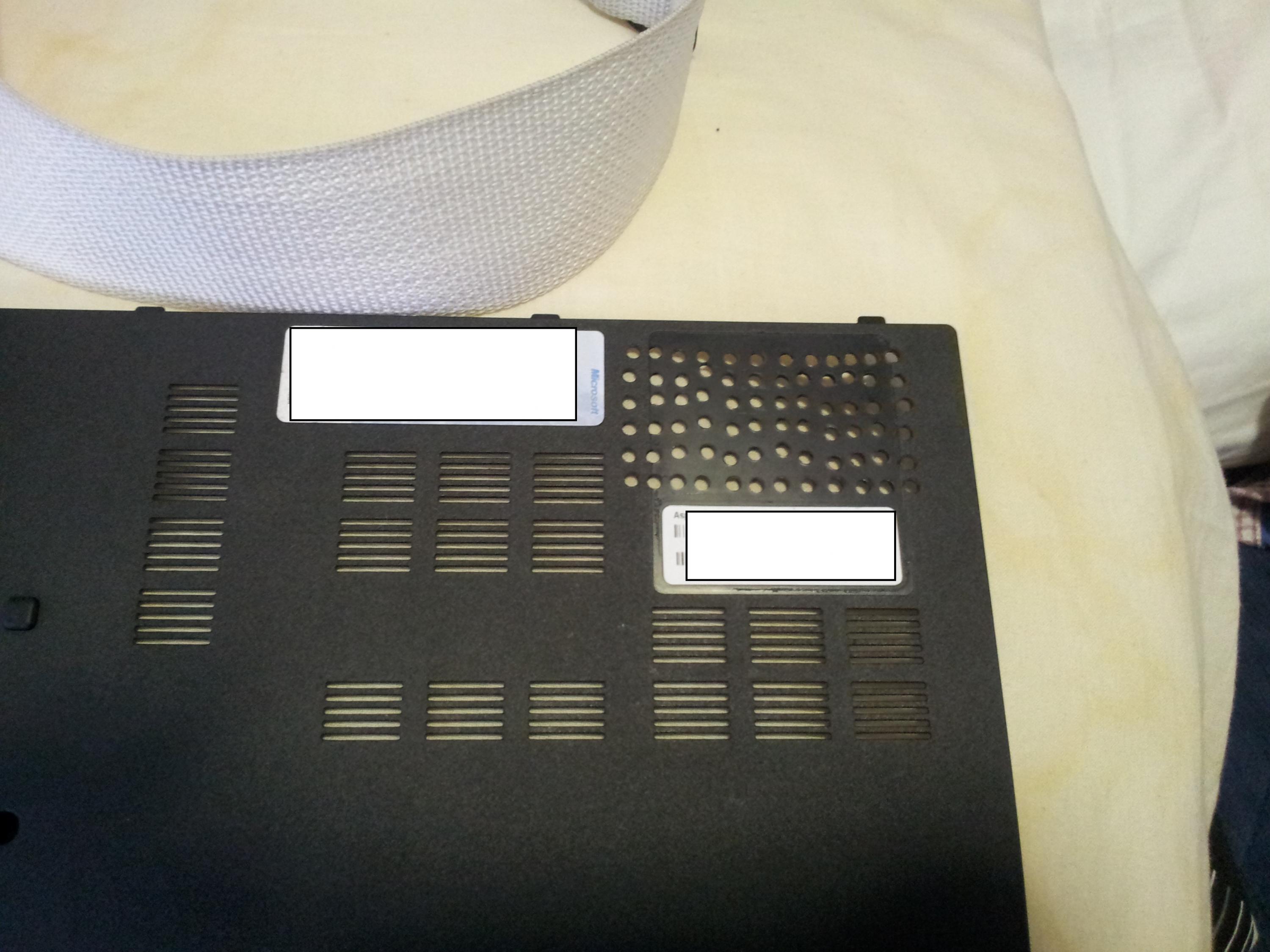
Hello finallly after the release of the service manual I'm able to add some heatsinks to my 5830 tg. I've opened it and I have found this:
![[IMG]](images/storyImages/fotoacer3.jpg)
my question is, can I apply the copper heatsinks directly on the black dye or I have to remove it?
-
I seen people apply heatsinks directly to it...
-
Well, do you plan on sending it for warranty service anytime soon? If so, just put the heatsinks without sanding it away. Otherwise, doesn't really matter, do as you wish. =)
-
hi, i have a 3830tg, has been working great, but today all of a sudden the conexant HD audio device suddenly stopped working and disappeared from the device manager. basically my laptop has no audio, and rebooting doesnt help....anybody know what might be causing it? speaker icon on system try has a X mark saying "No Audio Output Device is installed"
tried to reinstall audio drivers but they cant detect the device itself -
Guys, please help!
My 4830tg battery died, how can I replace it?
I already ordered a new battery. I tried to open the laptop, but I can't find the battery. Do I need to open all the screws?
Warranty was over already, I don't have any official Acer store nearby. Can anybody help please? -
Hello,
It is quite tedious to replace the battery. It is located under the metal part on which is written Dolby Home Theater near the power button. Go to the first page of this topic and there is a link to the 4830tg disassemble manual, with all instructions. -
Try resetting the BIOS defaults, and see if that works, otherwise it might be a hardware issue.
-
How are people's batteries after nearly a year of use? I just bought a 3830TG with a 128GB SSD and 8GB of RAM from eBay for $500 and i'm worried the battery is going to be down to like 50 or 60% of its original capacity.
-
Microsoft has the 4830TG for $449.
Great buy? -
I'm debating it right now.
Are there any aftermarket screens at 95% gamut + matte finish and/or higher than 1366x768 resolution for these? For $450 with a decent display and SSD this thing would be a killer deal. -
It would be if it were in stock -- it's currently OOS.
-
Would throttling or low fps in games go away if I bought a laptop cooler?
-
Nah that's cool, thanks for the BIOS. I went ahead and just installed the 0.8v variant via Win Insydeflash (even at that low voltage the card can still overclock to at least the level of a 550M). Temps are down heaps, 75 degrees in Furmark (though that may be because of the Forceware drivers nerfing the card power when Furmark is detected). I intend to build a cooler pad to deal with the heat problem while gaming.
That would depend on whether the low FPS is due to throttling and the quality of the cooler. I think a cooler is a must to game with these machines. That tiny fan simply can't move enough air. More heatsink surface area is a good idea. The inside of the machine is filled with plastic baffles that make airflow suck too. If I wasn't concerned for my warranty they'd be gone pretty fast. -
Is there any available screen replacement for a 3830TG that's 1600x900? Just wanted to know where can i find online.
If there's a thread for this already, can someone lead me to it?
Thanks a bunch! Acer Community! -
Is there an instaruction how to replace the keyboard? I have 3830TG, my windows kwy just died. Thanks in advance.
-
Anyone tried "PC Wizard 2012"? My CPUIDMark is always 0 for 4830TG-6457, so the final score is not so high. I tried to search, but got "invalid search query" message.Thanks.
-
Must be a glitch in the software... write to the authors.
Here is a link to the 3830T/TG service guide:
http://mycomp.su/arh/sg/nb/acer/aspire/Aspire3830T_3830TG_www.mycomp.su_.pdf -
Search is not working so I have two question about my new 4830TG:
- How do you update the HD 3000 drivers? I keep getting "Driver not validated for this computer" from both the official AND Acer's site. Also, my "Graphics" WEI is only 5.1 where as reviews show it as 5.9 (+ my other HD 3000 laptop has 5.8).
- Overall it seems sluggish right now, could it be due to the ePower software? All the bloat is removed. -
Intel Drivers here, just select your OS and download the top result. My 3830TG scores 5.9 on the latest intel HD3000 drivers.
If your computer is slow, check to make sure you're running on the high performance battery profile.
Then check your list of startup programs is clean(e.g. with msconfig or CCleaner) and does not include anything you don't need to start when you start your computer. Ideally, you'll have just your antivirus program in that list.
Also do a virus scan, disk defrag, and disk cleanup. -
I finally got the drivers to install through safe mode. WEI is still 5.1 though, so likely held back by the 4GB ram or some other program.
As for the battery profile, do they actually affect performance? I'm on balanced right now. -
what does everybody use to check temps?
Is there anything that allows you to check temps in game?
I just bought a 4830tg and a laptop cooler and ran LoL max settings at steady 60FPS with no throttling.
Diablo 3 not sure what to expect for FPS but it was around 20-30 I can see little skips in gameplay is that the laptop throttling? -
btw could i use my laptop while it's plugged in?
or should I drain the battery turn it off then charge it and use it without it being plugged in? -
eternal question...
without battery, you will have more chances to fry your equipment, if a power spike will occur. this is almost guaranteed - the battery will serve as a filter, in these cases.
with battery mounted:
- if the external power is connected, well.. you will have maximum power available to your equipment. the battery will be charged, but (depending by the internal charger system) some wear leveling will be added. as about the x830's, you can't use them at their best without external power. unless you want something like 1hr battery discharge time. i'm referring about gaming
- if the external power is not connected, so you'll be using only the battery... well, as i said above, you;ll have a limited time. but something must be remembered - you'll have also limited recharge cycles for the battery.
personally, i'm using it on external power every time i'm steady. gaming or not. -
I just found Service Manual, with all the parts shown. But I am not able to disassemble it, because there is no exact instructions on how to do that. I unscrewed all the screws, I was able to take out the little cover, which hides the HDD and RAM. But I am not able to disassemble further. Is there any exact instruction which part I need to remove next?
-
I have a problem that I mentioned here 2 weeks ago- the Powersmart button on my 4830TG has stopped working. I reinstalled Epower Management 6.00.3008 and Launch Manager 5.1.7 and it is still not working.
I had previously uninstalled both to see if the Windows power management was able to do a better job of maximizing battery life (nope).
Does anyone know what I should do to get it functioning again?
Also, what is with a 3 month old computer having 10% battery wear? Mine has the Sanyo battery, not the Panasonic that people all complain about. -
Can someone from laptop owners say, what is the height of DVD drive on 4830TG or 5830TG model (I think DVD drive is same on both models)? I want replace it with HDD (SSD) caddy and I don't know which one to choose.
-
9.5mm, read through this thread, some owners found some issues with some sort of sleep mode command issued to the ODD that might cause issues with a HDD/SSD in that bay.
-
9.5mm, read through this thread, some owners found some issues with some sort of sleep mode command issued to the ODD that might cause issues with a HDD/SSD in that bay.
-
I have a problem with the hard drive (getting error messages like: "no bootable device detected", "Windows cannot be installed on this disk" etc) and I'm wondering if Acer would ever do an RMA exchange in which they send me a new hd and I send in my old one. I would send in my laptop for repair but I know they will force an out of warranty repair quote for damage on the hinge and lcd bezel. Has anyone been quoted for damage like this?
-
I have RMA'd an Acer notebook hard drive directly with the manufacturer (Toshiba)... I'm assuming you have a Western Digital hard drive -- go here to check on warranty status and RMA possibilities:
WD Support / Warranty Services / Warranty Services for End User Customers -
My 3830tg came with a french canadian keyboard layout, even though I ordered it from newegg. So I bought the us layout on ebay and installed it. The problem is, none of the fn keys work, either in windows 7 or linux. I've tried uninstalling the keyboard in the device manager and having windows redetect it, and have updated to the latest bios on the us site, but its still no go. Funny thing is, I've tried doing the same thing on another acer laptop in the past, and while most of the fn keys worked, the fn+up for page up and fn+down for page down didn't work, so I just dismissed it as a bad replacement keyboard. However, I find it hard to believe that I got unlucky twice, especially that both ebay sellers told me the keyboards were new. Could someone point me in the right direction please? Am I missing something obvious here?
*edit: Linux live cd also didn't recognize the fn functions either, so I doubt a reinstall would work -
The only thing i can suggest is look at the flat flexible cable cable (FFC) on the side that connects the keyboard to the motherboard up close to make sure that any of the pins didn't bend as you were connecting/disconnecting the cables. If one did, you might be able to fix it by using a very fine plastic or metal tool to pry the pin back into place after applying some heat (think hairdryer or heatgun if you have one) -- that's what I had to do on my M5 to fix a bent pin on an FFC going from the sound daughterboard to the motherboard.
Does the original keyboard still work? -
Hey
Thanks for the tip, everything works! Reseating the FFC cable did the trick. Strange thing though, it was seated properly before and it didn't work, but seating with a slight slant (one side not as pushed in as the other) made everything work. -
Hi guys,
after reading about upgrading the cpu of the 38330 in here I figured I could do that to and so I got myself an i5 2540m es from ebay. so I took the thing apart put the new cpu in reapplied the thermal paste put it back together to be greeted by a half second boot up and then nothing. I tried some stuff but nothing worked so I decided to put the i3 back in, and after doing that it works fine again.
So i was just wondering if I just got a faulty cpu or if I am supposed to do something to the bios before switching the cpu? -
ANybody tried the most recent nvidia drivers? Are they still garbage on the x830?
-
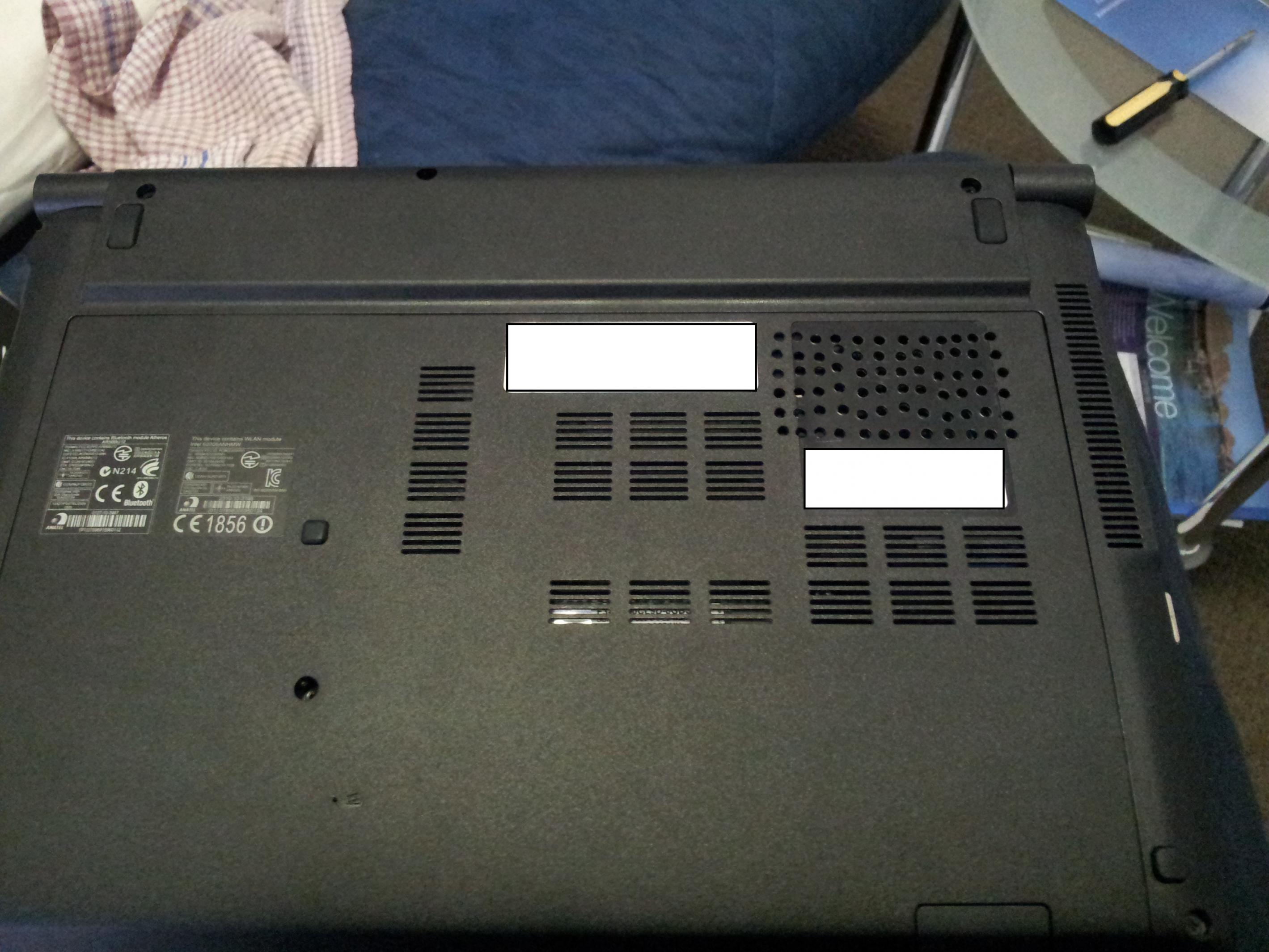
I've had some success in reducing heat with a back plate mod. Normally the door covers the single case fan completely and forces air through tiny channels. I believe Acer did this so that air is forced to move over a larger area of the heatsink surface, but (as we know) the airflow is completely inadequate. By giving the fan ability to sample air directly you can drastically improve airflow over the front of the cooler. This will result in cooler temperatures at the back of the cooler due to convection.
The mod is quite simple. Drill through the plate in the top right corner. You should be able to see the fan underneath. After you're done drilling peel off the mangled sticker and use alcohol wipes to dissolve the adhesive. Make sure to get all chinks of adhesive away else they might be pulled into the cooler.
Also, if you have not done it yet, take this opportunity to pull off the mesh from the existing cooling grates. They provide almost nil airflow anyway, no reason to restrict them further.
I was going to post my HWMonitor screen but I took the back plate off the photograph it the battery was switched off.
I played Starcraft II and Oblivion for a couple of hours to test. Max CPU/GPU temps were 70/61 vs the 80+ CPU and 65 GPU I normally experience. I'm running a 0.8v VBIOS, a DeepCool N2000 IV notebook cooler and I have not repasted the CPU (yet).
After I repaste the CPU/GPU I will flash the 0.85v VBIOS and get a better overclock.
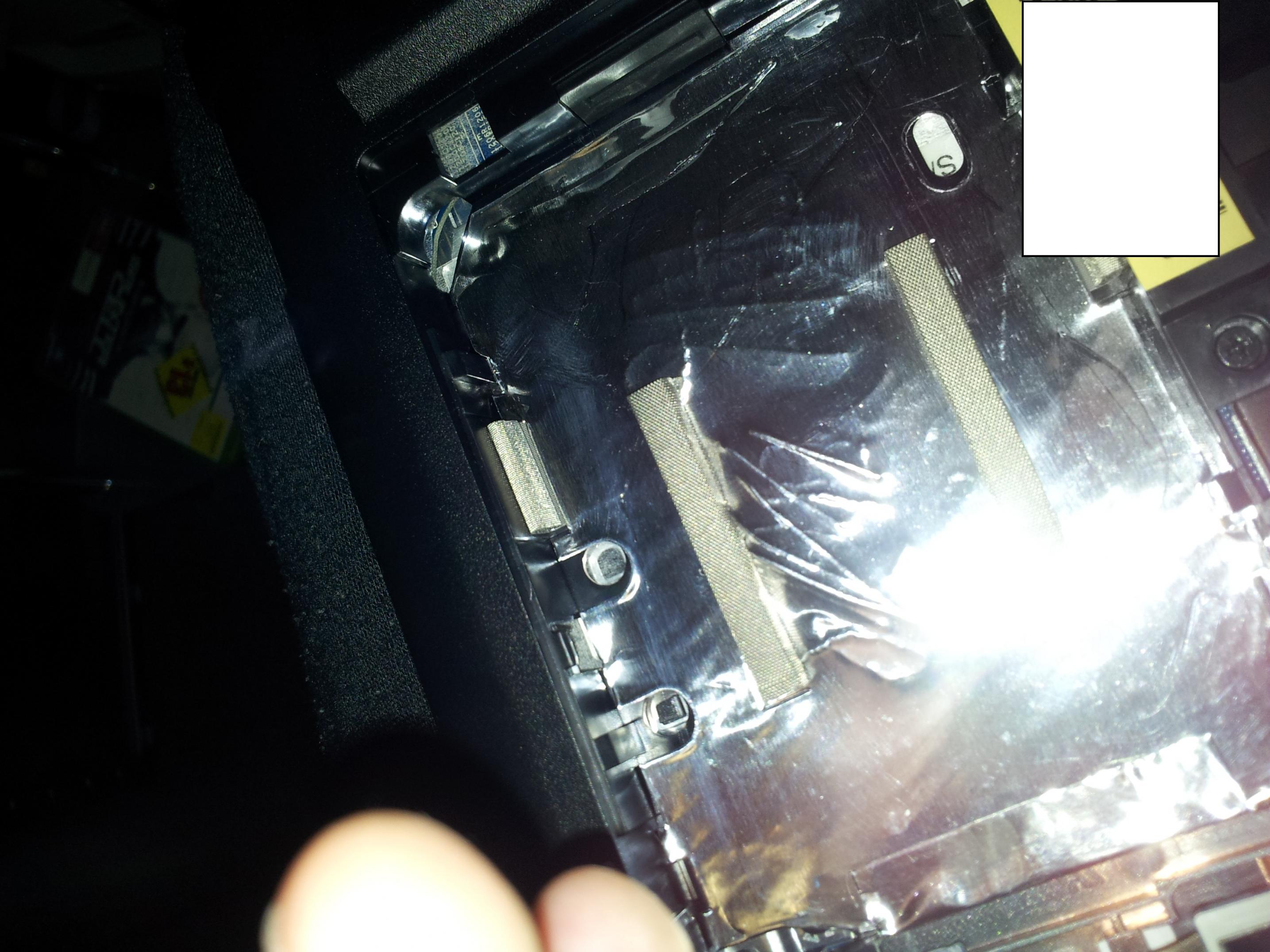
EDIT: The third picture is unrelated. This is what I found inside the HDD bay as I was installing an SSD. It's just foil but HAPPENED THERE? Does anyone else have that?Attached Files:
-
-
Sorry for taking forever to respond, I haven't been on the site in awhile. Yeah, i want to overvolt the GPU.
And I replaced the thermal paste, took off the mesh, put copper shims all along the heatpipes, cut holes on the bottom plastic for a intake for the fan, and took out some of the plastic on the bottom near where the heatpipe ends near the exhaust. @2.4 GHz and 840/1083 core and memory full load on a hard surface hits anywhere between high 70s to mid 80s and on a cooling pad @2.8/3 GHz high 60s. -
That is a nice overclock and great temps. Could you take a pic of what this mod looks like in your machine?
If this is a chassis mod I might steer away from it. I'm happy to hack away at my back plate but I feel convincing Acer to honour a warranty claim would be significant more difficult if I've modified the chassis of the computer.
Are there any "warranty void if broken" stickers inside the machine that would prevent me from repasting? -
When I did the repaste on my machine I didn't notice any warranty stickers in the machine.
With the repaste, turning off turbo and having my vbios set to 0.8v I see the CPU hit high 60's now but I'm definitely looking to improve temperatures even more. I was thinking of drilling holes into the plastic where the fan sits but was reluctant to do so. If I do drill holes I definitely want it to look pretty.
I will look into making an overvolted GPU mod. -
Anyone tried the Nvidia 302.80 drivers? So far all the releases since 296.10 have caused very low framerates.
-
i'm using latest beta [304.79] without any problems - good performance in max payne 3!
-
I am also using W8 304.79 on Windows 7, they work fine.
-
Hi, Just but following the thread for a while. I have 3830 with windows 8. My battery driver keep disappearing after each reboot and it randomly comes back. Anyone know what to do? And is it possible to lock Fn[function key] so that pressing F7 for example will disable touch pad?
Also ACER 3830TG getting windows 8 if you purchased after June 2012 Windows Upgrade Offer does it means they will have official hardware drive for battery? -
The 300 series beta drivers have also caused my overclock to become unstable XD switching back solves it.
Interestingly enough, after selecting the 540M and Win7 x64 on the drivers page, it still says the 296.10s are the latest. It only shows the 302.80s after selecting Win8. What happened to the Win7 and Win8 drivers being unified now? -
I have your 0.8v bios mod + holes above the cooler fan + repaste + turbo enabled and I get to low 70s in Starcraft 2 on the cooler. This isn't especially good is it?
I noticed doing my repaste that Acer forgot to put screws in in the GPU heatsink.
Very irritating. -
How can I flash the modded bios? With what program?
-
Never mind, found out myself: it's InsydeFlash included in the modded bios package

-
This happens on many 38/48/58 Timeline machines, including mine. Look around in different forums on the internet, and you will see people complaining. I found and posted a solution on eightforums.com (under different username). I'll post it here:
-
I have a 3830TG-6412. Using the 0.8V or the 0.85V bios mods only gets my voltage down to 0.9V according to Nvidia Inspector. Also, my CPU temperature is around 50-55 C when under light load (only web browsing) and my fan is always on. I've tried a mix of using a laptop cooler and removing the back panel, but the temperatures don't change too much. I don't feel comfortable repasting...
I also only get about 3 hours of battery life when when on power saver (according to BatteryBar my discharge rate is ~ -14,000 mW and I have 13.4% battery wear) while web browsing with my screen brightness one notch above minimum.
Are these numbers normal? -
Sounds right to me. You can try using Throttlestop's Power Saver mode or if you want even longer battery life then set your multiplier lower.
Acer TimelineX 3830/4830/5830 T/G
Discussion in 'Acer' started by lee_what2004, Feb 6, 2011.
![[IMG]](http://imageshack.us/photo/my-images/17/fotoacer3.jpg/)