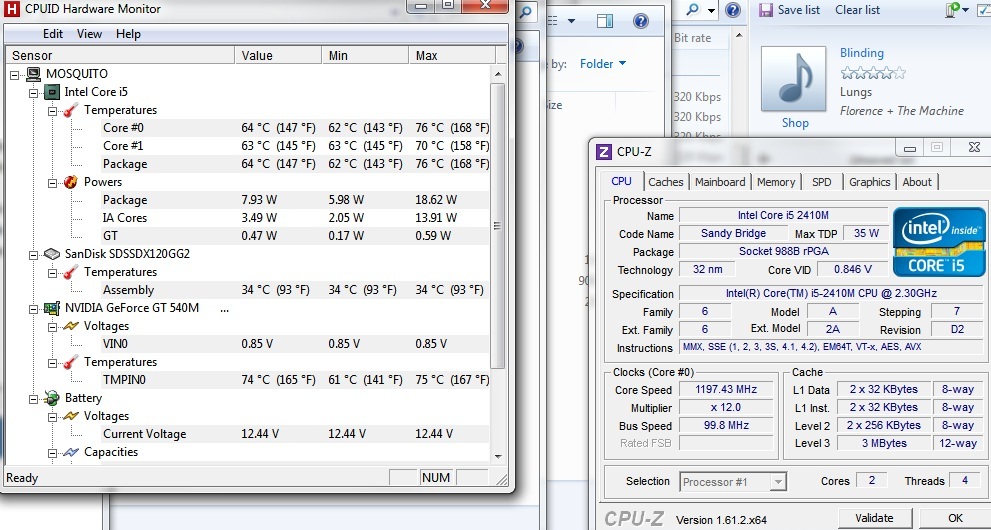
Problems? See this thread at archive.org.
Status Update & Question -
Status:
I picked up the i3 AS4830T-6678 from Newegg: Newegg.com - Acer Aspire AS4830T-6678 Notebook Intel Core i3 2370M(2.40GHz) 14" 4GB Memory DDR3 1066 320GB HDD 5400rpm DVD Super Multi Intel HD Graphics 3000
Successfully installed 16GB RAM: (2x8GB DDR3-1333) Newegg.com - Patriot Signature 8GB 204-Pin DDR3 SO-DIMM DDR3 1333 (PC3 10600) Laptop Memory Model PSD38G13332S
Successfully installed Dual Drives. Used a 9.5mm bay adapter from eBay: Universal 9.5mm Optical Bay 2nd SATA HDD Hard Drive Caddy Module Tray Adapter #2 | eBay
The hard drive bay is SATA-III (6Gb/s); I got 503.4 MB/s read, 307.2 MB/s. The optical bay is SATA-II (3Gb/s) according to speed tests; I got 266.5 MB/s read, 237.4 MB/s write with the same drive. Used a 240GB Mushkin SATA-III SSD: Newegg.com - Mushkin Enhanced Chronos Deluxe MKNSSDCR240GB-DX 2.5" 240GB SATA III MLC Internal Solid State Drive (SSD)
Successfully installed replacement 802.11n Wi-fi card: (needed Atheros for OS driver support instead of Intel) DELL HALF-MINI WIRELESS N CARD DW1515 ATHEROS AR5BHB92 AR9280 MINICARD -30dy wty | eBay
Question:
Next question is CPU. The i5-2540M seems to be the favorite as a drop-in replacement. Are there any true quad-core chips that are compatible? Any major issues with going to an i7? Wondering what the most powerful CPU I can upgrade to is (FWIW it has an HD3000 GPU).
-
What's the scoop on the 45w upgrades - any major reported issues? I found one example of an upgrade on Youtube:
Acer 4830 TimelineX Upgrade i7 Samsung 830 SSD - YouTube
He's running a i7-2670QM, which gives you 4 cores (or 8 with Hyperthreading). Looks pretty nice if it doesn't cut the battery life in half or melt your pants. In the video he says his battery is good - 8 to 10 hours (interesting, since my i3 only gets about 7 hours if I'm not using it much), and up to 12 hours when it was cold outside. Think I may have to try it out... -
I'm looking to get something that is somewhat as portable as a netbook but doesn't suck... I came across the same 4830T on newegg that was listed above. Should be good enough for a portable general use system as i already have ram upgrade and an ssd i can throw in it.
My main worry is heat, it looks like the 3830T guys were having a ton of problems with cpu throttling and heat... is the 4830T any better than before? I probably won't upgrade the i3 that is in there, but would definitely repaste with some higher quality thermal paste.
Any info from someone who owns it would be greatly appreciated! Sorry this thread is huge and finding this info for myself may be impossible. -
It's not any better than it was but T models weren't really affected by throttling- TG models were.
It's the additional heat coming from the GPU- more or less 35W of it that causes problems- CPU on its own should be fine. -
Thanks for the quick response, too bad my wife already vetoed my idea LOL
was going to sell this dv6-6013cl i have and get something more portable with better battery life... -
I have the i3 4830T from Newegg. I accidentally left it running the Unigene Heaven benchmark for like an hour today with the lid down and came back - it was fairly warm but definitely not hot. Also the battery life is awesome. I got 7 hours on my first day.
This is WAY better than a netbook. I use a Dell netbook at work (10.1", and I previous owned one of those 9"-ish MSI netbooks) and it blows chunks compared to this beast. The laptop is what I'd call...hefty. Not heavy, but hefty - I can lift it with one hand (4.88 pounds), but it's no ultralight. But I'm also coming from a 12-pound Sager, so anything feels lightweight Screen is good, battery life is great, flies with an SSD, nice screen - sharp and bright enough. I love mine fwiw.
-
How is the support of 3830 for linux , i saw this https://wiki.archlinux.org/index.php/Acer_Timeline_3830 , so i must ask, this bugs are fixed?
-
I don't think that's normal. HW Monitor tells me that mine has reached a max of 38 since several hours ago and I've been desktopping/web browsing on two monitors constantly since then. I finish an 8-5 day of constant wifi and the same screen brightness with 10-15% left in the battery.
Perhaps something is not letting your processor sleep (anti-virus auto updates or something). If you use a program that monitors the temperature of your graphics card every time it polls for a temp reading Optimus wakes the card up to full power briefly. I found this DESTROYED my battery life when I was using throttlestop because I set it to put a GPU temperature number in the taskbar. Have a look at your Optimus icon to see if it's flashing green every couple of seconds.8
The 0.8v VBios + case mod to increase air flow over the fan + laptop cooler pad + CPU/GPU repaste is the only way I can avoid throttling in Starcraft II. The repasting operation itself is easy. The hard part is removing all the TINY plugs. I actually broke a chunk of plastic off the battery switch plug which made me pee a little. I can see the terminals but it still works. If you're careful and methodical and follow the teardown instructions it's very doable.
Nvidia inspector shows 0.8v for mine, perhaps try a reflash.
I can't imagine why it would affect battery much at all. No-one games on battery and while desktopping the i7 is going to mostly sleeping. What it will do is tax the pathetic cooler even more. With the amount of work I've put into making this machine usable in its current state the thought of adding a component with another 10W of TDP to the cooler is preposterous.
Upgrading to an SSD was bad enough. During loading sequences when the computer isn't user bound, and the SSD means it's much less IO bound. Temperatures skyrocket.
I also can't think of any reason why the outside temperature should affect battery life. The i7 getting better battery life is plausible. A performance chip like a 2820 or 2860 is a much better binned component than an i3 (my i5 has a lower voltage than an i3 at idle clocks), and because it's far more powerful it can finish working and race to idle faster.
-
Anyone know if the 4830 has hardware virtualization enabled (or can it be enabled in the BIOS)? I found some other posts where there were responses about running "XP mode" in response to that question but XP mode can run on a machine that does not have hardware virtualization.
MS does have a tool to check.
Download: HAV Detection Tool - Microsoft Download Center - Download Details
Thanks -
Thanks for the tip! I don't usually keep the GPU-usage icon in my notification area so I had no idea that this was happening. Indeed, when I turned it back on I did see the GPU being turned on every few seconds.
-
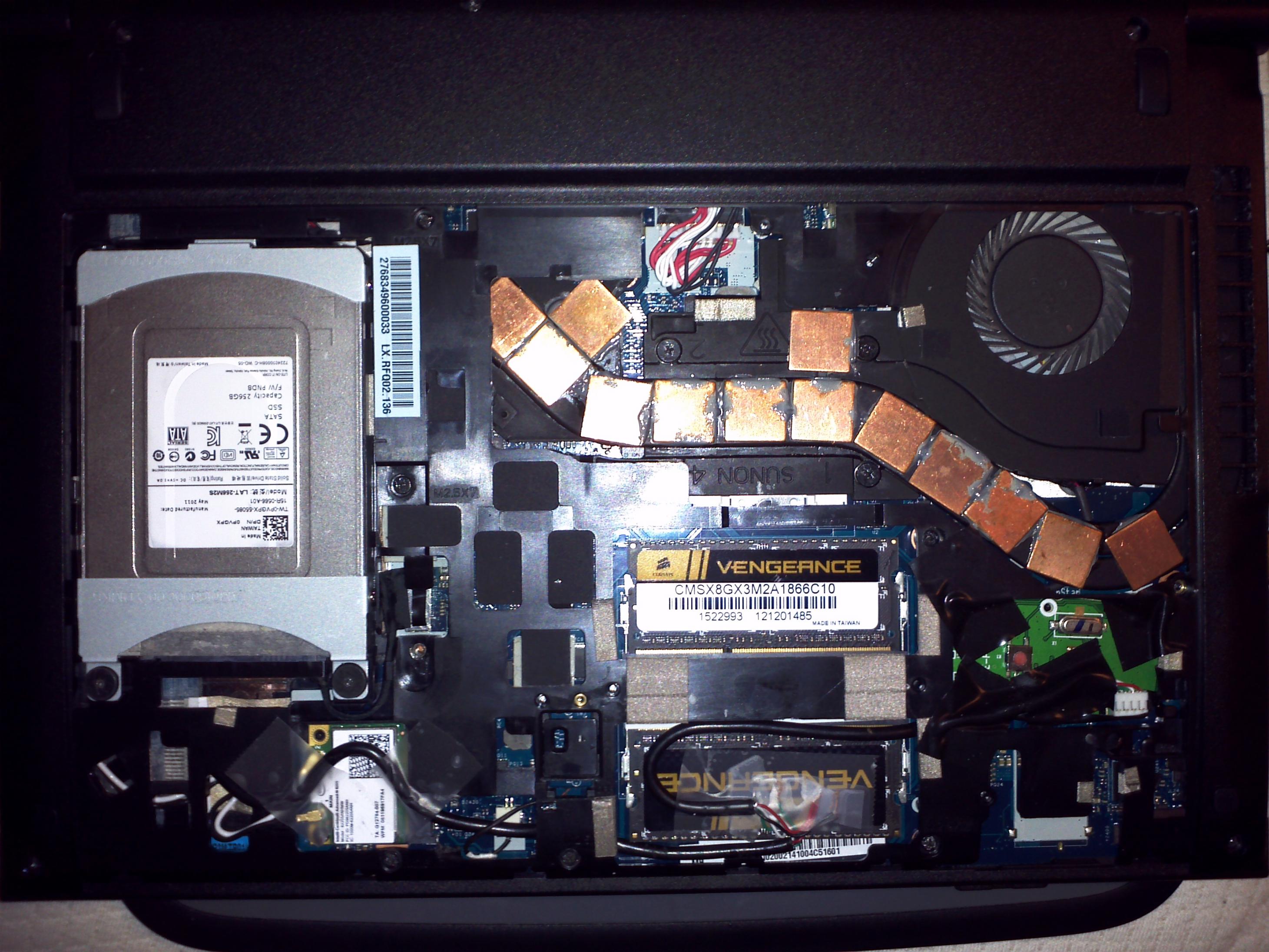
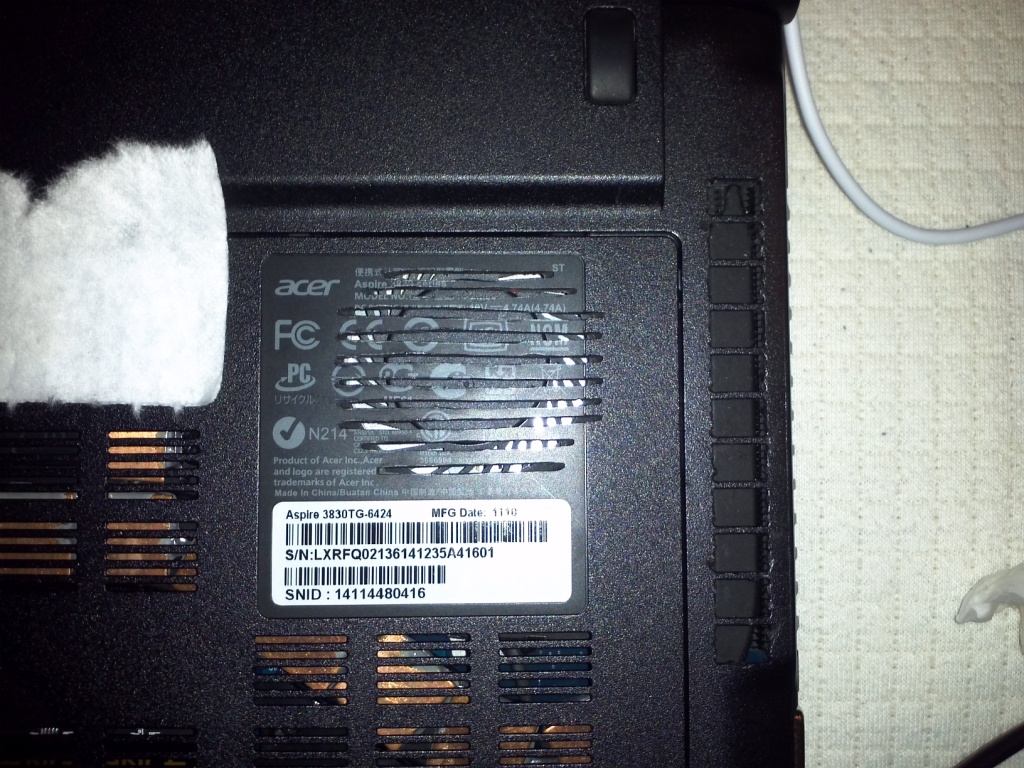
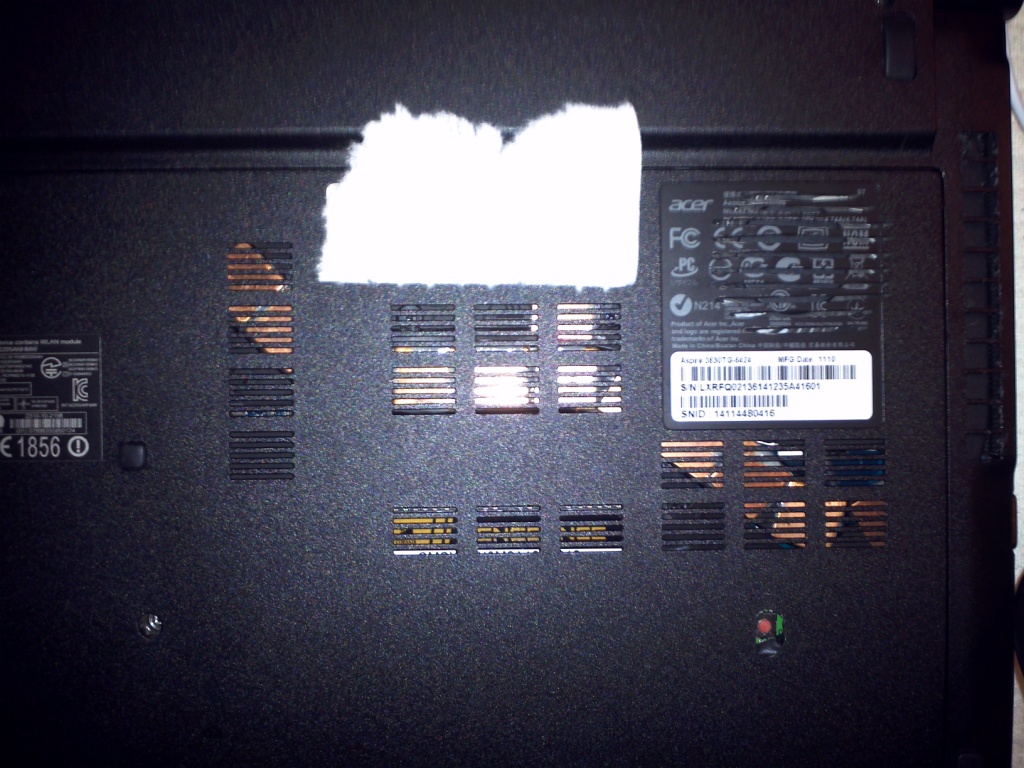
Sorry again for the long response, keep forgetting to check up on the fourms, and here's the pics. 2 are of the bottom with the cover on, one close. The other is the insides, not the prettiest but its the best I can do, besides I haven't found someone yet that can beat my clocks and temps lol.
And about the warranty man, just ask them to send the parts to you! They'll do it, I had a bad battery in this thing, 5 months 45-50% wear, asked for a new one and bam! 2 days later it was at my door.
Still no update on that overvolted bios?
And why that first pic is so big I have no idea.. lol sorry.Attached Files:
-
-
What's that you have below your fan? Is that an mSATA SSD, and if so, how did you connect it since there is no connector to attach it to there?
Oh, and here's proof that with Nedemai's modded bios(no changes made to vbios), on the i3 model at least, CPU throttling can be determined by CPU temp and not GPU temp. This shows that the CPU does not throttle to 1200mhz with this bios applied when the GPU hits 75C. The test was deliberately done at a multiplier of 13x(1297.1mhz) to isolate GPU temperatures as the cause of CPU throttling. -
I thought it was a WWAN card. There's a socket for it on all x830 motherboards but mine doesn't have a header installed.
I don't think they'd do it. in Australia manufacturers look for any excuse possible to play the get out of warranty free card. If you buy a phone and leave the shop to find 10 minutes later that its DOA the phone company doesn't give you a new one they send it off to a servic centre to check if you did anything that would mean they don't have to honour the warranty. If Acer knew I took the computer apart to repaste they'd try to disclaim the entire warranty.
So if I call and say "something's wrong w my lappy" they'll want it back to check if I did anything that would mean they don't have to help me.
That being said those mods look pretty good and I think I'll do them.
I have VT enabled through a custom BIOS. I don't know if it's on byt default in an unmodded x830. -
Hi,
I am looking for a laptop mainly for surfing the web, a little of programming ( not something heavy ), a little of 3D modeling, and playing a few games ( even on low, but with playable frame rate ).
I found the Acer timelinex 4830tg with i5-2450m and gt540m for 600 USD, and thought it may perfectly suit me because it is slim, light, powerful, has long battery life, it is 14" so the 1366x768 res screen will not look that bad and around that price range I couldn't find a laptop that slim and powerful.
However, I have read that many people are having severe throttling problem, it heats up a lot, some wrote that the battery wear is rather high ( need to be replaced after about a year) and the screen is really glossy and has low contrast. The throttling and the battery wear are the biggest concerns.
My questions are:
1. Has Acer solved the throttling issue in this model yet or is there a workaround to solve this problem ( I have read that ThrottleStop and a bios update may help, but is it sufficient because I don't want to disassemble the laptop and remove parts or something similar)?
2. Because I don't play games too often ( I am not expecting it to run every game in medium or high. Low is sufficient ) will the laptop throttle when I use an Internet browser, gimp, blender... simultaneously?
3. Is the buttery wear level of this is high compared to other laptops or it's normal?
4. Is the screen really bad compared to other laptops or it's average?
5. Are there other laptop that you would recommend in this price range (~650$)?
6. I am not under pressure to buy a laptop or this laptop, now and I can wait a month or so, should I wait for another laptop (when win8 is released)?
If someone ( particularly if he/she has this laptop ) could help with some of the questions it'll be really helpful.
Thanks! -
1) This laptop never gets hot enough to throttle (according to manufacturer specifications of the components). My CPU and GPU have never reached even 85 degrees. The problem is that Acer has programmed the EC to assert PROCHOT when the GPU reaches even 75 degrees (which is of course pathetically low).
If you are prepared to disable BDPROCHOT it might fix this behaviour, but I don't because other components (like the northbridge) can drive that assertion too and I want them to continue to be monitored.
I have modded my laptop so that under no conceivable usage situation can it throttle (I have HT and Turbo enabled at all times). To answer your question, no. Acer has not fixed the throttling. You can do it yourself though.
2) It will only throttle when both the CPU and GPU are heavily loaded for extended periods. If you do not use the discrete GPU you will never face throttling. It has always been the GPU on my machine that has driven PROCHOT, never the CPU.
3) When I first got it the battery would oscillate between 6% and 0% wear daily. Two months in it is stable at 1%. I have a "bad" Panasonic battery.
4) The screen is an utter piece of siht. Bad viewing angles, bad brightness, ABYSMAL contrast, CATASTROPHICALLY ABHORRENT glare. at home I just connect a 24 incher and use the laptop display as my secondary.
5) No. Even now this machine's bang for buck is legendary. Good luck finding a 13" subnotebook that costs this little, has components this good and has such extraordinary battery life (verging on android tablet levels). If you are looking for a zero involvement computer that just works, you need to look elsewhere though.
8) I don't know. they're not made anymore but I'm sure there will soon be better computers released. Price is unknown.
EDIT:
It's actually pretty damn good at games. It runs Starcraft II on medium at 1920x1200 super smooth. It'll work well at high settings as well but it's not as smooth (and I prefer smoothness). -
Can you point me to where I can get a custom BIOS that has VT enabled?
Thanks -
I can't find it at the moment. It's in this thread though by Nedemai. Three versions all with hidden menus and some with Vbios undervolting.
-
alc027 THANK you very much for your full and detailed answers! definitely amazing.
-
With Nedemai's modded bios(no vbios changes) graphics card temps do not cause cpu throttling. Test was done at a multiplier of x13, and the average multiplier during the test was x12.98. If throttling occurred, the average multiplier would have been x12.0 or even less because the 3830tg always starts throttling at x12, then throttles further if higher temps occur.
@alc027 You said "My CPU and GPU have never reached even 85 degrees" You cannot really base the throttling behavior of the stock 3830tg on your highly modified 3830tg. -
Power consumption and northbridge temp drives throttling with BD PROCHOT too. So if you don't want to burn your power supply/NB ensure you're not exceeding 90W. that being said, I think it's pretty safe to turn off and I'm going to do that.
I also said that Acer didn't fix the problem, I did with my mods, and that this computer is not for someone who wants a zero involvement machine that just works. -
Hello,
I bought my 3830g without windows and i don't have the preinstalled acer applications(they are not available on acer's support site). Can someone tell me where i can get the acer audio, or upload it somewhere for me ?
Thanks -
Actually, lol, if you look closely there is a wire coming out of it and it goes to the right side of the computer. Its a xbox 360 wireless pc adapter! I took it out of its casing, trimmed down the pcb, and shortened and stripped the wires. I had to cut the wire in half to make it easier to weave through the chassis, and cut a small hole in the bottom panel to access the button. The ends i stripped and wired directly into the right usb on the inside. Yes the usb doesnt work anymore for anything data, but it isnt a big issue since i have a hub and 2 more usbs on the other side, besides, it still works great for like a cooler, which is all I use it for. The way i mounted it was wrapped the bottom with tape just in case of touching, and then it slides right into place like it belongs there! Doesn't move one bit, but i added a little extra tape just in case. Came out amazing, and everyone asks how do you do that?.. when i have a wireless controller connected to my laptop, lol.
-
That sucks about Australia, U.S. customer support is amazing, surprisingly.
-
That has been my expereince with Acer as well. The people at the Temple Texas depot have been great.
-
I was wondering if it would be possible to get a BIOS that allows one to disable HT.
I'd love to swap in an i7 quad and disable HT to shave about 10C off. If HT can be disabled it might make quads a viable option for a 3830TG with some cooling mods.
I don't have a 3830TG (or any notebook) right now but these things are damn hard to beat if you can get one on the cheap. -
Hello, I have the Aspire Timeline X. All of a sudden it stopped working while I was watching a YouTube video. Even when I plug the battery in, it shows no power such as not showing any lights when the battery is plugged in. I was wondering how to take out the battery. Has anyone had this same problem? What will help? Thank you in advanced!
-
Yep, theres a modded bios for that, just look around and you'll find it and it allows you to turn HT off.
-
If you take the bottom panel off, it automatically turns off the battery by a switch in the bottom middle of the chassis.
-
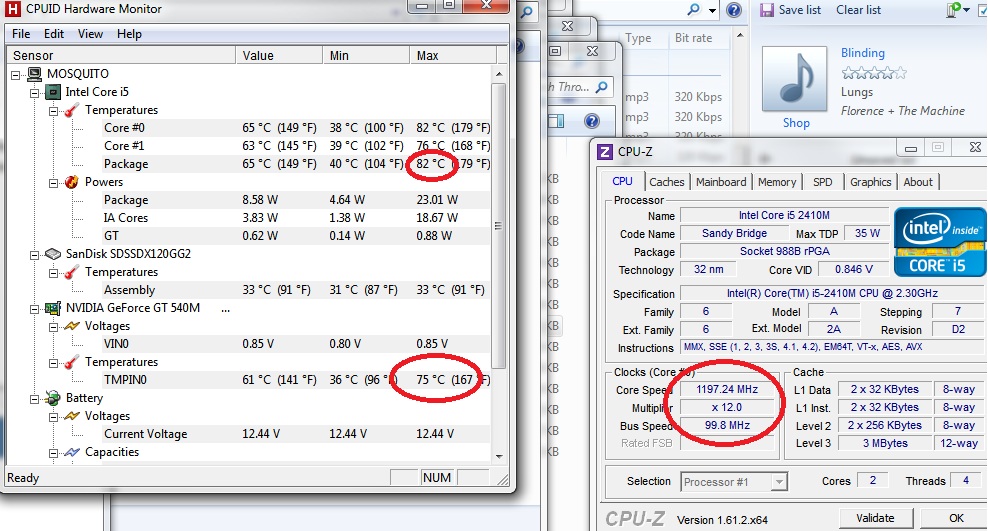
Because you did that test I installed the 0.85v Nedemai BIOS to see if I could make it throttle. For me even with BD PROCHOT DISabled Starcraft II throttled with CPU 82 and GPU 75. It must be the GPU doing it because when I reinstall the 0.8v BIOS the CPU gets up to 83 degrees but GPU only 70 and no throttling no matter how hard I push.
Do you have any suggestions as to what options I should select to remove the throttling behaviour like you have? I would love to be able to throw in more volts. -
Do I have to press a button to turn it off, because I took of the bottome piece, the one where you can see the ram. And I tried to reset the computer but it still won't work.
-
I installed Nedemai's modded bios with no vbios changes, left BD PROCHOT unchecked in Throttlestop, and set CPU throttling temp to 90C in the bios.
What this does is it separates CPU and GPU throttling from each other, meaning that the temperatures of each do not influence each other's throttling behavior.
The default behavior of the stock 3830tg is to throttle the CPU to 1200MHz when the GPU reaches 75C. Now that the throttling behavior is separated using this mod, they don't do this.
They will still throttle themselves if they reach their individual part spec throttle temperatures. -
Like I said I have those identical settings except I control BD PROCHOT through BIOS. Throttling on 0.85v and no throttling on 0.8v.
-
If you look at my earlier post where my pics are, Under the panel there is a switch next to your wlan card and it says on/off, that controls the battery and the way they set it up is when you take the bottom panel off, you automatically turn off the battery by a piece of plastic bringing the switch into the off position. You can also disconnect the battery fully if you want by unplugging those wires near the top middle above the cpu, those are the battery wires.
-
GPU driven throttling absolutely is in effect on Nedemai's modded UEFIs. BD PROCHOT is not active and the platform is set to throttle when CPU reaches 90 degrees. With the 0.8v one the CPU reaches 83 degrees but the GPU stays under 72. No throttling.
To demonstrate that the workload is unimportant I did two tests. The first image is Starcraft II (very CPU dependent) the first time I got ling rushed in one of the Zeratul missions. The second is in Oblivion. I went to the Colovian highland and ran around outside for a while. Obviously it doesn't tax the CPU anywhere near as hard, but it throttled the very moment the GPU his 75 degrees.Attached Files:
-
-
DeltaP [%] = _TC1 * ( Tn - Tn-1 ) + _TC2 * (Tn - Tt)
So the way throttling works is: when PROCHOT# is asserted (eg by the CPU hitting platform throttling temp defined in the BIOS, GPU core hitting 75, or the power supply registering overdraw) the UEFI solves the above equation to find the throttling percentage (DeltaP).
The first term is _TC1 * ( Tn - Tn-1 ). This term will be positive when the current CPU temp (Tn) is greater than the CPU temp one sampling period ago (Tn-1), ie when temp is rising. The coefficient 2 is used for TC1 by default (doubling the effect of a rising temperature directly to DeltaP). Given how small TSP (sampling period is) it's difficult to believe that you would ever get a result other than 1, 0 or -1 for Tn-Tn-1 (making this term largely insignificant in the throttling equation).
The second term, _TC2 * (Tn - Tt) is the more important one. This term is positive when current CPU temerature (Tn) is greater than the target temperature (Tt or ACPI thermal object _PSV expressed in tenths of degrees Kelvin for some reason). The default coefficient TC2 (5) greatly amplifies the effect of even a small step of Tn over Tt when PROCHOT# runs.
If neither term returns a positive value during a PROCHOT event then no down throttling takes place and DeltaP is ignored.
We can't use this to solve throttling because the minimum values of TC1 and TC2 are 1. If we were to change both to 1, PROCHOT# would still run and reduce performance. It may only be a tiny step down but it will disable turbo, and you might as well just use Throttlestop.
The way to solve throttling will be to alter Tt to a huge number (with RW Everything perhaps) or to find a way to properly disable bi directional PROCHOT# (because it's in effect even if we disable the option in UEFI or Throttlestop). The latter seems better because we can't (it seems to me) stop the effect of the first term.
I haven't tested whether changing TC1 and 2 has any effect on the throttled to speeds. This BIOS doesn't seem to do what I tell it even with the hidden menus (eg disable BD PROCHOT or override turbo settings). I get the feeling it has hard coded values that it uses regardless of menu selections for many settings. -
I picked up an i7-2670QM off eBay, which is a 2.2ghz Quad-core CPU: (I wanted a quad i7, not the dual i7)
ARK | Intel® Core
Just finished installing it, recognized it right off the bat using BIOS v1.10:
In action, all 4 cores + 4 hyperthreading showing properly:
Not sure how good the temperature reporting is, but Temperature Monitor is showing 34C to 45C idle and 69C - 74C on load. It is also showing "Specified Upper Limit" at 100C, although I don't know if it's reading actual hardcoded BIOS settings or not:
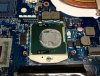
The stock CPU was gooped up pretty good, yuck:
The laptop was an empty shell by the time I got the mainboard out:
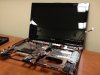
Overall, the CPU was really a huge hassle to install - you basically have to disassemble the entire machine to get to the processor. Of course, I'm coming from a 17" Clevo, which is easier to work on than some desktops. I followed the service manual, which had some pretty good pictures:
http://mycomp.su/arh/sg/nb/acer/aspire/Aspire_4830T_4830TG_www.mycomp.su_.pdf
So far in testing, hasn't broken 74C. The fan is still fairly quiet even at that temperature, which is really nice. I'll be monitoring the battery life over the next week to see what the impact is. -
So just to recap my upgrade testing of the 4830T:
1. Acer Aspire AS4830T-6678 from Newegg - $399 deal link
2. 16GB RAM - Success (used DDRIII-1333, 2 x 8GB for $84) link
3. SATA-III Boot Drive - Success (500 MB/s read & 300 MB/s write with a $189 240GB Mushkin SSD) link
4. SATA-II Optical Drive - Success (using a 9.5mm eBay adapter for $12 shipped on eBay - bay is only SATA-II, but I still got good speeds on a SATA-III drive: 266 MB/s read, 237 MB/s write) link
5. Atheros 802.11n Wi-fi Swap - Success (needed for OS compatibility, $10 shipped on eBay) link
6. Quad-core i7-2670QM CPU Swap - Success (check eBay or FS/FT forums for latest listings of prices)
This thing is a BEAST - and you can get it for a steal, too! $400 for a laptop that is fast, upgradable, and actually gets 7 hours of usable battery life is beyond awesome. I was fortunate and snagged my i7 for $175 as a laptop pull; it looks like they typically go in the $200 - $300 range on eBay.
My total cost so far is $870 ($400 laptop + $84 memory + $189 SSD + $12 bay adapter + $10 wireless chip + $175 processor). My next planned upgrade is a 1TB drive for the second bay ( Western Digital - $109, has the best reviews), which would bring the total up to $979. Ultimately that would give me a 14" laptop with a 2.2ghz Quad-core CPU, 16 gigs of RAM, 240GB 500 MB/s boot drive, 1TB storage drive, HD3000 graphics long battery life, and reasonably compact form factor.
No complaints here. -
Okay, I take it back - I do have one complaint: cheap paint!! I pushed the power button and noticed a black mark above it; I thought it was a piece of plastic or something, so I rubbed it off - turned out it was the silver paint peeling off and showing the black plastic underneath, and rubbing it made more come off! Grrr. Might be due for a new paintjob soon...

Also, battery update - at a 96% charge, I'm showing 5 hours and 13 minutes of available juice with brightness on max and Wifi on. So it cutoff about 2 hours from the i3's power estimate. Although 5 hours is still pretty good in my book, especially for a true quad-core processor. -
Nice work Kaidomac.
I just purchased another 3830TG, the last time I had one I swapped an i5-2520M into it and was quite pleased. You have however inspired me to swap a quad core CPU into my second one. I can't wait! -
Don't forget to make use of that 16GB of memory by turning some of it into a ramdrive.
-
hey guys I have a problem. until 2-3 days ago, my 4830tg was working fine, but then something happened i don't know what happened i haven't changed anything but it has an overheating problem now. i see 75 C degrees just browsing internet and last night while i was watching a movie, not HD regular divx, it shut itself down because of overheating. i tried flashing bios again, upgrading gpu driver but nothing.
please help me i can't even check my emails without burning
-
Have you checked your task manager for unusual CPU load? If not, might need to get the heat sink reattached or something.
-
Is the fan running?
-
yeap runs at full speed all the time
-
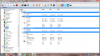
When you do a cold boot start up HW monitor straight away. What is the package power usage listed at and do you see the graphics card in the HW monitor list? From a cold boot with just HW monitor started, do your temps increase?
-
I will do that when I do a cold boot. Keeping in mind.
Well today I disconnected AC plug accidently and acer's power management program said windows system is working on nvidia graphic card not on intel. I'm thinking that may have been causing my problems because it's the first time I've seen that. I mean I see other programs and games when I disconnect AC plug but it's the first time I see windows system. What do you think? -
what FPS do you guys get in dota 2?
I have a 4830tg and it's around 18-30
1366x768 res everything low except with render on max
should i be expecting more? -
okay here you go:
-
Yeah I get 30-45. Update your drivers to the newest beta. -
please help me i just did a clean windows setup, formatted the hard drive but i just couldn't get rid of this heat problem, especially when i'm watching videos.
Acer TimelineX 3830/4830/5830 T/G
Discussion in 'Acer' started by lee_what2004, Feb 6, 2011.