Problems? See this thread at archive.org.
Lucky cause these elantech drivers are TERRIBLE.
-
Mine works fine, I actually like it better then synaptics.
I also did some more mods to my bios, I upgraded my vbios to the newest version for our laptops and put a custom boot logo from intel. -
The device itself works fine, but the drivers do not work. Cannot adjust any of the gesture options in the control panel. If you can, please post which driver revision (for win8)!
-
Try these.
ELANTECH Drivers -
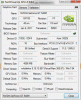
Ok so guys.. I found something interesting, on my laptop at least I'm just messing around with my vbios and when I dont run one or run a incompatible one (gt 555m) it reads that I have 16 ROPs
Attached Files:
-
-
Thanks for the link, but still all those drivers seems broken for me..
The thing i'd like to understand is if this driver problem is somewhat related so some particular units or if they are related to some other software problems (i.e window's register stuff etc.).
Is someone facing this elantech's touchpad drivers problem coming from a fresh install? Does someone tried to wipe everyting in order to check if those drivers works properly? -
I flash new BIOS 1.12 and I can confirm that in notebook Acer Aspire 3830TG works great with no problems.
Mainly problem with battery in Windows 8 is now resolved.
Thanks ekerazha (for upload this new bios 1.12 because on acer website is not this new version bios) -
I tried to wipe everything (through w8 mantaining apps and photos) and the elantech's driver still give me the blank problem..
so a soft wipe does not work.
Still lookink for a solution but i guess we have to wait acer or elantech to solve this. -
Yep, same problem with the Elantech touchpad here. The Synaptics touchpad seems to have a rougher finish(more friction) than the Elantech touchpad though, which is the reason I chose the Elantech. AFAIK the 3830TGs that came with the i3-2310m have the Elantech and the ones with the i3-2330m have the Synaptics model.
-
I don't think that's true. My i3-2310m (Upgraded to i5-2540m) 3830TG came with a Synaptics touchpad and I'm loving it with Windows 8. Two finger scrolling is so smooth and no longer jumpy like it was with Windows 7.
-
Out of curiosity, why did you select the 2540m ES instead of the regular 2540m or other i7 dual-cores?
-
Mainly the price and clock speed. I've researched a lot and I was torn between the i7-2670qm and the i5-2540m. Considering that the 2670qm (OEM) was around $200+ and the i5-2540m (OEM) was a little bit under $200, it was like this, if I was going with an i7 it had to be a quad. If I was going with an i5 it had to have higher clocks.
At the end I settled with the 2540m ES because I got it for a great price ($99 and sold my i3 for $70)! and I'm glad I made that decision. It's super cool too, idling @27C
If only there was a 900p replacement for the screen this would be a perfect little machine. :thumbsup: -
I just finished repasting and changing the French keyboard that came with my 3830TG to the US layout, and I have to vent. I've disassembled many laptops in the past, but this Acer is by far one of the most difficult ones. Taking it apart was fairly straight forward, but reassembling it was one of the most frustrating experiences I've had with a laptop.
The layout of the ribbon cables under the palm rest makes it extremely difficult to reconnect. The daughter board takes the prize, because once the power, touchpad and keyboard ribbons are attached, you're left with a gap of 2cm to work with. The only saving grace is that the daughter board ribbon is very stiff and can be pushed into the connector using the entire palm rest. Pressing the pins to secure it requires a third hand. I don't know how Acer mass produced these laptops, I'd go crazy after a couple...
So I'm extremely happy I'm done, and I hope I never have to go through this procedure again.
-
Hi, 27C in idle? These are incredible temperatures with such fast CPU on 3,3GHz Good you.
My 3830TG has temperatures by application AIDA64 in idle CPU=40/45C and GPU 35/40C. And it is my CPU only i5-2410m with 2,3@2,9GHZ :-D -
Same here, 27C idle is amazing.
-
I've disassembled my 3830TG(i5 2430M) to repaste the CPU for MORE THAN 3 TIMES,
but its temperature is still >90C while playing BF3 on 2.4Ghz.
I am using Shin-Etsu 7783 Thermal Conductivity: 6.0 (W/m K)
I've tried spread method and pea method. Still hot.
Kinda frustrated. -
What do you expect? With arctic silver and lifted back my laptop still couldn't go above x22 without eventually going above 97.
-
Someone claims that using that conductor( with something like the coin trick) It can run at 74C on full load without throttling... So I have similar expectation.
-
Users like CoLDxFiRE, mulzoffh, rbl_posse, and myself have done extensive mods to their 3830TGs and have eliminated throttling at stock speeds or even higher, but you won't get there without modding and thereby breaking your warranty.
For those running Win8, how are the latest stable 306.97 drivers treating you? I've heard some users say that they get large drops in fps in some games or switchable graphics not working. -
I see. Then I think I can stop repasting again and again to look for improvements
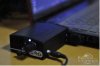
Luckily using the fan below it can make my 3830TG play BF3 stabily @ 2.6Ghz. It's really loud though...
and someone claim that such strong fan would damage the internal fan, is that true?
-
I have a 3830tg with throttling issues, I have some ask, when do I play to games (BF3, LoL, GW2) fan is not at 100%. when I try to change bios (with insyde Windows tool) fan sound more loud than in games. How can I force fan speed to 100%?
Anyone can upload a 1.12 modded bios with gpu voltage at 0.85/0.82/0.80v? before 1.12 i was using 1.10 modded bios with HT off and i played at x20 without problems. -
I haven't found any programs that can interface with the fan. You can set the fan itself to max speed if you wanted to. It kept my temps down but it was so ing loud it really pissed me off.
I should also mention that I have filed down heat sinks attached to the thermal pipe as well as drilled holes in the back. It honestly didn't make much of a difference. When the GPU and CPU are being maxed the temp is going to go nuts on this laptop. -
Hi, yes I used this modded bios 1.10 (with menus but without undervolt gpu). And works great. (modded bios 1.10 create user "Nedemai")
But I installed new windows 8 pro x64 and I started use new bios 1.12 which fix bug with detect battery on win8.
I wrote to user Nedemai If he modded this new bios 1.12 too.
But He not written to me yet.
Hopefully soon you will hear and will have good news for us. -
Hi! (my english isnt rly good sorry)
I have an acer aspire 5830TG-2334G50MNBB and I installed Windows 8 pro (64bit) and I have the battery detection issue.
I dont know the current bios version, but not 1.10, its earlier.
I downloaded a file called JM30-40-50_HR.zip. Inside the ZIP file there are 2 files:
- setall.bat
- P4LJ0112_Silent.exe
Is this work with 5830tg or just 3830?
I should use setall.bat or P4LJ0112_Silent.exe or both? which first?
I already have Windows 8 pro (64bit) on my laptop, is this works on windows 8, or I need windows 7?
who has done it, did this bios update on windows (just running the setall.bat or P4LJ0112_Silent.exe) or or otherwise? -
I am uncertain how to obtain a copy of the 1.12 Bios. I've been checking Acers website as well as other methods mentioned but I do not seem to be able to obtain a copy.
If someone can help me out Ill see about modding this version of the Bios. -
Okay I found the files, modded them... Here you go!
I added a 0.83v option this time, its required the least amount of editing to do this to the vbioses and might actually work better than the 0.80v or 0.85v mods... but don't take my word for it.
I've also tried all the edited bioses on my laptop to verify the work on my 3830TG, mileage may vary.
*** USE AT OWN RISK ***
1.12 Mod.zipDeath666Angel likes this. -
@Nedemai Thanks for the modded bios! We really appreciate your help.
I would like to point out a discrepancy while using Throttlestop.
On Windows 7, I was able to add Throttlestop to startup by simply dragging the shortcut to the Win7 Startup folder in the start menu. Using this method I recorded idle temps of 40-45C.
After installing Windows 8, I found that this method didn't work, and followed this method instead, which worked. Now I'm getting idle temps of 25-30C.
So one of these methods is recording the temps wrong, though I'm not sure which. Unclewebb does recommend the second method though, saying:
Interestingly, HWMonitor shows the 40-45C idle temps.
My guess is that the transition from Win7-Win8 has nothing to do with this, so can anyone confirm these differing measurements based on the method of startup chosen(Adding Throttlestop shortcut to startup VS Adding Throttlestop to Task Scheduler)? -
Yeah, you have to do some extreme mods like I have, I have one of the coolest running 3830tgs WITH a overvolted bios @ 1v and 872 MHz core clock, I have no problem with most games to run at x28 multi with a ambient temp of room temp or so.
-
Hey I have a quick question about a sound issue I'm having on windows 8. Sound used to be fine for me on windows 7 but since upgrading to windows 8 it just stops working after a while. When I boot up the computer it works fine but for some reason a couple hours later it just stops working until I restart my computer. I have installed the latest Conexant audio drivers, Bios 1.12, and even tried disabling and re-enabling audio devices but I can't seem to fix it. Has anybody else run into this problem or have any idea on how to fix it? Thank you.
-
thanks Nedemai! I appreciate much your contribution. I flashed 1.12 0.83v and works fine. I needed modded menus to disable HT (reduce some degrees cpu temp). mulzoffh got run gpu with 16 ROPs, him and you could try adding this mod to the bios to get a little more performance to GPU.
-
I don't suppose you can send me a PM with the link to this? I wouldn't mind check it out.
Edit; I just noticed GPU-Z was reporting this for him when he either omitted or used an incompatible vbios, which is unfortunate.
This brings up a question too, has anyone tried to run a 630m vbios on the 540m?
Also I feel like mentioning now I've solved most of my thermal issues with repasting and using my modified Bios with the Voltage at 0.8v. I turn off Turbo, but I leave HT on (has a i5-2430m), and most of the time my CPU maxes out at 85C and GPU between 70 - 75C, if it does hit throttle temps I then just kick on throttle stop.
CPU Idles at about 35C and GPU at about the same.
Which also brings up, has anyone figured out how to control the fan in the 3830TG and if so how?! Yea I'm quite wordy today... -
Yep, it didn't make sense though
I've tried a 630m, 525m, 550m, and even a 555m vbios on mine, no go with either stock or modded vbioses. It gives me the same thing everytime, theres something written somewhere that keeps it a 540m.
Although it was hard to find them and I might of used something wrong, I can go again if someone gives me the exact vbios file for a 630m or whatever, ill try to run it and tell you guys what I find. Linky!
Also Nedemai, which vbios version are you using? You should try using the newest one if your not.
I don't get how you guys have those temps lol, my idle is really high though for some reason.
No way to control fan speed, its calculated somewhere else, but you can manually do it by adding a hardware switch. -
Afaik they are all the latest versions of the vbios, which hasn't changed for awhile now.. but If I'm wrong or have made a mistake just let me know and Ill correct it.
-
I found out the moron who wrote the newer bioses just added them to the bios, but didn't make them the main usable. So there's like 5 files of vbioses, and the ones that end in 108/109 are the same and the newest, 70.08.45.00.42.
-
That reminds me. Has anyone noticed that when flashing a bios, the fan is the loudest it gets, ever? It never gets up to that RPM any other time, not even at startup.
I think what Nedemai was referring to was being able to add the 1V vbios mod from Mulzoffh(if he's willing) to the bios mods he's already released. -
Its up to him for whatever he wants to do, I had the idea and did some work but for the others it was all him, so he can do whatever he wants, but right now we're working on a extreme overvolt vbios together and running it, im at 1.08v now and planning to go higher untill I can get 900.
-
Yea there are 5 different versions, and from what I can tell and from what other people have told me, 70.08.45.00.37 (4780C336-5426-4724-BEC4-1DA2B6E75105_1_748) is used by the 3830TG, 70.08.45.00.34 (4780C336-5426-4724-BEC4-1DA2B6E75106_1_751) is used by the 4830TG, and 70.08.45.00.42 (4780C336-5426-4724-BEC4-1DA2B6E75108_1_757) and (4780C336-5426-4724-BEC4-1DA2B6E75109_1_760) is used by the 5830TG by default. Apparently you can switch these around and the should still work? (I think I remember having some weird issue when I tried)... There is also 70.08.45.00.3A (4780C336-5426-4724-BEC4-1DA2B6E75107_1_754) but Im not sure which machine uses that.
I have produced a version of the vbios for mulzoffh that can go up to 1.08v, lets see what luck he has with that.
I am also playing with a version of the vbios that is as low as 0.76v... Ill let you know my results with it. -
I can confirm the .42 works on the 3830tg, and my GPU is to the point where it needs A LOT more voltage to keep going I hit 890 though without issues.
-
So its confirmed, at least for my laptop 1.1v isn't stable and crashes either due to my VRMs or power supply.
1.08 will be max voltage for 540m's, and .76 max undervolt possibly.
All props to Nedemai for everything! Up to him now on whats his plan. -
Okay right now I'm just going to dump this on you guys, its the 0.37 and 0.42 modded vbioses with max 1.08v and lowest at 0.76v... You can use nibitor and edit these values under tools -> Fermi Voltages. (set all to 0.76v for complete undervoltage)
To insert into the Bios all you need to do is load EzH20, -> Binary Rom -> External VGA -> Browse... Select the proper file, and ensure the "Change Rom Guid" Is set properly. For the 3830TG its 4780C336-5426-4724-BEC4-1DA2B6E75105, for the 4830TG its 4780C336-5426-4724-BEC4-1DA2B6E75106, and for the 5830TG its either 4780C336-5426-4724-BEC4-1DA2B6E75108 or 4780C336-5426-4724-BEC4-1DA2B6E75109.
Ill release another modified bios with new vbioses if need be, but Ill need a consensus on what values would be best to set it at, and if I should make an overvoltaged as we as an undervoltaged bios. There are 4 presets the voltages can be at, and 3 power states (or 4, depending on vbios version)
Right now this vbios is set to 0.76v , 1.02v, 1.04v and 1.08v for presets, and the powerstates are at 0.76v, 0.76v and 1.08v but I can set these to any value I desire, so some feedback would be nice and as well, OR if you feel like just modify the bios yourself with what I provided and gimme a break lol.
http://rghost.net/41441505 -
I'm having trouble using EzH20; once I start I only get a grayed-out on-board VGA opetion in the Binary Rom menu. Trying to open the .fd roms with the file menu crashes it.
FYI any voltage under .85 crashes my computer (hard) on launch, so I don't go lower than that. -
What model of laptop are you running, and what video bios is it using? (You can figure out what vbios it is using by going into the bios during boot, its on the first screen)
It shouldn't outright crash your machine on launch unless you are using 3d heavy applications immediately during boot however it is hard to say how far they can stretch... If I flash the vbios with a bad rom or not at all on my laptop the HD graphics just do all the work.
I have been running stable with 0.76v so far as well... will see how long I can push it.
Also I need to point out you need to ensure you have the proper copy of EzH20. -
I'm getting the same results as Eason, I have the 3830TG. Can we get a download link to the proper copy of EzH20?
-
I have a 3830 TG. I have never changed the vbios but I did yesterday update the bios to 1.12 using your uploaded package, so I assumed the vbios would be the one included in that update.
I meant that when I launch the game, I get a hard crash. I get a looping buzz in the speakers and the screen goes black. The computer is okay, it's just I can't start 3d intensive programs.
-
The reason I am asking what version of the Vbios your machine is running because its possible it is running a different vbios then I would like to assume. The firmware contains 5 different version of vbios and it might help me determine why you can't go any lower than 0.85v.
@ajnauron Ill provide of a copy of EzH20 a little later today. -
Hi all, I have Aspire 3830TG with 2410m and 540m (1gb version)
Small question, on windows 7 I used Nedemai perfect modded bios 1.08 (with menus buth without undervolt gpu).
Now I used original acer bios 1.12.
What is the best version Nedemai modded bios for my 3830TG with Win8; reflecting good performance, good system stability, good battery life?
(sometimes I play example Battlefield 3, Diablo 3, GTA 4 and Starcraft 2 but also often I use a laptop for office work on the go)
Version from page113 or version from page114???
Thanks for reply and help in choosing the best version bios.
-
The version from page 113 is a fully modded bios, select which ever one you want from it. The lower the vbios voltage the cooler the laptop will run with some decrease GPU performance.
The link on page 114 was just a video bios I edited, and isn't worth looking at since I'm very close to releasing something far more useful. -
Okay I've been very busy and I've created a compilation of tools to allow one to edit and modify the 3830TG/4830TG/5830TG Firmware and video bioses as they might wish.
This compilation should allow one to change the video bios voltages to whatever they desire (DO THIS AT YOUR OWN RISK!) as well as change boot logos if you so desire.
Please READ the included README.txt file, it explains everything you will want to know!
540mEdit.exe was created by me to edit video bios voltages. It was created rather quickly in Visual Studio 2010, and will require at least .net 4.0 to run.
And as always feel free to direct any question you might have my way, I will do the best I can to help but please keep in mind any changes you make to your own machine is AT YOUR OWN RISK!
AcerTools.zip
Edit; This doesn't require another post, I just wanted to mention that I've managed to get an undervolt of 0.7v stable... It doesn't appear to reduce the peaks reached still, but it does reduce the average heat of the GPU and in effect the CPU so I am fairly happy.
If someone might link me to a good hardware mod for the fan gimmie a PM please, I'm interested in what might be out there and don't feel like doing a severe dig. -
Will try to get you the vbios model. Don't suppose there's anything that could be done to get it running lower though.
updates:
Ok, I was able to apply your overvolt through the patch. It gets me an extra 20 mhz clockspeed without artifacts (higher and I get them) but it runs a lot hotter in general so I'm going back to .85v.
Oh, and my video bios is : N12P-GS VER70.08.45.00.37 -
Alright so I tried to edit my own voltages to .76, .82, .82, and .85. After loading the custom bios my computer thought it had no video card, so I just said it and installed the .85 bios I had before. Only now, I can't get my previous overclocks to work. I used to be at 790mhz, now I can't get it anywhere near there :/
Acer TimelineX 3830/4830/5830 T/G
Discussion in 'Acer' started by lee_what2004, Feb 6, 2011.