Problems? See this thread at archive.org.
AMD Catalyst 12.11 Beta Release Notes (Thanks to asder00)
FEATURE HIGHLIGHTS OF THE AMD CATALYST 12.11 BETA11 DRIVER
AMD Catalyst 12.11 Beta11 is now available, and includes the following updates:
(Please note that AMD Catalyst 12.11 Beta11 includes all of the fixes found in previous versions of AMD Catalyst 12.11 Beta)
Improves performance in Far Cry 3 (up to 25% with 8xMSAA, SSAO enabled @ 1600p, and up to 15% with 8xMSAA, HDAO enabled @1600p) (AMD Catalyst 12.11 CAP2 must also be installed)
Resolves a sporadic system hang encountered with a single AMD Radeon HD 7000 Series GPU seen on X58 and X79 chipsets.
Resolves an intermittent hang encountered with AMD Radeon HD 7000 Series GPUs in a CrossFire Eyefinity setup.
Resolves image corruption found in certain DirectX 9.0c titles
Resolve missing fonts issue in XBMC
Resolves no video issue found in Media Player Classic Home Cinema when using full or half floating point processing
Resolves stability issues found in the previous AMD Catalyst 12.11 Beta8 driver for Linux
For users experiencing issues with HDMI Audio under Ubuntu 12.04, users should try installing the “dkms-hda - 0.201211291615~precise1” package from https://code.launchpad.net/~ubuntu-a...aily/+packages and reboot; this will resolve the HDMI Audio issue found in Ubuntu 12.04
DOWNLOAD DRIVERS
DOWNLOAD CAP2
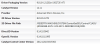
Build Info:
DriverVer=12/02/2012, 9.010.8.0000
9.01.8-121202a-150272E-ATI
Catalyst: 12.11
CCC: 2012.1202.303.5362
D3D: 9.14.10.0942
OGL: 6.14.10.11995
OCL: 10.0.1084.2
-
-
are you running them on your 6990m currently? If so how are they compared to previous versions? just curious and +rep for the info

-
Ok, just installed them along with Cap2. Now on previous beta, I was playing FC3 on ultra except no AA and High Shadows, after these latest drivers+Cap2, I have enabled 2x AA and Ultra Shadows and game is playable, no lag or shuttering.
EDIT: I have installed them on my previous beta, no clean install. -
My 3D Mark 11 stays the same. So you may see improvements in some games, just not the overall performance.
-
Apparantly, with AA off, the gameplay is better, rest in ultra with DX11 and HDAO.
-
Which one do I install? One with NET support of cap 2? Or just the normal one?
-
First install Drivers from first link and then CAP2 over them from second link.
-
it should not matter, since it just adds profiles for specific games (CAP 2). Also sherry CAP 2 is suppose to correct/improve the AA issue, also what is your FPS on ultra settings, I would like to compare against my machine specs, thanks (please list whether or not you ran AA or altered any other settings on ultra so I can match).
-
Ok, using FRAPS, got 28-29 FPS on ultra settings+No AA
23-24 FPS Ultra+2xAA
Now I'm not sure whether FRAPS can cause framedrops or not but I think 28-29 FPS are quite playable.
About CAP2, they are optimized for FC3 so they does matter for getting FPS gain alongwith new Beta (source AMD Website, also mentioned in OP) -
Great, I'll do a fraps run and post my results, I mainly wanted to see the performance difference between last Gen gpu and current Gen gpu (AMD) of course. 25-28 is very playable, I use to do it on my M17x (R1) on crysis at ultra settings(R1 stats in SIG) with no drawbacks, other than the cards getting a little toasty.
-
mikecacho please get back to us as I am keen to know your results.
-
Installed anad running great with my 6990m
-
What is your current FPS on your 6990m and what setting are you on at?
-
Hi Sherry, can you post a tutorial for updating the driver without clean install from the beta series?
-
Good, do that and post your results here and yes, those FPS are playable, no lags, even in villiage or driving or anyplace else.
-
Don't have Far Cry 3 yet. I have a bunch of other games to get through first and not a lot of time right now.
-
Tutorial?
I had a copy of Win 8 when it got released few days back, did fresh install and then installed Beta 8(those were out that time). Now after release of this Beta 11, I simply ran setup and installed. -
Do these updates affect our "switchable graphics" on m17xr3? I have a 6970M fyi.
Please advise, thank you!
I'm updating to the "latest" graphics update (dated 2011) from Dell support atm...
Also, great to see that the community is still strong after being MIA for so long
-
welcome back bud!!!
-
No, they Don't affect switchable graphics. They work fine.
Also Welcome Back
-
Sherry,
Under the video options did you mess with any of the frame buffering, meaning did you enable V-synch or change frame buffering.I will post results today, with Ultra settings. -
I've never enabled V-sync in any game and didn't change the frame buffer as well, default 1.
-
So do I just install these on top of whatever I have installed right now?
Attached are screenshots of my current software/driver version.Attached Files:
-
-
Ok sherry i did a 15min Fraps run, i had an average of 48.6 with Frame rate run and Max Buffer at 1 Frame rate as well as HBAO, on ULTRA settings. Just wanted to point out after abour 30min of game play my second fraps run showed a straigt 30FPS and never moved from that reguardless of where and what i did... game still needs to be optimzed, others reported the same... Oh yeah Alpha To Coverage is also set to enhanced.
So after restarting the game... the FPS sits solid at 30FPS, it does not budge, i believe it is related to the area i am at in the game... weird, definitly optimization issue for sure. -
Do your Brightness control work after you updated to this driver guys ?? especially for the one that using 6990m.....
-
Yes, you can install these on top of your current ones since your current drivers are Dell Official.
HBAO for nvidia (best gfx). HDAO for amd (best gfx). SSAO (best performance). So I think you might wanna try HDAO. By the way, are you using Win 7 or Win 8?
No, Brightness control issue is still there. Only works when you switch to Intel Gfx. -
I meant HBAO... either way the game seems to lock me at 30 FPS once i leave the town/area you start the game in... some areas might register as designed, but a flat 30FPS regardless of settings, when i say flat i mean it does not dip below or raise above 30 fps, Windows 7.
-
Mikecacho, to overcome the fps lock, disable v-sync in game and force it through CCC. It should then be locked at your screen refresh rate.
-
I'm really sorry I don't know much about this. I messed up my laptop twice trying to update the graphics drivers in the past.
I have an alienware m17x and I just want to be able to play far cry 3 with better fps.
So just to be correct. I have to delete all drivers on my laptop and then just install the drivers of the new topic?
Since those seem to be the official drivers, won't it tell me something like "your hardware is incompatible" like the previous official graphic drivers???
And leading to a BSOD?
I thank you a million time in advance for your time. -
Well none of us had BSOD using these latest Beta 11 on 6xxx/7xxx series. Fresh install would be better choice but if you are on drivers provided by Dell on their Software Dvd then you can install these on top of them. For best Farcry 3 experience, install these Beta 11 and then CAP 2 afterwards since this application profile is optimized for Farcry 3.
-
Ok so first I got a BSOD, then my pc restarted and I just re-ran the driver.
It installed succesfull, pc restarted and then isntalled CAP 2.
Am I now good to go,has it updated correctly?
And Is there still something else I have to update?
"geslaagd" means "succesfull"
Log:
Catalyst Installeer Manager
Installatierapport
120612 171806
Hardwaregegevens
Naam AMD Radeon Graphics Processor
Fabrikant Advanced Micro Devices, Inc.
Apparaat-ID 0x6720
Leveranciers-ID 0x1002
Klassecode 0x030000
Revisie-ID 0x00
Subsysteem-ID 0x04ba
ID leverancier subsysteem 0x1028
Overige hardware
Bestaande pakkettenAMD Catalyst-installatiebeheer
AMD APP SDK Runtime
AMD-beeldschermstuurprogramma
HDMIDP-geluidsstuurprogramma
Catalyst Control Center
Pakketten voor installatie
AMD Catalyst-installatiebeheerEindstatus Geslaagd
Versie van item 8.0.903.0
Grootte 20 Mbytes
AMD APP SDK RuntimeEindstatus Geslaagd
Versie van item 10.0.1084.2
Grootte 90 Mbytes
AMD-beeldschermstuurprogrammaEindstatus Geslaagd
Versie van item 9.010.8.0000
Grootte 90 Mbytes
HDMIDP-geluidsstuurprogrammaEindstatus Geslaagd
Versie van item 7.12.0.7708
Grootte 1 Mbytes
AMD Accelerated Video TranscodingEindstatus Geslaagd
Versie van item 12.5.100.21202
Grootte 3 Mbytes
Transcodering met slepen-en-neerzetten van AMDEindstatus Geslaagd
Versie van item 2.00.0000
Grootte 1 Mbytes
AMD Media Foundation-transcodersEindstatus Geslaagd
Versie van item 1.0.71202.0304
Grootte 1 Mbytes
Catalyst Control CenterEindstatus Geslaagd
Versie van item 2012.1202.303.5362
Grootte 150 Mbytes
Andere gedetecteerde apparaten
Fabrikant Advanced Micro Devices, Inc.
Apparaat-ID 0xaa88
Leveranciers-ID 0x1002
Klassecode 0x040300
Revisie-ID 0x00
Subsysteem-ID 0x0490
ID leverancier subsysteem 0x1028
![[IMG]](images/storyImages/2ppihjl.png)
Once again thanks for all the help, I really appreciate it.
I never have gotten this far in updating my graphics card driver. -
Glad to hear that and try to upgrade to Win 8, you will get rid of BSOD once and forever. I used to be on the same boat as you are but now Zero BSOD since I've got Win 8 x64
-
Hi Everyone,
Does anybody know if these drivers are Enduro enabled? I am running the "Enduro beta 3" drivers labeled 9.01. Thanks!
Rich S.
-
Are you guys and gals having issues with the transparent black boxes in the game?
-
Take a screen shot and upload please, Alientrepreneur.
-
-
Yes, they are Enduro supported. The one you are using are Enduro Performance Drivers I guess.
-
7xxx series is commonly known for its Screen Artifacts and Flickering issue but with clean install of latest drivers, you shouldn't be having this problem. Also try Win 8, there aren't any BSOD and Artifacts problems with it so far.
-
whaw..... yea, it really improve this game afterall. Install it top over my previous 12.11 beta 4, and install the Cap 2 after....... Smoothly Install. (The latest 4 driver back I can install it without BSOD first)
Back then, there's no way I can play it on DX11, after this new driver installed on my system, I can set my graphic into ultra, still in Full HD Resolution, with exception I turn off MSAA off course, along with the VSync & max buffered. The game is much playable between 24-29 FPS. Much better I guess..... With or without inside vehicle, is all the same constant FPS... -
Hi everyone this is my first post. Im picking farcry up later and had a few questions. I am currently using the 12.8 drivers with a 7970m in an M17x R4.
1. Is changing to these drivers neccesarry? (Im sure it is, just want to make sure. I dont like fixing things that arn't broke.)
2. If I need to update drivers, can I install these over 12.8 or do I need to uninstall those first? I installed 12.8 over dell stock.
Thanks in advance for the help. -
Installed these updates the other night on top of my drivers in regular Windows 7 (not safemode), and they work fine! These work (and install) better and more easily than the Dell ones (which didn't work for me, and kept saying that the grpahics drivers failed to install every time).
Thanks NBR family!
-
Try to have a fresh install since it is recommended but you can try over 12.8, since I installed mine over previous Beta and yes they are necessary if you want to gain few fps in FC3.
Glad to hear that
-
I don't know about your system, but in my system after updating into this driver somehow I can set the brightness control from my discrete graphic. It's like in previous driver version when you only can adjust brightness from the intelHD graphic, but after you switch it back again into the discrete, the brightness setting is follow the setting you have in intelHD graphic. In the previous driver, no matter what adjustment that I set in IntelHD, The brightness setting after I switch it back is always set at the maximum brightness....
-
I ended up updating thru windows and put the new dell stock (3/7/12) over 12.8. After that I Installed the 12.11 from this forum and the cap 2. So far so good. Running in dx11 everything ultra except msaa is off and so is Vsync. I have the gpu frame thing set to two. Game looks amazing. Happy I have the mux for dedicated gpu only. No shadow or block glitches either.
-
Just another quick question.
since the brightness slider doesn't work anymore and also not on power settings.
How can I make my screen more brighter???? -
Just a word of caution to others here. I install this over the top of my dell late 2011 driver and it BSOD half way through. I managed to get the drivers to install afterward, but there was a problem. Screen was all flicking when opening a web browser. Overclocking was totally lost. The screen would go dull then bright in Far Cry 3. Bascially the drivers and cap screwed over my system.
I used system restore to roll back to earlier drivers as could not uninstall the newer drivers and re-install the original dell drivers without more BSOD. Basically you will want to make a system restore point, otherwise you could one of the unlucky one like me.
Even now with the system restore completed, I am getting some weird stuff happening on the screen, almost like the video card has taken a massive dump. Overclocking is back although, all I can count on to make some difference.
Pretty stink dell can't be bothered to update the drivers even though we paid a premium for the Alienware, bit sad really. -
For brightness control to work, you need to switch to Intel Gfx, set you brightness and then back to AMD GPU.
None of us with 6990m and 79xx series had this problem so far with these or older drivers. I have updated these Beta over previous 2 Betas and almost close to ending Farcry 3. Hitman Absolution and Assassins Creed 3 is working great as well. -
That might hold true for most people here, although I have seen a couple of posts with some minor issues.
Please keep in mind that I am running a 6970m and not a 6990m if that makes any difference, I don't know for sure.
Although back on my old drivers I can still use ultra, amd the same settings as with the newer driver. Then adding overclocking back into the mix, where as the newer driver borks overclocking totally, I am able to Far Cry 3 far smoother and faster than the beta's.
I'm only speaking from my experience, just as a warning to those they may face the same issues. -
what about installing the beta's in a win7 x64 environment with dell's own drivers installed
-
Just install this driver over Dell's Official.
*NEW* AMD Catalyst 12.11 Beta 11 AMD Official (03/12/12) with 12.11 CAP2
Discussion in 'Alienware 17 and M17x' started by sherrypizza, Dec 3, 2012.