 Problems? See this thread at archive.org.
Nope, as I said this is out of the box. I downloaded EVGA Precision and raised the temp limit and the speeds by 50/100 for time being.
-
what are your scores with ur stock bios?
-
Try the same tests without the overclock; I've gotten over 7200 3D Mark 11 scores with 0 overclocking and EVGA temp raised, and with 50/100 overclocking the score dropped to 6600. It wasn't throttling due to temps, but just randomly throttling to about 600 MHZ every several minutes according to GPUz. WOndering if it will be harder to find stability for the 780m card?
-
Copied from above:
I am running again the benchmark, with the EVGA Precision...
EDIT #1: The tests show far looks good, a few extra FPS on the Cloud gate. Fire strike is loading now... the fans got louder than before, but the body doesn't feel that hot. -
The test above are without the overclock.
-
After the overclock:
Ice storm: 123865 , Cloud gate: 18064 and Fire Strike: 4329.
The first two actually dropped, with a little rise on Fire Strike. The GPU temp is still around 48-50c... Based on 3D mark max temp was 69c achieved during the Fire Strike 2nd GPU test and the Physics test.
To be honest Fire Strike run a lot better, especially the physics test was at a constant ~30FPS. -
Would someone be so kind as to give me a battery estimate on IGP, 100% brightness, WiFi on, browser open? Wondering if this thing can make it a day through college.
-
I would leave the overclocking for now until you've optimised the performance at stock clocks. Like I mentioned, you should be seeing about 5200 in Firestrike at stock clocks, not 4300. It's obviously doing some kind of throttling. If I was you I'd use the EVGA Precision X to change the throttling temperature limit (other users have done this), and use GPUz or something similar to track your clocks to make sure it's not throttling. (Flat surface for the laptop too, no bed sheets!).
-
I am using a Coolermaster U3 laptop cooler, with its' fans adjusted... I set the temp limit to 80, but it never went more than 69 (magic number
 )... Dunno about the throttling.
Sidenote: uTorrent is slow as hell! :S -
I have the same issues.
Can anybody tell me if those graphs are okay ( after playing Far Cry 3 for about an hour with everything maxed) ?

-
I'd put my money on thermal throttling. How are we so sure it isn't?
-
Ooops, I didn't notice that.
-
It doesn't do it for me on stock clocks with EVGA. Can go up to my temp limit of 87 C without throttling. The minute I set an overclock it will throttle at random temps, not set like 77 or 66. Donno if its because of unstability or what.
-
Well, you're getting thermal throttling at 80degC. From that graph you can see that when it gets to 80degC the clocks drop. To get the absolute maximum performance you could improve your cooling efficiency, or increase your temperature throttling limit.
-
Oh ok, so it shouldn't be getting too hot. You're not going to find out what's happening to the GPU if you don't monitor it, so I'd recommend doing what Mr Cuddles did in post #1058, that way you can start getting to see the root cause of the problem.
-
That's weird! Normally I'd say it's power related, exceeding your power adapters power rating, but that wouldn't be the case with a 240W adapter like you have. I don't know, is it something in the vBIOS, does it do that with a modded vBIOS, like a vBIOS from user svl7 on tech inferno?
-
No, I have normal vBIOS, it may be lack of good 780m drivers, I'm currently on the 326 beta driver.
-
Perhaps, I'd be surprised if it was the driver though, but you could prove it's the driver by installing a different one & seeing if you have the same problem.
-
Optimus is very buggy on my laptop:
- Fist of all, I get intermittent switches where the screen turns on and off for a few seconds, I postulate it's switching between the nvidia chip and the itel integrated, bnut really I have no idea what happening.
- Second, with Optimus on, the nvidia chip stays at 400/400 and doesn't downclock further or turn off (checked via GPU-Z), with means that battery life on Optimus is actually worse than on the discrete 780M alone.
How can I solve this? I would like to have more than three hours when basically doing nothing but browsing internet.
EDIT: I have the latest Intel driver downloaded from their website and the 326 beta for NVIDIA. -
Ok with a temp limit 80, the card downclocks from 900+ Mhz to ~610. On Far Cry 3, it runs smooth on ultra so not much complains. I will do FPS measurements etc.
Edit: After 1 hour of Far Cry 3 and a constant downloading/ installing apps for the last 8+ hours, the CPU is still around 55-60c and the GPU now around 50c (average was 53c). The fans however seems to kick in, even when I am just on Chrome. What "worries" me more is that some processes looks like are using to much CPU and Hard Disk. -
Hi guys,
I've a quick question. I got my 17 yesterday. It's an absolutely amazing machine btw. I went check everything was ok on it before starting to install my steam games and such. The computer menu only shows 685gb available in the C drive. I was wondering why I couldn't see the ssd drive? When I went to look in device manager it only showed 1 storage device recognized. Is the ssd hidden as it is used as the OS/boot drive?
I got the i7-4800 with the 750gb hdd and the 64gb ssd. -
Hi, you won't see the ssd as it's setup as a cache for the main HD and is done in firmware before windows loads. Dunno about win 8 but on 7 you can use 'disk manager' to see it along with the factory partitions on the HDD that will be taking some of the missing space.
You can fire up IRST (should be a taskbar item) to see that the drive is configured correctly.
HTH
entreri0209 likes this. -
About optimus: I can only get two modes: iGPU or dGPU only and to switch between them, I have to reboot. Isn't there any mode for "on the fly" switching between those two?
-
Is the i7-4700mq enough for a gt780m?
-
Wow, are you sure your GPU was only at 53degC during your Far Cry 3 gaming, I find that a little hard to believe considering the throttling you were obviously getting in Firestrike. Could it be you're looking at the 'current' temperature after you stop playing the game and come back to the desktop? If you do that, then it will show a low temperature because the load suddenly stops on the GPU when you finish the game, and the temperature drops immediately. You would need to look at a graph of your temperatures over time to look back to see what is actually happening while you were gaming. Anyway, you seem happy enough with your rig and I'm sure you'll work it out, good luck. I think the key is really to understand how your GPU is behaving by monitoring the clocks, temperatures, and GPU usage while gaming so that you can really see what's happening - and then it will be obvious to you if you understand a bit of the background to the technology of the GPU. MSI afterburner offer a good way of logging, and a load of other programs too.
EDIT: And if you like use the page at the following link to learn about the characteristics of your GPU (GTX 780M), and that page also lists the performance benchmark standards you should be reaching. That website also contains a host of other information so that you can learn about the technology, etc.
http://www.notebookcheck.net/NVIDIA-GeForce-GTX-780M.88993.0.html -
The average was 53 during the gameplay and during the Firestrike as I said my max temp got 69c, but usually it was kept around ~50c. I am monitoring the temps in the background. Don't worry, I am a Java developer, but did system architecture and currently "re-training" myself into CUDA development, so yeah I know a few things how GPUs work I am also comparing GPU Clock with the temps, the OC seems to work, but the throttle kicks in 78-79c during Far Cry 3, where it instantly goes down around 200-300MHz and the GPU cools again. My best guess at the moment this "instability" is the throttle and not the performance of the card. It works fine in games, real-world, as the performance ups and down are quick enough not to notice them -effect your gameplay. However they are there in benchmarks, thus the low scores, due to instability and the error margin correction of the benchmark tool -picks up the GPU performing as it should, more or less as a "boost" and maybe error? Just a theory, but my years of programming tell me that benchmark/ testing tools, usually "lie" if your software is extremely conditional -in this case, the temp limit, alongside with the raw power of the 780M.
I am happy with the rig in terms of temp performance, much cooler than my MBP is. However the fans go to full at random points, i.e.: when on Chrome, with the CPU/GPU temp being at reasonable levels.
The only "complain" in terms of performance is Optimus, It seems to work like "iGPU" or "dGPU" only and without an option for both at the same time -use them at demand- as I have to restart between switching from one to another.
EDIT:
Yep, I saw that. As you can see my Ice Storm has a similar score -which is the lowest benchmark. However Cloud City and Fire Strike are the one lucking. For Cloud City, I got a feeling I am running the test at a higher resolution (due to the demo version) than the benchmark there, but I will have a second look after work. For Fire Strike it just enhances the theory: temp limit -> GPU Clock goes down, throttles -> Drop at FPS thus the lower score.
Thanks for all your help!
-
Anyone here using cooling pads for their Alienware 17s? any temp difference?
-
I am using Coolermaster U3. So far the AW17 temps are cooled, even during and after gaming. Dunno the difference between with and without, but usually they help. In my MBP I had more than 10c difference with and without the pad!
EDIT: I would recommend another pad however. The U3 is good in terms of performance, but it scratched my MBP bottom, so I would be careful with it. -
Optimus is iGPU+dGPU or you can reboot to dGPU only , so optimus will switch between on the two on the fly with no breaks or restarts required. Just use optimus and it should sort itself usually for games etc.
Should be fine, unless you do a lot of encoding or plan to overclock. -
Ah ok! Thanks for clarifying that. When I restarted with iGPU on, I tried to mess around a little bit but I couldn't even see the nVidia panel! Will have another look when I go home! Thanks!
Is there a way to force the iGPU only? -
You might need to install the latest iGPU and dGPU drivers.
In the nvidia control panel there should be a setting to show gpu status in the taskbar so you know what app and when the dGPU is being used.
Most things run on the iGPU, chrome, IE, etc etc, only games usually need the dGPU. It's part of the nvidia control panel to know which to use, it usually defaults to iGPU if its unsure, you can right click on the .exe file and run with 'integrate' or nvidia graphics if you ever need to choose or it gets it wrong. -
Some of what you say to me there doesn't make sense to me or add up that much, but that's OK (I think some of that could be English as a second language which is cool), and you obviously know what you're talking about with your Java Deveolopment experience - it sounds like you'll be able to understand your problem & sort it in a jiffy.
Fans kicking on at seemingly random might just be associated to momentary moments of increased load and associated quick & short increases in temperature. Fan profiles controlled by the system BIOS I believe. -
Yeah sorry about it. I am just at work and I try to do debugging (frustrating experience) and reply here at the same time, plus as you said English is my secondary language -even if I work in the UK. If you want I can clarify anything I said above Haha I know how a GPU works in theory, but this doesn't mean I know how to "debug" it in practice as this is more or less in my opinion a software problem.
I keep having the feeling the GPU works fine in game and will do so, even out of the box, just not in benchmarks due to the way benchmarks work -the way they rate your system. I don't say that there isn't a problem, just that it is not as big as we make it sound in this thread. A solution must come out from nVidia (who imo screw this and not Dell) just because in a year, when games will be more hardware demanding, then we will see in-game throttle as well.
Erm no, in modern OSes BIOS basically does a quick check of the system and then parses its' values to the OS. The OS does all the hardware handling, including fans, etc -thus why you can nowadays overclock from the OS just fine. This is mainly due to the hybrid(modular) nature of modern Kernels which run straight after the bootloader switch into a 32/64-bits mode. BIOS is actually really "primitive" and the OS has access to it only through interrupters -such as when you put you computer to sleep mode.
EDIT: Most manufactures put their fan control in the BIOS, which in fact just parses values (min-max fan speeds) into the OS and the OS controls the fan. Thus why you get programs such as the EVGA Precision or the MSI AfterBurner (with its' TurboFan option for the G-series laptops) with fan speed reading/ adjustment. Just in our case, Alienware-Dell kept the fan control in auto, buried it somewhere into their drivers, without allowing external applications to gain access to it.
As fo the momentary increased load comment: I checked that, but I didn't see anything like that in my charts. Something that makes it more strange imo... Certainly my system is not defective, as it works great, but then again I doubt this is normal behavior... -
Your English is good for a second language. I agree the problem with the throttling needs to be fixed, but I think it's more Dell than NVidia, because cards installed in other manufacturers machines don't have this throttling problem. Don't worry, you don't need to explain further what you were getting at in your previous post, it's not important as I think a universal fix may be applied hopefully by Dell soon for those that have A17's (fingers crossed!).
OK, thanks for clarifying regarding the BIOS function, but there must be some kind of laptop model specific fan control going on somewhere right. Where does that come from? The fan profiles aren't created by Microsoft (the OS) surely, because fan profiles are specific to vendor & laptop model. Where are the fan profiles created or stored?
EDIT: Ok, you've edited your post. fan control profiles do come from the BIOS then, albeit passing through the OS you say. Either way, fan profiles are stipulated by the manufacturer, and I guess you have to live with those profiles unless you intervene using HWInfo to control your fans for instance. And maybe they'll be an unlocked BIOS that will come out that will allow you to control your fan profiles. -
If we are talking about fan control and fan tables, it's my understanding that this is controlled by the embedded controller (EC) - Mumak, author of HWiNFO, is pretty much the expert on this, so I think a read of his thread on T|I might be worth looking at to understand Alienware fan control:
Alienware Fan Control - Page 30
I'm no expert, but he is.
-
Thank you! I don't think it is Dell, as nVidia over the last years got more restrictive over OEMs customizations and at the end of the day, still have to be reviewed and be up to some standards set by nVidia . Plus most vendors such as Dell in general just buy stuff from a common OEM -i.e. Foxxcon, etc etc. Thus it likely to get vendors-wide BIOS compatibility, as in the past Alienware and Sager cards had (based on some posts) or now with the custom BIOS AW17 users are using. Already people with the new nVidia drivers are reporting improvements in performance, which adds more to my belief that nVidia is responsible.
The OS handles the fans, based on instructions set by the vendor. End-users fan control applications, overwrite those instructions. There is an Alienware application for manual fan control, not pretty, but it works -dunno about the link, I saw it somewhere in these forums a week or so ago, but haven't downloaded it yet. -
The EC sets the value at "hardware level" -sits between the actual fans and the BIOS/ OS (whatever is accessing it at that moment), as the OS' Kernel commands it to do so -in my knowledge at least But yeah he is an expert
I only know about fan control, as it is similar to other hardware resources I had the *sarcasm* pleasure *end of sarcasm*, working with. Similar to the EC and the fan control are those status LEDs, etc etc
EDIT: Asus ROG mobos used to -at least four-five years ago- come with a temp monitor. That monitor was connected to the mobo, but from what I can remember it was working only after the OS was booted... -
You can solve some of the throttling problems by using a modded vBIOS from svl7, and as I mentioned the throttling issue is not affecting GTX 780M cards in other laptop models & manufacturers, so I'm pretty sure it's not a driver issue. But it doesn't matter, we can beg to differ anyway.
-
I think some MSI scores posted to Alienware Launch thread were also slow... Yep we can Surely it isn't just a driver issue, but I still believe nVidia had to approve whatever chances Dell did to the vBIOS... Plus the temp limit can be set from OS-level software, but enforced at hardware level...
EDIT: At the end of the day: Dell or nVidia -if not both- have to do something. This is unacceptable in the long run.... Plus if they do that now, who says the next version of AW won't come with a similar limit? -
@Athonline
Please game for an hour and printscreen the HWiNFO showing the temp tables of your 780m. -
I may do so tonight if I get free time or tomorrow, as I still got Visual Studio and Eclipse to setup which atm are higher priority to me.
-
So just to be sure, we don't have to reboot to turn integrate to discrete?
-
You have to reboot to turn Optimus mode into Descrete mode. Strictly speaking the AW 17 shouldn't have an Integrated mode, but mine does due to this awesome glitch
-
Can anyone post a log of CPU/GPU temperatures while playing an intensive game (Metro: Last Light, Far Cry 3, Crysis 3, etc.)?
I'm curious about how loud the fans get in games, especially in discrete mode. -
Whenever I press Fn+F5, regardless of whether Optimus is used at the precise moment, I get the following message, does anyone face the same situation?

Anyway, I can't find a way to make Optimus work for me properly. -
Oh that's kind of a hassle... Even though I'm gonna have a SSD, it's still a chore if you want to do it almost every time.
-
It takes like 15 seconds with SSD... Hit Fn F5, hit yes, and it restarts in 13 seconds. Not a hassle at all; wouldn't keep me away from such a nice machine. Most competitors either have only Optimus mode, or no Optimus at all. At least you get a choice. Plus it always restarts into your last mode when you turn on your PC.
-
You should get this message:
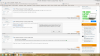
Try reinstalling both Integrated and Dedicated graphics drivers, and do a "clean" install -
It only takes 15 seconds? Huh... thought it would be longer. One last question though. Do you still need to plug in your charger for discrete mode?
-
Shouldn't be 100% necessarry, but your clocks will be stuck on the battery saving mode without the AC adapter.
*OFFICIAL* Alienware 17 Ranger (2013) Owner's Lounge Thread
Discussion in 'Alienware 17 and M17x' started by Mr. Fox, Jun 12, 2013.


